battery CHEVROLET S10 1993 2.G User Guide
[x] Cancel search | Manufacturer: CHEVROLET, Model Year: 1993, Model line: S10, Model: CHEVROLET S10 1993 2.GPages: 356, PDF Size: 20.85 MB
Page 220 of 356
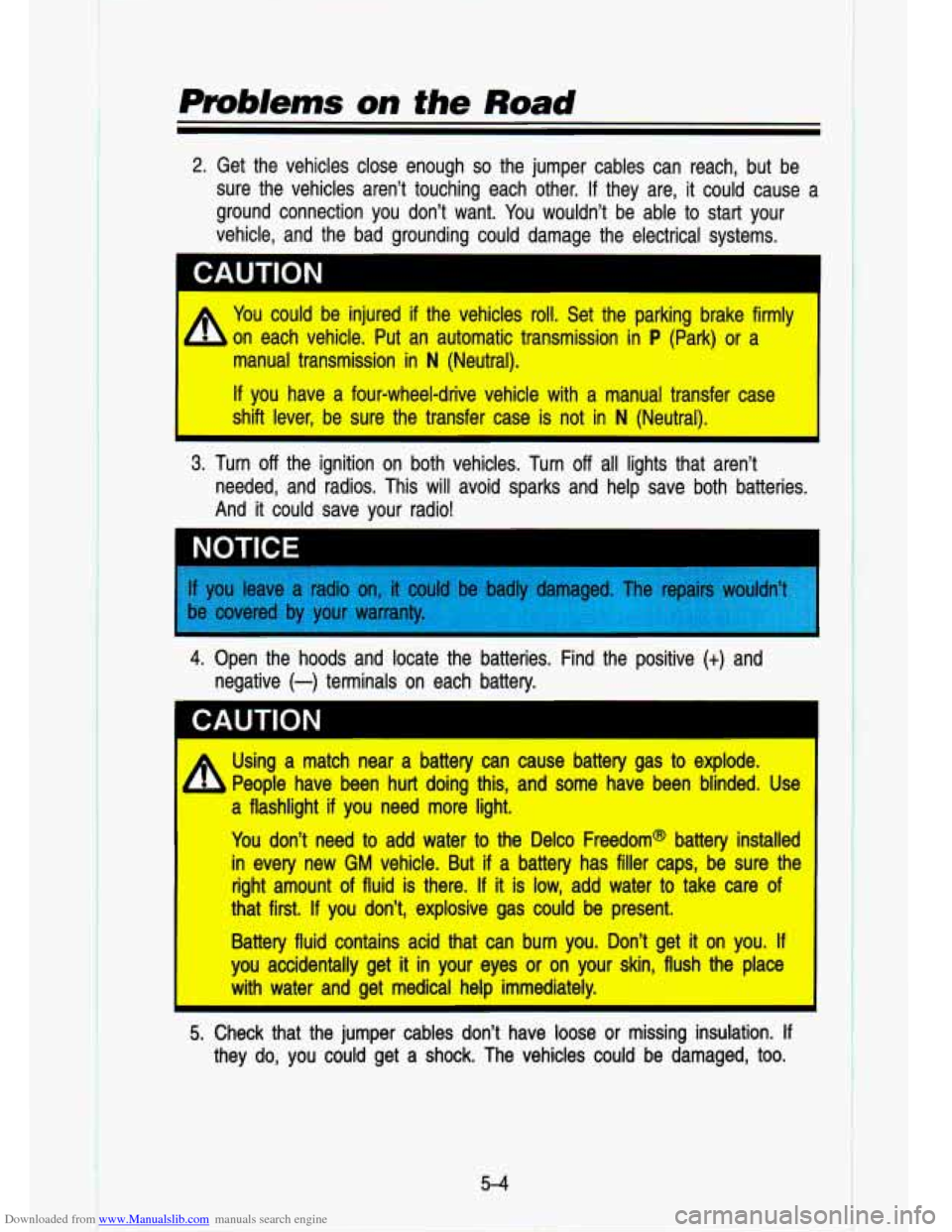
Downloaded from www.Manualslib.com manuals search engine 2. Get the vehicles close enough so the jumper cables can reach, but be
sure the vehicles aren’t touching each other. If they are, \
it could cause
a
ground connection you don’t want. You wouldn’t be able to start your
vehicle, and the bad grounding could damage the electrical syst\
ems.
1 CAUTION
* You could be injured if the vehicles roll. Set the parking brake \
firmly I
on each vehicle. Put an automatic transmission in P (Park) or a
manual transmission in
N (Neutral).
If you have a four-wheel-drive vehicle with a manual transfer case\
shift lever, be sure the tra-fer case is not in
N (Neut--’).
3. Turn off the ignition on both vehicles. Turn off all lights that aren’t
I
needed, and radios. This will avoid sparks and help save both \
batteries.
And it could save your radio!
4. Open the hoods and locate the batteries. Find the positive (t) arlu
negative
(-) terminals on each battery.
* Using a match near a battery can cause battery gas to explode. I
People have been hurt doing this, and some have been blinded. \
Use
a flashlight if you need more light.
You don’t need to add water to the Delco Freedom@ battery \
installer’
in every new
GM vehicle. But if a battery has filler caps, be sure thG
right amount of fluid is there.
If it is low, add water to take care of
that first.
If you don’t, explosive gas could be present.
Battery fluid contains acid that can burn you. Don’t get it on you.
If
you accidentally get it in your eyes or on your skin, flush the place
I with water and get medical help immediately.
5. Check that the jumper cables don’t have loose or missing insulation. If
they do, you could get a shock. The vehicles could be damaged, too.
5-4
I
Page 221 of 356
 will go to positive (t) and negativ")
Downloaded from www.Manualslib.com manuals search engine CAUTION
Before you connect the cables, here are some things you should\
know. Positive
(t) will go to positive (t) and negative, (-) will go to a negative
(-) or a metal engine part. Don't connect (t) to (-) or you'll get a
short that would damage the battery and maybe other parts, too\
.
/ Fans or other moving engine parts can injure you badly. Keep \
your
hands away from moving parts once the engines are running.
6. Connect the red positive (t) cable to the positive (t) terminal of the
Y
vehicle with the dead battery. Use a remote positive (t) terminal if the
vehicle has one.
Dead Battery (+) Good Battery (t)
7.
8.
9.
Don't let the other end touch metal. Connect it to the positi\
ve (t)
terminal of the good battery. Use a remote positive (t) terminal if the
vehicle has one.
Now connect the black negative
(-) cable to the good battery's negative
(-) terminal.
Don't let the other end touch anything until the next step. T\
he other end
of the negative cable doesn't go to the dead battery. It goes to a heavy
unpainted metal part on the engine of the vehicle with the dead battery.
Attach the cable at least
18 inches (45 cm) away from the dead battery,
but not near engine parts that move. The electrical connection \
is just as good there, but the chance of sparks getting back to the battery is much
less.
5-5
Page 222 of 356
Downloaded from www.Manualslib.com manuals search engine Prob/ems on the Road
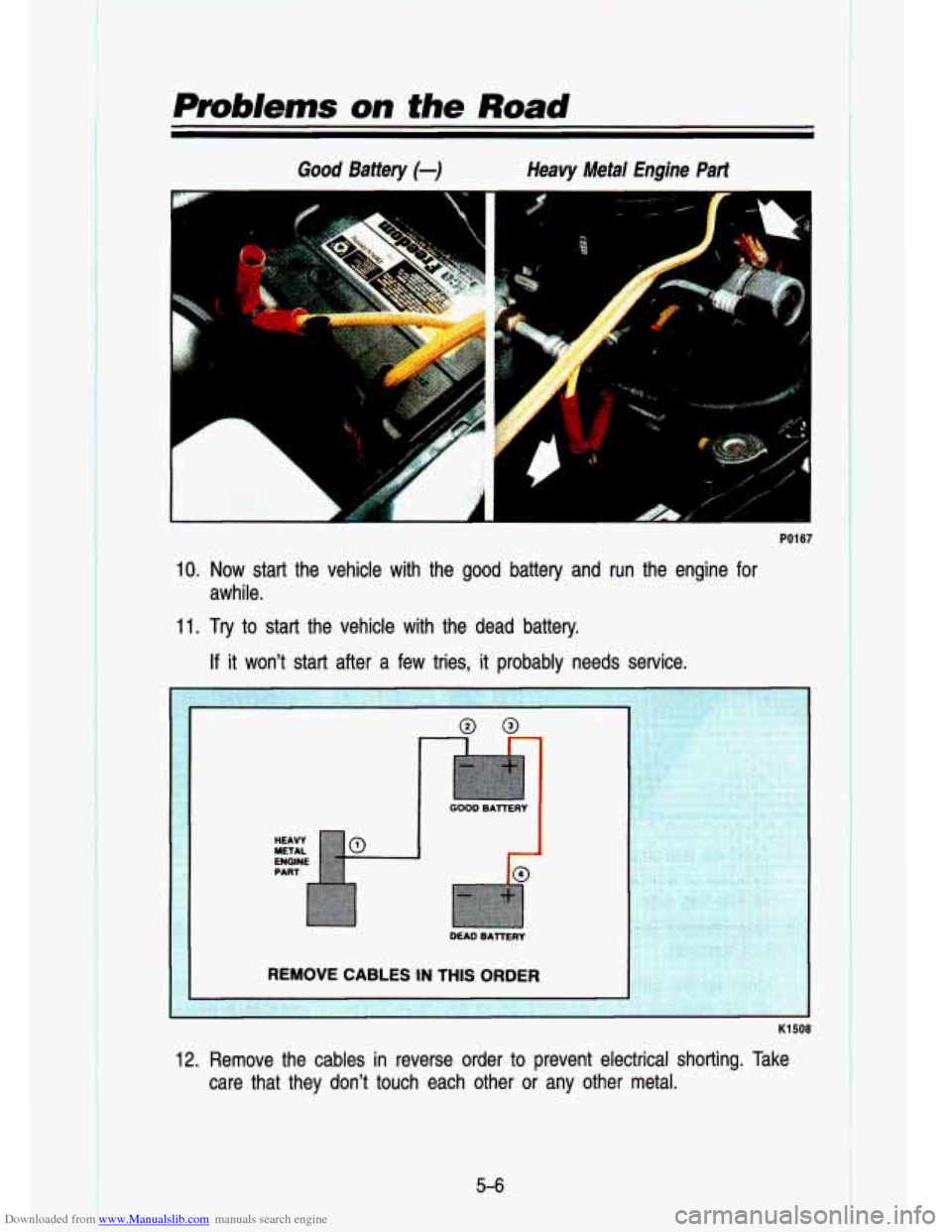
Good Battery (-) Heavy Metal Engine Part
r“ 1 -L
L
PO1 67
10. Now start the vehicle with the good battery and run the engine fo\
r
awhile.
11. Try to start the vehicle with the dead battery.
If it won’t start after a few tries, it probably needs service.
12. Remove the cables in reverse order to prevent electrical shorting. Take
care that they don’t touch each other or any other metal.
5-6
I !
Page 250 of 356

Downloaded from www.Manualslib.com manuals search engine Service & Appearance Care
Battery ........................................................................\
.......................................... 6-31
Vehicle Storage
........................................................................\
........................... 6-31
Bulb Replacement
........................................................................\
....................... 6-31
Other Maintenance Items
........................................................................\
........... 6-34
Loading Your Vehicle
........................................................................\
.................. 6-38
Tires ........................................................................\
.............................................. 6-43
Appearance Care
........................................................................\
........................ 6-50
Vehicle Identification Number (VIN)
................................................................... 6-57
Service Parts Identification Label
...................................................................... 6-59
Fuses and Circuit Breakers ........................................................................\
........ 6-59
Capacities and Specification Charts
.................................................................. 6-61
6-2
t
Page 279 of 356
Downloaded from www.Manualslib.com manuals search engine Battery
Every new GM vehicle has a Delco Freedom battery. You never have to add
water to one of these. When it’s time for a new battery, we recommend a
Delco Freedom battery. Get one that has the catalog number sho\
wn on the
original battery’s label.
Vehicle Storage
If you’re not going to drive your vehicle for 25 days or more, take off the
black, negative
(-) cable from the battery. This will help keep your battery
from running down.
Batteries have acid that can burn you and gas that can explod\
e. Yo1
can be badly hurt if you aren’t careful. See “Jump Starting” in the
Index for tips on working around a battery without getting hur\
t.
Contact your dealer to learn how to prepare your vehicle for longer storage
periods. For more information, contact your dealer’s service \
department, or
write
to:
Adistra Corporation
171 Hamilton Street
Plymouth, MI 48170
General Motors of Canada, Limited
Customer Services Department
Oshawa, Ontario LIJ
526 Canada
In
Canada, write to:
Bulb Replacement
Halogen Bulbs
CAUTION
IA
Halogen bulbs have pressurized gas inside and can burst if y~u drop
or scratch the bulb. You or others could be injured. Take special care
when handling and disposing of halogen bulbs.
I
Before you replace any bulbs, be sure that a
engine isn’t running.
6-31
Page 308 of 356

Downloaded from www.Manualslib.com manuals search engine I
Service & Appearance Cave
Headlights
The headlight wiring is protected by a circuit breaker in the \
light switch. An electrical overload will cause the lights to go on and
off, or in some cases to
remain
off. If this happens, have your headlight wiring checked right away.
Windshield Wipers
The windshield wiper motor is protected by a circuit breaker a\
nd a fuse. If
the motor overheats due to heavy snow, etc., the wiper will s\
top until the
motor cools. If the overload is caused by some electrical problem and not
snow, etc., be sure to get it fixed.
Power Windows and Other Power Options
Circuit breakers in the fuse panel protect the power windows a\
nd other power
accessories. When the current load is
too heavy, the circuit breaker opens
and closes, protecting the circuit until the problem is fixed \
or goes away.
Trailer Wiring Harness
The optional seven-wire trailer wiring I ;s is protected by an in-line fuse
in the battery feed wire. This fuse is near rhe junction bloc\
k. See “Trailer
Wiring Harness” in the “Features
& Controls’’ section.
Fuse Block
KO631
The fuse block is in the instrument panel on the driver’s side.
- .: .-: 1
.- .
Remove the cover with a screwdriver and then you can remove f\
uses with a
fuse extractor.
6-60
Page 347 of 356
Downloaded from www.Manualslib.com manuals search engine INDEX
Section
A
Accessory Power Outlet .............. 2-53
Air Cleaner
.................................... 6-14
Air Conditioning
................... 3-6, 6-35
Fan Lever
..................................... 3-6
Function Lever
............................ 3-6
Refrigerant Capacity
................. 6-65
Temperature Lever
...................... 3-6
Antenna, Fixed Mast
................... 3-26
Antilock Brakes (See “Brakes”)
Appearance Care
.......................... 6-50
Materials
.................................... 6-56
Arbitration Program
........................ 8-3
Audio Systems
............................... 3-7
AM Radio
..................................... 3-9
AM-FM Stereo Audio Compact
Disc (CD) System
................... 3-20
AM-FM Stereo Audio System
........................ 3-1 1
AM-FM Stereo Audio System with Cassette Deck
............ >.3-13
AM-FM Stereo Audio System
with Cassette Deck and Equalizer
................................. 3-1 6
Anti-Theft System
.................... 3-23
Compact Disc Care
.................. 3-25
Automatic Transmission
............... 2-1 6
Fluid
............................................ 6-1 6
Axle
Front
........................................... 6-22
Rear
............................................ 6-2 1
A
B
Battery ........................................... 6-31
Belts (See “Safety Belts”)
Better Business Bureau Mediation
.................................... -8-3
Blizzard
.......................................... 4.53
Brakes
Adjustment
................................. 4-17
Antilock
...................................... 4-14
Fluid
........................................... 6-29
Leak Check
............................... 6-30
Master Cylinder
........................ 6-29
Parking
....................................... 2-21
Pedal Travel
.............................. 4-17
Rear Drum Brakes
................... 4-17
Replacing Parts
........................ 6-30
System Warning Light .2-66, 4-16
Trailer
......................................... 4-59
Wear Indicators
........................ 4-16
Braking
.......................................... 4-12
In Emergencies
........................ 4-17
Break-In, New Vehicle
................... 2-9
Bulb Replacement
....................... 6-31
Replacement Chart
.................. 6-63
C
Capacities and Specification
Charts
........................................ 6-61
Carbon Monoxide
... 2.26. 2.27. 4-53
Cassette Tape Player
(See “Audio Systems”)
9-1