change wheel CHEVROLET S10 1993 2.G Owners Manual
[x] Cancel search | Manufacturer: CHEVROLET, Model Year: 1993, Model line: S10, Model: CHEVROLET S10 1993 2.GPages: 356, PDF Size: 20.85 MB
Page 54 of 356

Downloaded from www.Manualslib.com manuals search engine Features & Controls
Enain laust ........................................................................\
........................... 2-26
hunnlng Your Engine While You’re Parked
.................................................. 2-26
Four-wheel Drive
........................................................................\
........................ 2-27
Manual Transfer Case
........................................................................\
............. 2-28
Electronic Transfer Case
........................................................................\
......... 2-29
Windows
........................................................................\
....................................... 2-31
Tailgate
........................................................................\
......................................... 2-33
Horn
........................................................................\
.............................................. 2-33
Tilt Wheel
........................................................................\
..................................... 2-34
Turn Signal/MuItifunction Lever
........................................................................\
.. 2-35
Turn Signal and Lane Change Indicator
....................................................... 2-36
Headlight High-Low Beam
........................................................................\
...... 2-38
Windshield Wipers
........................................................................\
................... 2-38
Windshield Washer
........................................................................\
.................. 2-40
Cruise Control
........................................................................\
.......................... 2-41
Lights
........................................................................\
............................................ 2-46
Mirrors
........................................................................\
.......................................... 2-50
Accessory Power Outlet
........................................................................\
............. 2.53
Cigarette LighteVAshtrays
........................................................................\
........... 2-54
Storage Compartments
........................................................................\
............... 2.55
Instrument Cluster
........................................................................\
................... I.rr . 2-62
Warning Lights, Gages and Indicators
.......................................................... 2-65
Trailer Wiring Harness
........................................................................\
................ 2-75
2-2
Page 72 of 356
Downloaded from www.Manualslib.com manuals search engine Featurns & Controls
I
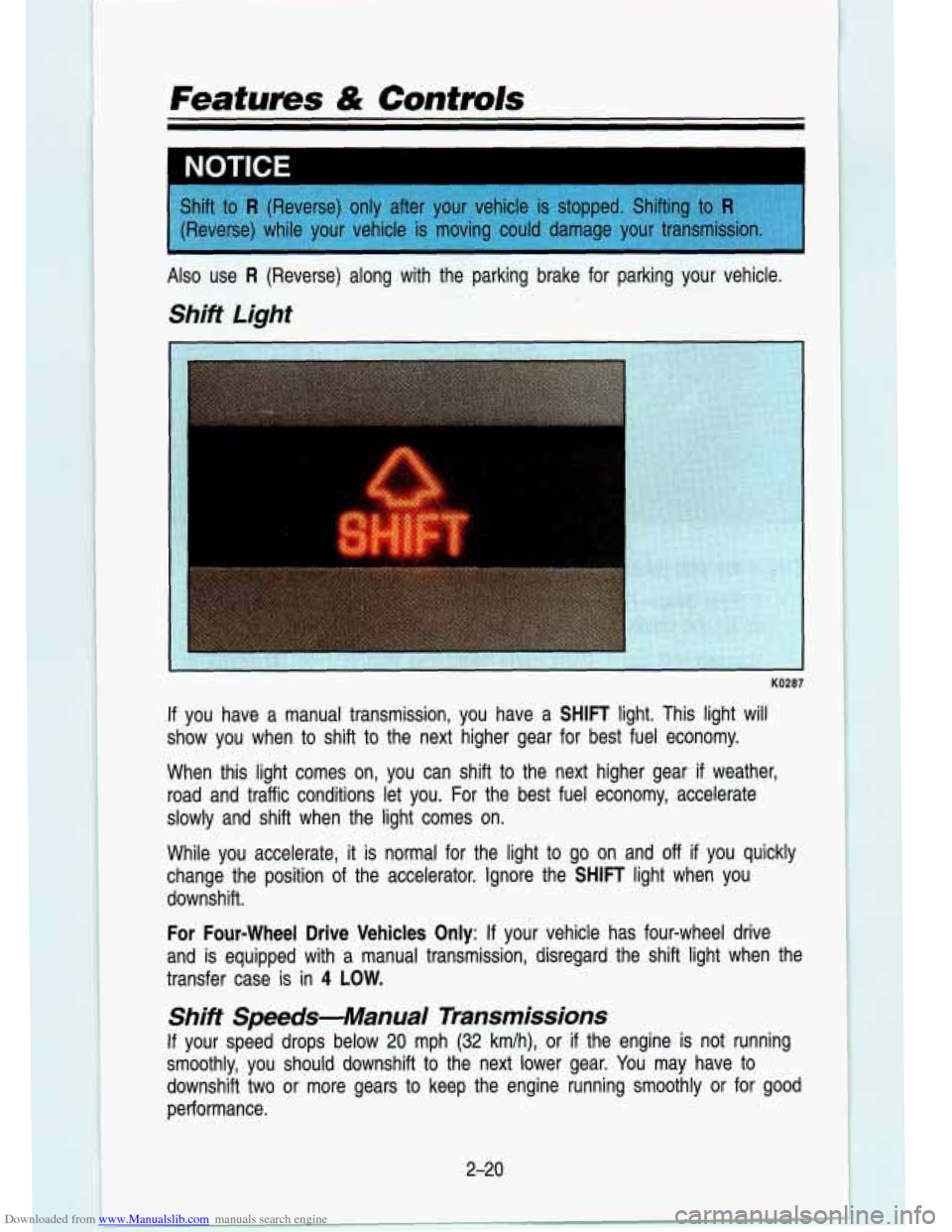
If you have a manual transmission, you have a SHIFT light. This light will
show you when
to shift to the next higher gear for best fuel economy.
When this light comes on,
you can "shift to the n-ext higher gear if weather,
road and traffic conditions let you. For the best fuel economy, accelerate
slowly and shift when the light comes on.
While you .accelerate, it
is normal for the light to go on and off if you quickly
change the position
of the accelerator. Ignore the SHIFT light when you
downshift.
For Four-wheel Drive Vehicles
Only: If your vehicle has four-wheel drive
and is equipped with a manual transmission, disregard the shift\
light when the
transfer case is in
4 LOW.
Shift Speeds-Manual Transmissions
If your speed drops below 20 mph (32 km/h), or if the engine is not running
smoothly, you should downshift
to the next lower gear. You may have to
downshift two or more gears to keep the engine running smoothly or for good
performance.
2-20
Page 94 of 356

Downloaded from www.Manualslib.com manuals search engine Features & Contmls
t
1 CALITION I. - .. ;Fg ,. L A Cruise Control can be dangerous where you can't drive safely a\
t
a steady speed.
So, don't use your Cruise Control on winding
roads
or in heavy traffic.
Cruise Control can be dangerous on slippery roads. On such
roads, fast changes in tire traction can cause needless wheel
spinning, and you could lose control. Don't use Cruise Control \
on slippery roads.
To Set Cruise Control
Move the Cruise Control switch to ON.
1 CAUTION
A If you leave your Cruise Control switch on when you're not using \
k Cruise, you might hit a button and go into Cruise when you don't
want to. You could be startled and even lose control. Keep the
Cruise Control switch
OFF until you want to use it.
Get up to the speed you want.
Push in the set button at the end of the lever and release it.
Take your foot off the accelerator pedal.
2-42
Page 169 of 356
Downloaded from www.Manualslib.com manuals search engine 1
AM41 5013
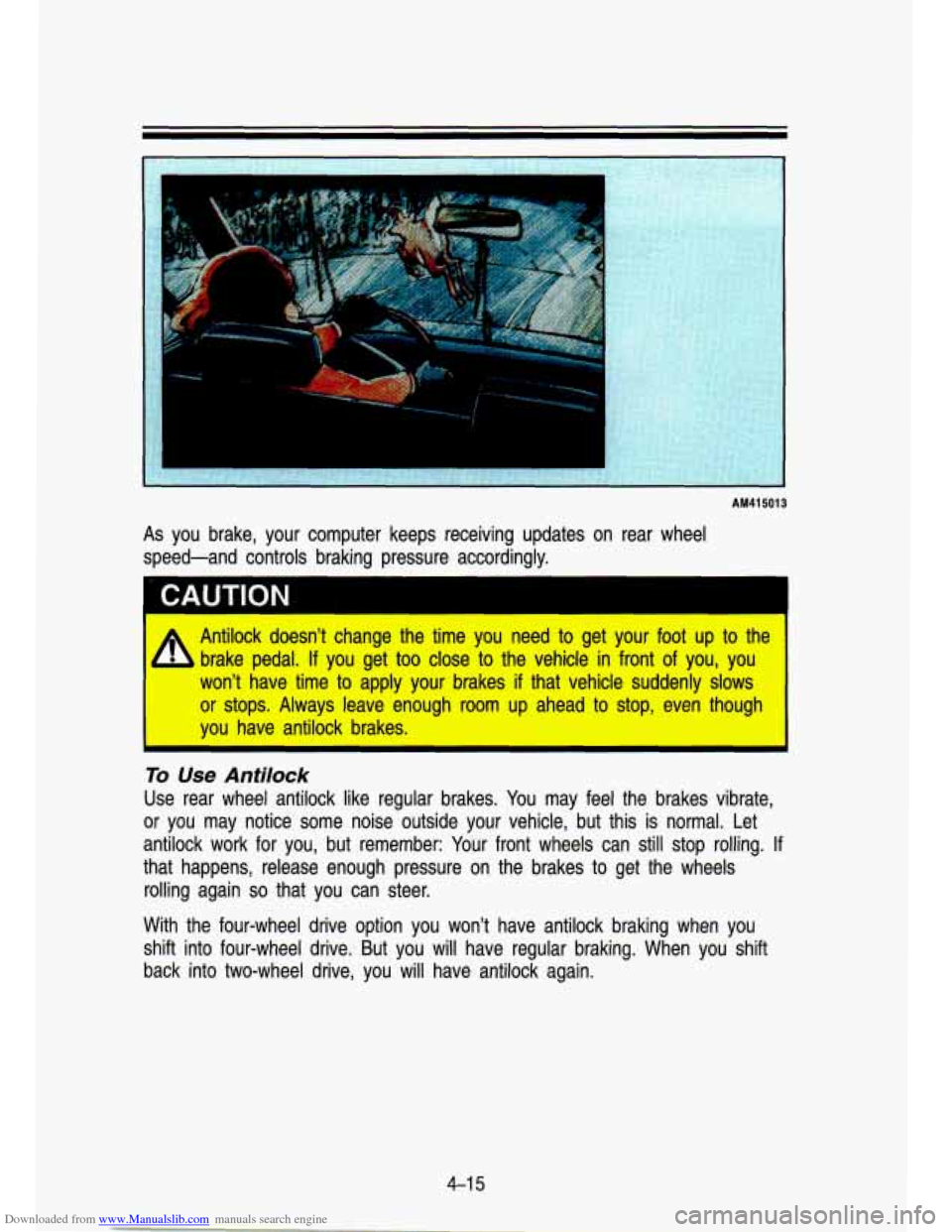
As you brake, your computer keeps receiving updates on rear wheel
speed-and controls braking pressure accordingly.
Antilock doesn't change the time
you need to get your foot u8p to the
brake pedal.
If you get too clloise to the vehicle in front of you, you
won? have time to apply your brakes if that vehicle suddenly slows
or stops. Always leave enough room ulp ahead to stop, even thouglh
you have antilock brakes. I
To Use Antilock
Use rear wheel antilock like regular brakes. You may feel the brakes vibrate,
or you may notice some noise outside your vehicle, but this i\
s normal. Let antilock work for you, but remember: Your front wheels can still stop rolling. If
that happens, release enough pressure on the brakes to get the wheels
rolling again
so that you can steer.
With the four-wheel drive option you won't have antilock brakin\
g when you
shift into four-wheel drive. But you will have regular braking.\
When you shift
back into two-wheel drive, you will have antilock again.
4-1 5
Page 172 of 356
Downloaded from www.Manualslib.com manuals search engine Your Driving and the Road
Steering Tips
Driving on Curves
It’s important to take curves at a reasonable speed.
A lot of the “driver lost control” accidents mentioned on the news \
happen on
curves. Here’s why:
Experienced driver or beginner, each of us is subject to the same laws of
physics when driving on curves. The traction of the tires against the road
surface makes it possible for the vehicle to change its path when you turn
the front wheels.
If there’s no traction, inertia will keep the vehicle going in
the same direction.
If you’ve ever tried to steer a vehicle on wet ice, you’ll \
understand this.
The traction you can get in a curve depends on the condition of your tires
and the road surface, the angle at which the curve is banked, and your
speed. While you’re in a curve, speed is the one factor you can control.
Suppose you’re steering through a sharp curve. Then you sudd\
enly apply the
brakes. Both control systems-steering and braking-have to do their work
where the tires meet the road. Adding the hard braking can de\
mand too
much at those places. You can lose control. The same thing can happen
if
you’re steering through a sharp curve and you suddenly accel\
erate. Those
two control systems-steering and acceleration-can overwhelm those places
where the tires meet the road and make you lose control.
What should you
do if this ever happens? Let up on the brake or accelerator
pedal, steer the vehicle the way you want it to go, and slow down.
Speed limit signs near curves warn that you should adjust your\
speed. Of
course, the posted speeds are based on good weather and road \
conditions. Under less favorable conditions you’ll want to go slower.
If you need to reduce your speed as you approach a curve, do it before you
enter the curve, while your front wheels are straight ahead. Try to adjust your
speed
so you can “drive” through the curve. Maintain a reasonable, \
steady
speed. Wait to accelerate until you are out of the curve, and then accelerate
gently into the straightaway.
When you drive into a curve at night, it’s harder to see the road ahead of
you because it bends away from the straight beams of your lights. This is
one
good reason to drive slower.
Steering in Emergencies
There are times when steering can be more effective than braki\
ng. For
example, you come over a hill and find a truck stopped in your lane, or a
4-1 %
Page 179 of 356
Downloaded from www.Manualslib.com manuals search engine Controlling your vehicle is the key to successful off-road driving. One of the
best ways to control your vehicle is to control your speed. Here are some
things to keep in mind. At higher speeds:
you approach things faster and you have less time to scan the terrain
for obstacles.
you have less time to react.
you have more vehicle bounce when you drive over obstacles.
you’ll need more distance for braking, especially since you’\
re on an
unpaved surface.
I CAUTION
A When you’re driving off road, bouncing and quick changes in direc-
1 tion can easily throw you out of position. This could cause you to
lose control and crash. So, whether you’re driving on or off the road,
you and your passengers should wear safety belts.
Scanning the Terrain
Off-road driving can take you over many different kinds of terrain. You need
to be familiar with the terrain and its many different features. \
Here are some
things
to consider.
Surface Conditions
Off-roading can take you over hard-packed dirt, gravel, rocks, grass, sand,
mud, snow or ice. Each of these surfaces affects the steering, acceleration,
and braking of your truck in different ways. Depending upon the kind of
surface you are on, you may experience slipping, sliding, wheel spinning,
delayed acceleration, poor traction, and longer braking distances\
.
Surface Obstacles
Unseen or hidden obstacles can be hazardous. A rock, log, hole, rut, or
bump can startle you
if you’re not prepared for them. Often these obstacles
are hidden by grass, bushes, snow or even the rise and fall of the terrain
itself. Here are some things to consider:
Is the path ahead clear?
Will the surface texture change abruptly up ahead?
Does the travel take you uphill or downhill? (There’s more discussion of
Will you have to stop suddenly or change direction quickly?
these subjects
later.)
4-25
Page 181 of 356

Downloaded from www.Manualslib.com manuals search engine with only a small change in elevation where you can easily see all the wa\
y
to
the top. On a large hill, the incline may get steeper as you near the top,
but you may not see this because the crest of the hill is hidden by bushes,
grass, or shrubs.
Here are some other things to consider as you approach a hill.
0
0
0
e
0
0
Is there a constant incline, or does the hill get sharply steeper in
places?
Is there good traction on the hillside, or will the surface cause tire
slipping?
Is there a straight path up or down the hill so you won’t have to make
turning maneuvers?
Are there obstructions on the hill than can block your path (\
boulders,
trees, logs or ruts)?
What’s beyond the hill?
Is there a cliff, an embankment, a drop-off, a
fence? Get out and walk the hill if you don’t know. It’s the smart way to
find out.
Is the hill simply too rough? Steep hills often have ruts, gullies, troughs
and exposed rocks because they are more susceptible to the effects of
erosion.
Driving Uphill
Once you decide you can safely drive up the hill, you need t\
o take some
special steps.
Use a lower gear and get a firm grip on the steering wheel.
Get a smooth start up the hill and try to maintain your speed. Don’t use
more power than you need, because you don’t want your wheel\
s to
start
spinning or sliding.
Try to drive straight up the hill if at all possible. If the path twists and
turns, you might want to find another route.
3 CAUTION
Turning or driving across steep hills can lbe dangerous. You could
b lose traction, slide sideways, and possibly roll over. You could be
seriously injured or killed. When driving
up hills, always try to go
straight up. I
Ease up on your speed as you approach the top of the hill.
4-27
Page 199 of 356
Downloaded from www.Manualslib.com manuals search engine On the Road
Unless you are the only driver, it is good to share the driving task with
others. Limit turns behind the wheel to about
100 miles (160 km) or two
hours at a sitting. Then, either change drivers or stop for s\
ome refreshment
like coffee, tea or soft drinks and some limbering up. But
do stop and move
around. Eat lightly along the way. Heavier meals tend to make some people
sleepy.
On two-lane highways or undivided multilane highways that
do not have
controlled access, you’ll want to watch for some situations not usually found
on freeways. Examples are: stop signs and signals, shopping cen\
ters with
direct access to the highway, no passing zones and school zones, vehicles
turning left and right
off the road, pedestrians, cyclists, parked vehicles, and
even animals.
Highway Hypnosrs
Is there actually such a condition as “highway hypnosis?” Or \
is it just plain
falling asleep at the wheel? Call it highway hypnosis, lack of awareness, or
whatever.
There is something about an easy stretch of road with the same scenery,
along with the hum of the tires on the road, the drone of the engine, and the
rush of the wind against the vehicle that can make you sleepy. Don’\
t let it
happen to you!
If it does, your vehicle can leave the road in less than a
second, and you could crash and be injured.
What can you
do about highway hypnosis? First, be aware that it can
happen.
Then here are some tips:
Make sure your vehicle is well ventilated, with a comfortably \
cool interior.
Keep your eyes moving. Scan the road ahead and to the sides. \
Check
your rearview mirrors frequently and your instruments from time \
to time.
This can help you avoid a fixed stare.
Wear good sunglasses in bright light. Glare can cause drowsines\
s. But don’t wear sunglasses at night. They will drastically reduce \
your overall
vision at the very time you need all the seeing power you have.
If you get sleepy, pull off the road into a rest, service, or parking area
and take a nap, get some exercise, or both. For safety, treat drowsiness
on the highway as an emergency.
As in any driving situation, keep pace with traffic and allow adequat\
e
following distances.
4-45
Page 214 of 356

Downloaded from www.Manualslib.com manuals search engine Your Driving and the Road
Following Distance
Stay at least twice as far behind the vehicle ahead as you w\
ould when
driving your vehicle without a trailer. This can help you avoi\
d situations that require heavy braking and sudden turns.
Passing
You’ll need more passing distance up ahead when you’re to\
wing a trailer.
And, because you’re a good deal longer, you’ll need
to go much farther
beyond the passed vehicle before you can return
to your lane.
Backing Up
Hold the bottom of the steering wheel with one hand. Then, to move the
trailer left, just move your hand to the left. To move the trailer to the right,
move your hand
to the right. Always back up slowly and, if possible, have
someone guide you.
Making Turns
When you’re turning with a trailer, make wider turns than n\
ormal. Do this so
your trailer wheels won’t strike soft shoulders, curbs, road \
signs, trees, or
other objects. Avoid jerky or sudden maneuvers. Signal well in advance.
Turn Signals When Towing a Trailer
When you tow a trailer, your vehicle has to have a different turn signal
flasher and extra wiring. The green arrows on your instrument \
panel will flash
whenever you signal a turn or lane change. Properly hooked up,\
the trailer lights will also flash, telling other drivers you’re about
to turn, change lanes,
or stop.
When towing a trailer, the green arrows on your instrument pan\
el will flash for
turns even
if the bulbs on the trailer are burned out. Thus, you may think \
drivers behind you are seeing your signal when they are not.
It’s important to
check occasionally to be sure the trailer bulbs are still work\
ing.
Driving on Grades
Reduce speed and shift to a lower gear before you start down a long or
steep downgrade.
If you don’t shift down, you might have to use your brakes
so much that they would get hot and no longer work well.
On a long uphill grade, shift down and reduce your speed to \
around
45 mph
(70 km/h) to reduce the possibility of engine and transmission ove\
rheating.
If you have an automatic transmission, you should use D when towing a
trailer. Operating your vehicle in
D when towing a trailer will minimize heat
buildup and extend the life of your transmission. Or, if you have a manual
transmission with fifth gear, it’s better not to use fifth \
gear, just drive in fourth
gear (or, as you need
to, a lower gear).
4-60
Page 223 of 356
Downloaded from www.Manualslib.com manuals search engine Towing Your Vehicle
Try to have a GM dealer or a professional towing service tow your vehicle.
They can provide the right equipment and know how to tow it without
damage.
If your vehicle has been changed since it was factory-new, by adding things
like fog lamps, aero skirting, or special tires and wheels, th\
ese things could
be damaged during towing.
Before you do anything, turn on the hazard warning flashers.
When you call, tell the towing service:
That your vehicle has rear-wheel drive, or that it has the fo\
ur-wheel drive
0 The make, model, and year of your vehicle.
Whether you can move the shift lever for the transmission and \
shift the
If there was an accident, what was damaged.
option.
transfer case,
if you have one.
I CAUTION
To help avoid injury to you or others:
A * Never let passengers ride ‘in a vehicle that is being towed.
Never tow faster than safe or posted speeds.
0 Never tow with damaged pads not fully secured.
Never get under your vehide after it has been lifted by the tow
. 0 Always use separate safety chains on each side when towing a
truck.
vehicle.
Never use “J” hooks. Use T-hooks instead.
5-7