lights CHEVROLET S10 1995 2.G Owners Manual
[x] Cancel search | Manufacturer: CHEVROLET, Model Year: 1995, Model line: S10, Model: CHEVROLET S10 1995 2.GPages: 354, PDF Size: 18.92 MB
Page 7 of 354
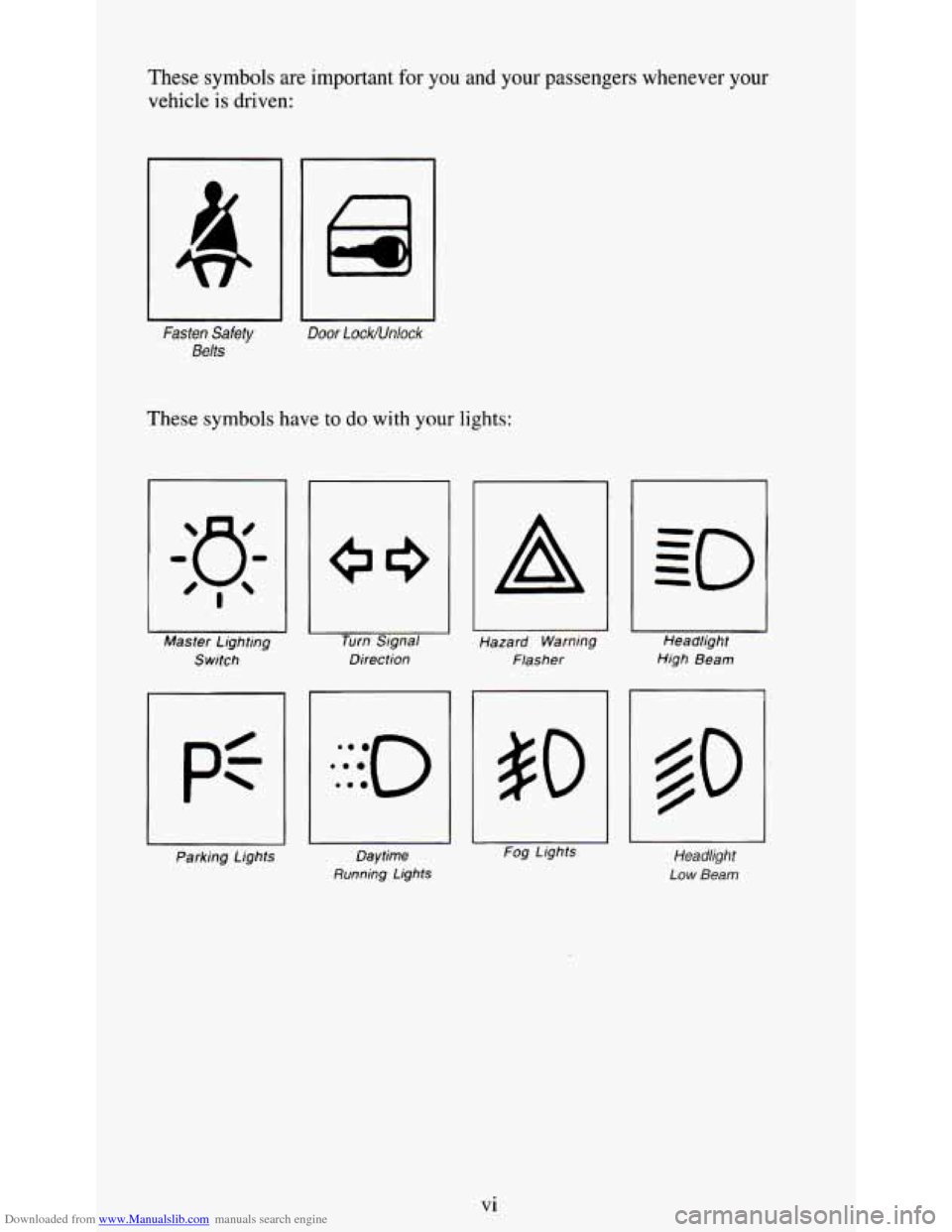
Downloaded from www.Manualslib.com manuals search engine These symbols are important for you and your passengers whenever your
vehicle
is driven:
Fasten Safety
Belts
Door LockNnlock
These symbols have to do with your lights:
I Master Lighting
Switch Turn
Signal
Direction
A
Hazard Warning
Flasher Headlight
High Beam
Parking Lights Daytime
Running Lights
- Fog Lights Headlight
Low Beam
Vi
Page 8 of 354
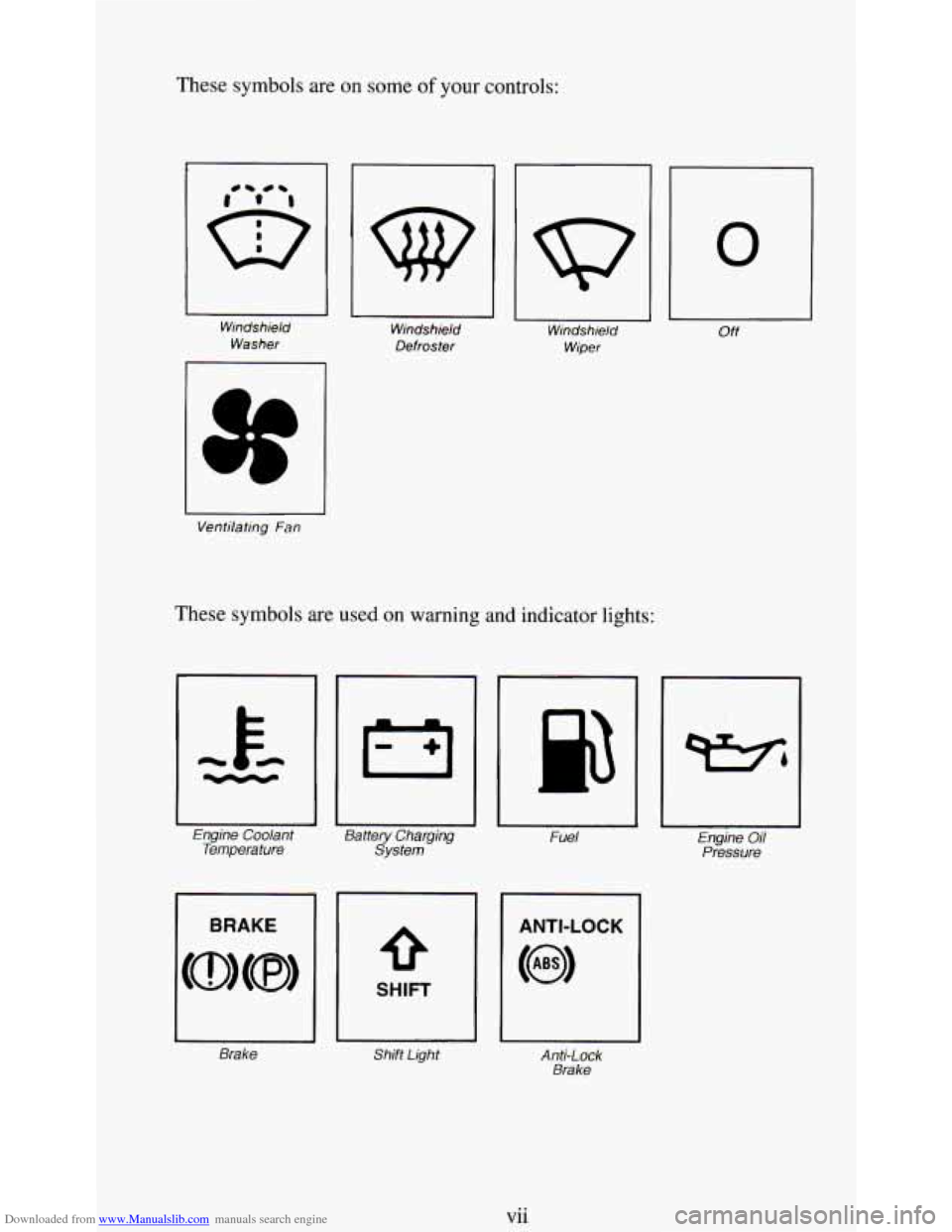
Downloaded from www.Manualslib.com manuals search engine These symbols are on some of your controls:
Windshield
Washer Windshield
Defroster Windshield
Wiper
Ventilating
Fan
These symbols are used on warning and indicator lights:
Engine Coolant Battery Charging Fuel Temperature System
SHIFT
Brake Shift Light Anti-Lock
Brake
0
Off
Engine Oil
Pressure
vi i
Page 74 of 354
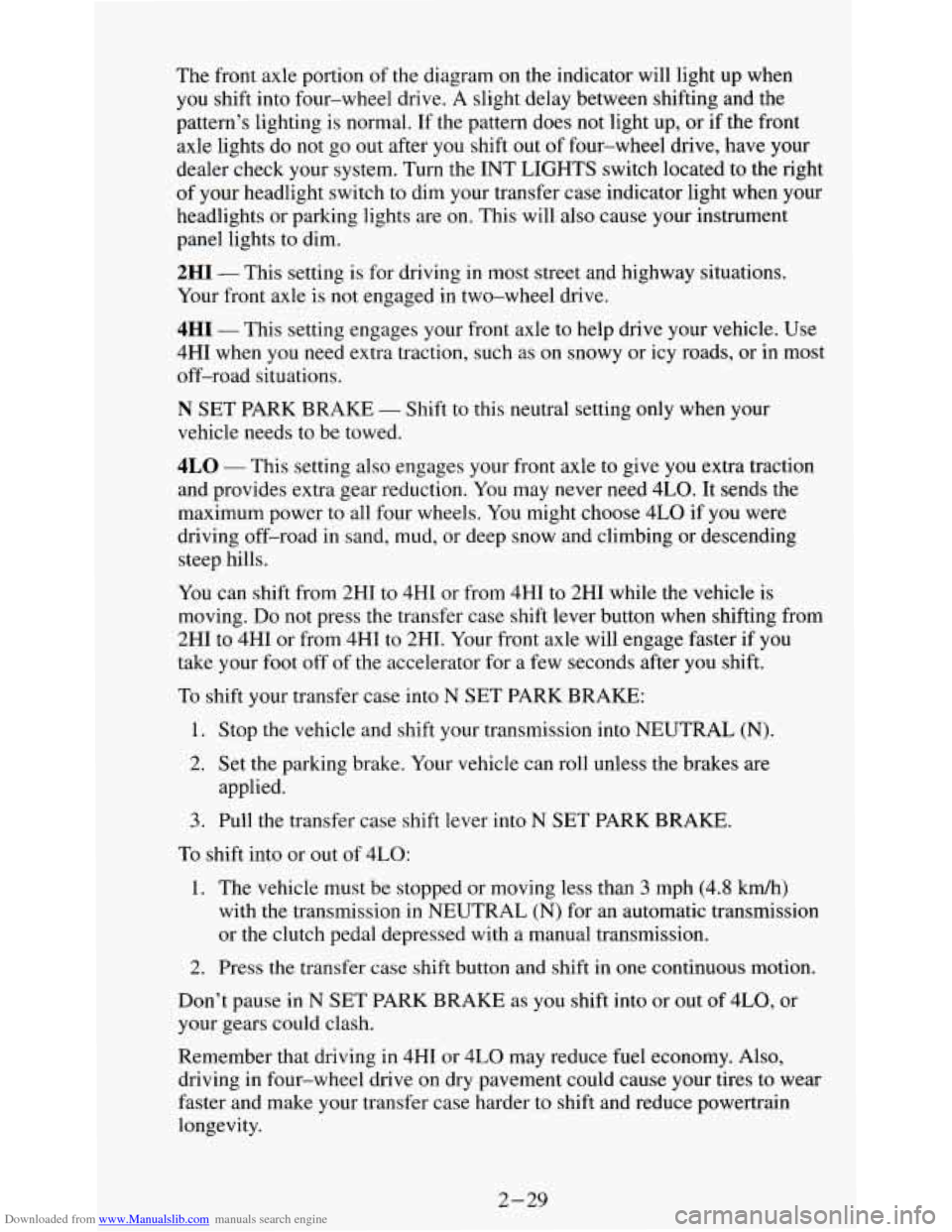
Downloaded from www.Manualslib.com manuals search engine The front axle portion of the diagram on the indicator will light up when
you shift into four-wheel drive. A slight delay between shifting and the
pattern’s lighting is normal. If the pattern does not light up, or
if the front
axle lights do not go out after you shift out of four-wheel drive, have your
dealer check your system. Turn the INT LIGHTS switch located to the right
of your headlight switch
to dim your transfer case indicator light when your
headlights or parking lights are
on. This will also cause your instrument
panel lights to dim.
2HI - This setting is for driving in most street and highway situations.
Your front axle is not engaged in two-wheel drive.
4HI - This setting engages your front axle to help drive your vehicle. Use
4HI when you need extra traction, such as on snowy or icy roads, or in most
off-road situations.
N SET PARK BRAKE - Shift to this neutral setting only when your
vehicle needs to be towed.
4LO - This setting also efigziges your front axle to give you extra traction
and provides extra gear reduction. You may never need 4LO. It
sends the
maximum power to all four wheels. You might choose 4LO if you were
driving off-road in sand, mud, or deep snow and climbing or descending
steep hills.
You can shift from 2HI to 4HI
or from 4HI to 2HI while the vehicle is
moving.
Do not press the transfer case shift lever button when shifting from
2HI to
4HI or from 4HI to 2HT. Your front axle will engage faster if you
take your foot off of the accelerator for a few seconds after you shift.
To shift your transfer case into N SET PARK BRAKE:
1. Stop the vehicle and shift your transmission into NEUTRAL
(N).
2. Set the parking brake. Your vehicle can roll unless the brakes are
applied.
3. Pull the transfer case shift lever into N SET PARK BRAKE.
To shift into or out of 4LO:
1. The vehicle must be stopped or moving less than 3 mph (4.8 km/h)
with the transmission in NEUTRAL
(N) for an automatic transmission
or the clutch pedal depressed with a manual transmission.
2. Press the transfer case shift button and shift in one continuous motion.
Don’t pause in
N SET PARK BRAKE as you shift into or out of 4L0, or
your gears could clash.
Remember that driving in 4HI or 4LO may reduce fuel economy. Also,
driving in four-wheel drive
on dry pavement could cause your tires to wear
faster and make your transfer case harder to shift and reduce powertrain
longevity.
2-29
Page 75 of 354
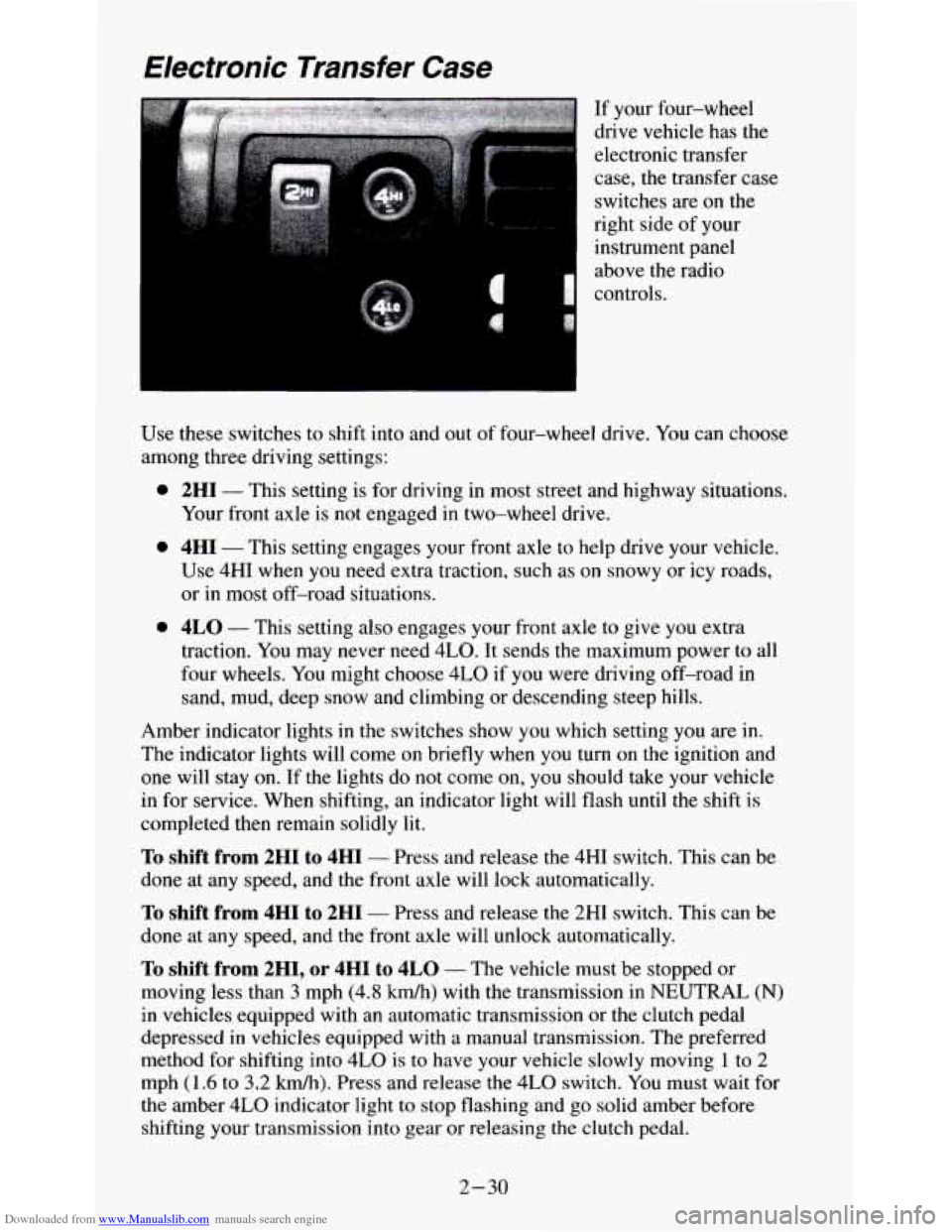
Downloaded from www.Manualslib.com manuals search engine Use these switches to shift into and out of four-wheel drive. You can choose
among three driving settings:
0
0
0
2HI - This setting is for driving in most street and highway situations.
Your front axle
is not engaged in two-wheel drive.
4HI - This setting engages your front axle to help drive your vehicle.
Use 4HI when you need extra traction, such as
on snowy or icy roads,
or
in most off-road situations.
4LO - This setting also engages your front axle to give you extra
traction. You may never need
4LO. It sends the maximum power to all
four wheels. You might choose
4LO if you were driving off-road in
sand, mud, deep snow and climbing or descending steep hills.
Amber indicator lights
in the switches show you which setting you are in.
The indicator lights will come on briefly when you turn on the ignition and
one will stay
on. If the lights do not come on, you should take your vehicle
in for service. When shifting, an indicator light will flash until the shift is
completed then remain solidly lit.
To shift from 2HI to 4HI - Press and release the 4HI switch. This can be
done at any speed, and the front axle will lock automatically.
To shift from 4HI to 2HI - Press and release the 2HI switch. This can be
done at any speed, and the front axle will unlock automatically.
To shift from 2H1, or 4HI to 4LO - The vehicle must be stopped or
moving less than
3 mph (4.8 km/h) with the transmission in NEUTRAL (N)
in vehicles equipped with an automatic transmission or the clutch pedal
depressed
in vehicles equipped with a manual transmission. The preferred
method for shifting into
4LO is to have your vehicle slowly moving 1 to 2
mph (1.6 to 3.2 kdh). Press and release the 4LO switch. You must wait for
the amber
4LO indicator light to stop flashing and go solid amber before
shifting your transmission into gear or releasing
the clutch pedal.
2-30
Page 80 of 354
Downloaded from www.Manualslib.com manuals search engine Turn Signal and Lane Change Indicator
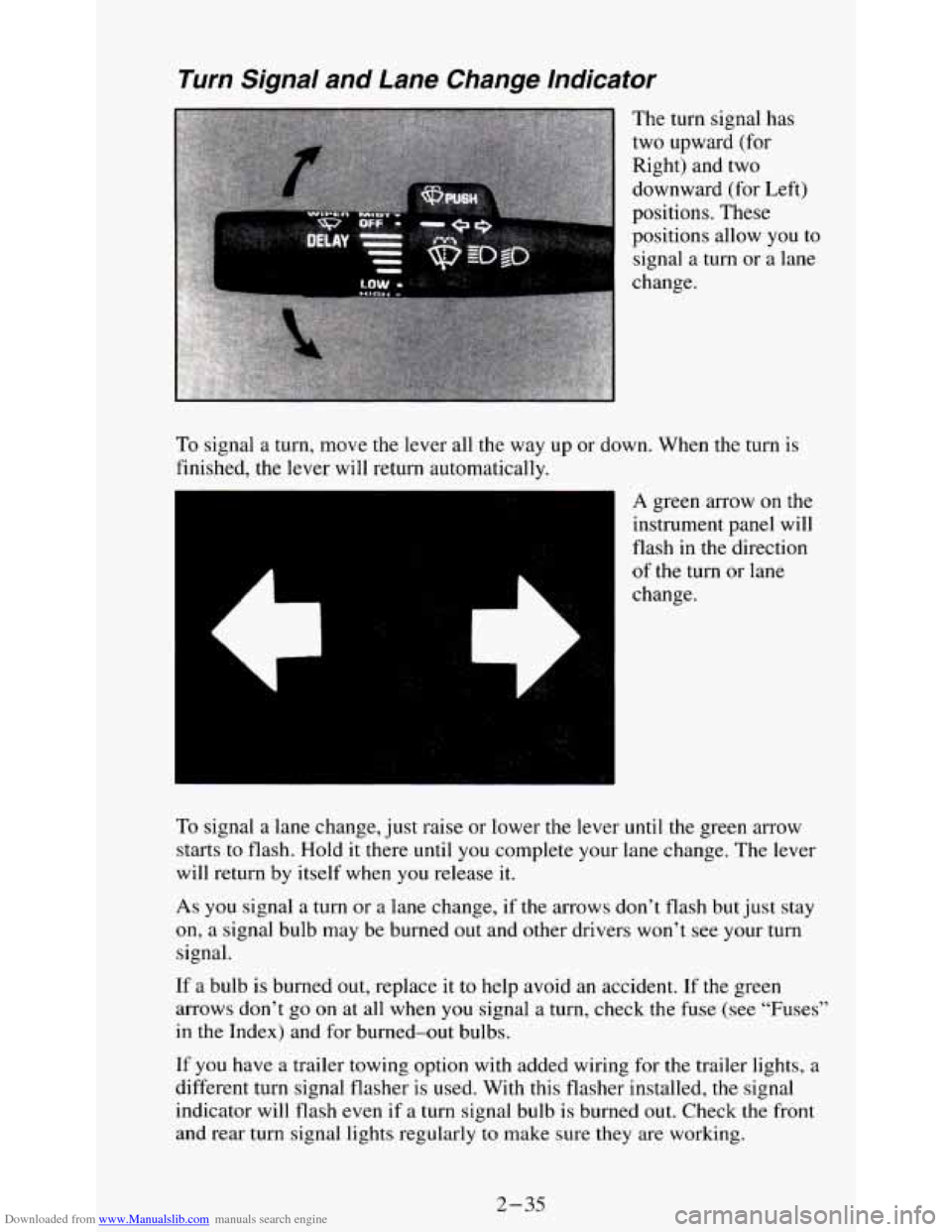
The turn signal has
two upward (for
Right) and two
downward (for Left)
positions. These
positions allow you
to
signal a turn or a lane
change.
To signal a turn, move the lever all the way up or down. When the turn is
finished, the lever will return automatically.
es
A green arrow on the
instrument panel will
flash in the direction
of the turn or lane
change.
To signal a lane change, just raise or lower the lever
until the green arrow
starts
to flash. Hold it there until you complete your lane change. The lever
will return by itself when
you release it.
As you signal a turn or a lane change, if the arrows don’t flash but just stay
on, a signal bulb may be burned out and other drivers won’t see your turn
signal.
If a bulb is burned out, replace it to help avoid an accident. If the green
arrows don’t go on at all when
you signal a turn, check the fuse (see “Fuses”
in the Index) and for burned-out bulbs.
If you have a trailer towing option with added wiring for the trailer lights, a
different turn signal flasher is used. With this flasher installed, the signal
indicator will flash even
if a turn signal bulb is burned out. Check the front
and rear turn signal lights regularly
to make sure they are working.
2-35
Page 88 of 354
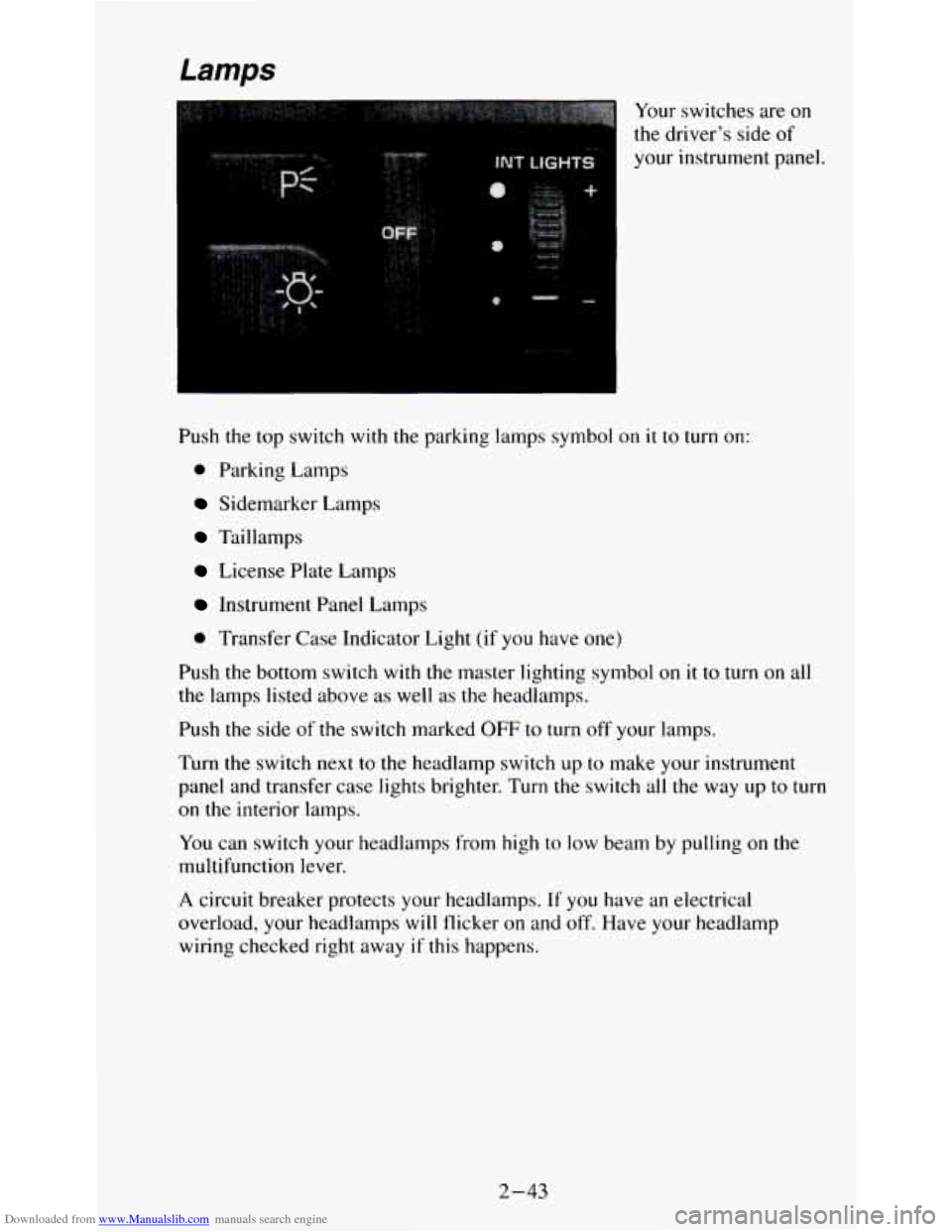
Downloaded from www.Manualslib.com manuals search engine Your switches are on
the driver’s side of
your instrument panel.
Push the top switch with the parking lamps symbol on
it to turn on:
0 Parking Lamps
Sidemarker Lamps
Taillamps
License Plate Lamps
Instrument Panel Lamps
0 Transfer Case Indicator Light (if you have one)
Push the bottom switch with the master lighting symbol on it to turn on all
the lamps listed above as well as the headlamps.
Push
the side of the switch marked OFF to turn off your lamps.
Turn the switch next to the headlamp switch up to make your instrument
panel and transfer case lights brighter. Turn the switch all the way up
to turn
on the interior lamps.
You can switch your headlamps from high to low beam by pulling on the
multifunction lever.
A circuit breaker protects your headlamps. If you have an electrical
overload, your headlamps
will flicker on and off. Have your headlamp
wiring checked right away
if this happens.
2-43
Page 89 of 354
Downloaded from www.Manualslib.com manuals search engine Fog Lamps (Option)
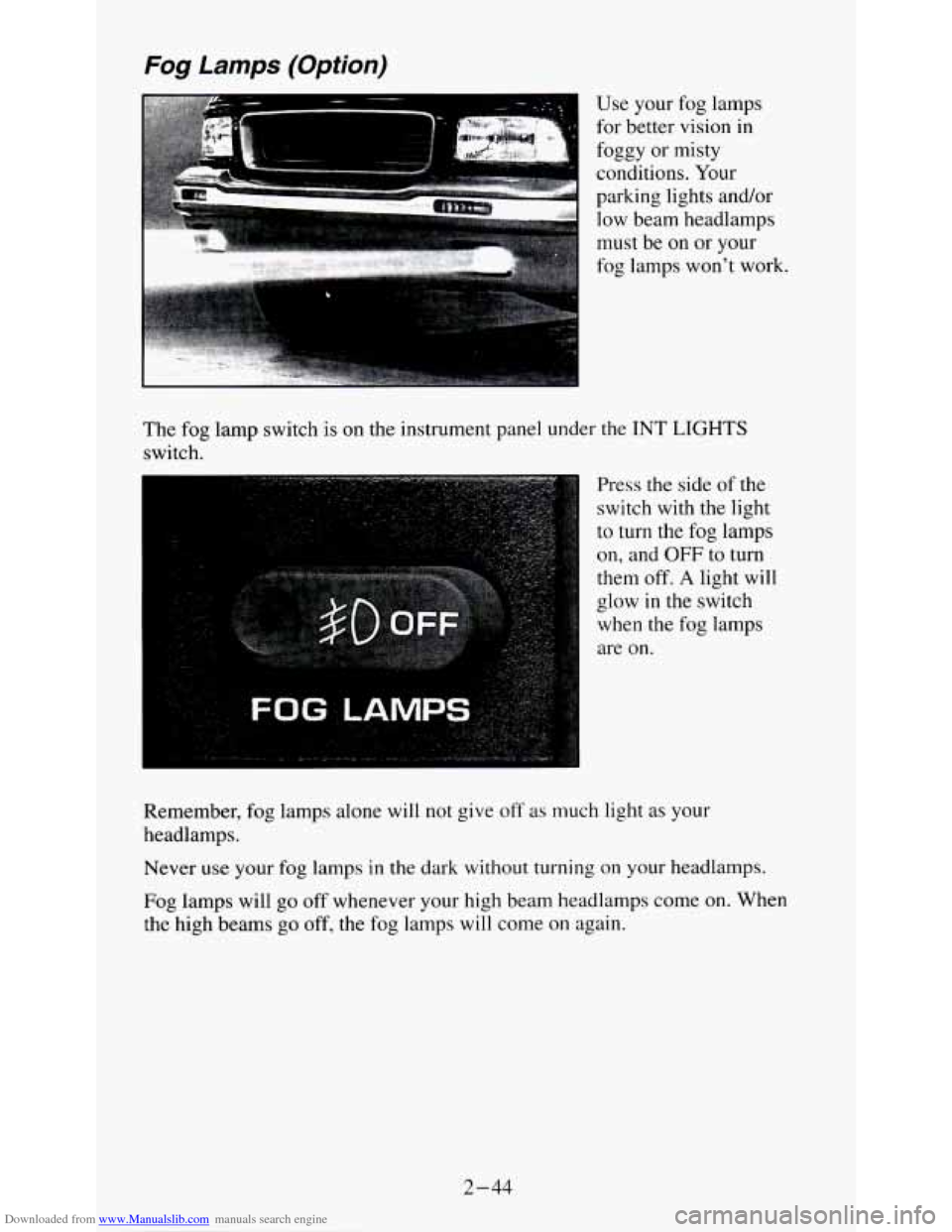
Use your fog lamps
for better vision in
foggy
or misty
conditions. Your
parking lights and/or low beam headlamps
must be
on or your
.. : L .ii$..I.'.%$:~>:. -,.-.:* . ',I.?: ,: ,, '*$+A& ., . ,, .. , ', . .. fog lamps won't work.
The fog lamp switch is on the instrument panel under
the INT LIGHTS
switch.
Press the side
of the
switch with the light
to turn the fog lamps
on, and OFF to turn
them off.
A light will
glow in the switch
when the fog lamps
are on.
Remember, fog lamps alone will not give off as
much light as your
headlamps.
Never use your
fog lamps in the dark without turning on your headlamps.
Fog lamps will go off whenever your high beam headlamps come on. When
the high beams
go off, the fog lamps will come on again.
2-44
Page 91 of 354
Downloaded from www.Manualslib.com manuals search engine Dome Lamp
L A
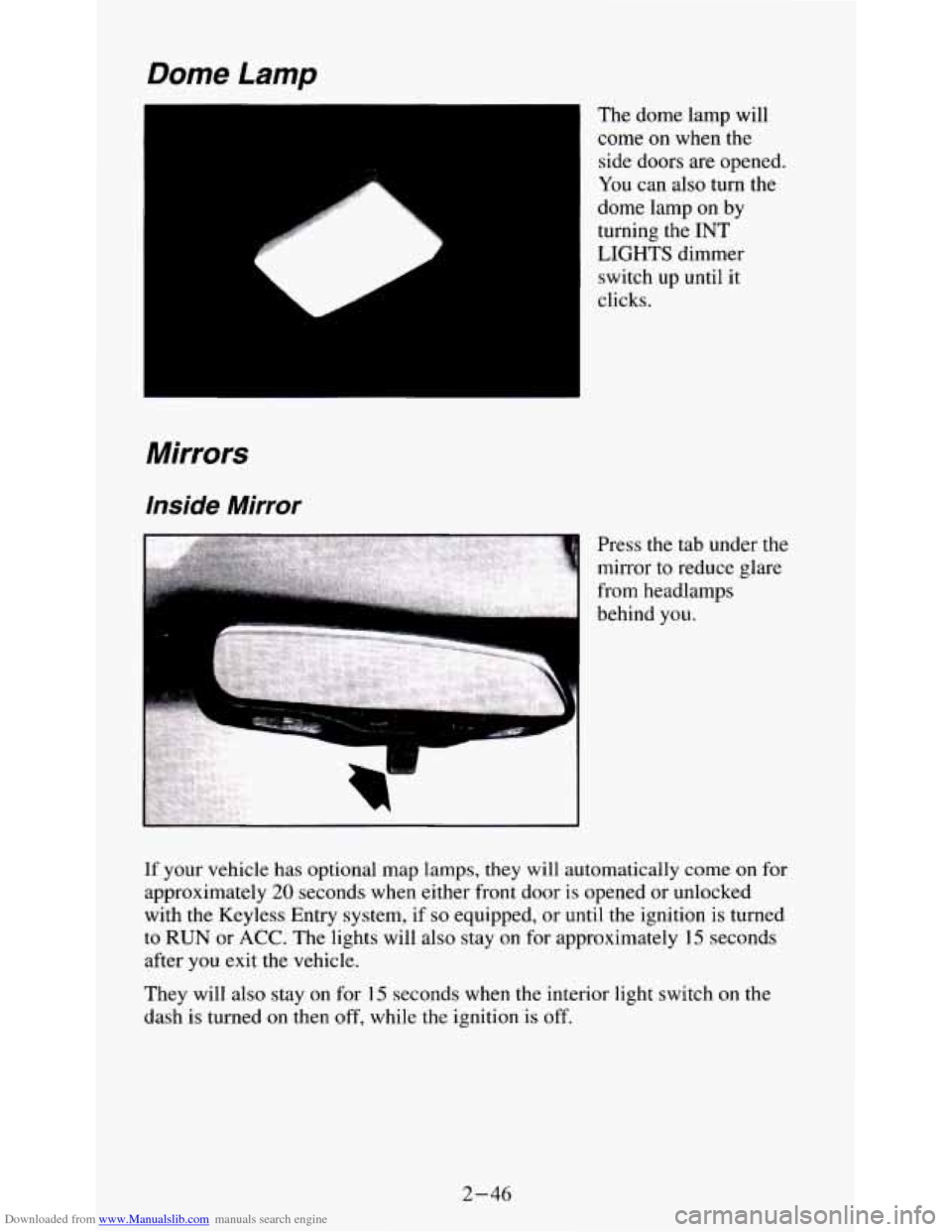
The dome lamp will
come
on when the
side doors are opened
You can also turn the
dome lamp on by
turning the INT
LIGHTS dimmer
switch up until it
clicks.
Mirrors
Inside Mirror
If your vehicle has optional map lamps, they will automatically come on for
approximately
20 seconds when either front door is opened or unlocked
with
the Keyless Entry system, if so equipped, or until the ignition is turned
to RUN or ACC. The lights will also stay on for approximately 15 seconds
after you exit the vehicle.
They will also stay on for 15 seconds when the interior light switch on the
dash is turned
on then off, while the ignition is off.
2-46
Page 93 of 354
Downloaded from www.Manualslib.com manuals search engine Convex Outside Mirror
Your passenger’s side mirror is convex.
A convex mirror’s surface is curved so you can see more from the driver’s
seat.
Sun VisorsNanity Mirrors
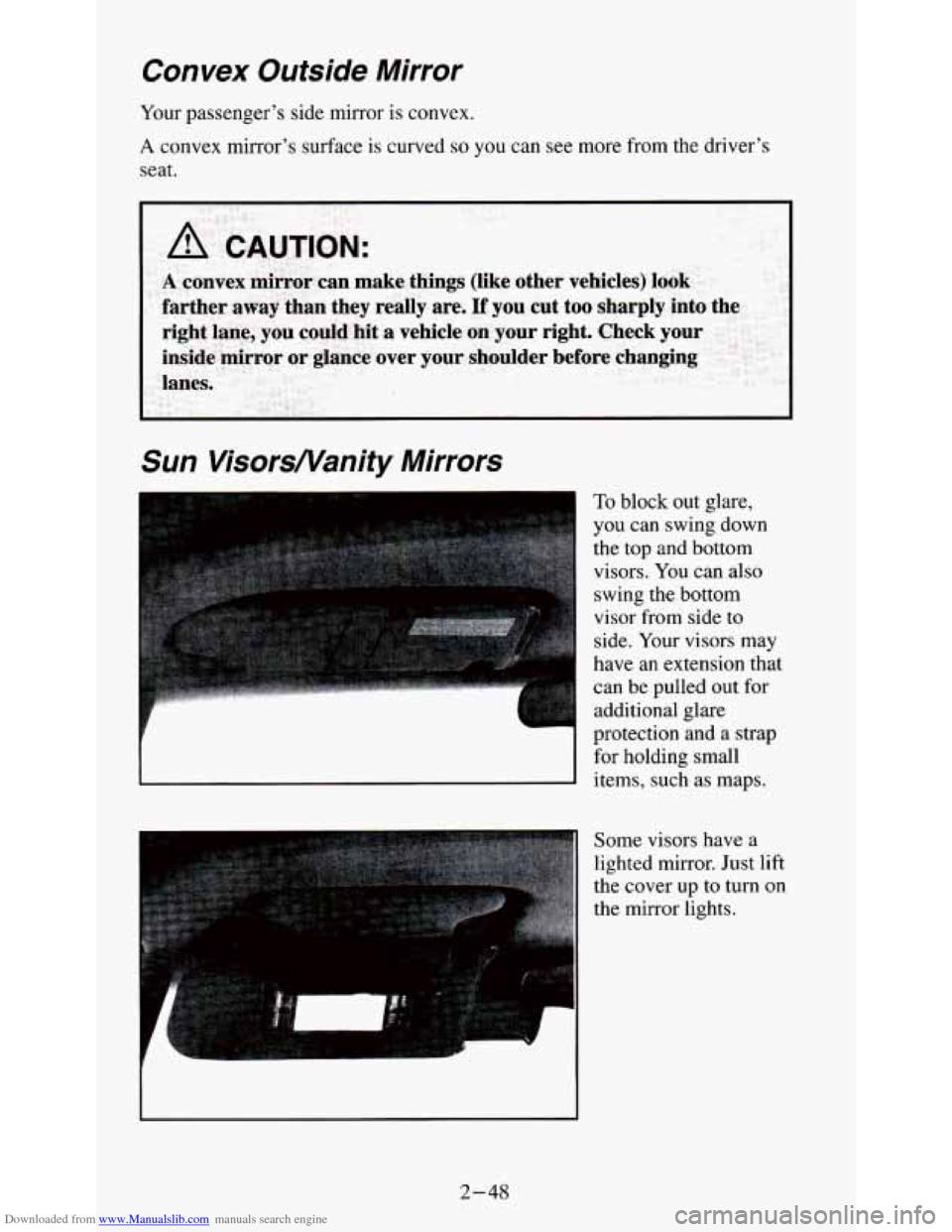
To block out glare,
you can swing down
the top and bottom visors.
You can also
swing the bottom
visor from side to
side.
Your visors may
have an extension that
can
be pulled out for
additional glare
protection and a strap
for holding small
items, such as maps.
Some visors have a
lighted mirror. Just lift
the cover
up to turn on
the mirror lights.
2-48
Page 101 of 354
Downloaded from www.Manualslib.com manuals search engine Normal operating range shows your engine speed during normal driving
conditions. For example, when the needle points
to 2, it means the engine is
running at
2,000 revolutions per minute (rpm). The tachometer needle will
vary all the time that the engine is running.
The red warning range tells you that your engine speed is reaching its upper
limits. Don’t drive very long with the tachometer in the red warning range.
If you have a manual transmission, shift to a higher gear as soon as possible.
If you have an automatic transmission, lift your foot off of the accelerator
pedal. If
you drive for very long with the tachometer in the red danger
range, engine damage will result.
I NOTICE:
Do not operate the engine with the tachometer in the red range,
or engine damage
will occur.
The red danger range tells you that your engine speed is at its upper limits.
You should immediately shift to a higher gear, or lift your
foot off of the
accelerator pedal. If you drive for very long with the tachometer in the red
danger range, engine damage will result.
Warning Lights and Indicators
This part describes the warning lights and gages that may be on your
vehicle.
The pictures will help you locate them.
Warning lights and gages can signal that something is wrong before it
becomes serious enough
to cause an expensive repair or replacement.
Paying attention to your warning lights and gages could also save you or
others from injury.
Warning lights come on when there may be or is a problem with one of your
vehicle’s functions.
As you will see in the details on the next few pages,
some warning lights come on briefly when you start the engine just to let
you know they’re working. If
you are familiar with this section, you should
not be alarmed when this happens.
Gages can indicate when there may be or is a problem with one
of your
vehicle’s functions. Often gages and warning lights work together to let you
know when there’s a problem with your vehicle.
When one
of the warning lights comes on and stays on when you are
driving, or when one
of the gages shows there may be a problem, check the
section that
tells you what to do about it. Please follow this manual’s advice.
Waiting to do repairs can be costly
- and even dangerous. So please get to
know your warning lights and gages. They’re a big help.
2-56