ignition CHEVROLET S10 1997 2.G Owner's Manual
[x] Cancel search | Manufacturer: CHEVROLET, Model Year: 1997, Model line: S10, Model: CHEVROLET S10 1997 2.GPages: 402, PDF Size: 21.04 MB
Page 119 of 402
Downloaded from www.Manualslib.com manuals search engine Your Delco@ audio system has -been designed to operate
easily afid give years df 1iste.hg pleasure. You will.,get
the
mast enjoyment out of it if yuu acquaint yourxelf
with It first. Find out what your Delco system can do
and how to operate-all its coatr.ols, to be swe you're
getting the most 0-ut of the advanced erigineerhg that
went into it.
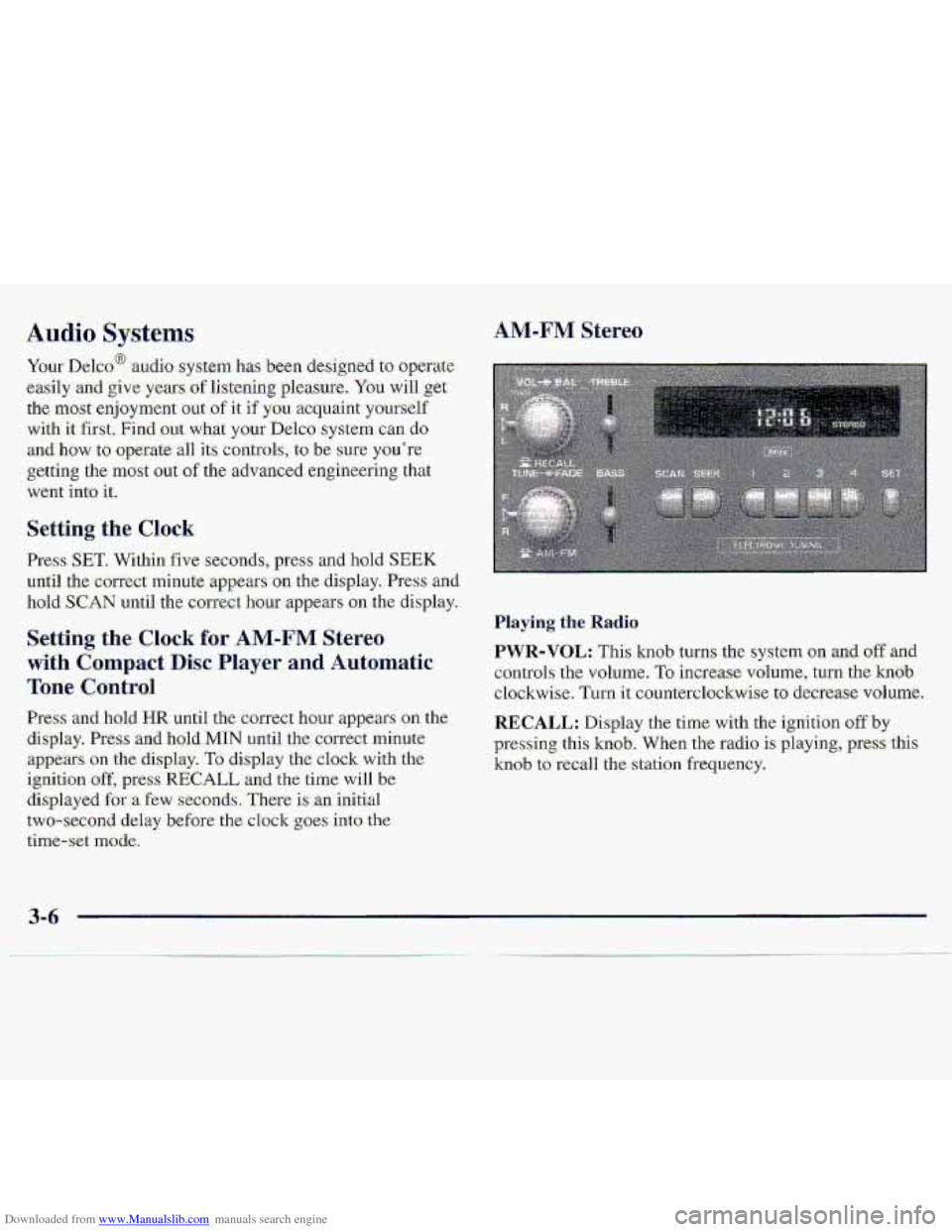
Setting the Clock
Press SET. Within five seconds, press and hold SEEK
uri-ti1 the correct minute appears on the. display. Press and
hoId SCAN -until the ccmect hour appears on the di,splay.
Press and, hold HR until the correct hour appears .on the
display. Press and hold.MIN until the correct minute
appears on the display. To display the clock with the
ignition off, pres-s RECALL and .the time will be
displayed for -a €ew seconds, There is an initial
two-sec-ond
delay before-the clo.ck goes into the
time-set mode.
Playing the .Radio.
PWR-VOL: This knob turns :the system on .and. off -and
controls the
volume. To increase. volulme, turn the hob
clockwise. Turn it counterclockwise to decrease volume.
RECALL: Display the time. with the ignition off by
plxessing this knob. 'When the radio is .playing, press this
knob to red1 the station frequency.
3-6
Page 121 of 402
Downloaded from www.Manualslib.com manuals search engine AM-FM Stereo with Cassette Tape Player
(If Equipped)
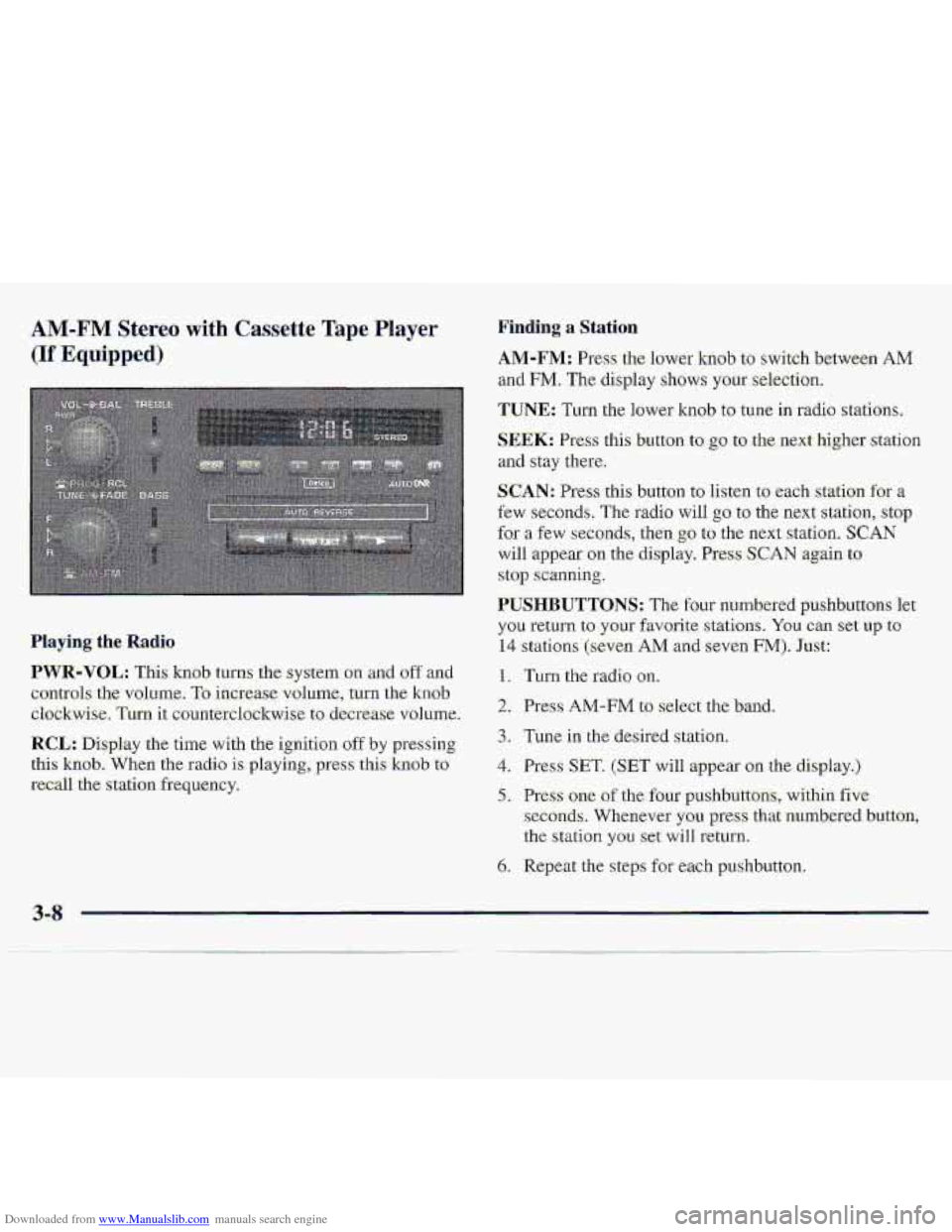
Finding a Station
.AM-FM: Press the lower knob to switch betwe-en AM
and FM. The display shows your selection.
TUNE: Turn the lower knob to tune in radio stations,
SEEK: Press this button to go to the next higher station
and stay there.
SCAN: Press this button to listen to each station for a
few seconds, The radio will go to the next station, stop
for a few seconds, then go to the ne.xt station. SCAN
will appear on the display. Press SCAN again to
stop scanning.
PUSHBUTTONS: The four numbered p-ushbuttons let
you return to your favorite. stations. You can set up to
14 stations (seven AM and seven FM). Just:
1. Turn the radio on.
2. Press AM-FM to select the band.
3. Tune in the desired slation,
4. Press SET. (SET will appear on the display.)
5. Press one of the four pushbuttons, within five
seconds. Whenever you press that numbered button,
the
stalion you set will return.
6. Repeat the steps for each pushbu.tton.
Playing the Radio
PWR-VOL: This knob turns the system on and off and
controls- the- volume,
To increase volume, turn the knob.
clockwise. Turn it countetclsckwise to. decrease vol~me-.
RCL: Display the time with the ignition off by pressing
thi-s knob. When the radio is playing,.press this knob to
recall the station freq,uency.
3-8
Page 123 of 402
Downloaded from www.Manualslib.com manuals search engine AM-FM Stereo with Cassette Tape Player
and Equalizer (If Equipped)
.Playing the- Radio
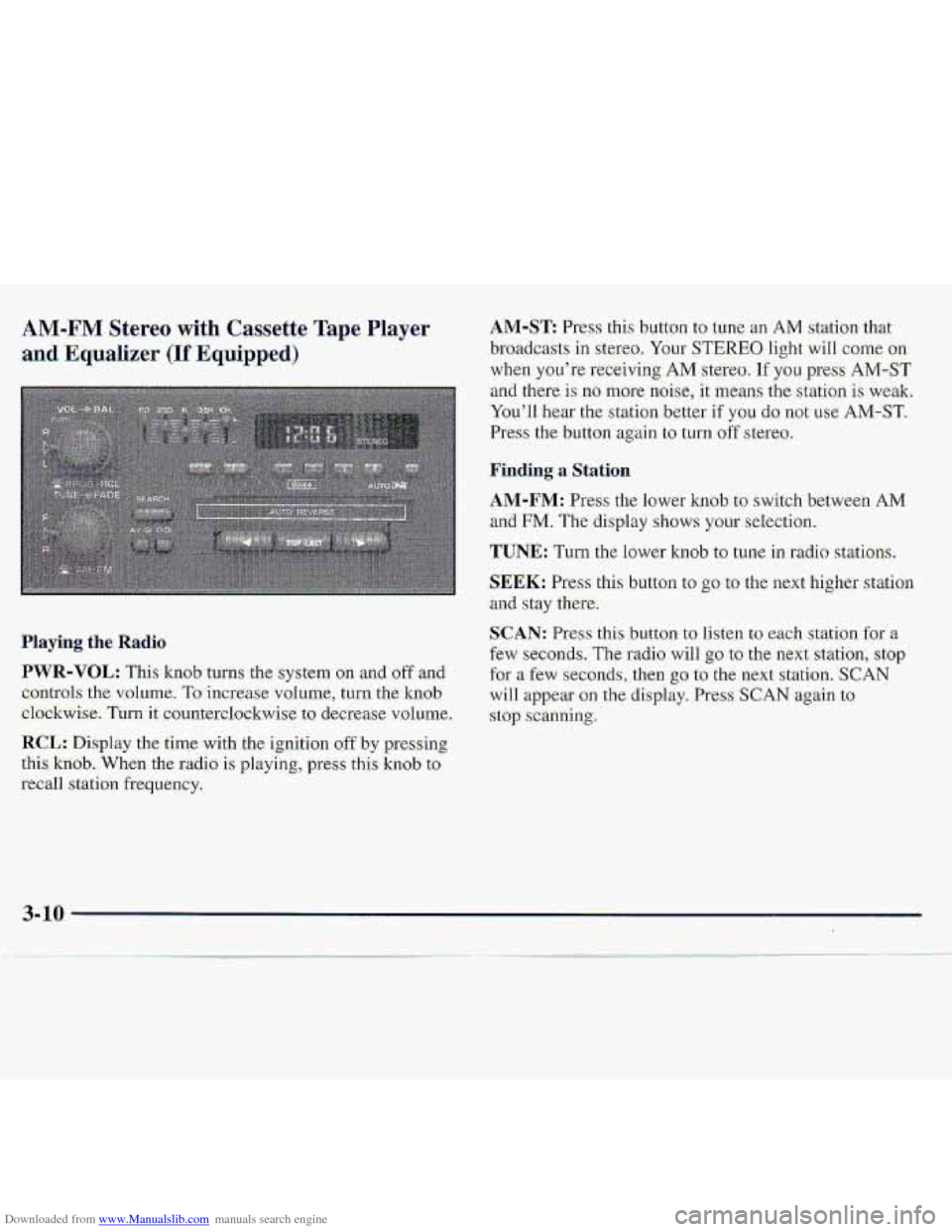
PWR-VOL: This knob turns the system on and oftand
c,ontrols
the vnl.ume. To increase volume, turn the knob
el.ockwise. Turnit counterdo-ckwise to decrease v~olurne.
RCL: Disp1.a~ the time with the ignition off by presshg
.this
kxiob. When the r.adio is playing, press this kn0.b to
recall station frequency.
AM-ST Press this button to tune an AM station that
..broadcasts
in ste.reo. Your STEREO. light wiIl come on
when you’re receiving AM stereo. If you press AM-ST
and there- is no more noise, it ‘means the station is weaki
You’ll hear
the st.at.ian bewr if YOU do not use AM-ST.
Press the button again to turn off stereo.
~Firrding a Station
AM-FM: Press the lower knob to switch between AM
and FM. The display shows your selection.
TUNE: Turn the lower knob to tune in .radio stations.
$EEK: Press this button to go to the ne-xt higher station
and stay there.
c,
SCAN: Pr.ess thisbutton to listen to each station fgr a
few seconds. The radio will go to the next statiofl, stop
for a few seconds, then go to the next station. SCAN
will appear-on the display. Press SCAN again to
.stop scanning.
Page 126 of 402
Downloaded from www.Manualslib.com manuals search engine AM-FM Stereo with Compact Disc Player
and Automatic Tone Control (If Equipped)
Haying. the Radio
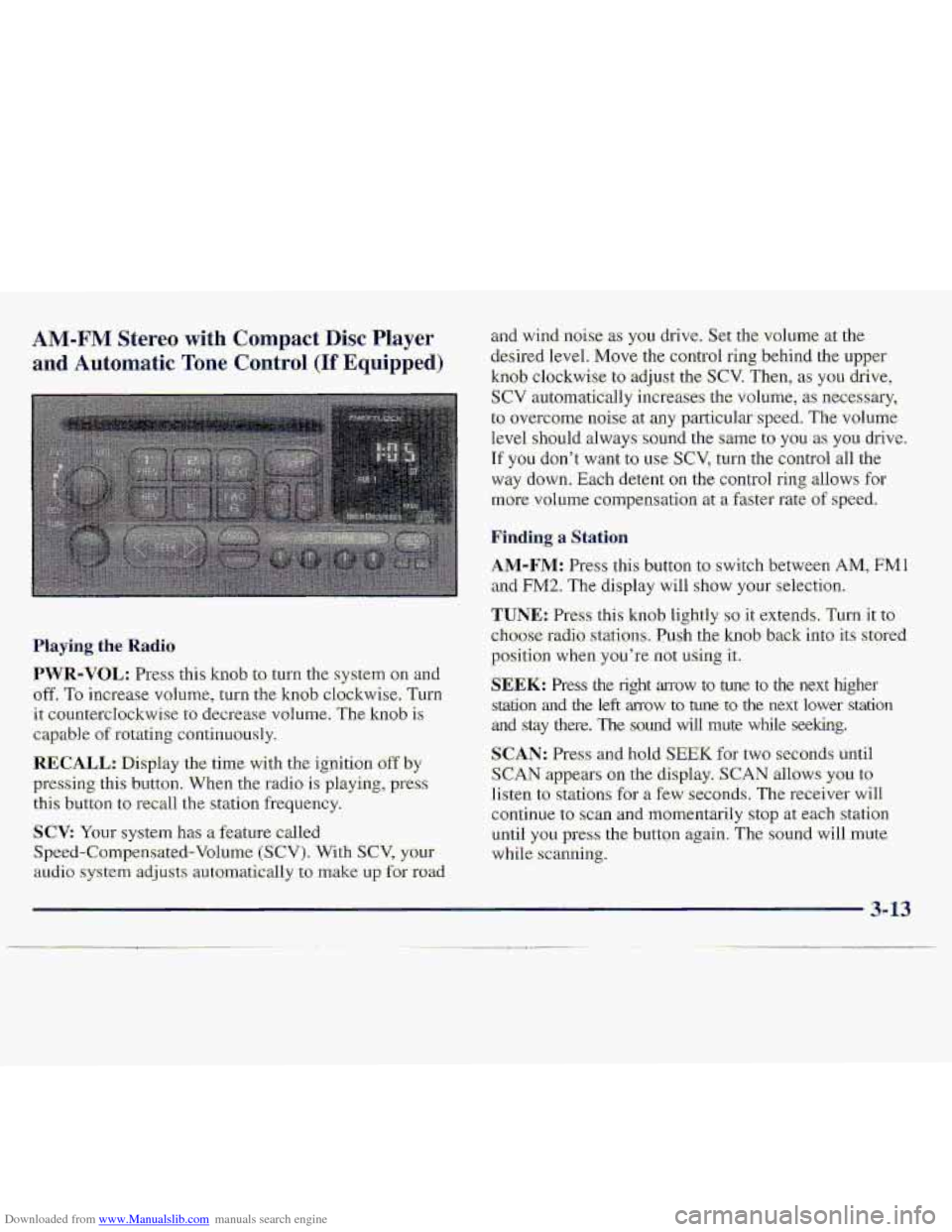
PWR-VOL: Press: this kmb to turn the system on an-d
off. To increase vohlme, turn the knob clockwise, Turn
it: countercIockwise to decrease volume. The knob is
capable of rotating continuously.
RECALL.: Display the time with the ignition off by
pressing thi-s button. When the radio is playing, press
this button to recall the station frequ.ency.
SCV: Your system has a feature called
Speed-Compensated-Volumc (SCV). With SCV, your
au.cli.0 system adjusts automat-ically t:, make u~,f~r road
and-wind .noise as you drive. Set the volume xthe
desired Ievel.
Move the control ring behind the upper
knob clockwise to adjust the SCV. Then; as you drive,
SCV automatically increases the volume, as necessary,
to overcome- noise at any particular speed. The volume
level
.should always sound the same to you as YOU. drive.
If you don't want to we SCV, turn. the control all the
way down. Each detent on the co.nt1-ol ring allows for
mo.re volume compensatio.n at -a fastm-ate of speed.
Finding a Station
AM-FM: Press this button to swi.tch between AM, FMl
and FM2. The display will show YOLII' selection.
TUNE.: Press this knob lightly so it extends. Turn it to
cho-ose radio. stations. Push the knob- back into its stored
position
when you're not using it..
SEEK: Press the right arrow to tune to the next higher
srdtion and the left mow to tune to the next lower station
and stay there. The sound wfl1 mute while seeking.
SCAN: Pres and hold; SEEK for two seconds until
S,CAN appears on the display. SCAN allows you to
Iisten to stations for a few seconds. The receiver will
continue to scan -and lmmentarily
stop at each station
until
you press the button again. The sound will mute
while.
scanning.
3- 13
Page 128 of 402
Downloaded from www.Manualslib.com manuals search engine BASS: Press lightly on this knob tu release it from its
stored positi.on.
TLI~II the knob clockwise to increase
bass and counterclockwise, to decrease bass. When the
BASS colitrol is rotakd, the AUTO TONE setting will
chmge to MAN.
"TREB: Press lightly on this knob to release it from its
stored position. Turn the knob clockwise to increase
treble and counterclockwise
to decrease treble. Whe.n
the TREB con.h-oJ. is rotated, thc AUTO TONE. setting
will change.
to MAN. If a station is weak -or noisy, you
may want to decrease the tteble.
Push thae knobs back into their stored positi.ons when
you'r-e not using than.
AUTO TONE: Press this button to select among the
five preset.-equalization s-ettings and tailor .the sound to
the music or voice being heard. Ehch time you press th-e
button, the selection
will switch to one of the preset
settings of CLASSIC-, NEWS, ROCK, POP or JAZZ.
The display will shy.w which made the receiver is. in. To
return to-the ~~anual mode, press and release this buttqn
until. MAN appears 01.1 the. d:kplay. This wilI return the
t0n.e adjnstment tQ the BASS and TREB- controls. If a
BASS or TREB contfol is rotated, the AUTO TONE
settingwill change to MAN.
BAL.: Press- lightly or-this k-noh to release- it from its
stored position.
'Turn the control clodwise to adjust
sound
to the right speakers and counteTc1o;ckwise. to
.adjust sound to the left speakers. The middle position
balances the sound between the speakers.
FADE: Press lightly on this knob to release it from its
stored position.
Turn the control clockwise to adjust the
s.ound to the front
and counterclockwise for the. rear
speakers.
The middle .position.balancas the sound
.between
the: speakers.
Push these
knobs hack into their stored positims when.
you're not using them.
FIay,ing a. Compact .Disc
PWR: Press this: knob. to turn the system on.
(Please ndte that
you can also turn the system on when
you insert a compact disc into the player with the-
ignition on.)
Insert a disc partway info the slot, label side up. The
player will pull it in. Wait a few seconds- and the- disc.
should plzy. CD and a CD symbol wiill also appear on
the display. Anytime you
are playing-a CD, the letters
CD will be next to the CD symbod.
3-15
Page 131 of 402
Downloaded from www.Manualslib.com manuals search engine 1. Write down any three or €our-digit:numbex from
000 to 199.9 and Beep it i.n a safe pla-ce separtite from
the vehicle.
2. Turn the ignitbn t.0 ACCESSORY .or RUN.
3.. Turn the iradio off.
4. Press the 1 and 4 buttons .together. Hold them down
until
--- shdws on the display. Next you will use the:
semet code number which you h-me. written d.own.
5. Press MN &ad 006' will ,appear on the Bisplay.
6. Pres:$ MN again to -mke the last two di.gits agree
wi.th your code.
7. Press HR to make the first one or two digits agre:e
8. Pres;s AM-FM after you have confirmed that the
with your c.ode.
code matches- the sixrat code. you Rave- written down.
The ,display.will show REIp to 1e.t you know that ypu
.need to repeat Steeps- 5 through 7 to confirm your
secretwde.
IJn1ockin.g ,the ThefWeterrent Feature After a
Power LOSS
Enter -your secret c.ode as fsllows-; pause, n.0. more. than
1.5 -secbnds between steps:
1. LQC appears wheri the igni-ticm is OD.
2. Press MN and 000. will appear oh the display.
3. Press MN again to make the last two digits agree
with your .code.
4. Press-HR to make the first one or- tvmdigits agree
with your
code.
5. Press AM-FM after you hme c0nfirrne.d .that the,
code matches the secret code you hav&written dawn.
The display will show SEC, indi-ca-tin,g.the radio is
now Qperable and se;cure.
If you enter the wrong code. eight times; INOP will
appear on the.display. You will have-to wait an hour
with th-e ignition on before ya.u can rry agah. When.you
try-again';you will only have-three chances tc, enter the.
&-rect c.ode.before INC)P-appemsi-
Page 132 of 402
Downloaded from www.Manualslib.com manuals search engine Disabling the Theft-Deterrent Feat-ure
Enter yoor secret-code as follows; pause no mor'e than
15 seconds between steps:
1. Turn the ignition to ACCESSORY or RUN.
2. Turn the. radio off.
3. Piess the 1 and 4 buttons together. Hold them aown
4. Press MNand 000 will appear cm the display.
5. PPess MNagain tu make the last two digits agree
.until
SEC shows--ox~ the display.
with your
Code.
6. Press I3.R to make the €irst one or two di@ zgree
with;yGur codei
7. Press AM-FM af1e.r yau have confirmed that the
code matches
the secret code you have written down.
The display will show ---j indicating that the radio is
no longer secured.
If the wde.. entered is .incorre.ct, SEC will appear on the
display.
The rad.io will remain secured until the correct
code is
entered.
-When battery power is removed and later app1ie:d to a
J secure.d radio, the radia won't. turn sind LOC will
appearon the-display.
To:unlock a secured radio, see "Unlrxking the
Theft-Det-errent Feature After a Power Loss" earlier i.n
this section.
ff" Stereo
FM. ste.ere.0 will give. you the best sound. B.ut FM signals
will reach only about 10 to 40 miles (16. to 65 km). Tall
buildings or:hills
can inte?fere with FM signals, causing.
the
sound to: dome and. go.
AM
The range for most AM stations is greater than fm FM,
especially at n.ight. The longer rangc, however, can
c&e stxioris to intwfeit-with each other. AM can pick
up noise from things like storms and pawer lines. Try
reducing
the treble-@ reduce this noise- if you ever get it.
Tips About Your Au,dio System
Hearing -damage from loud noise is almos1 undet.ectabk
until
it is too late, Your hearing. can .adapt to higher
volumes
of sound. Sound that seems normal c8n be loud
and harmful to your hearing. Take. precautions by
adjusting-the volume cuntrol, on your radio to a safe
sound lwei before your hearing adapts to it.
3-19
Page 165 of 402
Downloaded from www.Manualslib.com manuals search engine Driving in Water
Light rain causes no specialaff-road driving problems.
But .ke.avy rain
can .mean flash flooding, and flood
waters demand extreme caution.
+Find- out how deep the water is before you drive through
it. If it’s deep enough to cover your wheel hubs, axles or
exhaust pipe, don’t
‘try it -- you probably won’t g-et
through. Also, water that deep
can damage your axle
and
other vehicle parts.
If the water isn’t too deep, then drive through it slowly.
At fast speeds, water splashes on your ignition system
and your vehicle
can st-dl. Stalling.can also occur if you
get your tailpipe under water. And, as long as your
:.. . tailpipe is ,under water, .you’ll never be able to start your
..;;&I
engine. When you gp through water, remember that
--.
. ,. , when your brakes get wet; it may take you longer
to stop. -‘a:i <,..,..?, ,
Driving through rushing water can be dangerous.
Deep water can
sweep your vehicle downstream
and you
and your passengers could drown. If it’s
only shallow water,
it can still wash away the
ground
from under your tires, and you could lose
traction and roIl the vehicle over.
Don’t drive
through
rushing water.
See “Driving Throagh Water” in the Index f6TmGE
infoination on driving through water,
4-28
Page 175 of 402
Downloaded from www.Manualslib.com manuals search engine If you drive regularly in steep country, or if you're
planning to visit there, here are some tips that can make
your trips safer-and more enjoyable. (See "Off-Road
Driving" in the Index
for information ab.out driving
off-road.)
Keep your vehicle in good shape; Check all fluid
levels and
also the brakes, tires, cooling system and
transmission. These pqrts
@a work hard on
mountain roads.
Know how to go down hills. The most important
thing
to 'know is this: let: your engine do. some of the
slowing. down. Shift
-to a lower gear when you go
down
a steep or long hill.
If you .don't shift down, your brakes could get
so hot that,they wouldn't work well. You would
then have
po.or braking or even none going
down
a hill. You could crash. Shift down to let
your engine assist your brakes .on a steep
downhill
slope.
I
Coasting downhill in NEUTRAL (N) or WILII the
ignition
off is dangerous. Your brakes will have to
do all the work of slowing down. They could get so
hot that they wouldn't work wen. You would then
have poor braking
or even none going down a hill.
You could crash. Always have your enbe running
and your vehicle in gear when you go downhill.
Know how to go uphill. You may want to-shift down
to a lower gear. The lower gears help cool your engine
and transmission, and you can climb the hill better.
Stay in your own lane when driving on two-lane
roads
in hills- or mountains. Don't swing wide or cut I
across the center-of the road, Drive at speeds that let
-you stay in your own lane.
As YOU go over the top of--a hill, be alert. There could be
something in your lane, like a stalled car or an accident.
YQU may see highway signs an mountains that warn of
special problems. Examples are long grades, passing or
no-passing zones, a falling rocks area or winding
roads. Be alert to these and take appropriate action.
4-38
Page 206 of 402
Downloaded from www.Manualslib.com manuals search engine When your vehicle is being towed,. h-ave the ignition key
. md.& ;the OFF- position.. The ite,erin,g wliegl sli~ultl
be. cla-mped in- a straightdahezd position witb a clamping
&vice desi:ped for towing-service. DO fiat ust the
vehicle's steering c.olumxz I-ock for this. The transmission
should be in
NEUTRAL (N) an-d the .transfer case, if you
'31ave one, ShQuLd. be in 2HI. The p&ing.bm.ke shguld-.-lje
seleased.
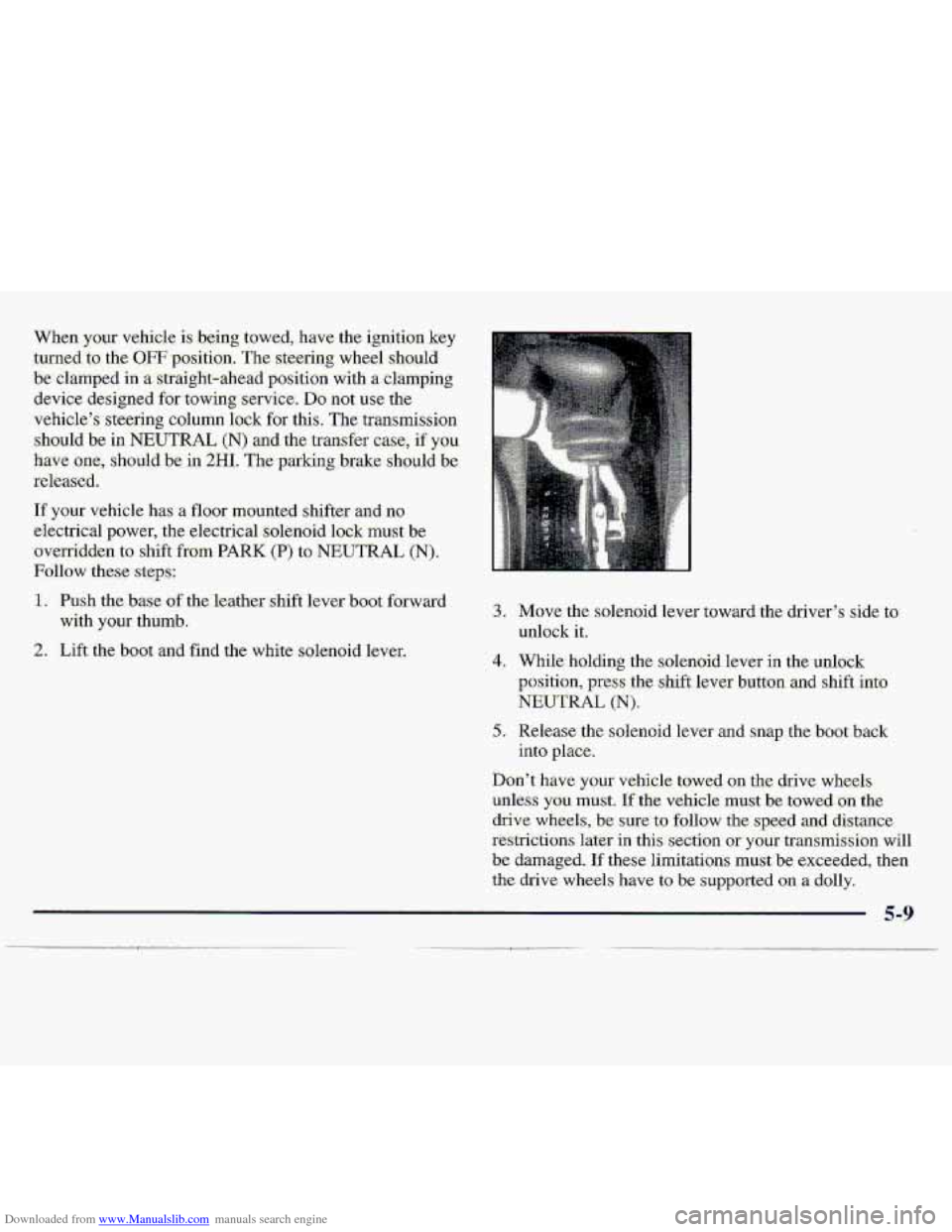
If your vehicle has. a flqor mounted shifter and no
.electrical power,
the electrical.So1enoi.d lock must be
.ovexKidd.m tu shi%t-.hm PARK (P> :to NEUTRAL (Nj.
Follow -:these. step.8:
1. Push the'bme of the.'€e.ather shift leva boat forward
with
your thumb.
L
3.
4.
5'.
'Move the solenoid. lever toward the driver's side to.
m1oc.k it;
'While holding the solenoid lever in the unlock
gosition, press the shift lever button and shift into
NEUTRAL
(N).
Release the solenoid lever and snap the b.QgL.b.a&
into place.
,... . .
Don't have your vehi-cle towed on th-e drive wheels
unless you must. If -the Vehicle .must be towed--on. the
drive wheels, be sure to follow the. sp.e.ad and distance
restrictions
Mer in this section oryour transmission will
be damaged.. If these limitations must be exceeded, the0
the drive wheels have to b:e supported on .a dolly.