instrument panel CHEVROLET S10 2003 2.G User Guide
[x] Cancel search | Manufacturer: CHEVROLET, Model Year: 2003, Model line: S10, Model: CHEVROLET S10 2003 2.GPages: 432, PDF Size: 2.82 MB
Page 104 of 432
Parking Brake
The parking brake is located near the bottom of the
instrument panel on the driver's side of the vehicle.
To set the parking brake, hold the regular brake pedal
down with your right foot. Push down the parking
brake pedal with your left foot. If the ignition is on, the
brake system warning light will come on.
Notice:Driving with the parking brake on can
cause your rear brakes to overheat. You may have
to replace them, and you could also damage
other parts of your vehicle.
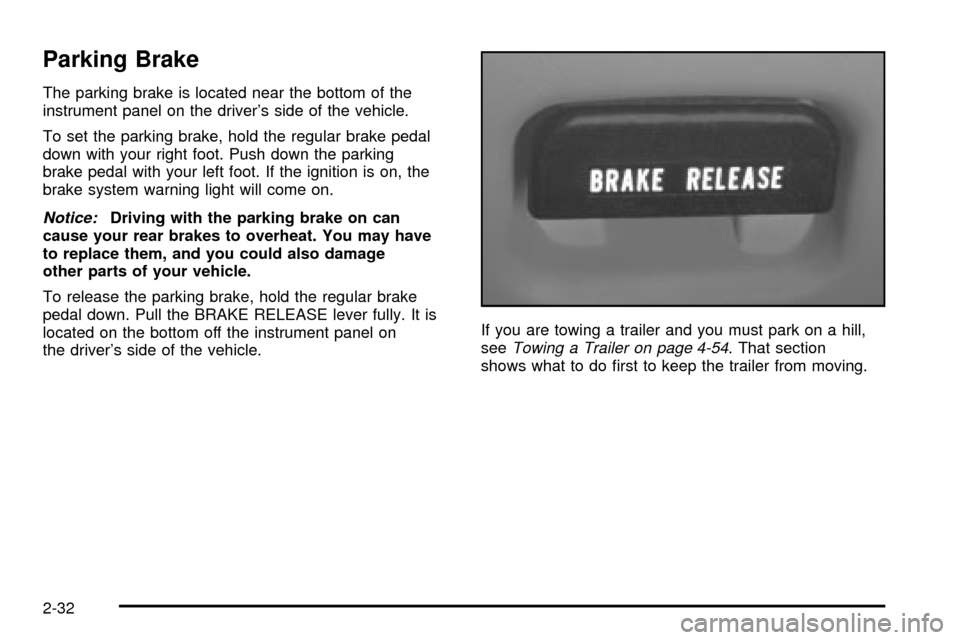
To release the parking brake, hold the regular brake
pedal down. Pull the BRAKE RELEASE lever fully. It is
located on the bottom off the instrument panel on
the driver's side of the vehicle.If you are towing a trailer and you must park on a hill,
see
Towing a Trailer on page 4-54. That section
shows what to do ®rst to keep the trailer from moving.
2-32
Page 127 of 432

Instrument Panel Overview...............................3-2
Hazard Warning Flashers................................3-4
Other Warning Devices...................................3-5
Horn.............................................................3-5
Tilt Wheel.....................................................3-5
Turn Signal/Multifunction Lever.........................3-6
Exterior Lamps.............................................3-12
Interior Lamps..............................................3-15
Accessory Power Outlets...............................3-17
Ashtrays and Cigarette Lighter........................3-18
Climate Controls............................................3-18
Climate Control System.................................3-18
Outlet Adjustment.........................................3-21
Warning Lights, Gages and Indicators.............3-22
Instrument Panel Cluster................................3-23
Speedometer and Odometer...........................3-25
Trip Odometer..............................................3-25
Tachometer.................................................3-26
Safety Belt Reminder Light.............................3-26
Air Bag Readiness Light................................3-27
Air Bag Off Light..........................................3-28
Charging System Light..................................3-29
Voltmeter Gage............................................3-30
Up-Shift Light...............................................3-30
Brake System Warning Light..........................3-31
Anti-Lock Brake System Warning Light.............3-32Engine Coolant Temperature Gage..................3-32
Malfunction Indicator Lamp.............................3-33
Oil Pressure Gage........................................3-36
Security Light...............................................3-37
Service Four-Wheel Drive Warning Light..........3-37
Check Gages Warning Light...........................3-38
Fuel Gage...................................................3-38
Low Fuel Warning Light.................................3-39
Audio System(s).............................................3-40
Setting the Time for Radios without Radio
Data Systems (RDS)..................................3-40
Setting the Time for Radios with Radio Data
Systems (RDS).........................................3-41
AM-FM Radio...............................................3-41
Radio with CD..............................................3-44
Radio with Cassette and CD..........................3-52
Radio with Six-Disc CD.................................3-62
Theft-Deterrent Feature
(Non-RDS Radios).....................................3-74
Theft-Deterrent Feature
(RDS Radios)...........................................3-74
Understanding Radio Reception......................3-74
Care of Your Cassette Tape Player.................3-75
Care of Your CDs.........................................3-76
Care of Your CD Player................................3-76
Fixed Mast Antenna......................................3-76
Section 3 Instrument Panel
3-1
Page 128 of 432

Instrument Panel Overview
3-2
Page 129 of 432

The main components of your vehicle's instrument
panel are the following:
A. Air Outlets
B. Instrument Panel Cluster
C. Electronic Transfer Case Switch (If Equipped)
D. Lamp Controls
E. Fog Lamp Button (If Equipped)
F. Brake Release
G. Turn Signal/Multifunction LeverH. Horn
I. Passenger Air Bag Off Switch (If Equipped)
J. Ashtray
K. Climate Controls
L. Accessory Power Outlets (If Equipped)
M. Heated Outside Rearview Mirror Button (If Equipped)
N. Audio System
O. Glove Box
3-3
Page 132 of 432
Turn Signal/Multifunction Lever
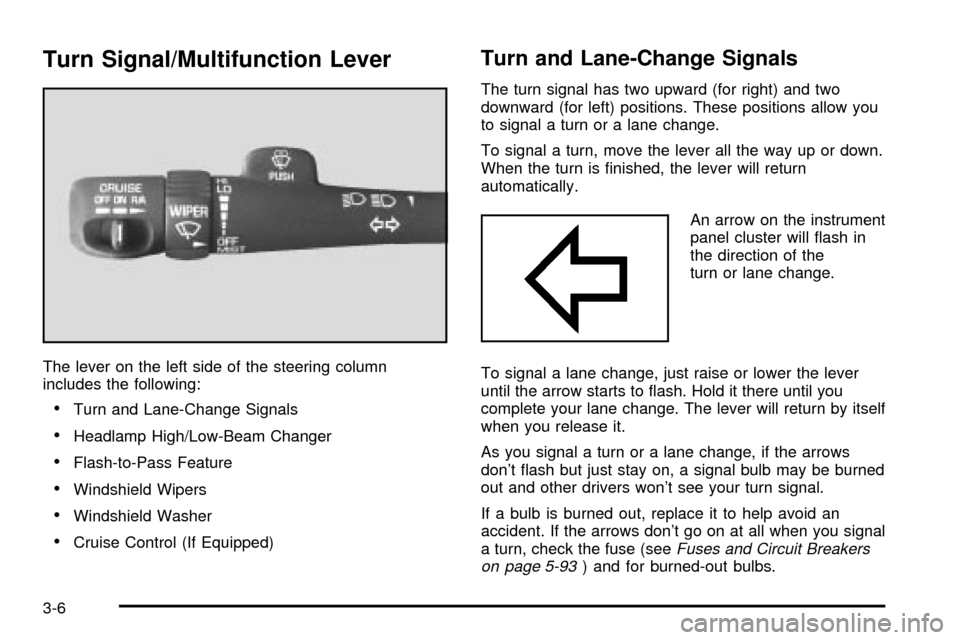
The lever on the left side of the steering column
includes the following:
·Turn and Lane-Change Signals
·Headlamp High/Low-Beam Changer
·Flash-to-Pass Feature
·Windshield Wipers
·Windshield Washer
·Cruise Control (If Equipped)
Turn and Lane-Change Signals
The turn signal has two upward (for right) and two
downward (for left) positions. These positions allow you
to signal a turn or a lane change.
To signal a turn, move the lever all the way up or down.
When the turn is ®nished, the lever will return
automatically.
An arrow on the instrument
panel cluster will ¯ash in
the direction of the
turn or lane change.
To signal a lane change, just raise or lower the lever
until the arrow starts to ¯ash. Hold it there until you
complete your lane change. The lever will return by itself
when you release it.
As you signal a turn or a lane change, if the arrows
don't ¯ash but just stay on, a signal bulb may be burned
out and other drivers won't see your turn signal.
If a bulb is burned out, replace it to help avoid an
accident. If the arrows don't go on at all when you signal
a turn, check the fuse (see
Fuses and Circuit Breakers
on page 5-93) and for burned-out bulbs.
3-6
Page 133 of 432

Turn Signal On Chime
If your turn signal is left on for more than 3/4 of a mile
(1.2 km), a chime will sound at each ¯ash of the
turn signal. To turn off the chime, move the turn signal
lever to the off position.
Headlamp High/Low-Beam Changer
To change the headlamps from low to high beam or high
to low beam, pull the multifunction lever all the way
toward you until you hear a click. Then release it.
When the high-beam
headlamps are on, this
indicator light on the
instrument panel cluster
will also be on.
Flash-To-Pass Feature
This feature lets you use your high-beam headlamps to
signal a driver in front of you that you want to pass.
It works even if your headlamps are in the automatic
position.
To use it, pull the turn signal lever toward you, but not
so far that you hear a click.
If your headlamps are in the automatic position or on
low beam, your high-beam headlamps will turn on.
They'll stay on as long as you hold the lever toward you
and the high-beam indicator on the dash will come
on. Release the lever to return to normal operation.
3-7
Page 138 of 432

Exterior Lamps
The control on the driver's side of the instrument panel
operates the exterior lamps.
The exterior lamp control has three positions:
9(Off):Turn the exterior lamps control all the way
counterclockwise to turn off the lamps and put the
system in automatic headlamp mode.
;(Parking Lamps):Turning the exterior lamps
control to this position turns on the parking lamps
together with the following:
·Sidemarker Lamps
·Taillamps
·License Plate Lamps
·Instrument Panel Lights
O(Headlamps):Turning the exterior lamps control to
this position turns on the headlamps, together with
the previously listed lamps and lights.
Automatic Headlamp System
When it is dark enough outside, your automatic
headlamp system will turn on your headlamps at the
normal brightness along with other lamps such as
the taillamps, sidemarker, parking lamps and the
instrument panel lights. The radio lights will also be dim.
Your vehicle is equipped with a light sensor on the
top of the instrument panel under the radio speaker grill.
Be sure it is not covered or the system will be on
whenever the ignition is on.
3-12
Page 139 of 432

The system may also turn on your headlamps when
driving through a parking garage, heavy overcast
weather or a tunnel. This is normal.
There is a delay in the transition between the daytime
and nighttime operation of the Daytime Running
Lamps (DRL) and the automatic headlamp systems so
that driving under bridges or bright overhead street
lights does not affect the system. The DRL and
automatic headlamp system will only be affected when
the light sensor sees a change in lighting lasting
longer than the delay.
To idle your vehicle with the automatic headlamp
system off, set the parking brake while the ignition is off.
Then start your vehicle. The automatic headlamp
system will stay off until you release the parking brake.
As with any vehicle, you should turn on the regular
headlamps when you need them.
You may be able to turn off your automatic headlamp
system. See ªDaytime Running Lamps (DRL)º later
in this section for more information.If you start your vehicle in a dark garage, the automatic
headlamp system will come on immediately. Once
you leave the garage, it will take approximately
one minute for the automatic headlamp system to
change to DRL if it is light outside. During that delay,
your instrument panel cluster may not be as bright
as usual. Make sure your instrument panel brightness
control is in the full bright position. See ªInstrument
Panel Brightness Controlº under
Interior Lamps
on page 3-15.
Lamps On Reminder
A reminder chime will sound when your headlamps or
parking lamps are manually turned on, the driver's door
is opened and your ignition is in OFF, LOCK or
ACCESSORY. To turn the chime off, turn the control
counterclockwise or turn the instrument panel brightness
thumbwheel down to the fully dimmed position. In the
automatic mode, the headlamps turn off once the ignition
key is in OFF.
3-13
Page 140 of 432

Daytime Running Lamps
Daytime Running Lamps (DRL) can make it easier for
others to see the front of your vehicle during the
day. DRL can be helpful in many different driving
conditions, but they can be especially helpful in the short
periods after dawn and before sunset. Fully functional
daytime running lamps are required on all vehicles
®rst sold in Canada.
The DRL system will make your headlamps come on at
reduced brightness when the following conditions
are met:
·The ignition is on,
·the exterior lamp control is in OFF,
·the sensor detects daytime light,
·an automatic transmission is not in PARK (P), and
·the parking brake is released.
When the DRL are on, only your headlamps will be on.
The taillamps, sidemarker and other lamps won't be
on. The instrument panel won't be lit up either.
When it begins to get dark, the headlamps will
automatically switch from DRL to the regular headlamps.The DRL system on some vehicles may turn off
temporarily while the turn signals are activated.
To idle an automatic transmission vehicle with the DRL
off, put the transmission in PARK (P). To idle a
manual transmission vehicle with the DRL off, set the
parking brake. The DRL will stay off until you shift out of
PARK (P) or release the parking brake.
The following does not apply to vehicles sold in Canada.
When necessary, you may turn off the automatic
headlamp system and the Daytime Running Lamps
(DRL) feature by following the steps below:
1. Turn the ignition to RUN.
2. Press the DOME OVERRIDE button four times
within six seconds. After the fourth press of the
button, a chime will sound informing you that
the system is off. The system will revert back to the
automatic on mode when the ignition is turned to
OFF and then to RUN again.
3. To return to the automatic mode, push the DOME
OVERRIDE button four times within six seconds
(a chime will sound), or turn the ignition to OFF and
then to RUN again.
As with any vehicle, you should turn on the regular
headlamp system when you need it.
3-14
Page 141 of 432
Fog Lamps
Your vehicle may be equipped with fog lamps. Use your
fog lamps for better vision in foggy or misty conditions.
Your parking lamps or headlamps must be on for
your fog lamps to work.
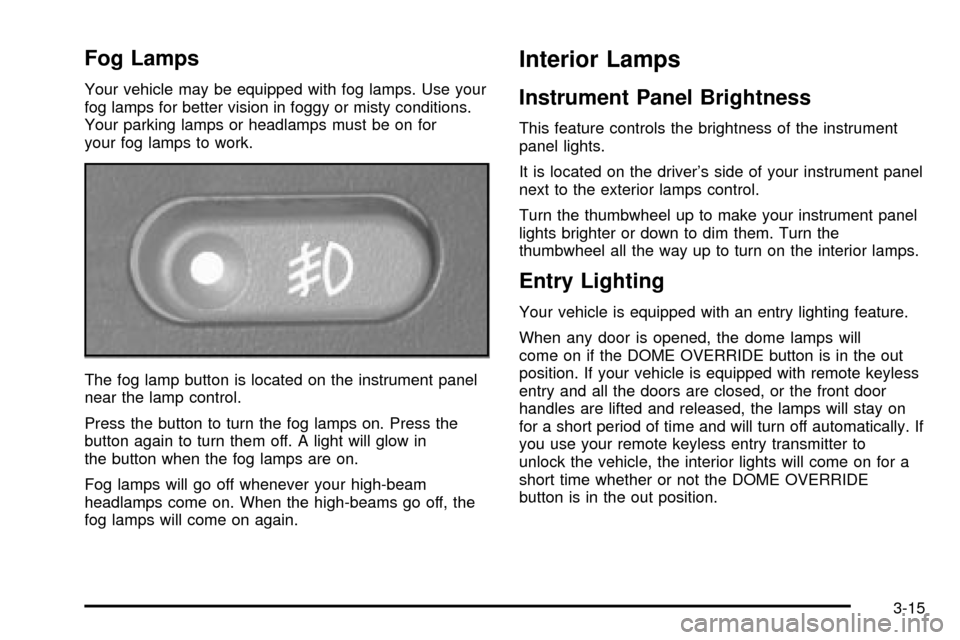
The fog lamp button is located on the instrument panel
near the lamp control.
Press the button to turn the fog lamps on. Press the
button again to turn them off. A light will glow in
the button when the fog lamps are on.
Fog lamps will go off whenever your high-beam
headlamps come on. When the high-beams go off, the
fog lamps will come on again.
Interior Lamps
Instrument Panel Brightness
This feature controls the brightness of the instrument
panel lights.
It is located on the driver's side of your instrument panel
next to the exterior lamps control.
Turn the thumbwheel up to make your instrument panel
lights brighter or down to dim them. Turn the
thumbwheel all the way up to turn on the interior lamps.
Entry Lighting
Your vehicle is equipped with an entry lighting feature.
When any door is opened, the dome lamps will
come on if the DOME OVERRIDE button is in the out
position. If your vehicle is equipped with remote keyless
entry and all the doors are closed, or the front door
handles are lifted and released, the lamps will stay on
for a short period of time and will turn off automatically. If
you use your remote keyless entry transmitter to
unlock the vehicle, the interior lights will come on for a
short time whether or not the DOME OVERRIDE
button is in the out position.
3-15