audio CHEVROLET S10 2004 Owner's Manual
[x] Cancel search | Manufacturer: CHEVROLET, Model Year: 2004, Model line: S10, Model: CHEVROLET S10 2004Pages: 422, PDF Size: 4.16 MB
Page 170 of 422
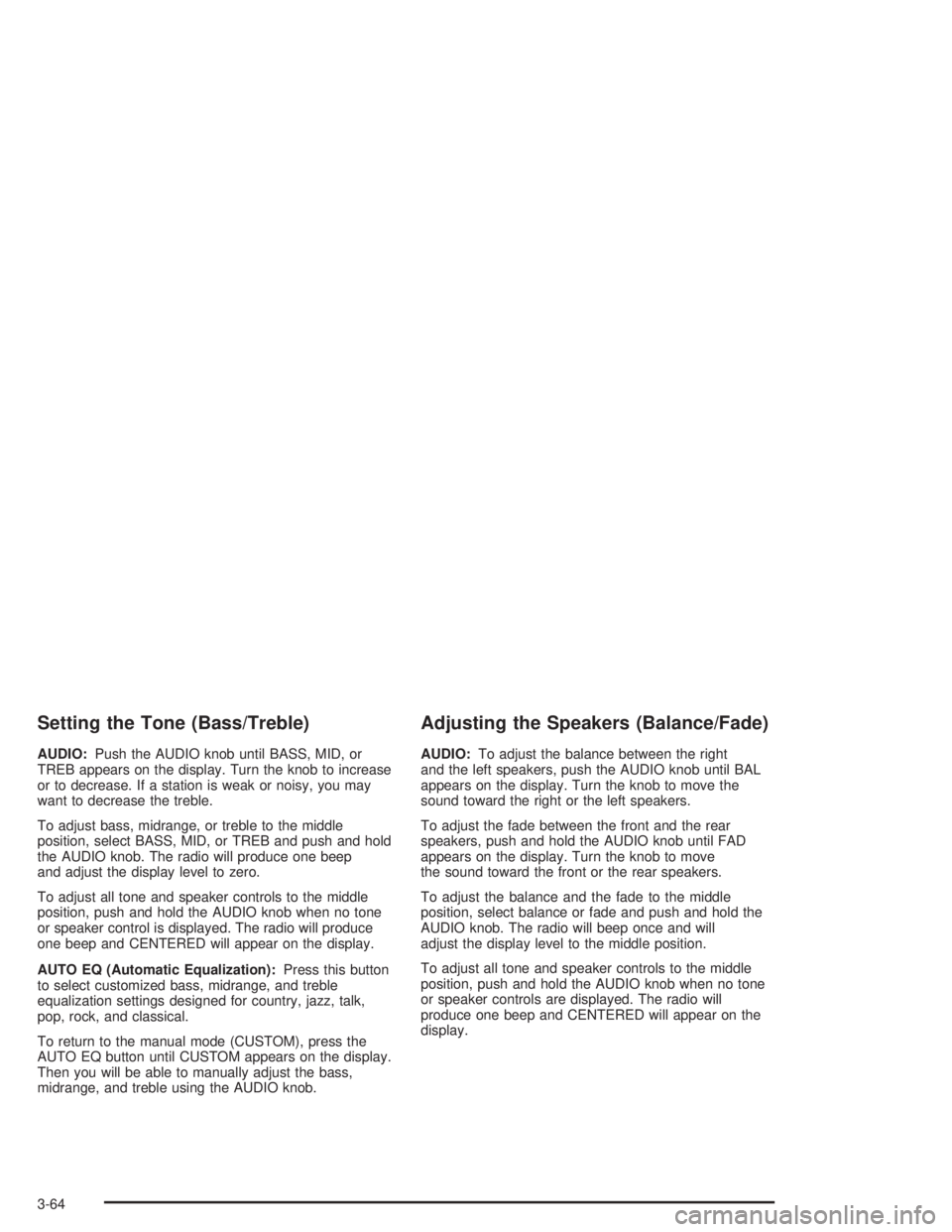
Setting the Tone (Bass/Treble)
AUDIO:Push the AUDIO knob until BASS, MID, or
TREB appears on the display. Turn the knob to increase
or to decrease. If a station is weak or noisy, you may
want to decrease the treble.
To adjust bass, midrange, or treble to the middle
position, select BASS, MID, or TREB and push and hold
the AUDIO knob. The radio will produce one beep
and adjust the display level to zero.
To adjust all tone and speaker controls to the middle
position, push and hold the AUDIO knob when no tone
or speaker control is displayed. The radio will produce
one beep and CENTERED will appear on the display.
AUTO EQ (Automatic Equalization):Press this button
to select customized bass, midrange, and treble
equalization settings designed for country, jazz, talk,
pop, rock, and classical.
To return to the manual mode (CUSTOM), press the
AUTO EQ button until CUSTOM appears on the display.
Then you will be able to manually adjust the bass,
midrange, and treble using the AUDIO knob.
Adjusting the Speakers (Balance/Fade)
AUDIO:To adjust the balance between the right
and the left speakers, push the AUDIO knob until BAL
appears on the display. Turn the knob to move the
sound toward the right or the left speakers.
To adjust the fade between the front and the rear
speakers, push and hold the AUDIO knob until FAD
appears on the display. Turn the knob to move
the sound toward the front or the rear speakers.
To adjust the balance and the fade to the middle
position, select balance or fade and push and hold the
AUDIO knob. The radio will beep once and will
adjust the display level to the middle position.
To adjust all tone and speaker controls to the middle
position, push and hold the AUDIO knob when no tone
or speaker controls are displayed. The radio will
produce one beep and CENTERED will appear on the
display.
3-64
Page 174 of 422
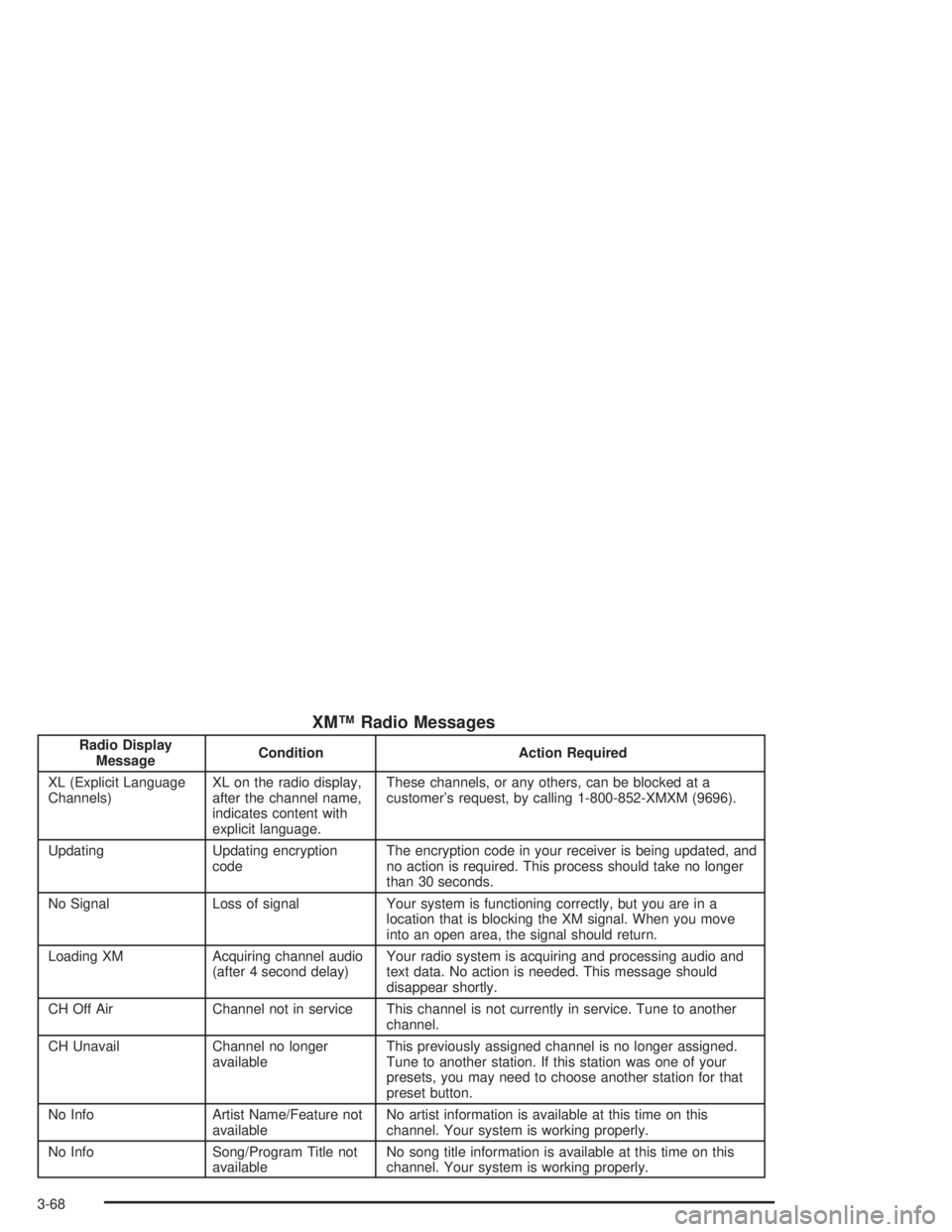
XM™ Radio Messages
Radio Display
MessageCondition Action Required
XL (Explicit Language
Channels)XL on the radio display,
after the channel name,
indicates content with
explicit language.These channels, or any others, can be blocked at a
customer’s request, by calling 1-800-852-XMXM (9696).
Updating Updating encryption
codeThe encryption code in your receiver is being updated, and
no action is required. This process should take no longer
than 30 seconds.
No Signal Loss of signal Your system is functioning correctly, but you are in a
location that is blocking the XM signal. When you move
into an open area, the signal should return.
Loading XM Acquiring channel audio
(after 4 second delay)Your radio system is acquiring and processing audio and
text data. No action is needed. This message should
disappear shortly.
CH Off Air Channel not in service This channel is not currently in service. Tune to another
channel.
CH Unavail Channel no longer
availableThis previously assigned channel is no longer assigned.
Tune to another station. If this station was one of your
presets, you may need to choose another station for that
preset button.
No Info Artist Name/Feature not
availableNo artist information is available at this time on this
channel. Your system is working properly.
No Info Song/Program Title not
availableNo song title information is available at this time on this
channel. Your system is working properly.
3-68
Page 288 of 422
Vehicle Storage
If you are not going to drive your vehicle for 25 days
or more, remove the black, negative (−) cable from the
battery. This will help keep your battery from
running down.
{CAUTION:
Batteries have acid that can burn you and gas
that can explode. You can be badly hurt if you
are not careful. SeeJump Starting on
page 5-44for tips on working around a battery
without getting hurt.
Contact your dealer to learn how to prepare your
vehicle for longer storage periods.
Also, for your audio system, seeTheft-Deterrent
Feature (Non-RDS Radios) on page 3-75or
Theft-Deterrent Feature (RDS Radios) on page 3-75.
Jump Starting
If your battery has run down, you may want to use
another vehicle and some jumper cables to start your
vehicle. Be sure to follow the steps below to do it safely.
{CAUTION:
Batteries can hurt you. They can be dangerous
because:
They contain acid that can burn you.
They contain gas that can explode or
ignite.
They contain enough electricity to
burn you.
If you do not follow these steps exactly, some
or all of these things can hurt you.
Notice:Ignoring these steps could result in costly
damage to your vehicle that would not be covered
by your warranty.
Trying to start your vehicle by pushing or pulling it
will not work, and it could damage your vehicle.
5-44
Page 381 of 422
Part B: Owner Checks and Services
Listed in this part are owner checks and services
which should be performed at the intervals specified to
help ensure the safety, dependability and emission
control performance of your vehicle.
Be sure any necessary repairs are completed at once.
Whenever any fluids or lubricants are added to your
vehicle, make sure they are the proper ones, as shown
in Part D.
At Each Fuel Fill
It is important for you or a service station attendant to
perform these underhood checks at each fuel ll.
Engine Oil Level Check
Check the engine oil level and add the proper oil if
necessary. SeeEngine Oil on page 5-13for further
details.
Engine Coolant Level Check
Check the engine coolant level and add DEX-COOL®
coolant mixture if necessary. SeeEngine Coolant
on page 5-23for further details.
Windshield Washer Fluid Level Check
Check the windshield washer fluid level in the windshield
washer tank and add the proper fluid if necessary.
SeeWindshield Washer Fluid on page 5-38for further
details.
At Least Once a Month
Tire Ination Check
Visually inspect your tires and make sure tires are
inflated to the correct pressures. Do not forget to check
your spare tire. SeeTires on page 5-61for further
details.
Cassette Tape Player Service
Clean cassette tape player. Cleaning should be done
every 50 hours of tape play. SeeAudio System(s)
on page 3-36for further details.
6-25
Page 407 of 422
A
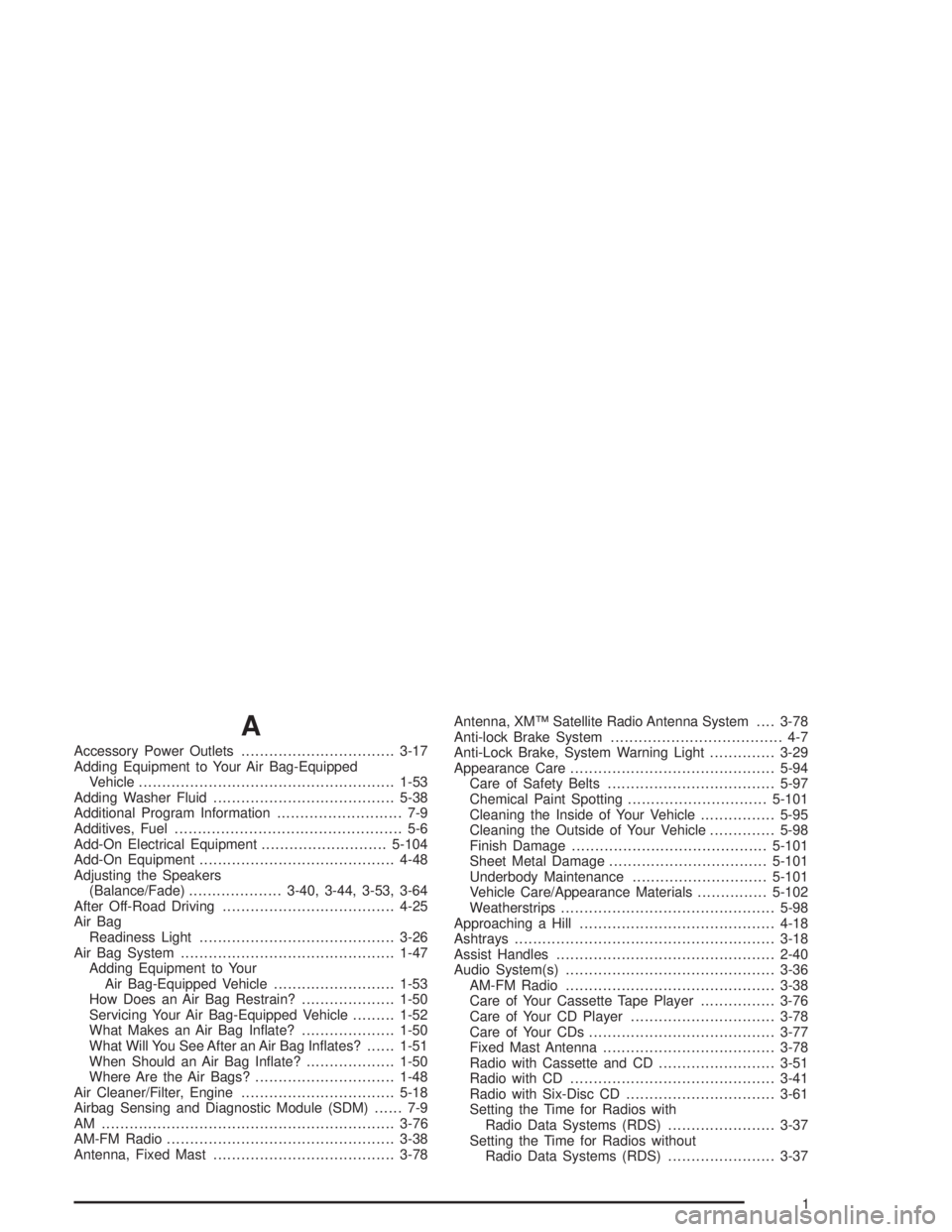
Accessory Power Outlets.................................3-17
Adding Equipment to Your Air Bag-Equipped
Vehicle.......................................................1-53
Adding Washer Fluid.......................................5-38
Additional Program Information........................... 7-9
Additives, Fuel................................................. 5-6
Add-On Electrical Equipment...........................5-104
Add-On Equipment..........................................4-48
Adjusting the Speakers
(Balance/Fade)....................3-40, 3-44, 3-53, 3-64
After Off-Road Driving.....................................4-25
Air Bag
Readiness Light..........................................3-26
Air Bag System..............................................1-47
Adding Equipment to Your
Air Bag-Equipped Vehicle..........................1-53
How Does an Air Bag Restrain?....................1-50
Servicing Your Air Bag-Equipped Vehicle.........1-52
What Makes an Air Bag Inflate?....................1-50
What Will You See After an Air Bag Inflates?......1-51
When Should an Air Bag Inflate?...................1-50
Where Are the Air Bags?..............................1-48
Air Cleaner/Filter, Engine.................................5-18
Airbag Sensing and Diagnostic Module (SDM)...... 7-9
AM ...............................................................3-76
AM-FM Radio.................................................3-38
Antenna, Fixed Mast.......................................3-78Antenna, XM™ Satellite Radio Antenna System....3-78
Anti-lock Brake System..................................... 4-7
Anti-Lock Brake, System Warning Light..............3-29
Appearance Care............................................5-94
Care of Safety Belts....................................5-97
Chemical Paint Spotting..............................5-101
Cleaning the Inside of Your Vehicle................5-95
Cleaning the Outside of Your Vehicle..............5-98
Finish Damage..........................................5-101
Sheet Metal Damage..................................5-101
Underbody Maintenance.............................5-101
Vehicle Care/Appearance Materials...............5-102
Weatherstrips..............................................5-98
Approaching a Hill..........................................4-18
Ashtrays........................................................3-18
Assist Handles...............................................2-40
Audio System(s).............................................3-36
AM-FM Radio.............................................3-38
Care of Your Cassette Tape Player................3-76
Care of Your CD Player...............................3-78
Care of Your CDs........................................3-77
Fixed Mast Antenna.....................................3-78
Radio with Cassette and CD.........................3-51
Radio with CD............................................3-41
Radio with Six-Disc CD................................3-61
Setting the Time for Radios with
Radio Data Systems (RDS).......................3-37
Setting the Time for Radios without
Radio Data Systems (RDS).......................3-37
1
Page 408 of 422
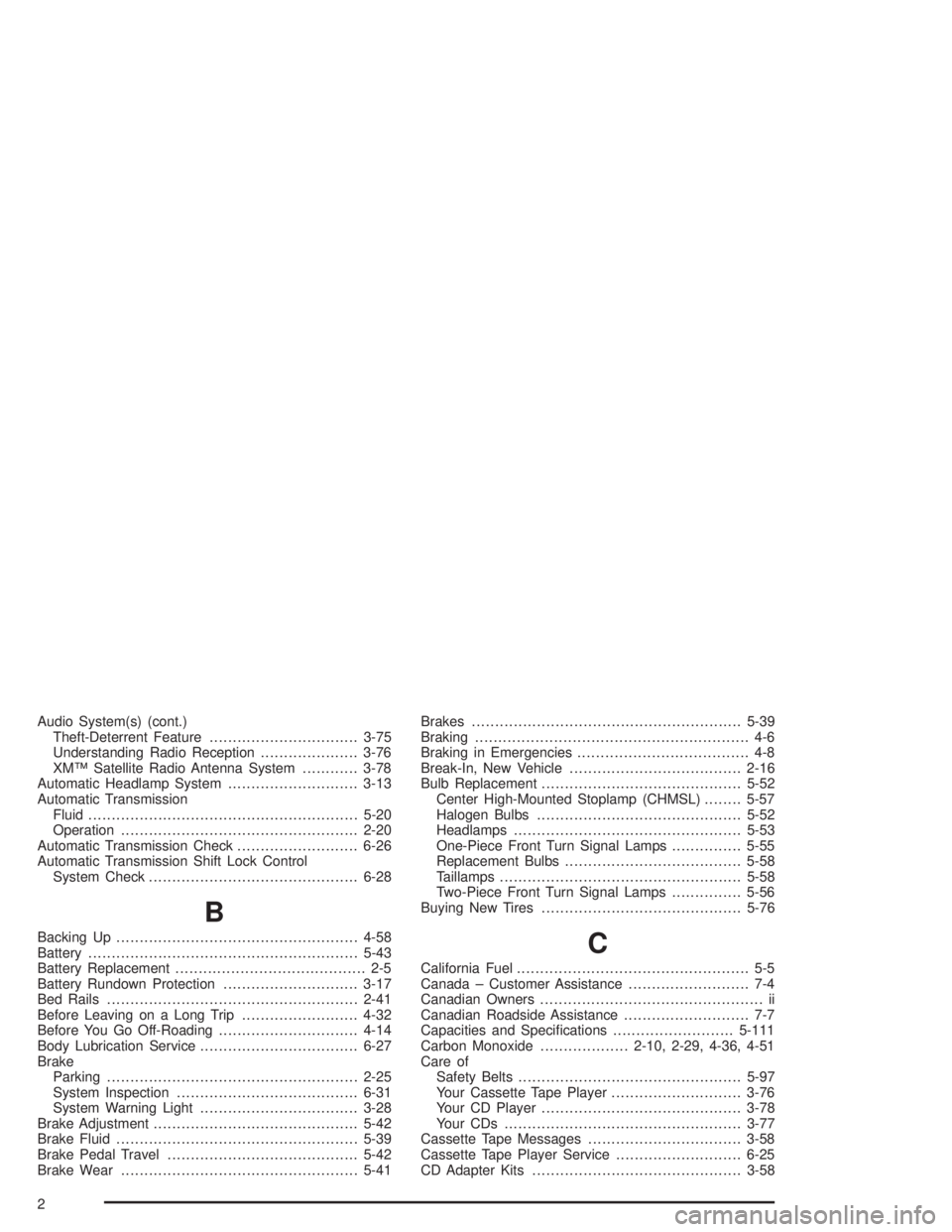
Audio System(s) (cont.)
Theft-Deterrent Feature................................3-75
Understanding Radio Reception.....................3-76
XM™ Satellite Radio Antenna System............3-78
Automatic Headlamp System............................3-13
Automatic Transmission
Fluid..........................................................5-20
Operation...................................................2-20
Automatic Transmission Check..........................6-26
Automatic Transmission Shift Lock Control
System Check.............................................6-28
B
Backing Up....................................................4-58
Battery..........................................................5-43
Battery Replacement......................................... 2-5
Battery Rundown Protection.............................3-17
Bed Rails......................................................2-41
Before Leaving on a Long Trip.........................4-32
Before You Go Off-Roading..............................4-14
Body Lubrication Service..................................6-27
Brake
Parking......................................................2-25
System Inspection.......................................6-31
System Warning Light..................................3-28
Brake Adjustment............................................5-42
Brake Fluid....................................................5-39
Brake Pedal Travel.........................................5-42
Brake Wear...................................................5-41Brakes..........................................................5-39
Braking........................................................... 4-6
Braking in Emergencies..................................... 4-8
Break-In, New Vehicle.....................................2-16
Bulb Replacement...........................................5-52
Center High-Mounted Stoplamp (CHMSL)........5-57
Halogen Bulbs............................................5-52
Headlamps.................................................5-53
One-Piece Front Turn Signal Lamps...............5-55
Replacement Bulbs......................................5-58
Taillamps....................................................5-58
Two-Piece Front Turn Signal Lamps...............5-56
Buying New Tires...........................................5-76C
California Fuel.................................................. 5-5
Canada – Customer Assistance.......................... 7-4
Canadian Owners................................................ ii
Canadian Roadside Assistance........................... 7-7
Capacities and Specifications..........................5-111
Carbon Monoxide...................2-10, 2-29, 4-36, 4-51
Care of
Safety Belts................................................5-97
Your Cassette Tape Player............................3-76
Your CD Player...........................................3-78
Your CDs ...................................................3-77
Cassette Tape Messages.................................3-58
Cassette Tape Player Service...........................6-25
CD Adapter Kits.............................................3-58
2