center console CHEVROLET SILVERADO 1500 2015 User Guide
[x] Cancel search | Manufacturer: CHEVROLET, Model Year: 2015, Model line: SILVERADO 1500, Model: CHEVROLET SILVERADO 1500 2015Pages: 551, PDF Size: 6.87 MB
Page 157 of 551
Black plate (18,1)Chevrolet 2015i Silverado Owner Manual (GMNA-Localizing-U.S./Canada/
Mexico-8425172) - 2015 - CRC - 6/20/14
5-18 Instruments and Controls
cycle continues several times if the
passenger remains or becomes
unbuckled while the vehicle is
moving.
If the passenger safety belt is
buckled, neither the chime nor the
light comes on.
The front passenger safety belt
reminder light and chime may turn
on if an object is put on the seat
such as a briefcase, handbag,
grocery bag, laptop, or other
electronic device. To turn off the
reminder light and/or chime, remove
the object from the seat or buckle
the safety belt.
Airbag Readiness Light
This light shows if there is an
electrical problem with the airbag
system. The system check includes
the airbag sensor(s), passenger
sensing system (if equipped), the
pretensioners, the airbag modules,
the wiring, and the crash sensingand diagnostic module. For more
information on the airbag system,
see
Airbag System on page 3-20.
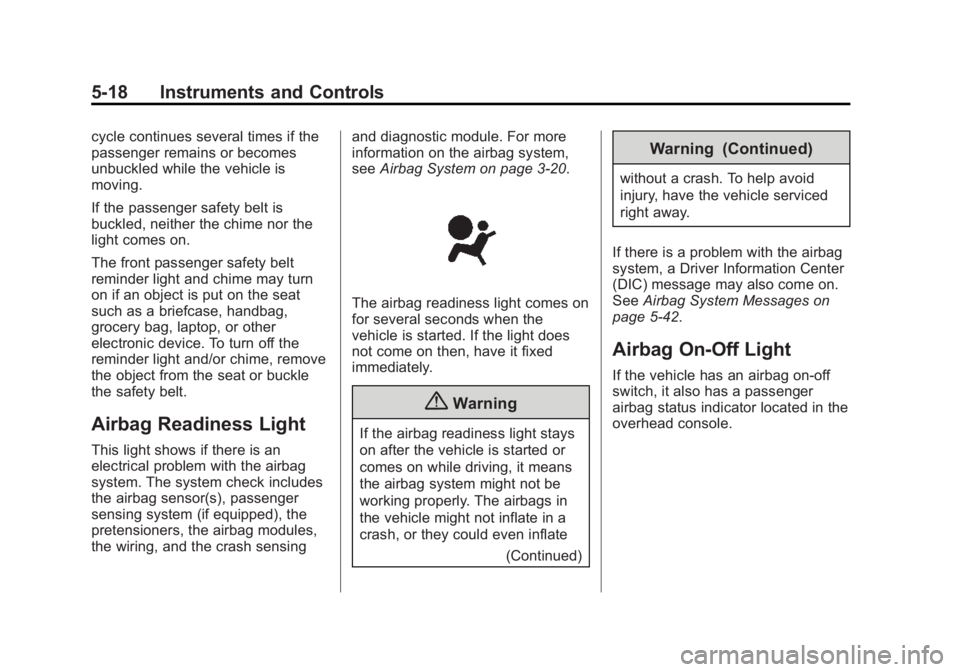
The airbag readiness light comes on
for several seconds when the
vehicle is started. If the light does
not come on then, have it fixed
immediately.
{Warning
If the airbag readiness light stays
on after the vehicle is started or
comes on while driving, it means
the airbag system might not be
working properly. The airbags in
the vehicle might not inflate in a
crash, or they could even inflate
(Continued)
Warning (Continued)
without a crash. To help avoid
injury, have the vehicle serviced
right away.
If there is a problem with the airbag
system, a Driver Information Center
(DIC) message may also come on.
See Airbag System Messages on
page 5-42.
Airbag On-Off Light
If the vehicle has an airbag on-off
switch, it also has a passenger
airbag status indicator located in the
overhead console.
Page 202 of 551
Black plate (5,1)Chevrolet 2015i Silverado Owner Manual (GMNA-Localizing-U.S./Canada/
Mexico-8425172) - 2015 - CRC - 6/20/14
Lighting 6-5
one second will cause the turn
signals to flash until the lever is
released.
The lever returns to its starting
position whenever it is released.
If after signaling a turn or a lane
change the arrows flash rapidly or
do not come on, a signal bulb could
be burned out.
Replace any burned out bulbs. If a
bulb is not burned out, check the
fuse. SeeFuses on page 10-44.
Turn Signal On Chime
If the turn signal is left on for more
than 1.2 km (0.75 mi), a chime
sounds at each flash of the turn
signal. The message TURN
SIGNAL ON will also appear in the
Driver Information Center (DIC). To
turn the chime and message off,
move the turn signal lever to the off
position.Fog Lamps
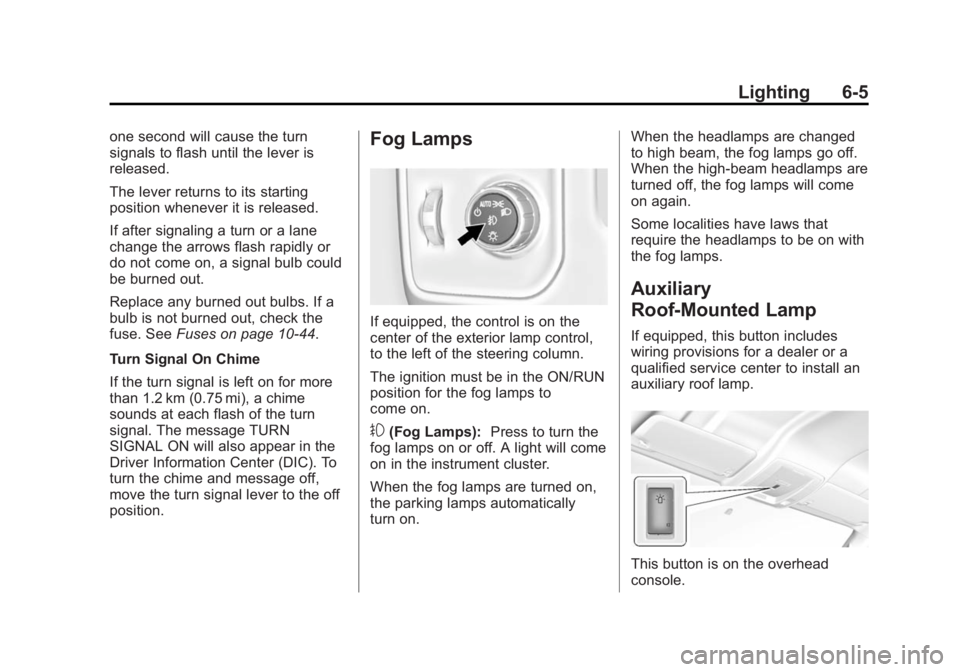
If equipped, the control is on the
center of the exterior lamp control,
to the left of the steering column.
The ignition must be in the ON/RUN
position for the fog lamps to
come on.
#(Fog Lamps): Press to turn the
fog lamps on or off. A light will come
on in the instrument cluster.
When the fog lamps are turned on,
the parking lamps automatically
turn on. When the headlamps are changed
to high beam, the fog lamps go off.
When the high-beam headlamps are
turned off, the fog lamps will come
on again.
Some localities have laws that
require the headlamps to be on with
the fog lamps.
Auxiliary
Roof-Mounted Lamp
If equipped, this button includes
wiring provisions for a dealer or a
qualified service center to install an
auxiliary roof lamp.
This button is on the overhead
console.
Page 225 of 551
Black plate (18,1)Chevrolet 2015i Silverado Owner Manual (GMNA-Localizing-U.S./Canada/
Mexico-8425172) - 2015 - CRC - 6/20/14
7-18 Infotainment System
USB Port
Playing from a USB
A USB mass storage device or
Media Transfer Protocol (MTP)
device can be connected to the
USB port.
The vehicle may have USB ports in
the center console, armrest, or one
in the upper glove box. SeeCenter
Console Storage on page 4-3 and
Glove Box on page 4-2.
USB MP3 Player and USB Drives
.The USB MP3 players and USB
drives connected must comply
with the USB Mass Storage
Class specification (USB MSC).
.Hard disk drives are not
supported.
.Supported file system is FAT32.
To play a USB device:
.Connect the USB.
.Press the MEDIA button on the
faceplate until the connected
device is shown. While the USB source is active,
press the corresponding faceplate
button for the icons on the screen to
operate USB function:
.t(Seek Previous/Fast
Reverse)
.u(Seek Next/Fast Forward)
.j/r(Play/Pause)
.Z(Shuffle)
For information on how to use the
screen icons, see “Playing an
Audio CD.”
USB Menu
Press the MENU knob to display the
USB menu and the following may
display:
Browse: Select to display the files
and folders on the USB device.
Tone Settings: Select to adjust
Bass, Midrange, Treble, Balance,
Fade, and EQ (Equalizer). See “Tone Settings”
under“Playing an
Audio CD” inCD Player on
page 7-15.
Auto Volume: If equipped, see
“Playing an Audio CD” inCD Player
on page 7-15.
EQ (Equalizer): If equipped, this
feature adjusts the equalizer
settings. See “EQ (Equalizer)
Settings” inAM-FM Radio on
page 7-8.
Playing from an iPod®/iPad®/
iPhone®
This feature supports the following
devices:
.iPod nano®(1st, 2nd, 3rd, and
4th generation)
.iPod with video (5.0 and
5.5 generation)
.iPod classic®(6th generation)
.iPod touch®(1st and 2nd
generation)
.iPad
Page 226 of 551
Black plate (19,1)Chevrolet 2015i Silverado Owner Manual (GMNA-Localizing-U.S./Canada/
Mexico-8425172) - 2015 - CRC - 6/20/14
Infotainment System 7-19
.iPhone 3G, iPhone 3GS,
iPhone 4
There may be problems with
operation and function in the
following situations:
.When connecting a device with
a more recent version of the
firmware installed than is
supported by the infotainment
system.
.When connecting a device on
which firmware from other
providers is installed.
To connect and control a device:
1. Connect one end of the standard USB cable to the device's dock
connector.
2. Connect the other end to a USB port in the center console. See
Center Console Storage on
page 4-3.
3. Press the MEDIA button to select the source. The music information displays on
the radio’s display and begins
playing through the vehicle’s audio
system.
The device battery recharges
automatically while the vehicle is on.
When the vehicle is off while a
device is connected using the USB
cable, the device battery stops
charging and the device will
automatically turn off.
If the device is an unsupported
model, it can still be listened to in
the vehicle by connecting to the
auxiliary input jack using a standard
3.5 mm (1/8 in) stereo cable.
Menu
Press the MENU knob to display the
device Menu and the following may
display:
Browse:
Select to display the files
or songs on the device. See
“Browse Device Media” later in this
section. Tone Settings:
Select to adjust
Bass, Midrange, Treble, Balance,
Fade, and EQ (Equalizer). See
“Tone Settings” under“Playing an
Audio CD” inCD Player on
page 7-15.
Auto Volume: If equipped, see
“Playing an Audio CD” inCD Player
on page 7-15.
EQ (Equalizer): If equipped, this
feature adjusts the Equalizer
settings. See “EQ (Equalizer)” in
AM-FM Radio on page 7-8.
Browse Device Media
Use the following to browse:
Playlists:
1. Turn the MENU knob to highlight and press to view the playlists
stored on the device.
2. Turn the MENU knob to highlight and press to select a playlist
name to view a list of all songs
in the playlist.
Page 227 of 551
Black plate (20,1)Chevrolet 2015i Silverado Owner Manual (GMNA-Localizing-U.S./Canada/
Mexico-8425172) - 2015 - CRC - 6/20/14
7-20 Infotainment System
3. Turn the MENU knob to highlightand press to select the song
from the list to begin playback.
Artists:
1. Turn the MENU knob to highlight and press to view the artists
stored on the device.
2. Turn the MENU knob to highlight and press to select an artist
name to view a list of all albums
by the artist.
3. Turn the MENU knob to highlight and press to select an album
name to view a list of all songs
on the album.
4. Turn the MENU knob to highlight and press to select the song
from the list to begin playback.
Albums:
1. Turn the MENU knob to highlight and press to view the albums
stored on the device. 2. Turn the MENU knob to highlight
and press to select an album
name to view a list of all songs
on the album.
3. Turn the MENU knob to highlight and press to select the song
from the list to begin playback.
Genres:
1. Turn the MENU knob to highlight and press to view the genres
stored on the device.
2. Turn the MENU knob to highlight and press to select a genre
name to view a list of artists of
that genre.
3. Turn the MENU knob to highlight and press to select to view
albums by that artist.
4. Turn the MENU knob to highlight and press to select an album to
view songs.
5. Turn the MENU knob to highlight and press to select the song
from the list to begin playback. Songs:
1. Turn the MENU knob to highlight
and press to view a list of all
songs stored on the device.
2. Turn the MENU knob to highlight and press to select the song
from the list to begin playback.
SD Card Reader
This vehicle may have an SD card
reader in the center console or
armrest. See Center Console
Storage on page 4-3.
1. Plug the SD card into the reader.
2. Press the MEDIA button to
select the SD device.
If an SD card has already been
connected, but a different source is
currently active, press the MEDIA
screen button repeatedly to cycle
through all of the available audio
source screens, until the SD card
screen is shown.
Page 228 of 551
Black plate (21,1)Chevrolet 2015i Silverado Owner Manual (GMNA-Localizing-U.S./Canada/
Mexico-8425172) - 2015 - CRC - 6/20/14
Infotainment System 7-21
Playing Music from the SD Card
An SD card is played the same way
a USB device is played. SeeUSB
Port on page 7-18.
Auxiliary Jack
This vehicle may have an AUX jack
in the center console or armrest.
See Center Console Storage on
page 4-3.
Possible auxiliary audio sources
include:
.Laptop computer
.Audio music player
This jack is not an audio output. Do
not plug headphones into the
auxiliary input jack. Auxiliary
devices should be set up while the
vehicle is in P (Park).
Connect a 3.5 mm (1/8 in) cable
from the auxiliary device to the
auxiliary input jack. If an auxiliary device has already
been connected, but a different
source is currently active, press the
MEDIA faceplate button repeatedly
to scroll through all of the available
audio source screens, until the AUX
source screen is shown.
Playing from the AUX Jack
An auxiliary device is played
through the audio system and
controlled through the device itself.
AUX Menu
Press the MENU knob to display the
AUX menu and the following may
display:
Tone Settings:
Select to adjust
Bass, Midrange, Treble, Balance,
Fade, and EQ (Equalizer). See
“Tone Settings” underAM-FM Radio
on page 7-8.
Auto Volume: If equipped, see
“Playing an Audio CD.” DSP:
If equipped, this feature
adjusts the pre-defined settings.
See “DSP” inAM-FM Radio on
page 7-8.
EQ (Equalizer): If equipped, this
feature adjusts the pre-defined
equalizer settings. See “EQ
(Equalizer)” inAM-FM Radio on
page 7-8.
Bluetooth Audio
If equipped, music may be played
from a paired Bluetooth device. See
“Pairing” in“Information Controls”
under “Bluetooth” for help pairing a
device.
Volume and song selection may be
controlled by using the infotainment
controls or the phone/device.
If Bluetooth Audio is selected and
nothing is heard, check the volume
setting on both the phone/device
and the infotainment system.
Launch music by pressing the
MEDIA screen button on the
Home Page.
Page 256 of 551
Black plate (49,1)Chevrolet 2015i Silverado Owner Manual (GMNA-Localizing-U.S./Canada/
Mexico-8425172) - 2015 - CRC - 6/20/14
Infotainment System 7-49
For Ignition keyed system:
.If the key is not registered,
select Register and follow the
instructions. A message displays
to confirm successful
registration.
.If the key is already registered,
the option to unregister displays.
If Unregister is selected, the key
is no longer registered and a
confirmation displays.
For Pushbutton start system:
Once Key Registration is selected,
the system detects whether there is
a transmitter key in the transmitter
pocket, which is in the center
console storage area or on the side
of the steering wheel column. See
Remote Keyless Entry (RKE)
System Operation on page 2-4.
.If no transmitter key is detected,
a message displays indicating to
place the transmitter key in the
transmitter pocket.
.If the transmitter key is in the
pocket in the transmitter pocket,
it will identify whether the
transmitter key is registered or
unregistered.
.If the transmitter key is not
registered, a message
displays requesting
confirmation to register.
Select Register and follow
the instructions. A message
displays to confirm
successful registration.
.If the transmitter key is
already registered, the
option to unregister
displays. If Unregister is
selected, the transmitter
key is no longer registered
and a confirmation displays. In vehicles with a Pushbutton start
system, if a Teen Driver transmitter
key and a non-Teen Driver
transmitter key are both present at
start up, the vehicle will recognize
the non-Teen Driver transmitter key
to start the vehicle. The Teen Driver
settings will not be active.
Manage Settings
The PIN can be used to change
these settings:
Audio Volume Limit:
Allows a
maximum radio volume to be set.
Teen Driver Speed Warning:
Allows a warning to be set when a
selected speed is exceeded.
Teen Driver Speed Limiter:
If equipped, this allows the
maximum speed limit of the vehicle
to be set.
Page 301 of 551
Black plate (28,1)Chevrolet 2015i Silverado Owner Manual (GMNA-Localizing-U.S./Canada/
Mexico-8425172) - 2015 - CRC - 6/20/14
9-28 Driving and Operating
To control the fast idle:
.To enable the Fast Idle System,
press and release the cruise
control on/off button and ensure
that the switch indicator light
is lit.
.Press and release the cruise
control SET- button. Engine
speed will be held at
approximately 1200 rpm.
One of the following actions will turn
off the fast idle:
.Pressing the brake.
.Selecting the cruise control
cancel button.
.Releasing the parking brake.
.Moving the transmission shift
lever out of P (Park) or
N (Neutral).
.Selecting the cruise control on/
off button when it was
previously on.
.Pressing the cruise control SET-
button a second time.
.Pressing the accelerator more
than one-quarter of the
way down.
.Turning the ignition switch to the
LOCK/OFF position.
Retained Accessory
Power (RAP)
The following vehicle accessories
can be used for up to 10 minutes
after the engine is turned off:
.Audio System
.Power Windows
.OnStar System (if equipped)
.Sunroof (if equipped)
These features work when the key
is in ON/RUN or ACC/
ACCESSORY. Once the key is
turned from ON/RUN to LOCK/OFF,
the windows and sunroof continue
to work up to 10 minutes or until any
door is opened. The radio continues
to work for up to 10 minutes or until
the driver door is opened. Accessory Power Outlets (APOs)
The vehicle may have APOs in
several locations. See
Power
Outlets on page 5-6.
The APOs in the console or center
seat position are powered by RAP.
They will continue to work for up to
10 minutes after the key is turned
from ON/RUN to LOCK/OFF, or until
the driver door is opened.
The APOs on the center stack come
from the factory powered directly
from the vehicle battery, and supply
accessory power at all times,
regardless of ignition key position.
If electronic items are left plugged
into these APOs for long periods of
time with the vehicle off, the vehicle
battery could be drained. The
vehicle may not start if the battery is
allowed to drain for an extended
period of time.
Page 540 of 551
Black plate (3,1)Chevrolet 2015i Silverado Owner Manual (GMNA-Localizing-U.S./Canada/
Mexico-8425172) - 2015 - CRC - 6/20/14
INDEX i-3
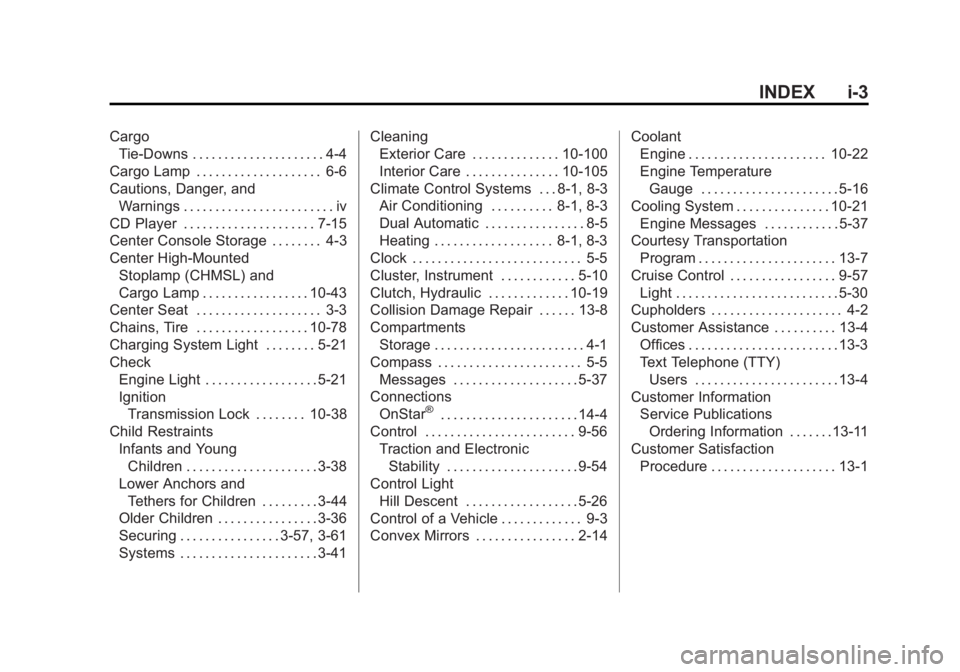
CargoTie-Downs . . . . . . . . . . . . . . . . . . . . . 4-4
Cargo Lamp . . . . . . . . . . . . . . . . . . . . 6-6
Cautions, Danger, and Warnings . . . . . . . . . . . . . . . . . . . . . . . . iv
CD Player . . . . . . . . . . . . . . . . . . . . . 7-15
Center Console Storage . . . . . . . . 4-3
Center High-Mounted Stoplamp (CHMSL) and
Cargo Lamp . . . . . . . . . . . . . . . . . 10-43
Center Seat . . . . . . . . . . . . . . . . . . . . 3-3
Chains, Tire . . . . . . . . . . . . . . . . . . 10-78
Charging System Light . . . . . . . . 5-21
Check
Engine Light . . . . . . . . . . . . . . . . . . 5-21
IgnitionTransmission Lock . . . . . . . . 10-38
Child Restraints Infants and YoungChildren . . . . . . . . . . . . . . . . . . . . . 3-38
Lower Anchors and
Tethers for Children . . . . . . . . . 3-44
Older Children . . . . . . . . . . . . . . . . 3-36
Securing . . . . . . . . . . . . . . . . 3-57, 3-61
Systems . . . . . . . . . . . . . . . . . . . . . . 3-41 Cleaning
Exterior Care . . . . . . . . . . . . . . 10-100
Interior Care . . . . . . . . . . . . . . . 10-105
Climate Control Systems . . . 8-1, 8-3 Air Conditioning . . . . . . . . . . 8-1, 8-3
Dual Automatic . . . . . . . . . . . . . . . . 8-5
Heating . . . . . . . . . . . . . . . . . . . 8-1, 8-3
Clock . . . . . . . . . . . . . . . . . . . . . . . . . . . 5-5
Cluster, Instrument . . . . . . . . . . . . 5-10
Clutch, Hydraulic . . . . . . . . . . . . . 10-19
Collision Damage Repair . . . . . . 13-8
Compartments Storage . . . . . . . . . . . . . . . . . . . . . . . . 4-1
Compass . . . . . . . . . . . . . . . . . . . . . . . 5-5 Messages . . . . . . . . . . . . . . . . . . . . 5-37
Connections
OnStar
®. . . . . . . . . . . . . . . . . . . . . . 14-4
Control . . . . . . . . . . . . . . . . . . . . . . . . 9-56 Traction and ElectronicStability . . . . . . . . . . . . . . . . . . . . . 9-54
Control Light
Hill Descent . . . . . . . . . . . . . . . . . . 5-26
Control of a Vehicle . . . . . . . . . . . . . 9-3
Convex Mirrors . . . . . . . . . . . . . . . . 2-14 Coolant
Engine . . . . . . . . . . . . . . . . . . . . . . 10-22
Engine Temperature
Gauge . . . . . . . . . . . . . . . . . . . . . . 5-16
Cooling System . . . . . . . . . . . . . . . 10-21 Engine Messages . . . . . . . . . . . . 5-37
Courtesy Transportation
Program . . . . . . . . . . . . . . . . . . . . . . 13-7
Cruise Control . . . . . . . . . . . . . . . . . 9-57 Light . . . . . . . . . . . . . . . . . . . . . . . . . . 5-30
Cupholders . . . . . . . . . . . . . . . . . . . . . 4-2
Customer Assistance . . . . . . . . . . 13-4
Offices . . . . . . . . . . . . . . . . . . . . . . . . 13-3
Text Telephone (TTY)Users . . . . . . . . . . . . . . . . . . . . . . . 13-4
Customer Information
Service PublicationsOrdering Information . . . . . . .13-11
Customer Satisfaction Procedure . . . . . . . . . . . . . . . . . . . . 13-1
Page 549 of 551
Black plate (12,1)Chevrolet 2015i Silverado Owner Manual (GMNA-Localizing-U.S./Canada/
Mexico-8425172) - 2015 - CRC - 6/20/14
i-12 INDEX
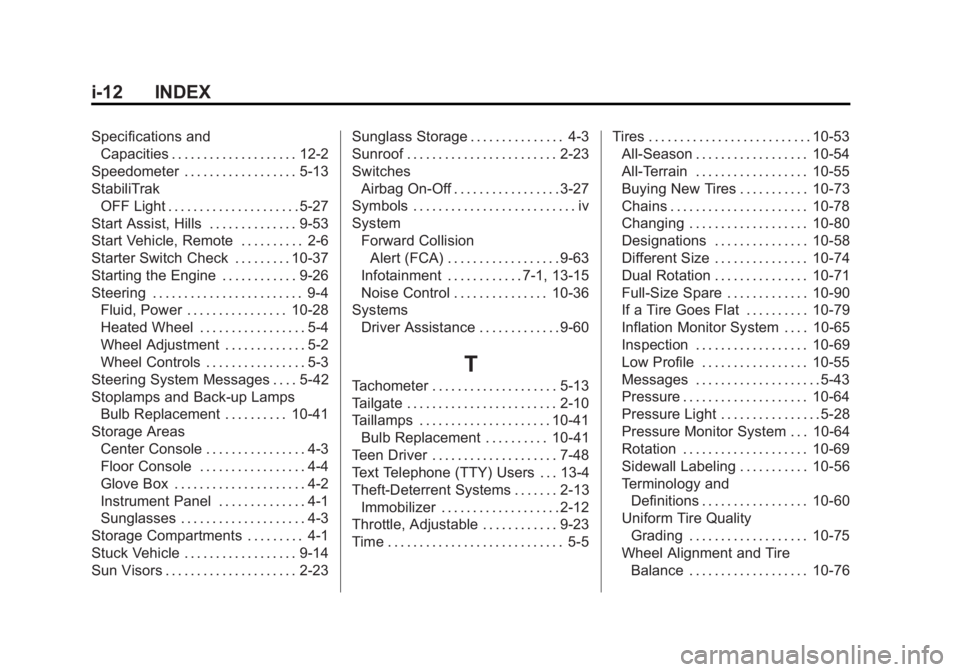
Specifications andCapacities . . . . . . . . . . . . . . . . . . . . 12-2
Speedometer . . . . . . . . . . . . . . . . . . 5-13
StabiliTrak OFF Light . . . . . . . . . . . . . . . . . . . . . 5-27
Start Assist, Hills . . . . . . . . . . . . . . 9-53
Start Vehicle, Remote . . . . . . . . . . 2-6
Starter Switch Check . . . . . . . . . 10-37
Starting the Engine . . . . . . . . . . . . 9-26
Steering . . . . . . . . . . . . . . . . . . . . . . . . 9-4 Fluid, Power . . . . . . . . . . . . . . . . 10-28
Heated Wheel . . . . . . . . . . . . . . . . . 5-4
Wheel Adjustment . . . . . . . . . . . . . 5-2
Wheel Controls . . . . . . . . . . . . . . . . 5-3
Steering System Messages . . . . 5-42
Stoplamps and Back-up Lamps Bulb Replacement . . . . . . . . . . 10-41
Storage Areas Center Console . . . . . . . . . . . . . . . . 4-3
Floor Console . . . . . . . . . . . . . . . . . 4-4
Glove Box . . . . . . . . . . . . . . . . . . . . . 4-2
Instrument Panel . . . . . . . . . . . . . . 4-1
Sunglasses . . . . . . . . . . . . . . . . . . . . 4-3
Storage Compartments . . . . . . . . . 4-1
Stuck Vehicle . . . . . . . . . . . . . . . . . . 9-14
Sun Visors . . . . . . . . . . . . . . . . . . . . . 2-23 Sunglass Storage . . . . . . . . . . . . . . . 4-3
Sunroof . . . . . . . . . . . . . . . . . . . . . . . . 2-23
Switches
Airbag On-Off . . . . . . . . . . . . . . . . . 3-27
Symbols . . . . . . . . . . . . . . . . . . . . . . . . . . iv
System Forward Collision
Alert (FCA) . . . . . . . . . . . . . . . . . . 9-63
Infotainment . . . . . . . . . . . . 7-1, 13-15
Noise Control . . . . . . . . . . . . . . . 10-36
Systems
Driver Assistance . . . . . . . . . . . . . 9-60
T
Tachometer . . . . . . . . . . . . . . . . . . . . 5-13
Tailgate . . . . . . . . . . . . . . . . . . . . . . . . 2-10
Taillamps . . . . . . . . . . . . . . . . . . . . . 10-41Bulb Replacement . . . . . . . . . . 10-41
Teen Driver . . . . . . . . . . . . . . . . . . . . 7-48
Text Telephone (TTY) Users . . . 13-4
Theft-Deterrent Systems . . . . . . . 2-13 Immobilizer . . . . . . . . . . . . . . . . . . . 2-12
Throttle, Adjustable . . . . . . . . . . . . 9-23
Time . . . . . . . . . . . . . . . . . . . . . . . . . . . . 5-5 Tires . . . . . . . . . . . . . . . . . . . . . . . . . . 10-53
All-Season . . . . . . . . . . . . . . . . . . 10-54
All-Terrain . . . . . . . . . . . . . . . . . . 10-55
Buying New Tires . . . . . . . . . . . 10-73
Chains . . . . . . . . . . . . . . . . . . . . . . 10-78
Changing . . . . . . . . . . . . . . . . . . . 10-80
Designations . . . . . . . . . . . . . . . 10-58
Different Size . . . . . . . . . . . . . . . 10-74
Dual Rotation . . . . . . . . . . . . . . . 10-71
Full-Size Spare . . . . . . . . . . . . . 10-90
If a Tire Goes Flat . . . . . . . . . . 10-79
Inflation Monitor System . . . . 10-65
Inspection . . . . . . . . . . . . . . . . . . 10-69
Low Profile . . . . . . . . . . . . . . . . . 10-55
Messages . . . . . . . . . . . . . . . . . . . . 5-43
Pressure . . . . . . . . . . . . . . . . . . . . 10-64
Pressure Light . . . . . . . . . . . . . . . . 5-28
Pressure Monitor System . . . 10-64
Rotation . . . . . . . . . . . . . . . . . . . . 10-69
Sidewall Labeling . . . . . . . . . . . 10-56
Terminology and
Definitions . . . . . . . . . . . . . . . . . 10-60
Uniform Tire Quality Grading . . . . . . . . . . . . . . . . . . . 10-75
Wheel Alignment and Tire
Balance . . . . . . . . . . . . . . . . . . . 10-76