service indicator CHEVROLET SILVERADO 1500 2022 Owner's Manual
[x] Cancel search | Manufacturer: CHEVROLET, Model Year: 2022, Model line: SILVERADO 1500, Model: CHEVROLET SILVERADO 1500 2022Pages: 461, PDF Size: 11.09 MB
Page 283 of 461
Chevrolet Silverado 1500 Owner Manual (GMNA-Localizing-U.S./Canada/
Mexico/Paraguay-14632303) - 2021 - CRC - 11/9/20
282 Driving and Operating
Warning (Continued)
Always keep your attention on the road
and maintain proper vehicle position
within the lane, or vehicle damage,
injury, or death could occur. Always keep
the windshield, headlamps, and camera
sensors clean and in good repair. Do not
use LKA in bad weather conditions or on
roads with unclear lane markings, such as
construction zones.
{Warning
Using LKA while towing a trailer or on
slippery roads could cause loss of control
of the vehicle and a crash. Turn the
system off.
How the System Works
LKA uses a camera sensor installed on the
windshield ahead of the rearview mirror to
detect lane markings. It may provide brief
steering assist if it detects an unintended
lane departure. It may further provide an
audible alert or the driver seat may pulse
indicating that a lane marking has been
crossed.To turn LKA on and off, press
Aon the
center stack. If equipped, the indicator light
on the button comes on when LKA is on and
turns off when LKA is disabled.
When on,
Ais white, if equipped,
indicating that the system is not ready to
assist.
Ais green if LKA is ready to
assist. LKA may assist by gently turning the
steering wheel if the vehicle approaches a
detected lane marking.
Ais amber when
assisting. It may also provide a Lane
Departure Warning (LDW) alert by flashing
Aamber if the vehicle crosses a
detected lane marking. Additionally, there
may be three beeps, or the driver seat may
pulse three times, on the right or left,
depending on the lane departure direction.
Take Steering
The LKA system does not continuously steer
the vehicle. If LKA does not detect active
driver steering, an alert and chime may be
provided. Steer the vehicle to dismiss. LKA
may become temporarily unavailable after
repeated take steering alerts.
When the System Does Not Seem to
Work Properly
The system performance may be
affected by:
.Close vehicles ahead.
.Sudden lighting changes, such as when
driving through tunnels.
.Banked roads.
.Roads with poor lane markings, such as
two-lane roads.
If the LKA system is not functioning
properly when lane markings are clearly
visible, cleaning the windshield may help.
A camera blocked message may display if
the camera is blocked. Some driver
assistance systems may have reduced
performance or not work at all. An LKA or
LDW unavailable message may display if the
systems are temporarily unavailable. This
message could be due to a blocked camera.
The LKA system does not need service. Clean
the outside of the windshield behind the
rearview mirror.
LKA assistance and/or LDW alerts may occur
due to tar marks, shadows, cracks in the
road, temporary or construction lane
markings, or other road imperfections. This
Page 317 of 461
Chevrolet Silverado 1500 Owner Manual (GMNA-Localizing-U.S./Canada/
Mexico/Paraguay-14632303) - 2021 - CRC - 11/9/20
316 Driving and Operating
Settings View
Within the Trailering App, touch the Settings
tab to modify the following settings:
.Trailer Detection Alert
.Maintenance Alerts
.Theft Alert
.Tow/Haul Mode Reminder
.Trailer Length Indicator
Trailer Detection Alert
The Trailer Detection Alert setting will be on
by default. Turn it off to disable the Trailer
Detection pop-up from displaying when a
trailer is connected. The Guest Trailer Profile
will become the active Trailer Profile, unless
another Trailer Profile is selected manually
through the Trailering App. If this setting is
disabled while a Custom Trailer Profile is
active, that Trailer Profile will remain the
active profile until the trailer is
disconnected.
Maintenance Alerts
Touch Maintenance Alerts to view the
Maintenance Alerts settings page. These
alerts are based on the Trailer Profile, so the
settings for each Trailer Profile must beturned on or off. Touch a profile to view
more information or adjust the setting for
that profile.
The setting will be on by default for each
profile. All Maintenance Alerts for that active
Trailer Profile will be received.
Turn a setting off to not receive any of the
Maintenance Alerts when that Trailer Profile
is active.
Theft Alert
A theft alert can be set if a trailer is
connected and the alert is enabled. When
the trailer is disconnected and the vehicle is
off, an alarm will sound.
Touch Theft Alert in Settings to view the
Theft Alert settings page. These alerts are
based on the Trailer Profile, so the settings
for each Trailer Profile must be turned on or
off. Touch a profile to view more
information or adjust the setting for that
profile.
This setting will be off by default for each
Trailer Profile, including the Guest Trailer
Profile.
A smartphone will receive a notification that
the trailer related to the selected Trailer
Profile is disconnected from the vehicle,
if the setting is on for the active Trailer
Profile, the vehicle has an OnStar or
connected service plan and the smartphone
number has been added to the account for
this notification.
If the setting is turned off for a given Trailer
Profile, the smartphone will not receive this
security notification even if the Trailer
Profile is active.
Tow/Haul Mode Reminder
This is a reminder to turn on the Tow/Haul
Mode when towing a trailer. See
Tow/Haul
Mode 0241.
Touch Tow/Haul Mode Reminder in Settings
to view the Tow/Haul Mode Reminder
settings page. These alerts are based on the
Trailer Profile, so the settings for each
Trailer Profile must be turned on or off.
Touch a profile to view more information or
to adjust the setting for that profile.
This setting will default to OFF for each
Trailer Profile, including the Guest Trailer
Profile.
Page 318 of 461
Chevrolet Silverado 1500 Owner Manual (GMNA-Localizing-U.S./Canada/
Mexico/Paraguay-14632303) - 2021 - CRC - 11/9/20
Driving and Operating 317
If Tow/Haul Mode is off and this setting is
on for a Trailer Profile, each time the
ignition is turned on a reminder will appear
to turn on Tow/Haul Mode when the Trailer
Profile is active.
If Tow/Haul Mode is on and this setting is
on for a Trailer Profile, the reminder will not
appear when the Trailer Profile is active.
Trailer Length Indicator
Touch Trailer Length Indicator to view the
Trailer Length Indicator settings page. If this
setting is ON a guideline is displayed in the
side mirror camera view to indicate the rear
of the attached trailer. If this setting is OFF
the guideline will not be displayed.
This setting will default to OFF if the trailer
length indicator feature is not set up. See
"Towing Assistance" for details on the setup.
Conversions and Add-Ons
Add-On Electrical Equipment
{Warning
The Data Link Connector (DLC) is used for
vehicle service and Emission Inspection/
Maintenance testing. SeeMalfunction
Indicator Lamp (Check Engine Light) 0116.
A device connected to the DLC —such as
an aftermarket fleet or driver-behavior
tracking device —may interfere with
vehicle systems. This could affect vehicle
operation and cause a crash. Such devices
may also access information stored in the
vehicle’s systems.
Caution
Some electrical equipment can damage
the vehicle or cause components to not
work and would not be covered by the
vehicle warranty. Always check with your
dealer before adding electrical equipment.
Add-on equipment can drain the vehicle's
12-volt battery, even if the vehicle is not
operating. The vehicle has an airbag system. Before
attempting to add anything electrical to the
vehicle, see
Servicing the Airbag-Equipped
Vehicle 069 and
Adding Equipment to the Airbag-Equipped
Vehicle 069.
For information on wiring auxiliary switches,
see www.gmupfitter.com or contact your
dealer.
Adding a Snow Plow or Similar
Equipment
Caution
Do not exceed 72 km/h (45 mph) with a
snow plow mounted to the vehicle. The
vehicle could overheat and be damaged.
Before installing a snow plow on the vehicle,
follow these guidelines:
Caution
If the vehicle does not have the snow
plow prep package, RPO VYU, adding a
plow can damage the vehicle, and the
repairs would not be covered by the
vehicle warranty. Unless the vehicle was
built to carry a snow plow, do not add
(Continued)
Page 341 of 461
Chevrolet Silverado 1500 Owner Manual (GMNA-Localizing-U.S./Canada/
Mexico/Paraguay-14632303) - 2021 - CRC - 11/9/20
340 Vehicle Care
Adding Washer Fluid
The vehicle has a low washer fluid message
on the DIC that comes on when the washer
fluid is low. The message is displayed for
15 seconds at the start of each ignition cycle.
When the WASHER FLUID LOW ADD FLUID
message displays, washer fluid will need to
be added to the windshield washer fluid
reservoir.
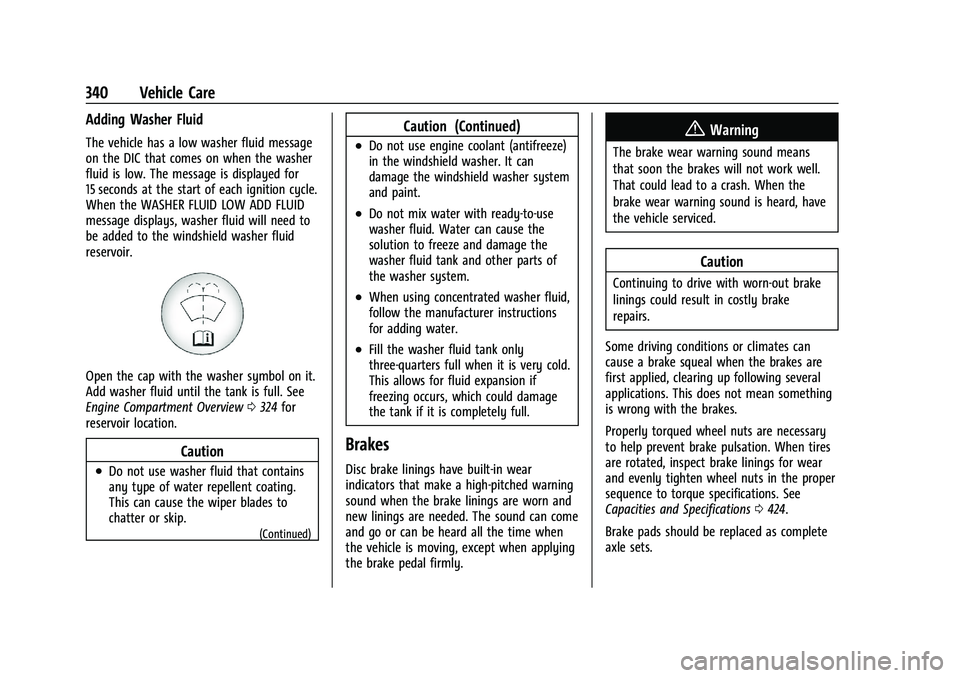
Open the cap with the washer symbol on it.
Add washer fluid until the tank is full. See
Engine Compartment Overview0324 for
reservoir location.
Caution
.Do not use washer fluid that contains
any type of water repellent coating.
This can cause the wiper blades to
chatter or skip.
(Continued)
Caution (Continued)
.Do not use engine coolant (antifreeze)
in the windshield washer. It can
damage the windshield washer system
and paint.
.Do not mix water with ready-to-use
washer fluid. Water can cause the
solution to freeze and damage the
washer fluid tank and other parts of
the washer system.
.When using concentrated washer fluid,
follow the manufacturer instructions
for adding water.
.Fill the washer fluid tank only
three-quarters full when it is very cold.
This allows for fluid expansion if
freezing occurs, which could damage
the tank if it is completely full.
Brakes
Disc brake linings have built-in wear
indicators that make a high-pitched warning
sound when the brake linings are worn and
new linings are needed. The sound can come
and go or can be heard all the time when
the vehicle is moving, except when applying
the brake pedal firmly.
{Warning
The brake wear warning sound means
that soon the brakes will not work well.
That could lead to a crash. When the
brake wear warning sound is heard, have
the vehicle serviced.
Caution
Continuing to drive with worn-out brake
linings could result in costly brake
repairs.
Some driving conditions or climates can
cause a brake squeal when the brakes are
first applied, clearing up following several
applications. This does not mean something
is wrong with the brakes.
Properly torqued wheel nuts are necessary
to help prevent brake pulsation. When tires
are rotated, inspect brake linings for wear
and evenly tighten wheel nuts in the proper
sequence to torque specifications. See
Capacities and Specifications 0424.
Brake pads should be replaced as complete
axle sets.
Page 342 of 461
Chevrolet Silverado 1500 Owner Manual (GMNA-Localizing-U.S./Canada/
Mexico/Paraguay-14632303) - 2021 - CRC - 11/9/20
Vehicle Care 341
Brake Pedal Travel
See your dealer if the brake pedal does not
return to normal height, or if there is a
rapid increase in pedal travel. This could be
a sign that brake service may be required.
Replacing Brake System Parts
Always replace brake system parts with
new, approved replacement parts. If this is
not done, the brakes may not work
properly. The braking performance can
change in many ways if the wrong brake
parts are installed or if parts are improperly
installed.
Brake Pad Life System
When to Change Brake Pads
This vehicle has a system that estimates the
remaining life of the front and rear brake
pads. Brake pad life is displayed in the
Driver Information Center (DIC), along with
a percentage for each axle. The system must
be reset every time the brake pads are
changed.
When the system has determined that the
brake pads need to be replaced, a message
will display, which may include mileage
remaining.Brake pads should always be replaced as
complete axle sets.
How to Reset the Brake Pad Life System
The system will automatically detect when
significantly worn brake pads are replaced.
When the ignition is turned on after new
pads and wear sensors are installed, a
message will display. Follow the prompts to
reset the system.
The brake pad life system can also be
manually reset:
1. Display Brake Pad Life on the DIC. See Driver Information Center (DIC) (Base
Level) 0124 or
Driver Information Center (DIC) (Midlevel
and Uplevel) 0125.
2. Press the thumbwheel or the trip odometer reset stem if the vehicle does
not have DIC buttons. Select front or rear
pads as appropriate.
3. Select YES on the confirmation message, or press the trip odometer reset stem on
a base level DIC. Repeat for pads on the
other axle if they were also replaced.
How to Disable the Brake Pad Life
System
The brake pad life system can be turned off.
This may be necessary if aftermarket brake
pads without wear sensors are installed.
When the system is turned off, the front
and rear brake pad life percentages will not
display. However, the built-in wear
indicators that make a high-pitched warning
sound when the brake pads are worn can
still determine when the pads should be
replaced. See Brakes0340.
To turn off the brake pad life system: 1. Display Brake Pad Life on the DIC. See Driver Information Center (DIC) (Base
Level) 0124 or
Driver Information Center (DIC) (Midlevel
and Uplevel) 0125.
2. Select DISABLE.
To turn the brake pad life system back on,
follow the above steps but select ENABLE in
Step 2.
Page 371 of 461
Chevrolet Silverado 1500 Owner Manual (GMNA-Localizing-U.S./Canada/
Mexico/Paraguay-14632303) - 2021 - CRC - 11/9/20
370 Vehicle Care
For additional information and details about
the DIC operation and displays, seeDriver
Information Center (DIC) (Base Level) 0124
or
Driver Information Center (DIC) (Midlevel and
Uplevel) 0125.
The low tire pressure warning light may
come on in cool weather when the vehicle is
first started, and then turn off as the vehicle
is driven. This could be an early indicator
that the air pressure is getting low and
needs to be inflated to the proper pressure.
A Tire and Loading Information label shows
the size of the original equipment tires and
the correct inflation pressure for the tires
when they are cold. See Vehicle Load Limits
0 222, for an example of the Tire and
Loading Information label and its location.
Also see Tire Pressure 0367.
The TPMS can warn about a low tire
pressure condition but it does not replace
normal tire maintenance. See Tire Inspection
0 374, Tire Rotation 0374 and
Tires 0361.Caution
Tire sealant materials are not all the
same. A non-approved tire sealant could
damage the TPMS sensors. TPMS sensor
damage caused by using an incorrect tire
sealant is not covered by the vehicle
warranty. Always use only the GM
approved tire sealant available through
your dealer or included in the vehicle.
TPMS Malfunction Light and Message
The TPMS will not function properly if one
or more of the TPMS sensors are missing or
inoperable. When the system detects a
malfunction, the low tire pressure warning
light flashes for about one minute and then
stays on for the remainder of the ignition
cycle. A DIC warning message also displays.
The malfunction light and DIC warning
message come on at each ignition cycle
until the problem is corrected. Some of the
conditions that can cause these to come
on are:
.One of the road tires has been replaced
with the spare tire. The spare tire does
not have a TPMS sensor. The malfunction
light and the DIC message should go off
after the road tire is replaced and the sensor matching process is performed
successfully. See "TPMS Sensor Matching
Process" later in this section.
.The TPMS sensor matching process was
not done or not completed successfully
after rotating the tires. The malfunction
light and the DIC message should go off
after successfully completing the sensor
matching process. See "TPMS Sensor
Matching Process" later in this section.
.One or more TPMS sensors are missing or
damaged. The malfunction light and the
DIC message should go off when the
TPMS sensors are installed and the sensor
matching process is performed
successfully. See your dealer for service.
.Replacement tires or wheels do not match
the original equipment tires or wheels.
Tires and wheels other than those
recommended could prevent the TPMS
from functioning properly. See
Buying
New Tires 0376.
.Operating electronic devices or being near
facilities using radio wave frequencies
similar to the TPMS could cause the TPMS
sensors to malfunction.
Page 375 of 461
Chevrolet Silverado 1500 Owner Manual (GMNA-Localizing-U.S./Canada/
Mexico/Paraguay-14632303) - 2021 - CRC - 11/9/20
374 Vehicle Care
and the sensor learning process is
performed successfully. See "TTPMS
Sensor Learning Process" underTrailering
App 0306.
.Operating electronic devices or being near
facilities using radio wave frequencies
similar to the TTPMS could cause
interference to the TTPMS which could
cause loss of signal reception from the
sensor.
.If the system does not receive the signal
from an individual sensor, an error
message may not occur until the vehicle
has been driver for a period of time.
If the TTPMS is not functioning properly, it
cannot detect or signal a low tire condition.
See your dealer for service if the DIC
message comes on and stays on when the
trailer tire pressures have been checked and
determined to be correct.
Tire Inspection
We recommend that the tires, including
the spare tire, if the vehicle has one, be
inspected for signs of wear or damage
at least once a month. Replace the tire if:
.The indicators at three or more
places around the tire can be seen.
.There is cord or fabric showing
through the tire's rubber.
.The tread or sidewall is cracked, cut,
or snagged deep enough to show
cord or fabric.
.The tire has a bump, bulge, or split.
.The tire has a puncture, cut, or other
damage that cannot be repaired well
because of the size or location of the
damage.
Tire Rotation
Tires should be rotated every 12 000 km
(7,500 mi). See
Maintenance Schedule
0 409.
Tires are rotated to achieve a more
uniform wear for all tires. The first
rotation is the most important.
Anytime unusual wear is noticed, rotate
the tires as soon as possible, check for
proper tire inflation pressure, and check
for damaged tires or wheels. If the unusual wear continues after the
rotation, check the wheel alignment.
See
When It Is Time for New Tires 0375
and
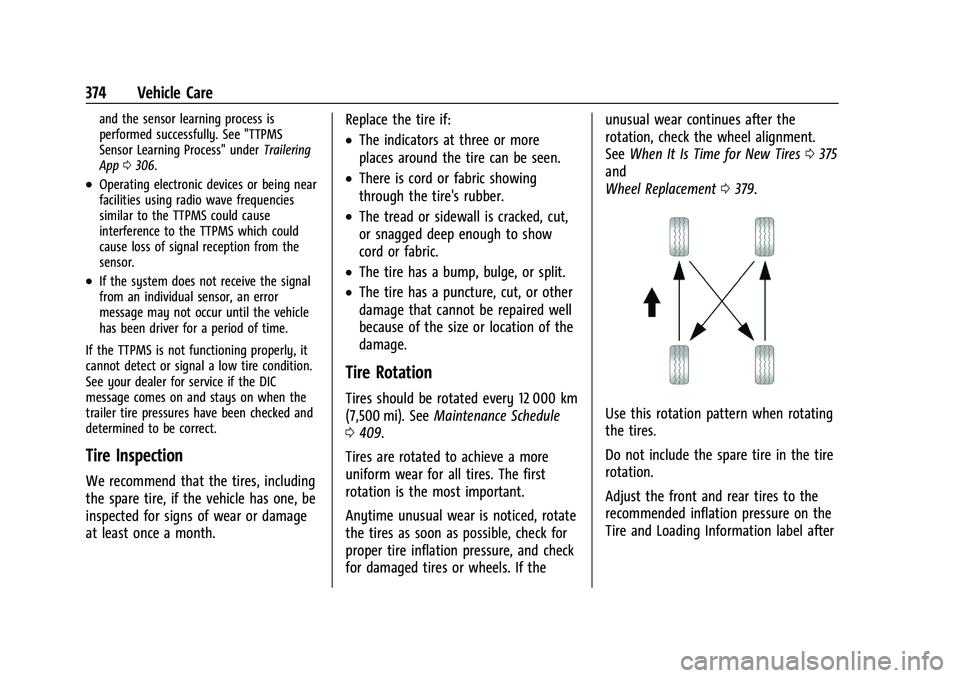
Wheel Replacement 0379.Use this rotation pattern when rotating
the tires.
Do not include the spare tire in the tire
rotation.
Adjust the front and rear tires to the
recommended inflation pressure on the
Tire and Loading Information label after
Page 417 of 461
Chevrolet Silverado 1500 Owner Manual (GMNA-Localizing-U.S./Canada/
Mexico/Paraguay-14632303) - 2021 - CRC - 11/9/20
416 Service and Maintenance
.Trained dealer technicians have the
diagnostic equipment to test the battery
and ensure that the connections and
cables are corrosion-free.
Belts
.Belts may need replacing if they squeak
or show signs of cracking or splitting.
.Trained dealer technicians have access to
tools and equipment to inspect the belts
and recommend adjustment or
replacement when necessary.
Brakes
Brakes stop the vehicle and are crucial to
safe driving.
.Signs of brake wear may include chirping,
grinding, or squealing noises, or difficulty
stopping.
.Trained dealer technicians have access to
tools and equipment to inspect the brakes
and recommend quality parts engineered
for the vehicle.
Fluids
Proper fluid levels and approved fluids
protect the vehicle’s systems and
components. See Recommended Fluids and
Lubricants 0418 for GM approved fluids.
.Engine oil and windshield washer fluid
levels should be checked at every fuel fill.
.Instrument cluster lights may come on to
indicate that fluids may be low and need
to be filled.
Hoses
Hoses transport fluids and should be
regularly inspected to ensure that there are
no cracks or leaks. With a multi-point
inspection, your dealer can inspect the hoses
and advise if replacement is needed.
Lamps
Properly working headlamps, taillamps, and
brake lamps are important to see and be
seen on the road.
.Signs that the headlamps need attention
include dimming, failure to light, cracking,
or damage. The brake lamps need to be
checked periodically to ensure that they
light when braking.
.With a multi-point inspection, your dealer
can check the lamps and note any
concerns.
Shocks and Struts
Shocks and struts help aid in control for a
smoother ride.
.Signs of wear may include steering wheel
vibration, bounce/sway while braking,
longer stopping distance, or uneven
tire wear.
.As part of the multi-point inspection,
trained dealer technicians can visually
inspect the shocks and struts for signs of
leaking, blown seals, or damage, and can
advise when service is needed.
Tires
Tires need to be properly inflated, rotated,
and balanced. Maintaining the tires can save
money and fuel, and can reduce the risk of
tire failure.
.Signs that the tires need to be replaced
include three or more visible treadwear
indicators; cord or fabric showing through
the rubber; cracks or cuts in the tread or
sidewall; or a bulge or split in the tire.
.Trained dealer technicians can inspect and
recommend the right tires. Your dealer
can also provide tire/wheel balancing
services to ensure smooth vehicle
operation at all speeds. Your dealer sells
and services name brand tires.
Page 451 of 461
Chevrolet Silverado 1500 Owner Manual (GMNA-Localizing-U.S./Canada/-
Mexico/Paraguay-14632303) - 2021 - CRC - 11/9/20
450 Index
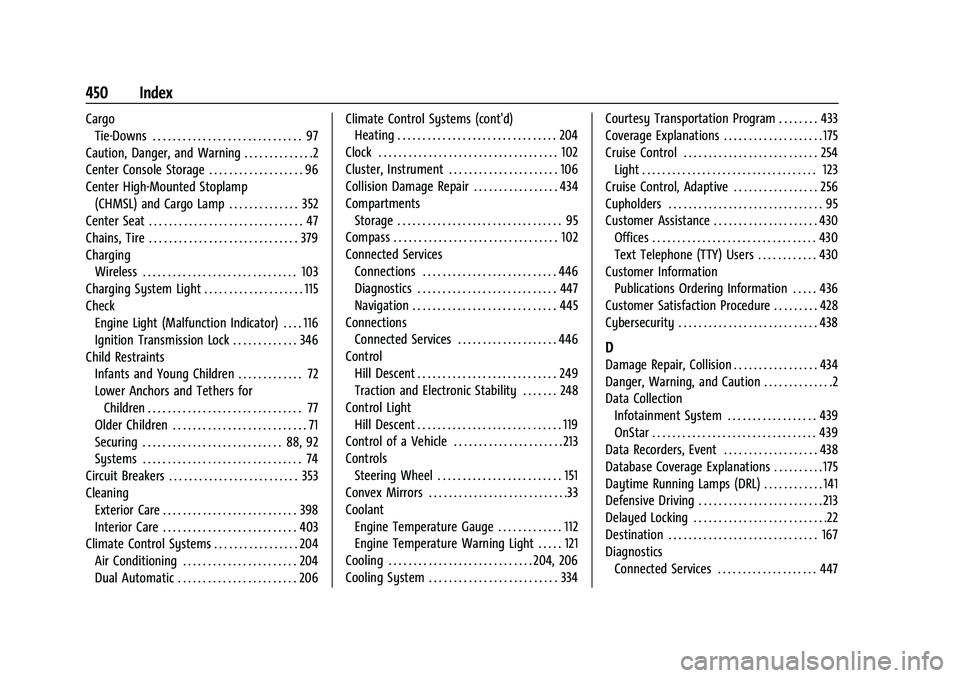
CargoTie-Downs . . . . . . . . . . . . . . . . . . . . . . . . . . . . . . 97
Caution, Danger, and Warning . . . . . . . . . . . . . .2
Center Console Storage . . . . . . . . . . . . . . . . . . . 96
Center High-Mounted Stoplamp (CHMSL) and Cargo Lamp . . . . . . . . . . . . . . 352
Center Seat . . . . . . . . . . . . . . . . . . . . . . . . . . . . . . . 47
Chains, Tire . . . . . . . . . . . . . . . . . . . . . . . . . . . . . . 379
Charging
Wireless . . . . . . . . . . . . . . . . . . . . . . . . . . . . . . . 103
Charging System Light . . . . . . . . . . . . . . . . . . . . 115
Check
Engine Light (Malfunction Indicator) . . . . 116
Ignition Transmission Lock . . . . . . . . . . . . . 346
Child Restraints Infants and Young Children . . . . . . . . . . . . . 72
Lower Anchors and Tethers for
Children . . . . . . . . . . . . . . . . . . . . . . . . . . . . . . . 77
Older Children . . . . . . . . . . . . . . . . . . . . . . . . . . . 71
Securing . . . . . . . . . . . . . . . . . . . . . . . . . . . . 88, 92
Systems . . . . . . . . . . . . . . . . . . . . . . . . . . . . . . . . 74
Circuit Breakers . . . . . . . . . . . . . . . . . . . . . . . . . . 353
Cleaning Exterior Care . . . . . . . . . . . . . . . . . . . . . . . . . . . 398
Interior Care . . . . . . . . . . . . . . . . . . . . . . . . . . . 403
Climate Control Systems . . . . . . . . . . . . . . . . . 204 Air Conditioning . . . . . . . . . . . . . . . . . . . . . . . 204
Dual Automatic . . . . . . . . . . . . . . . . . . . . . . . . 206 Climate Control Systems (cont'd)
Heating . . . . . . . . . . . . . . . . . . . . . . . . . . . . . . . . 204
Clock . . . . . . . . . . . . . . . . . . . . . . . . . . . . . . . . . . . . 102
Cluster, Instrument . . . . . . . . . . . . . . . . . . . . . . 106
Collision Damage Repair . . . . . . . . . . . . . . . . . 434
Compartments Storage . . . . . . . . . . . . . . . . . . . . . . . . . . . . . . . . . 95
Compass . . . . . . . . . . . . . . . . . . . . . . . . . . . . . . . . . 102
Connected Services Connections . . . . . . . . . . . . . . . . . . . . . . . . . . . 446
Diagnostics . . . . . . . . . . . . . . . . . . . . . . . . . . . . 447
Navigation . . . . . . . . . . . . . . . . . . . . . . . . . . . . . 445
Connections Connected Services . . . . . . . . . . . . . . . . . . . . 446
Control Hill Descent . . . . . . . . . . . . . . . . . . . . . . . . . . . . 249
Traction and Electronic Stability . . . . . . . 248
Control Light Hill Descent . . . . . . . . . . . . . . . . . . . . . . . . . . . . . 119
Control of a Vehicle . . . . . . . . . . . . . . . . . . . . . . 213
Controls Steering Wheel . . . . . . . . . . . . . . . . . . . . . . . . . 151
Convex Mirrors . . . . . . . . . . . . . . . . . . . . . . . . . . . .33
Coolant Engine Temperature Gauge . . . . . . . . . . . . . 112
Engine Temperature Warning Light . . . . . 121
Cooling . . . . . . . . . . . . . . . . . . . . . . . . . . . . . 204, 206
Cooling System . . . . . . . . . . . . . . . . . . . . . . . . . . 334 Courtesy Transportation Program . . . . . . . . 433
Coverage Explanations . . . . . . . . . . . . . . . . . . . . 175
Cruise Control . . . . . . . . . . . . . . . . . . . . . . . . . . . 254
Light . . . . . . . . . . . . . . . . . . . . . . . . . . . . . . . . . . . 123
Cruise Control, Adaptive . . . . . . . . . . . . . . . . . 256
Cupholders . . . . . . . . . . . . . . . . . . . . . . . . . . . . . . . 95
Customer Assistance . . . . . . . . . . . . . . . . . . . . . 430 Offices . . . . . . . . . . . . . . . . . . . . . . . . . . . . . . . . . 430
Text Telephone (TTY) Users . . . . . . . . . . . . 430
Customer Information Publications Ordering Information . . . . . 436
Customer Satisfaction Procedure . . . . . . . . . 428
Cybersecurity . . . . . . . . . . . . . . . . . . . . . . . . . . . . 438
D
Damage Repair, Collision . . . . . . . . . . . . . . . . . 434
Danger, Warning, and Caution . . . . . . . . . . . . . .2
Data Collection Infotainment System . . . . . . . . . . . . . . . . . . 439
OnStar . . . . . . . . . . . . . . . . . . . . . . . . . . . . . . . . . 439
Data Recorders, Event . . . . . . . . . . . . . . . . . . . 438
Database Coverage Explanations . . . . . . . . . . 175
Daytime Running Lamps (DRL) . . . . . . . . . . . . 141
Defensive Driving . . . . . . . . . . . . . . . . . . . . . . . . . 213
Delayed Locking . . . . . . . . . . . . . . . . . . . . . . . . . . .22
Destination . . . . . . . . . . . . . . . . . . . . . . . . . . . . . . 167
Diagnostics
Connected Services . . . . . . . . . . . . . . . . . . . . 447
Page 453 of 461
Chevrolet Silverado 1500 Owner Manual (GMNA-Localizing-U.S./Canada/-
Mexico/Paraguay-14632303) - 2021 - CRC - 11/9/20
452 Index
F
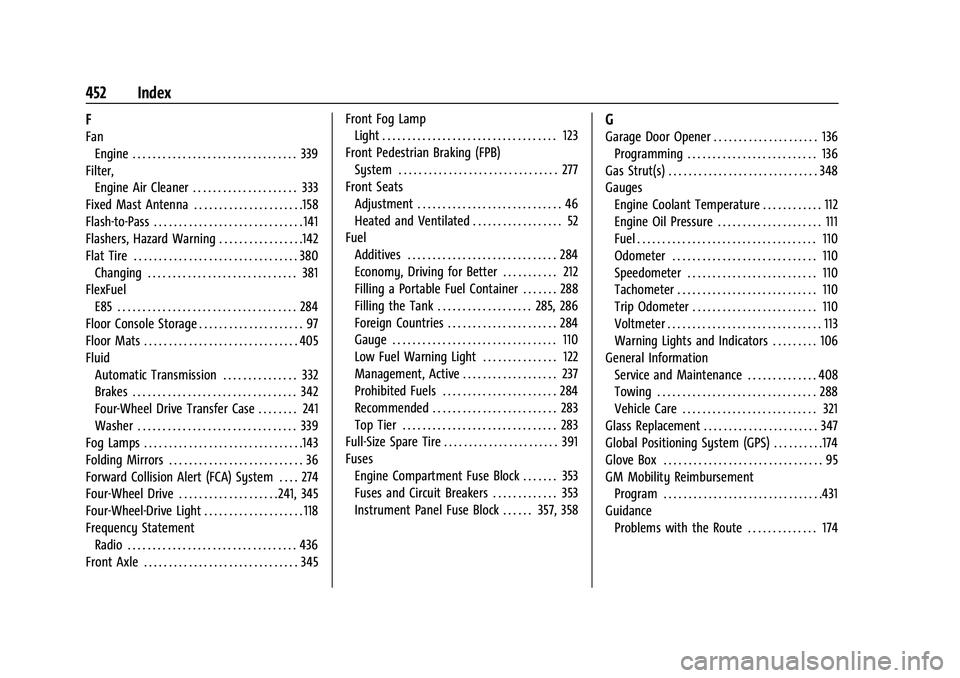
FanEngine . . . . . . . . . . . . . . . . . . . . . . . . . . . . . . . . . 339
Filter, Engine Air Cleaner . . . . . . . . . . . . . . . . . . . . . 333
Fixed Mast Antenna . . . . . . . . . . . . . . . . . . . . . .158
Flash-to-Pass . . . . . . . . . . . . . . . . . . . . . . . . . . . . . . 141
Flashers, Hazard Warning . . . . . . . . . . . . . . . . .142
Flat Tire . . . . . . . . . . . . . . . . . . . . . . . . . . . . . . . . . 380 Changing . . . . . . . . . . . . . . . . . . . . . . . . . . . . . . 381
FlexFuel E85 . . . . . . . . . . . . . . . . . . . . . . . . . . . . . . . . . . . . 284
Floor Console Storage . . . . . . . . . . . . . . . . . . . . . 97
Floor Mats . . . . . . . . . . . . . . . . . . . . . . . . . . . . . . . 405
Fluid Automatic Transmission . . . . . . . . . . . . . . . 332
Brakes . . . . . . . . . . . . . . . . . . . . . . . . . . . . . . . . . 342
Four-Wheel Drive Transfer Case . . . . . . . . 241
Washer . . . . . . . . . . . . . . . . . . . . . . . . . . . . . . . . 339
Fog Lamps . . . . . . . . . . . . . . . . . . . . . . . . . . . . . . . .143
Folding Mirrors . . . . . . . . . . . . . . . . . . . . . . . . . . . 36
Forward Collision Alert (FCA) System . . . . 274
Four-Wheel Drive . . . . . . . . . . . . . . . . . . . . 241, 345
Four-Wheel-Drive Light . . . . . . . . . . . . . . . . . . . . 118
Frequency Statement Radio . . . . . . . . . . . . . . . . . . . . . . . . . . . . . . . . . . 436
Front Axle . . . . . . . . . . . . . . . . . . . . . . . . . . . . . . . 345 Front Fog Lamp
Light . . . . . . . . . . . . . . . . . . . . . . . . . . . . . . . . . . . 123
Front Pedestrian Braking (FPB) System . . . . . . . . . . . . . . . . . . . . . . . . . . . . . . . . 277
Front Seats Adjustment . . . . . . . . . . . . . . . . . . . . . . . . . . . . . 46
Heated and Ventilated . . . . . . . . . . . . . . . . . . 52
Fuel Additives . . . . . . . . . . . . . . . . . . . . . . . . . . . . . . 284
Economy, Driving for Better . . . . . . . . . . . 212
Filling a Portable Fuel Container . . . . . . . 288
Filling the Tank . . . . . . . . . . . . . . . . . . . 285, 286
Foreign Countries . . . . . . . . . . . . . . . . . . . . . . 284
Gauge . . . . . . . . . . . . . . . . . . . . . . . . . . . . . . . . . 110
Low Fuel Warning Light . . . . . . . . . . . . . . . 122
Management, Active . . . . . . . . . . . . . . . . . . . 237
Prohibited Fuels . . . . . . . . . . . . . . . . . . . . . . . 284
Recommended . . . . . . . . . . . . . . . . . . . . . . . . . 283
Top Tier . . . . . . . . . . . . . . . . . . . . . . . . . . . . . . . 283
Full-Size Spare Tire . . . . . . . . . . . . . . . . . . . . . . . 391
Fuses Engine Compartment Fuse Block . . . . . . . 353
Fuses and Circuit Breakers . . . . . . . . . . . . . 353
Instrument Panel Fuse Block . . . . . . 357, 358
G
Garage Door Opener . . . . . . . . . . . . . . . . . . . . . 136Programming . . . . . . . . . . . . . . . . . . . . . . . . . . 136
Gas Strut(s) . . . . . . . . . . . . . . . . . . . . . . . . . . . . . . 348
Gauges Engine Coolant Temperature . . . . . . . . . . . . 112
Engine Oil Pressure . . . . . . . . . . . . . . . . . . . . . 111
Fuel . . . . . . . . . . . . . . . . . . . . . . . . . . . . . . . . . . . . 110
Odometer . . . . . . . . . . . . . . . . . . . . . . . . . . . . . 110
Speedometer . . . . . . . . . . . . . . . . . . . . . . . . . . 110
Tachometer . . . . . . . . . . . . . . . . . . . . . . . . . . . . 110
Trip Odometer . . . . . . . . . . . . . . . . . . . . . . . . . 110
Voltmeter . . . . . . . . . . . . . . . . . . . . . . . . . . . . . . . 113
Warning Lights and Indicators . . . . . . . . . 106
General Information Service and Maintenance . . . . . . . . . . . . . . 408
Towing . . . . . . . . . . . . . . . . . . . . . . . . . . . . . . . . 288
Vehicle Care . . . . . . . . . . . . . . . . . . . . . . . . . . . 321
Glass Replacement . . . . . . . . . . . . . . . . . . . . . . . 347
Global Positioning System (GPS) . . . . . . . . . .174
Glove Box . . . . . . . . . . . . . . . . . . . . . . . . . . . . . . . . 95
GM Mobility Reimbursement
Program . . . . . . . . . . . . . . . . . . . . . . . . . . . . . . . .431
Guidance
Problems with the Route . . . . . . . . . . . . . . 174