roof CHEVROLET SILVERADO 1500 2023 User Guide
[x] Cancel search | Manufacturer: CHEVROLET, Model Year: 2023, Model line: SILVERADO 1500, Model: CHEVROLET SILVERADO 1500 2023Pages: 463, PDF Size: 19.26 MB
Page 143 of 463
Chevrolet Silverado 1500 Owner Manual (GMNA-Localizing-U.S./Canada/
Mexico/Paraguay-16515119) - 2023 - CRC - 6/2/22
142 Lighting
Some localities have laws that require the
headlamps to be on with the fog lamps.
Task Lighting
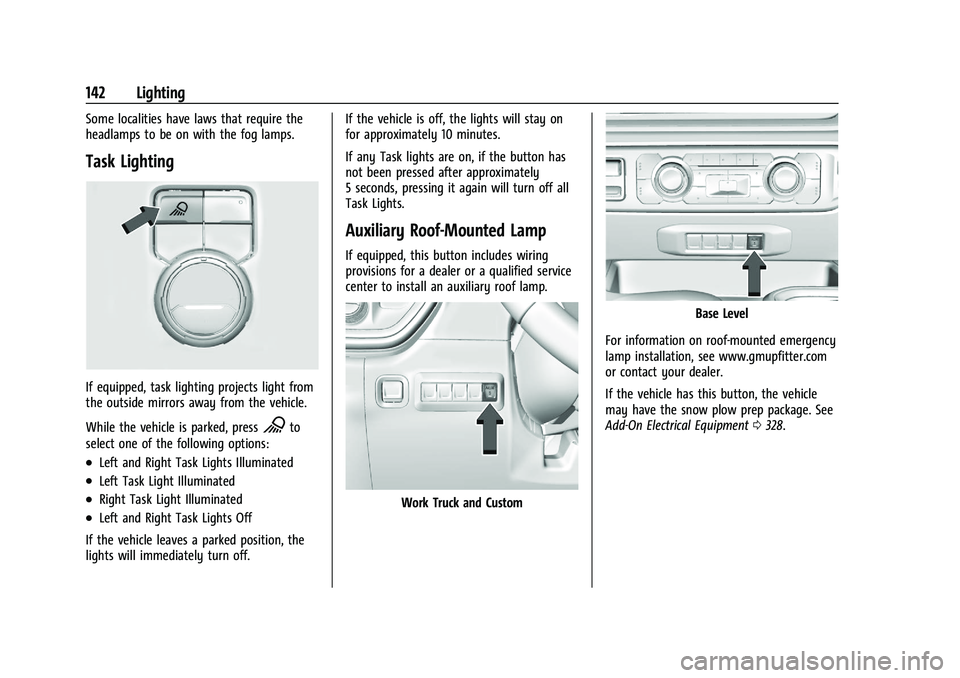
If equipped, task lighting projects light from
the outside mirrors away from the vehicle.
While the vehicle is parked, press
Kto
select one of the following options:
.Left and Right Task Lights Illuminated
.Left Task Light Illuminated
.Right Task Light Illuminated
.Left and Right Task Lights Off
If the vehicle leaves a parked position, the
lights will immediately turn off. If the vehicle is off, the lights will stay on
for approximately 10 minutes.
If any Task lights are on, if the button has
not been pressed after approximately
5 seconds, pressing it again will turn off all
Task Lights.
Auxiliary Roof-Mounted Lamp
If equipped, this button includes wiring
provisions for a dealer or a qualified service
center to install an auxiliary roof lamp.
Work Truck and Custom
Base Level
For information on roof-mounted emergency
lamp installation, see www.gmupfitter.com
or contact your dealer.
If the vehicle has this button, the vehicle
may have the snow plow prep package. See
Add-On Electrical Equipment 0328.
Page 158 of 463
Chevrolet Silverado 1500 Owner Manual (GMNA-Localizing-U.S./Canada/
Mexico/Paraguay-16515119) - 2023 - CRC - 6/2/22
Infotainment System 157
To directly tune to a channel, touch the
Tune icon to enter a channel number using
the keypad.
Browsing Content
Touch(to view different browsing
content.
Browse will include Channels, Music, On
Demand shows and episodes, Sports and
News content.
SiriusXM Settings
From the SiriusXM now playing screen,
touch the user settings icon in the upper
right to display the SiriusXM settings
The settings include subscription
information, help and support, and listener
preferences.
Radio Reception
Unplug electronic devices from the accessory
power outlets if there is interference or
static in the radio.
FM
FM signals only reach about 16 to 65 km (10
to 40 mi). Although the radio has a built-in
electronic circuit that automatically works to reduce interference, some static can occur,
especially around tall buildings or hills,
causing the sound to fade in and out.
AM
The range for most AM stations is greater
than for FM, especially at night. The longer
range can cause station frequencies to
interfere with each other. Static can also
occur when things like storms and power
lines interfere with radio reception. When
this happens, try reducing the treble on the
radio.
SiriusXM Satellite Radio Service
If equipped, SiriusXM Satellite Radio Service
provides digital radio reception. Tall
buildings or hills can interfere with satellite
radio signals, causing the sound to fade in
and out. In addition, traveling or standing
under heavy foliage, bridges, garages,
or tunnels may cause loss of the SiriusXM
signal for a period of time. Some cellular
services may interfere with SXM reception
causing loss of signal.
Mobile Device Usage
Mobile device usage, such as making or
receiving calls, charging, or just having the
mobile device on may cause static
interference in the radio. Unplug the mobile
device or turn it off if this happens.
Multi-Band Antenna
The multi-band roof antenna may be used
for radio, navigation, and other
communication systems, depending on the
equipped options. To ensure clear reception,
keep the antenna clear of obstructions, such
as snow and ice. If the vehicle has a
sunroof, and it is open, or a roof loaded
with cargo, reception may be affected.
Audio Players
Avoiding Untrusted Media Devices
When using media devices such as USB and
mobile devices, consider the source.
Untrusted media devices could contain files
that affect system operation or performance
and should be avoided.
Page 163 of 463
Chevrolet Silverado 1500 Owner Manual (GMNA-Localizing-U.S./Canada/
Mexico/Paraguay-16515119) - 2023 - CRC - 6/2/22
162 Infotainment System
.Satellites are being repaired or improved.
For more information if the GPS is not
functioning properly, see Problems with
Route Guidance 0162.
Vehicle Positioning
At times, the position of the vehicle on the
map could be inaccurate due to one or more
of the following reasons:
.The road system has changed.
.The vehicle is driving on slippery road
surfaces such as sand, gravel, or snow.
.The vehicle is traveling on winding roads
or long, straight roads.
.The vehicle is approaching a tall building
or a large vehicle.
.The surface streets run parallel to a
freeway.
.The vehicle has been transferred by a
vehicle carrier or a ferry.
.The current position calibration is set
incorrectly.
.The vehicle is traveling at high speed.
.The vehicle changes directions more than
once, or the vehicle is turning on a turn
table in a parking lot.
.The vehicle is entering and/or exiting a
parking lot, garage, or a lot with a roof.
.The GPS signal is not received.
.A roof carrier is installed on the vehicle.
.Tire chains are installed on the vehicle.
.The tires are replaced or worn.
.The tire pressure for the tires is incorrect.
.This is the first navigation use after the
map data is updated.
.The 12-volt battery has been disconnected
for several days.
.The vehicle is driving in heavy traffic
where driving is at low speeds, and the
vehicle is stopped and started repeatedly.
Problems with Route Guidance
Inappropriate route guidance can occur
under one or more of the following
conditions:
.The turn was not made on the road
indicated.
.Route guidance might not be available
when using automatic rerouting for the
next right or left turn.
.The route might not be changed when
using automatic rerouting.
.There is no route guidance when turning
at an intersection.
.Automatic rerouting might display a route
returning to the set waypoint if heading
for a destination without passing through
a set waypoint.
.The route prohibits the entry of a vehicle
due to a regulation by time or season or
any other regulation which may be given.
.Some routes might not be searched.
.The route to the destination might not be
shown if there are new roads, if roads
have recently changed, or if certain roads
are not listed in Maps.
To recalibrate the vehicle's position on the
map, park with the vehicle running for two
to five minutes, until the vehicle position
updates. Make sure the vehicle is parked in
a location that is safe and has a clear view
of the sky and away from large
obstructions.
Voice Recognition
If equipped, Google Assistant allows for
hands-free use of media and messaging,
navigation and climate control functionality
in the vehicle. This feature can be started by
pressing
gon the steering wheel, touching
Page 199 of 463
Chevrolet Silverado 1500 Owner Manual (GMNA-Localizing-U.S./Canada/
Mexico/Paraguay-16515119) - 2023 - CRC - 6/2/22
198 Driving and Operating
{Warning
When driving off-road, bouncing and
quick changes in direction can easily
throw you out of position. This could
cause you to lose control and crash. You
and your passengers should always wear
seat belts.
Before Driving Off-Road
.Have all necessary maintenance and
service work completed.
.Fuel the vehicle, fill fluid levels, and check
inflation pressure in all tires, including the
spare, if equipped.
.Read all the information about
four-wheel-drive vehicles in this manual.
.Remove any underbody air deflector,
if equipped. Re-attach the air deflector
after off-road driving.
.Know the local laws that apply to off-road
driving.
To gain more ground clearance if needed, it
may be necessary to remove the front fascia
lower air dam, if equipped. However, driving
without the air dam reduces fuel economy.
Caution
Operating the vehicle for extended
periods without the front fascia lower air
dam installed can cause improper airflow
to the engine. Reattach the front fascia
air dam after off-road driving.
Loading the Vehicle for Off-Road Driving
{Warning
.Unsecured cargo on the load floor can
be tossed about when driving over
rough terrain. You or your passengers
can be struck by flying objects. Secure
the cargo properly.
.Keep cargo in the cargo area as far
forward and as low as possible. The
heaviest things should be on the floor,
forward of the rear axle.
.Heavy loads on the roof raise the
vehicle's center of gravity, making it
more likely to roll over. You can be
seriously or fatally injured if the
vehicle rolls over. Put heavy loads
inside the cargo area, not on the roof. For more information about loading the
vehicle, see
Vehicle Load Limits 0204 and
Tires 0369.
Environmental Concerns
.Always use established trails, roads, and
areas that have been set aside for public
off-road recreational driving and obey all
posted regulations.
.Do not damage shrubs, flowers, trees,
or grasses or disturb wildlife.
.Do not park over things that burn. See
Parking over Things That Burn 0219.
Driving on Hills
Driving safely on hills requires good
judgment and an understanding of what the
vehicle can and cannot do.
{Warning
Many hills are simply too steep for any
vehicle. Driving up hills can cause the
vehicle to stall. Driving down hills can
cause loss of control. Driving across hills
can cause a rollover. You could be injured
or killed. Do not drive on steep hills.
Page 216 of 463
Chevrolet Silverado 1500 Owner Manual (GMNA-Localizing-U.S./Canada/
Mexico/Paraguay-16515119) - 2023 - CRC - 6/2/22
Driving and Operating 215
cord may exist, which will prevent engine
heater operation at temperatures above
−18 °C (0 °F).
{Warning
Do not plug in the engine block heater
while the vehicle is parked in a garage or
under a carport. Property damage or
personal injury may result. Always park
the vehicle in a clear open area away
from buildings or structures.
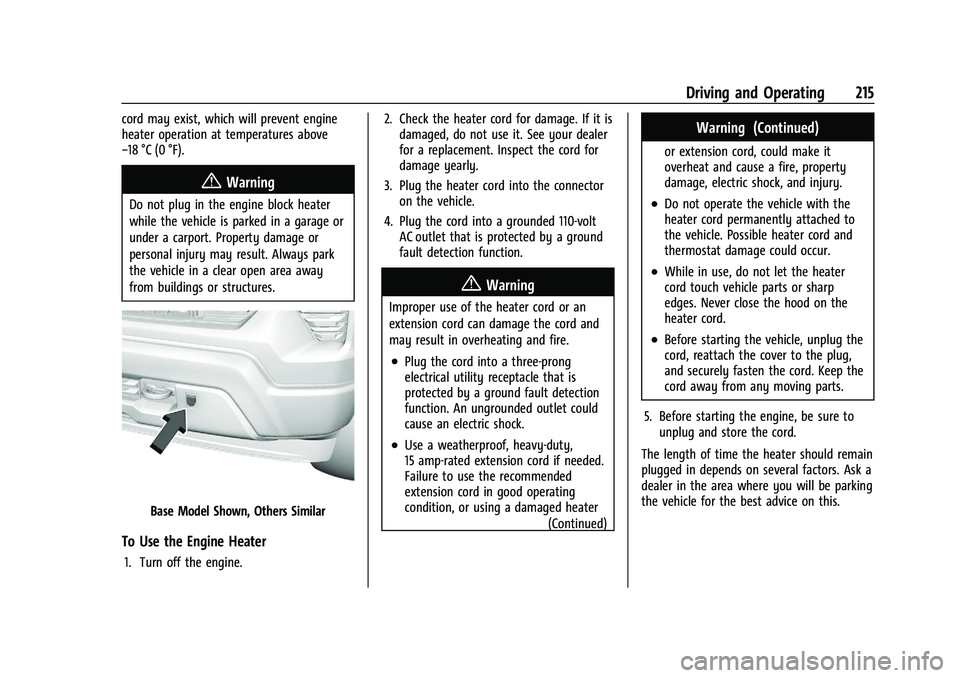
Base Model Shown, Others Similar
To Use the Engine Heater
1. Turn off the engine.2. Check the heater cord for damage. If it is
damaged, do not use it. See your dealer
for a replacement. Inspect the cord for
damage yearly.
3. Plug the heater cord into the connector on the vehicle.
4. Plug the cord into a grounded 110-volt AC outlet that is protected by a ground
fault detection function.
{Warning
Improper use of the heater cord or an
extension cord can damage the cord and
may result in overheating and fire.
.Plug the cord into a three-prong
electrical utility receptacle that is
protected by a ground fault detection
function. An ungrounded outlet could
cause an electric shock.
.Use a weatherproof, heavy-duty,
15 amp-rated extension cord if needed.
Failure to use the recommended
extension cord in good operating
condition, or using a damaged heater
(Continued)
Warning (Continued)
or extension cord, could make it
overheat and cause a fire, property
damage, electric shock, and injury.
.Do not operate the vehicle with the
heater cord permanently attached to
the vehicle. Possible heater cord and
thermostat damage could occur.
.While in use, do not let the heater
cord touch vehicle parts or sharp
edges. Never close the hood on the
heater cord.
.Before starting the vehicle, unplug the
cord, reattach the cover to the plug,
and securely fasten the cord. Keep the
cord away from any moving parts.
5. Before starting the engine, be sure to unplug and store the cord.
The length of time the heater should remain
plugged in depends on several factors. Ask a
dealer in the area where you will be parking
the vehicle for the best advice on this.
Page 217 of 463
Chevrolet Silverado 1500 Owner Manual (GMNA-Localizing-U.S./Canada/
Mexico/Paraguay-16515119) - 2023 - CRC - 6/2/22
216 Driving and Operating
Retained Accessory Power (RAP)
When the vehicle is turned from on to off,
the following features (if equipped) will
continue to function for up to 10 minutes,
or until the driver door is opened. These
features will also work when the vehicle is
on or in accessory mode:
.Infotainment System
.Power Windows (during RAP this
functionality will be lost when any door
is opened)
.Sunroof (during RAP this functionality will
be lost when any door is opened)
.Auxiliary Power Outlet
.Audio System
.OnStar System
Shifting Into Park (Mechanical
Shifter)
{Warning
Parking on grades with poor traction such
as ice, snow, mud, or gravel may cause
the vehicle to unintentionally move and
could result in injury, death, and/or
vehicle damage. If equipped with(Continued)
Warning (Continued)
four-wheel drive, use AUTO or 4 (HI) to
provide additional traction. Be sure to
apply the parking brake. SeeElectric
Parking Brake 0235 and
Four-Wheel Drive 0230.
{Warning
It can be dangerous to get out of the
vehicle if the shift lever is not fully in
P (Park) with the parking brake firmly set.
The vehicle can roll. If you have left the
engine running, the vehicle can move
suddenly. You or others could be injured.
To be sure the vehicle will not move,
even when you are on fairly level ground,
use the steps that follow. With
four-wheel drive, if the transfer case is in
N (Neutral), the vehicle will be free to
roll, even if the shift lever is in P (Park).
Be sure the transfer case is in a drive
gear. If towing a trailer, see Driving
Characteristics and Towing Tips 0299.
1. Hold the brake pedal down, then set the parking brake. See Electric Parking Brake
0 235. 2. Move the shift lever into P (Park) by
pulling the shift lever toward you and
moving it up as far as it will go.
3. Be sure the transfer case, if equipped, is in a drive gear, not in N (Neutral).
4. Turn the vehicle off.
5. Take the remote key with you.
Leaving the Vehicle with the Engine
Running
{Warning
It can be dangerous to leave the vehicle
with the engine running. The vehicle
could move suddenly if the shift lever is
not fully in P (Park) with the parking
brake firmly set.
If you have four-wheel drive and the
transfer case is in N (Neutral), the vehicle
will be free to roll, even if the shift lever
is in P (Park). So be sure the transfer case
is in a drive gear –not in N (Neutral).
And, if you leave the vehicle with the
engine running, it could overheat and
even catch fire. You or others could be
injured. Do not leave the vehicle with the
engine running unless you have to.
Page 258 of 463
Chevrolet Silverado 1500 Owner Manual (GMNA-Localizing-U.S./Canada/
Mexico/Paraguay-16515119) - 2023 - CRC - 6/2/22
Driving and Operating 257
When towing a trailer with ACC, it is
important to properly set the Trailer Gain.
See“Integrated Trailer Brake Control
System” inTowing Equipment 0307 for
Trailer Gain Adjustment Procedure.
Use Tow/Haul mode when driving down
steep hills or mountain grades, or when
hauling heavy loads. See Driver Mode
Control 0240.
Disengaging ACC
There are three ways to disengage ACC:
.Step lightly on the brake pedal.
.Press*.
.PressJ.
Erasing Speed Memory
The ACC set speed is erased from memory if
Jis pressed or if the ignition is turned off.
Weather Conditions Affecting ACC
If the interior temperature is extremely
high, the instrument cluster may indicate
that ACC is temporarily unavailable. This can
be caused by extreme hot weather
conditions with direct sunlight on the front
camera. ACC will return to normal operation
once the cabin temperature is lower. Conditions that are associated with low
visibility, such as fog, rain, snow, or road
spray, may limit ACC performance. Water
droplets from rain or snow that remain on
the windshield may also limit ACC’s ability
to detect objects.
System operation may be limited under
snow, heavy rain, or road spray conditions.
{Warning
Camera visibility may be limited and the
ACC system may not work properly if the
windshield is not clear. Do not use ACC if
moisture is present on the inside of the
windshield or the windshield washer is
used in cold weather. Turn on the front
defroster and make sure the windshield is
clear before using ACC. Before driving,
check that the windshield wipers are in
good condition and replace them if worn.
Lighting Conditions Affecting ACC
The ACC front camera can be affected by
poor lighting conditions, and ACC may have
limited performance when:
.There are changes in brightness, such as
entering and exiting tunnels, bridges, and
overpasses.
.Low sun angles cause the camera to not
detect objects, or it is more difficult to
detect objects in the same traffic lane.
.Lighting is poor in the evening or early
morning
.There are multiple changes in brightness
or shadows along the vehicle roadway.
.In a tunnel without the headlamps on,
or in a tunnel when there is a vehicle in
front that does not have its taillamps on.
.Subjected to strong light from opposing
lane traffic in the front of the vehicle,
such as high-beam headlamps from
oncoming traffic.
Accessory Installations and Vehicle
Modifications
Do not install or place any object around
the front camera windshield area that would
obstruct the front camera view.
Do not install objects on top of the vehicle
that overhang and obstruct the front
camera, such as a canoe, kayak, or other
items that can be transported on the
vehicle roof.
Do not modify the hood, headlamps, or fog
lamps, as this may limit the camera’s ability
to detect an object.
Page 370 of 463
Chevrolet Silverado 1500 Owner Manual (GMNA-Localizing-U.S./Canada/
Mexico/Paraguay-16515119) - 2023 - CRC - 6/2/22
Vehicle Care 369
FusesUsage
F33 Body Control Module 4
F34 –
F40 –
F41 –
F42 Electric Park Brake Switch
F43 –
F44 Shifter Interface Board F45 Radio Low
F46 –
F47 –
F48 Transmission Control Module
F49 Body Control Module 1 F50 –
F51 Battery 1
F52 Battery 2
F53 –
F54 Sunroof F55 Driver Power Seat
F56 DC/DC Converter Battery 1 Fuses
Usage
F57 DC/DC Converter Battery 2
F58 –
Circuit
Breakers Usage
1 Accessory Power Outlet 1
2 –
3 –
4 –
Relays Usage
K1 –
K2 Retained Accessory Power/ Accessory 1
K4 –
K5 –
Wheels and Tires
Tires
Every new GM vehicle has high-quality
tires made by a leading tire
manufacturer. See the warranty manual for information regarding the tire
warranty and where to get service. For
additional information refer to the tire
manufacturer.
{Warning
.Poorly maintained and improperly
used tires are dangerous.
.Overloading the tires can cause
overheating as a result of too
much flexing. There could be a
blowout and a serious crash. See
Vehicle Load Limits
0204.
.Underinflated tires pose the same
danger as overloaded tires. The
resulting crash could cause serious
injury. Check all tires frequently to
maintain the recommended
pressure. Tire pressure should be
checked when the tires are cold.
.Overinflated tires are more likely
to be cut, punctured, or broken by
a sudden impact —such as when
hitting a pothole. Keep tires at the
recommended pressure.
(Continued)
Page 451 of 463
Chevrolet Silverado 1500 Owner Manual (GMNA-Localizing-U.S./Canada/-
Mexico/Paraguay-16515119) - 2023 - CRC - 6/2/22
450 Index
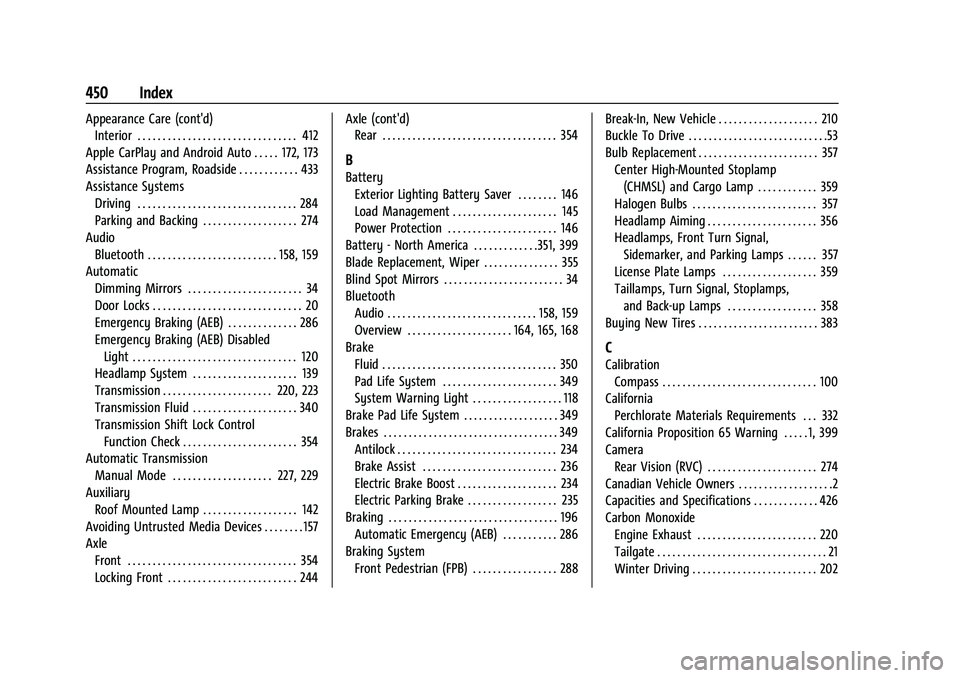
Appearance Care (cont'd)Interior . . . . . . . . . . . . . . . . . . . . . . . . . . . . . . . . 412
Apple CarPlay and Android Auto . . . . . 172, 173
Assistance Program, Roadside . . . . . . . . . . . . 433
Assistance Systems Driving . . . . . . . . . . . . . . . . . . . . . . . . . . . . . . . . 284
Parking and Backing . . . . . . . . . . . . . . . . . . . 274
Audio Bluetooth . . . . . . . . . . . . . . . . . . . . . . . . . . 158, 159
Automatic Dimming Mirrors . . . . . . . . . . . . . . . . . . . . . . . 34
Door Locks . . . . . . . . . . . . . . . . . . . . . . . . . . . . . . 20
Emergency Braking (AEB) . . . . . . . . . . . . . . 286
Emergency Braking (AEB) DisabledLight . . . . . . . . . . . . . . . . . . . . . . . . . . . . . . . . . 120
Headlamp System . . . . . . . . . . . . . . . . . . . . . 139
Transmission . . . . . . . . . . . . . . . . . . . . . . 220, 223
Transmission Fluid . . . . . . . . . . . . . . . . . . . . . 340
Transmission Shift Lock Control
Function Check . . . . . . . . . . . . . . . . . . . . . . . 354
Automatic Transmission
Manual Mode . . . . . . . . . . . . . . . . . . . . 227, 229
Auxiliary Roof Mounted Lamp . . . . . . . . . . . . . . . . . . . 142
Avoiding Untrusted Media Devices . . . . . . . . 157
Axle Front . . . . . . . . . . . . . . . . . . . . . . . . . . . . . . . . . . 354
Locking Front . . . . . . . . . . . . . . . . . . . . . . . . . . 244 Axle (cont'd)
Rear . . . . . . . . . . . . . . . . . . . . . . . . . . . . . . . . . . . 354
B
Battery
Exterior Lighting Battery Saver . . . . . . . . 146
Load Management . . . . . . . . . . . . . . . . . . . . . 145
Power Protection . . . . . . . . . . . . . . . . . . . . . . 146
Battery - North America . . . . . . . . . . . . .351, 399
Blade Replacement, Wiper . . . . . . . . . . . . . . . 355
Blind Spot Mirrors . . . . . . . . . . . . . . . . . . . . . . . . 34
Bluetooth Audio . . . . . . . . . . . . . . . . . . . . . . . . . . . . . . 158, 159
Overview . . . . . . . . . . . . . . . . . . . . . 164, 165, 168
Brake Fluid . . . . . . . . . . . . . . . . . . . . . . . . . . . . . . . . . . . 350
Pad Life System . . . . . . . . . . . . . . . . . . . . . . . 349
System Warning Light . . . . . . . . . . . . . . . . . . 118
Brake Pad Life System . . . . . . . . . . . . . . . . . . . 349
Brakes . . . . . . . . . . . . . . . . . . . . . . . . . . . . . . . . . . . 349 Antilock . . . . . . . . . . . . . . . . . . . . . . . . . . . . . . . . 234
Brake Assist . . . . . . . . . . . . . . . . . . . . . . . . . . . 236
Electric Brake Boost . . . . . . . . . . . . . . . . . . . . 234
Electric Parking Brake . . . . . . . . . . . . . . . . . . 235
Braking . . . . . . . . . . . . . . . . . . . . . . . . . . . . . . . . . . 196 Automatic Emergency (AEB) . . . . . . . . . . . 286
Braking System Front Pedestrian (FPB) . . . . . . . . . . . . . . . . . 288 Break-In, New Vehicle . . . . . . . . . . . . . . . . . . . . 210
Buckle To Drive . . . . . . . . . . . . . . . . . . . . . . . . . . . .53
Bulb Replacement . . . . . . . . . . . . . . . . . . . . . . . . 357
Center High-Mounted Stoplamp(CHMSL) and Cargo Lamp . . . . . . . . . . . . 359
Halogen Bulbs . . . . . . . . . . . . . . . . . . . . . . . . . 357
Headlamp Aiming . . . . . . . . . . . . . . . . . . . . . . 356
Headlamps, Front Turn Signal, Sidemarker, and Parking Lamps . . . . . . 357
License Plate Lamps . . . . . . . . . . . . . . . . . . . 359
Taillamps, Turn Signal, Stoplamps, and Back-up Lamps . . . . . . . . . . . . . . . . . . 358
Buying New Tires . . . . . . . . . . . . . . . . . . . . . . . . 383
C
Calibration Compass . . . . . . . . . . . . . . . . . . . . . . . . . . . . . . . 100
California Perchlorate Materials Requirements . . . 332
California Proposition 65 Warning . . . . . 1, 399
Camera Rear Vision (RVC) . . . . . . . . . . . . . . . . . . . . . . 274
Canadian Vehicle Owners . . . . . . . . . . . . . . . . . . .2
Capacities and Specifications . . . . . . . . . . . . . 426
Carbon Monoxide Engine Exhaust . . . . . . . . . . . . . . . . . . . . . . . . 220
Tailgate . . . . . . . . . . . . . . . . . . . . . . . . . . . . . . . . . . 21
Winter Driving . . . . . . . . . . . . . . . . . . . . . . . . . 202
Page 455 of 463
Chevrolet Silverado 1500 Owner Manual (GMNA-Localizing-U.S./Canada/-
Mexico/Paraguay-16515119) - 2023 - CRC - 6/2/22
454 Index
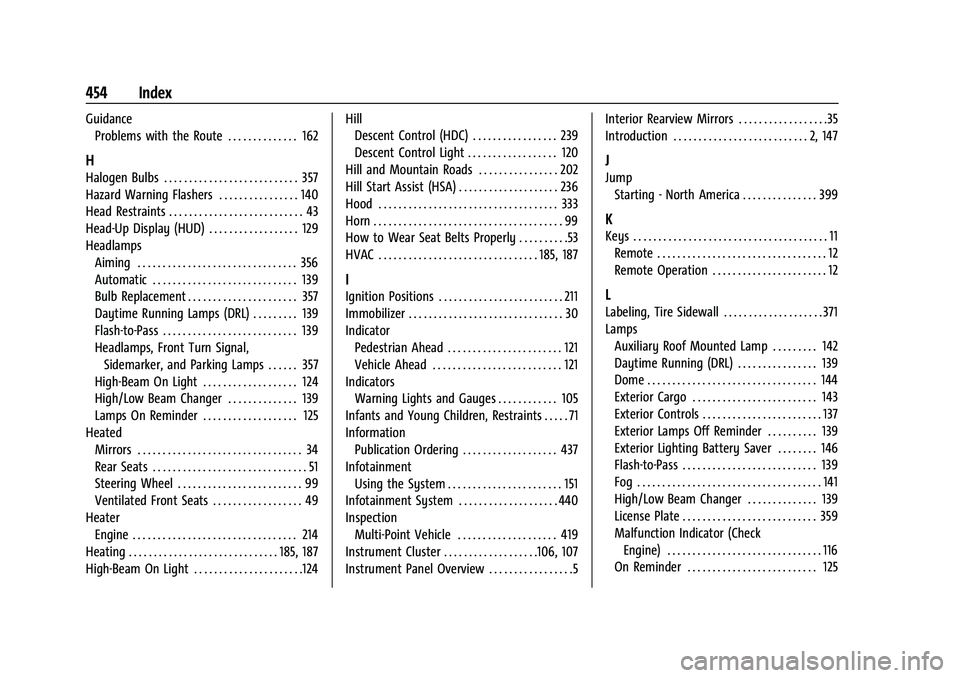
GuidanceProblems with the Route . . . . . . . . . . . . . . 162
H
Halogen Bulbs . . . . . . . . . . . . . . . . . . . . . . . . . . . 357
Hazard Warning Flashers . . . . . . . . . . . . . . . . 140
Head Restraints . . . . . . . . . . . . . . . . . . . . . . . . . . . 43
Head-Up Display (HUD) . . . . . . . . . . . . . . . . . . 129
Headlamps
Aiming . . . . . . . . . . . . . . . . . . . . . . . . . . . . . . . . 356
Automatic . . . . . . . . . . . . . . . . . . . . . . . . . . . . . 139
Bulb Replacement . . . . . . . . . . . . . . . . . . . . . . 357
Daytime Running Lamps (DRL) . . . . . . . . . 139
Flash-to-Pass . . . . . . . . . . . . . . . . . . . . . . . . . . . 139
Headlamps, Front Turn Signal,Sidemarker, and Parking Lamps . . . . . . 357
High-Beam On Light . . . . . . . . . . . . . . . . . . . 124
High/Low Beam Changer . . . . . . . . . . . . . . 139
Lamps On Reminder . . . . . . . . . . . . . . . . . . . 125
Heated Mirrors . . . . . . . . . . . . . . . . . . . . . . . . . . . . . . . . . 34
Rear Seats . . . . . . . . . . . . . . . . . . . . . . . . . . . . . . . 51
Steering Wheel . . . . . . . . . . . . . . . . . . . . . . . . . 99
Ventilated Front Seats . . . . . . . . . . . . . . . . . . 49
Heater Engine . . . . . . . . . . . . . . . . . . . . . . . . . . . . . . . . . 214
Heating . . . . . . . . . . . . . . . . . . . . . . . . . . . . . . 185, 187
High-Beam On Light . . . . . . . . . . . . . . . . . . . . . .124 Hill
Descent Control (HDC) . . . . . . . . . . . . . . . . . 239
Descent Control Light . . . . . . . . . . . . . . . . . . 120
Hill and Mountain Roads . . . . . . . . . . . . . . . . 202
Hill Start Assist (HSA) . . . . . . . . . . . . . . . . . . . . 236
Hood . . . . . . . . . . . . . . . . . . . . . . . . . . . . . . . . . . . . 333
Horn . . . . . . . . . . . . . . . . . . . . . . . . . . . . . . . . . . . . . . 99
How to Wear Seat Belts Properly . . . . . . . . . .53
HVAC . . . . . . . . . . . . . . . . . . . . . . . . . . . . . . . . 185, 187
I
Ignition Positions . . . . . . . . . . . . . . . . . . . . . . . . . 211
Immobilizer . . . . . . . . . . . . . . . . . . . . . . . . . . . . . . . 30
Indicator Pedestrian Ahead . . . . . . . . . . . . . . . . . . . . . . . 121
Vehicle Ahead . . . . . . . . . . . . . . . . . . . . . . . . . . 121
Indicators
Warning Lights and Gauges . . . . . . . . . . . . 105
Infants and Young Children, Restraints . . . . . 71
Information Publication Ordering . . . . . . . . . . . . . . . . . . . 437
Infotainment Using the System . . . . . . . . . . . . . . . . . . . . . . . 151
Infotainment System . . . . . . . . . . . . . . . . . . . . 440
Inspection Multi-Point Vehicle . . . . . . . . . . . . . . . . . . . . 419
Instrument Cluster . . . . . . . . . . . . . . . . . . .106, 107
Instrument Panel Overview . . . . . . . . . . . . . . . . .5 Interior Rearview Mirrors . . . . . . . . . . . . . . . . . .35
Introduction . . . . . . . . . . . . . . . . . . . . . . . . . . . 2, 147
J
Jump
Starting - North America . . . . . . . . . . . . . . . 399
K
Keys . . . . . . . . . . . . . . . . . . . . . . . . . . . . . . . . . . . . . . . 11Remote . . . . . . . . . . . . . . . . . . . . . . . . . . . . . . . . . . 12
Remote Operation . . . . . . . . . . . . . . . . . . . . . . . 12
L
Labeling, Tire Sidewall . . . . . . . . . . . . . . . . . . . . 371
LampsAuxiliary Roof Mounted Lamp . . . . . . . . . 142
Daytime Running (DRL) . . . . . . . . . . . . . . . . 139
Dome . . . . . . . . . . . . . . . . . . . . . . . . . . . . . . . . . . 144
Exterior Cargo . . . . . . . . . . . . . . . . . . . . . . . . . 143
Exterior Controls . . . . . . . . . . . . . . . . . . . . . . . . 137
Exterior Lamps Off Reminder . . . . . . . . . . 139
Exterior Lighting Battery Saver . . . . . . . . 146
Flash-to-Pass . . . . . . . . . . . . . . . . . . . . . . . . . . . 139
Fog . . . . . . . . . . . . . . . . . . . . . . . . . . . . . . . . . . . . . 141
High/Low Beam Changer . . . . . . . . . . . . . . 139
License Plate . . . . . . . . . . . . . . . . . . . . . . . . . . . 359
Malfunction Indicator (CheckEngine) . . . . . . . . . . . . . . . . . . . . . . . . . . . . . . . 116
On Reminder . . . . . . . . . . . . . . . . . . . . . . . . . . 125