speed info CHEVROLET SILVERADO 1500 2023 Repair Manual
[x] Cancel search | Manufacturer: CHEVROLET, Model Year: 2023, Model line: SILVERADO 1500, Model: CHEVROLET SILVERADO 1500 2023Pages: 463, PDF Size: 19.26 MB
Page 381 of 463
Chevrolet Silverado 1500 Owner Manual (GMNA-Localizing-U.S./Canada/
Mexico/Paraguay-16515119) - 2023 - CRC - 6/2/22
380 Vehicle Care
.There is a malfunction in the TPMS.
.There is a malfunction in the horn or turn
signal lamps.
.The identification code of the TPMS
sensor is not registered to the system.
.The battery of the TPMS sensor is low.
If the tire fill alert does not operate due to
TPMS interference, move the vehicle about
1 m (3 ft) back or forward and try again.
If the tire fill alert feature is not working,
use a tire pressure gauge.
TPMS Sensor Matching Process —Auto
Learn Function
Each TPMS sensor has a unique
identification code. The identification code
needs to be matched to a new tire/wheel
position after rotating the tires or replacing
one or more of the TPMS sensors. When a
tire is installed, the vehicle must be
stationary for about 20 minutes before the
system recalculates. The following relearn
process takes up to 10 minutes, driving at a
minimum speed of 20 km/h (12 mph).
A dash (-) or pressure value will display in
the DIC. See Driver Information Center (DIC)
(Base Level) 0126 or Driver Information Center (DIC) (Uplevel)
0
127. A warning message displays in the
DIC if a problem occurs during the relearn
process.
Trailer Tire Pressure Monitoring
Operation
If equipped, the Trailer Tire Pressure
Monitoring System (TTPMS) is designed to
monitor the pressure of the trailer tires and
warn the driver when a low pressure
condition exists. TTPMS sensors for four tires
are provided. The system can accommodate
a trailer with up to six tires if additional
sensors are purchased from the dealer. Also,
the system can be paired with up to five
individual trailers.
Prior to use, the vehicle must learn the
sensors by following the learning process.
See Trailering App 0318.
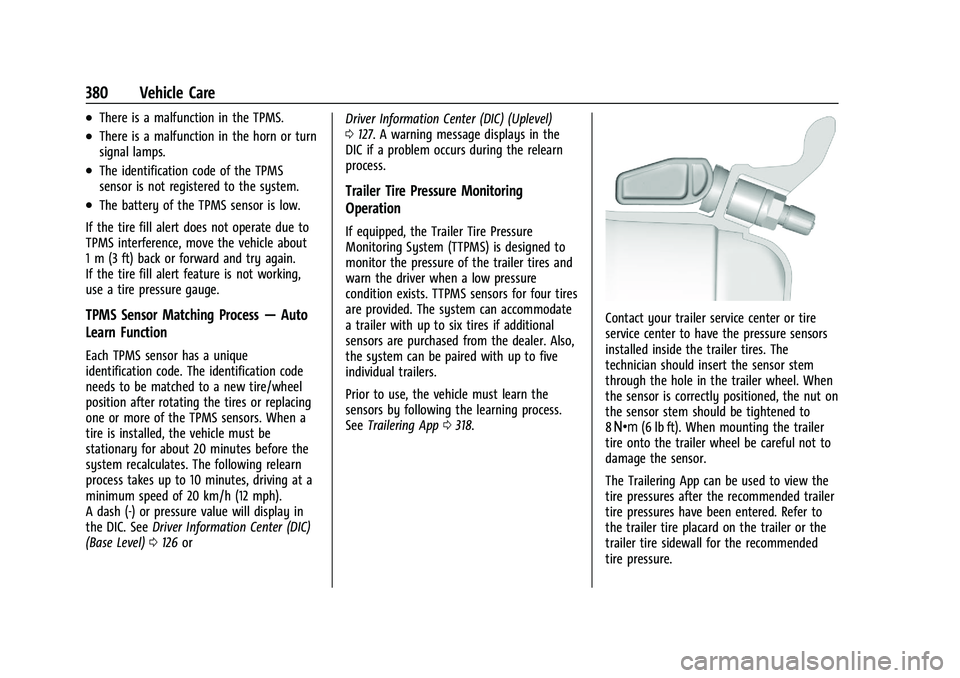
Contact your trailer service center or tire
service center to have the pressure sensors
installed inside the trailer tires. The
technician should insert the sensor stem
through the hole in the trailer wheel. When
the sensor is correctly positioned, the nut on
the sensor stem should be tightened to
8Y (6 lb ft). When mounting the trailer
tire onto the trailer wheel be careful not to
damage the sensor.
The Trailering App can be used to view the
tire pressures after the recommended trailer
tire pressures have been entered. Refer to
the trailer tire placard on the trailer or the
trailer tire sidewall for the recommended
tire pressure.
Page 385 of 463
Chevrolet Silverado 1500 Owner Manual (GMNA-Localizing-U.S./Canada/
Mexico/Paraguay-16515119) - 2023 - CRC - 6/2/22
384 Vehicle Care
to meet General Motors Tire
Performance Criteria Specification (TPC
Spec) system rating. When replacement
tires are needed, GM strongly
recommends buying tires with the same
TPC Spec rating.
GM's exclusive TPC Spec system
considers over a dozen critical
specifications that impact the overall
performance of the vehicle, including
brake system performance, ride and
handling, traction control, and tire
pressure monitoring performance. GM's
TPC Spec number is molded onto the
tire's sidewall near the tire size. If the
tires have an all-season tread design,
the TPC Spec number will be followed
by MS for mud and snow. SeeTire
Sidewall Labeling 0371 for additional
information.
GM recommends replacing worn tires in
complete sets of four. Uniform tread
depth on all tires will help to maintain
the performance of the vehicle. Braking
and handling performance may be
adversely affected if all the tires are not replaced at the same time. If proper
rotation and maintenance have been
done, all four tires should wear out at
about the same time. However, if it is
necessary to replace only one axle set
of worn tires, place the new tires on
the rear axle. See
Tire Rotation0382.
{Warning
Tires could explode during improper
service. Attempting to mount or
dismount a tire could cause injury or
death. Only your dealer or authorized
tire service center should mount or
dismount the tires.
{Warning
Mixing tires of different sizes (other
than those originally installed on the
vehicle), brands, tread patterns,
or types may cause loss of vehicle
control, resulting in a crash or other
vehicle damage. Use the correct size,
brand, and type of tire on all wheels.
{Warning
Using bias-ply tires on the vehicle
may cause the wheel rim flanges to
develop cracks after many miles of
driving. A tire and/or wheel could fail
suddenly and cause a crash. Use only
radial-ply tires with the wheels on
the vehicle.
Winter tires with the same speed rating
as the original equipment tires may not
be available for H, V, W, Y and ZR
speed rated tires. Never exceed the
winter tires’ maximum speed capability
when using winter tires with a lower
speed rating.
If the vehicle tires must be replaced
with a tire that does not have a TPC
Spec number, make sure they are the
same size, load range, speed rating, and
construction (radial) as the original
tires.
The Tire and Loading Information label
indicates the original equipment tires
on the vehicle. See Vehicle Load Limits
0 204.
Page 400 of 463
Chevrolet Silverado 1500 Owner Manual (GMNA-Localizing-U.S./Canada/
Mexico/Paraguay-16515119) - 2023 - CRC - 6/2/22
Vehicle Care 399
Full-Size Spare Tire
If this vehicle came with a full-size spare
tire, it was fully inflated when new,
however, it can lose air over time. Check the
inflation pressure regularly. SeeTire Pressure
0 375 and
Vehicle Load Limits 0204 for information
regarding proper tire inflation and loading
the vehicle. For instructions on how to
remove, install, or store a spare tire, see Tire
Changing 0389.
After installing the spare tire on the vehicle,
stop as soon as possible and check that the
spare is correctly inflated. The spare tire is
made to perform well at speeds up to
112 km/h (70 MPH) at the recommended
inflation pressure, so you can finish
your trip.
Have the damaged or flat road tire repaired
or replaced and installed back onto the
vehicle as soon as possible so the spare tire
will be available in case it is needed again.
Do not mix tires and wheels of different
sizes, because they will not fit. Keep the
spare tire and its wheel together.
Caution
If the vehicle has four-wheel drive and a
different size spare tire is installed, do
not drive in four-wheel drive until the flat
tire is repaired and/or replaced. The
vehicle could be damaged and the repairs
would not be covered by the warranty.
Never use four-wheel drive when a
different size spare tire is installed on the
vehicle.
The vehicle may have a different size spare
tire than the road tires originally installed
on the vehicle. This spare tire was developed
for use on this vehicle, so it is all right to
drive on it. If the vehicle has four-wheel
drive and a different size spare tire is
installed, drive only in two-wheel drive.
If the vehicle has a spare tire that does not
match the original road tires and wheels in
size and type, do not include the spare in
the tire rotation.
If equipped with a temporary use full-size
spare tire, it is indicated on the tire sidewall.
See Tire Sidewall Labeling 0371. This spare
tire should not be driven on over 112 km/h
(70 mph), or 88 km/h (55 mph) when
pulling a trailer, at the proper inflation pressure. Repair and replace the road tire as
soon as it is convenient, and stow the spare
tire for future use.
Jump Starting
Jump Starting - North America
For more information about the vehicle
battery, see
Battery - North America 0351.
If the vehicle's battery (or batteries) has run
down, you may want to use another vehicle
and some jumper cables to start your
vehicle. Be sure to use the following steps
to do it safely.
{Warning
WARNING: Battery posts, terminals and
related accessories can expose you to
chemicals including lead and lead
compounds, which are known to the
State of California to cause cancer and
birth defects or other reproductive harm.
Wash hands after handling. For more
information go to
www.P65Warnings.ca.gov.
See California Proposition 65 Warning 01.
Page 418 of 463
Chevrolet Silverado 1500 Owner Manual (GMNA-Localizing-U.S./Canada/
Mexico/Paraguay-16515119) - 2023 - CRC - 6/2/22
Service and Maintenance 417
Because of the way people use vehicles,
maintenance needs vary. There may need to
be more frequent checks and services. The
Additional Required Services - Normal are for
vehicles that:
.Carry passengers and cargo within
recommended limits on the Tire and
Loading Information label. SeeVehicle
Load Limits 0204.
.Are driven on reasonable road surfaces
within legal driving limits.
.Use the recommended fuel. See
Recommended Fuel (6.2L V8 Engine) 0294
or
Recommended Fuel (2.7L L4 and 5.3L
V8 Engines) 0294.
Refer to the information in the Maintenance
Schedule Additional Required Services -
Normal Service.
The Additional Required Services - Severe are
for vehicles that are:
.Mainly driven in heavy city traffic in hot
weather.
.Mainly driven in hilly or mountainous
terrain.
.Frequently towing a trailer.
.Used for high speed or competitive
driving.
.Used for taxi, police, or delivery service.
Refer to the information in the Maintenance
Schedule Additional Required Services -
Severe Service.
{Warning
Performing maintenance work can be
dangerous and can cause serious injury.
Perform maintenance work only if the
required information, proper tools, and
equipment are available. If they are not,
see your dealer to have a trained
technician do the work. See Doing Your
Own Service Work 0333.
Maintenance Schedule
Tire Rotation and Required Services
Every 12 000 km (7,500 mi)
Tires are rotated to achieve a more uniform
wear for all tires. The first rotation is the
most important.
Anytime unusual wear is noticed, rotate the
tires as soon as possible, check for proper
tire inflation pressure, and check for
damaged tires or wheels. If the unusual
wear continues after the rotation, check the wheel alignment. See
When It Is Time for
New Tires 0383 and
Wheel Replacement 0386.
.Perform Multi-Point Vehicle Inspection.
See Multi-Point Vehicle Inspection (MPVI)
0 419.
.Lubricate body components. See Exterior
Care 0407.
Extended Idle Use
When the vehicle is used in a way that
requires extended idle time, one hour of use
shall be deemed the same as 53 km (33 mi).
See Driver Information Center (DIC) (Base
Level) 0126 or
Driver Information Center (DIC) (Uplevel)
0 127 for hourmeter, if equipped.
Additional Required Services —Normal
Service
Every 12 000 km (7,500 mi)
.Check engine oil level and oil
life percentage. If needed, change engine
oil and filter, and reset oil life system. Or
when the CHANGE ENGINE OIL SOON
message displays, have the engine oil and
filter changed within the next 1 000 km/
600 mi. If driven under the best
conditions, the engine oil life system may
Page 440 of 463
Chevrolet Silverado 1500 Owner Manual (GMNA-Localizing-U.S./Canada/
Mexico/Paraguay-16515119) - 2023 - CRC - 6/2/22
Customer Information 439
and notify General Motors of Canada
Company. Call Transport Canada at
1-800-333-0510; go to:
www.tc.gc.ca/recalls (English)
www.tc.gc.ca/rappels (French)
or write to:
Transport Canada
Motor Vehicle Safety Directorate
Defect Investigations and Recalls
Division
80 Noel Street
Gatineau
,QC J8Z 0A1
Reporting Safety Defects to
General Motors
In addition to notifying NHTSA (or Transport
Canada) in a situation like this, notify
General Motors.
In the U.S., call 1-800-222-1020, or write:
Chevrolet Motor Division
Chevrolet Customer Assistance Center
P.O. Box 33170
Detroit, MI 48232-5170
In Canada, call 1-800-263-3777 (English) or
1-800-263-7854 (French), or write:Customer Care Centre
General Motors of Canada Company
500 Wentworth Street W
Oshawa, ON L1J 0C5
In Mexico, call 800-466-0811 or
800-508-0000.
In other Central America and Caribbean
Countries, call 52-555-901-2369.
Vehicle Data Recording and
Privacy
The vehicle has a number of computers that
record information about the vehicle’s
performance and how it is driven or used.
For example, the vehicle uses computer
modules to monitor and control engine and
transmission performance, to monitor the
conditions for airbag deployment and
deploy them in a crash, and, if equipped, to
provide antilock braking to help the driver
control the vehicle. These modules may
store data to help the dealer technician
service the vehicle or to help GM improve
safety or features. Some modules may also
store data about how the vehicle is
operated, such as rate of fuel consumption
or average speed. These modules may retain
personal preferences, such as radio presets,
seat positions, and temperature settings.
Cybersecurity
GM collects information about the use of
your vehicle including operational and safety
related information. We collect this
information to provide, evaluate, improve,
and troubleshoot our products and services
and to develop new products and services.
The protection of vehicle electronics systems
and customer data from unauthorized
outside electronic access or control is
important to GM. GM maintains appropriate
security standards, practices, guidelines and
controls aimed at defending the vehicle and
the vehicle service ecosystem against
unauthorized electronic access, detecting
possible malicious activity in related
networks, and responding to suspected
cybersecurity incidents in a timely,
coordinated and effective manner. Security
incidents could impact your safety or
compromise your private data. To minimize
security risks, please do not connect your
vehicle electronic systems to unauthorized
devices or connect your vehicle to any
unknown or untrusted networks (such as
Bluetooth, WIFI or similar technology). In
Page 441 of 463
Chevrolet Silverado 1500 Owner Manual (GMNA-Localizing-U.S./Canada/
Mexico/Paraguay-16515119) - 2023 - CRC - 6/2/22
440 Customer Information
the event you suspect any security incident
impacting your data or the safe operation of
your vehicle, please stop operating your
vehicle and contact your dealer.
Event Data Recorders
This vehicle is equipped with an Event Data
Recorder (EDR). The main purpose of an EDR
is to record, in certain crash or near
crash-like situations, such as an air bag
deployment or hitting a road obstacle, data
that will assist in understanding how a
vehicle’s systems performed. The EDR is
designed to record data related to vehicle
dynamics and safety systems for a short
period of time, typically 30 seconds or less.
The EDR in this vehicle is designed to record
such data as:
.How various systems in your vehicle were
operating;
.Whether or not the driver and passenger
safety belts were buckled/fastened;
.How far (if at all) the driver was
depressing the accelerator and/or brake
pedal; and,
.How fast the vehicle was traveling.
These data can help provide a better
understanding of the circumstances in which
crashes and injuries occur. Note
EDR data are recorded by your vehicle only
if a non-trivial crash situation occurs; no
data are recorded by the EDR under normal
driving conditions and no personal data
(e.g., name, gender, age, and crash location)
are recorded. However, other parties, such
as law enforcement, could combine the EDR
data with the type of personally identifying
data routinely acquired during a crash
investigation.
To read data recorded by an EDR, special
equipment is required, and access to the
vehicle or the EDR is needed. In addition to
the vehicle manufacturer, other parties, such
as law enforcement, that have the special
equipment, can read the information if they
have access to the vehicle or the EDR.
GM will not access these data or share it
with others except: with the consent of the
vehicle owner or, if the vehicle is leased,
with the consent of the lessee; in response
to an official request by police or similar
government office; as part of GM's defense
of litigation through the discovery process;
or, as permitted by law. Data that GM
collects or receives may also be used for GM
research needs or may be made available to
others for research purposes, where a need
is shown and the data is not tied to a
specific vehicle or vehicle owner.
OnStar
If the vehicle is equipped with OnStar and
has an active service plan, additional data
may be collected and transmitted through
the OnStar system. This includes information
about the vehicle’s operation; collisions
involving the vehicle; the use of the vehicle
and its features, including infotainment; and
the location and approximate GPS speed of
the vehicle. Refer to the OnStar Terms and
Conditions and Privacy Statement on the
OnStar website.
See
OnStar Additional Information 0442.
Infotainment System
If the vehicle is equipped with a navigation
system as part of the infotainment system,
use of the system may result in the storage
of destinations, addresses, telephone
numbers, and other trip information. See the
infotainment section for information on
stored data and for deletion instructions.
Page 448 of 463
Chevrolet Silverado 1500 Owner Manual (GMNA-Localizing-U.S./Canada/
Mexico/Paraguay-16515119) - 2023 - CRC - 6/2/22
Connected Services 447
Ensuring Security
.Change the default passwords for the
Wi-Fi hotspot and myChevrolet mobile
application. Make these passwords
different from each other and use a
combination of letters and numbers to
increase the security.
.Change the default name of the SSID
(Service Set Identifier). This is your
network’s name that is visible to other
wireless devices. Choose a unique name
and avoid family names or vehicle
descriptions.
Wi-Fi Hotspot (If Equipped)
The vehicle may have a built-in Wi-Fi
hotspot that provides access to the Internet
and web content at 4G LTE speed. Up to
seven mobile devices can be connected.
A data plan is required. Use the in-vehicle
controls only when it is safe to do so. 1. To retrieve Wi-Fi hotspot information, press
=to open the OnStar app on the
infotainment display, then select Wi-Fi
Hotspot. On some vehicles, touch Wi-Fi
or Wi-Fi Settings on the screen.
2. The Wi-Fi settings will display the Wi-Fi hotspot name (SSID), password, and on
some vehicles, the connection type (no Internet connection, 3G, 4G, 4G LTE), and
signal quality (poor, good, excellent). The
LTE icon shows connection to Wi-Fi. It is
possible that the icon may not illuminate
even though the vehicle has an active
connection.
3. To change the SSID or password, press
Qor call 1-888-4ONSTAR to connect
with an Advisor. On some vehicles, the
SSID and password can be changed in
the Wi-Fi Hotspot menu.
After initial set-up, your vehicle’s Wi-Fi
hotspot will connect automatically to your
mobile devices. Manage data usage by
turning Wi-Fi on or off on your mobile
device, using the myChevrolet mobile app,
or by contacting an OnStar Advisor. On
some vehicles, Wi-Fi can also be managed
from the Wi-Fi Hotspot menu.
MyChevrolet Mobile App (If Available)
Download the myChevrolet mobile app to
compatible Apple and Android smartphones.
Chevrolet users can access the following
services from a smartphone:
.Remotely start/stop the vehicle,
if factory-equipped.
.Lock/unlock doors, if equipped with
automatic locks.
.Activate the horn and lamps.
.Check the vehicle’s fuel level, oil life,
or tire pressure, if factory-equipped with
the Tire Pressure Monitor System.
.Send destinations to the vehicle.
.Locate the vehicle on a map (U.S.
market only).
.Turn the vehicle's Wi-Fi hotspot on/off,
manage settings, and monitor data
consumption, if equipped.
.Locate a dealer and schedule service.
.Request Roadside Assistance.
.Set a parking reminder with pin drop,
take a photo, make a note, and set a
timer.
.Connect with Chevrolet on social media.
Features are subject to change. For
myChevrolet mobile app information and
compatibility, see my.chevrolet.com.
An active OnStar or connected service plan
may be required. A compatible device,
factory-installed remote start, and power
locks are required. Data rates apply. See
www.onstar.com for details and system
limitations.
Page 454 of 463
Chevrolet Silverado 1500 Owner Manual (GMNA-Localizing-U.S./Canada/-
Mexico/Paraguay-16515119) - 2023 - CRC - 6/2/22
Index 453
ExteriorCargo Lamps . . . . . . . . . . . . . . . . . . . . . . . . . . . 143
Lamp Controls . . . . . . . . . . . . . . . . . . . . . . . . . . 137
Lamps Off Reminder . . . . . . . . . . . . . . . . . . . 139
Lighting Battery Saver . . . . . . . . . . . . . . . . . 146
F
Fan
Engine . . . . . . . . . . . . . . . . . . . . . . . . . . . . . . . . . 348
Filter Engine Air Cleaner . . . . . . . . . . . . . . . . . . . . . 341
Flash-to-Pass . . . . . . . . . . . . . . . . . . . . . . . . . . . . . 139
Flashers, Hazard Warning . . . . . . . . . . . . . . . . 140
Flat Tire . . . . . . . . . . . . . . . . . . . . . . . . . . . . . . . . . 387
Changing . . . . . . . . . . . . . . . . . . . . . . . . . . . . . . 389
Floor Console Storage . . . . . . . . . . . . . . . . . . . . . . . . . . . . . . . . . 95
Floor Mats . . . . . . . . . . . . . . . . . . . . . . . . . . . . . . . 414
Fluid Automatic Transmission . . . . . . . . . . . . . . . 340
Brakes . . . . . . . . . . . . . . . . . . . . . . . . . . . . . . . . . 350
Washer . . . . . . . . . . . . . . . . . . . . . . . . . . . . . . . . 348
Fog Lamp Light Front . . . . . . . . . . . . . . . . . . . . . . . . . . . . . . . . . . 125
Fog Lamps . . . . . . . . . . . . . . . . . . . . . . . . . . . . . . . . 141
Folding Mirrors . . . . . . . . . . . . . . . . . . . . . . . . . . . .33
Forward Collision Alert (FCA) System . . . . . . . . . . . 284 Four-Wheel Drive . . . . . . . . . . . . . . . . . . . 230, 353
Four-Wheel-Drive
Light . . . . . . . . . . . . . . . . . . . . . . . . . . . . . . . . . . . . 119
Frequency Statement Radio . . . . . . . . . . . . . . . . . . . . . . . . . . . . . . . . . . 438
Front Axle . . . . . . . . . . . . . . . . . . . . . . . . . . . . . . . . . . . 354
Heated and Ventilated Seats . . . . . . . . . . . . 49
Locking Axle . . . . . . . . . . . . . . . . . . . . . . . . . . . 244
Pedestrian Braking (FPB) System . . . . . . . 288
Front Seats
Adjustment . . . . . . . . . . . . . . . . . . . . . . . . . . . . . 44
Fuel Additives . . . . . . . . . . . . . . . . . . . . . . . . . . . . . . 295
Economy, Driving for Better . . . . . . . . . . . 194
Filling a Portable Fuel Container . . . . . . . 298
Filling the Tank . . . . . . . . . . . . . . . . . . . 295, 297
Foreign Countries . . . . . . . . . . . . . . . . . . . . . . 295
Gauge . . . . . . . . . . . . . . . . . . . . . . . . . . . . . . . . . 110
Low Fuel Warning Light . . . . . . . . . . . . . . . 124
Management, Active . . . . . . . . . . . . . . . . . . . 219
Prohibited Fuels . . . . . . . . . . . . . . . . . . . . . . . 295
Recommended . . . . . . . . . . . . . . . . . . . . . . . . . 294
Top Tier . . . . . . . . . . . . . . . . . . . . . . . . . . . . . . . 294
Full-Size Spare Tire . . . . . . . . . . . . . . . . . . . . . . . 399
Fuses
Engine Compartment Fuse Block . . . . . . . 362
Fuses and Circuit Breakers . . . . . . . . . . . . . 361 Fuses (cont'd)
Instrument Panel Fuse Block . . . . . . 365, 367
G
Garage Door Opener . . . . . . . . . . . . . . . . . . . . . .134
Programming . . . . . . . . . . . . . . . . . . . . . . . . . . 134
Gas Strut(s) . . . . . . . . . . . . . . . . . . . . . . . . . . . . . . 356
Gauges Engine Coolant Temperature . . . . . . . . . . . . 112
Engine Oil Pressure . . . . . . . . . . . . . . . . . . . . . 111
Fuel . . . . . . . . . . . . . . . . . . . . . . . . . . . . . . . . . . . . 110
Odometer . . . . . . . . . . . . . . . . . . . . . . . . . . . . . 110
Speedometer . . . . . . . . . . . . . . . . . . . . . . . . . . 110
Tachometer . . . . . . . . . . . . . . . . . . . . . . . . . . . . 110
Transmission Temperature . . . . . . . . . . . . . . 113
Trip Odometer . . . . . . . . . . . . . . . . . . . . . . . . . 110
Voltmeter . . . . . . . . . . . . . . . . . . . . . . . . . . . . . . . 113
Warning Lights and Indicators . . . . . . . . . 105
General Information Service and Maintenance . . . . . . . . . . . . . . 416
Towing . . . . . . . . . . . . . . . . . . . . . . . . . . . . . . . . 298
Vehicle Care . . . . . . . . . . . . . . . . . . . . . . . . . . . 332
Glass Replacement . . . . . . . . . . . . . . . . . . . . . . . 355
Global Positioning System (GPS) . . . . . . . . . . 161
Glove Box . . . . . . . . . . . . . . . . . . . . . . . . . . . . . . . . 93
GM Mobility Reimbursement Program . . . . . . . . . . . . . . . . . . . . . . . . . . . . . . . 433
Page 457 of 463
Chevrolet Silverado 1500 Owner Manual (GMNA-Localizing-U.S./Canada/-
Mexico/Paraguay-16515119) - 2023 - CRC - 6/2/22
456 Index
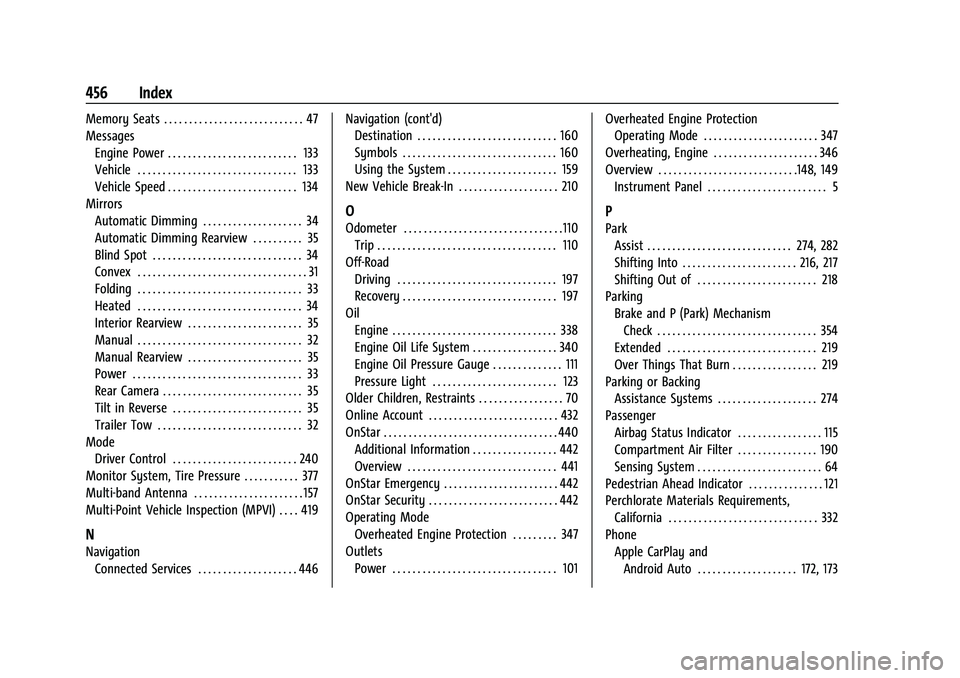
Memory Seats . . . . . . . . . . . . . . . . . . . . . . . . . . . . 47
MessagesEngine Power . . . . . . . . . . . . . . . . . . . . . . . . . . 133
Vehicle . . . . . . . . . . . . . . . . . . . . . . . . . . . . . . . . 133
Vehicle Speed . . . . . . . . . . . . . . . . . . . . . . . . . . 134
Mirrors Automatic Dimming . . . . . . . . . . . . . . . . . . . . 34
Automatic Dimming Rearview . . . . . . . . . . 35
Blind Spot . . . . . . . . . . . . . . . . . . . . . . . . . . . . . . 34
Convex . . . . . . . . . . . . . . . . . . . . . . . . . . . . . . . . . . 31
Folding . . . . . . . . . . . . . . . . . . . . . . . . . . . . . . . . . 33
Heated . . . . . . . . . . . . . . . . . . . . . . . . . . . . . . . . . 34
Interior Rearview . . . . . . . . . . . . . . . . . . . . . . . 35
Manual . . . . . . . . . . . . . . . . . . . . . . . . . . . . . . . . . 32
Manual Rearview . . . . . . . . . . . . . . . . . . . . . . . 35
Power . . . . . . . . . . . . . . . . . . . . . . . . . . . . . . . . . . 33
Rear Camera . . . . . . . . . . . . . . . . . . . . . . . . . . . . 35
Tilt in Reverse . . . . . . . . . . . . . . . . . . . . . . . . . . 35
Trailer Tow . . . . . . . . . . . . . . . . . . . . . . . . . . . . . 32
Mode Driver Control . . . . . . . . . . . . . . . . . . . . . . . . . 240
Monitor System, Tire Pressure . . . . . . . . . . . 377
Multi-band Antenna . . . . . . . . . . . . . . . . . . . . . . 157
Multi-Point Vehicle Inspection (MPVI) . . . . 419
N
Navigation Connected Services . . . . . . . . . . . . . . . . . . . . 446 Navigation (cont'd)
Destination . . . . . . . . . . . . . . . . . . . . . . . . . . . . 160
Symbols . . . . . . . . . . . . . . . . . . . . . . . . . . . . . . . 160
Using the System . . . . . . . . . . . . . . . . . . . . . . 159
New Vehicle Break-In . . . . . . . . . . . . . . . . . . . . 210
O
Odometer . . . . . . . . . . . . . . . . . . . . . . . . . . . . . . . .110 Trip . . . . . . . . . . . . . . . . . . . . . . . . . . . . . . . . . . . . 110
Off-Road Driving . . . . . . . . . . . . . . . . . . . . . . . . . . . . . . . . 197
Recovery . . . . . . . . . . . . . . . . . . . . . . . . . . . . . . . 197
Oil Engine . . . . . . . . . . . . . . . . . . . . . . . . . . . . . . . . . 338
Engine Oil Life System . . . . . . . . . . . . . . . . . 340
Engine Oil Pressure Gauge . . . . . . . . . . . . . . 111
Pressure Light . . . . . . . . . . . . . . . . . . . . . . . . . 123
Older Children, Restraints . . . . . . . . . . . . . . . . . 70
Online Account . . . . . . . . . . . . . . . . . . . . . . . . . . 432
OnStar . . . . . . . . . . . . . . . . . . . . . . . . . . . . . . . . . . . 440 Additional Information . . . . . . . . . . . . . . . . . 442
Overview . . . . . . . . . . . . . . . . . . . . . . . . . . . . . . 441
OnStar Emergency . . . . . . . . . . . . . . . . . . . . . . . 442
OnStar Security . . . . . . . . . . . . . . . . . . . . . . . . . . 442
Operating Mode Overheated Engine Protection . . . . . . . . . 347
Outlets Power . . . . . . . . . . . . . . . . . . . . . . . . . . . . . . . . . 101 Overheated Engine Protection
Operating Mode . . . . . . . . . . . . . . . . . . . . . . . 347
Overheating, Engine . . . . . . . . . . . . . . . . . . . . . 346
Overview . . . . . . . . . . . . . . . . . . . . . . . . . . . .148, 149 Instrument Panel . . . . . . . . . . . . . . . . . . . . . . . . 5
P
ParkAssist . . . . . . . . . . . . . . . . . . . . . . . . . . . . . 274, 282
Shifting Into . . . . . . . . . . . . . . . . . . . . . . . 216, 217
Shifting Out of . . . . . . . . . . . . . . . . . . . . . . . . 218
Parking
Brake and P (Park) MechanismCheck . . . . . . . . . . . . . . . . . . . . . . . . . . . . . . . . 354
Extended . . . . . . . . . . . . . . . . . . . . . . . . . . . . . . 219
Over Things That Burn . . . . . . . . . . . . . . . . . 219
Parking or Backing
Assistance Systems . . . . . . . . . . . . . . . . . . . . 274
Passenger Airbag Status Indicator . . . . . . . . . . . . . . . . . 115
Compartment Air Filter . . . . . . . . . . . . . . . . 190
Sensing System . . . . . . . . . . . . . . . . . . . . . . . . . 64
Pedestrian Ahead Indicator . . . . . . . . . . . . . . . 121
Perchlorate Materials Requirements, California . . . . . . . . . . . . . . . . . . . . . . . . . . . . . . 332
Phone
Apple CarPlay andAndroid Auto . . . . . . . . . . . . . . . . . . . . 172, 173
Page 459 of 463
Chevrolet Silverado 1500 Owner Manual (GMNA-Localizing-U.S./Canada/-
Mexico/Paraguay-16515119) - 2023 - CRC - 6/2/22
458 Index
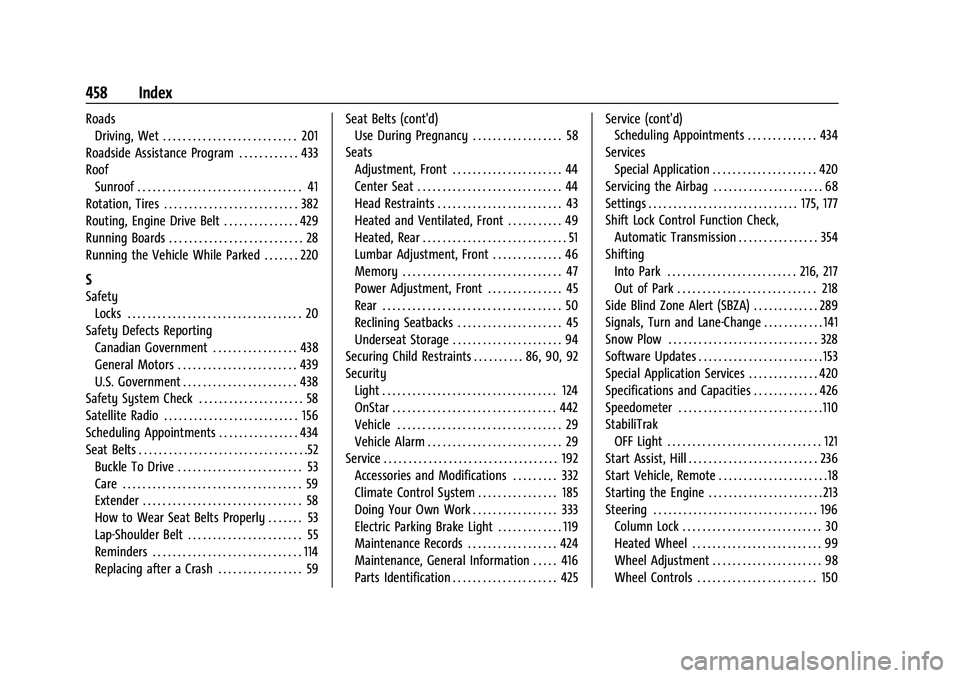
RoadsDriving, Wet . . . . . . . . . . . . . . . . . . . . . . . . . . . 201
Roadside Assistance Program . . . . . . . . . . . . 433
Roof Sunroof . . . . . . . . . . . . . . . . . . . . . . . . . . . . . . . . . 41
Rotation, Tires . . . . . . . . . . . . . . . . . . . . . . . . . . . 382
Routing, Engine Drive Belt . . . . . . . . . . . . . . . 429
Running Boards . . . . . . . . . . . . . . . . . . . . . . . . . . . 28
Running the Vehicle While Parked . . . . . . . 220
S
Safety Locks . . . . . . . . . . . . . . . . . . . . . . . . . . . . . . . . . . . 20
Safety Defects Reporting Canadian Government . . . . . . . . . . . . . . . . . 438
General Motors . . . . . . . . . . . . . . . . . . . . . . . . 439
U.S. Government . . . . . . . . . . . . . . . . . . . . . . . 438
Safety System Check . . . . . . . . . . . . . . . . . . . . . 58
Satellite Radio . . . . . . . . . . . . . . . . . . . . . . . . . . . 156
Scheduling Appointments . . . . . . . . . . . . . . . . 434
Seat Belts . . . . . . . . . . . . . . . . . . . . . . . . . . . . . . . . . .52 Buckle To Drive . . . . . . . . . . . . . . . . . . . . . . . . . 53
Care . . . . . . . . . . . . . . . . . . . . . . . . . . . . . . . . . . . . 59
Extender . . . . . . . . . . . . . . . . . . . . . . . . . . . . . . . . 58
How to Wear Seat Belts Properly . . . . . . . 53
Lap-Shoulder Belt . . . . . . . . . . . . . . . . . . . . . . . 55
Reminders . . . . . . . . . . . . . . . . . . . . . . . . . . . . . . 114
Replacing after a Crash . . . . . . . . . . . . . . . . . 59 Seat Belts (cont'd)
Use During Pregnancy . . . . . . . . . . . . . . . . . . 58
Seats Adjustment, Front . . . . . . . . . . . . . . . . . . . . . . 44
Center Seat . . . . . . . . . . . . . . . . . . . . . . . . . . . . . 44
Head Restraints . . . . . . . . . . . . . . . . . . . . . . . . . 43
Heated and Ventilated, Front . . . . . . . . . . . 49
Heated, Rear . . . . . . . . . . . . . . . . . . . . . . . . . . . . . 51
Lumbar Adjustment, Front . . . . . . . . . . . . . . 46
Memory . . . . . . . . . . . . . . . . . . . . . . . . . . . . . . . . 47
Power Adjustment, Front . . . . . . . . . . . . . . . 45
Rear . . . . . . . . . . . . . . . . . . . . . . . . . . . . . . . . . . . . 50
Reclining Seatbacks . . . . . . . . . . . . . . . . . . . . . 45
Underseat Storage . . . . . . . . . . . . . . . . . . . . . . 94
Securing Child Restraints . . . . . . . . . . 86, 90, 92
Security Light . . . . . . . . . . . . . . . . . . . . . . . . . . . . . . . . . . . 124
OnStar . . . . . . . . . . . . . . . . . . . . . . . . . . . . . . . . . 442
Vehicle . . . . . . . . . . . . . . . . . . . . . . . . . . . . . . . . . 29
Vehicle Alarm . . . . . . . . . . . . . . . . . . . . . . . . . . . 29
Service . . . . . . . . . . . . . . . . . . . . . . . . . . . . . . . . . . . 192
Accessories and Modifications . . . . . . . . . 332
Climate Control System . . . . . . . . . . . . . . . . 185
Doing Your Own Work . . . . . . . . . . . . . . . . . 333
Electric Parking Brake Light . . . . . . . . . . . . . 119
Maintenance Records . . . . . . . . . . . . . . . . . . 424
Maintenance, General Information . . . . . 416
Parts Identification . . . . . . . . . . . . . . . . . . . . . 425 Service (cont'd)
Scheduling Appointments . . . . . . . . . . . . . . 434
Services Special Application . . . . . . . . . . . . . . . . . . . . . 420
Servicing the Airbag . . . . . . . . . . . . . . . . . . . . . . 68
Settings . . . . . . . . . . . . . . . . . . . . . . . . . . . . . . 175, 177
Shift Lock Control Function Check, Automatic Transmission . . . . . . . . . . . . . . . . 354
Shifting Into Park . . . . . . . . . . . . . . . . . . . . . . . . . . 216, 217
Out of Park . . . . . . . . . . . . . . . . . . . . . . . . . . . . 218
Side Blind Zone Alert (SBZA) . . . . . . . . . . . . . 289
Signals, Turn and Lane-Change . . . . . . . . . . . . 141
Snow Plow . . . . . . . . . . . . . . . . . . . . . . . . . . . . . . 328
Software Updates . . . . . . . . . . . . . . . . . . . . . . . . . 153
Special Application Services . . . . . . . . . . . . . . 420
Specifications and Capacities . . . . . . . . . . . . . 426
Speedometer . . . . . . . . . . . . . . . . . . . . . . . . . . . . .110
StabiliTrak
OFF Light . . . . . . . . . . . . . . . . . . . . . . . . . . . . . . . 121
Start Assist, Hill . . . . . . . . . . . . . . . . . . . . . . . . . . 236
Start Vehicle, Remote . . . . . . . . . . . . . . . . . . . . . .18
Starting the Engine . . . . . . . . . . . . . . . . . . . . . . . 213
Steering . . . . . . . . . . . . . . . . . . . . . . . . . . . . . . . . . 196
Column Lock . . . . . . . . . . . . . . . . . . . . . . . . . . . . 30
Heated Wheel . . . . . . . . . . . . . . . . . . . . . . . . . . 99
Wheel Adjustment . . . . . . . . . . . . . . . . . . . . . . 98
Wheel Controls . . . . . . . . . . . . . . . . . . . . . . . . 150