dash CHEVROLET SILVERADO 1500 2023 Owners Manual
[x] Cancel search | Manufacturer: CHEVROLET, Model Year: 2023, Model line: SILVERADO 1500, Model: CHEVROLET SILVERADO 1500 2023Pages: 463, PDF Size: 19.26 MB
Page 287 of 463
Chevrolet Silverado 1500 Owner Manual (GMNA-Localizing-U.S./Canada/
Mexico/Paraguay-16515119) - 2023 - CRC - 6/2/22
286 Driving and Operating
Selecting the Alert Timing
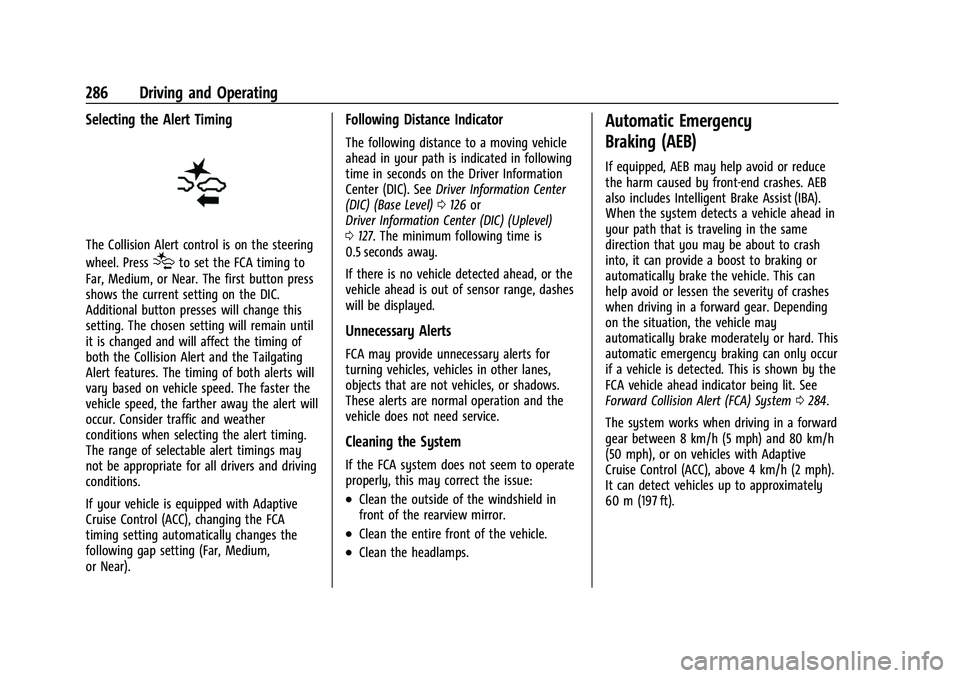
The Collision Alert control is on the steering
wheel. Press
[to set the FCA timing to
Far, Medium, or Near. The first button press
shows the current setting on the DIC.
Additional button presses will change this
setting. The chosen setting will remain until
it is changed and will affect the timing of
both the Collision Alert and the Tailgating
Alert features. The timing of both alerts will
vary based on vehicle speed. The faster the
vehicle speed, the farther away the alert will
occur. Consider traffic and weather
conditions when selecting the alert timing.
The range of selectable alert timings may
not be appropriate for all drivers and driving
conditions.
If your vehicle is equipped with Adaptive
Cruise Control (ACC), changing the FCA
timing setting automatically changes the
following gap setting (Far, Medium,
or Near).
Following Distance Indicator
The following distance to a moving vehicle
ahead in your path is indicated in following
time in seconds on the Driver Information
Center (DIC). See Driver Information Center
(DIC) (Base Level) 0126 or
Driver Information Center (DIC) (Uplevel)
0 127. The minimum following time is
0.5 seconds away.
If there is no vehicle detected ahead, or the
vehicle ahead is out of sensor range, dashes
will be displayed.
Unnecessary Alerts
FCA may provide unnecessary alerts for
turning vehicles, vehicles in other lanes,
objects that are not vehicles, or shadows.
These alerts are normal operation and the
vehicle does not need service.
Cleaning the System
If the FCA system does not seem to operate
properly, this may correct the issue:
.Clean the outside of the windshield in
front of the rearview mirror.
.Clean the entire front of the vehicle.
.Clean the headlamps.
Automatic Emergency
Braking (AEB)
If equipped, AEB may help avoid or reduce
the harm caused by front-end crashes. AEB
also includes Intelligent Brake Assist (IBA).
When the system detects a vehicle ahead in
your path that is traveling in the same
direction that you may be about to crash
into, it can provide a boost to braking or
automatically brake the vehicle. This can
help avoid or lessen the severity of crashes
when driving in a forward gear. Depending
on the situation, the vehicle may
automatically brake moderately or hard. This
automatic emergency braking can only occur
if a vehicle is detected. This is shown by the
FCA vehicle ahead indicator being lit. See
Forward Collision Alert (FCA) System 0284.
The system works when driving in a forward
gear between 8 km/h (5 mph) and 80 km/h
(50 mph), or on vehicles with Adaptive
Cruise Control (ACC), above 4 km/h (2 mph).
It can detect vehicles up to approximately
60 m (197 ft).
Page 324 of 463
Chevrolet Silverado 1500 Owner Manual (GMNA-Localizing-U.S./Canada/
Mexico/Paraguay-16515119) - 2023 - CRC - 6/2/22
Driving and Operating 323
3. The left turn signal light flashes threetimes.
4. The right turn signal light flashes three times.
5. The reverse lights turn on for about two seconds.
6. Steps 2-5 repeat for approximately on minute and 45 seconds, or until the test
deactivates.
Touch Stop to stop the test. The test will
automatically end after one minute and
45 seconds.
The sequence also deactivates when any of
the following occur:
.The vehicle is turned off.
.The transmission is shifted out of
P (Park).
.The brake pedal is pressed.
.The turn signal is activated.
.The hazard warning lights are activated.
Tires
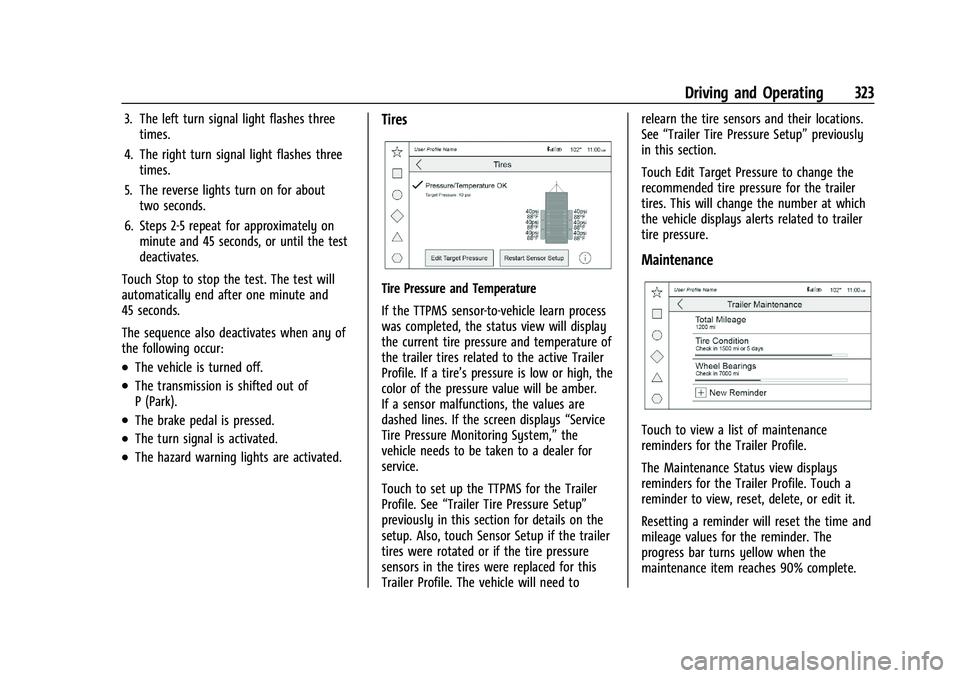
Tire Pressure and Temperature
If the TTPMS sensor-to-vehicle learn process
was completed, the status view will display
the current tire pressure and temperature of
the trailer tires related to the active Trailer
Profile. If a tire’s pressure is low or high, the
color of the pressure value will be amber.
If a sensor malfunctions, the values are
dashed lines. If the screen displays “Service
Tire Pressure Monitoring System,” the
vehicle needs to be taken to a dealer for
service.
Touch to set up the TTPMS for the Trailer
Profile. See “Trailer Tire Pressure Setup”
previously in this section for details on the
setup. Also, touch Sensor Setup if the trailer
tires were rotated or if the tire pressure
sensors in the tires were replaced for this
Trailer Profile. The vehicle will need to relearn the tire sensors and their locations.
See
“Trailer Tire Pressure Setup” previously
in this section.
Touch Edit Target Pressure to change the
recommended tire pressure for the trailer
tires. This will change the number at which
the vehicle displays alerts related to trailer
tire pressure.
Maintenance
Touch to view a list of maintenance
reminders for the Trailer Profile.
The Maintenance Status view displays
reminders for the Trailer Profile. Touch a
reminder to view, reset, delete, or edit it.
Resetting a reminder will reset the time and
mileage values for the reminder. The
progress bar turns yellow when the
maintenance item reaches 90% complete.
Page 381 of 463
Chevrolet Silverado 1500 Owner Manual (GMNA-Localizing-U.S./Canada/
Mexico/Paraguay-16515119) - 2023 - CRC - 6/2/22
380 Vehicle Care
.There is a malfunction in the TPMS.
.There is a malfunction in the horn or turn
signal lamps.
.The identification code of the TPMS
sensor is not registered to the system.
.The battery of the TPMS sensor is low.
If the tire fill alert does not operate due to
TPMS interference, move the vehicle about
1 m (3 ft) back or forward and try again.
If the tire fill alert feature is not working,
use a tire pressure gauge.
TPMS Sensor Matching Process —Auto
Learn Function
Each TPMS sensor has a unique
identification code. The identification code
needs to be matched to a new tire/wheel
position after rotating the tires or replacing
one or more of the TPMS sensors. When a
tire is installed, the vehicle must be
stationary for about 20 minutes before the
system recalculates. The following relearn
process takes up to 10 minutes, driving at a
minimum speed of 20 km/h (12 mph).
A dash (-) or pressure value will display in
the DIC. See Driver Information Center (DIC)
(Base Level) 0126 or Driver Information Center (DIC) (Uplevel)
0
127. A warning message displays in the
DIC if a problem occurs during the relearn
process.
Trailer Tire Pressure Monitoring
Operation
If equipped, the Trailer Tire Pressure
Monitoring System (TTPMS) is designed to
monitor the pressure of the trailer tires and
warn the driver when a low pressure
condition exists. TTPMS sensors for four tires
are provided. The system can accommodate
a trailer with up to six tires if additional
sensors are purchased from the dealer. Also,
the system can be paired with up to five
individual trailers.
Prior to use, the vehicle must learn the
sensors by following the learning process.
See Trailering App 0318.
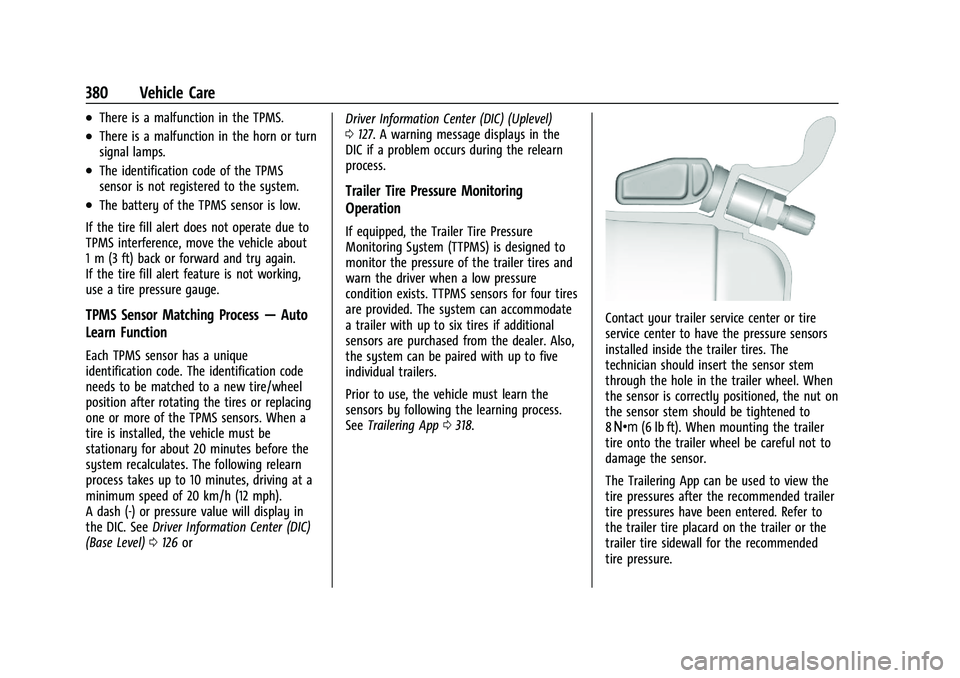
Contact your trailer service center or tire
service center to have the pressure sensors
installed inside the trailer tires. The
technician should insert the sensor stem
through the hole in the trailer wheel. When
the sensor is correctly positioned, the nut on
the sensor stem should be tightened to
8Y (6 lb ft). When mounting the trailer
tire onto the trailer wheel be careful not to
damage the sensor.
The Trailering App can be used to view the
tire pressures after the recommended trailer
tire pressures have been entered. Refer to
the trailer tire placard on the trailer or the
trailer tire sidewall for the recommended
tire pressure.
Page 452 of 463
Chevrolet Silverado 1500 Owner Manual (GMNA-Localizing-U.S./Canada/-
Mexico/Paraguay-16515119) - 2023 - CRC - 6/2/22
Index 451
CargoTie-Downs . . . . . . . . . . . . . . . . . . . . . . . . . . . . . . 95
Caution, Danger, and Warning . . . . . . . . . . . . . .2
Center High-Mounted Stoplamp (CHMSL)and Cargo Lamp . . . . . . . . . . . . . . . . . . . . . 359
Seat . . . . . . . . . . . . . . . . . . . . . . . . . . . . . . . . . . . . 44
Center Console Storage . . . . . . . . . . . . . . . . . . . . . . . . . . . . . . . . . 94
Chains, Tire . . . . . . . . . . . . . . . . . . . . . . . . . . . . . . 387
Charging System Light . . . . . . . . . . . . . . . . . . . . . . . . . . . 116
Wireless . . . . . . . . . . . . . . . . . . . . . . . . . . . . . . . 103
Check Engine Light (Malfunction Indicator) . . . . . . . . . . . . . . . . . . . . . . . . . . . . . . . 116
Child Restraints
Infants and Young Children . . . . . . . . . . . . . . 71
Lower Anchors and Tethers forChildren . . . . . . . . . . . . . . . . . . . . . . . . . . . . . . . 76
Older Children . . . . . . . . . . . . . . . . . . . . . . . . . . 70
Securing . . . . . . . . . . . . . . . . . . . . . . . . 86, 90, 92
Systems . . . . . . . . . . . . . . . . . . . . . . . . . . . . . . . . 73
Child Safety Locks . . . . . . . . . . . . . . . . . . . . . . . . 20
Circuit Breakers . . . . . . . . . . . . . . . . . . . . . . . . . . 361
Cleaning Exterior Care . . . . . . . . . . . . . . . . . . . . . . . . . . . 407
Interior Care . . . . . . . . . . . . . . . . . . . . . . . . . . . 412
Climate Control Systems . . . . . . . . . . . . . . . . . .185 Climate Control Systems (cont'd)
Air Conditioning . . . . . . . . . . . . . . . . . . . . . . . 185
Dual Automatic . . . . . . . . . . . . . . . . . . . . . . . . 187
Heating . . . . . . . . . . . . . . . . . . . . . . . . . . . . . . . . 185
Clock . . . . . . . . . . . . . . . . . . . . . . . . . . . . . . . . . . . . 100
Cluster, Instrument . . . . . . . . . . . . . . . . . .106, 107
Collision Damage Repair . . . . . . . . . . . . . . . . . 436
Compartments Storage . . . . . . . . . . . . . . . . . . . . . . . . . . . . . . . . . 93
Compass . . . . . . . . . . . . . . . . . . . . . . . . . . . . . . . . . 100
Connected Services Connections . . . . . . . . . . . . . . . . . . . . . . . . . . . 446
Diagnostics . . . . . . . . . . . . . . . . . . . . . . . . . . . . 448
Navigation . . . . . . . . . . . . . . . . . . . . . . . . . . . . . 446
Connections Connected Services . . . . . . . . . . . . . . . . . . . . 446
Control Hill Descent . . . . . . . . . . . . . . . . . . . . . . . . . . . . 239
Traction and Electronic Stability . . . . . . . 237
Control Light Hill Descent . . . . . . . . . . . . . . . . . . . . . . . . . . . . 120
Control of a Vehicle . . . . . . . . . . . . . . . . . . . . . 196
Controls Steering Wheel . . . . . . . . . . . . . . . . . . . . . . . . 150
Convex Mirrors . . . . . . . . . . . . . . . . . . . . . . . . . . . . 31
Coolant Engine Temperature Gauge . . . . . . . . . . . . . 112
Engine Temperature Warning Light . . . . 122 Cooling . . . . . . . . . . . . . . . . . . . . . . . . . . . . . . 185, 187
Cooling System . . . . . . . . . . . . . . . . . . . . . . . . . . 343
Courtesy Transportation Program . . . . . . . . 435
Cruise Control . . . . . . . . . . . . . . . . . . . . . . . . . . . 245
Adaptive . . . . . . . . . . . . . . . . . . . . . . . . . . . . . . . 247
Light . . . . . . . . . . . . . . . . . . . . . . . . . . . . . . . . . . . 125
Super . . . . . . . . . . . . . . . . . . . . . . . . . . . . . . . . . . 258
Cupholders . . . . . . . . . . . . . . . . . . . . . . . . . . . . . . . 93
Customer Assistance Offices . . . . . . . . . . . . . . . . . . . . . . . . . . . . . . . . . 432
Text Telephone (TTY) Users . . . . . . . . . . . . 432
Customer Information Publications Ordering Information . . . . . 437
Customer Satisfaction Procedure . . . . . . . . . 430
Cybersecurity . . . . . . . . . . . . . . . . . . . . . . . . . . . . 439
D
Damage Repair, Collision . . . . . . . . . . . . . . . . . 436
Danger, Warning, and Caution . . . . . . . . . . . . . .2
Dashboard . . . . . . . . . . . . . . . . . . . . . . . . . . . . . . . . . .5
Data Collection Infotainment System . . . . . . . . . . . . . . . . . . 440
OnStar . . . . . . . . . . . . . . . . . . . . . . . . . . . . . . . . . 440
Data Recorders, Event . . . . . . . . . . . . . . . . . . . 440
Daytime Running Lamps (DRL) . . . . . . . . . . . 139
Defensive Driving . . . . . . . . . . . . . . . . . . . . . . . . 195
Delayed Locking . . . . . . . . . . . . . . . . . . . . . . . . . . 20
Destination . . . . . . . . . . . . . . . . . . . . . . . . . . . . . . 160