manual transmission CHEVROLET SILVERADO 2003 1.G User Guide
[x] Cancel search | Manufacturer: CHEVROLET, Model Year: 2003, Model line: SILVERADO, Model: CHEVROLET SILVERADO 2003 1.GPages: 556, PDF Size: 3.56 MB
Page 121 of 556

Shift Light
If you have a manual
transmission, you may
have a shift light. This light
will show you when to
shift to the next higher gear
for best fuel economy.
When this light comes on,
you can shift to the next higher gear if weather, road
and traffic conditions allow. For the best fuel
economy, accelerate slowly and shift when the light
comes on.
While you accelerate, it is normal for the light to go
on and off if you quickly change the position of
the accelerator.
If your vehicle has four-wheel drive and is equipped
with a manual transmission, disregard the SHIFT
light when the transfer case is in 4-Wheel Low.
Ignore the SHIFT light when you downshift.
Four-Wheel Drive
If your vehicle has four-wheel drive, you can send your
engine's driving power to all four wheels for extra
traction. To get the most satisfaction out of four-wheel
drive, you must be familiar with its operation. Read
the part that follows before using four-wheel drive. See
the appropriate text for the transfer case in your
vehicle.
Notice:Driving in the 4-WHEEL HIGH (4HI) or
4-WHEEL LOW (4LO) positions for a long time on
dry or wet pavement could shorten the life of
your vehicle's drivetrain.
Front Axle Locking Feature
The front axle locks and unlocks automatically when
you shift the transfer case. Some delay for the axle to
lock or unlock is normal.
2-33
Page 123 of 556

An indicator on the bezel near the lever shows you the
transfer case settings:
2-Wheel High (2HI):This setting is used for driving in
most street and highway situations. Your front axle
is not engaged in two-wheel drive. This setting
also provides the best fuel economy.
4-Wheel High (4HI):Use 4HI when you need extra
traction, such as on snowy or icy roads or in most
off-road situations. This setting also engages your front
axle to help drive your vehicle. This is the best setting
to use when plowing snow.
{CAUTION:
Shifting the transfer case to NEUTRAL can
cause your vehicle to roll even if the
transmission is in PARK (P), or if you have a
manual transmission, even if you are in gear.
You or someone else could be seriously
injured. Be sure to set the parking brake
before placing the transfer case in NEUTRAL.
See ªParking Brakeº in the Index.NEUTRAL (N):Shift to this setting only when your
vehicle needs to be towed. See
Recreational Vehicle
Towing on page 4-55orTowing Your Vehicle on
page 4-55.
4-Wheel Low (4L0):This setting also engages your
front axle and delivers extra torque. You may never
need 4LO. It sends maximum power to all four wheels.
You might choose 4LO if you are driving off-road in
deep sand, deep mud, deep snow and climbing
or descending steep hills.
You can shift from 2-Wheel High (2HI) to 4-Wheel High
(4HI) or from 4-Wheel High (4HI) to 2-Wheel High
(2HI) while the vehicle is moving. Your front axle will
engage faster if you take your foot off of the accelerator
for a couple of seconds after you shift. In extremely
cold weather, it may be necessary to stop or slow the
vehicle to shift into 4-Wheel High (4HI).
2-35
Page 124 of 556

When Using the Manual Transfer Case
·
All shifts should be made using quick motions. Slow
shifts may make it harder to shift.
·You may notice that it is harder to shift when the
vehicle is cold. When the vehicle warms up it the
shifting will return to normal.
·While in 4-Wheel (4HI) or 4-Wheel Lo (4LO) you may
experience reduced fuel economy.
·Avoid driving in 4-Wheel Drive on clean, dry
pavement. It may cause your tires to wear faster, and
make your transfer case harder to shift and run
noisier.
Shifting from 2HI to 4HI
·
Shifts between 2HI and 4HI can be made at any
vehicle speed.
·It is easiest to shift the transfer case when
maintaining a constant speed or a slight acceleration.
If possible, avoid shifting during while slowing down,
as it will may make it harder to shift.
·Shift your transfer case lever in one continuous
motion into either the 4HI or 2HI position.
·In extremely cold weather, it may be necessary to
slow or stop the vehicle to shift into 4HI until your
vehicle has warmed up.
·While in 4HI, your vehicle can be driven at any
posted legal speed limit.
Shifting In or Out of 4LO
Notice:Shifting the transfer case into 4LO while
moving at speeds faster than 3 mph (5 km/h)
may cause premature wear to the transfer cse, and
may cause the gears to grind. To avoid causing
premature wear, and grinding the gears, do not shift
the tranfer case into 4LO when the vehicle is
moving faster than 3 mph (5 km/h).
Shifts into 4LO can be made with the vehicle at a stop,
or while slowly rolling about 1 to 3 mph (2 to 5 km/h).
·Shift the automatic transmission into NEUTRAL
(N), or with a manual transmission, press the
clutch pedal, or shift into NEUTRAL (N).
·Shift the transfer case shift lever in one continuous
motion into the 4LO position.
·When in 4LO do not drive faster than 45 mph. This
will reduce wear and extend the life of your
transfer case.
Shifting In or Out of NEUTRAL
1. With the vehicle running and the engine at an idle
set the parking brake.
2. Place the transmission into NEUTRAL (N).
Shift the transfer case in one continuous motion into or
out of the NEUTRAL (N) position.
2-36
Page 136 of 556

Leaving Your Vehicle With
the Engine Running
(Automatic Transmission Only)
{CAUTION:
It can be dangerous to leave your vehicle with
the engine running. Your vehicle could move
suddenly if the shift lever is not fully in
PARK (P) with the parking brake ®rmly set.
If you have four-wheel drive with a manual
transfer case shift lever and your transfer case
is in NEUTRAL, your vehicle will be free to roll,
even if your shift lever is in PARK (P). So be
sure the transfer case is in a drive gear ± not
in NEUTRAL.
And, if you leave the vehicle with the engine
running, it could overheat and even catch ®re.
You or others could be injured. Don't leave
your vehicle with the engine running unless
you have to.If you have to leave your vehicle with the engine
running, be sure your vehicle is in PARK (P) and the
parking brake is ®rmly set before you leave it. After you
move the shift lever into PARK (P), hold the regular
brake pedal down. Then, see if you can move the shift
lever away from PARK (P) without ®rst pulling it
toward you. If you can, it means that the shift lever
wasn't fully locked into PARK (P).Torque Lock (Automatic Transmission)
If you are parking on a hill and you don't shift your
transmission into PARK (P) properly, the weight of the
vehicle may put too much force on the parking pawl
in the transmission. You may ®nd it difficult to pull the
shift lever out of PARK (P). This is called ªtorque
lock.²To prevent torque lock, set the parking brake and
then shift into PARK (P) properly before you leave
the driver's seat. To ®nd out how, see ªShifting
Into PARK (P)².
When you are ready to drive, move the shift lever out of
PARK (P)
beforeyou release the parking brake.
If torque lock does occur, you may need to have another
vehicle push yours a little uphill to take some of the
pressure from the parking pawl in the transmission, so
you can pull the shift lever out of PARK (P).
2-48
Page 137 of 556
Shifting Out of Park (P)
Your vehicle has an automatic transmission shift lock
control system which locks the shift lever in PARK when
the ignition is the LOCK position. You have to fully
apply your regular brakes before you can shift from
PARK (P) when the ignition is in RUN. See
Automatic
Transmission Operation on page 2-25.
If you cannot shift out of PARK (P), ease pressure on
the shift lever and push the shift lever all the way up into
PARK (P) as you maintain brake application. Then,
move the shift lever into the gear you want.
If you ever hold the brake pedal down but still can't shift
out of PARK (P), try this:
1. Turn the key to ACCESSORY. (There is no shift
interlock in this key position.)
2. Apply and hold the brake until the end of Step 4.
3. Shift the transmission to NEUTRAL (N).
4. Start the vehicle and then shift to the gear
you want.
5. Have the system ®xed as soon as you can.
Parking Your Vehicle
{CAUTION:
Shifting the transfer case to NEUTRAL can
cause your vehicle to roll even if the manual
transmission is in gear. Your or someone else
could be seriously injured. Be sure to set the
parking brake before placing the transfer case
in NEUTRAL. See²Parking Brakeº in the Index.
Before you get out of your vehicle, move the shift lever
into REVERSE (R), and ®rmly apply the parking
brake. Once the shift lever has been placed into
REVERSE (R) with the clutch pedal pressed in, you can
turn the ignition key to LOCK, remove the key and
release the clutch.
If you are parking on a hill, or if you are pulling a trailer,
see
Towing a Trailer on page 4-68.
2-49
Page 153 of 556

Front Storage Area
Your vehicle may have a center armrest storage
compartment in the front bench seat.
To open it, fold down the armrest and press the latch
handle located at the front of the armrest. Then, let the
lid pop up and swing open.
The storage compartment has a cassette/compact disc
holder. The holder will store up to six compact disc
cases and ®ve cassette tape cases or a total of
11 cassette tape cases.
If not used to store cassette or compact disc cases, the
storage area can be used to store a laptop computer.
To use the writing table, pull the latch at the rear of the
table and swing the writing table forward. Use it to
hold a pad of paper and a pen.
Center Console Storage Area
Your vehicle may be equipped with a console
compartment between the bucket seats.
To open it, press the button and swing the console lid
open. The console has a place to store tissues,
pens and a clip to hold business cards.
Your console may have a cupholder that swings down
for the rear seat passengers to use. The front cupholder
pulls out and swivels 180É to provide clearance
between tall beverage containers and the manual
transmission shift lever (if equipped).
Your vehicle may have a compact disc holder in the
console.
2-65
Page 161 of 556

The main components of your instrument panel are the
following:
A. Dome Lamp Button. See ªDome Lampsº under
Interior Lamps on page 3-18.
B. Exterior Lamp Controls. See
Exterior Lamps on
page 3-14.
C. Air Outlets. See ªClimate Controlsº in Section 3.
D. Automatic Transfer Case/Electronic Transfer
Case/Traction Assist System (TAS). See
Four-Wheel
Drive on page 2-33.
E. Multifunction Lever. See
Turn Signal/Multifunction
Lever on page 3-7.
F. Instrument Panel Cluster. See
Instrument Panel
Cluster on page 3-34.
G. Gearshift Lever (Automatic Transmission). See
Automatic Transmission Operation on page 2-25.
H. Tow/Haul Selector and Overdrive Disable (Allison
Transmission
žOnly) Button (If Equipped). SeeAutomatic Transmission Operation on page 2-25.
I. Audio System. See
Audio System(s) on page 3-71.
J. Comfort Control System. See
Climate Control
System on page 3-20.
K. Instrument Panel Fuse Block.
Fuses and Circuit
Breakers on page 5-110.L. Hood Release. See
Hood Release on page 5-9.
M. Steering Wheel Control Buttons (If Equipped). See
Driver Information Center (DIC) on page 3-54.
N. Center Instrument Panel Utility Block. See
Fuses
and Circuit Breakers on page 5-110.
O. Parking Brake Release. See
Parking Brake on
page 2-44.
P. Tilt Wheel Lever. See
Tilt Wheel on page 3-7.
Q. Lighter and Accessory Power Outlet. See
Accessory
Power Outlets on page 3-19, andAshtrays and
Cigarette Lighter on page 3-20.
R. Storage Area. See ªStorage Areasº in Section 2.
S. Ashtray. See
Ashtrays and Cigarette Lighter
on page 3-20.
T. Manual Selectable Ride Control (If Equipped). See
Manual Selectable Ride on page 4-12.
U. 4WS Switch (If Equipped). See
QUADRASTEERŸ
on page 4-15.
V. Passenger Air Bag Off Switch. See
Air Bag Off
Switch on page 1-71.
W. Glove Box. See
Glove Box on page 2-64.
3-5
Page 172 of 556
The DRL system will come on when the following
conditions are met:
·the ignition is on,
·the exterior lamps control is in AUTO,
·the automatic transmission is not in PARK (P), and
·the light sensor determines it is daytime.
When the DRL are on, only your DRL lamps will be on.
The taillamps, sidemarker and other lamps won't be
on. The instrument panel won't be lit up either.
When it begins to get dark, the automatic headlamp
system will switch from DRL to the headlamps or the last
chosen headlamp setting that was used.
When you turn the headlamp switch off, the headlamps
will go off, and your DRL lamps will illuminate,
provided it is not dark outside.
To idle an automatic transmission equipped vehicle with
the DRL off, set the parking brake. Shifting the
transmission into PARK (P) will also allow you to idle
the vehicle with the DRL off. The DRL will stay off until
you release the parking brake or shift the transmission
out of PARK (P).
To idle a manual transmission equipped vehicle with the
DRL off, set the parking brake. The DRL will stay off
until you release the parking brake.
Fog Lamps
If your vehicle has fog lamps, use them for better vision
in foggy or misty conditions.
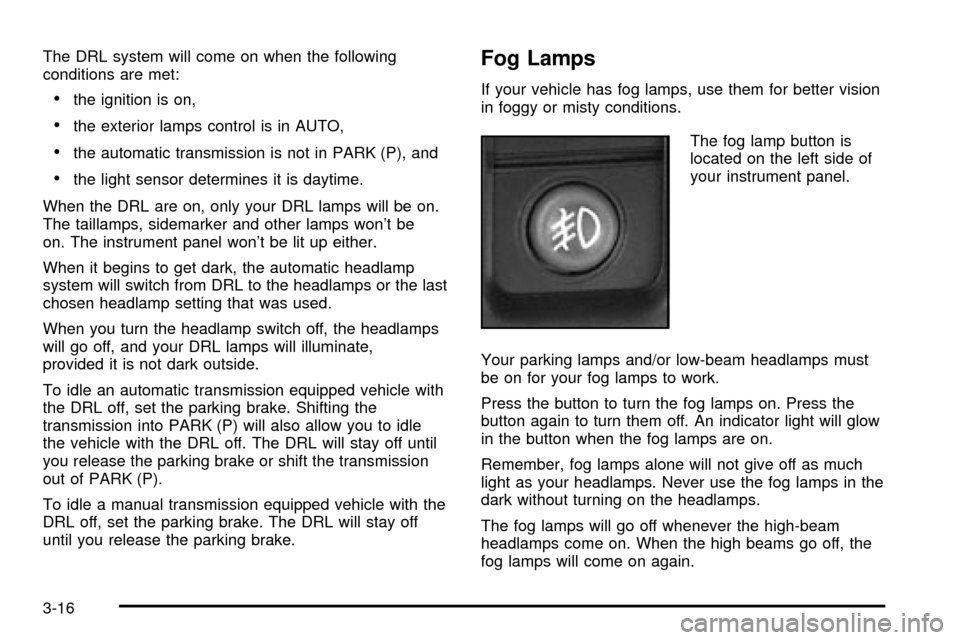
The fog lamp button is
located on the left side of
your instrument panel.
Your parking lamps and/or low-beam headlamps must
be on for your fog lamps to work.
Press the button to turn the fog lamps on. Press the
button again to turn them off. An indicator light will glow
in the button when the fog lamps are on.
Remember, fog lamps alone will not give off as much
light as your headlamps. Never use the fog lamps in the
dark without turning on the headlamps.
The fog lamps will go off whenever the high-beam
headlamps come on. When the high beams go off, the
fog lamps will come on again.
3-16
Page 190 of 556

Instrument Panel Cluster
Your instrument cluster is designed to let you know at a glance how your vehicle is running. You'll know how fast you're
going, about how much fuel you have and many other things you'll need to know to drive safely and economically.
United States Heavy Duty Automatic Transmission version shown. Canada, Light Duty Automatic and Manual
Transmission Clusters similar.
3-34
Page 191 of 556

Speedometer and Odometer
Your speedometer lets you see your speed in both
miles per hour (mph) and kilometers per hour (km/h).
Your odometer shows how far your vehicle has
been driven, in either miles (used in the United States)
or kilometers (used in Canada).
Trip Odometer
The trip odometer can tell you how far your vehicle has
been driven since you last set the trip odometer to zero.
Press the reset button to toggle between the trip
odometer and the regular odometer. Holding the reset
button for two seconds while the trip odometer is
displayed will reset it.
To display the odometer reading with the ignition off,
press the reset button.
Engine Hour Meter Display
The odometer can also display the number of hours the
engine has run. To display the hour meter, turn the
ignition off, press and hold the reset button for at least
four seconds. The hour meter will be displayed for
up to 30 seconds, or until the ignition is turned on.
Tachometer
Your tachometer displays the engine speed in
revolutions per minute (rpm).
Notice:On vehicles with a manual transmission, if
you operate the engine with the tachometer in
the shaded warning areas, your vehicle's engine or
other parts of your vehicle could be damaged.
Damage to your engine or vehicle caused by
operating the engine with the tachometer in the
shaded warning areas isn't covered by your vehicle
warranty. Don't operate the tachometer in the
shaded warning areas.
3-35