ignition CHEVROLET SILVERADO 2003 1.G Owners Manual
[x] Cancel search | Manufacturer: CHEVROLET, Model Year: 2003, Model line: SILVERADO, Model: CHEVROLET SILVERADO 2003 1.GPages: 556, PDF Size: 3.56 MB
Page 11 of 556
Heated Seats
If your vehicle has this
feature, the button used to
control the driver's
heated seat is located on
the driver's door panel.
The button used to control
the passenger's heated
seat is located on the
passenger's door panel.
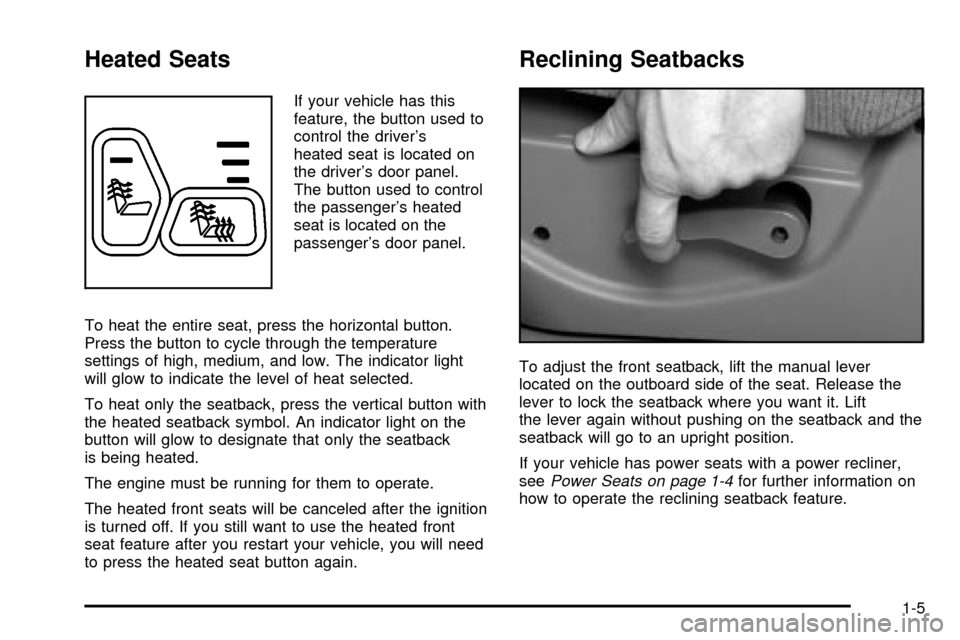
To heat the entire seat, press the horizontal button.
Press the button to cycle through the temperature
settings of high, medium, and low. The indicator light
will glow to indicate the level of heat selected.
To heat only the seatback, press the vertical button with
the heated seatback symbol. An indicator light on the
button will glow to designate that only the seatback
is being heated.
The engine must be running for them to operate.
The heated front seats will be canceled after the ignition
is turned off. If you still want to use the heated front
seat feature after you restart your vehicle, you will need
to press the heated seat button again.
Reclining Seatbacks
To adjust the front seatback, lift the manual lever
located on the outboard side of the seat. Release the
lever to lock the seatback where you want it. Lift
the lever again without pushing on the seatback and the
seatback will go to an upright position.
If your vehicle has power seats with a power recliner,
see
Power Seats on page 1-4for further information on
how to operate the reclining seatback feature.
1-5
Page 67 of 556
If your child restraint does not have the LATCH system,
you will be using the lap-shoulder belt to secure the
child restraint in this position. Be sure to follow the
instructions that came with the child restraint. Secure
the child in the child restraint when and as the
instructions say.
1. Your vehicle has a right front passenger's frontal air
bag. If you need to use a rear-facing child restraint
in this seat, make sure the air bag is off once
the child restraint has been installed. See
Air Bag
Off Switch on page 1-71andPassenger Sensing
System on page 1-76. If your child restraint is
forward-facing, move the seat as far back as it will
go before securing the restraint in this seat.
See
Manual Seats on page 1-3orPower Seats on
page 1-4.
When the passenger sensing system or the AIR
BAG OFF switch has turned off the right front
passenger's frontal air bag, the off indicator in the
passenger air bag status indicator should light
and stay lit when you turn the ignition to RUN or
START. See
Passenger Air Bag Status Indicator on
page 3-40.
2. Put the restraint on the seat.
3. Pick up the latch plate, and run the lap and shoulder
portions of the vehicle's safety belt through or
around the restraint. The child restraint instructions
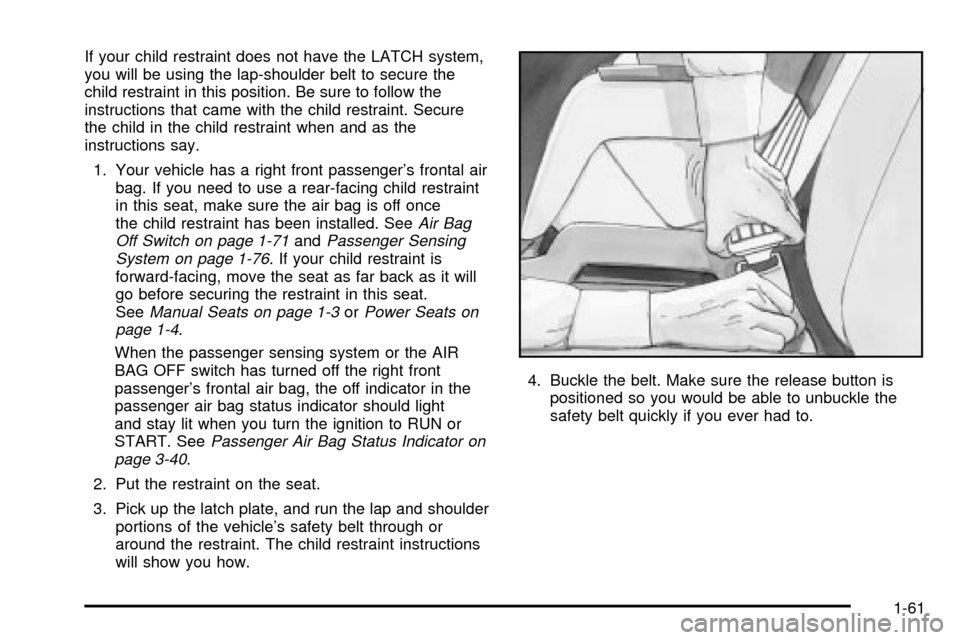
will show you how.4. Buckle the belt. Make sure the release button is
positioned so you would be able to unbuckle the
safety belt quickly if you ever had to.
1-61
Page 81 of 556
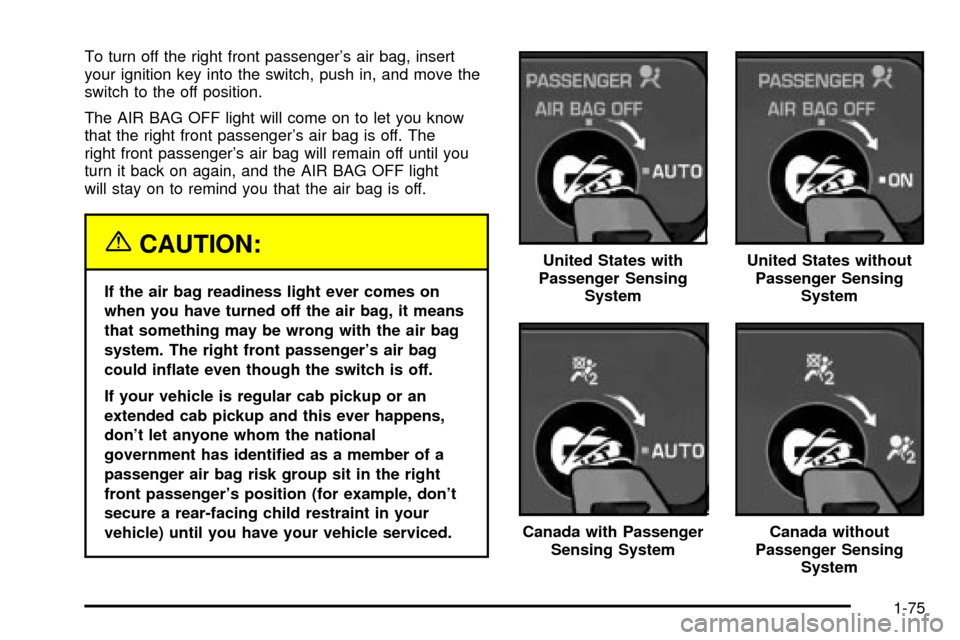
To turn off the right front passenger's air bag, insert
your ignition key into the switch, push in, and move the
switch to the off position.
The AIR BAG OFF light will come on to let you know
that the right front passenger's air bag is off. The
right front passenger's air bag will remain off until you
turn it back on again, and the AIR BAG OFF light
will stay on to remind you that the air bag is off.
{CAUTION:
If the air bag readiness light ever comes on
when you have turned off the air bag, it means
that something may be wrong with the air bag
system. The right front passenger's air bag
could in¯ate even though the switch is off.
If your vehicle is regular cab pickup or an
extended cab pickup and this ever happens,
don't let anyone whom the national
government has identi®ed as a member of a
passenger air bag risk group sit in the right
front passenger's position (for example, don't
secure a rear-facing child restraint in your
vehicle) until you have your vehicle serviced.United States with
Passenger Sensing
System
United States without
Passenger Sensing
System
Canada with Passenger
Sensing SystemCanada without
Passenger Sensing
System
1-75
Page 82 of 556

To turn the right front passenger's air bag on again,
insert your ignition key into the switch, push in,
and move the switch to the ON or AUTO position.
Passenger Sensing System
If your rearview mirror has one of the indicators pictured
in the following illustrations, your vehicle has a passenger
sensing system. The indicator will be visible when you
turn your ignition key to RUN or START. The words ON
and OFF or the symbol for on and off, will be visible on
the rearview mirror during the system check. When the
system check is complete, either the word ON or the word
OFF, or the symbol for on or the symbol for off will be
visible. See
Passenger Air Bag Status Indicator on
page 3-40. If your rearview mirror does not have either of
the indicators pictured below, then your vehicle does not
have the passenger sensing system.The passenger sensing system will turn off the right
front passenger's frontal air bag under certain
conditions. The driver's air bag and the side air bags
are not part of the passenger sensing system. In
addition to the passenger sensing system, your vehicle
also has an air bag off switch located on the instrument
panel as required by the government.
The passenger sensing system works with sensors that
are part of the right front passenger's seat and safety
belt. The sensors are designed to detect the presence of
a properly seated occupant and determine if the
passenger's frontal air bag should be enabled (may
in¯ate) or not.
Passenger Air Bag Status Indicator ± United States
Passenger
Air Bag Status
Indicator-Canada
1-76
Page 86 of 556

Servicing Your Air Bag-Equipped
Vehicle
Air bags affect how your vehicle should be serviced.
There are parts of the air bag system in several places
around your vehicle. You don't want the system to
in¯ate while someone is working on your vehicle. Your
dealer and the service manual have information
about servicing your vehicle and the air bag system. To
purchase a service manual, see
Service Publications
Ordering Information on page 7-9.
{CAUTION:
For up to 1 minute after the ignition key is
turned off and the battery is disconnected, an
air bag can still in¯ate during improper
service. You can be injured if you are close to
an air bag when it in¯ates. Avoid yellow
connectors. They are probably part of the air
bag system. Be sure to follow proper service
procedures, and make sure the person
performing work for you is quali®ed to do so.
The air bag system does not need regular maintenance.
Adding Equipment to Your Air
Bag-Equipped Vehicle
Q:Is there anything I might add to the front of the
vehicle that could keep the air bags from
working properly?
A:Yes. If you add things that change your vehicle's
frame, bumper system, front end sheet metal or
height, they may keep the air bag system
from working properly. Also, the air bag system
may not work properly if you relocate any of the air
bag sensors. If you have any questions about
this, you should contact Customer Assistance
before you modify your vehicle. The phone
numbers and addresses for Customer Assistance
are in Step Two of the Customer Satisfaction
Procedure in this manual. See²Customer
Satisfaction Procedure²in the Index.
1-80
Page 89 of 556

Keys...............................................................2-3
Remote Keyless Entry System.........................2-4
Remote Keyless Entry System Operation...........2-5
Doors and Locks.............................................2-7
Door Locks....................................................2-7
Power Door Locks..........................................2-8
Delayed Locking.............................................2-9
Programmable Automatic Door Locks..............2-10
Rear Door Security Locks
(Crew Cab)...............................................2-12
Lockout Protection........................................2-12
Rear Doors..................................................2-13
Tailgate.......................................................2-13
Windows........................................................2-15
Manual Windows..........................................2-15
Power Windows............................................2-16
Swing-Out Windows......................................2-17
Sun Visors...................................................2-17
Theft-Deterrent Systems..................................2-18
Content Theft-Deterrent.................................2-18
Passlock
ž....................................................2-19Starting and Operating Your Vehicle................2-20
New Vehicle Break-In....................................2-20
Ignition Positions..........................................2-20
Starting Your Engine.....................................2-22
Engine Coolant Heater..................................2-24
Automatic Transmission Operation...................2-25
Manual Transmission Operation......................2-29
Four-Wheel Drive..........................................2-33
All-Wheel Drive............................................2-44
Parking Brake..............................................2-44
Shifting Into Park (P).....................................2-46
Shifting Out of Park (P).................................2-49
Parking Your Vehicle.....................................2-49
Parking Over Things That Burn.......................2-50
Engine Exhaust............................................2-51
Running Your Engine While You Are Parked. . . .2-52
Mirrors...........................................................2-53
Manual Rearview Mirror.................................2-53
Automatic Dimming Rearview Mirror with
OnStar
ž, Compass and Temperature
Display....................................................2-53
Section 2 Features and Controls
2-1
Page 91 of 556
Keys
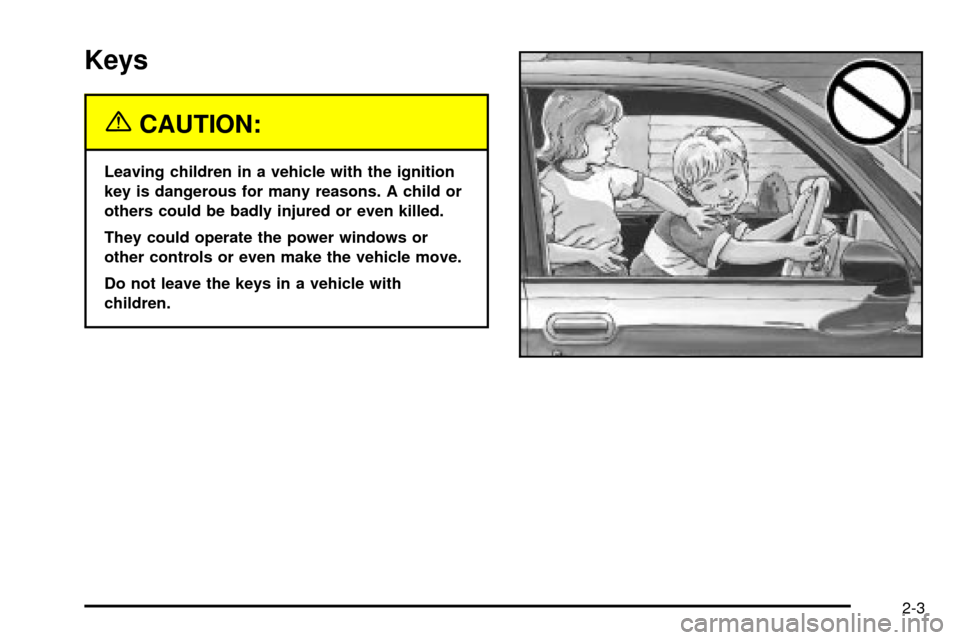
{CAUTION:
Leaving children in a vehicle with the ignition
key is dangerous for many reasons. A child or
others could be badly injured or even killed.
They could operate the power windows or
other controls or even make the vehicle move.
Do not leave the keys in a vehicle with
children.
2-3
Page 92 of 556
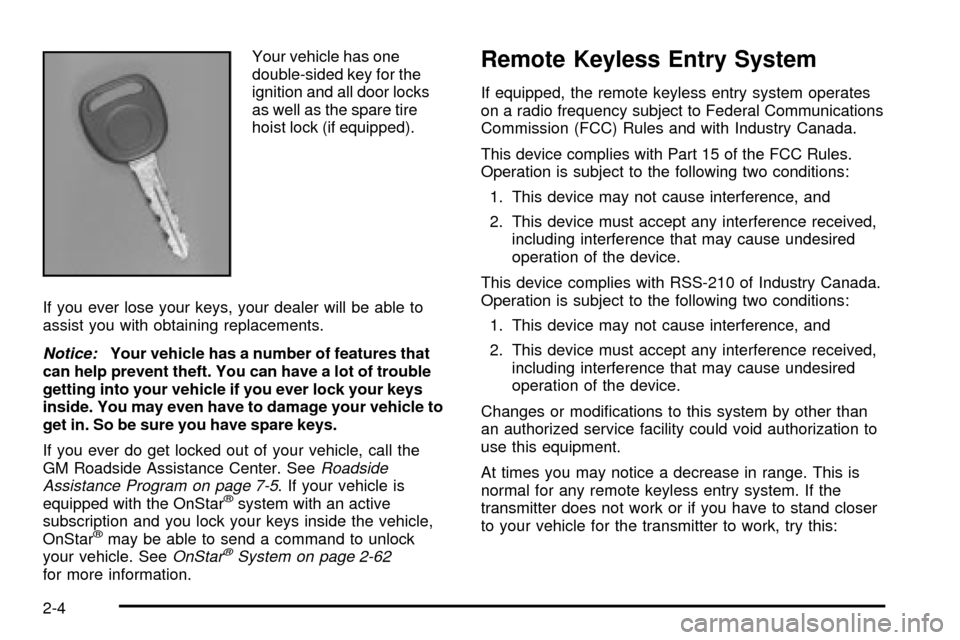
Your vehicle has one
double-sided key for the
ignition and all door locks
as well as the spare tire
hoist lock (if equipped).
If you ever lose your keys, your dealer will be able to
assist you with obtaining replacements.
Notice:Your vehicle has a number of features that
can help prevent theft. You can have a lot of trouble
getting into your vehicle if you ever lock your keys
inside. You may even have to damage your vehicle to
get in. So be sure you have spare keys.
If you ever do get locked out of your vehicle, call the
GM Roadside Assistance Center. See
Roadside
Assistance Program on page 7-5. If your vehicle is
equipped with the OnStaržsystem with an active
subscription and you lock your keys inside the vehicle,
OnStar
žmay be able to send a command to unlock
your vehicle. SeeOnStaržSystem on page 2-62for more information.
Remote Keyless Entry System
If equipped, the remote keyless entry system operates
on a radio frequency subject to Federal Communications
Commission (FCC) Rules and with Industry Canada.
This device complies with Part 15 of the FCC Rules.
Operation is subject to the following two conditions:
1. This device may not cause interference, and
2. This device must accept any interference received,
including interference that may cause undesired
operation of the device.
This device complies with RSS-210 of Industry Canada.
Operation is subject to the following two conditions:
1. This device may not cause interference, and
2. This device must accept any interference received,
including interference that may cause undesired
operation of the device.
Changes or modi®cations to this system by other than
an authorized service facility could void authorization to
use this equipment.
At times you may notice a decrease in range. This is
normal for any remote keyless entry system. If the
transmitter does not work or if you have to stand closer
to your vehicle for the transmitter to work, try this:
2-4
Page 97 of 556

If your vehicle has this
power door lock switch,
press the bottom of the
switch on either front
door to lock all the doors
at once.
Press the top of the switch to unlock all the doors
at once.
The power door locks will operate at any time even
when the ignition is off.
The power door locks will also automatically lock when
the vehicle is out of PARK (P), or for manual
transmission, when the vehicle reaches 8 mph
(24 km/h). To unlock the doors, refer to the instructions
listed previously. The automatic locking feature can
be disabled, if you prefer. See
Programmable Automatic
Door Locks on page 2-10in the following text.
Operating the power locks may interact with the
theft-deterrent system (if equipped). See
Content
Theft-Deterrent on page 2-18.
Delayed Locking
If your vehicle is a Crew Cab, it may be equipped with
this feature. When you lock the doors using the
power lock switch or the remote keyless entry
transmitter with any door open three chimes will signal
that delayed locking is being used.
Five seconds after the last door is closed, all the doors
will lock. All doors can be re-opened for up to ®ve
seconds from the time the last door is closed.
You can lock the door immediately using the power
door lock switch or the optional remote keyless
entry transmitter a second time.
This feature will not lock the doors if the key is in the
ignition.
To enable or disable the delayed locking feature, do the
following:
1. Press and hold the power door lock switch on the
driver's door in the lock position.
2. Press the remote keyless entry transmitter unlock
button twice.
If the feature is disabled, the doors will lock immediately
when a power door lock switch or remote keyless
entry transmitter button is pressed.
2-9
Page 98 of 556

Programmable Automatic Door
Locks
Your vehicle may be equipped with an automatic
lock/unlock feature which enables you to program your
vehicle's power door locks. You can program this
feature through the Driver Information Center (DIC), or
by the following method.
Programmable Locking Feature
The following is the list of available programming
options:
Mode 1:All doors lock when the transmission is shifted
into gear. This is the mode that is pre-programmed in
the factory for your vehicle for automatic transmission
vehicles.
Mode 2:All doors lock when the vehicle speed is
greater than 8 mph (13 km/h). This is the mode that is
pre-programmed in the factory for manual transmission
vehicles.
Mode 3:No automatic door locking.
The following instructions tell you how to change
the automatic door lock mode. Choose one of the
three programming options listed above before entering
the program mode. To enter the program mode, do
the following:1. Begin with the ignition off. Then pull the turn
signal/multifunction lever toward you and hold
it there while you perform the next step.
2. Turn the key to RUN then back to LOCK twice.
Then, with the key in LOCK, release the turn
signal/multifunction lever. Once you do this, the
doors will lock and unlock, the horn will chirp twice,
and a 30-second timer will begin. You are now
ready to program the automatic door lock feature.
3. Press the door lock switch once. You will hear one,
two, or three chimes. The number of chimes tells
you which lock mode is currently selected. Continue
to press the door lock switch until the number of
chimes that you hear matches the number of
the mode that you want. If you take longer than 30
seconds, the locks will automatically lock and
unlock and the horn will chirp twice to indicate that
you have left the program mode. If this occurs,
you can repeat the procedure beginning with Step 1
to re-enter the programming mode.
You can exit the program mode any time by turning the
ignition to RUN (the doors will automatically lock and
unlock and the horn will chirp twice to indicate that you
are leaving the program mode). If the lock/unlock
switches are not pressed while in the programming mode,
the current automatic settings will not be modi®ed.
See your dealer for more information.
2-10