display CHEVROLET SILVERADO 2005 1.G Owners Manual
[x] Cancel search | Manufacturer: CHEVROLET, Model Year: 2005, Model line: SILVERADO, Model: CHEVROLET SILVERADO 2005 1.GPages: 580, PDF Size: 3.44 MB
Page 291 of 580
QSEEKR:Press the up or the down arrow to go to
the next or to the previous radio station and stay
there. The radio will only seek stations with a strong
signal that are in the selected band.
When a cassette tape or CD is playing, press the up or
the down arrow to fast forward or reverse.
QVOLR(Volume):Press the up or the down arrow
to increase or to decrease the volume.
Radio Reception
AM
The range for most AM stations is greater than for FM,
especially at night. The longer range can cause
station frequencies to interfere with each other. Static
can occur on AM stations caused by things like
storms and power lines. Try reducing the treble to
reduce this noise.
FM Stereo
FM stereo will give the best sound, but FM signals
will reach only about 10 to 40 miles (16 to 65 km).
Tall buildings or hills can interfere with FM signals,
causing the sound to fade in and out.
XM™ Satellite Radio Service
XM™ Satellite Radio Service gives digital radio
reception from coast to coast. Just as with FM, tall
buildings or hills can interfere with satellite radio signals,
causing the sound to fade in and out. The radio may
display NO SIGNAL to indicate interference.
Care of the Cassette Tape Player
A tape player that is not cleaned regularly can cause
reduced sound quality, ruined cassettes, or a damaged
mechanism. Cassette tapes should be stored in their
cases away from contaminants, direct sunlight, and
extreme heat. If they are not, they may not operate
properly or may cause failure of the tape player.
The tape player should be cleaned regularly after every
50 hours of use. The radio may display CLEAN to
indicate that the tape player has been used for 50 hours
without resetting the tape clean timer. If this message
appears on the display, the cassette tape player
needs to be cleaned. It will still play tapes, but it should
be cleaned as soon as possible to prevent damage
to the tapes and player. If there is a reduction in sound
quality, try a known good cassette to see if the tape
or the tape player is at fault. If this other cassette has no
improvement in sound quality, clean the tape player.
3-125
Page 292 of 580
For best results, use a scrubbing action, non-abrasive
cleaning cassette with pads which scrub the tape
head as the hubs of the cleaner cassette turn.
The recommended cleaning cassette is available
through your dealer.
When cleaning the cassette tape player with the
recommended non-abrasive cleaning cassette, it is
possible that the cassette may eject, because the cut
tape detection feature on the radio may recognize it as a
broken tape, in error. To prevent the cleaning cassette
from being ejected, use the following steps:
1. Turn the ignition on.
2. Turn the radio off.
3. Press and hold the TAPE DISC button for
ve seconds. READY will appear on the display and
the cassette symbol will ash for ve seconds.
4. Insert the scrubbing action cleaning cassette.
5. Eject the cleaning cassette after the manufacturer’s
recommended cleaning time.
When the cleaning cassette has been ejected, the
cut tape detection feature will be active again.
A non-scrubbing action, wet-type cleaner which uses a
cassette with a fabric belt to clean the tape head
can be used. This type of cleaning cassette will not
eject on its own. A non-scrubbing action cleaner may notclean as thoroughly as the scrubbing type cleaner.
The use of a non-scrubbing action, dry-type cleaning
cassette is not recommended.
After the player is cleaned, press and hold the eject
button for ve seconds to reset the CLEAN indicator.
The radio will display --- or CLEANED to show the
indicator was reset.
Cassettes are subject to wear and the sound quality
may degrade over time. Always make sure the cassette
tape is in good condition before the tape player is
serviced.
Care of Your CDs and DVDs
Handle CDs carefully. Store them in their original cases
or other protective cases and away from direct
sunlight and dust. The CD player scans the bottom
surface of the disc. If the surface of a CD is damaged,
such as cracked, broken, or scratched, the CD will
not play properly or not at all. If the surface of a CD is
soiled, take a soft, lint free cloth or dampen a clean, soft
cloth in a mild, neutral detergent solution mixed with
water, and clean it. Make sure the wiping process starts
from the center to the edge.
Do not touch the bottom side of a CD while handling it;
this could damage the surface. Pick up CDs by
grasping the outer edges or the edge of the hole and
the outer edge.
3-126
Page 293 of 580
Care of the CD and DVD Player
The use of CD lens cleaners for CDs is not advised,
due to the risk of contaminating the lens of the CD optics
with lubricants internal to the CD mechanism.
Fixed Mast Antenna
The xed mast antenna can withstand most car washes
without being damaged. If the mast should ever
become slightly bent, straighten it out by hand. If the
mast is badly bent, replace it.
Check occasionally to make sure the mast is still
tightened to the cowl. If tightening is required,
tighten by hand, then with a wrench one quarter turn.
XM™ Satellite Radio Antenna System
The XM™ Satellite Radio antenna is located on the roof
of your vehicle. Keep this antenna clear of snow and
ice build up for clear radio reception.
The performance of the XM™ system may be affected if
the sunroof is open.
Loading items onto the roof of your vehicle can interfere
with the performance of the XM™ system. Make sure
that the XM™ satellite antenna is not obstructed.
Chime Level Adjustment
The radio is the vehicle chime producer. To change the
volume level, press and hold pushbutton 6 with the
ignition on and the radio power off. The chime volume
level will change from the normal level to loud, and
LOUD will appear on the radio display. To change back
to the default or normal setting, press and hold
pushbutton 6 again. The chime level will change from
the loud level to normal, and NORMAL will appear
on the radio display. Each time the chime volume is
changed, three chimes will sound as an example of the
new volume selected. Removing the radio and not
replacing it with a factory radio or chime module will
disable vehicle chimes.
3-127
Page 409 of 580
Be careful not to spill fuel. Do not top off or overll the
tank and wait a few seconds after you have nished
pumping before removing the nozzle. Clean fuel from
painted surfaces as soon as possible. SeeWashing
Your Vehicle on page 5-116.
When replacing the fuel cap, turn it clockwise until it
clicks. It will require more effort to turn the fuel cap on
the last turn as you tighten it. Make sure the cap is
fully installed. The diagnostic system can determine if
the fuel cap has been left off or improperly installed.
This would allow fuel to evaporate into the atmosphere.
SeeMalfunction Indicator Lamp on page 3-44.
The TIGHTEN FUEL CAP message will be displayed on
the Driver Information Center (DIC) if the fuel cap is
not properly installed. SeeDIC Warnings and Messages
on page 3-54for more information.
{CAUTION:
If a re starts while you are refueling, do not
remove the nozzle. Shut off the ow of fuel by
shutting off the pump or by notifying the
station attendant. Leave the area immediately.
Notice:If you need a new fuel cap, be sure to get
the right type. Your dealer can get one for you.
If you get the wrong type, it may not t properly.
This may cause your malfunction indicator lamp to
light and may damage your fuel tank and emissions
system. SeeMalfunction Indicator Lamp on
page 3-44.
5-11
Page 438 of 580
Overheated Engine Protection
Operating Mode (V8 Engines Only)
If an overheated engine condition exists and the
REDUCED ENGINE POWER message is displayed,
an overheat protection mode which alternates ring
groups of cylinders helps prevent engine damage. In this
mode, you will notice a loss in power and engine
performance. This operating mode allows your vehicle
to be driven to a safe place in an emergency. Driving
extended miles (km) and/or towing a trailer in the
overheat protection mode should be avoided.
Notice:After driving in the overheated engine
protection operating mode, to avoid engine damage,
allow the engine to cool before attempting any
repair. The engine oil will be severely degraded.
Repair the cause of coolant loss, change the oil and
reset the oil life system. SeeEngine Oil (Gasoline
Engine) on page 5-20.
Cooling System
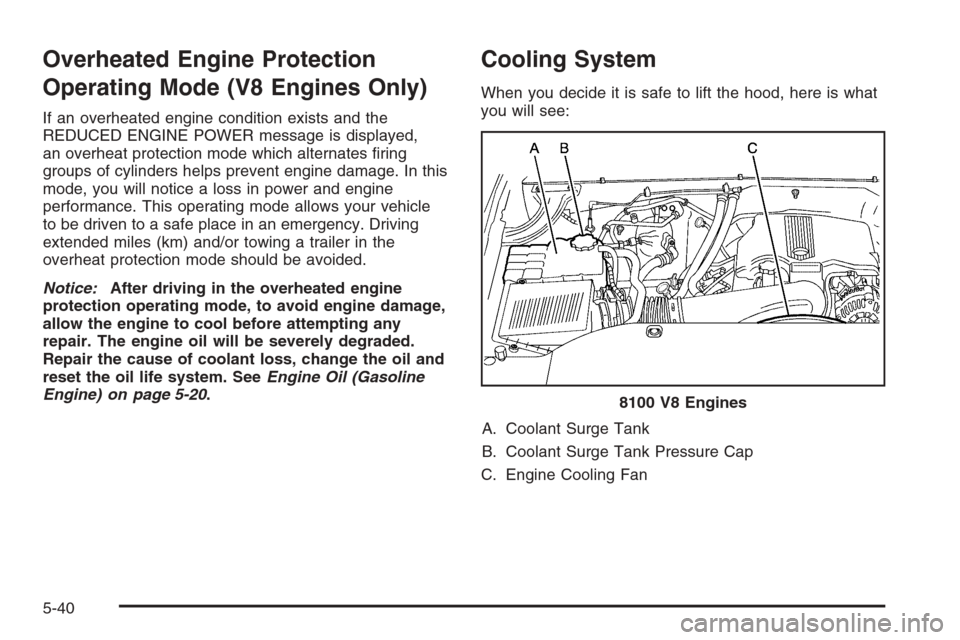
When you decide it is safe to lift the hood, here is what
you will see:
A. Coolant Surge Tank
B. Coolant Surge Tank Pressure Cap
C. Engine Cooling Fan8100 V8 Engines
5-40
Page 445 of 580
Windshield Washer Fluid
What to Use
When you need windshield washer uid, be sure to read
the manufacturer’s instructions before use. If you will
be operating your vehicle in an area where the
temperature may fall below freezing, use a uid that has
sufficient protection against freezing.
Adding Washer Fluid
Your vehicle has a low washer uid message that
comes on when the washer uid is low. The message is
displayed for 15 seconds at the start of each ignition
cycle. When the CHECK WASHER FLUID message is
displayed, you will need to add washer uid to the
windshield washer uid reservoir.
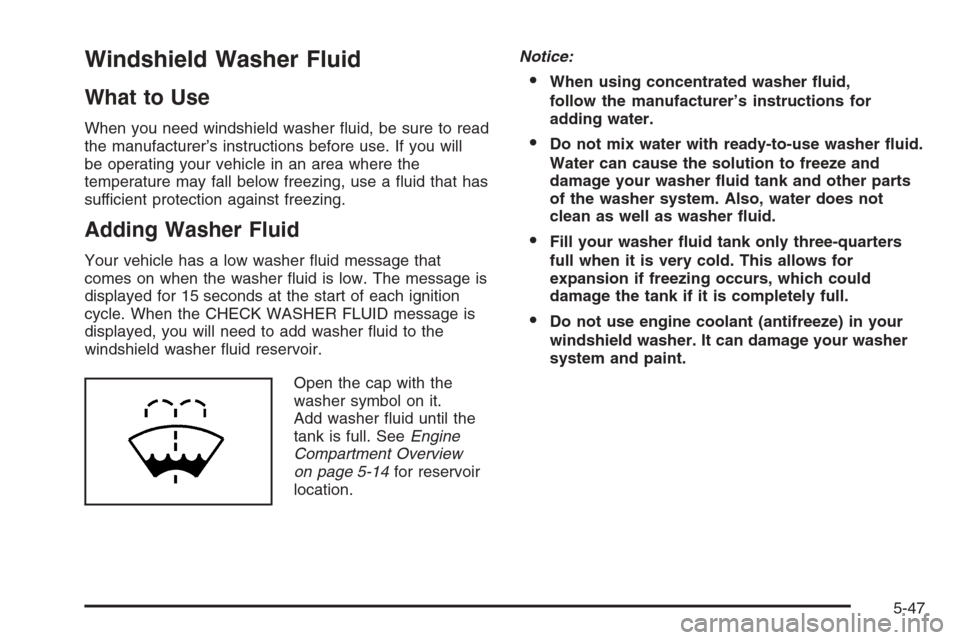
Open the cap with the
washer symbol on it.
Add washer uid until the
tank is full. SeeEngine
Compartment Overview
on page 5-14for reservoir
location.Notice:
When using concentrated washer uid,
follow the manufacturer’s instructions for
adding water.
Do not mix water with ready-to-use washer uid.
Water can cause the solution to freeze and
damage your washer uid tank and other parts
of the washer system. Also, water does not
clean as well as washer uid.
Fill your washer uid tank only three-quarters
full when it is very cold. This allows for
expansion if freezing occurs, which could
damage the tank if it is completely full.
Do not use engine coolant (antifreeze) in your
windshield washer. It can damage your washer
system and paint.
5-47
Page 548 of 580
Recommended Fluids and
Lubricants (Gasoline Engine)
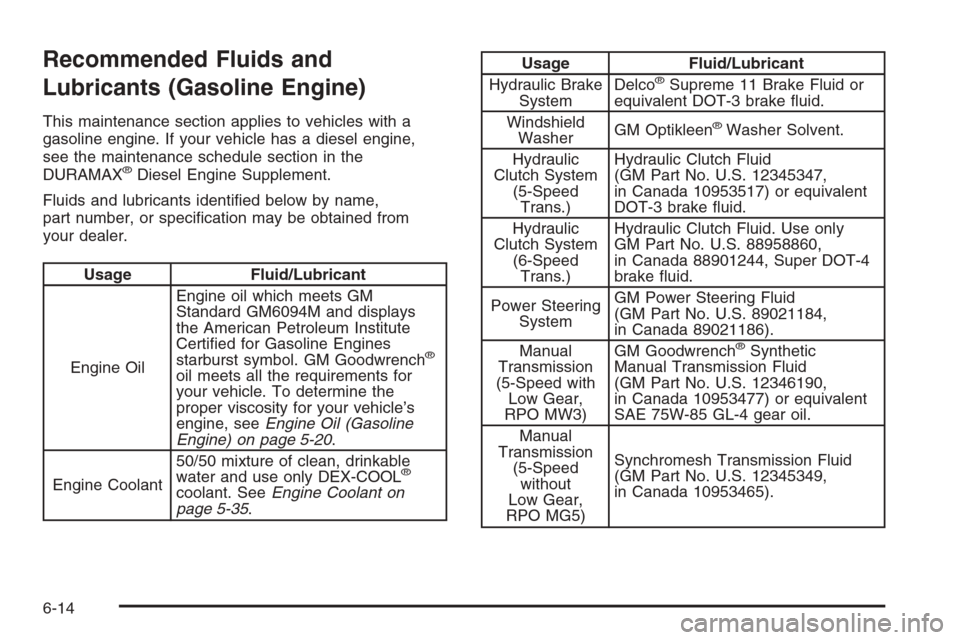
This maintenance section applies to vehicles with a
gasoline engine. If your vehicle has a diesel engine,
see the maintenance schedule section in the
DURAMAX
®Diesel Engine Supplement.
Fluids and lubricants identied below by name,
part number, or specication may be obtained from
your dealer.
Usage Fluid/Lubricant
Engine OilEngine oil which meets GM
Standard GM6094M and displays
the American Petroleum Institute
Certied for Gasoline Engines
starburst symbol. GM Goodwrench
®
oil meets all the requirements for
your vehicle. To determine the
proper viscosity for your vehicle’s
engine, seeEngine Oil (Gasoline
Engine) on page 5-20.
Engine Coolant50/50 mixture of clean, drinkable
water and use only DEX-COOL
®
coolant. SeeEngine Coolant on
page 5-35.
Usage Fluid/Lubricant
Hydraulic Brake
SystemDelco®Supreme 11 Brake Fluid or
equivalent DOT-3 brake uid.
Windshield
WasherGM Optikleen
®Washer Solvent.
Hydraulic
Clutch System
(5-Speed
Trans.)Hydraulic Clutch Fluid
(GM Part No. U.S. 12345347,
in Canada 10953517) or equivalent
DOT-3 brake uid.
Hydraulic
Clutch System
(6-Speed
Trans.)Hydraulic Clutch Fluid. Use only
GM Part No. U.S. 88958860,
in Canada 88901244, Super DOT-4
brake uid.
Power Steering
SystemGM Power Steering Fluid
(GM Part No. U.S. 89021184,
in Canada 89021186).
Manual
Transmission
(5-Speed with
Low Gear,
RPO MW3)GM Goodwrench
®Synthetic
Manual Transmission Fluid
(GM Part No. U.S. 12346190,
in Canada 10953477) or equivalent
SAE 75W-85 GL-4 gear oil.
Manual
Transmission
(5-Speed
without
Low Gear,
RPO MG5)Synchromesh Transmission Fluid
(GM Part No. U.S. 12345349,
in Canada 10953465).
6-14
Page 570 of 580
Coolant
Engine Temperature Gage............................3-42
Heater, Engine............................................2-25
Surge Tank Pressure Cap.............................5-38
Cooling System..............................................5-40
Cruise Control................................................3-10
Cruise Control Light........................................3-47
Cupholder(s)..................................................2-75
Customer Assistance Information
Courtesy Transportation.................................. 7-7
Customer Assistance for Text
Telephone (TTY) Users............................... 7-4
Customer Assistance Offices........................... 7-4
Customer Satisfaction Procedure..................... 7-2
GM Mobility Reimbursement Program............... 7-5
Reporting Safety Defects to General Motors....7-11
Reporting Safety Defects to the Canadian
Government............................................7-11
Reporting Safety Defects to the United States
Government............................................7-10
Roadside Assistance Program......................... 7-6
Service Publications Ordering Information........7-11
D
Daytime Running Lamps..................................3-14
Defensive Driving............................................. 4-2
Delayed Locking.............................................2-10Doing Your Own Service Work........................... 5-4
Dome Lamp Override......................................3-18
Dome Lamps .................................................3-17
Door
Delayed Locking..........................................2-10
Locks.......................................................... 2-8
Power Door Locks......................................... 2-9
Programmable Automatic Door Locks.............2-11
Rear Door Security Locks.............................2-13
Rear Doors.................................................2-14
Driver
Position, Safety Belt.....................................1-15
Driver Information Center (DIC).........................3-50
DIC Operation and Displays..........................3-51
DIC Vehicle Customization............................3-63
DIC Warnings and Messages........................3-54
Driving
At Night.....................................................4-35
City ...........................................................4-38
Defensive..................................................... 4-2
Drunken....................................................... 4-2
Freeway.....................................................4-39
Hill and Mountain Roads..............................4-42
In Rain and on Wet Roads...........................4-36
Off-Road ....................................................4-20
Recovery Hooks..........................................4-49
Rocking Your Vehicle to Get it Out.................4-48
Winter........................................................4-44
4
Page 575 of 580
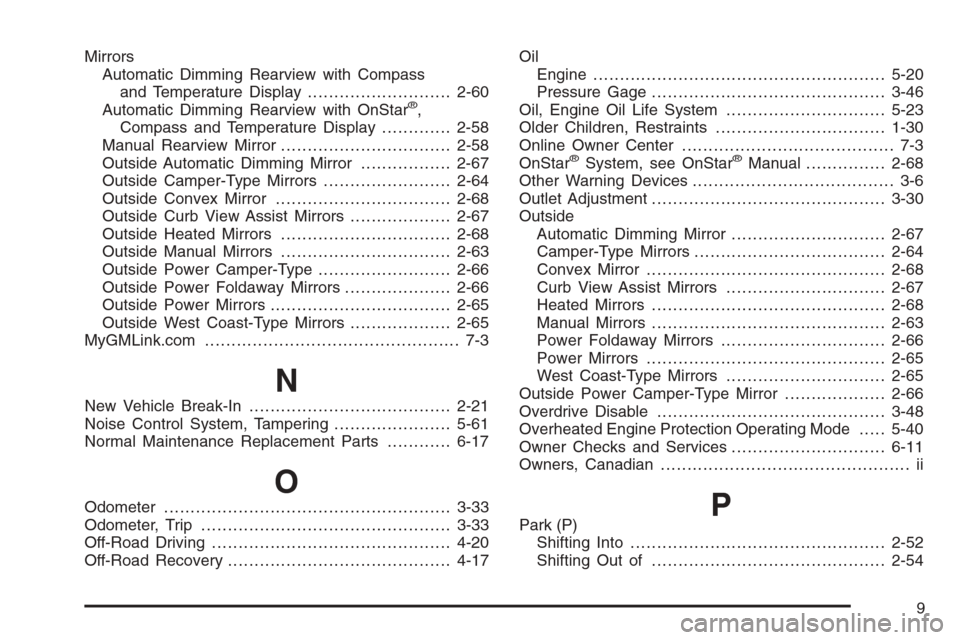
Mirrors
Automatic Dimming Rearview with Compass
and Temperature Display...........................2-60
Automatic Dimming Rearview with OnStar
®,
Compass and Temperature Display.............2-58
Manual Rearview Mirror................................2-58
Outside Automatic Dimming Mirror.................2-67
Outside Camper-Type Mirrors........................2-64
Outside Convex Mirror.................................2-68
Outside Curb View Assist Mirrors...................2-67
Outside Heated Mirrors................................2-68
Outside Manual Mirrors................................2-63
Outside Power Camper-Type.........................2-66
Outside Power Foldaway Mirrors....................2-66
Outside Power Mirrors..................................2-65
Outside West Coast-Type Mirrors...................2-65
MyGMLink.com................................................ 7-3
N
New Vehicle Break-In......................................2-21
Noise Control System, Tampering......................5-61
Normal Maintenance Replacement Parts............6-17
O
Odometer......................................................3-33
Odometer, Trip...............................................3-33
Off-Road Driving.............................................4-20
Off-Road Recovery..........................................4-17Oil
Engine.......................................................5-20
Pressure Gage............................................3-46
Oil, Engine Oil Life System..............................5-23
Older Children, Restraints................................1-30
Online Owner Center........................................ 7-3
OnStar
®System, see OnStar®Manual...............2-68
Other Warning Devices...................................... 3-6
Outlet Adjustment............................................3-30
Outside
Automatic Dimming Mirror.............................2-67
Camper-Type Mirrors....................................2-64
Convex Mirror.............................................2-68
Curb View Assist Mirrors..............................2-67
Heated Mirrors............................................2-68
Manual Mirrors............................................2-63
Power Foldaway Mirrors...............................2-66
Power Mirrors.............................................2-65
West Coast-Type Mirrors..............................2-65
Outside Power Camper-Type Mirror...................2-66
Overdrive Disable...........................................3-48
Overheated Engine Protection Operating Mode.....5-40
Owner Checks and Services.............................6-11
Owners, Canadian............................................... ii
PPark (P)
Shifting Into................................................2-52
Shifting Out of............................................2-54
9
Page 576 of 580
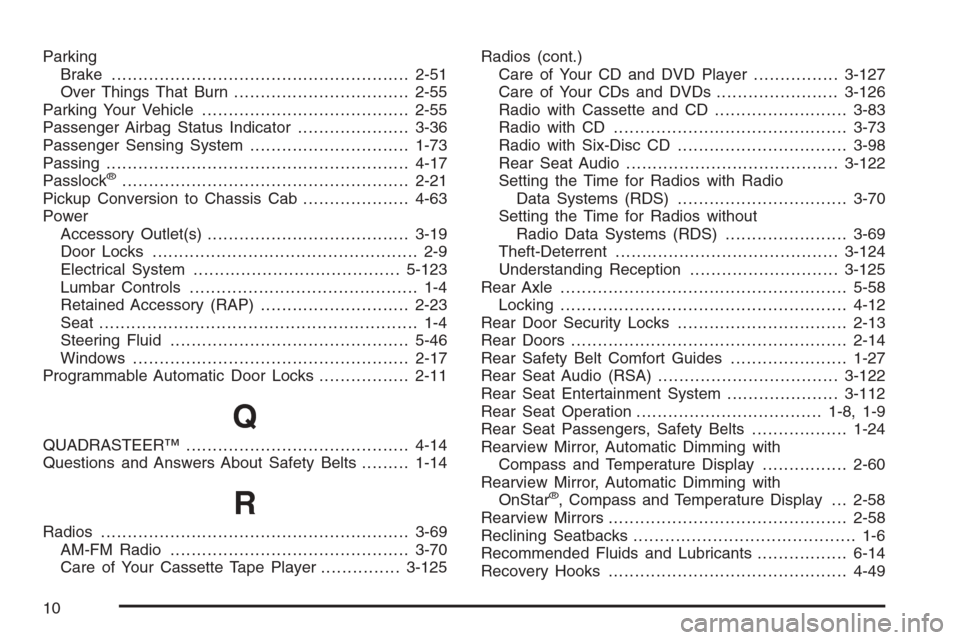
Parking
Brake........................................................2-51
Over Things That Burn.................................2-55
Parking Your Vehicle.......................................2-55
Passenger Airbag Status Indicator.....................3-36
Passenger Sensing System..............................1-73
Passing.........................................................4-17
Passlock
®......................................................2-21
Pickup Conversion to Chassis Cab....................4-63
Power
Accessory Outlet(s)......................................3-19
Door Locks.................................................. 2-9
Electrical System.......................................5-123
Lumbar Controls........................................... 1-4
Retained Accessory (RAP)............................2-23
Seat ............................................................ 1-4
Steering Fluid.............................................5-46
Windows....................................................2-17
Programmable Automatic Door Locks.................2-11
Q
QUADRASTEER™..........................................4-14
Questions and Answers About Safety Belts.........1-14
R
Radios..........................................................3-69
AM-FM Radio.............................................3-70
Care of Your Cassette Tape Player...............3-125Radios (cont.)
Care of Your CD and DVD Player................3-127
Care of Your CDs and DVDs .......................3-126
Radio with Cassette and CD.........................3-83
Radio with CD............................................3-73
Radio with Six-Disc CD................................3-98
Rear Seat Audio........................................3-122
Setting the Time for Radios with Radio
Data Systems (RDS)................................3-70
Setting the Time for Radios without
Radio Data Systems (RDS).......................3-69
Theft-Deterrent..........................................3-124
Understanding Reception............................3-125
Rear Axle......................................................5-58
Locking......................................................4-12
Rear Door Security Locks................................2-13
Rear Doors....................................................2-14
Rear Safety Belt Comfort Guides......................1-27
Rear Seat Audio (RSA)..................................3-122
Rear Seat Entertainment System.....................3-112
Rear Seat Operation...................................1-8, 1-9
Rear Seat Passengers, Safety Belts..................1-24
Rearview Mirror, Automatic Dimming with
Compass and Temperature Display................2-60
Rearview Mirror, Automatic Dimming with
OnStar
®, Compass and Temperature Display . . . 2-58
Rearview Mirrors.............................................2-58
Reclining Seatbacks.......................................... 1-6
Recommended Fluids and Lubricants.................6-14
Recovery Hooks.............................................4-49
10