key CHEVROLET SILVERADO 2005 1.G User Guide
[x] Cancel search | Manufacturer: CHEVROLET, Model Year: 2005, Model line: SILVERADO, Model: CHEVROLET SILVERADO 2005 1.GPages: 580, PDF Size: 3.44 MB
Page 91 of 580
Remote Keyless Entry System
If equipped, the remote keyless entry system operates
on a radio frequency subject to Federal Communications
Commission (FCC) Rules and with Industry Canada.
This device complies with Part 15 of the FCC Rules.
Operation is subject to the following two conditions:
1. This device may not cause interference, and
2. This device must accept any interference received,
including interference that may cause undesired
operation of the device.
This device complies with RSS-210 of Industry Canada.
Operation is subject to the following two conditions:
1. This device may not cause interference, and
2. This device must accept any interference received,
including interference that may cause undesired
operation of the device.
Changes or modications to this system by other than
an authorized service facility could void authorization to
use this equipment.At times you may notice a decrease in range. This is
normal for any remote keyless entry system. If the
transmitter does not work or if you have to stand closer
to your vehicle for the transmitter to work, try this:
Check the distance. You may be too far from your
vehicle. You may need to stand closer during
rainy or snowy weather.
Check the location. Other vehicles or objects may
be blocking the signal. Take a few steps to the
left or right, hold the transmitter higher, and
try again.
Check to determine if battery replacement or
resynchronization is necessary. See “Battery
Replacement” and “Resynchronization” under
Remote Keyless Entry System Operation on
page 2-6.
If you are still having trouble, see your dealer or a
qualied technician for service.
2-5
Page 92 of 580
Remote Keyless Entry System
Operation
You can lock and unlock your doors from about 3 feet
(1 m) up to 100 feet (30 m) away using the remote
keyless entry transmitter supplied with your vehicle.
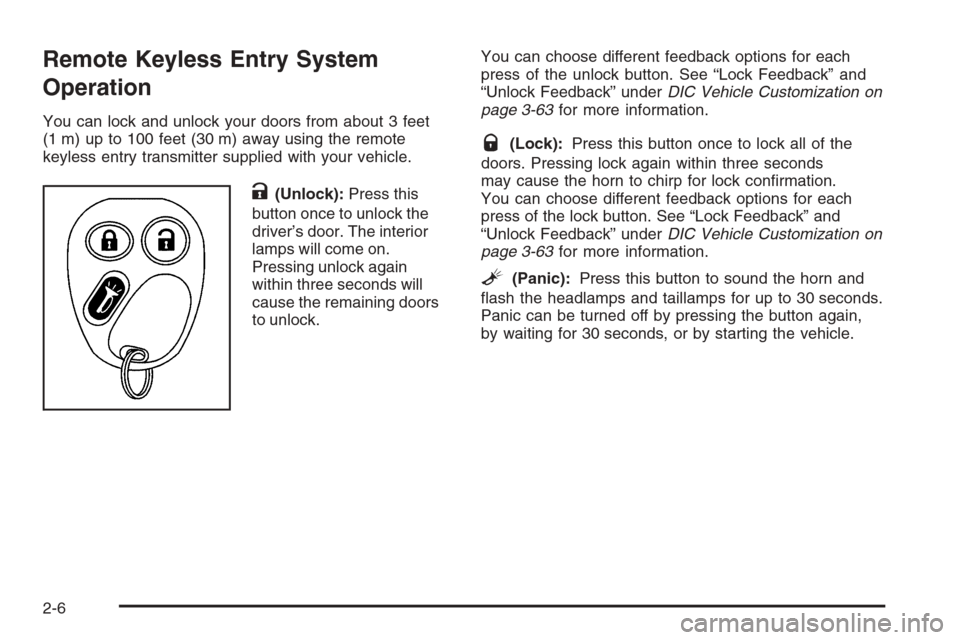
K(Unlock):Press this
button once to unlock the
driver’s door. The interior
lamps will come on.
Pressing unlock again
within three seconds will
cause the remaining doors
to unlock.You can choose different feedback options for each
press of the unlock button. See “Lock Feedback” and
“Unlock Feedback” underDIC Vehicle Customization on
page 3-63for more information.
Q(Lock):Press this button once to lock all of the
doors. Pressing lock again within three seconds
may cause the horn to chirp for lock conrmation.
You can choose different feedback options for each
press of the lock button. See “Lock Feedback” and
“Unlock Feedback” underDIC Vehicle Customization on
page 3-63for more information.
L(Panic):Press this button to sound the horn and
ash the headlamps and taillamps for up to 30 seconds.
Panic can be turned off by pressing the button again,
by waiting for 30 seconds, or by starting the vehicle.
2-6
Page 93 of 580
Matching Transmitter(s) to Your Vehicle
Each remote keyless entry transmitter is coded to
prevent another transmitter from unlocking your vehicle.
If a transmitter is lost or stolen, a replacement can
be purchased through your dealer. Remember to bring
any remaining transmitters with you when you go to
your dealer. When the dealer matches the replacement
transmitter to your vehicle, any remaining transmitters
must also be matched. Once your dealer has coded the
new transmitter, the lost transmitter will not unlock
your vehicle. Each vehicle can have a maximum of
four transmitters matched to it.
Battery Replacement
Under normal use, the battery in your remote keyless
entry transmitter should last about two years.
You can tell the battery is weak if the transmitter will not
work at the normal range in any location. If you have
to get close to your vehicle before the transmitter works,
it is probably time to change the battery.
Notice:When replacing the battery, use care not to
touch any of the circuitry. Static from your body
transferred to these surfaces may damage the
transmitter.To replace the battery in the keyless entry transmitter,
do the following:
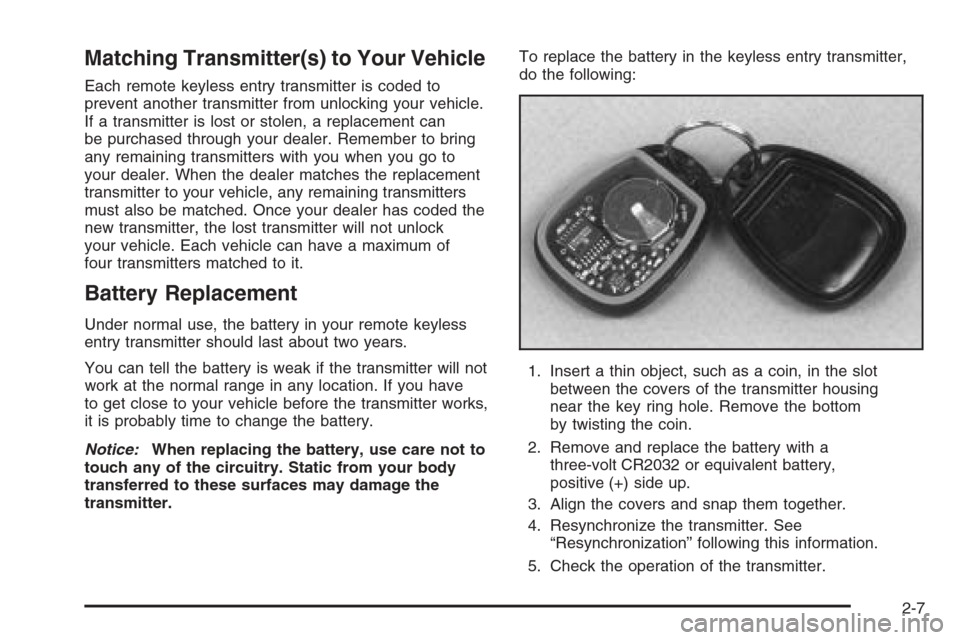
1. Insert a thin object, such as a coin, in the slot
between the covers of the transmitter housing
near the key ring hole. Remove the bottom
by twisting the coin.
2. Remove and replace the battery with a
three-volt CR2032 or equivalent battery,
positive (+) side up.
3. Align the covers and snap them together.
4. Resynchronize the transmitter. See
“Resynchronization” following this information.
5. Check the operation of the transmitter.
2-7
Page 95 of 580
There are several ways to lock and unlock your vehicle.
You can use the keyless entry system, if equipped,
or you can also use your key.
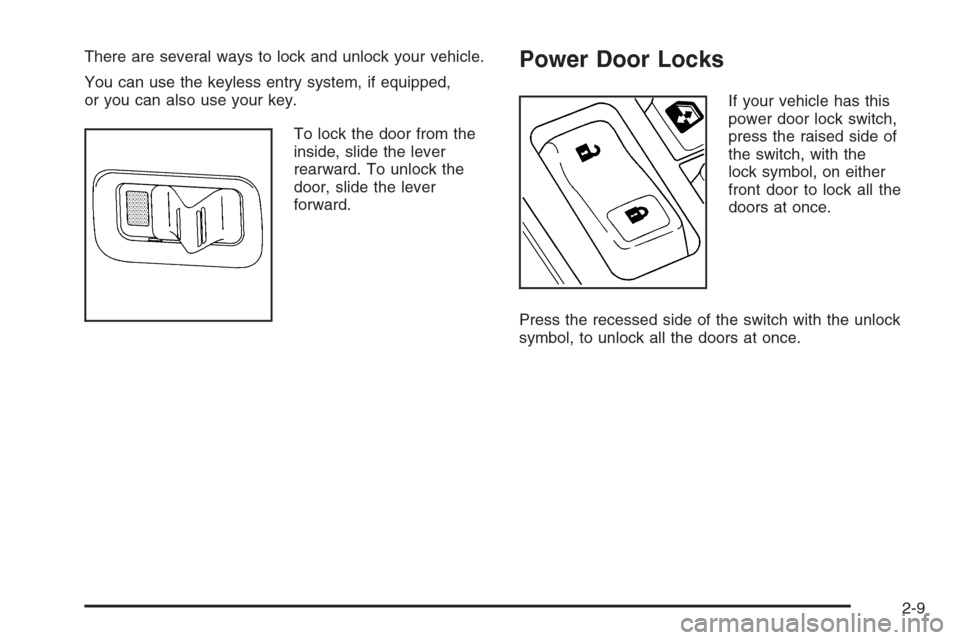
To lock the door from the
inside, slide the lever
rearward. To unlock the
door, slide the lever
forward.Power Door Locks
If your vehicle has this
power door lock switch,
press the raised side of
the switch, with the
lock symbol, on either
front door to lock all the
doors at once.
Press the recessed side of the switch with the unlock
symbol, to unlock all the doors at once.
2-9
Page 96 of 580
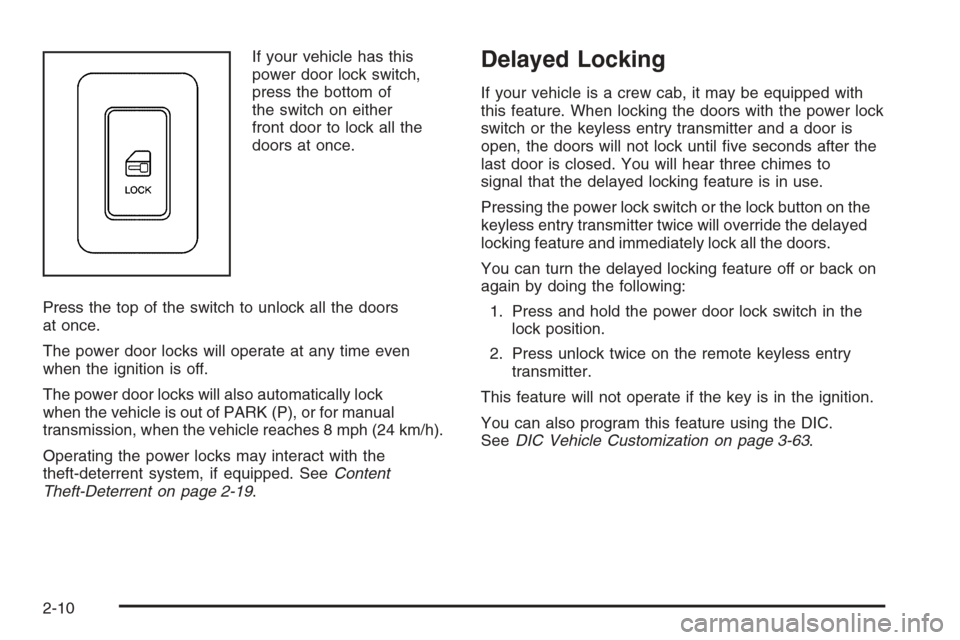
If your vehicle has this
power door lock switch,
press the bottom of
the switch on either
front door to lock all the
doors at once.
Press the top of the switch to unlock all the doors
at once.
The power door locks will operate at any time even
when the ignition is off.
The power door locks will also automatically lock
when the vehicle is out of PARK (P), or for manual
transmission, when the vehicle reaches 8 mph (24 km/h).
Operating the power locks may interact with the
theft-deterrent system, if equipped. SeeContent
Theft-Deterrent on page 2-19.Delayed Locking
If your vehicle is a crew cab, it may be equipped with
this feature. When locking the doors with the power lock
switch or the keyless entry transmitter and a door is
open, the doors will not lock until ve seconds after the
last door is closed. You will hear three chimes to
signal that the delayed locking feature is in use.
Pressing the power lock switch or the lock button on the
keyless entry transmitter twice will override the delayed
locking feature and immediately lock all the doors.
You can turn the delayed locking feature off or back on
again by doing the following:
1. Press and hold the power door lock switch in the
lock position.
2. Press unlock twice on the remote keyless entry
transmitter.
This feature will not operate if the key is in the ignition.
You can also program this feature using the DIC.
SeeDIC Vehicle Customization on page 3-63.
2-10
Page 97 of 580
Programmable Automatic
Door Locks
Your vehicle may be equipped with an automatic
lock/unlock feature which enables you to program your
vehicle’s power door locks. You can program this
feature through the Driver Information Center (DIC), or
by the following method. SeeDIC Vehicle Customization
on page 3-63.
Programmable Locking Feature
Following are the two available programming options:
Mode 1:All doors lock when the transmission is shifted
into gear. This is the mode that is pre-programmed in
the factory for your vehicle for automatic transmission
vehicles.
Mode 2:All doors lock when the vehicle speed is
greater than 8 mph (13 km/h). This is the mode that is
pre-programmed in the factory for manual transmission
vehicles.
The following instructions tell you how to change the
automatic door lock mode (automatic transmission only).
Choose one of the two programming options listed
above before entering the program mode.To enter the program mode, do the following:
1. Begin with the ignition off. Then pull the turn
signal/multifunction lever toward you and hold
it there while you perform the next step.
2. Turn the key to RUN then back to LOCK twice.
Then, with the key in LOCK, release the turn
signal/multifunction lever. Once you do this, the
doors will lock and unlock, the horn will chirp twice,
and a 30-second timer will begin. You are now
ready to program the automatic door lock feature.
3. Press the door lock switch once. You will hear either
one or two chimes. The number of chimes tells you
which lock mode is currently selected. Continue
to press the door lock switch until the number
of chimes that you hear matches the number of the
mode that you want. If you take longer than
30 seconds, the locks will automatically lock and
unlock and the horn will chirp twice to indicate that
you have left the program mode. If this occurs,
you can repeat the procedure beginning with Step 1
to re-enter the programming mode.
You can exit the program mode any time by turning the
ignition to RUN (the doors will automatically lock and
unlock and the horn will chirp twice to indicate that you
are leaving the program mode). If the lock/unlock
switches are not pressed while in the programming mode,
the current automatic settings will not be modied.
See your dealer for more information.
2-11
Page 98 of 580
Programmable Unlocking Feature
The following is the list of available programming options:
Mode 1:Driver’s door unlocks when the transmission is
shifted into PARK (P), for automatic transmission
vehicles only.
Mode 2:All doors unlock when the transmission is
shifted into PARK (P), for automatic transmission
vehicles only. This is the mode that is pre-programmed
in the factory for your vehicle.
Mode 3:All doors unlock when the key is removed
from the ignition. This is the mode that is
pre-programmed in the factory for manual transmission
vehicles.
Mode 4:No automatic door unlock.
The following instructions tell you how to change the
automatic door unlock mode (automatic transmission
only). Choose one of the four programming options
listed above before entering the program mode.To enter the program mode, do the following:
1. Begin with the ignition off. Then pull the turn
signal/multifunction lever toward you and hold
it there while you perform the next step.
2. Turn the key to RUN and LOCK twice. Then, with the
key in LOCK, release the turn signal/multifunction
lever. Once you do this, the doors will lock and
unlock, the horn will chirp twice, and a 30-second
timer will begin. You are now ready to program the
automatic door unlock feature.
3. Press the door unlock switch once. You will hear
one, two, three, or four chimes. The number of
chimes tells you which unlock mode is currently
selected. Continue to press the door unlock switch
until the number of chimes that you hear matches the
number of the mode that you want. If you take longer
than 30 seconds, the locks will automatically lock
and unlock and the horn will chirp twice to indicate
that you have left the program mode. If this occurs,
you can repeat the procedure beginning with Step 1
to re-enter the programming mode.
You can exit the program mode any time by turning the
ignition to RUN. The doors will automatically lock and
unlock and the horn will chirp twice to indicate that you
are leaving the program mode. If the lock/unlock switches
are not pressed while in the programming mode, the
current automatic settings will not be modied.
See your dealer for more information.
2-12
Page 99 of 580
Rear Door Security Locks
(Crew Cab)
With this feature, you can lock the rear side doors so
that they cannot be opened from the inside by
passengers.
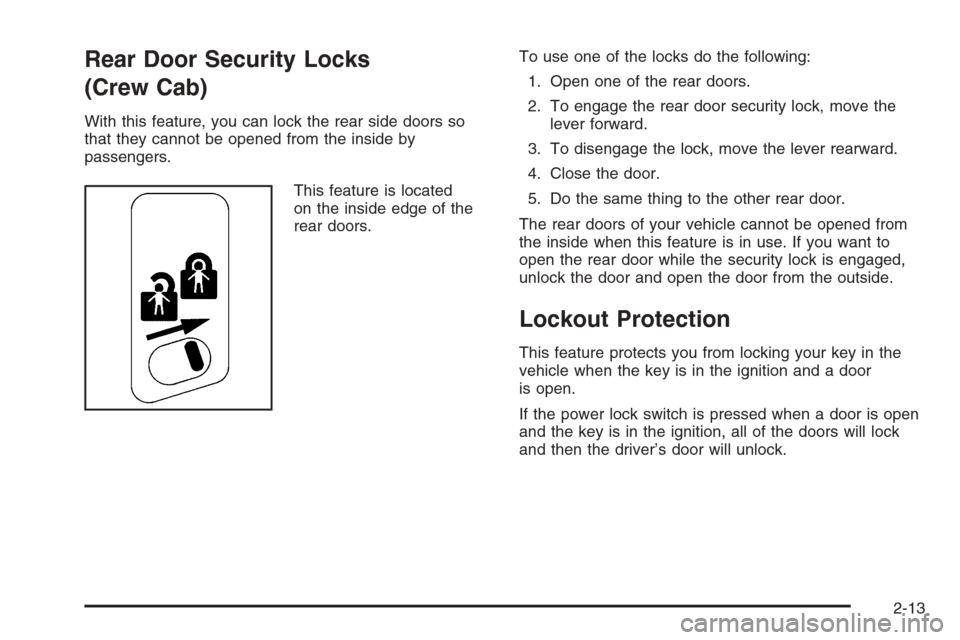
This feature is located
on the inside edge of the
rear doors.To use one of the locks do the following:
1. Open one of the rear doors.
2. To engage the rear door security lock, move the
lever forward.
3. To disengage the lock, move the lever rearward.
4. Close the door.
5. Do the same thing to the other rear door.
The rear doors of your vehicle cannot be opened from
the inside when this feature is in use. If you want to
open the rear door while the security lock is engaged,
unlock the door and open the door from the outside.
Lockout Protection
This feature protects you from locking your key in the
vehicle when the key is in the ignition and a door
is open.
If the power lock switch is pressed when a door is open
and the key is in the ignition, all of the doors will lock
and then the driver’s door will unlock.
2-13
Page 105 of 580
Theft-Deterrent Systems
Vehicle theft is big business, especially in some cities.
Although your vehicle has a number of theft-deterrent
features, we know that nothing we put on it can make it
impossible to steal.
Content Theft-Deterrent
Your vehicle may be equipped with a content
theft-deterrent alarm system.
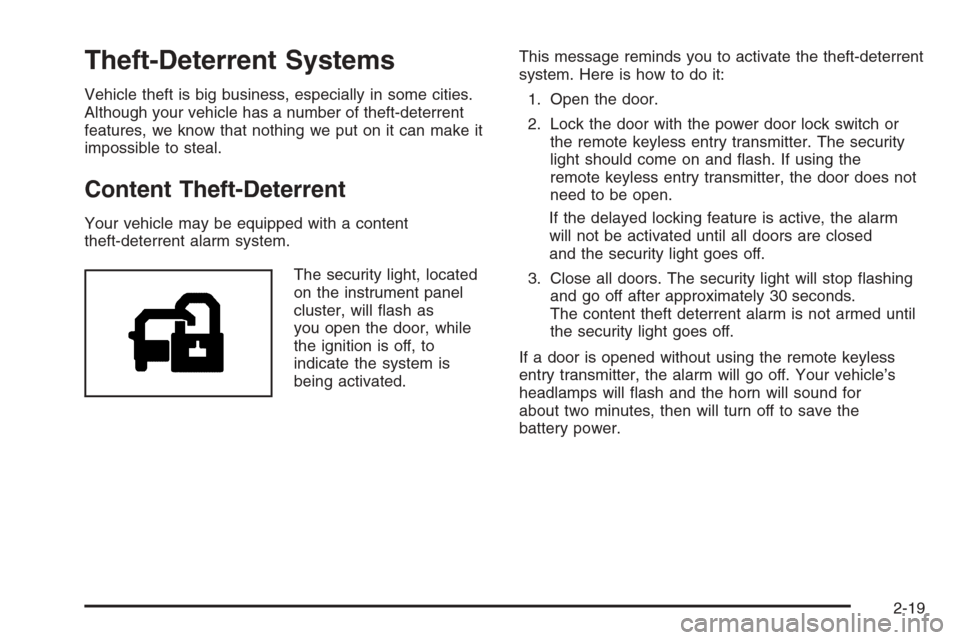
The security light, located
on the instrument panel
cluster, will ash as
you open the door, while
the ignition is off, to
indicate the system is
being activated.This message reminds you to activate the theft-deterrent
system. Here is how to do it:
1. Open the door.
2. Lock the door with the power door lock switch or
the remote keyless entry transmitter. The security
light should come on and ash. If using the
remote keyless entry transmitter, the door does not
need to be open.
If the delayed locking feature is active, the alarm
will not be activated until all doors are closed
and the security light goes off.
3. Close all doors. The security light will stop ashing
and go off after approximately 30 seconds.
The content theft deterrent alarm is not armed until
the security light goes off.
If a door is opened without using the remote keyless
entry transmitter, the alarm will go off. Your vehicle’s
headlamps will ash and the horn will sound for
about two minutes, then will turn off to save the
battery power.
2-19
Page 106 of 580
The theft-deterrent system will not activate if you lock
the doors with a key or use the manual door lock.
It activates only if you use a power door lock switch
with the door open, or with the remote keyless
entry transmitter. You should also remember that you
can start your vehicle with the correct ignition key if the
alarm has been set off.
Here is how to avoid setting off the alarm by accident:
If you do not want to activate the theft-deterrent
system, the vehicle should be locked with the
door key after the doors are closed.
Always unlock a door with the remote keyless entry
transmitter. Unlocking a door any other way will set
off the alarm if the system has been armed.
If you set off the alarm by accident, you can turn off the
alarm by pressing unlock on the remote keyless
entry transmitter. You can also turn off the alarm by
placing the key in the ignition and turning it to START.
Testing the Alarm
The alarm can be tested by following these steps:
1. From inside the vehicle, lower the driver’s window
and open the driver’s door.
2. Activate the system by locking the doors with the
power door lock switch while the door is open, or
with the remote keyless entry transmitter.
3. Get out of the vehicle, close the door and wait for
the security light to go out.
4. Then reach in through the window, unlock the door
with the manual door lock and open the door.
This should set off the alarm.
If the alarm does not sound when it should, but the
vehicle’s headlamps ash, check to see if the horn
works. The horn fuse may be blown. To replace the
fuse, seeFuses and Circuit Breakers on page 5-123.
If the alarm does not sound or the vehicle’s headlamps
do not ash, see your dealer for service.
2-20