radio CHEVROLET SILVERADO 2005 1.G Repair Manual
[x] Cancel search | Manufacturer: CHEVROLET, Model Year: 2005, Model line: SILVERADO, Model: CHEVROLET SILVERADO 2005 1.GPages: 580, PDF Size: 3.44 MB
Page 305 of 580
Manual Selectable Ride
The main function of this system is to provide superior
ride comfort while trailering or fully loaded, as well
as for unloaded driving. This system also helps
to provide:
Improved trailering stability
Improved handling response when trailering or
fully loaded
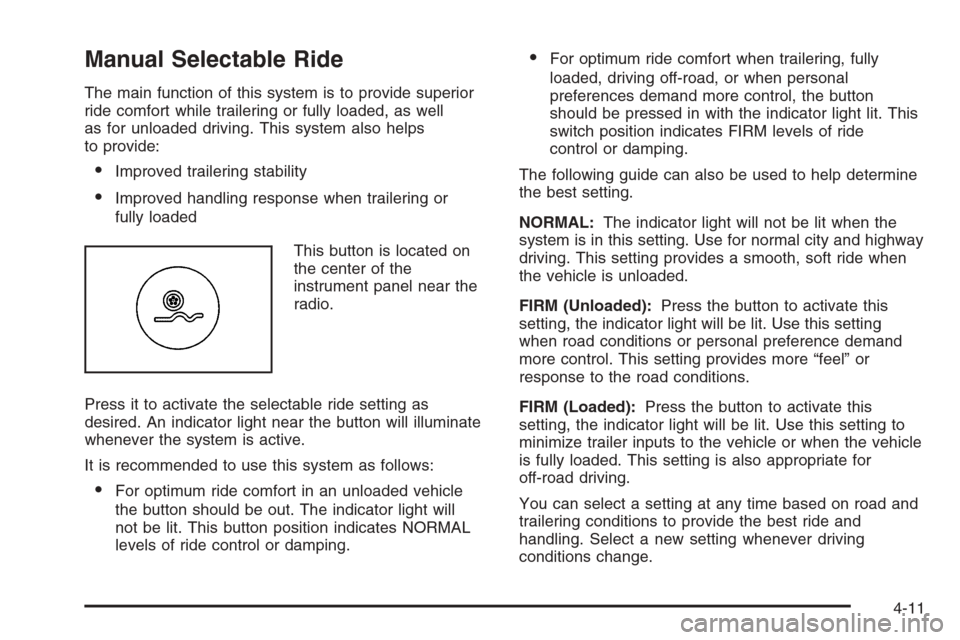
This button is located on
the center of the
instrument panel near the
radio.
Press it to activate the selectable ride setting as
desired. An indicator light near the button will illuminate
whenever the system is active.
It is recommended to use this system as follows:
For optimum ride comfort in an unloaded vehicle
the button should be out. The indicator light will
not be lit. This button position indicates NORMAL
levels of ride control or damping.
For optimum ride comfort when trailering, fully
loaded, driving off-road, or when personal
preferences demand more control, the button
should be pressed in with the indicator light lit. This
switch position indicates FIRM levels of ride
control or damping.
The following guide can also be used to help determine
the best setting.
NORMAL:The indicator light will not be lit when the
system is in this setting. Use for normal city and highway
driving. This setting provides a smooth, soft ride when
the vehicle is unloaded.
FIRM (Unloaded):Press the button to activate this
setting, the indicator light will be lit. Use this setting
when road conditions or personal preference demand
more control. This setting provides more “feel” or
response to the road conditions.
FIRM (Loaded):Press the button to activate this
setting, the indicator light will be lit. Use this setting to
minimize trailer inputs to the vehicle or when the vehicle
is fully loaded. This setting is also appropriate for
off-road driving.
You can select a setting at any time based on road and
trailering conditions to provide the best ride and
handling. Select a new setting whenever driving
conditions change.
4-11
Page 451 of 580
3. Get the vehicles close enough so the jumper cables
can reach, but be sure the vehicles are not touching
each other. If they are, it could cause a ground
connection you do not want. You would not be able
to start your vehicle, and the bad grounding
could damage the electrical systems.
To avoid the possibility of the vehicles rolling, set
the parking brake rmly on both vehicles involved
in the jump start procedure. Put an automatic
transmission in PARK (P) or a manual transmission
in NEUTRAL before setting the parking brake.
If you have a four-wheel-drive vehicle, be sure the
transfer case is in a drive gear, not in NEUTRAL.
Notice:If you leave your radio or other accessories
on during the jump starting procedure, they could
be damaged. The repairs would not be covered
by your warranty. Always turn off your radio and
other accessories when jump starting your vehicle.
4. Turn off the ignition on both vehicles. Unplug
unnecessary accessories plugged into the cigarette
lighter or accessory power outlets. Turn off the
radio and all lamps that are not needed. This will
avoid sparks and help save both batteries.
And it could save the radio!5. Open the hoods and locate the positive (+) and
negative (−) terminal locations of the other vehicle.
Your vehicle has a remote positive (+) jump
starting terminal and a remote negative (−) jump
starting terminal. You should always use these
remote terminals instead of the terminals on the
battery.
The remote positive (+) terminal is located behind a
red plastic cover, if equipped, near the engine
accessory drive bracket. To uncover the remote
positive (+) terminal, open the red plastic cover,
if equipped.
The remote negative (−) terminal is located on the
engine drive bracket on all V8 and diesel engines,
and on the thermostat housing on the 8.1L engine.
On V8 engines it is marked GND (Ground).
On V6 engines the remote negative (−) terminal is
located on a tab attached to the engine accessory
drive bracket where it is marked GND (Ground).
SeeEngine Compartment Overview on page 5-14
for more information on the location of the
remote positive (+) and remote negative (−)
terminals.
5-53
Page 521 of 580
Electrical System
Add-On Electrical Equipment
Notice:Don’t add anything electrical to your vehicle
unless you check with your dealer rst. Some
electrical equipment can damage your vehicle and
the damage wouldn’t be covered by your warranty.
Some add-on electrical equipment can keep other
components from working as they should.
Your vehicle has an airbag system. Before attempting to
add anything electrical to your vehicle, seeServicing
Your Airbag-Equipped Vehicle on page 1-78.
Windshield Wiper Fuses
The windshield wiper motor is protected by an internal
circuit breaker and a fuse. If the motor overheats due to
heavy snow, etc., the wiper will stop until the motor
cools. If the overload is caused by some electrical
problem and not snow, etc., be sure to get it xed.
Power Windows and Other
Power Options
Circuit breakers protect the power windows and other
power accessories. When the current load is too heavy,
the circuit breaker opens and closes, protecting the
circuit until the problem is xed or goes away.
Fuses and Circuit Breakers
The wiring circuits in your vehicle are protected from
short circuits by a combination of fuses, circuit breakers
and fusible thermal links. This greatly reduces the
chance of res caused by electrical problems.
Look at the silver-colored band inside the fuse. If the
band is broken or melted, replace the fuse. Be sure you
replace a bad fuse with a new one of the identical
size and rating.
If you ever have a problem on the road and don’t have
a spare fuse, you can borrow one that has the same
amperage. Just pick some feature of your vehicle
that you can get along without – like the radio or
cigarette lighter – and use its fuse, if it is the correct
amperage. Replace it as soon as you can.
5-123
Page 529 of 580
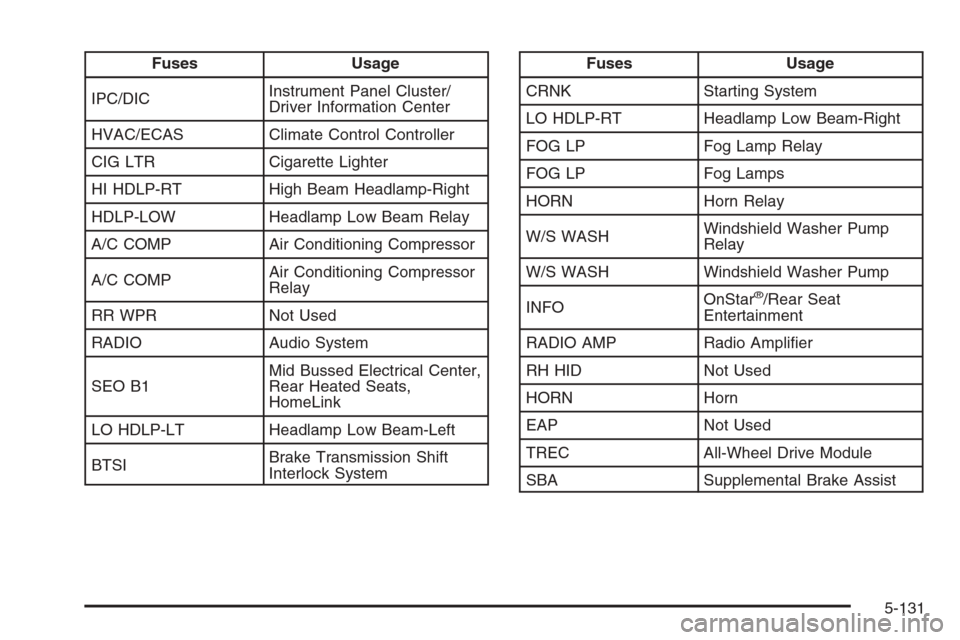
Fuses Usage
IPC/DICInstrument Panel Cluster/
Driver Information Center
HVAC/ECAS Climate Control Controller
CIG LTR Cigarette Lighter
HI HDLP-RT High Beam Headlamp-Right
HDLP-LOW Headlamp Low Beam Relay
A/C COMP Air Conditioning Compressor
A/C COMPAir Conditioning Compressor
Relay
RR WPR Not Used
RADIO Audio System
SEO B1Mid Bussed Electrical Center,
Rear Heated Seats,
HomeLink
LO HDLP-LT Headlamp Low Beam-Left
BTSIBrake Transmission Shift
Interlock SystemFuses Usage
CRNK Starting System
LO HDLP-RT Headlamp Low Beam-Right
FOG LP Fog Lamp Relay
FOG LP Fog Lamps
HORN Horn Relay
W/S WASHWindshield Washer Pump
Relay
W/S WASH Windshield Washer Pump
INFOOnStar
®/Rear Seat
Entertainment
RADIO AMP Radio Amplier
RH HID Not Used
HORN Horn
EAP Not Used
TREC All-Wheel Drive Module
SBA Supplemental Brake Assist
5-131
Page 567 of 580
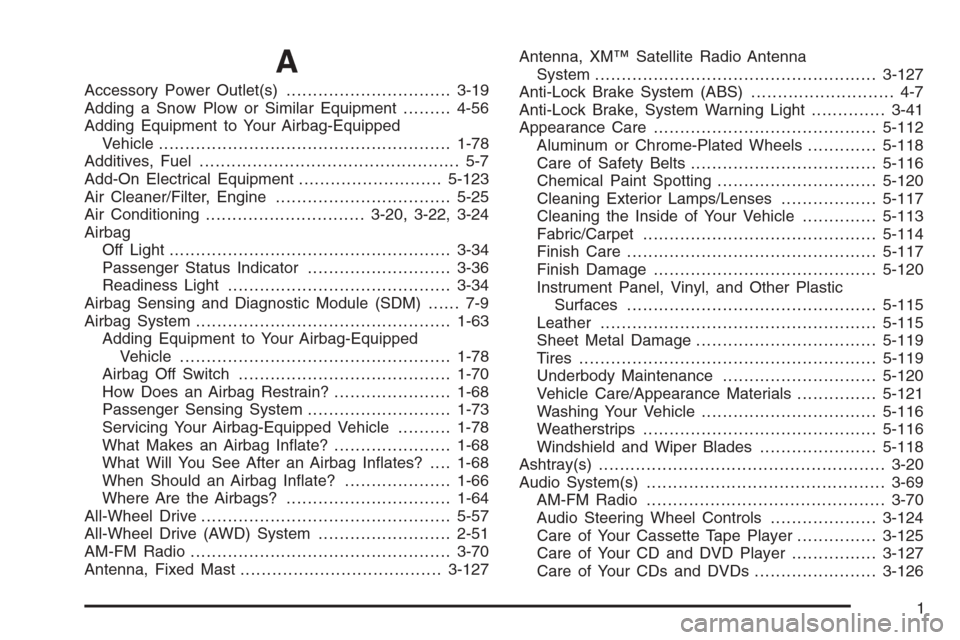
A
Accessory Power Outlet(s)...............................3-19
Adding a Snow Plow or Similar Equipment.........4-56
Adding Equipment to Your Airbag-Equipped
Vehicle.......................................................1-78
Additives, Fuel................................................. 5-7
Add-On Electrical Equipment...........................5-123
Air Cleaner/Filter, Engine.................................5-25
Air Conditioning..............................3-20, 3-22, 3-24
Airbag
Off Light.....................................................3-34
Passenger Status Indicator...........................3-36
Readiness Light..........................................3-34
Airbag Sensing and Diagnostic Module (SDM)...... 7-9
Airbag System................................................1-63
Adding Equipment to Your Airbag-Equipped
Vehicle...................................................1-78
Airbag Off Switch........................................1-70
How Does an Airbag Restrain?......................1-68
Passenger Sensing System...........................1-73
Servicing Your Airbag-Equipped Vehicle..........1-78
What Makes an Airbag Inate?......................1-68
What Will You See After an Airbag Inates?....1-68
When Should an Airbag Inate?....................1-66
Where Are the Airbags?...............................1-64
All-Wheel Drive...............................................5-57
All-Wheel Drive (AWD) System.........................2-51
AM-FM Radio.................................................3-70
Antenna, Fixed Mast......................................3-127Antenna, XM™ Satellite Radio Antenna
System.....................................................3-127
Anti-Lock Brake System (ABS)........................... 4-7
Anti-Lock Brake, System Warning Light..............3-41
Appearance Care..........................................5-112
Aluminum or Chrome-Plated Wheels.............5-118
Care of Safety Belts...................................5-116
Chemical Paint Spotting..............................5-120
Cleaning Exterior Lamps/Lenses..................5-117
Cleaning the Inside of Your Vehicle..............5-113
Fabric/Carpet............................................5-114
Finish Care...............................................5-117
Finish Damage..........................................5-120
Instrument Panel, Vinyl, and Other Plastic
Surfaces...............................................5-115
Leather....................................................5-115
Sheet Metal Damage..................................5-119
Tires........................................................5-119
Underbody Maintenance.............................5-120
Vehicle Care/Appearance Materials...............5-121
Washing Your Vehicle.................................5-116
Weatherstrips............................................5-116
Windshield and Wiper Blades......................5-118
Ashtray(s)......................................................3-20
Audio System(s).............................................3-69
AM-FM Radio.............................................3-70
Audio Steering Wheel Controls....................3-124
Care of Your Cassette Tape Player...............3-125
Care of Your CD and DVD Player................3-127
Care of Your CDs and DVDs .......................3-126
1
Page 568 of 580
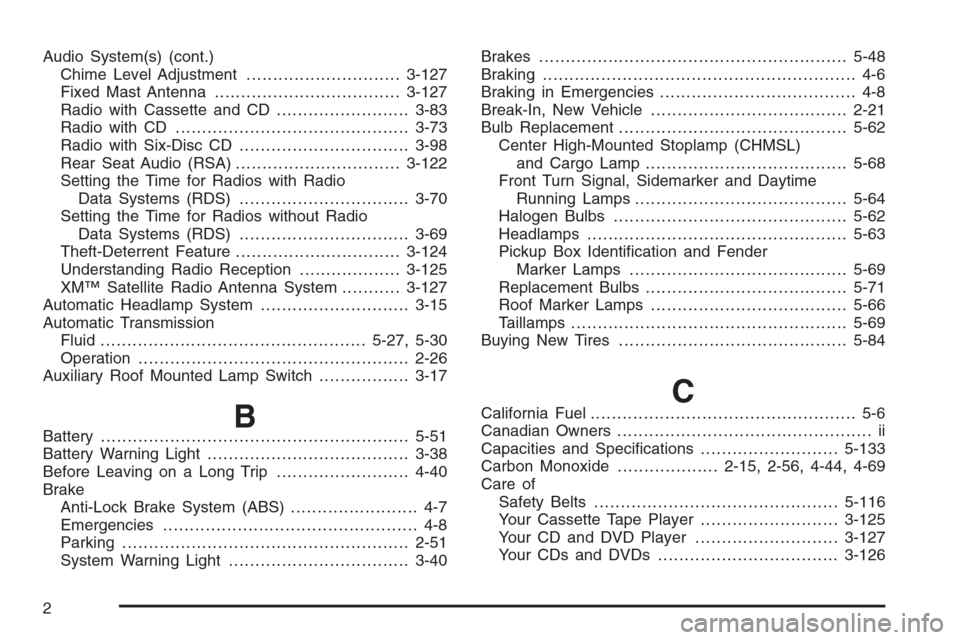
Audio System(s) (cont.)
Chime Level Adjustment.............................3-127
Fixed Mast Antenna...................................3-127
Radio with Cassette and CD.........................3-83
Radio with CD............................................3-73
Radio with Six-Disc CD................................3-98
Rear Seat Audio (RSA)...............................3-122
Setting the Time for Radios with Radio
Data Systems (RDS)................................3-70
Setting the Time for Radios without Radio
Data Systems (RDS)................................3-69
Theft-Deterrent Feature...............................3-124
Understanding Radio Reception...................3-125
XM™ Satellite Radio Antenna System...........3-127
Automatic Headlamp System............................3-15
Automatic Transmission
Fluid..................................................5-27, 5-30
Operation...................................................2-26
Auxiliary Roof Mounted Lamp Switch.................3-17
BBattery..........................................................5-51
Battery Warning Light......................................3-38
Before Leaving on a Long Trip.........................4-40
Brake
Anti-Lock Brake System (ABS)........................ 4-7
Emergencies................................................ 4-8
Parking......................................................2-51
System Warning Light..................................3-40Brakes..........................................................5-48
Braking........................................................... 4-6
Braking in Emergencies..................................... 4-8
Break-In, New Vehicle.....................................2-21
Bulb Replacement...........................................5-62
Center High-Mounted Stoplamp (CHMSL)
and Cargo Lamp......................................5-68
Front Turn Signal, Sidemarker and Daytime
Running Lamps........................................5-64
Halogen Bulbs............................................5-62
Headlamps.................................................5-63
Pickup Box Identication and Fender
Marker Lamps.........................................5-69
Replacement Bulbs......................................5-71
Roof Marker Lamps.....................................5-66
Taillamps....................................................5-69
Buying New Tires...........................................5-84
CCalifornia Fuel.................................................. 5-6
Canadian Owners................................................ ii
Capacities and Specications..........................5-133
Carbon Monoxide...................2-15, 2-56, 4-44, 4-69
Care of
Safety Belts..............................................5-116
Your Cassette Tape Player..........................3-125
Your CD and DVD Player...........................3-127
Your CDs and DVDs ..................................3-126
2
Page 576 of 580
Parking
Brake........................................................2-51
Over Things That Burn.................................2-55
Parking Your Vehicle.......................................2-55
Passenger Airbag Status Indicator.....................3-36
Passenger Sensing System..............................1-73
Passing.........................................................4-17
Passlock
®......................................................2-21
Pickup Conversion to Chassis Cab....................4-63
Power
Accessory Outlet(s)......................................3-19
Door Locks.................................................. 2-9
Electrical System.......................................5-123
Lumbar Controls........................................... 1-4
Retained Accessory (RAP)............................2-23
Seat ............................................................ 1-4
Steering Fluid.............................................5-46
Windows....................................................2-17
Programmable Automatic Door Locks.................2-11
Q
QUADRASTEER™..........................................4-14
Questions and Answers About Safety Belts.........1-14
R
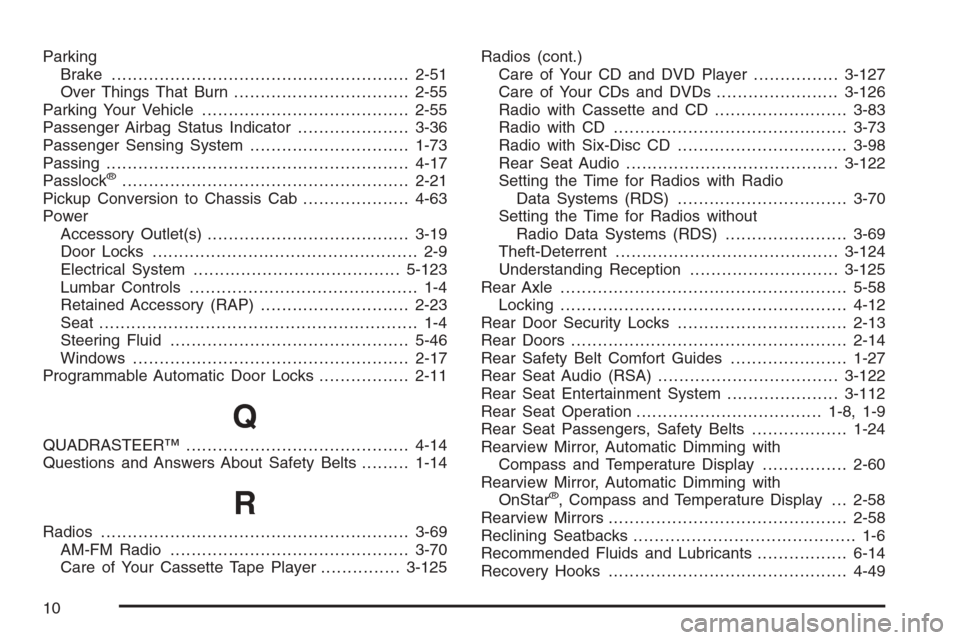
Radios..........................................................3-69
AM-FM Radio.............................................3-70
Care of Your Cassette Tape Player...............3-125Radios (cont.)
Care of Your CD and DVD Player................3-127
Care of Your CDs and DVDs .......................3-126
Radio with Cassette and CD.........................3-83
Radio with CD............................................3-73
Radio with Six-Disc CD................................3-98
Rear Seat Audio........................................3-122
Setting the Time for Radios with Radio
Data Systems (RDS)................................3-70
Setting the Time for Radios without
Radio Data Systems (RDS).......................3-69
Theft-Deterrent..........................................3-124
Understanding Reception............................3-125
Rear Axle......................................................5-58
Locking......................................................4-12
Rear Door Security Locks................................2-13
Rear Doors....................................................2-14
Rear Safety Belt Comfort Guides......................1-27
Rear Seat Audio (RSA)..................................3-122
Rear Seat Entertainment System.....................3-112
Rear Seat Operation...................................1-8, 1-9
Rear Seat Passengers, Safety Belts..................1-24
Rearview Mirror, Automatic Dimming with
Compass and Temperature Display................2-60
Rearview Mirror, Automatic Dimming with
OnStar
®, Compass and Temperature Display . . . 2-58
Rearview Mirrors.............................................2-58
Reclining Seatbacks.......................................... 1-6
Recommended Fluids and Lubricants.................6-14
Recovery Hooks.............................................4-49
10
Page 578 of 580
Securing a Child Restraint (cont.)
Rear Outside Seat Position...........................1-47
Right Front Seat Position (Crew Cab).............1-52
Right Front Seat Position (Regular
and Extended Cab)..........................1-54, 1-59
Security Light.................................................3-47
Service........................................................... 5-4
Adding Equipment to the Outside of
Your Vehicle.............................................. 5-5
Doing Your Own Work................................... 5-4
Engine Soon Light.......................................3-44
Publications Ordering Information...................7-11
Servicing Your Airbag-Equipped Vehicle..............1-78
Setting the Time
Radios with Radio Data Systems (RDS).........3-70
Radios without Radio Data Systems (RDS).....3-69
Sheet Metal Damage.....................................5-119
Shifting Into Park (P).......................................2-52
Shifting Out of Park (P)...................................2-54
Signals, Turn and Lane-Change.......................... 3-7
Sliding Rear Windows.....................................2-18
Snow Plow....................................................4-56
Spare Tire....................................................5-112
Installing....................................................5-96
Removing...................................................5-92
Storing.....................................................5-108
Specications, Capacities...............................5-133
Speedometer..................................................3-33
Starting Your Engine.......................................2-23
Steering........................................................4-12Steering Wheel Controls, Audio.......................3-124
Steering Wheel, Tilt Wheel................................. 3-6
Storage Areas
Center Console Storage Area........................2-75
Coinholder(s)..............................................2-75
Cupholder(s)...............................................2-75
Front Storage Area......................................2-75
Glove Box..................................................2-75
Stuck in Sand, Mud, Ice or Snow......................4-48
Sun Visors.....................................................2-18
Sunroof.........................................................2-78
Swing-Out Windows........................................2-18
T
Tachometer....................................................3-33
Tailgate.........................................................2-15
Taillamps.......................................................5-69
Theft-Deterrent, Radio....................................3-124
Theft-Deterrent Systems...................................2-19
Content Theft-Deterrent................................2-19
Passlock
®...................................................2-21
Tilt Wheel........................................................ 3-6
Tires.............................................................5-73
Aluminum or Chrome-Plated Wheels,
Cleaning...............................................5-118
Buying New Tires........................................5-84
Chains.......................................................5-89
Changing a Flat Tire....................................5-91
12
Page 579 of 580
Tires (cont.)
Cleaning...................................................5-119
Dual Tire Operation.....................................5-81
If a Tire Goes Flat.......................................5-90
Ination -- Tire Pressure...............................5-80
Inspection and Rotation................................5-82
Installing the Spare Tire................................5-96
Removing the Flat Tire.................................5-96
Removing the Spare Tire and Tools...............5-92
Secondary Latch System............................5-105
Spare Tire................................................5-112
Storing a Flat or Spare Tire and Tools..........5-108
Tire Sidewall Labelling..................................5-74
Tire Terminology and Denitions....................5-77
Uniform Tire Quality Grading.........................5-86
Wheel Alignment and Tire Balance.................5-87
Wheel Replacement.....................................5-87
When It Is Time for New Tires......................5-84
Tonneau Cover...............................................2-76
Top Strap......................................................1-40
Top Strap Anchor Location...............................1-42
Tow/Haul Mode ...............................................2-30
Tow/Haul Mode Light.......................................3-48
Tow/Haul Mode, Overdrive Disable....................3-48
Towing
Power Take-Off (PTO)................................4-101
Recreational Vehicle.....................................4-63Towing (cont.)
Towing a Trailer..........................................4-69
Your Vehicle...............................................4-63
Traction
Assist System (TAS)...................................... 4-8
Manual Selectable Ride................................4-11
Off Light.....................................................3-41
Trailer
Recommendations.......................................4-69
Transmission
Fluid, Automatic..................................5-27, 5-30
Fluid, Manual..............................................5-33
Temperature Gage.......................................3-42
Up-Shift Light..............................................3-39
Transmission Operation, Automatic....................2-26
Transmission Operation, Manual........................2-32
Trip Odometer................................................3-33
Truck-Camper Loading Information....................4-61
Turn and Lane-Change Signals.......................... 3-7
Turn Signal/Multifunction Lever........................... 3-7
U
Understanding Radio Reception.......................3-125
Uniform Tire Quality Grading............................5-86
Up-Shift Light.................................................3-39
13
Page 580 of 580
V
Vehicle
Control........................................................ 4-5
Damage Warnings........................................... iv
Loading......................................................4-50
Parking Your...............................................2-55
Symbols......................................................... iv
Vehicle Customization, DIC..............................3-63
Vehicle Data Collection and Event
Data Recorders............................................. 7-9
Vehicle Identication
Number (VIN)............................................5-122
Service Parts Identication Label..................5-122
Vehicle Personalization
Memory Seat..............................................2-79
Ventilation Adjustment......................................3-30
Visors...........................................................2-18
Voltmeter Gage..............................................3-39
W
Warning Lights, Gages and Indicators................3-31
Warnings
DIC Warnings and Messages........................3-54
Hazard Warning Flashers............................... 3-6
Other Warning Devices.................................. 3-6
Safety and Symbols......................................... iii
Vehicle Damage.............................................. ivWheels
Alignment and Tire Balance..........................5-87
Replacement...............................................5-87
Where to Put the Restraint...............................1-38
Windows.......................................................2-16
Manual......................................................2-16
Power ........................................................2-17
Sliding Rear................................................2-18
Swing-Out Windows.....................................2-18
Windshield
Wiper Blades, Cleaning..............................5-118
Windshield Washer.........................................3-10
Fluid..........................................................5-47
Windshield Wiper
Blade Replacement......................................5-72
Fuses......................................................5-123
Windshield Wipers......................................... 3-9
Winter Driving................................................4-44
X
XM™ Satellite Radio Antenna System..............3-127
Y
Your Vehicle and the Environment....................... 6-2
14