door lock CHEVROLET SILVERADO 2005 1.G Owners Manual
[x] Cancel search | Manufacturer: CHEVROLET, Model Year: 2005, Model line: SILVERADO, Model: CHEVROLET SILVERADO 2005 1.GPages: 580, PDF Size: 3.44 MB
Page 1 of 580
Seats and Restraint Systems........................... 1-1
Front Seats
............................................... 1-3
Rear Seats
............................................... 1-8
Safety Belts
.............................................1-10
Child Restraints
.......................................1-30
Airbag System
.........................................1-63
Restraint System Check
............................1-79
Features and Controls..................................... 2-1
Keys
........................................................ 2-3
Doors and Locks
....................................... 2-8
Windows
.................................................2-16
Theft-Deterrent Systems
............................2-19
Starting and Operating Your Vehicle
...........2-21
Mirrors
....................................................2-58
OnStar
®System
......................................2-68
HomeLink®Wireless Control System
...........2-70
Storage Areas
.........................................2-75
Sunroof
..................................................2-78
Vehicle Personalization
.............................2-79
Instrument Panel............................................. 3-1
Instrument Panel Overview
.......................... 3-4
Climate Controls
......................................3-20
Warning Lights, Gages, and Indicators
........3-31
Driver Information Center (DIC)
..................3-50
Audio System(s)
.......................................3-69Driving Your Vehicle....................................... 4-1
Your Driving, the Road, and Your Vehicle
..... 4-2
Towing
...................................................4-63
Service and Appearance Care.......................... 5-1
Service
..................................................... 5-4
Fuel
......................................................... 5-5
Checking Things Under the Hood
...............5-12
All-Wheel Drive
........................................5-57
Rear Axle
...............................................5-58
Four-Wheel Drive
.....................................5-59
Front Axle
...............................................5-60
Noise Control System
...............................5-61
Bulb Replacement
....................................5-62
Windshield Wiper Blade Replacement
.........5-72
Tires
......................................................5-73
Appearance Care
...................................5-112
Vehicle Identication
...............................5-122
Electrical System
....................................5-123
Capacities and Specications
...................5-133
Maintenance Schedule..................................... 6-1
Maintenance Schedule
................................ 6-2
Customer Assistance and Information.............. 7-1
Customer Assistance and Information
........... 7-2
Reporting Safety Defects
...........................7-10
Index................................................................ 1
2005 Chevrolet Silverado Owner ManualM
Page 21 of 580
Q:If I am a good driver, and I never drive far from
home, why should I wear safety belts?
A:You may be an excellent driver, but if you are in an
accident — even one that is not your fault — you
and your passengers can be hurt. Being a good
driver does not protect you from things beyond your
control, such as bad drivers.
Most accidents occur within 25 miles (40 km) of
home. And the greatest number of serious injuries
and deaths occur at speeds of less than 40 mph
(65 km/h).
Safety belts are for everyone.
How to Wear Safety Belts Properly
This part is only for people of adult size.
Be aware that there are special things to know about
safety belts and children. And there are different
rules for smaller children and babies. If a child will be
riding in your vehicle, seeOlder Children on page 1-30
orInfants and Young Children on page 1-32. Follow
those rules for everyone’s protection.
First, you will want to know which restraint systems your
vehicle has.
We will start with the driver position.
Driver Position
Lap-Shoulder Belt
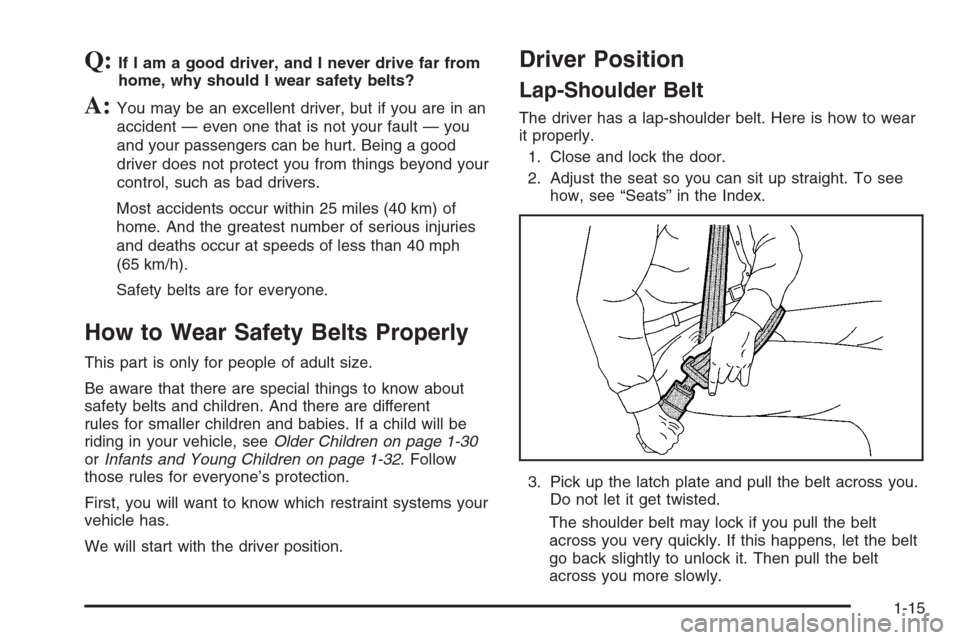
The driver has a lap-shoulder belt. Here is how to wear
it properly.
1. Close and lock the door.
2. Adjust the seat so you can sit up straight. To see
how, see “Seats” in the Index.
3. Pick up the latch plate and pull the belt across you.
Do not let it get twisted.
The shoulder belt may lock if you pull the belt
across you very quickly. If this happens, let the belt
go back slightly to unlock it. Then pull the belt
across you more slowly.
1-15
Page 87 of 580
Keys...............................................................2-3
Remote Keyless Entry System.........................2-5
Remote Keyless Entry System Operation...........2-6
Doors and Locks.............................................2-8
Door Locks....................................................2-8
Power Door Locks..........................................2-9
Delayed Locking...........................................2-10
Programmable Automatic Door Locks..............2-11
Rear Door Security Locks (Crew Cab).............2-13
Lockout Protection........................................2-13
Rear Doors..................................................2-14
Tailgate.......................................................2-15
Windows........................................................2-16
Manual Windows..........................................2-16
Power Windows............................................2-17
Swing-Out Windows......................................2-18
Sliding Rear Window.....................................2-18
Sun Visors...................................................2-18
Theft-Deterrent Systems..................................2-19
Content Theft-Deterrent.................................2-19
Passlock
®....................................................2-21Starting and Operating Your Vehicle................2-21
New Vehicle Break-In....................................2-21
Ignition Positions..........................................2-22
Retained Accessory Power (RAP)...................2-23
Starting the Engine.......................................2-23
Engine Coolant Heater..................................2-25
Automatic Transmission Operation...................2-26
Tow/Haul Mode............................................2-30
Manual Transmission Operation......................2-32
Four-Wheel Drive..........................................2-37
All-Wheel Drive............................................2-51
Parking Brake..............................................2-51
Shifting Into Park (P)
(Automatic Transmission)............................2-52
Shifting Out of Park (P)
(Automatic Transmission)............................2-54
Parking Your Vehicle
(Manual Transmission)...............................2-55
Parking Over Things That Burn.......................2-55
Engine Exhaust............................................2-56
Running the Engine While Parked...................2-56
Section 2 Features and Controls
2-1
Page 90 of 580
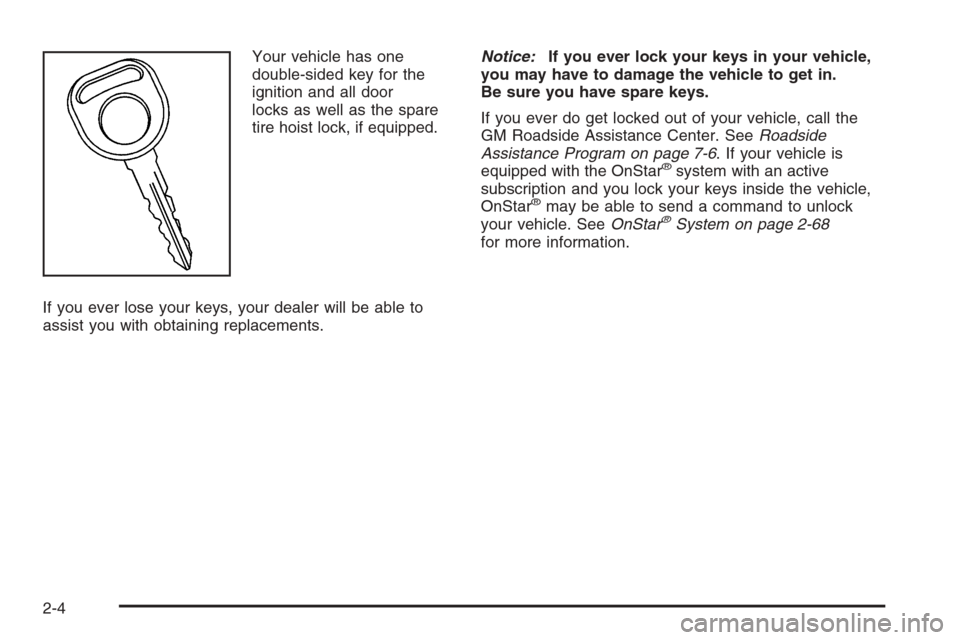
Your vehicle has one
double-sided key for the
ignition and all door
locks as well as the spare
tire hoist lock, if equipped.
If you ever lose your keys, your dealer will be able to
assist you with obtaining replacements.Notice:If you ever lock your keys in your vehicle,
you may have to damage the vehicle to get in.
Be sure you have spare keys.
If you ever do get locked out of your vehicle, call the
GM Roadside Assistance Center. SeeRoadside
Assistance Program on page 7-6. If your vehicle is
equipped with the OnStar
®system with an active
subscription and you lock your keys inside the vehicle,
OnStar
®may be able to send a command to unlock
your vehicle. SeeOnStar®System on page 2-68
for more information.
2-4
Page 92 of 580
Remote Keyless Entry System
Operation
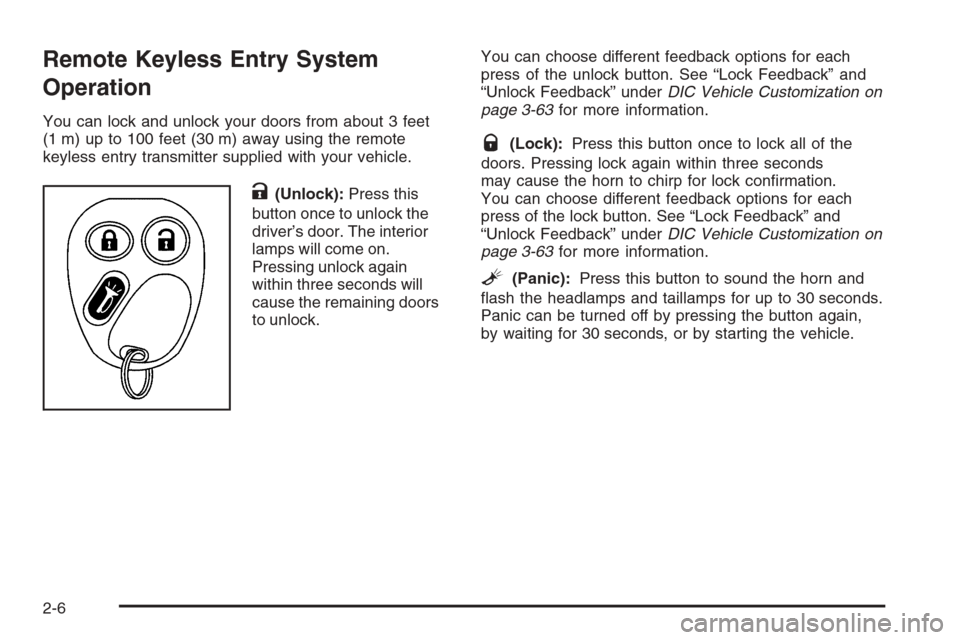
You can lock and unlock your doors from about 3 feet
(1 m) up to 100 feet (30 m) away using the remote
keyless entry transmitter supplied with your vehicle.
K(Unlock):Press this
button once to unlock the
driver’s door. The interior
lamps will come on.
Pressing unlock again
within three seconds will
cause the remaining doors
to unlock.You can choose different feedback options for each
press of the unlock button. See “Lock Feedback” and
“Unlock Feedback” underDIC Vehicle Customization on
page 3-63for more information.
Q(Lock):Press this button once to lock all of the
doors. Pressing lock again within three seconds
may cause the horn to chirp for lock conrmation.
You can choose different feedback options for each
press of the lock button. See “Lock Feedback” and
“Unlock Feedback” underDIC Vehicle Customization on
page 3-63for more information.
L(Panic):Press this button to sound the horn and
ash the headlamps and taillamps for up to 30 seconds.
Panic can be turned off by pressing the button again,
by waiting for 30 seconds, or by starting the vehicle.
2-6
Page 94 of 580
Resynchronization
Resynchronization may be necessary due to the
security method used by this system. The transmitter
does not send the same signal twice to the receiver.
The receiver will not respond to a signal that has been
sent previously. This prevents anyone from recording
and playing back the signal from the transmitter.
To resynchronize your transmitter, stand close to your
vehicle and press and hold the lock and unlock
buttons on the transmitter at the same time for
15 seconds. The door locks should cycle to conrm
synchronization. If the locks do not cycle, see your
dealer for service.
Doors and Locks
Door Locks
{CAUTION:
Unlocked doors can be dangerous.
Passengers — especially children — can
easily open the doors and fall out of a
moving vehicle. When a door is locked,
the handle will not open it. You increase
the chance of being thrown out of the
vehicle in a crash if the doors are not
locked. So, wear safety belts properly and
lock the doors whenever you drive.
Young children who get into unlocked
vehicles may be unable to get out. A child
can be overcome by extreme heat and can
suffer permanent injuries or even death
from heat stroke. Always lock your vehicle
whenever you leave it.
Outsiders can easily enter through an
unlocked door when you slow down or
stop your vehicle. Locking your doors can
help prevent this from happening.
2-8
Page 95 of 580
There are several ways to lock and unlock your vehicle.
You can use the keyless entry system, if equipped,
or you can also use your key.
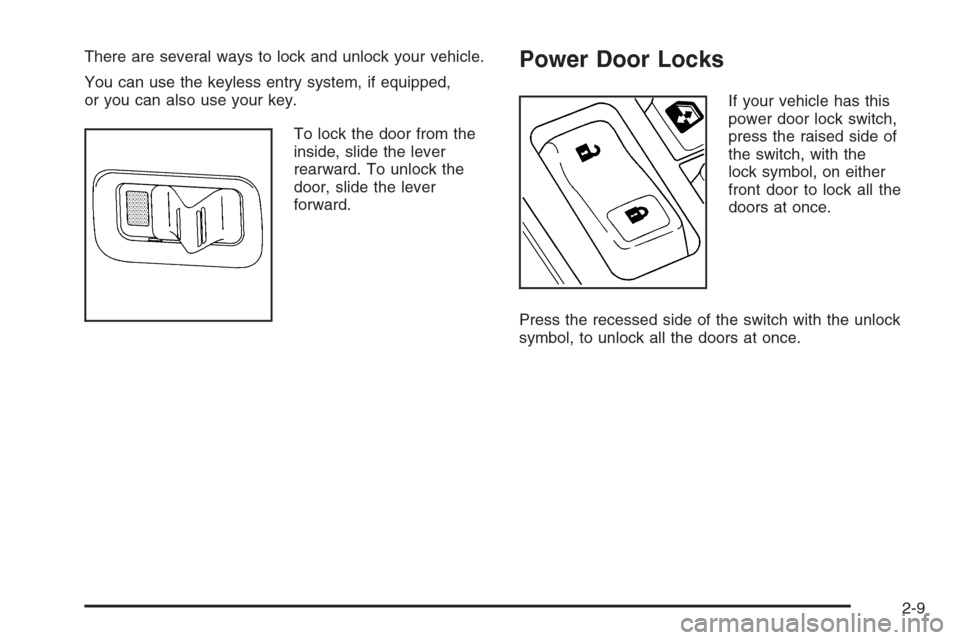
To lock the door from the
inside, slide the lever
rearward. To unlock the
door, slide the lever
forward.Power Door Locks
If your vehicle has this
power door lock switch,
press the raised side of
the switch, with the
lock symbol, on either
front door to lock all the
doors at once.
Press the recessed side of the switch with the unlock
symbol, to unlock all the doors at once.
2-9
Page 96 of 580
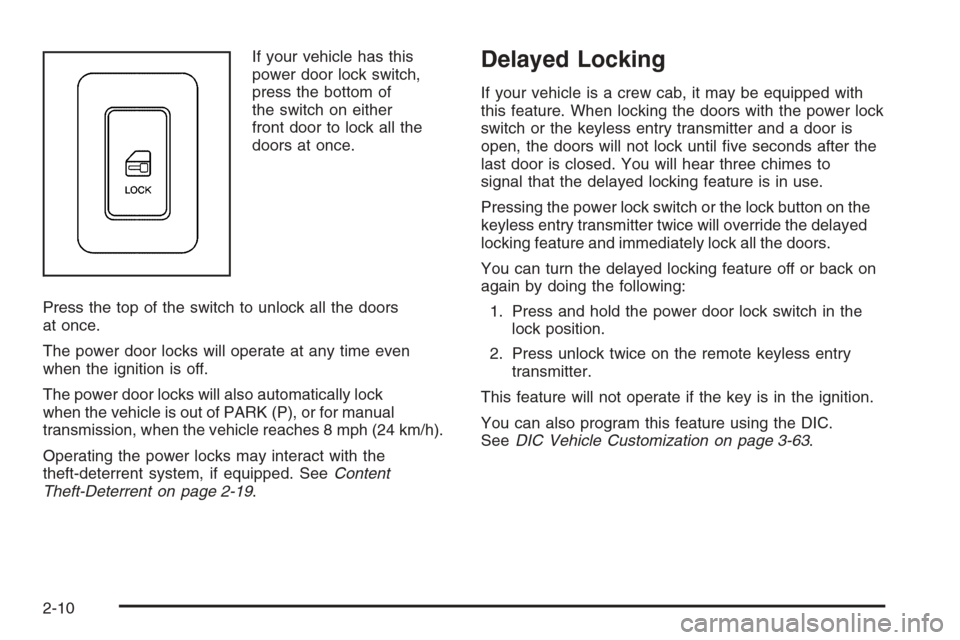
If your vehicle has this
power door lock switch,
press the bottom of
the switch on either
front door to lock all the
doors at once.
Press the top of the switch to unlock all the doors
at once.
The power door locks will operate at any time even
when the ignition is off.
The power door locks will also automatically lock
when the vehicle is out of PARK (P), or for manual
transmission, when the vehicle reaches 8 mph (24 km/h).
Operating the power locks may interact with the
theft-deterrent system, if equipped. SeeContent
Theft-Deterrent on page 2-19.Delayed Locking
If your vehicle is a crew cab, it may be equipped with
this feature. When locking the doors with the power lock
switch or the keyless entry transmitter and a door is
open, the doors will not lock until ve seconds after the
last door is closed. You will hear three chimes to
signal that the delayed locking feature is in use.
Pressing the power lock switch or the lock button on the
keyless entry transmitter twice will override the delayed
locking feature and immediately lock all the doors.
You can turn the delayed locking feature off or back on
again by doing the following:
1. Press and hold the power door lock switch in the
lock position.
2. Press unlock twice on the remote keyless entry
transmitter.
This feature will not operate if the key is in the ignition.
You can also program this feature using the DIC.
SeeDIC Vehicle Customization on page 3-63.
2-10
Page 97 of 580
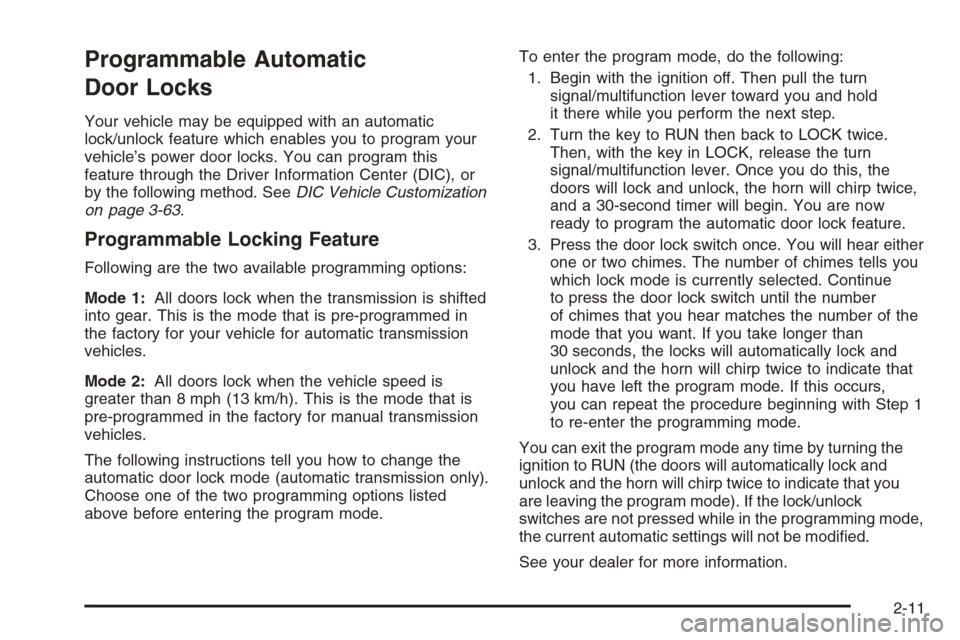
Programmable Automatic
Door Locks
Your vehicle may be equipped with an automatic
lock/unlock feature which enables you to program your
vehicle’s power door locks. You can program this
feature through the Driver Information Center (DIC), or
by the following method. SeeDIC Vehicle Customization
on page 3-63.
Programmable Locking Feature
Following are the two available programming options:
Mode 1:All doors lock when the transmission is shifted
into gear. This is the mode that is pre-programmed in
the factory for your vehicle for automatic transmission
vehicles.
Mode 2:All doors lock when the vehicle speed is
greater than 8 mph (13 km/h). This is the mode that is
pre-programmed in the factory for manual transmission
vehicles.
The following instructions tell you how to change the
automatic door lock mode (automatic transmission only).
Choose one of the two programming options listed
above before entering the program mode.To enter the program mode, do the following:
1. Begin with the ignition off. Then pull the turn
signal/multifunction lever toward you and hold
it there while you perform the next step.
2. Turn the key to RUN then back to LOCK twice.
Then, with the key in LOCK, release the turn
signal/multifunction lever. Once you do this, the
doors will lock and unlock, the horn will chirp twice,
and a 30-second timer will begin. You are now
ready to program the automatic door lock feature.
3. Press the door lock switch once. You will hear either
one or two chimes. The number of chimes tells you
which lock mode is currently selected. Continue
to press the door lock switch until the number
of chimes that you hear matches the number of the
mode that you want. If you take longer than
30 seconds, the locks will automatically lock and
unlock and the horn will chirp twice to indicate that
you have left the program mode. If this occurs,
you can repeat the procedure beginning with Step 1
to re-enter the programming mode.
You can exit the program mode any time by turning the
ignition to RUN (the doors will automatically lock and
unlock and the horn will chirp twice to indicate that you
are leaving the program mode). If the lock/unlock
switches are not pressed while in the programming mode,
the current automatic settings will not be modied.
See your dealer for more information.
2-11
Page 98 of 580
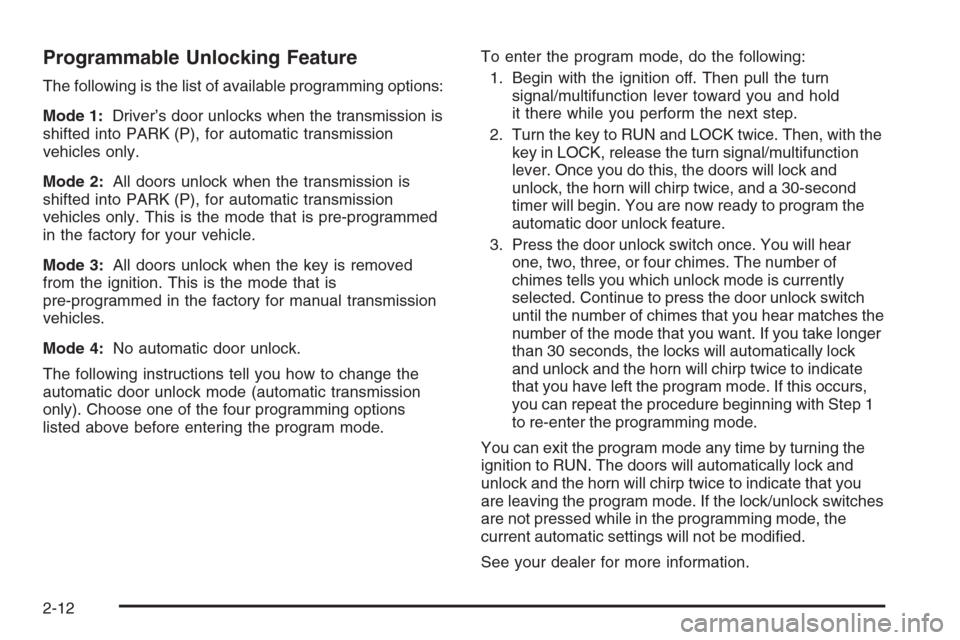
Programmable Unlocking Feature
The following is the list of available programming options:
Mode 1:Driver’s door unlocks when the transmission is
shifted into PARK (P), for automatic transmission
vehicles only.
Mode 2:All doors unlock when the transmission is
shifted into PARK (P), for automatic transmission
vehicles only. This is the mode that is pre-programmed
in the factory for your vehicle.
Mode 3:All doors unlock when the key is removed
from the ignition. This is the mode that is
pre-programmed in the factory for manual transmission
vehicles.
Mode 4:No automatic door unlock.
The following instructions tell you how to change the
automatic door unlock mode (automatic transmission
only). Choose one of the four programming options
listed above before entering the program mode.To enter the program mode, do the following:
1. Begin with the ignition off. Then pull the turn
signal/multifunction lever toward you and hold
it there while you perform the next step.
2. Turn the key to RUN and LOCK twice. Then, with the
key in LOCK, release the turn signal/multifunction
lever. Once you do this, the doors will lock and
unlock, the horn will chirp twice, and a 30-second
timer will begin. You are now ready to program the
automatic door unlock feature.
3. Press the door unlock switch once. You will hear
one, two, three, or four chimes. The number of
chimes tells you which unlock mode is currently
selected. Continue to press the door unlock switch
until the number of chimes that you hear matches the
number of the mode that you want. If you take longer
than 30 seconds, the locks will automatically lock
and unlock and the horn will chirp twice to indicate
that you have left the program mode. If this occurs,
you can repeat the procedure beginning with Step 1
to re-enter the programming mode.
You can exit the program mode any time by turning the
ignition to RUN. The doors will automatically lock and
unlock and the horn will chirp twice to indicate that you
are leaving the program mode. If the lock/unlock switches
are not pressed while in the programming mode, the
current automatic settings will not be modied.
See your dealer for more information.
2-12