odometer CHEVROLET SILVERADO 2006 1.G User Guide
[x] Cancel search | Manufacturer: CHEVROLET, Model Year: 2006, Model line: SILVERADO, Model: CHEVROLET SILVERADO 2006 1.GPages: 594, PDF Size: 3.41 MB
Page 235 of 594
OIL LIFE RESET
This message will appear on the display for about
10 seconds after resetting the change engine oil
message. See “Engine Oil Life System” underDIC
Operation and Displays on page 3-52andEngine Oil
(Gasoline Engine) on page 5-20for more information.
OIL PRESSURE LOW
Notice:If you drive your vehicle while the engine
oil pressure is low, severe engine damage may
occur. If a low oil pressure warning appears on the
Driver Information Center (DIC), stop the vehicle
as soon as possible. Do not drive the vehicle until
the cause of the low oil pressure is corrected.
SeeEngine Oil (Gasoline Engine) on page 5-20for
more information.
If low oil pressure levels occur, this message will be
displayed on the DIC and a chime will sound. Stop the
vehicle as soon as safely possible and do not operate
it until the cause of the low oil pressure has been
corrected. Check your oil as soon as possible and have
your vehicle serviced by your GM dealer. SeeEngine
Oil (Gasoline Engine) on page 5-20.
PASSENGER DOOR AJAR
If the passenger’s door is not fully closed, this message
will appear on the display and you will hear a chime.
Stop and turn off the vehicle, check the door for
obstacles and close the door again. Check to see if the
message still appears on the DIC. Pressing any of
the four DIC buttons will acknowledge the message and
clear it from the DIC display. If your vehicle does not
have the four DIC buttons, pressing the trip odometer
reset stem will acknowledge the message and clear
it from the DIC display.
RANGE SHIFT INHIBITED
(Allison Transmission®Only)
If the transmission is unable to shift into a selected
gear, this message will appear on the DIC. The
electronic shift position indicator on the instrument panel
cluster may blink when this occurs. To make the
vehicle shift to the requested gear, you may have to
shift back to PARK (P) or NEUTRAL (N) and re-select
the desired gear.
3-59
Page 236 of 594
REDUCED ENGINE POWER
This message is displayed when the cooling system
temperature gets too hot and the engine further enters
the engine coolant protection mode. SeeEngine
Overheating on page 5-37for further information.
This message will also display when the vehicle’s engine
power is reduced. Reduced engine power can affect
the vehicle’s ability to accelerate. If this message is on,
but there is no reduction in performance, proceed to
your destination. The performance may be reduced the
next time the vehicle is driven. The vehicle may be
driven at a reduced speed while this message is on, but
acceleration and speed may be reduced. Anytime this
message stays on, the vehicle should be taken to
your GM dealer for service as soon as possible.
RIGHT REAR DOOR AJAR (Crew Cab)
If the passenger’s side rear door is not fully closed,
this message will appear on the display and you
will hear a chime. Stop and turn off the vehicle, check
the door for obstacles and close the door again.
Check to see if the message still appears on the DIC.
Pressing any of the four DIC buttons will acknowledge
the message and clear it from the DIC display. If
your vehicle does not have the four DIC buttons,
pressing the trip odometer reset stem will acknowledge
the message and clear it from the DIC display.
SERVICE 4WD (Four-Wheel-Drive)
If a problem occurs with the four-wheel-drive system,
this message will appear on the DIC. If this message
appears, stop as soon as possible and turn off the
vehicle. Restart the vehicle and check for the message
on the DIC display. If the message is still displayed
or appears again when you begin driving, the
four-wheel-drive system needs service. See your
GM dealer.
SERVICE AIRBAG
If there is a problem with the airbag system, this
message will be displayed on the DIC. Have your
GM dealer inspect the system for problems. SeeAirbag
Readiness Light on page 3-33andAirbag System on
page 1-71for more information. Pressing any of the
four DIC buttons will acknowledge the message
and clear it from the DIC display. If your vehicle does
not have the four DIC buttons, pressing the trip
odometer reset stem will acknowledge the message
and clear it from the DIC display.
3-60
Page 238 of 594
SERVICE CHARGING SYSTEM
On some vehicles, if there is a problem with the battery
charging system, this message will appear on the
DIC. Under certain conditions, the battery warning light
may also turn on in the instrument panel cluster.
SeeBattery Warning Light on page 3-39. The battery
will not be charging at an optimal rate and the vehicle
will lose the ability to enter the fuel economy mode. The
vehicle is safe to drive, however you should have the
electrical system checked by your GM dealer. Pressing
any of the four DIC buttons will acknowledge the
message and clear it from the DIC display. If your
vehicle does not have the four DIC buttons, pressing
the trip odometer reset stem will acknowledge the
message and clear it from the DIC display.
TIGHTEN FUEL CAP
If the vehicle’s fuel cap is not tightened properly, this
message may appear along with the check engine light
on the instrument panel. SeeMalfunction Indicator
Lamp on page 3-45. Fully reinstall the fuel cap.
SeeFilling the Tank on page 5-10. The diagnostic
system can determine if the fuel cap has been left off or
improperly installed. A loose or missing fuel cap will
allow fuel to evaporate into the atmosphere. A few
driving trips with the cap properly installed should turn
the light and message off.
TRACTION ACTIVE
When the traction control system had detected that any
of the vehicle’s wheels are slipping, the traction
control system will activate and this message will appear
on the DIC. For more information, seeTraction Assist
System (TAS) on page 4-9.
TRANS (Transmission) HOT IDLE
ENGINE
Notice:If you drive your vehicle while the
transmission uid is overheating and the
transmission temperature warning is displayed on
the instrument panel cluster and/or DIC, you
can damage the transmission. This could lead to
costly repairs that would not be covered by
your warranty. Do not drive your vehicle with
overheated transmission uid or while the
transmission temperature warning is displayed.
If the transmission uid in the vehicle gets hot,
this message will appear on the DIC along with a
continuous chime. Driving with the transmission uid
temperature high can cause damage to the vehicle. Stop
the vehicle and let it idle to allow the transmission to
cool. This message will clear and the chime will
stop when the uid temperature reaches a safe level.
SeeTransmission Temperature Gage on page 3-43.
3-62
Page 240 of 594
TURN SIGNAL ON
If a turn signal is left on for 3/4 of a mile (1.2 km), this
message will appear on the display and you will hear a
chime. Move the turn signal/multifunction lever to the
off position. Pressing any of the four DIC buttons
will acknowledge the message and clear it from the
DIC display. If your vehicle does not have the four DIC
buttons, pressing the trip odometer reset stem will
acknowledge the message and clear it from the DIC
display.
DIC Vehicle Customization
Your vehicle may have customization capabilities that
allow you to program some features to one setting
based on your preference. All of the customizable
options listed may not be available on your vehicle.
Only the options available will be displayed on
your Driver Information Center (DIC).
The default settings for the customization features were
set when your vehicle left the factory, but may have
been changed from their default state since then.To change feature preferences, make sure the ignition
is on and the vehicle is in PARK (P). Press the
customization button to scroll through the available
customizable options.
After pressing the customization button, VEHICLE
SETTINGS will momentarily display before going to a
customization option.
Lock Doors (Automatic Transmission only)
If you have an automatic transmission vehicle, press
the customization button until LOCK DOORS appears in
the display. To select your preference for automatic
locking, press the select button while LOCK DOORS is
displayed on the DIC. Pressing the select button will
scroll through the following choices:
LOCK DOORS: IN GEAR (default):The doors will lock
when the vehicle is shifted out of PARK (P).
LOCK DOORS: WITH SPEED:The doors will lock
when the vehicle speed is above 8 mph (13 km/h) for
three seconds.
Choose one of the available options and press the
customization button while it is displayed on the DIC to
select it and move on to the next feature. For more
information on automatic door locks, seeProgrammable
Automatic Door Locks on page 2-10.
3-64
Page 245 of 594

Language
To select your preference for display language, press
the select button while LANGUAGE is displayed on the
DIC. Pressing the select button will scroll through the
following languages:
ENGLISH
FRANCAIS (French)
ESPANOL (Spanish)
Choose one of the available options and press the
customization button while it is displayed on the DIC to
select it.
If you accidentally choose a language that you do not
want or understand, press and hold the customization
button and the trip information button at the same
time. The DIC will begin scrolling through the languages
in their particular language. English will be in English,
Francais will be in French and Espanol will be in
Spanish. When you see the language that you would
like, release both buttons. The DIC will then display the
information in the language you chose.
You can also scroll through the different languages by
pressing and holding the trip reset stem for four seconds,
as long as you are in the odometer mode.
Display Units
Press the customization button until DISPLAY UNITS
appears in the display. To select English or metric, press
the select button while DISPLAY UNITS is displayed
on the DIC. Pressing the select button will scroll through
the following choices:
DISPLAY UNITS: ENGLISH
DISPLAY UNITS: METRIC
If you choose English, all information will be displayed
in English units. For example, distance in miles and fuel
economy in miles per gallon. If you choose metric, all
information will be displayed in metric units. For
example, distance in kilometers and fuel economy in
liters per 100 kilometers.
Choose one of the available options and press the
customization button while it is displayed on the DIC to
select it and end out of the customizable options.
3-69
Page 495 of 594
Each new wheel should have the same load-carrying
capacity, diameter, width, offset and be mounted
the same way as the one it replaces.
If you need to replace any of your wheels, wheel bolts
or wheel nuts, replace them only with new GM
original equipment parts. This way, you will be sure to
have the right wheel, wheel bolts and wheel nuts
for your vehicle.
{CAUTION:
Using the wrong replacement wheels, wheel
bolts, or wheel nuts on your vehicle can be
dangerous. It could affect the braking and
handling of your vehicle, make your tires lose
air and make you lose control. You could have
a collision in which you or others could be
injured. Always use the correct wheel, wheel
bolts, and wheel nuts for replacement.
Notice:The wrong wheel can also cause problems
with bearing life, brake cooling, speedometer or
odometer calibration, headlamp aim, bumper height,
vehicle ground clearance, and tire or tire chain
clearance to the body and chassis.Whenever a wheel, wheel bolt or wheel nut is
replaced on a dual wheel setup, check the wheel
nut torque after 100, 1,000 and 6,000 miles
(160, 1 600 and 10 000 km) of driving. For proper
torque, see “Wheel Nut Torque” underCapacities and
Specications on page 5-134.
SeeChanging a Flat Tire on page 5-94for more
information.
Used Replacement Wheels
{CAUTION:
Putting a used wheel on your vehicle is
dangerous. You cannot know how it has been
used or how far it has been driven. It could fail
suddenly and cause a crash. If you have to
replace a wheel, use a new GM original
equipment wheel.
5-91
Page 560 of 594
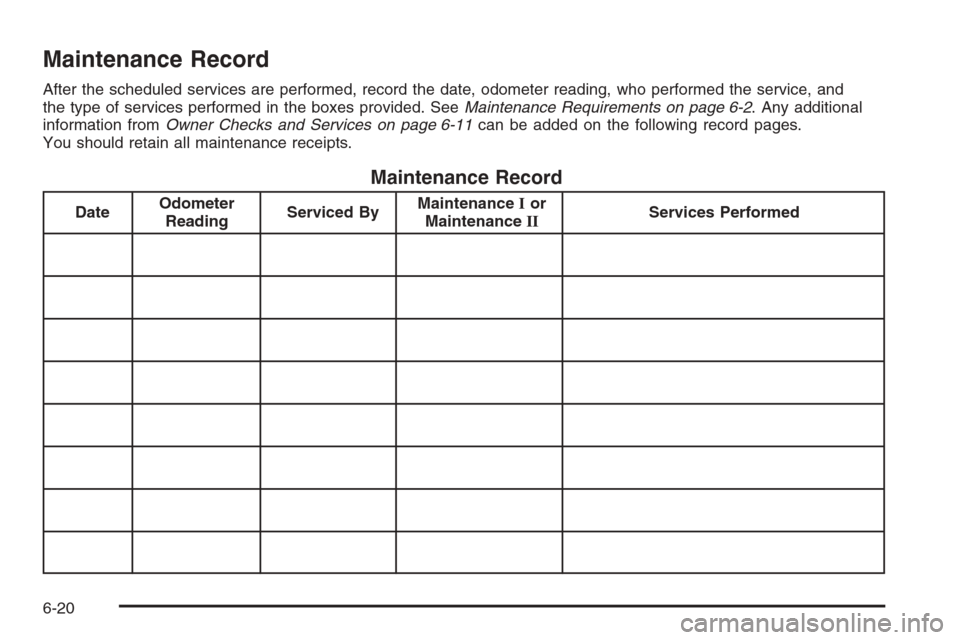
Maintenance Record
After the scheduled services are performed, record the date, odometer reading, who performed the service, and
the type of services performed in the boxes provided. SeeMaintenance Requirements on page 6-2. Any additional
information fromOwner Checks and Services on page 6-11can be added on the following record pages.
You should retain all maintenance receipts.
Maintenance Record
DateOdometer
ReadingServiced ByMaintenanceIor
MaintenanceIIServices Performed
6-20
Page 561 of 594
Maintenance Record (cont’d)
DateOdometer
ReadingServiced ByMaintenanceIor
MaintenanceIIServices Performed
6-21
Page 562 of 594
Maintenance Record (cont’d)
DateOdometer
ReadingServiced ByMaintenanceIor
MaintenanceIIServices Performed
6-22
Page 588 of 594
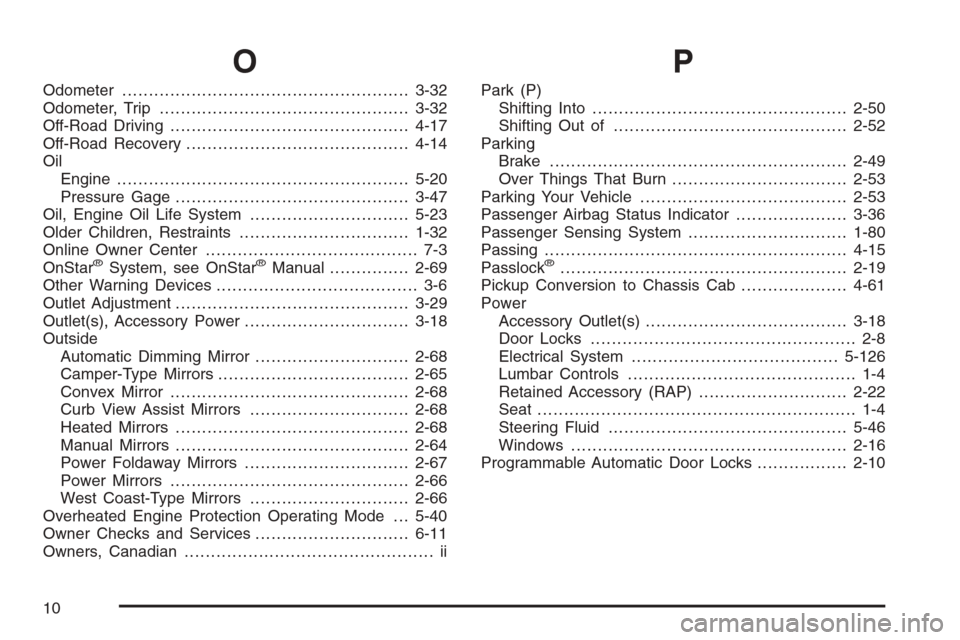
O
Odometer......................................................3-32
Odometer, Trip...............................................3-32
Off-Road Driving.............................................4-17
Off-Road Recovery..........................................4-14
Oil
Engine.......................................................5-20
Pressure Gage............................................3-47
Oil, Engine Oil Life System..............................5-23
Older Children, Restraints................................1-32
Online Owner Center........................................ 7-3
OnStar
®System, see OnStar®Manual...............2-69
Other Warning Devices...................................... 3-6
Outlet Adjustment............................................3-29
Outlet(s), Accessory Power...............................3-18
Outside
Automatic Dimming Mirror.............................2-68
Camper-Type Mirrors....................................2-65
Convex Mirror.............................................2-68
Curb View Assist Mirrors..............................2-68
Heated Mirrors............................................2-68
Manual Mirrors............................................2-64
Power Foldaway Mirrors...............................2-67
Power Mirrors.............................................2-66
West Coast-Type Mirrors..............................2-66
Overheated Engine Protection Operating Mode . . . 5-40
Owner Checks and Services.............................6-11
Owners, Canadian............................................... ii
P
Park (P)
Shifting Into................................................2-50
Shifting Out of............................................2-52
Parking
Brake........................................................2-49
Over Things That Burn.................................2-53
Parking Your Vehicle.......................................2-53
Passenger Airbag Status Indicator.....................3-36
Passenger Sensing System..............................1-80
Passing.........................................................4-15
Passlock
®......................................................2-19
Pickup Conversion to Chassis Cab....................4-61
Power
Accessory Outlet(s)......................................3-18
Door Locks.................................................. 2-8
Electrical System.......................................5-126
Lumbar Controls........................................... 1-4
Retained Accessory (RAP)............................2-22
Seat............................................................ 1-4
Steering Fluid.............................................5-46
Windows....................................................2-16
Programmable Automatic Door Locks.................2-10
10