stop start CHEVROLET SILVERADO 2006 1.G User Guide
[x] Cancel search | Manufacturer: CHEVROLET, Model Year: 2006, Model line: SILVERADO, Model: CHEVROLET SILVERADO 2006 1.GPages: 594, PDF Size: 3.41 MB
Page 130 of 594
Six-Speed (VORTEC™ 8.1L V8 and
DURAMAX®6.6L V8 Engines)
Here is how to operate
your transmission.
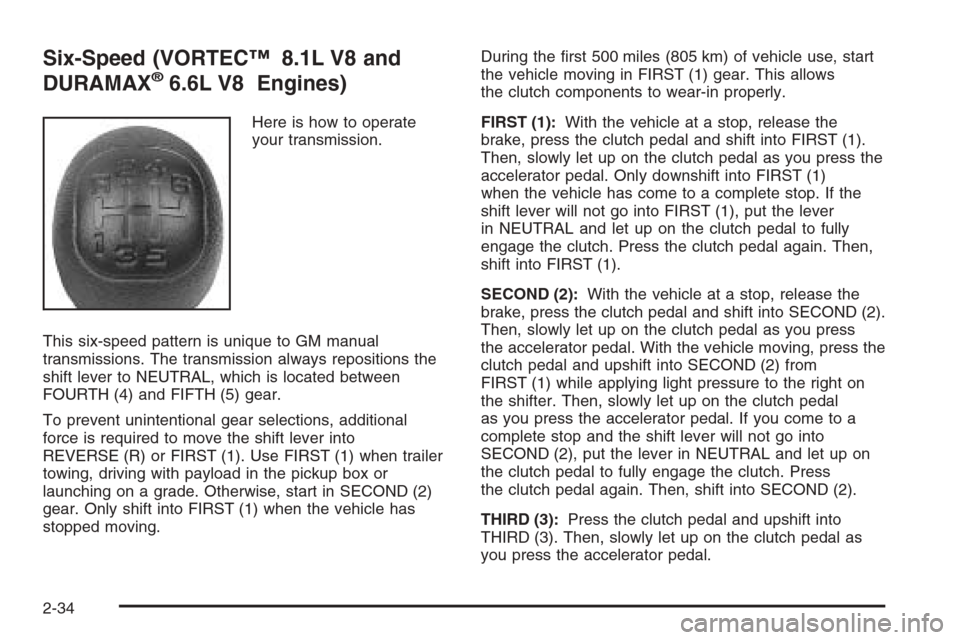
This six-speed pattern is unique to GM manual
transmissions. The transmission always repositions the
shift lever to NEUTRAL, which is located between
FOURTH (4) and FIFTH (5) gear.
To prevent unintentional gear selections, additional
force is required to move the shift lever into
REVERSE (R) or FIRST (1). Use FIRST (1) when trailer
towing, driving with payload in the pickup box or
launching on a grade. Otherwise, start in SECOND (2)
gear. Only shift into FIRST (1) when the vehicle has
stopped moving.During the rst 500 miles (805 km) of vehicle use, start
the vehicle moving in FIRST (1) gear. This allows
the clutch components to wear-in properly.
FIRST (1):With the vehicle at a stop, release the
brake, press the clutch pedal and shift into FIRST (1).
Then, slowly let up on the clutch pedal as you press the
accelerator pedal. Only downshift into FIRST (1)
when the vehicle has come to a complete stop. If the
shift lever will not go into FIRST (1), put the lever
in NEUTRAL and let up on the clutch pedal to fully
engage the clutch. Press the clutch pedal again. Then,
shift into FIRST (1).
SECOND (2):With the vehicle at a stop, release the
brake, press the clutch pedal and shift into SECOND (2).
Then, slowly let up on the clutch pedal as you press
the accelerator pedal. With the vehicle moving, press the
clutch pedal and upshift into SECOND (2) from
FIRST (1) while applying light pressure to the right on
the shifter. Then, slowly let up on the clutch pedal
as you press the accelerator pedal. If you come to a
complete stop and the shift lever will not go into
SECOND (2), put the lever in NEUTRAL and let up on
the clutch pedal to fully engage the clutch. Press
the clutch pedal again. Then, shift into SECOND (2).
THIRD (3):Press the clutch pedal and upshift into
THIRD (3). Then, slowly let up on the clutch pedal as
you press the accelerator pedal.
2-34
Page 131 of 594
FOURTH (4), FIFTH (5) and SIXTH (6):Upshift into the
higher forward gears the same way as you do
THIRD (3). Slowly let up on the clutch pedal as you
press the accelerator pedal.
NEUTRAL:Use this position when you start or idle
your engine.
REVERSE (R):To back up, press the clutch pedal.
Wait for the vehicle to stop moving and then, shift
to REVERSE (R). Let up on the clutch slowly while
pressing the accelerator pedal. Also, use REVERSE (R),
along with the parking brake, when turning off your
engine and parking your vehicle.
Shift Speeds
{CAUTION:
If you skip a gear when you downshift, you
could lose control of your vehicle. You could
injure yourself or others. Do not shift down
more than one gear at a time when you
downshift.Do not allow the engine rpm to overspeed and enter the
tachometer red lines. Engine overspeed occurs when
downshifting, or descending a grade, at too high a
vehicle speed. When going down steep grades, always
select a gear at least one position lower than you
would use on climbing a grade. This will allow the
vehicle’s engine to provide some braking and help to
slow the vehicle as it goes down the grade. Monitor your
vehicle speed, acceleration and engine rpm while
applying the brakes as you go down the grade to ensure
you have complete control over the vehicle.
If your engine speed drops below 600 rpm, or if the
engine is not running smoothly, you should downshift to
the next lower gear. When operating on slippery
surfaces, downshift at lower than normal vehicle speeds
to prevent the tires from slipping.
In bench seat equipped vehicles, move the tallest
beverage containers to the right cupholder to provide
additional clearance for the shift lever.
For vehicles equipped with a center console, the front
cup holder pulls out and turns 180° to provide additional
clearance between tall beverage containers and the
shift lever.
2-35
Page 139 of 594
Shifting Out of Four-Wheel Low
To shift from Four-Wheel Low to Four-Wheel High,
AUTO 4WD, or Two-Wheel High, your vehicle must
be stopped or moving less than 3 mph (5 km/h) with
the transmission in NEUTRAL (N) and the ignition
in RUN. The preferred method for shifting out of
Four-Wheel Low is to have your vehicle moving
1 to 2 mph (1.6 to 3.2 km/h). Press and release the
Four-Wheel High, AUTO 4WD, or Two-Wheel High
switch. You must wait for the Four-Wheel High,
AUTO 4WD, or Two-Wheel High indicator light to
stop ashing and remain on before shifting your
transmission into gear.
Notice:Shifting the transmission into gear
before the Four-Wheel Low indicator light has
stopped ashing could damage the transfer case.
To help avoid damaging your vehicle, always
wait for the Four-Wheel Low indicator light to
stop ashing before shifting the transmission
into gear.
The transfer case may make noise and the vehicle
may jerk when the transfer case is shifted between
Four-Wheel Low and Four-Wheel High ranges or from
NEUTRAL with the engine running.If the four-wheel high, AUTO 4WD, or Two-Wheel
High switch is pressed when your vehicle is in gear
and/or moving, the Four-Wheel High, AUTO 4WD,
or Two-Wheel High indicator light will ash for
30 seconds but will not complete the shift unless your
vehicle is moving less than 3 mph (5 km/h) and the
transmission is in NEUTRAL (N).
Shifting Into NEUTRAL
{CAUTION:
Shifting the transfer case to NEUTRAL
can cause your vehicle to roll even if the
transmission is in PARK (P). You or someone
else could be seriously injured. Be sure to set
the parking brake before placing the transfer
case in NEUTRAL. SeeParking Brake on
page 2-49.
To shift the transfer case to NEUTRAL do the following:
1. Make sure the vehicle is parked so that it will
not roll.
2. Set the parking brake.
3. Start the vehicle or turn the ignition to RUN.
2-43
Page 158 of 594
Automatic Dimming Rearview Mirror
with Compass and Temperature
Display
If the vehicle is equipped with an automatic mirror,
it will, when on, automatically dim to the proper level
to minimize glare from lights behind you after dark.
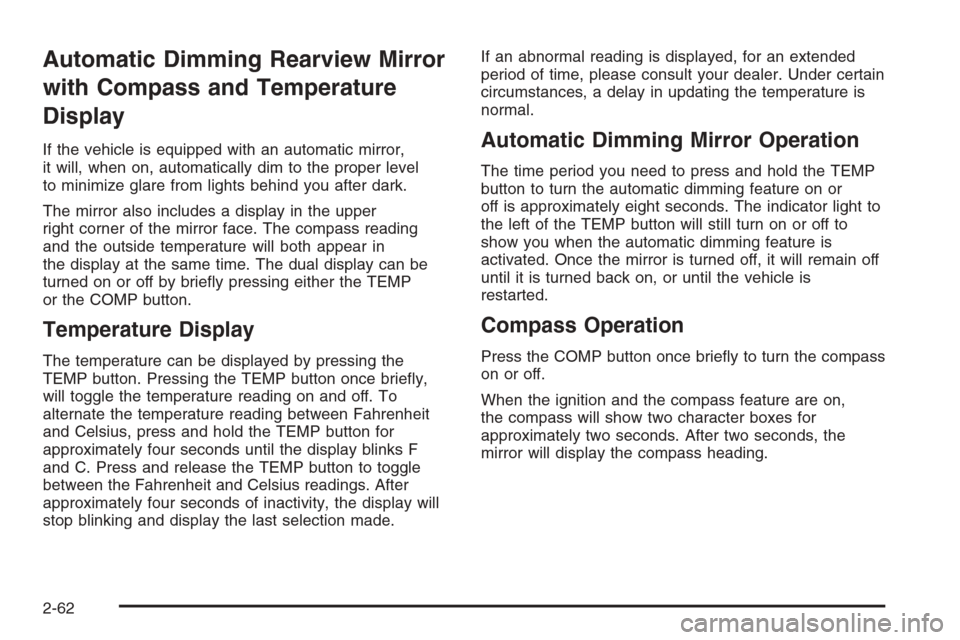
The mirror also includes a display in the upper
right corner of the mirror face. The compass reading
and the outside temperature will both appear in
the display at the same time. The dual display can be
turned on or off by briey pressing either the TEMP
or the COMP button.
Temperature Display
The temperature can be displayed by pressing the
TEMP button. Pressing the TEMP button once briey,
will toggle the temperature reading on and off. To
alternate the temperature reading between Fahrenheit
and Celsius, press and hold the TEMP button for
approximately four seconds until the display blinks F
and C. Press and release the TEMP button to toggle
between the Fahrenheit and Celsius readings. After
approximately four seconds of inactivity, the display will
stop blinking and display the last selection made.If an abnormal reading is displayed, for an extended
period of time, please consult your dealer. Under certain
circumstances, a delay in updating the temperature is
normal.
Automatic Dimming Mirror Operation
The time period you need to press and hold the TEMP
button to turn the automatic dimming feature on or
off is approximately eight seconds. The indicator light to
the left of the TEMP button will still turn on or off to
show you when the automatic dimming feature is
activated. Once the mirror is turned off, it will remain off
until it is turned back on, or until the vehicle is
restarted.
Compass Operation
Press the COMP button once briey to turn the compass
on or off.
When the ignition and the compass feature are on,
the compass will show two character boxes for
approximately two seconds. After two seconds, the
mirror will display the compass heading.
2-62
Page 174 of 594
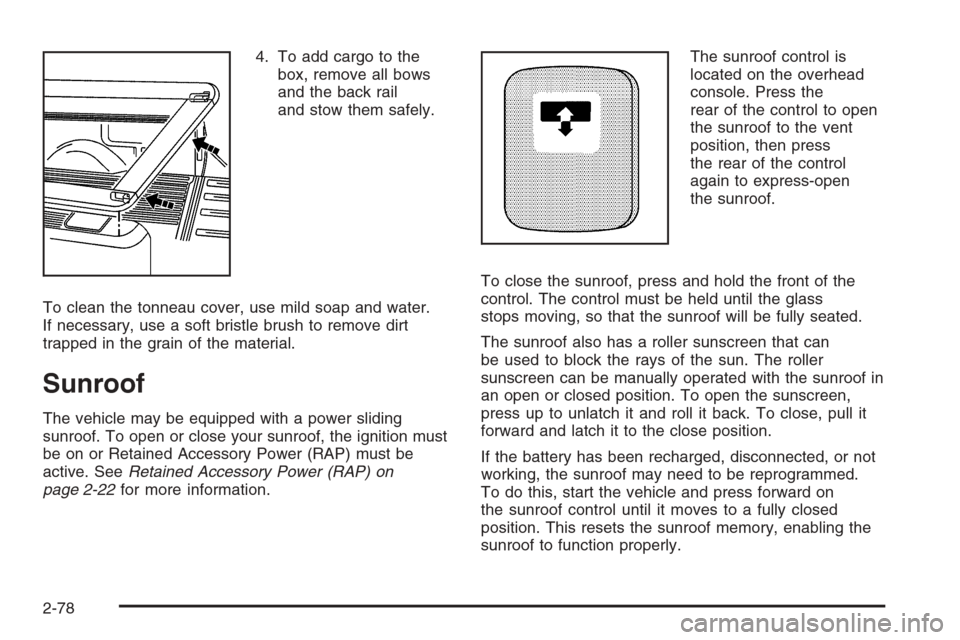
4. To add cargo to the
box, remove all bows
and the back rail
and stow them safely.
To clean the tonneau cover, use mild soap and water.
If necessary, use a soft bristle brush to remove dirt
trapped in the grain of the material.
Sunroof
The vehicle may be equipped with a power sliding
sunroof. To open or close your sunroof, the ignition must
be on or Retained Accessory Power (RAP) must be
active. SeeRetained Accessory Power (RAP) on
page 2-22for more information.The sunroof control is
located on the overhead
console. Press the
rear of the control to open
the sunroof to the vent
position, then press
the rear of the control
again to express-open
the sunroof.
To close the sunroof, press and hold the front of the
control. The control must be held until the glass
stops moving, so that the sunroof will be fully seated.
The sunroof also has a roller sunscreen that can
be used to block the rays of the sun. The roller
sunscreen can be manually operated with the sunroof in
an open or closed position. To open the sunscreen,
press up to unlatch it and roll it back. To close, pull it
forward and latch it to the close position.
If the battery has been recharged, disconnected, or not
working, the sunroof may need to be reprogrammed.
To do this, start the vehicle and press forward on
the sunroof control until it moves to a fully closed
position. This resets the sunroof memory, enabling the
sunroof to function properly.
2-78
Page 185 of 594
Windshield Wipers
Be sure to clear ice and snow from the wiper blades
before using them. If they are frozen to the windshield,
gently loosen or thaw them. Damaged wiper blades
may not clear the windshield well, making it harder to
see and drive safely. If the blades do become damaged,
install new blades or blade inserts. For more information,
seeWindshield Wiper Blade Replacement on page 5-73
Heavy snow or ice can overload the wiper motor. A
circuit breaker will stop the motor until it cools down.
Clear away snow or ice to prevent an overload.
You control the windshield wipers by turning the band
with the wiper symbol on it.
8(Mist):For a single wiping cycle, turn the band to
mist. Hold it there until the wipers start. Then let go. The
wipers will stop after one wipe. If you want more wipe
cycles, hold the band on mist longer.
N(Delay):You can set the wiper speed for a long or
short delay between wiping cycles. This can be very
useful in light rain or snow. Turn the band to choose the
delay time. The closer to the top of the lever, the
shorter the delay.
6(Low Speed):For steady wiping at low speed,
turn the band away from you to the rst solid band
past the delay settings.
1(High Speed):For high-speed wiping, turn the
band further, to the second solid band past the
delay settings.
9(Off):To stop the wipers, move the band to off.
Windshield Washer
LQ(Washer Fluid):There is a paddle marked
with the windshield washer symbol at the top of
the multifunction lever. To spray washer uid on the
windshield, push the paddle. The wipers will clear the
window and then either stop or return to your preset
speed.
{CAUTION:
In freezing weather, do not use your washer
until the windshield is warmed. Otherwise the
washer uid can form ice on the windshield,
blocking your vision.
3-9
Page 222 of 594
If the Light is Flashing
The following may prevent more serious damage to
your vehicle:
Reducing vehicle speed
Avoiding hard accelerations
Avoiding steep uphill grades
If you are towing a trailer, reduce the amount of
cargo being hauled as soon as it is possible
If the light stops ashing and remains on steady,
see “If the Light Is On Steady” following.
If the light continues to ash, when it is safe to do
so, stop the vehicle. Find a safe place to park your
vehicle. Turn the key off, wait at least 10 seconds and
restart the engine. If the light remains on steady, see
“If the Light Is On Steady” following. If the light is
still ashing, follow the previous steps, and see your
dealer for service as soon as possible.
If the Light Is On Steady
You may be able to correct the emission system
malfunction by considering the following:
Did you recently put fuel into your vehicle?
If so, reinstall the fuel cap, making sure to fully
install the cap. SeeFilling the Tank on page 5-10.
The diagnostic system can determine if the fuel
cap has been left off or improperly installed.A loose or missing fuel cap will allow fuel to evaporate
into the atmosphere. A few driving trips with the cap
properly installed should turn the light off.
Did you just drive through a deep puddle of water?
If so, your electrical system may be wet. The condition
will usually be corrected when the electrical system
dries out. A few driving trips should turn the light off.
Have you recently changed brands of fuel?
If so, be sure to fuel your vehicle with quality fuel. See
Gasoline Octane on page 5-6. Poor fuel quality will
cause your engine not to run as efficiently as designed.
You may notice this as stalling after start-up, stalling
when you put the vehicle into gear, misring, hesitation
on acceleration, or stumbling on acceleration. (These
conditions may go away once the engine is warmed up.)
This will be detected by the system and cause the
light to turn on.
If you experience one or more of these conditions,
change the fuel brand you use. It will require at least
one full tank of the proper fuel to turn the light off.
If none of the above steps have made the light turn off,
your dealer can check the vehicle. Your dealer has
the proper test equipment and diagnostic tools to x
any mechanical or electrical problems that may
have developed.
3-46
Page 228 of 594
DIC Operation and Displays
The Driver Information Center (DIC) comes on when the
ignition is on. After a short delay, the DIC will display
the information that was last displayed before the engine
was turned off.
The DIC has different modes which can be accessed by
pressing the four DIC buttons located on the steering
wheel. These buttons are trip information, fuel
information, customization, and select. The button
functions are detailed in the following pages.
Trip Information Button
3
(Trip Information):Press the trip information
button to scroll through the ODOMETER, TRIP A,
TRIP B, TIMER, ENGINE HOURS, and SELECTED
RANGE.
Odometer:Press the trip information button until
ODOMETER appears on the display. This mode shows
the total distance the vehicle has been driven in
either miles or kilometers. Pressing the reset stem
located on the instrument cluster with the vehicle off will
also display the odometer.
Trip A:Press the trip information button until TRIP A
appears on the display. This mode shows the current
distance traveled since the last reset for TRIP A in either
miles or kilometers.Trip B:Press the trip information button until TRIP B
appears on the display. This mode shows the current
distance traveled since the last reset for TRIP B in either
miles or kilometers.
To reset TRIP A or TRIP B information, press and hold
the select button for one second while in one of the
trip modes. This will reset the information for TRIP A
or TRIP B.
You can also reset TRIP A or TRIP B while they are
displayed by pressing the reset stem on the cluster.
If you press and hold the reset stem or the select button
for four seconds, the display will show the distance
traveled since the last ignition cycle for TRIP A
or TRIP B.
SeeTrip Odometer on page 3-32for more information.
Timer:The DIC can be used as a timer. Press the
select button while TIMER is displayed to start the timer.
The display will show the amount of time that has
passed since the timer was last reset, not including time
the ignition is off. Time will continue to be counted as
long as the ignition is on, even if another display is being
shown on the DIC. The timer will record up to 99 hours,
59 minutes and 59 seconds (99:59:59) after which
the display will roll back to zero.
To stop the counting of time, press the select button
briey while TIMER is displayed.
To reset the timer to zero, press and hold the select
button while TIMER is displayed.
3-52
Page 236 of 594
REDUCED ENGINE POWER
This message is displayed when the cooling system
temperature gets too hot and the engine further enters
the engine coolant protection mode. SeeEngine
Overheating on page 5-37for further information.
This message will also display when the vehicle’s engine
power is reduced. Reduced engine power can affect
the vehicle’s ability to accelerate. If this message is on,
but there is no reduction in performance, proceed to
your destination. The performance may be reduced the
next time the vehicle is driven. The vehicle may be
driven at a reduced speed while this message is on, but
acceleration and speed may be reduced. Anytime this
message stays on, the vehicle should be taken to
your GM dealer for service as soon as possible.
RIGHT REAR DOOR AJAR (Crew Cab)
If the passenger’s side rear door is not fully closed,
this message will appear on the display and you
will hear a chime. Stop and turn off the vehicle, check
the door for obstacles and close the door again.
Check to see if the message still appears on the DIC.
Pressing any of the four DIC buttons will acknowledge
the message and clear it from the DIC display. If
your vehicle does not have the four DIC buttons,
pressing the trip odometer reset stem will acknowledge
the message and clear it from the DIC display.
SERVICE 4WD (Four-Wheel-Drive)
If a problem occurs with the four-wheel-drive system,
this message will appear on the DIC. If this message
appears, stop as soon as possible and turn off the
vehicle. Restart the vehicle and check for the message
on the DIC display. If the message is still displayed
or appears again when you begin driving, the
four-wheel-drive system needs service. See your
GM dealer.
SERVICE AIRBAG
If there is a problem with the airbag system, this
message will be displayed on the DIC. Have your
GM dealer inspect the system for problems. SeeAirbag
Readiness Light on page 3-33andAirbag System on
page 1-71for more information. Pressing any of the
four DIC buttons will acknowledge the message
and clear it from the DIC display. If your vehicle does
not have the four DIC buttons, pressing the trip
odometer reset stem will acknowledge the message
and clear it from the DIC display.
3-60
Page 237 of 594
SERVICE BRAKE BOOSTER
{CAUTION:
Your brake system may not be working
properly if the SERVICE BRAKE BOOSTER
message is displayed.
If the brake system warning light is also on,
you should have the vehicle towed for service.
SeeBrake System Warning Light on page 3-41.
If the brake system warning light is not on, you
still have brakes, but the supplemental brake
assist system on vehicles with rear disc brakes
may not operate properly. In the event of a
vacuum loss, you may not have vacuum power
assist for braking. The brake pedal will be
harder to push and it will take longer to stop.
If you continue to drive with this message
displayed it can lead to a crash. Have the brake
system serviced as soon as possible.If your vehicle has vacuum assist power brakes, this
message will be displayed on the DIC when there is a
problem with the Supplemental Brake Assist system.
If the message is displayed immediately after starting
the vehicle or the message appears while driving,
your Supplemental Brake Assist system needs service.
See your GM dealer. SeeBrake System Warning
Light on page 3-41for additional information.
SERVICE BRAKE SYSTEM
If there is a problem with the brake system, this
message will be displayed on the DIC. If this message
appears, stop as soon as possible and turn off the
vehicle. Restart the vehicle and check for the message
on the DIC display. If the message is still displayed
or appears again when you begin driving, the brake
system needs service. See your GM dealer.
3-61