instrument panel CHEVROLET SILVERADO 2006 1.G Service Manual
[x] Cancel search | Manufacturer: CHEVROLET, Model Year: 2006, Model line: SILVERADO, Model: CHEVROLET SILVERADO 2006 1.GPages: 594, PDF Size: 3.41 MB
Page 227 of 594
Driver Information Center (DIC)
The Driver Information Center (DIC) display is located
on the instrument panel cluster, below the speedometer.
If your vehicle has DIC buttons, they are located on
the steering wheel. The DIC can display information
such as the trip odometer, fuel economy, customization
features, and warning/status messages.
If your vehicle does not have DIC steering wheel
buttons, you will not have all of the features listed. Scroll
through the odometer, trip odometer, engine hours,
and selected range if your vehicle has an Allison
Transmission
®by pressing the trip odometer reset stem
located on the instrument panel cluster. Turn off, or
acknowledge, DIC messages by pressing the trip
odometer reset stem. SeeSpeedometer and Odometer
on page 3-32for information on features for vehicles
without DIC buttons.
If your vehicle has an Allison Transmission
®and the
shift lever is in the MANUAL MODE (M) position,
the DIC will display the current gear range. The DIC
will also display the gear range as it is shifted up
or down. For example, if the gear range is currently set
to 6, the DIC will display (6)54321. When the
gear range is shifted down one time, the DIC will display
6(5)4321. SeeAutomatic Transmission Operation
on page 2-24for more information.
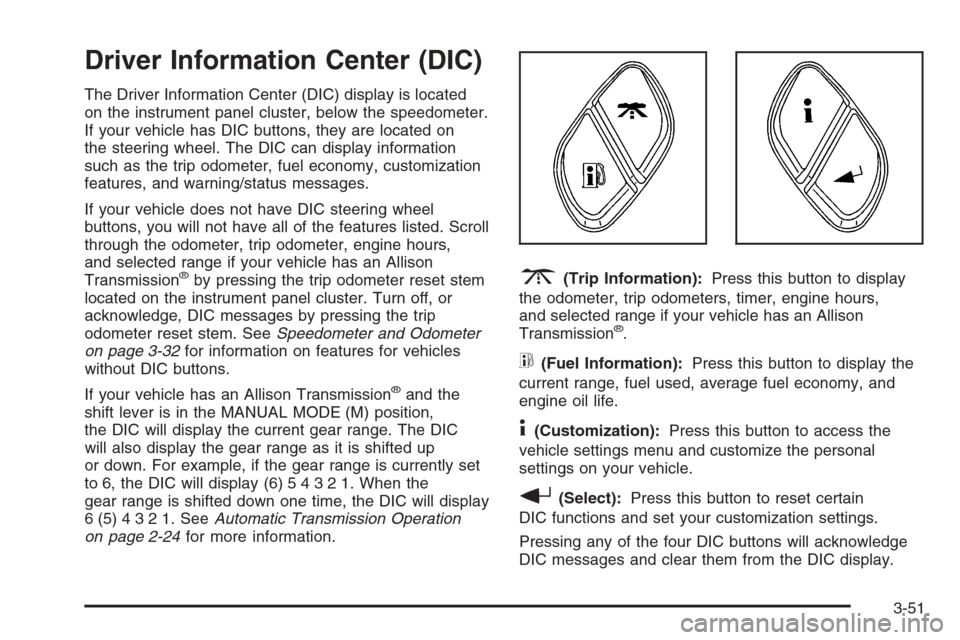
3(Trip Information):Press this button to display
the odometer, trip odometers, timer, engine hours,
and selected range if your vehicle has an Allison
Transmission
®.
t(Fuel Information):Press this button to display the
current range, fuel used, average fuel economy, and
engine oil life.
4(Customization):Press this button to access the
vehicle settings menu and customize the personal
settings on your vehicle.
r(Select):Press this button to reset certain
DIC functions and set your customization settings.
Pressing any of the four DIC buttons will acknowledge
DIC messages and clear them from the DIC display.
3-51
Page 230 of 594
Engine Oil Life System:Press the fuel information
button until ENGINE OIL LIFE appears on the display.
The engine oil life system shows an estimate of the
oil’s remaining useful life. It will show 100% when the
system is reset after an oil change. It will alert you
to change your oil on a schedule consistent with your
driving conditions.
Always reset the engine oil life system after an oil
change. To reset the engine oil life system, seeEngine
Oil Life System (Gasoline Engine) on page 5-23.
In addition to the engine oil life system monitoring the
oil life, additional maintenance is recommended in
the Maintenance Schedule in this manual. SeeEngine
Oil (Gasoline Engine) on page 5-20andScheduled
Maintenance (Gasoline Engine) on page 6-4.
Customization Button
4
(Customization):Press the customization button to
access the VEHICLE SETTINGS menu and customize
the settings to your vehicle. SeeDIC Vehicle
Customization on page 3-64for more information.
Select Button
r
(Select):Press the select button to reset certain
DIC functions and set your customization settings.
For example, this button will reset the trip odometers
and enables you to scroll through and select the
language in which the DIC information will appear.
DIC Warnings and Messages
Warning messages are displayed on the Driver
Information Center (DIC) to notify the driver that the
status of the vehicle has changed and that some action
may be needed by the driver to correct the condition.
If there is more than one message that needs to
be displayed, they will appear one after another. Some
messages may not require immediate action, but
you should press any of the four DIC buttons on the
steering wheel to acknowledge that you received
the messages and to clear them from the display. If
your vehicle does not have DIC buttons on the steering
wheel, press the trip odometer reset stem, located
on the instrument panel cluster, to acknowledge
messages and clear them from the display.
Some messages cannot be cleared from the display
because they are more urgent. These messages require
action before they can be removed from the DIC
display. You should take any messages that appear on
the display seriously and remember that clearing the
messages will only make the messages disappear, not
correct the problem.
3-54
Page 232 of 594
This message is an additional reminder to the Safety
Belt Reminder Light in the instrument panel cluster.
SeeSafety Belt Reminder Light on page 3-33for more
information.
Pressing any of the four DIC buttons will acknowledge
the message and clear it from the DIC display.
If your vehicle does not have the four DIC buttons,
pressing the trip odometer reset stem will acknowledge
the message and clear it from the DIC display.
CHANGE ENGINE OIL
This message is displayed when the engine oil needs to
be changed.
When you change the engine oil, be sure to reset the
CHANGE ENGINE OIL message. SeeEngine Oil
Life System (Gasoline Engine) on page 5-23,Engine
Oil (Gasoline Engine) on page 5-20, andScheduled
Maintenance (Gasoline Engine) on page 6-4for more
information.
CHARGING SYSTEM FAILURE
On some vehicles, if there is a problem with the
generator and battery charging system, this message
will appear on the DIC, a chime will sound, and the
battery warning light on the instrument panel cluster will
come on. Driving with this problem could drain your
battery. Turn off all unnecessary accessories. Stop and
turn off the vehicle as soon as it is safe to do so.
Have the electrical system checked by your GM dealer
immediately. SeeBattery Warning Light on page 3-39
andVoltmeter Gage on page 3-39for more information.
CHECK OIL LEVEL
If your vehicle has an oil level sensor, and the oil level
in the vehicle is low, this message will appear on
the DIC. Check the oil level and correct it as necessary.
You may need to let the vehicle cool or warm up and
cycle the ignition to be sure this message will clear.
Once the problem is corrected, pressing any of the
four DIC buttons will acknowledge the message
and clear it from the DIC display. If your vehicle does
not have the four DIC buttons, pressing the trip
odometer reset stem will acknowledge the message and
clear it from the DIC display. SeeEngine Oil (Gasoline
Engine) on page 5-20for additional information.
3-56
Page 233 of 594
CHECK WASHER FLUID
If the washer uid level is low, this message will
appear on the DIC. SeeWindshield Washer Fluid on
page 5-47. Adding washer uid to the windshield washer
reservoir will clear the message. Pressing any of the
four DIC buttons will acknowledge the message
and clear it from the DIC display. If your vehicle does
not have the four DIC buttons, pressing the trip
odometer reset stem will acknowledge the message
and clear it from the DIC display.
DRIVER DOOR AJAR
If the driver’s door is not fully closed, this message
will appear on the display and you will hear a chime.
Stop and turn off the vehicle, check the door for
obstacles and close the door again. Check to see if the
message still appears on the DIC. Pressing any of
the four DIC buttons will acknowledge the message and
clear it from the DIC display. If your vehicle does not
have the four DIC buttons, pressing the trip odometer
reset stem will acknowledge the message and clear
it from the DIC display.
ENGINE COOLANT HOT
If the cooling system temperature gets hot, this message
will appear in the DIC. Turn off the air conditioning. If the
message is still on, or if the engine coolant temperature
gage continues to rise, pull the vehicle over when it is
safe to do so. SeeEngine Coolant Temperature Gage on
page 3-43for more information. Stop the vehicle and let
the engine idle in PARK (P) for a few minutes, or
NEUTRAL with the parking brake set for manual
transmissions, to allow the coolant to reach a safe
temperature. This message will clear when the coolant
temperature drops to safe operating temperature.
ENGINE OVERHEATED
Notice:If you drive your vehicle while the engine
is overheating, severe engine damage may occur.
If an overheat warning appears on the instrument
panel cluster and/or DIC, stop the vehicle as soon as
possible. Do not increase the engine speed above
normal idling speed. SeeEngine Overheating
on page 5-37for more information.
If the engine cooling system reaches unsafe
temperatures for operation, this message will appear in
the DIC and you will hear a chime. Stop and turn off
the vehicle as soon as it is safe to do so to avoid severe
damage. This message will clear when the engine
has cooled to a safe operating temperature.
3-57
Page 235 of 594
OIL LIFE RESET
This message will appear on the display for about
10 seconds after resetting the change engine oil
message. See “Engine Oil Life System” underDIC
Operation and Displays on page 3-52andEngine Oil
(Gasoline Engine) on page 5-20for more information.
OIL PRESSURE LOW
Notice:If you drive your vehicle while the engine
oil pressure is low, severe engine damage may
occur. If a low oil pressure warning appears on the
Driver Information Center (DIC), stop the vehicle
as soon as possible. Do not drive the vehicle until
the cause of the low oil pressure is corrected.
SeeEngine Oil (Gasoline Engine) on page 5-20for
more information.
If low oil pressure levels occur, this message will be
displayed on the DIC and a chime will sound. Stop the
vehicle as soon as safely possible and do not operate
it until the cause of the low oil pressure has been
corrected. Check your oil as soon as possible and have
your vehicle serviced by your GM dealer. SeeEngine
Oil (Gasoline Engine) on page 5-20.
PASSENGER DOOR AJAR
If the passenger’s door is not fully closed, this message
will appear on the display and you will hear a chime.
Stop and turn off the vehicle, check the door for
obstacles and close the door again. Check to see if the
message still appears on the DIC. Pressing any of
the four DIC buttons will acknowledge the message and
clear it from the DIC display. If your vehicle does not
have the four DIC buttons, pressing the trip odometer
reset stem will acknowledge the message and clear
it from the DIC display.
RANGE SHIFT INHIBITED
(Allison Transmission®Only)
If the transmission is unable to shift into a selected
gear, this message will appear on the DIC. The
electronic shift position indicator on the instrument panel
cluster may blink when this occurs. To make the
vehicle shift to the requested gear, you may have to
shift back to PARK (P) or NEUTRAL (N) and re-select
the desired gear.
3-59
Page 238 of 594
SERVICE CHARGING SYSTEM
On some vehicles, if there is a problem with the battery
charging system, this message will appear on the
DIC. Under certain conditions, the battery warning light
may also turn on in the instrument panel cluster.
SeeBattery Warning Light on page 3-39. The battery
will not be charging at an optimal rate and the vehicle
will lose the ability to enter the fuel economy mode. The
vehicle is safe to drive, however you should have the
electrical system checked by your GM dealer. Pressing
any of the four DIC buttons will acknowledge the
message and clear it from the DIC display. If your
vehicle does not have the four DIC buttons, pressing
the trip odometer reset stem will acknowledge the
message and clear it from the DIC display.
TIGHTEN FUEL CAP
If the vehicle’s fuel cap is not tightened properly, this
message may appear along with the check engine light
on the instrument panel. SeeMalfunction Indicator
Lamp on page 3-45. Fully reinstall the fuel cap.
SeeFilling the Tank on page 5-10. The diagnostic
system can determine if the fuel cap has been left off or
improperly installed. A loose or missing fuel cap will
allow fuel to evaporate into the atmosphere. A few
driving trips with the cap properly installed should turn
the light and message off.
TRACTION ACTIVE
When the traction control system had detected that any
of the vehicle’s wheels are slipping, the traction
control system will activate and this message will appear
on the DIC. For more information, seeTraction Assist
System (TAS) on page 4-9.
TRANS (Transmission) HOT IDLE
ENGINE
Notice:If you drive your vehicle while the
transmission uid is overheating and the
transmission temperature warning is displayed on
the instrument panel cluster and/or DIC, you
can damage the transmission. This could lead to
costly repairs that would not be covered by
your warranty. Do not drive your vehicle with
overheated transmission uid or while the
transmission temperature warning is displayed.
If the transmission uid in the vehicle gets hot,
this message will appear on the DIC along with a
continuous chime. Driving with the transmission uid
temperature high can cause damage to the vehicle. Stop
the vehicle and let it idle to allow the transmission to
cool. This message will clear and the chime will
stop when the uid temperature reaches a safe level.
SeeTransmission Temperature Gage on page 3-43.
3-62
Page 239 of 594
TRANSMISSION HOT
Notice:If you drive your vehicle while the
transmission uid is overheating and the
transmission temperature warning is displayed
on the instrument panel cluster and/or DIC, you
can damage the transmission. This could lead
to costly repairs that would not be covered by your
warranty. Do not drive your vehicle with overheated
transmission uid or while the transmission
temperature warning is displayed.
If the transmission uid temperature becomes high,
this message will appear on the DIC display.
When the transmission enters the protection mode,
you may notice a change in the transmission shifting
patterns. When the transmission uid temperature
returns to normal, the display will turn off and the
transmission shifting patterns will return to normal.
If the vehicle has the Tow/Haul mode, use this feature
if the transmission is operating at higher temperatures
and/or the following situations exist, which can cause
the transmission to operate at higher temperatures:
Towing a trailer
Hot outside air temperatures
Hauling a large or heavy load
Over-loading
Low transmission uid level
High transmission uid level
Restricted air ow to the radiator and the auxiliary
transmission oil cooler
A temporary solution to hotter transmission operating
temperatures may be to let the transmission cool down.
If the transmission is operated at higher temperatures
on a frequent basis, seeScheduled Maintenance
(Gasoline Engine) on page 6-4for the transmission your
vehicle is equipped with for the proper transmission
maintenance intervals. Also seeTransmission
Temperature Gage on page 3-43for more information.
TRANS (Transmission) IN WARM UP
(Allison Transmission®Only)
When temperatures are very cold, the transmission will
prevent certain operations such as shifts to certain
ranges and engaging the torque converter clutch
to protect against damage. When active, the DIC will
display the message TRANS IN WARM UP.
3-63
Page 316 of 594
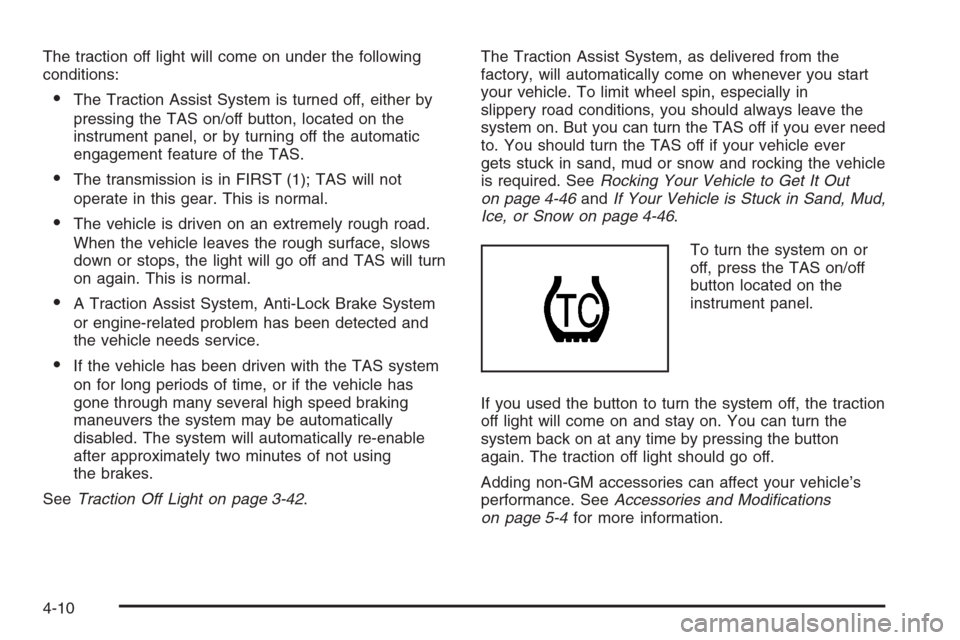
The traction off light will come on under the following
conditions:
The Traction Assist System is turned off, either by
pressing the TAS on/off button, located on the
instrument panel, or by turning off the automatic
engagement feature of the TAS.
The transmission is in FIRST (1); TAS will not
operate in this gear. This is normal.
The vehicle is driven on an extremely rough road.
When the vehicle leaves the rough surface, slows
down or stops, the light will go off and TAS will turn
on again. This is normal.
A Traction Assist System, Anti-Lock Brake System
or engine-related problem has been detected and
the vehicle needs service.
If the vehicle has been driven with the TAS system
on for long periods of time, or if the vehicle has
gone through many several high speed braking
maneuvers the system may be automatically
disabled. The system will automatically re-enable
after approximately two minutes of not using
the brakes.
SeeTraction Off Light on page 3-42.The Traction Assist System, as delivered from the
factory, will automatically come on whenever you start
your vehicle. To limit wheel spin, especially in
slippery road conditions, you should always leave the
system on. But you can turn the TAS off if you ever need
to. You should turn the TAS off if your vehicle ever
gets stuck in sand, mud or snow and rocking the vehicle
is required. SeeRocking Your Vehicle to Get It Out
on page 4-46andIf Your Vehicle is Stuck in Sand, Mud,
Ice, or Snow on page 4-46.
To turn the system on or
off, press the TAS on/off
button located on the
instrument panel.
If you used the button to turn the system off, the traction
off light will come on and stay on. You can turn the
system back on at any time by pressing the button
again. The traction off light should go off.
Adding non-GM accessories can affect your vehicle’s
performance. SeeAccessories and Modications
on page 5-4for more information.
4-10
Page 317 of 594
Manual Selectable Ride
The main function of this system is to provide superior
ride comfort while trailering or fully loaded, as well
as for unloaded driving. This system also helps
to provide:
Improved trailering stability
Improved handling response when trailering or fully
loaded
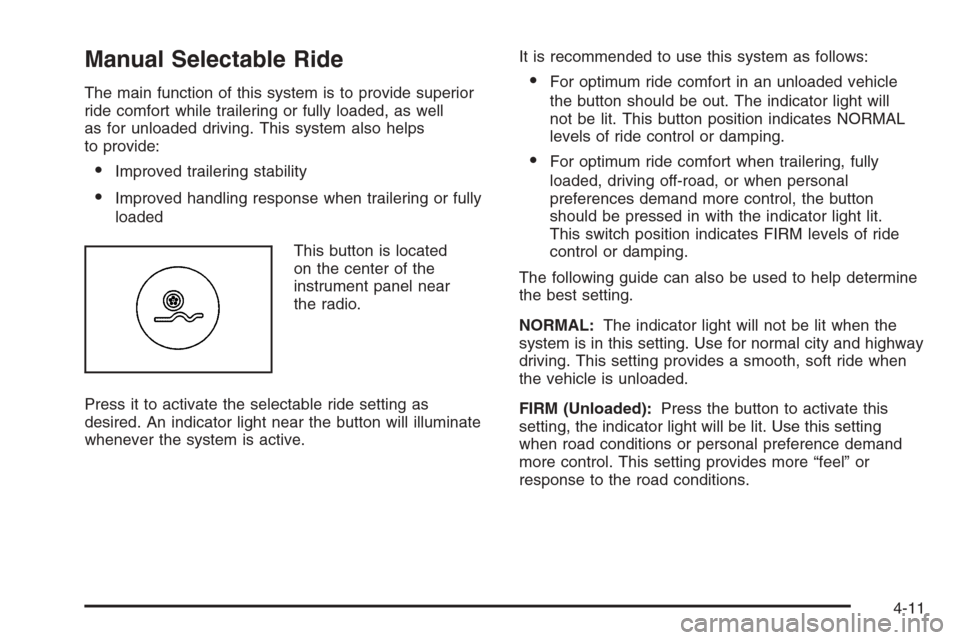
This button is located
on the center of the
instrument panel near
the radio.
Press it to activate the selectable ride setting as
desired. An indicator light near the button will illuminate
whenever the system is active.It is recommended to use this system as follows:
For optimum ride comfort in an unloaded vehicle
the button should be out. The indicator light will
not be lit. This button position indicates NORMAL
levels of ride control or damping.
For optimum ride comfort when trailering, fully
loaded, driving off-road, or when personal
preferences demand more control, the button
should be pressed in with the indicator light lit.
This switch position indicates FIRM levels of ride
control or damping.
The following guide can also be used to help determine
the best setting.
NORMAL:The indicator light will not be lit when the
system is in this setting. Use for normal city and highway
driving. This setting provides a smooth, soft ride when
the vehicle is unloaded.
FIRM (Unloaded):Press the button to activate this
setting, the indicator light will be lit. Use this setting
when road conditions or personal preference demand
more control. This setting provides more “feel” or
response to the road conditions.
4-11
Page 394 of 594
Turn Signals When Towing a Trailer
The arrows on your instrument panel will ash whenever
you signal a turn or lane change. Properly hooked up,
the trailer lamps will also ash, telling other drivers
you’re about to turn, change lanes or stop.
When towing a trailer, the arrows on your instrument
panel will ash for turns even if the bulbs on the trailer
are burned out. Thus, you may think drivers behind
you are seeing your signal when they are not. It’s
important to check occasionally to be sure the trailer
bulbs are still working.
Driving On Grades
Reduce speed and shift to a lower gearbeforeyou start
down a long or steep downgrade. If you don’t shift
down, you might have to use your brakes so much that
they would get hot and no longer work well.
If you have an automatic transmission, you can tow in
DRIVE (D). You may want to shift the transmission
to lower gear selection if the transmission shifts too often
(e.g., under heavy loads and/or hilly conditions).
You may also want to activate the tow/haul mode if the
transmission shifts too often. SeeTow/Haul Mode
Light on page 3-49.If you have a 5-speed manual transmission and you are
towing a trailer, it’s better not to use FIFTH (5) gear.
Just drive in FOURTH (4) gear (or, as you need
to, a lower gear).
If you have a 6-speed manual transmission and you are
towing a trailer, it’s better not to use SIXTH (6) gear.
Drive in FIFTH (5) gear (or, as you need to, a lower gear).
When towing at high altitude on steep uphill grades,
consider the following: Engine coolant at or near
sea level will boil at a lower temperature than at higher
altitudes. If you turn your engine off immediately
after towing at high altitude on steep uphill grades, your
vehicle may show signs similar to engine overheating.
To avoid this, let the engine run while parked, preferably
on level ground, with the automatic transmission in
PARK (P) for a few minutes before turning the engine
off. For manual transmissions, let the engine run
while parked, preferably on level ground, with the
transmission out of gear and the parking brake applied,
for a few minutes before turning the engine off.
If you do get the overheat warning, seeEngine
Overheating on page 5-37.
4-88