instrument panel CHEVROLET SILVERADO 2007 1.G User Guide
[x] Cancel search | Manufacturer: CHEVROLET, Model Year: 2007, Model line: SILVERADO, Model: CHEVROLET SILVERADO 2007 1.GPages: 684, PDF Size: 3.4 MB
Page 107 of 684
Also look for any opened or broken airbag covers,
and have them repaired or replaced. The airbag
system does not need regular maintenance.
Notice:If you damage the covering for the
driver’s or the right front passenger’s airbag,
or the side impact airbag covering on the
ceiling near the side windows, the airbag may
not work properly. You may have to replace
the airbag module in the steering wheel, both
the airbag module and the instrument panel
for the right front passenger’s airbag, or
side impact airbag module and ceiling covering
for roof-mounted rollover airbags (if equipped).
Do not open or break the airbag coverings.Replacing Restraint System Parts
After a Crash
{CAUTION:
A crash can damage the restraint systems
in your vehicle. A damaged restraint
system may not properly protect the
person using it, resulting in serious injury
or even death in a crash. To help make
sure your restraint systems are working
properly after a crash, have them
inspected and any necessary
replacements made as soon as possible.
If you have had a crash, do you need new belts or
LATCH system parts?
After a very minor collision, nothing may be
necessary. But if the belts were stretched, as they
would be if worn during a more severe crash,
then you need new parts.
107
Page 110 of 684
Automatic Dimming Rearview Mirror with
Compass and Temperature Display........ 175
Outside Manual Mirrors............................. 176
Outside Trailer-Tow Mirrors....................... 177
Outside Power Mirrors............................... 178
Outside Power Foldaway Mirrors............... 179
OnStar
®System.......................................... 182
Universal Home Remote System................ 186
System Identication.................................. 186
Universal Home Remote System............... 187
Universal Home Remote System
Operation (With One Triangular LED)....... 187
Universal Home Remote System
Operation (With Three Round LED)....... 191Storage Areas............................................. 198
Glove Box................................................. 198
Cupholder(s).............................................. 198
Instrument Panel Storage Area.................. 199
Center Console Storage Area.................... 199
Luggage Carrier........................................ 200
Rear Seat Armrest.................................... 201
Cargo Management System...................... 201
Sunroof....................................................... 202
Section 2 Features and Controls
110
Page 132 of 684
PASS-Key®III+ Operation
Your vehicle has PASS-Key®III+ (Personalized
Automotive Security System) theft-deterrent
system. PASS-Key
®III+ is a passive
theft-deterrent system. This means you do not
have to do anything special to arm or disarm the
system. It works when you transition the key
to RUN, ACCESSORY or START from the OFF
position.
When the PASS-Key
®III+ system senses that
someone is using the wrong key, it prevents the
vehicle from starting. Anyone using a
trial-and-error method to start the vehicle will be
discouraged because of the high number of
electrical key codes.
If the engine does not start and the security light
on the instrument panel cluster comes on
when trying to start the vehicle, the key may have
a damaged transponder. Turn the ignition off
and try again.If the engine still does not start, and the key
appears to be undamaged, try another ignition
key. At this time, you may also want to check the
fuse, seeFuses and Circuit Breakers on
page 612. If the engine still does not start with the
other key, your vehicle needs service. If your
vehicle does start, the rst key may be faulty. See
your dealer who can service the PASS-Key
®III+
to have a new key made. In an emergency,
contact Roadside Assistance.
It is possible for the PASS-Key
®III+ decoder to
learn the transponder value of a new or
replacement key. Up to nine additional keys may
be programmed for the vehicle. The following
procedure is for programming additional keys only.
If all the currently programmed keys are lost or
do not operate, you must see your dealer or
a locksmith who can service PASS-Key
®III+ to
have keys made and programmed to the system.
132
Page 138 of 684
Adjustable Throttle and Brake Pedal
If your vehicle has this feature, you can change
the position of the throttle and brake pedals.
This feature is designed for shorter drivers, since
the pedals cannot move farther away from the
standard position, but can move toward the driver
for better pedal reach.
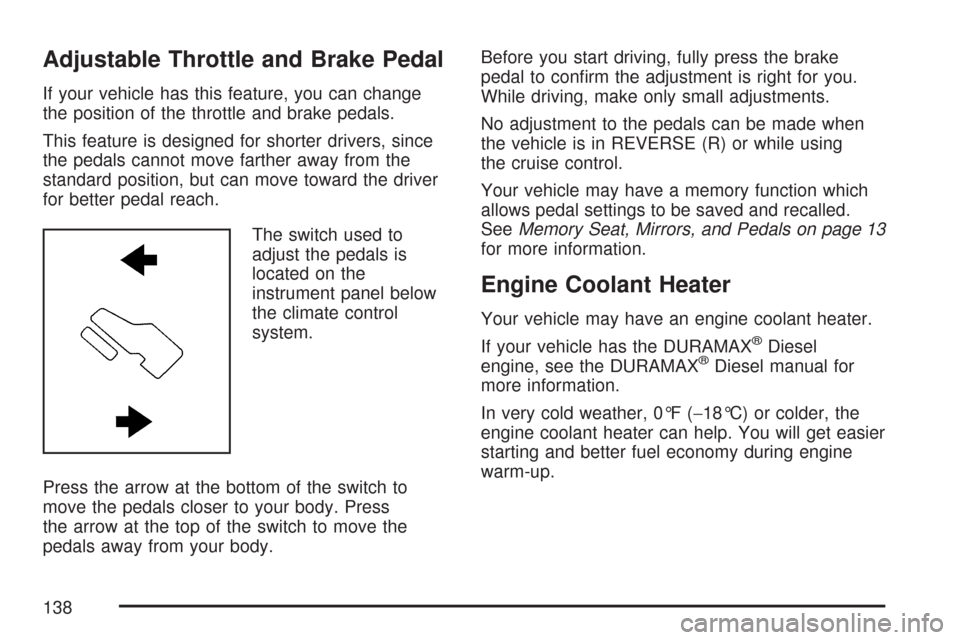
The switch used to
adjust the pedals is
located on the
instrument panel below
the climate control
system.
Press the arrow at the bottom of the switch to
move the pedals closer to your body. Press
the arrow at the top of the switch to move the
pedals away from your body.Before you start driving, fully press the brake
pedal to conrm the adjustment is right for you.
While driving, make only small adjustments.
No adjustment to the pedals can be made when
the vehicle is in REVERSE (R) or while using
the cruise control.
Your vehicle may have a memory function which
allows pedal settings to be saved and recalled.
SeeMemory Seat, Mirrors, and Pedals on page 13
for more information.
Engine Coolant Heater
Your vehicle may have an engine coolant heater.
If your vehicle has the DURAMAX
®Diesel
engine, see the DURAMAX®Diesel manual for
more information.
In very cold weather, 0°F (−18°C) or colder, the
engine coolant heater can help. You will get easier
starting and better fuel economy during engine
warm-up.
138
Page 140 of 684
Active Fuel Management™
Your vehicle’s V8 engine may have Active Fuel
Management™. This system allows the engine to
operate on either all or half of its cylinders,
depending on the driving conditions.
When less power is required, such as cruising at a
constant vehicle speed, the system will operate
in the half cylinder mode, allowing your vehicle to
achieve better fuel economy. When greater
power demands are required, such as accelerating
from a stop, passing, or merging onto a freeway,
the system will maintain full-cylinder operation.
Your vehicle has an Active Fuel Management™
indicator. For more information on using this
display seeDIC Operation and Displays (With DIC
Buttons) on page 270orDIC Operation and
Displays (Without DIC Buttons) on page 277.
Automatic Transmission Operation
If your vehicle is has an automatic transmission,
it has an electronic shift position indicator
within the instrument panel cluster. This display
comes on when the ignition key is turned to
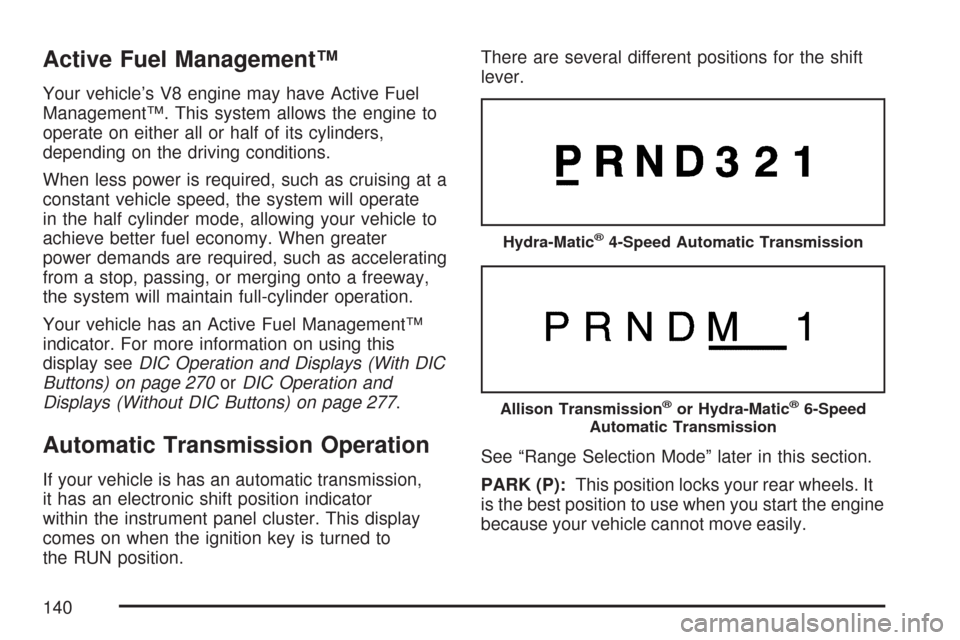
the RUN position.There are several different positions for the shift
lever.
See “Range Selection Mode” later in this section.
PARK (P):This position locks your rear wheels. It
is the best position to use when you start the engine
because your vehicle cannot move easily.
Hydra-Matic®4-Speed Automatic Transmission
Allison Transmission®or Hydra-Matic®6-Speed
Automatic Transmission
140
Page 147 of 684
The tow/haul mode adjusts the transmission shift
pattern to reduce shift cycling, providing
increased performance, vehicle control, and
transmission cooling when towing or hauling
heavy loads.
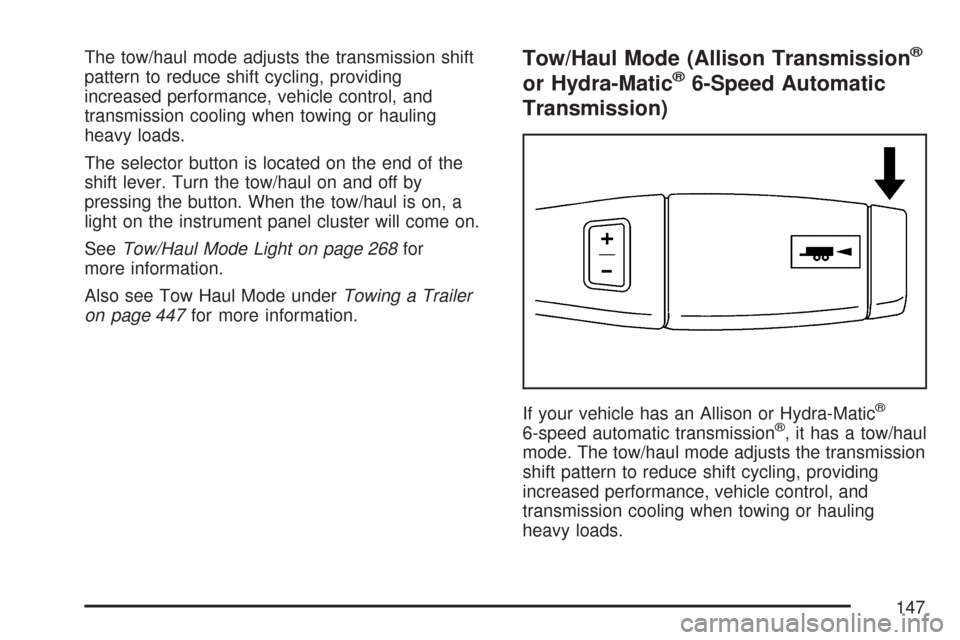
The selector button is located on the end of the
shift lever. Turn the tow/haul on and off by
pressing the button. When the tow/haul is on, a
light on the instrument panel cluster will come on.
SeeTow/Haul Mode Light on page 268for
more information.
Also see Tow Haul Mode underTowing a Trailer
on page 447for more information.Tow/Haul Mode (Allison Transmission®
or Hydra-Matic®6-Speed Automatic
Transmission)
If your vehicle has an Allison or Hydra-Matic®
6-speed automatic transmission®, it has a tow/haul
mode. The tow/haul mode adjusts the transmission
shift pattern to reduce shift cycling, providing
increased performance, vehicle control, and
transmission cooling when towing or hauling
heavy loads.
147
Page 148 of 684
Turn the tow/haul mode on and off by pressing the
button, located on the end of the shift lever.
When the tow/haul is on, a light on the instrument
panel cluster will come on.
SeeTow/Haul Mode Light on page 268for more
information.
Also see “Tow Haul Mode” underTowing a Trailer
on page 447for more information.
Grade Braking (Allison Transmission®
or Hydra-Matic®6-Speed Automatic
Transmission)
The Grade Braking shift modes can be activated
by pressing the button on the end of the shift
control lever. While in Range Selection Mode,
Grade Braking is deactivated allowing the driver to
select a desired range of gears.Grade Braking is only active while the Tow/Haul
Mode is selected and you are not in the Range
Selection Mode. See “Tow/Haul Mode listed
previously andAutomatic Transmission Operation
on page 140for more information on the Range
Slection Mode. Grade Braking assists in
maintaining desired vehicle speeds when driving
on downhill grades by automatically implementing
a shift schedule that utilizes the engine and
transmission to slow the vehicle. This reduces
wear on the braking system and increases control
of the vehicle. Grade Braking monitors vehicle
speed, acceleration, engine torque and brake
pedal usage. Using this information, it detects
when the truck is on a downhill grade and
the driver desires to slow the vehicle by pressing
the brake. See the diesel supplement for
information on Cruise Grade Braking.
Also seeTowing a Trailer on page 447for more
information.
148
Page 199 of 684
Instrument Panel Storage Area
Your vehicle may have an instrument panel
storage area. It is located above the glove box.
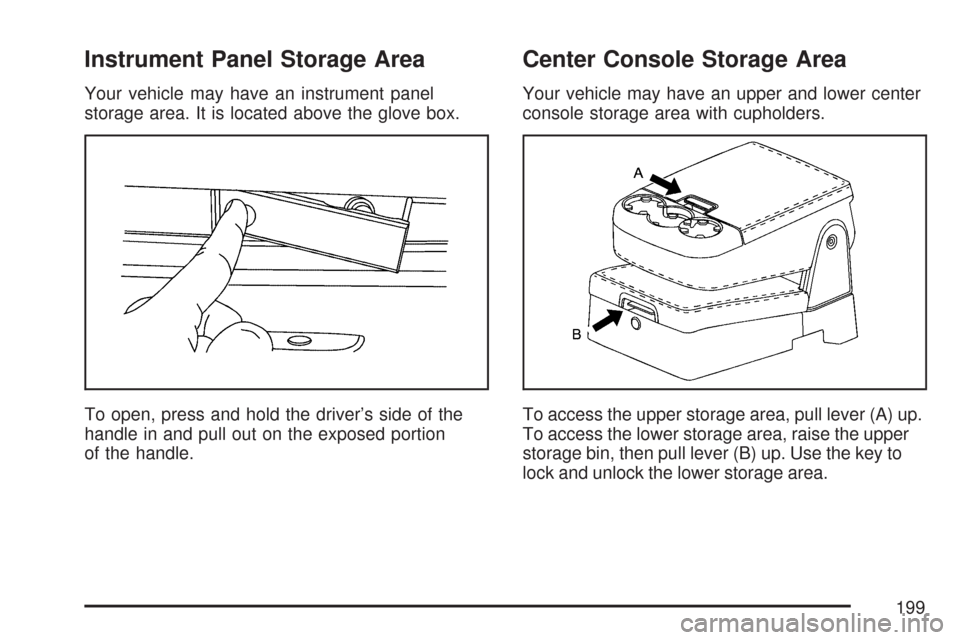
To open, press and hold the driver’s side of the
handle in and pull out on the exposed portion
of the handle.
Center Console Storage Area
Your vehicle may have an upper and lower center
console storage area with cupholders.
To access the upper storage area, pull lever (A) up.
To access the lower storage area, raise the upper
storage bin, then pull lever (B) up. Use the key to
lock and unlock the lower storage area.
199
Page 205 of 684
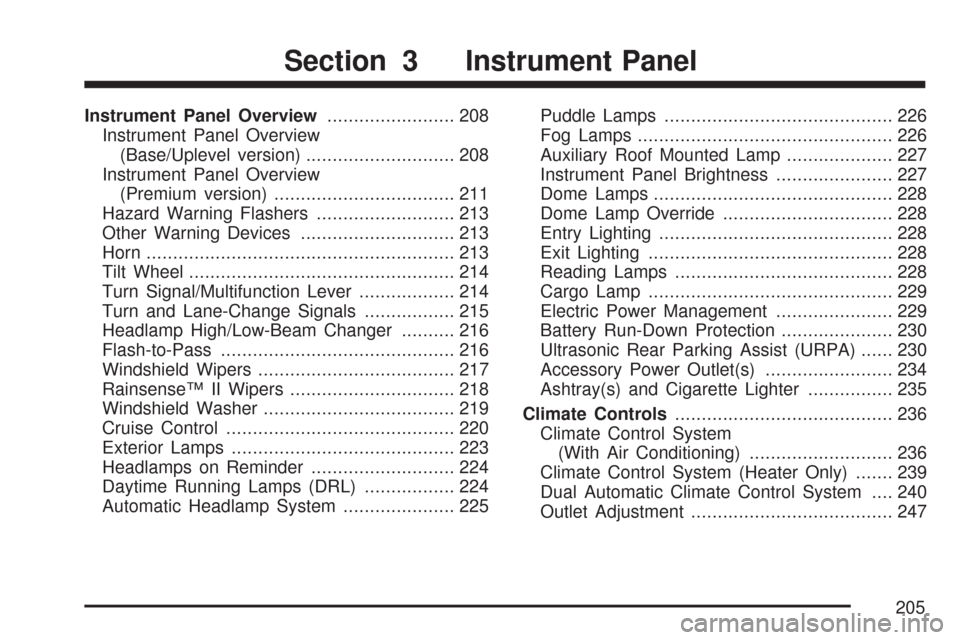
Instrument Panel Overview........................ 208
Instrument Panel Overview
(Base/Uplevel version)............................ 208
Instrument Panel Overview
(Premium version).................................. 211
Hazard Warning Flashers.......................... 213
Other Warning Devices............................. 213
Horn.......................................................... 213
Tilt Wheel.................................................. 214
Turn Signal/Multifunction Lever.................. 214
Turn and Lane-Change Signals................. 215
Headlamp High/Low-Beam Changer.......... 216
Flash-to-Pass............................................ 216
Windshield Wipers..................................... 217
Rainsense™ II Wipers............................... 218
Windshield Washer.................................... 219
Cruise Control........................................... 220
Exterior Lamps.......................................... 223
Headlamps on Reminder........................... 224
Daytime Running Lamps (DRL)................. 224
Automatic Headlamp System..................... 225Puddle Lamps........................................... 226
Fog Lamps................................................ 226
Auxiliary Roof Mounted Lamp.................... 227
Instrument Panel Brightness...................... 227
Dome Lamps............................................. 228
Dome Lamp Override................................ 228
Entry Lighting............................................ 228
Exit Lighting.............................................. 228
Reading Lamps......................................... 228
Cargo Lamp.............................................. 229
Electric Power Management...................... 229
Battery Run-Down Protection..................... 230
Ultrasonic Rear Parking Assist (URPA)...... 230
Accessory Power Outlet(s)........................ 234
Ashtray(s) and Cigarette Lighter................ 235
Climate Controls......................................... 236
Climate Control System
(With Air Conditioning)........................... 236
Climate Control System (Heater Only)....... 239
Dual Automatic Climate Control System.... 240
Outlet Adjustment...................................... 247
Section 3 Instrument Panel
205
Page 206 of 684
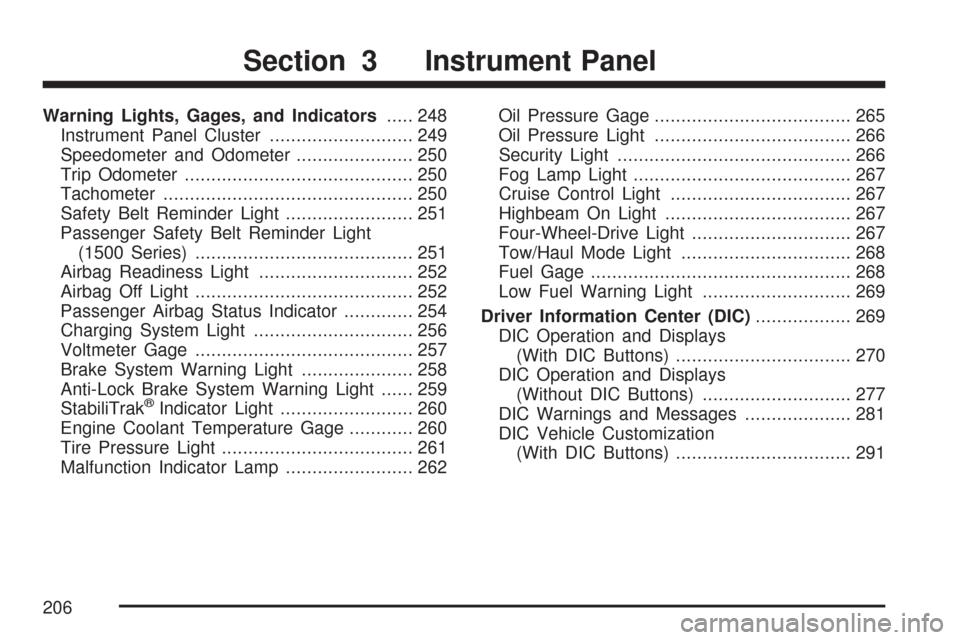
Warning Lights, Gages, and Indicators..... 248
Instrument Panel Cluster........................... 249
Speedometer and Odometer...................... 250
Trip Odometer........................................... 250
Tachometer............................................... 250
Safety Belt Reminder Light........................ 251
Passenger Safety Belt Reminder Light
(1500 Series)......................................... 251
Airbag Readiness Light............................. 252
Airbag Off Light......................................... 252
Passenger Airbag Status Indicator............. 254
Charging System Light.............................. 256
Voltmeter Gage......................................... 257
Brake System Warning Light..................... 258
Anti-Lock Brake System Warning Light...... 259
StabiliTrak
®Indicator Light......................... 260
Engine Coolant Temperature Gage............ 260
Tire Pressure Light.................................... 261
Malfunction Indicator Lamp........................ 262Oil Pressure Gage..................................... 265
Oil Pressure Light..................................... 266
Security Light............................................ 266
Fog Lamp Light......................................... 267
Cruise Control Light.................................. 267
Highbeam On Light................................... 267
Four-Wheel-Drive Light.............................. 267
Tow/Haul Mode Light................................ 268
Fuel Gage................................................. 268
Low Fuel Warning Light............................ 269
Driver Information Center (DIC).................. 269
DIC Operation and Displays
(With DIC Buttons)................................. 270
DIC Operation and Displays
(Without DIC Buttons)............................ 277
DIC Warnings and Messages.................... 281
DIC Vehicle Customization
(With DIC Buttons)................................. 291
Section 3 Instrument Panel
206