lights CHEVROLET SILVERADO 2007 1.G User Guide
[x] Cancel search | Manufacturer: CHEVROLET, Model Year: 2007, Model line: SILVERADO, Model: CHEVROLET SILVERADO 2007 1.GPages: 684, PDF Size: 3.4 MB
Page 162 of 684
Shifting Out of Four-Wheel-Drive Low
To shift from Four-Wheel-Drive Low to
Four-Wheel-Drive High, AUTO or
Two-Wheel-Drive High, your vehicle must be
stopped or moving less than 3 mph (5 km/h) with
the transmission in NEUTRAL (N) and the
ignition in RUN. The preferred method for shifting
out of Four-Wheel-Drive Low is to have your
vehicle moving 1 to 2 mph (1.6 to 3.2 km/h). Turn
the knob to the Four-Wheel-Drive High, AUTO
or Two-Wheel-Drive High position. You must wait
for the Four-Wheel-Drive High, AUTO or
Two-Wheel-Drive High indicator light to stop
ashing and remain on before shifting your
transmission into gear.
Notice:Shifting the transmission into gear
before the requested mode indicator light has
stopped ashing could damage the transfer
case. To help avoid damaging your vehicle,
always wait for the mode indicator lights
to stop ashing before shifting the
transmission into gear.It is typical for your vehicle to exhibit signicant
engagement noise and bump when shifting
between Four-Wheel-Drive Low and
Four-Wheel-Drive High ranges or from NEUTRAL
with the engine running.
If the knob is turned to the Four-Wheel-Drive High,
AUTO, or Two-Wheel-Drive High switch position
when your vehicle is in gear and/or moving,
the Four-Wheel-Drive High, AUTO or
Two-Wheel-Drive High indicator light will ash for
30 seconds but will not complete the shift
unless your vehicle is moving less than 3 mph
(5 km/h) and the transmission is in NEUTRAL (N).
Shifting into NEUTRAL
To shift the transfer case to NEUTRAL do the
following:
1. Make sure the vehicle is parked so that it will
not roll.
2. Set the parking brake and apply the regular
brake pedal. SeeParking Brake on page 164
for more information.
162
Page 163 of 684
3. Start the vehicle or turn the ignition to RUN.
4. Put the transmission in NEUTRAL (N).
5. Shift the transfer case to
Two-Wheel Drive High.
6. Turn the transfer case dial clockwise to
NEUTRAL till it stops and hold it for
10 seconds. Then slowly release the dial to
the four low position. The NEUTRAL light will
come on when the transfer case shift to
NEUTRAL is complete.
7. If the engine is running, make sure that the
transmission is in NEUTRAL (N) by shifting
the transmission to REVERSE (R) for
one second, then shift the transmission to
DRIVE (D) for one second.
8. Turn the ignition to ACCESSORY, which will
turn the engine off.
9. Place the transmission shift lever in PARK (P).
10. Release the parking brake prior to moving
the vehicle.
11. Turn the ignition to LOCK.Shifting Out of NEUTRAL
To shift out of NEUTRAL do the following:
1. Set the parking brake and apply the regular
brake pedal.
2. Shift the transmission to NEUTRAL (N) and
turn the ignition to RUN with the engine off.
3. Turn the transfer case dial to Two-Wheel-Drive
High, Four-Wheel-Drive High, AUTO.
After the transfer case has shifted out of
NEUTRAL the NEUTRAL light will go out.
4. Release the parking brake prior to moving the
vehicle.
Notice:Shifting the transmission into gear
before the requested mode indicator light has
stopped ashing could damage the transfer
case. To help avoid damaging your vehicle,
always wait for the mode indicator lights
to stop ashing before shifting the
transmission into gear.
5. Start the engine and shift the transmission to
the desired position.
163
Page 171 of 684
{CAUTION:
Four-wheel drive vehicles with the transfer
case in NEUTRAL will allow the vehicle to
roll, even if the shift lever is in PARK (P).
So, be sure the transfer case is in a drive
gear — not in NEUTRAL. Always set the
parking brake.
Follow the proper steps to be sure your vehicle
will not move. SeeShifting Into Park (P) on
page 165.
If you are pulling a trailer, seeTowing a Trailer on
page 447.
Mirrors
Manual Rearview Mirror
Pull or push the tab under the inside rearview
mirror to adjust it to the night or daytime setting. In
the nighttime setting, the glare from headlamps
behind the vehicle will be less intense.
Automatic Dimming Rearview Mirror
with OnStar
®, Compass and
Temperature Display
Your vehicle may have this feature. When on, the
automatic dimming mirror dims to the proper level
to minimize glare from lights behind you after dark.
The mirror has a dual display in the upper right
corner of the mirror face that shows the compass
reading and the outside temperature.
Control buttons for the OnStar
®system are at the
bottom of the mirror. SeeOnStar®System on
page 182for more information about the services
OnStar
®provides.
P(On/Off):This is the on/off button.
171
Page 175 of 684
Cleaning the Mirror
When cleaning the mirror, use a paper towel or
similar material dampened with glass cleaner. Do
not spray glass cleaner directly on the mirror
as that may cause the liquid cleaner to enter the
mirror housing.
Automatic Dimming Rearview Mirror
with Compass and Temperature
Display
Your vehicle may have this mirror. When on, an
automatic dimming mirror will dim to the proper
level to minimize glare from lights behind you
after dark.
The mirror also includes a dual display in the
upper right corner of the mirror with the compass
reading and the outside temperature.
Yb:Briey press this button to turn the display
on or off.
Temperature Display
The temperature can be displayed by pressing the
compass/temperature button. Pressing the
compass/temperature button once briey, will
toggle the display reading on and off. To alternate
the temperature reading between Fahrenheit
and Celsius, press and hold the compass/
temperature button for approximately three
seconds until the display blinks F and C. After
approximately ve seconds of inactivity, the
display will stop blinking and display the last
selection made.
If an abnormal temperature reading is displayed
for an extended period of time, see your
dealer. Under certain circumstances, a delay in
updating the temperature is normal.
175
Page 186 of 684
Universal Home Remote
System
System Identication
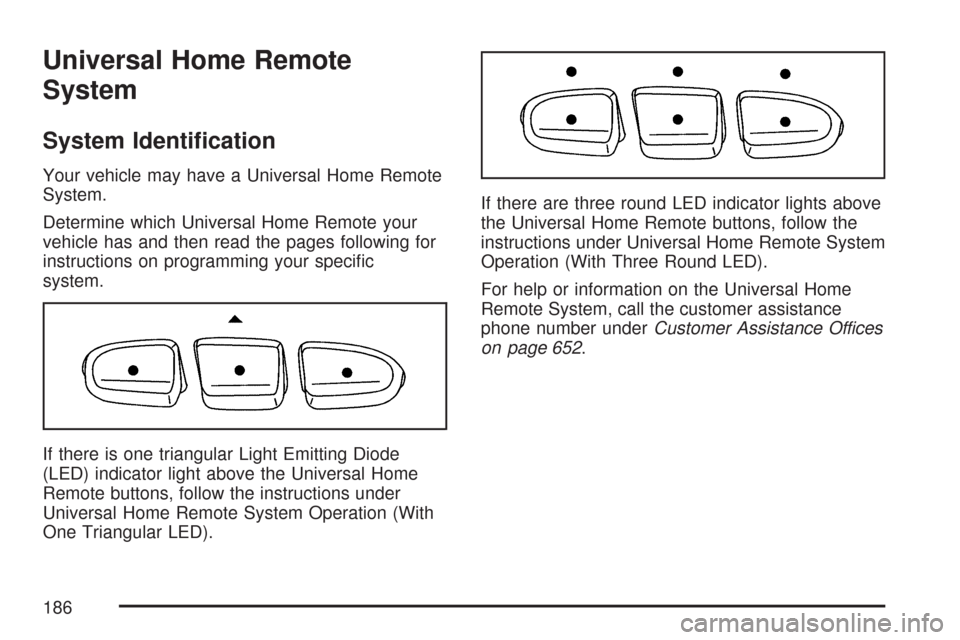
Your vehicle may have a Universal Home Remote
System.
Determine which Universal Home Remote your
vehicle has and then read the pages following for
instructions on programming your specic
system.
If there is one triangular Light Emitting Diode
(LED) indicator light above the Universal Home
Remote buttons, follow the instructions under
Universal Home Remote System Operation (With
One Triangular LED).If there are three round LED indicator lights above
the Universal Home Remote buttons, follow the
instructions under Universal Home Remote System
Operation (With Three Round LED).
For help or information on the Universal Home
Remote System, call the customer assistance
phone number underCustomer Assistance Offices
on page 652.
186
Page 191 of 684
Reprogramming a Single Universal
Home Remote Button
To program a device to Universal Home Remote
using a Universal Home Remote button
previously trained, follow these steps:
1. Press and hold the desired Universal Home
Remote button. Do not release the button.
2. The indicator light will begin to ash after
20 seconds. While still holding the Universal
Home Remote button, proceed with Step
2 under “Programming Universal Home
Remote” shown earlier in this section.
For help or information on the Universal Home
Remote System, call the customer assistance
phone number underCustomer Assistance Offices
on page 652.
Universal Home Remote System
Operation (With Three Round LED)
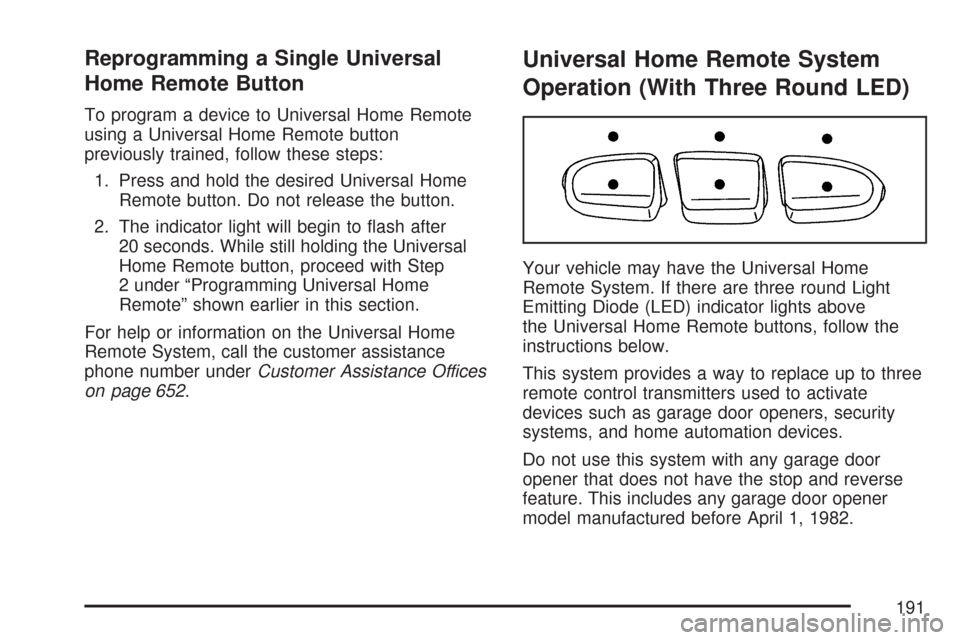
Your vehicle may have the Universal Home
Remote System. If there are three round Light
Emitting Diode (LED) indicator lights above
the Universal Home Remote buttons, follow the
instructions below.
This system provides a way to replace up to three
remote control transmitters used to activate
devices such as garage door openers, security
systems, and home automation devices.
Do not use this system with any garage door
opener that does not have the stop and reverse
feature. This includes any garage door opener
model manufactured before April 1, 1982.
191
Page 196 of 684
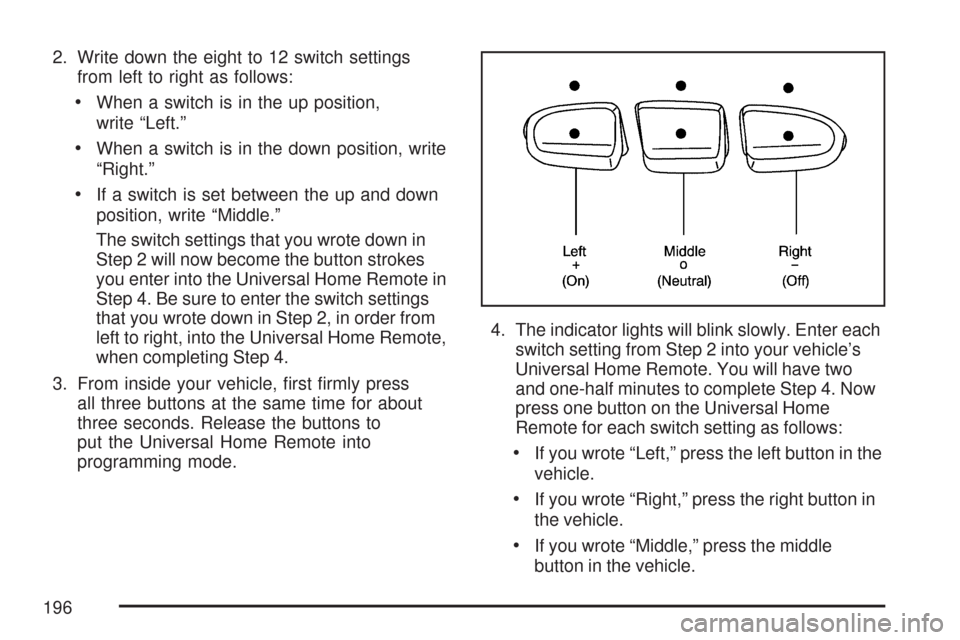
2. Write down the eight to 12 switch settings
from left to right as follows:
When a switch is in the up position,
write “Left.”
When a switch is in the down position, write
“Right.”
If a switch is set between the up and down
position, write “Middle.”
The switch settings that you wrote down in
Step 2 will now become the button strokes
you enter into the Universal Home Remote in
Step 4. Be sure to enter the switch settings
that you wrote down in Step 2, in order from
left to right, into the Universal Home Remote,
when completing Step 4.
3. From inside your vehicle, rst rmly press
all three buttons at the same time for about
three seconds. Release the buttons to
put the Universal Home Remote into
programming mode.4. The indicator lights will blink slowly. Enter each
switch setting from Step 2 into your vehicle’s
Universal Home Remote. You will have two
and one-half minutes to complete Step 4. Now
press one button on the Universal Home
Remote for each switch setting as follows:
If you wrote “Left,” press the left button in the
vehicle.
If you wrote “Right,” press the right button in
the vehicle.
If you wrote “Middle,” press the middle
button in the vehicle.
196
Page 197 of 684
5. After entering all of the switch positions, again,
rmly press and release all three buttons at the
same time. The indicator lights will turn on.
6. Press and hold the button you would like to use
to control the garage door until the garage door
moves. The indicator light above the selected
button should slowly blink. You may need to
hold the button from ve to 55 seconds.
7. Immediately release the button when the
garage door moves. The indicator light will
blink rapidly until programming is complete.
8. Press and release the same button again. The
garage door should move, conrming that
programming is successful and complete.
To program another Fixed Code device such as an
additional garage door opener, a security device, or
home automation device, repeat Steps 1-8,
choosing a different button in Step 6 than what you
used for the garage door opener.
Using Universal Home Remote
Press and hold the appropriate button for at least
half of a second. The indicator light will come
on while the signal is being transmitted.
Reprogramming Universal Home
Remote Buttons
You can reprogram any of the three buttons by
repeating the instructions.
Erasing Universal Home Remote
Buttons
You should erase the programmed buttons when
you sell or terminate your lease.
To erase either Rolling Code or Fixed Code on
the Universal Home Remote device, do the
following:
1. Press and hold the two outside buttons at the
same time for approximately 20 seconds, until
the indicator lights, located directly above
the buttons, begin to blink rapidly.
2. Once the indicator lights begin to blink,
release both buttons. The codes from all
buttons will be erased.
For help or information on the Universal Home
Remote System, call the customer assistance
phone number underCustomer Assistance Offices
on page 652.
197
Page 206 of 684
Warning Lights, Gages, and Indicators..... 248
Instrument Panel Cluster........................... 249
Speedometer and Odometer...................... 250
Trip Odometer........................................... 250
Tachometer............................................... 250
Safety Belt Reminder Light........................ 251
Passenger Safety Belt Reminder Light
(1500 Series)......................................... 251
Airbag Readiness Light............................. 252
Airbag Off Light......................................... 252
Passenger Airbag Status Indicator............. 254
Charging System Light.............................. 256
Voltmeter Gage......................................... 257
Brake System Warning Light..................... 258
Anti-Lock Brake System Warning Light...... 259
StabiliTrak
®Indicator Light......................... 260
Engine Coolant Temperature Gage............ 260
Tire Pressure Light.................................... 261
Malfunction Indicator Lamp........................ 262Oil Pressure Gage..................................... 265
Oil Pressure Light..................................... 266
Security Light............................................ 266
Fog Lamp Light......................................... 267
Cruise Control Light.................................. 267
Highbeam On Light................................... 267
Four-Wheel-Drive Light.............................. 267
Tow/Haul Mode Light................................ 268
Fuel Gage................................................. 268
Low Fuel Warning Light............................ 269
Driver Information Center (DIC).................. 269
DIC Operation and Displays
(With DIC Buttons)................................. 270
DIC Operation and Displays
(Without DIC Buttons)............................ 277
DIC Warnings and Messages.................... 281
DIC Vehicle Customization
(With DIC Buttons)................................. 291
Section 3 Instrument Panel
206
Page 223 of 684
Erasing Speed Memory
When you turn off the cruise control or the ignition,
the cruise control set speed memory is erased.
Exterior Lamps
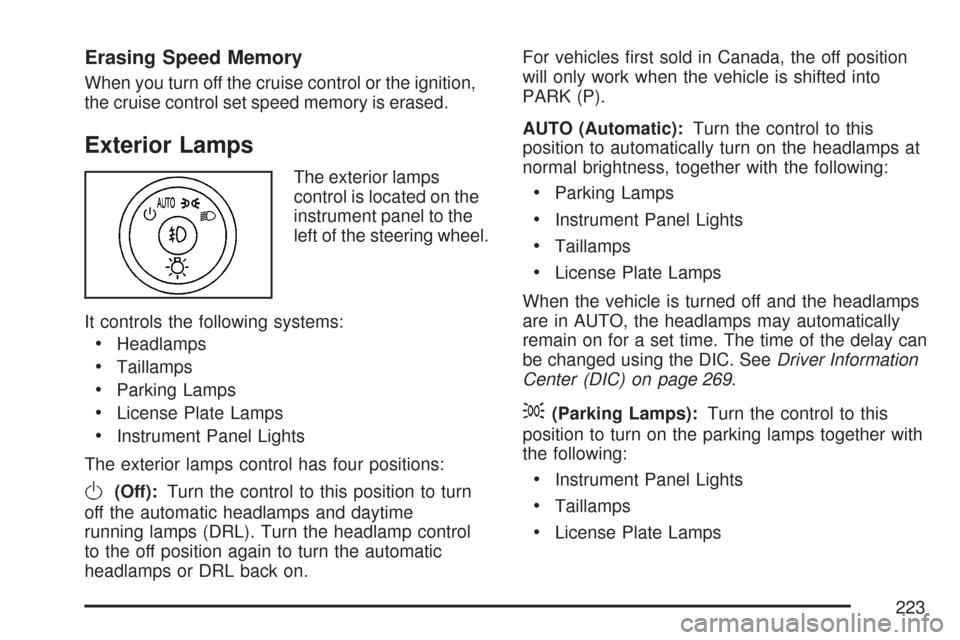
The exterior lamps
control is located on the
instrument panel to the
left of the steering wheel.
It controls the following systems:
Headlamps
Taillamps
Parking Lamps
License Plate Lamps
Instrument Panel Lights
The exterior lamps control has four positions:
O(Off):Turn the control to this position to turn
off the automatic headlamps and daytime
running lamps (DRL). Turn the headlamp control
to the off position again to turn the automatic
headlamps or DRL back on.For vehicles rst sold in Canada, the off position
will only work when the vehicle is shifted into
PARK (P).
AUTO (Automatic):Turn the control to this
position to automatically turn on the headlamps at
normal brightness, together with the following:
Parking Lamps
Instrument Panel Lights
Taillamps
License Plate Lamps
When the vehicle is turned off and the headlamps
are in AUTO, the headlamps may automatically
remain on for a set time. The time of the delay can
be changed using the DIC. SeeDriver Information
Center (DIC) on page 269.
;(Parking Lamps):Turn the control to this
position to turn on the parking lamps together with
the following:
Instrument Panel Lights
Taillamps
License Plate Lamps
223