display CHEVROLET SILVERADO 2008 2.G Owners Manual
[x] Cancel search | Manufacturer: CHEVROLET, Model Year: 2008, Model line: SILVERADO, Model: CHEVROLET SILVERADO 2008 2.GPages: 596, PDF Size: 3.12 MB
Page 309 of 596
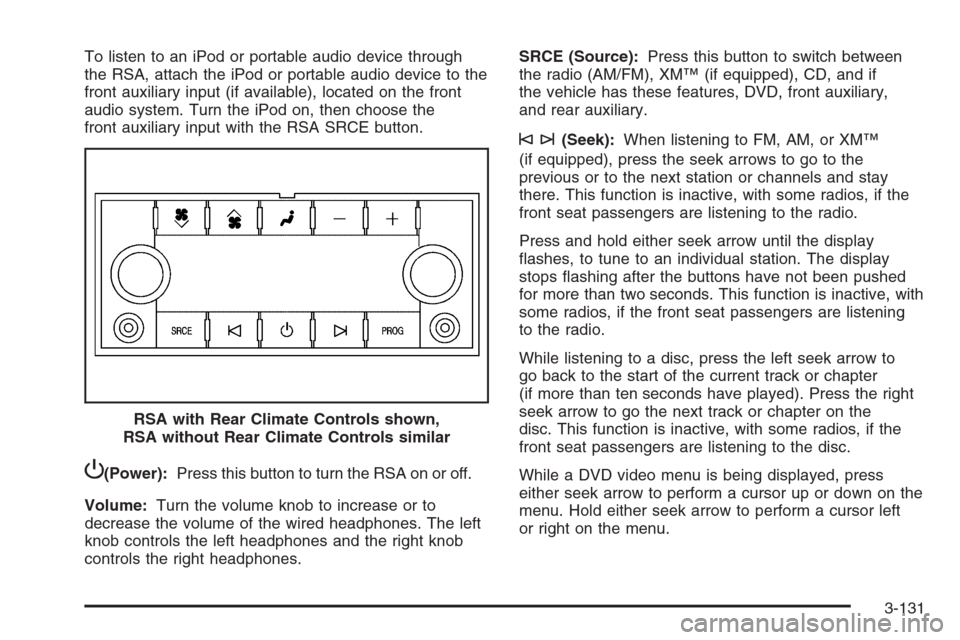
To listen to an iPod or portable audio device through
the RSA, attach the iPod or portable audio device to the
front auxiliary input (if available), located on the front
audio system. Turn the iPod on, then choose the
front auxiliary input with the RSA SRCE button.
P(Power):Press this button to turn the RSA on or off.
Volume:Turn the volume knob to increase or to
decrease the volume of the wired headphones. The left
knob controls the left headphones and the right knob
controls the right headphones.SRCE (Source):Press this button to switch between
the radio (AM/FM), XM™ (if equipped), CD, and if
the vehicle has these features, DVD, front auxiliary,
and rear auxiliary.
©¨(Seek):When listening to FM, AM, or XM™
(if equipped), press the seek arrows to go to the
previous or to the next station or channels and stay
there. This function is inactive, with some radios, if the
front seat passengers are listening to the radio.
Press and hold either seek arrow until the display
ashes, to tune to an individual station. The display
stops ashing after the buttons have not been pushed
for more than two seconds. This function is inactive, with
some radios, if the front seat passengers are listening
to the radio.
While listening to a disc, press the left seek arrow to
go back to the start of the current track or chapter
(if more than ten seconds have played). Press the right
seek arrow to go the next track or chapter on the
disc. This function is inactive, with some radios, if the
front seat passengers are listening to the disc.
While a DVD video menu is being displayed, press
either seek arrow to perform a cursor up or down on the
menu. Hold either seek arrow to perform a cursor left
or right on the menu. RSA with Rear Climate Controls shown,
RSA without Rear Climate Controls similar
3-131
Page 310 of 596
PROG (Program):Press this button to go to the next
preset radio station or channel set on the main
radio. This function is inactive, with some radios, if the
front seat passengers are listening to the radio.
While a CD or DVD audio disc is playing, press this
button to go to the beginning of the CD or DVD audio.
This function is inactive, with some radios, if the
front seat passengers are listening to the CD or
DVD audio.
While a disc is playing in the CD or DVD changer, press
this button to select the next disc, if multiple discs are
loaded. This function is inactive, with some radios,
if the front seat passengers are listening to the disc.
While a DVD video menu is being displayed, press the
PROG button to perform the menu function, Enter.
Theft-Deterrent Feature
THEFTLOCK®is designed to discourage theft of the
vehicle’s radio. The feature works automatically by
learning a portion of the Vehicle Identication
Number (VIN). If the radio is moved to a different
vehicle, it does not operate and LOC, LOCK, or
LOCKED could display.
With THEFTLOCK
®activated, the radio does not
operate if stolen.
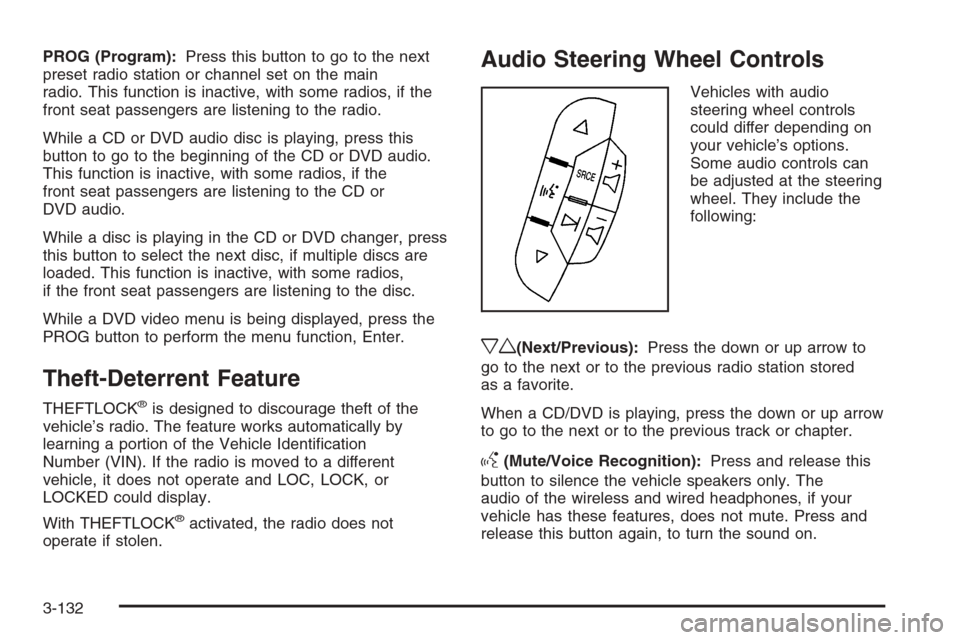
Audio Steering Wheel Controls
Vehicles with audio
steering wheel controls
could differ depending on
your vehicle’s options.
Some audio controls can
be adjusted at the steering
wheel. They include the
following:
xw(Next/Previous):Press the down or up arrow to
go to the next or to the previous radio station stored
as a favorite.
When a CD/DVD is playing, press the down or up arrow
to go to the next or to the previous track or chapter.
g(Mute/Voice Recognition):Press and release this
button to silence the vehicle speakers only. The
audio of the wireless and wired headphones, if your
vehicle has these features, does not mute. Press and
release this button again, to turn the sound on.
3-132
Page 312 of 596
XM™ Satellite Radio Service
XM™ Satellite Radio Service gives digital radio
reception from coast-to-coast in the 48 contiguous
United States, and in Canada. Just as with FM,
tall buildings or hills can interfere with satellite radio
signals, causing the sound to fade in and out. In
addition, traveling or standing under heavy foliage,
bridges, garages, or through tunnels could cause loss of
the XM signal for a period of time. The radio may
display NO XM SIGNAL to indicate interference.
Fixed Mast Antenna
The xed mast antenna can withstand most car washes
without being damaged. If the mast should ever
become slightly bent, straighten it out by hand. If the
mast is badly bent, replace it.
Check occasionally to make sure the mast is still
tightened to its base. If tightening is required, tighten by
hand, then with a wrench one quarter turn.
XM™ Satellite Radio Antenna
System
The XM™ Satellite Radio antenna is located on the roof
of the vehicle. Keep this antenna clear of snow and
ice build up for clear radio reception.
If the vehicle has a sunroof, the performance of the
XM™ system may be affected if the sunroof is open.
Loading items onto the roof of the vehicle can interfere
with the performance of the XM™ system. Make
sure the XM™ Satellite Radio antenna is not obstructed.
3-134
Page 318 of 596
StabiliTrak®System
Your vehicle may have the StabiliTrak®system which
combines antilock brake, traction and stability control
systems and helps the driver maintain directional control
of the vehicle in most driving conditions.
When you rst start your vehicle and begin to drive away,
the system performs several diagnostic checks to ensure
there are no problems. You may hear or feel the system
working. This is normal and does not mean there is a
problem with your vehicle. The system should initialize
before the vehicle reaches 20 mph (32 km/h). In some
cases, it may take approximately two miles of driving
before the system initializes.
If the system fails to turn on or activate, the StabiliTrak
®
light along with one of the following messages will be
displayed on the Driver Information Center (DIC):
TRACTION CONTROL OFF, SERVICE TRACTION
CONTROL, STABILITRAK OFF, SERVICE
STABILITRAK. If these DIC messages appear, make
sure the StabiliTrak
®system has not been turned
off using the StabiliTrak®on/off button.Then turn the steering wheel clockwise from the nine
o’clock position to the three o’clock position. If this clears
the message(s), your vehicle does not need servicing. If
this does not clear the message(s), then turn the vehicle
off, wait 15 seconds, and then turn it back on again to
reset the system. If any of these messages still appear on
the Driver Information Center (DIC), your vehicle should
be taken in for service. For more information on the DIC
messages, seeDriver Information Center (DIC) on
page 3-56.
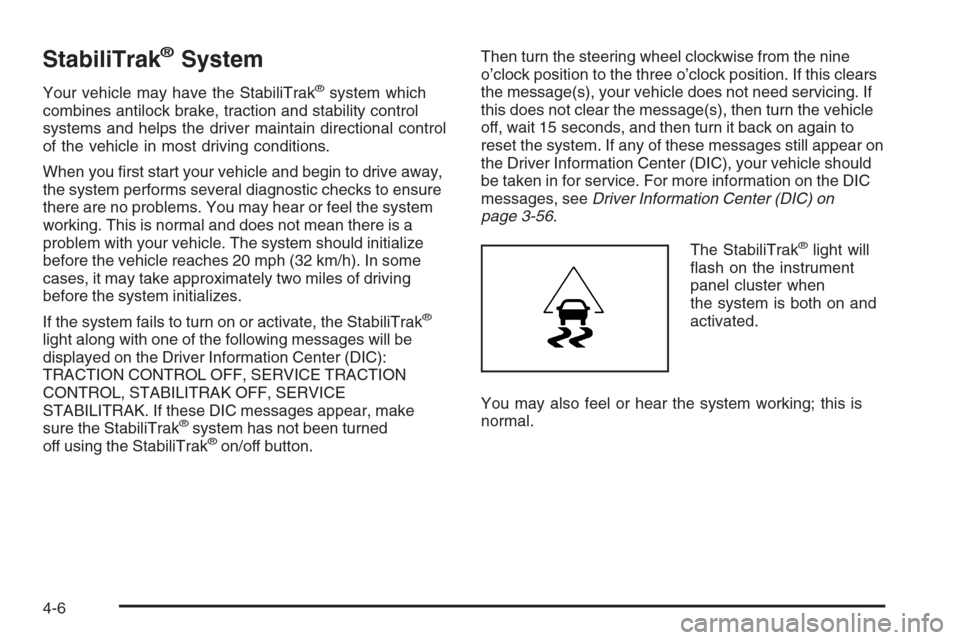
The StabiliTrak
®light will
ash on the instrument
panel cluster when
the system is both on and
activated.
You may also feel or hear the system working; this is
normal.
4-6
Page 319 of 596
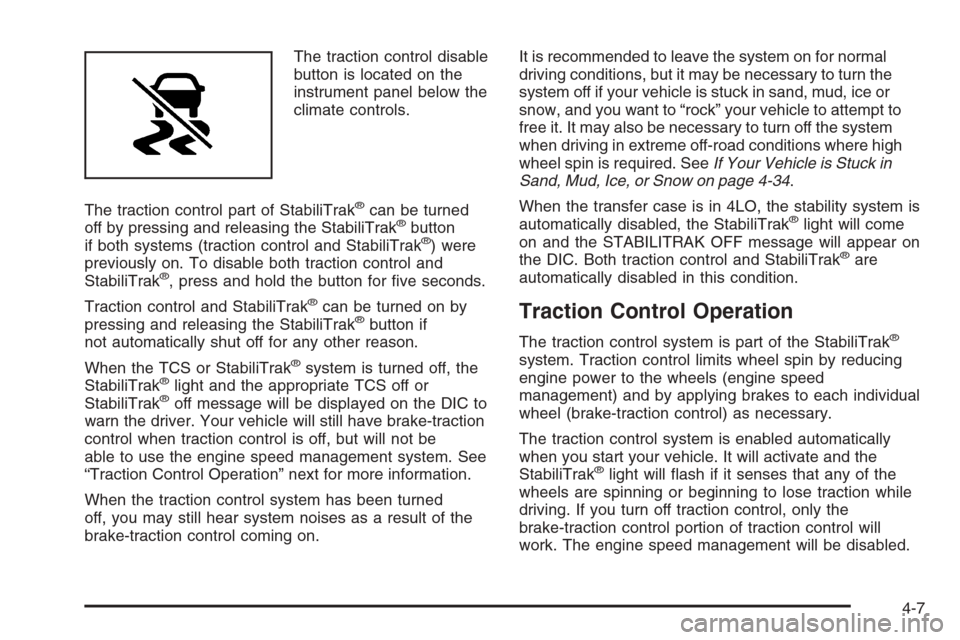
The traction control disable
button is located on the
instrument panel below the
climate controls.
The traction control part of StabiliTrak
®can be turned
off by pressing and releasing the StabiliTrak®button
if both systems (traction control and StabiliTrak®) were
previously on. To disable both traction control and
StabiliTrak
®, press and hold the button for ve seconds.
Traction control and StabiliTrak
®can be turned on by
pressing and releasing the StabiliTrak®button if
not automatically shut off for any other reason.
When the TCS or StabiliTrak
®system is turned off, the
StabiliTrak®light and the appropriate TCS off or
StabiliTrak®off message will be displayed on the DIC to
warn the driver. Your vehicle will still have brake-traction
control when traction control is off, but will not be
able to use the engine speed management system. See
“Traction Control Operation” next for more information.
When the traction control system has been turned
off, you may still hear system noises as a result of the
brake-traction control coming on.It is recommended to leave the system on for normal
driving conditions, but it may be necessary to turn the
system off if your vehicle is stuck in sand, mud, ice or
snow, and you want to “rock” your vehicle to attempt to
free it. It may also be necessary to turn off the system
when driving in extreme off-road conditions where high
wheel spin is required. SeeIf Your Vehicle is Stuck in
Sand, Mud, Ice, or Snow on page 4-34.
When the transfer case is in 4LO, the stability system is
automatically disabled, the StabiliTrak
®light will come
on and the STABILITRAK OFF message will appear on
the DIC. Both traction control and StabiliTrak
®are
automatically disabled in this condition.
Traction Control Operation
The traction control system is part of the StabiliTrak®
system. Traction control limits wheel spin by reducing
engine power to the wheels (engine speed
management) and by applying brakes to each individual
wheel (brake-traction control) as necessary.
The traction control system is enabled automatically
when you start your vehicle. It will activate and the
StabiliTrak
®light will ash if it senses that any of the
wheels are spinning or beginning to lose traction while
driving. If you turn off traction control, only the
brake-traction control portion of traction control will
work. The engine speed management will be disabled.
4-7
Page 320 of 596
In this mode, engine power is not reduced automatically
and the driven wheels can spin more freely. This can
cause the brake-traction control to activate constantly.
Notice:If you allow the wheel(s) of one axle to spin
excessively while the StabiliTrak
®, ABS and brake
warning lights and the SERVICE STABILITRAK
message are displayed, you could damage the
transfer case. The repairs would not be covered by
your warranty. Reduce engine power and do not
spin the wheel(s) excessively while these lights and
this message are displayed.
The traction control system may activate on dry or
rough roads or under conditions such as heavy
acceleration while turning or abrupt upshifts/downshifts
of the transmission. When this happens, you may
notice a reduction in acceleration, or may hear a noise
or vibration. This is normal.
If your vehicle is in cruise control when the system
activates, the StabiliTrak
®light will ash and the cruise
control will automatically disengage. When road
conditions allow you to use cruise again, you may
re-engage the cruise control. SeeCruise Control on
page 3-13.
StabiliTrak
®may also turn off automatically if it
determines that a problem exists with the system. If the
problem does not clear itself after restarting the
vehicle, you should see your dealer/retailer for service.
Steering
Power Steering
If you lose power steering assist because the engine
stops or the system is not functioning, you can steer but
it will take much more effort.
Steering Tips
It is important to take curves at a reasonable speed.
A lot of the “driver lost control” accidents mentioned on
the news happen on curves. Here is why:
Experienced driver or beginner, each of us is subject to
the same laws of physics when driving on curves.
The traction of the tires against the road surface makes
it possible for the vehicle to change its path when
you turn the front wheels. If there is no traction, inertia
will keep the vehicle going in the same direction. If
you have ever tried to steer a vehicle on wet ice, you
will understand this.
Traction in a curve depends on the condition of the tires
and the road surface, the angle at which the curve is
banked, and your speed. While in a curve, speed is the
one factor you can control.
4-8
Page 392 of 596
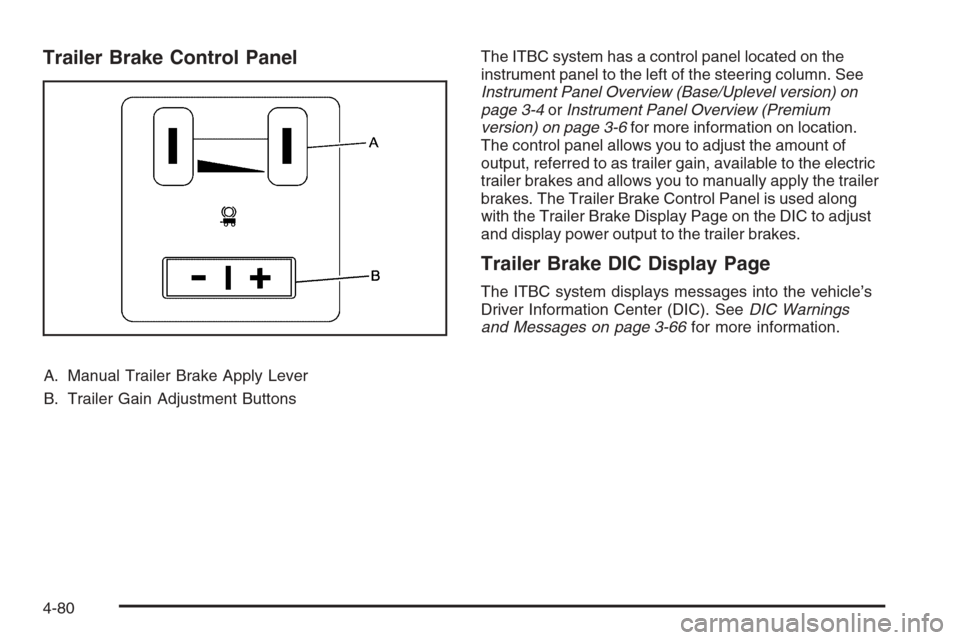
Trailer Brake Control Panel
A. Manual Trailer Brake Apply Lever
B. Trailer Gain Adjustment ButtonsThe ITBC system has a control panel located on the
instrument panel to the left of the steering column. See
Instrument Panel Overview (Base/Uplevel version) on
page 3-4orInstrument Panel Overview (Premium
version) on page 3-6for more information on location.
The control panel allows you to adjust the amount of
output, referred to as trailer gain, available to the electric
trailer brakes and allows you to manually apply the trailer
brakes. The Trailer Brake Control Panel is used along
with the Trailer Brake Display Page on the DIC to adjust
and display power output to the trailer brakes.
Trailer Brake DIC Display Page
The ITBC system displays messages into the vehicle’s
Driver Information Center (DIC). SeeDIC Warnings
and Messages on page 3-66for more information.
4-80
Page 393 of 596
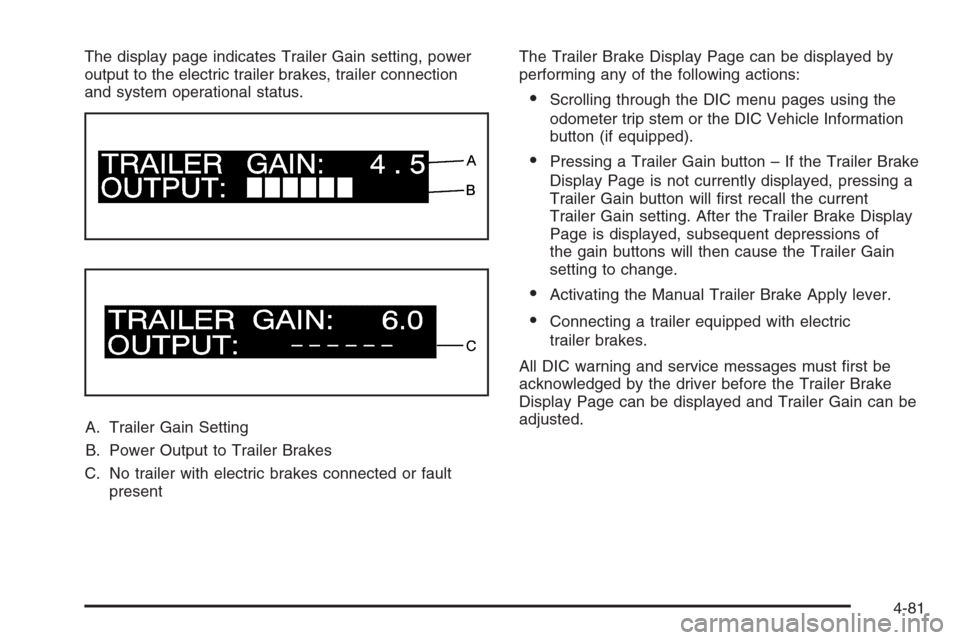
The display page indicates Trailer Gain setting, power
output to the electric trailer brakes, trailer connection
and system operational status.
A. Trailer Gain Setting
B. Power Output to Trailer Brakes
C. No trailer with electric brakes connected or fault
presentThe Trailer Brake Display Page can be displayed by
performing any of the following actions:
Scrolling through the DIC menu pages using the
odometer trip stem or the DIC Vehicle Information
button (if equipped).
Pressing a Trailer Gain button – If the Trailer Brake
Display Page is not currently displayed, pressing a
Trailer Gain button will rst recall the current
Trailer Gain setting. After the Trailer Brake Display
Page is displayed, subsequent depressions of
the gain buttons will then cause the Trailer Gain
setting to change.
Activating the Manual Trailer Brake Apply lever.
Connecting a trailer equipped with electric
trailer brakes.
All DIC warning and service messages must rst be
acknowledged by the driver before the Trailer Brake
Display Page can be displayed and Trailer Gain can be
adjusted.
4-81
Page 394 of 596
TRAILER GAIN – This setting is displayed anytime the
Trailer Brake Display Page is active. This setting
can be adjusted from 0.0 to 10.0 with either a trailer
connected or disconnected. To adjust the Trailer Gain,
press one of the Trailer Gain adjustment buttons
located on the Trailer Brake Control Panel. Press and
hold a gain button to cause the Trailer Gain to
continuously adjust. To turn the output to the trailer off,
adjust the Trailer Gain setting to 0.0 (zero).
0.0 (zero) gain is the factory default setting. To properly
adjust trailer gain, see the Trailer Gain Adjustment
Procedure later in this section.
TRAILER OUTPUT – This is displayed any time a trailer
with electric brakes is connected. Output to the electric
brakes is based on the amount of vehicle braking
present and relative to the Trailer Gain setting. Output is
displayed from 0 to 10 bars for each gain setting.
The Trailer Output will indicate “------“ontheTrailer
Brake Display Page whenever the following occur:
No trailer is connected.
A trailer without electric brakes is connected (no
DIC message is displayed).
A trailer with electric brakes has become
disconnected (a CHECK TRAILER WIRING
message will also be displayed on the DIC).
There is a fault present in the wiring to the electric
trailer brakes (a CHECK TRAILER WIRING
message will also be displayed on the DIC).
There is a fault in the ITBC system (a SERVICE
TRAILER BRAKE SYSTEM message will also
be displayed in the DIC).
Manual Trailer Brake Apply
The Manual Trailer Brake Apply Lever is located on the
Trailer Brake Control Panel and is used to apply the
trailer’s electric brakes independent of your vehicle’s
brakes. This lever is used in the Trailer Gain Adjustment
Procedure to properly adjust the power output to the
trailer brakes. Sliding the lever to the left will apply only
the trailer brakes. The power output to the trailer is
indicated in the Trailer Brake Display Page in the DIC. If
your vehicle’s service brakes are applied while using the
Manual Trailer Brake Apply Lever, the trailer output
power will be the greater of the two.
The trailer and the vehicle’s brake lamps will come on
when either vehicle braking or manual trailer brakes
are applied.
4-82
Page 395 of 596
Trailer Gain Adjustment Procedure
Trailer Gain should be set for a specic trailering
condition and must be adjusted any time vehicle loading,
trailer loading or road surface conditions change.
Setting the Trailer Gain properly is needed for the best
trailer stopping performance. A trailer that is
over-gained may result in locked trailer brakes. A trailer
that is under-gained may result in not enough trailer
braking. Both of these conditions may result in poorer
stopping and stability of the vehicle and trailer.
Use the following procedure to correctly adjust Trailer
Gain for each towing condition:
1. Make sure the trailer brakes are in proper working
condition.
2. Connect a properly loaded trailer to the vehicle and
make all necessary mechanical and electrical
connections. SeeLoading Your Vehicle on
page 4-36for more information.3. After the electrical connection is made to a trailer
equipped with electric brakes:A TRAILER CONNECTED message will be
briey displayed on the DIC display.
The Trailer Brake Display Page will appear on
the DIC showing TRAILER GAIN and TRAILER
OUTPUT.
In the Trailer Output display on the DIC, “------“
will disappear if there is no error present.
Connecting a trailer without electric brakes will not
clear the six dashed lines.
4. Adjust the Trailer Gain by using the gain adjustment
(+ / -) buttons on the Trailer Brake Control Panel.
5. Drive the vehicle with the trailer attached on a level
road surface representative of the towing condition
and free of traffic at about 20 to 25 mph (32 to
40 km/h) and fully apply the Manual Trailer Brake
Apply lever.
Adjusting trailer gain at speeds lower than
20 to 25 mph (32 to 40 km/h) may result in an
incorrect gain setting.
4-83