change wheel CHEVROLET SILVERADO 2009 2.G Owners Manual
[x] Cancel search | Manufacturer: CHEVROLET, Model Year: 2009, Model line: SILVERADO, Model: CHEVROLET SILVERADO 2009 2.GPages: 600, PDF Size: 3.24 MB
Page 5 of 600
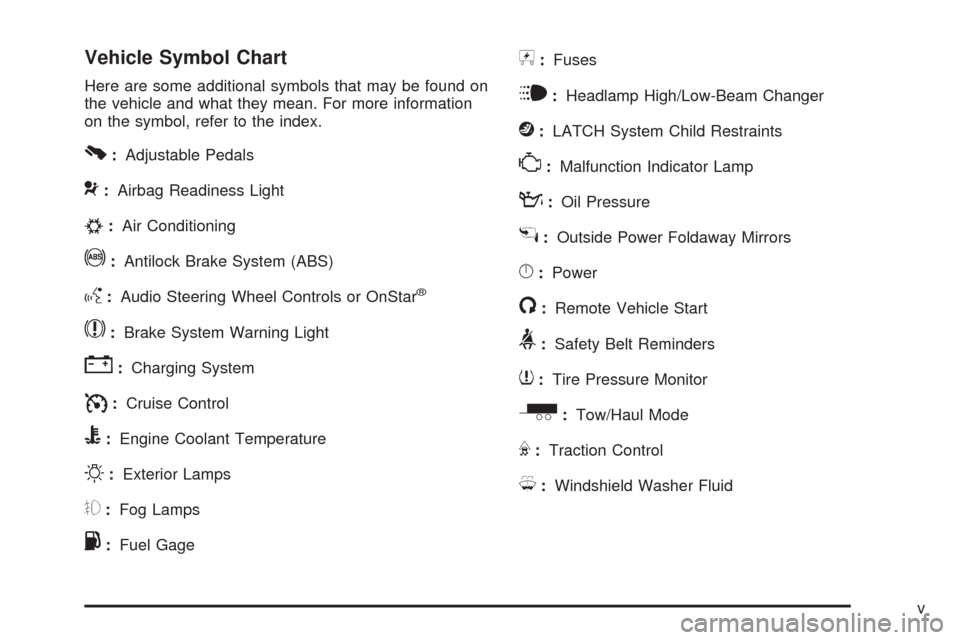
Vehicle Symbol Chart
Here are some additional symbols that may be found on
the vehicle and what they mean. For more information
on the symbol, refer to the index.
0:Adjustable Pedals
9:Airbag Readiness Light
#:Air Conditioning
!:Antilock Brake System (ABS)
g:Audio Steering Wheel Controls or OnStar®
$:Brake System Warning Light
":Charging System
I:Cruise Control
B:Engine Coolant Temperature
O:Exterior Lamps
#:Fog Lamps
.:Fuel Gage
+:Fuses
i:Headlamp High/Low-Beam Changer
j:LATCH System Child Restraints
*:Malfunction Indicator Lamp
::Oil Pressure
g:Outside Power Foldaway Mirrors
}:Power
/:Remote Vehicle Start
>:Safety Belt Reminders
7:Tire Pressure Monitor
_:Tow/Haul Mode
F:Traction Control
M:Windshield Washer Fluid
v
Page 96 of 600
Servicing Your Airbag-Equipped
Vehicle
Airbags affect how the vehicle should be serviced.
There are parts of the airbag system in several places
around the vehicle. Your dealer/retailer and the
service manual have information about servicing the
vehicle and the airbag system. To purchase a service
manual, seeService Publications Ordering Information
on page 7-15.
{CAUTION:
For up to 10 seconds after the ignition is turned off
and the battery is disconnected, an airbag can still
inate during improper service. You can be injured
if you are close to an airbag when it inates. Avoid
yellow connectors. They are probably part of the
airbag system. Be sure to follow proper service
procedures, and make sure the person performing
work for you is qualied to do so.
Adding Equipment to Your
Airbag-Equipped Vehicle
Q:Is there anything I might add to or change
about the vehicle that could keep the airbags
from working properly?
A:Yes. If you add things that change your vehicle’s
frame, bumper system, height, front end or side
sheet metal, they may keep the airbag system from
working properly. Changing or moving any parts
of the front seats, safety belts, the airbag sensing
and diagnostic module, steering wheel, instrument
panel, roof-rail airbag modules, ceiling headliner
or pillar garnish trim, overhead console, front
sensors, rollover sensor module, or airbag wiring
can affect the operation of the airbag system.
In addition, your vehicle may have a passenger
sensing system for the right front passenger’s
position, which includes sensors that are part of the
passenger’s seat. The passenger sensing system
may not operate properly if the original seat
trim is replaced with non-GM covers, upholstery or
trim, or with GM covers, upholstery or trim
designed for a different vehicle. Any object, such as
an aftermarket seat heater or a comfort enhancing
pad or device, installed under or on top of the
1-90
Page 97 of 600
seat fabric, could also interfere with the operation of
the passenger sensing system. This could either
prevent proper deployment of the passenger
airbag(s) or prevent the passenger sensing system
from properly turning off the passenger airbag(s).
SeePassenger Sensing System on page 1-85.
If you have any questions about this, you should
contact Customer Assistance before you modify
your vehicle. The phone numbers and addresses for
Customer Assistance are in Step Two of the
Customer Satisfaction Procedure in this manual.
SeeCustomer Satisfaction Procedure on page 7-2.
If your vehicle has rollover roof-rail airbags, see
Different Size Tires and Wheels on page 5-86
for additional important information.
Q:What if I added a snow plow? Will it keep the
airbags from working properly?
A:We have designed our airbag systems to work
properly under a wide range of conditions,
including snow plowing with vehicles that have the
optional Snow Plow Prep Package (RPO VYU).
But do not change or defeat the snow plow’s
“tripping mechanism.” If you do, it can damage your
snow plow and your vehicle, and it may cause an
airbag ination.
Q:Because I have a disability, I have to get my
vehicle modied. How can I nd out whether
this will affect my airbag system?
A:If you have questions, call Customer Assistance.
The phone numbers and addresses for Customer
Assistance are in Step Two of the Customer
Satisfaction Procedure in this manual. See
Customer Satisfaction Procedure on page 7-2.
In addition, your dealer/retailer and the service manual
have information about the location of the airbag
sensors, sensing and diagnostic module and airbag
wiring.
1-91
Page 131 of 600
The vehicle has a shift stabilization feature that adjusts
the transmission shifting to the current driving
conditions in order to reduce rapid upshifts and
downshifts. This shift stabilization feature is designed to
determine, before making an upshift, if the engine is
able to maintain vehicle speed by analyzing things such
as vehicle speed, throttle position, and vehicle load.
If the shift stabilization feature determines that a current
vehicle speed cannot be maintained, the transmission
does not upshift and instead holds the current gear.
In some cases, this could appear to be a delayed shift,
however the transmission is operating normally.
The transmission uses adaptive shift controls.
Adaptive shift controls continually compares key shift
parameters to pre-programmed ideal shifts stored in the
transmissions computer. The transmission constantly
makes adjustments to improve vehicle performance
according to how the vehicle is being used, such as with
a heavy load or when temperature changes. During
this adaptive shift control process, shifting might
feel different as the transmission determines the best
settings.
When temperatures are very cold, the Allison
Transmission
®and Hydra-Matic®6-Speed
transmission’s gear shifting could be delayed providing
more stable shifts until the engine warms up. Shifts
could be more noticeable with a cold transmission. This
difference in shifting is normal.M (Manual Mode):This position is available on
vehicles with the Allison Transmission
®or Hydra-Matic®
6-Speed transmission. It lets drivers select the range
of gears appropriate for current driving conditions. If the
vehicle has this feature, see Range Select Mode
(Allison Transmission
®or Hydra-Matic®6-Speed
transmission) later in this section.
3 (Third):This position is also used for normal driving.
It reduces vehicle speed more than D (Drive) without
using the brakes. You might choose 3 (Third) instead of
D (Drive) when driving on hilly, winding roads, when
towing a trailer, so there is less shifting between gears
and when going down a steep hill.
2 (Second):This position reduces vehicle speed even
more than 3 (Third) without using the brakes. You
can use 2 (Second) on hills. It can help control vehicle
speed as you go down steep mountain roads, but
then you would also want to use the brakes off and on.
If you manually select 2 (Second) in an automatic
transmission, the transmission will start in second gear.
You can use this feature for reducing the speed of
the rear wheels when you are trying to start the vehicle
from a stop on slippery road surfaces.
2-31
Page 133 of 600
To use this feature, do the following:
1. Move the shift lever to M (Manual Mode).
2. Press the plus/minus buttons, located on the
steering column shift lever, to select the desired
range of gears for current driving conditions.
When M (Manual Mode) is selected a number displays
next to the M, indicating the current gear.
This number is the highest gear that can be used.
However, the vehicle can automatically shift to lower
gears as it adjusts to driving conditions. This means that
all gears below that number are available. When
5 (Fifth) is selected, 1 (First) through 5 (Fifth) gears are
automatically shifted by the vehicle, but 6 (Sixth)
cannot be used until the plus/minus button located on
the steering column lever is used to change to the gear.
Grade Braking is not available when Range Selection
Mode is active. SeeTow/Haul Mode on page 2-34.While using Range Selection Mode, cruise control and
the Tow/Haul mode can be used.
Notice:Spinning the tires or holding the vehicle in
one place on a hill using only the accelerator
pedal may damage the transmission. The repair will
not be covered by the vehicle warranty. If you
are stuck, do not spin the tires. When stopping on a
hill, use the brakes to hold the vehicle in place.
Low Traction Mode
If your vehicle has the Allison Transmission®,orthe
Hydra-Matic®6-Speed Automatic Transmission, it has a
Low Traction Mode that can assist in vehicle
acceleration when road conditions are slippery, such as
with ice or snow. While the vehicle is at a stop, select
the second gear range using Range Selection Mode.
This will limit torque to the wheels after it detects wheel
slip, preventing the tires from spinning.
2-33
Page 187 of 600
Instrument Panel Overview...............................3-4
Instrument Panel Overview
(Base/Uplevel version).................................3-4
Instrument Panel Overview (Premium version). . . .3-6
Hazard Warning Flashers................................3-8
Horn .............................................................3-8
Tilt Wheel.....................................................3-8
Turn Signal/Multifunction Lever.........................3-9
Turn and Lane-Change Signals........................3-9
Headlamp High/Low-Beam Changer.................3-10
Flash-to-Pass...............................................3-10
Windshield Wipers........................................3-10
Rainsense™ II Wipers...................................3-11
Windshield Washer.......................................3-12
Cruise Control..............................................3-13
Exterior Lamps.............................................3-16
Headlamps on Reminder................................3-17
Daytime Running Lamps (DRL).......................3-17
Automatic Headlamp System..........................3-18
Puddle Lamps..............................................3-19
Fog Lamps ..................................................3-19
Auxiliary Roof Mounted Lamp.........................3-19
Instrument Panel Brightness...........................3-20
Dome Lamps ...............................................3-20
Dome Lamp Override....................................3-20
Entry Lighting...............................................3-20
Exit Lighting.................................................3-20Reading Lamps............................................3-21
Cargo Lamp.................................................3-21
Electric Power Management...........................3-21
Battery Run-Down Protection..........................3-22
Accessory Power Outlet(s).............................3-22
Ashtray(s) and Cigarette Lighter......................3-23
Climate Controls............................................3-24
Climate Control System
(With Air Conditioning)...............................3-24
Climate Control System
(With Heater Only).....................................3-26
Dual Automatic Climate Control System...........3-28
Outlet Adjustment.........................................3-33
Warning Lights, Gages, and Indicators............3-33
Instrument Panel Cluster................................3-34
Speedometer and Odometer...........................3-35
Trip Odometer..............................................3-35
Tachometer.................................................3-35
Safety Belt Reminders...................................3-36
Airbag Readiness Light..................................3-37
Airbag Off Light............................................3-38
Passenger Airbag Status Indicator...................3-40
Charging System Light..................................3-41
Voltmeter Gage............................................3-41
Brake System Warning Light..........................3-42
Antilock Brake System (ABS) Warning Light.....3-43
Section 3 Instrument Panel
3-1
Page 199 of 600
Cruise Control
{CAUTION:
Cruise control can be dangerous where you cannot
drive safely at a steady speed. So, do not use the
cruise control on winding roads or in heavy traffic.
Cruise control can be dangerous on slippery roads.
On such roads, fast changes in tire traction can
cause excessive wheel slip, and you could lose
control. Do not use cruise control on slippery roads.
With cruise control, a speed of about 25 mph (40 km/h)
or more can be maintained without keeping your foot
on the accelerator. Cruise control does not work
at speeds below about 25 mph (40 km/h).When the brakes are applied, cruise control is turned off.
For vehicles with an Allison
®or Hydra-Matic 6-speed
automatic transmission, see “Grade Braking and Cruise
Grade Braking (Allison Transmission) underTow/Haul
Mode on page 2-34for an explanation of how cruise
control interacts with the Range Selection Mode,
tow/haul and grade braking systems.
For vehicles with the StabiliTrak
®system that begins
to limit wheel spin while you are using cruise control,
the cruise control will automatically disengage.
SeeStabiliTrak
®System on page 4-6. When road
conditions allow the cruise control to be safely used
again, it can be turned back on.
3-13
Page 202 of 600
Exterior Lamps
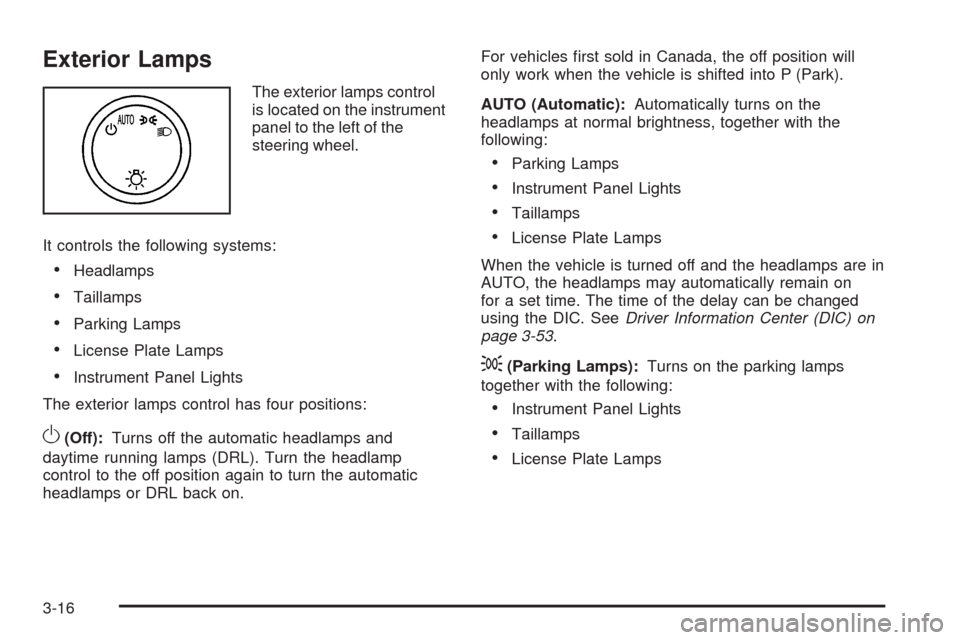
The exterior lamps control
is located on the instrument
panel to the left of the
steering wheel.
It controls the following systems:
Headlamps
Taillamps
Parking Lamps
License Plate Lamps
Instrument Panel Lights
The exterior lamps control has four positions:
O(Off):Turns off the automatic headlamps and
daytime running lamps (DRL). Turn the headlamp
control to the off position again to turn the automatic
headlamps or DRL back on.For vehicles rst sold in Canada, the off position will
only work when the vehicle is shifted into P (Park).
AUTO (Automatic):Automatically turns on the
headlamps at normal brightness, together with the
following:
Parking Lamps
Instrument Panel Lights
Taillamps
License Plate Lamps
When the vehicle is turned off and the headlamps are in
AUTO, the headlamps may automatically remain on
for a set time. The time of the delay can be changed
using the DIC. SeeDriver Information Center (DIC) on
page 3-53.
;(Parking Lamps):Turns on the parking lamps
together with the following:
Instrument Panel Lights
Taillamps
License Plate Lamps
3-16
Page 306 of 600
Bluetooth Controls
Use the buttons located on the steering wheel to
operate the in-vehicle Bluetooth system. SeeAudio
Steering Wheel Controls on page 3-141for more
information.
bg(Push To Talk):Press to answer incoming calls,
to conrm system information, and to start speech
recognition.
cx(Phone On Hook):Press to end a call, reject a
call, or to cancel an operation.
Pairing
A Bluetooth enabled cell phone must be paired to the
in-vehicle Bluetooth system rst and then connected to
the vehicle before it can be used. See the cell phone
manufacturers user guide for Bluetooth functions before
pairing the cell phone. If a Bluetooth phone is not
connected, calls will be made using OnStar
®
Hands-Free Calling, if available. Refer to the OnStar
owner’s guide for more information.Pairing Information:
Up to ve cell phones can be paired to the in-vehicle
Bluetooth system.
The pairing process is disabled when the vehicle is
moving.
The in-vehicle Bluetooth system automatically links
with the rst available paired cell phone in the
order the phone was paired.
Only one paired cell phone can be connected to the
in-vehicle Bluetooth system at a time.
Pairing should only need to be completed once,
unless changes to the pairing information have
been made or the phone is deleted.
To link to a different paired phone, see Linking to a
Different Phone later in this section.
Pairing a Phone
1. Press and holdbgfor two seconds. The system
responds with “Ready” followed by a tone.
2. Say “Bluetooth”. The system responds with
“Bluetooth ready” followed by a tone.
3. Say “Pair”. The system responds with instructions
and a four digit PIN number. The PIN number will
be used in Step 4.
3-120
Page 333 of 600
Antilock Brake System (ABS)
This vehicle has the Antilock Brake System (ABS), an
advanced electronic braking system that will help
prevent a braking skid.
When the engine is started and the vehicle begins to
drive away, ABS checks itself. A momentary motor
or clicking noise might be heard while this test is going
on. This is normal.
If there is a problem with
ABS, this warning light
stays on. SeeAntilock
Brake System (ABS)
Warning Light on
page 3-43.
Along with ABS, the vehicle has a Dynamic Rear
Proportioning (DRP) system. If there is a DRP problem,
both the brake and ABS warning lights come on
accompanied by a 10-second chime. The lights and
chime will come on each time the ignition is turned on
until the problem is repaired. See your dealer/retailer for
service.Let us say the road is wet and you are driving safely.
Suddenly, an animal jumps out in front of you. You slam
on the brakes and continue braking. Here is what
happens with ABS:
A computer senses that the wheels are slowing down. If
one of the wheels is about to stop rolling, the computer
will separately work the brakes at each front wheel
and at both rear wheels.
ABS can change the brake pressure to each wheel, as
required, faster than any driver could. This can help
the driver steer around the obstacle while braking hard.
As the brakes are applied, the computer keeps
receiving updates on wheel speed and controls braking
pressure accordingly.
Remember: ABS does not change the time needed to
get a foot up to the brake pedal or always decrease
stopping distance. If you get too close to the vehicle in
front of you, there will not be enough time to apply
the brakes if that vehicle suddenly slows or stops.
Always leave enough room up ahead to stop, even
with ABS.
Using ABS
Do not pump the brakes. Just hold the brake pedal
down rmly and let antilock work. The brakes might
vibrate or some noise might be heard, but this is normal.
4-5