warning light CHEVROLET SILVERADO 2011 2.G Workshop Manual
[x] Cancel search | Manufacturer: CHEVROLET, Model Year: 2011, Model line: SILVERADO, Model: CHEVROLET SILVERADO 2011 2.GPages: 588, PDF Size: 7.99 MB
Page 383 of 588
Black plate (89,1)Chevrolet Silverado Owner Manual - 2011
Driving and Operating 9-89
When replacing the fuel cap, turn
it clockwise until it clicks. It will
require more effort to turn the fuel
cap on the last turn as you tighten it.
Make sure the cap is fully installed.
The diagnostic system can
determine if the fuel cap has been
left off or improperly installed. This
would allow fuel to evaporate into
the atmosphere. SeeMalfunction
Indicator Lamp on page 5‑27.
The TIGHTEN GAS CAP message
displays on the Driver Information
Center (DIC) if the fuel cap is not
properly installed. See Fuel System
Messages
on page 5‑48for more
information.
{WARNING
If a fire starts while you are
refueling, do not remove the
nozzle. Shut off the flow of fuel
by shutting off the pump or by
notifying the station attendant.
Leave the area immediately. Notice:
If a new fuel cap is
needed, be sure to get the right
type of cap from your dealer.
The wrong type fuel cap might
not fit properly, might cause the
malfunction indicator lamp to
light, and could damage the fuel
tank and emissions system. See
Malfunction Indicator Lamp
on
page 5‑27.
Filling a Portable Fuel
Container
{WARNING
Never fill a portable fuel container
while it is in the vehicle. Static
electricity discharge from the
container can ignite the fuel
vapor. You can be badly burned
(Continued)
WARNING (Continued)
and the vehicle damaged if this
occurs. To help avoid injury to you
and others:
.Dispense fuel only into
approved containers.
.Do not fill a container while
it is inside a vehicle, in a
vehicle's trunk, pickup bed,
or on any surface other than
the ground.
.Bring the fill nozzle in contact
with the inside of the fill
opening before operating the
nozzle. Contact should be
maintained until the filling is
complete.
.Do not smoke while
pumping fuel.
.Do not use a cellular phone
while pumping fuel.
Page 417 of 588
Black plate (123,1)Chevrolet Silverado Owner Manual - 2011
Driving and Operating 9-123
Trailer Sway
Control (TSC)
Trailer Sway Control (TSC)
2500 and 3500 series vehicles with
StabiliTrak have a Trailer Sway
Control (TSC) feature. If the vehicle
is towing a trailer and the system
detects that the trailer is swaying,
the vehicle's brakes are applied
without the driver pressing the brake
pedal. If the vehicle is equipped with
the Integrated Trailer Brake Control
(ITBC) system, StabiliTrak may also
apply the trailer brakes. The TCS/
StabiliTrak warning light will flash on
the instrument panel cluster to notify
the driver to reduce speed. If the
trailer continues to sway, StabiliTrak
will reduce engine torque to help
slow the vehicle.
Adding non‐dealer/non‐retailer
accessories can affect the vehicle's
performance. SeeAccessories and
Modifications
on page 10‑3for
more information.
Conversions and
Add-Ons
Add-On Electrical
Equipment
Notice: Do not add anything
electrical to the vehicle unless
you check with your dealer first.
Some electrical equipment can
damage the vehicle and the
damage would not be covered
by the vehicle's warranty. Some
add-on electrical equipment can
keep other components from
working as they should.
Add-on equipment can drain the
vehicle 12‐volt battery, even if the
vehicle is not operating.
The vehicle has an airbag system.
Before attempting to add anything
electrical to the vehicle, see
Servicing the Airbag-Equipped
Vehicle
on page 3‑48and Adding
Equipment to the Airbag-Equipped
Vehicle on page 3‑48.
Adding a Snow Plow or
Similar Equipment
Before installing a snow plow on the
vehicle, here are some things you
need to know:
Notice: If your vehicle does
not have the snow plow prep
package, adding a plow can
damage your vehicle, and the
repairs would not be covered by
warranty. Unless your vehicle was
built to carry a snow plow, do not
add one to your vehicle. If your
vehicle has the snow plow prep
package, called RPO VYU, then
the payload your vehicle can
carry will be reduced when a
snow plow is installed. Your
vehicle can be damaged if either
the front or rear axle ratings or
the Gross Vehicle Weight (GVW)
are exceeded.
Some vehicles are built with a
special snow plow prep package,
called RPO VYU. If your vehicle has
this option, you can add a plow to it,
provided certain weights, such as
Page 451 of 588
Black plate (29,1)Chevrolet Silverado Owner Manual - 2011
Vehicle Care 10-29
Brakes
This vehicle has front disc brakes
and could have rear drum brakes or
rear disc brakes.
Disc brake pads have built-in wear
indicators that make a high-pitched
warning sound when the brake pads
are worn and new pads are needed.
The sound can come and go or be
heard all the time the vehicle is
moving, except when applying
the brake pedal firmly.
{WARNING
The brake wear warning sound
means that soon the brakes will
not work well. That could lead to
a crash. When the brake wear
warning sound is heard, have
the vehicle serviced.Notice:
Continuing to drive with
worn-out brake pads could result
in costly brake repair.
Some driving conditions or climates
can cause a brake squeal when the
brakes are first applied or lightly
applied. This does not mean
something is wrong with the brakes.
Properly torqued wheel nuts are
necessary to help prevent brake
pulsation. When tires are rotated,
inspect brake pads for wear and
evenly tighten wheel nuts in
the proper sequence to torque
specifications in Capacities and
Specifications on page 12‑2.
If the vehicle has rear drum brakes,
they do not have wear indicators,
but if a rear brake rubbing noise is
heard, have the rear brake linings
inspected immediately. Rear brake
drums should be removed and
inspected each time the tires are
removed for rotation or changing. Drum brakes have an inspection
hole to inspect lining wear during
scheduled maintenance. When the
front brake pads are replaced, have
the rear brakes inspected, too.
Brake linings should always be
replaced as complete axle sets.
Brake Pedal Travel
See your dealer if the brake pedal
does not return to normal height,
or if there is a rapid increase in
pedal travel. This could be a sign
that brake service might be
required.
Brake Adjustment
Every time the brakes are applied,
with or without the vehicle moving,
the brakes adjust for wear.
Page 452 of 588
Black plate (30,1)Chevrolet Silverado Owner Manual - 2011
10-30 Vehicle Care
Replacing Brake System Parts
The braking system on a vehicle is
complex. Its many parts have to be
of top quality and work well together
if the vehicle is to have really good
braking. The vehicle was designed
and tested with top-quality brake
parts. When parts of the braking
system are replaced, be sure to get
new, approved replacement parts.
If this is not done, the brakes might
not work properly. For example,
installing disc brake pads that are
wrong for the vehicle, can change
the balance between the front
and rear brakes—for the worse.
The braking performance expected
can change in many other ways if
the wrong replacement brake parts
are installed.
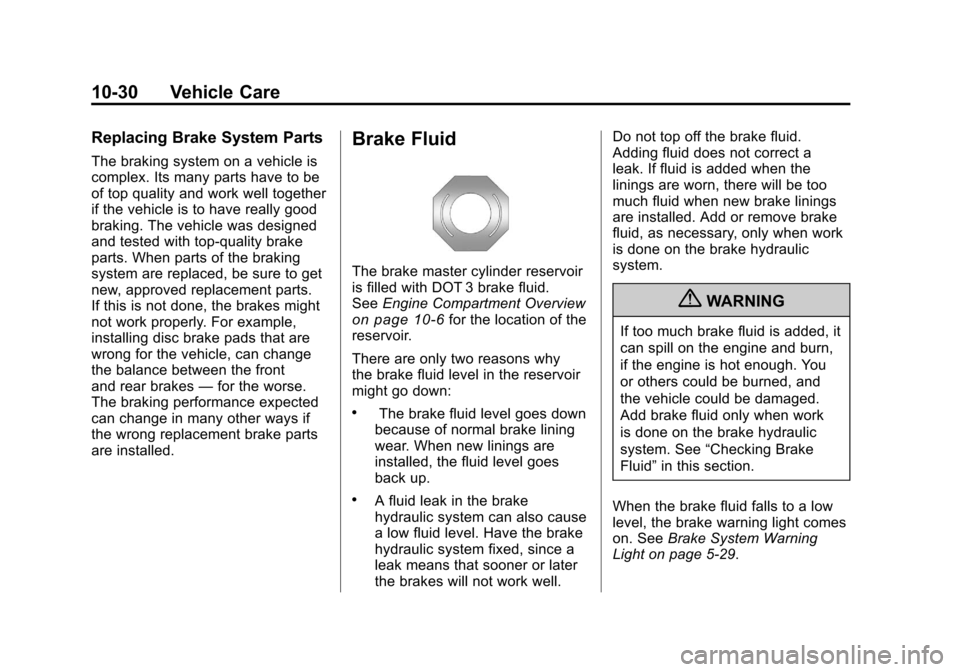
Brake Fluid
The brake master cylinder reservoir
is filled with DOT 3 brake fluid.
See Engine Compartment Overview
on page 10‑6for the location of the
reservoir.
There are only two reasons why
the brake fluid level in the reservoir
might go down:
.The brake fluid level goes down
because of normal brake lining
wear. When new linings are
installed, the fluid level goes
back up.
.A fluid leak in the brake
hydraulic system can also cause
a low fluid level. Have the brake
hydraulic system fixed, since a
leak means that sooner or later
the brakes will not work well. Do not top off the brake fluid.
Adding fluid does not correct a
leak. If fluid is added when the
linings are worn, there will be too
much fluid when new brake linings
are installed. Add or remove brake
fluid, as necessary, only when work
is done on the brake hydraulic
system.
{WARNING
If too much brake fluid is added, it
can spill on the engine and burn,
if the engine is hot enough. You
or others could be burned, and
the vehicle could be damaged.
Add brake fluid only when work
is done on the brake hydraulic
system. See
“Checking Brake
Fluid” in this section.
When the brake fluid falls to a low
level, the brake warning light comes
on. See Brake System Warning
Light on page 5‑29.
Page 489 of 588
Black plate (67,1)Chevrolet Silverado Owner Manual - 2011
Vehicle Care 10-67
Federal Communications
Commission (FCC) and
Industry Canada
SeeRadio Frequency Statementon
page 13‑18for information
regarding Part 15 of the Federal
Communications Commission
(FCC) rules and Industry Canada
Standards RSS-210/220/310.
Tire Pressure Monitor
Operation
This vehicle may have a Tire
Pressure Monitor System (TPMS).
The TPMS is designed to warn the
driver when a low tire pressure
condition exists. TPMS sensors are
mounted onto each tire and wheel
assembly, excluding the spare tire
and wheel assembly. The TPMS
sensors monitor the air pressure in
the vehicle's tires and transmits the
tire pressure readings to a receiver
located in the vehicle.
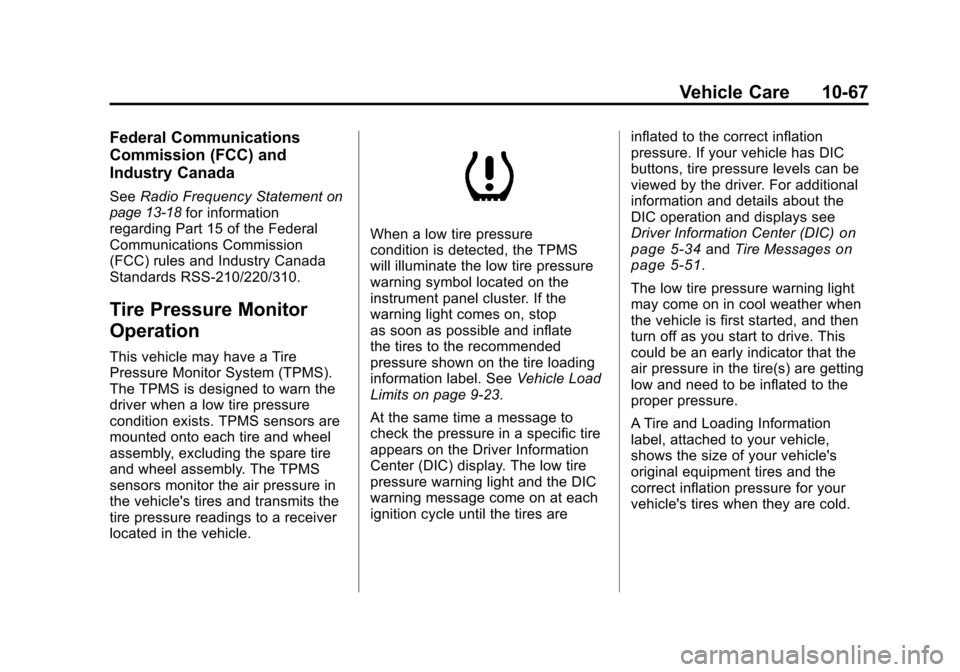
When a low tire pressure
condition is detected, the TPMS
will illuminate the low tire pressure
warning symbol located on the
instrument panel cluster. If the
warning light comes on, stop
as soon as possible and inflate
the tires to the recommended
pressure shown on the tire loading
information label. See Vehicle Load
Limits on page 9‑23.
At the same time a message to
check the pressure in a specific tire
appears on the Driver Information
Center (DIC) display. The low tire
pressure warning light and the DIC
warning message come on at each
ignition cycle until the tires are inflated to the correct inflation
pressure. If your vehicle has DIC
buttons, tire pressure levels can be
viewed by the driver. For additional
information and details about the
DIC operation and displays see
Driver Information Center (DIC)on
page 5‑34and Tire Messageson
page 5‑51.
The low tire pressure warning light
may come on in cool weather when
the vehicle is first started, and then
turn off as you start to drive. This
could be an early indicator that the
air pressure in the tire(s) are getting
low and need to be inflated to the
proper pressure.
A Tire and Loading Information
label, attached to your vehicle,
shows the size of your vehicle's
original equipment tires and the
correct inflation pressure for your
vehicle's tires when they are cold.
Page 490 of 588
Black plate (68,1)Chevrolet Silverado Owner Manual - 2011
10-68 Vehicle Care
SeeVehicle Load Limitson
page 9‑23, for an example of
the Tire and Loading Information
label and its location on your
vehicle. Also see Tire Pressure
on
page 10‑63.
Your vehicle's TPMS can warn you
about a low tire pressure condition
but it does not replace normal tire
maintenance. See Tire Inspection
on page 10‑71,Tire Rotationon
page 10‑71and Tires on
page 10‑55.
Notice: Tire sealant materials are
not all the same. A non-approved
tire sealant could damage the Tire
Pressure Monitor System (TPMS)
sensors. TPMS sensor damage
caused by using an incorrect tire
sealant is not covered by the
vehicle warranty. Always use only
the GM approved tire sealant
available through your dealer
or included in the vehicle.
TPMS Malfunction Light and
Message
The TPMS will not function properly
if one or more of the TPMS sensors
are missing or inoperable. When the
system detects a malfunction, the
low tire warning light flashes for
about one minute and then stays
on for the remainder of the ignition
cycle. A DIC warning message is
also displayed. The low tire warning
light and DIC warning message
come on at each ignition cycle until
the problem is corrected. Some of
the conditions that can cause the
malfunction light and DIC message
to come on are:
.One of the road tires has been
replaced with the spare tire.
The spare tire does not have
a TPMS sensor. The TPMS
malfunction light and DIC
message should go off once
you re‐install the road tire
containing the TPMS sensor.
.The TPMS sensor matching
process was started but not
completed or not completed
successfully after rotating the
vehicle's tires. The DIC message
and TPMS malfunction light
should go off once the TPMS
sensor matching process
is performed successfully.
See “TPMS Sensor Matching
Process” later in this section.
.One or more TPMS sensors
are missing or damaged.
The DIC message and the
TPMS malfunction light should
go off when the TPMS sensors
are installed and the sensor
matching process is performed
successfully. See your dealer
for service.
Page 495 of 588
Black plate (73,1)Chevrolet Silverado Owner Manual - 2011
Vehicle Care 10-73
{WARNING
Rust or dirt on a wheel, or on
the parts to which it is fastened,
can make wheel nuts become
loose after time. The wheel could
come off and cause an accident.
When changing a wheel, remove
any rust or dirt from places where
the wheel attaches to the vehicle.
In an emergency, use a cloth or a
paper towel to do this; but be sure
to use a scraper or wire brush
later, if needed, to get all the rust
or dirt off. SeeIf a Tire Goes Flat
on page 10‑81.
Lightly coat the center of the
wheel hub with wheel bearing
grease after a wheel change or tire rotation to prevent corrosion
or rust build-up. Do not get
grease on the flat wheel
mounting surface or on
the wheel nuts or bolts.
If your vehicle has a Tire
Pressure Monitor System
(TPMS), reset the TPMS
sensors after rotating the tires.
See
Tire Pressure Monitor
Operation
on page 10‑67.
Make sure the spare tire,
if your vehicle has one, is stored
securely. Push, pull, and then
try to rotate or turn the tire.
If it moves, tighten the cable.
See “Storing a Flat or Spare Tire
and Tools” underTire Changing
on page 10‑83.
Dual Tire Rotation
When the vehicle is new,
or whenever a wheel, wheel
bolt or wheel nut is replaced,
check the wheel nut torque
after 160, 1 600 and 10 000 km
(100, 1,000 and 6,000 miles) of
driving. For proper torque and wheel
nut tightening information, see
“Removing the Spare Tire and
Tools” underTire Changing
on
page 10‑83.
Page 520 of 588
Black plate (98,1)Chevrolet Silverado Owner Manual - 2011
10-98 Vehicle Care
right front of the engine, where
the negative battery cable
attaches.
If your vehicle has a diesel
engine, the remote negative (−)
terminal is the negative (−) post
on the auxiliary battery on
the driver side of the engine
compartment.
For more information on
the location of the remote
positive (+) and remote
negative (−) terminals, see
Engine Compartment Overview
on page 10‑6
{WARNING
An electric fan can start up even
when the engine is not running
and can injure you. Keep hands,
clothing and tools away from any
underhood electric fan.
{WARNING
Using an open flame near a
battery can cause battery gas to
explode. People have been hurt
doing this, and some have been
blinded. Use a flashlight if you
need more light.
Be sure the battery has enough
water. You do not need to add
water to the battery installed in
your new vehicle. But if a battery
has filler caps, be sure the right(Continued)
WARNING (Continued)
amount of fluid is there. If it is low,
add water to take care of that
first. If you do not, explosive gas
could be present.
Battery fluid contains acid that
can burn you. Do not get it on
you. If you accidentally get it in
your eyes or on your skin, flush
the place with water and get
medical help immediately.
{WARNING
Fans or other moving engine
parts can injure you badly. Keep
your hands away from moving
parts once the engine is running.
Page 528 of 588
Black plate (106,1)Chevrolet Silverado Owner Manual - 2011
10-106 Vehicle Care
6. Use an adequate clampingdevice designed for towing to
ensure that the front wheels are
locked into the straight position.
{WARNING
Shifting a four-wheel-drive
vehicle's transfer case into
N (Neutral) can cause the vehicle
to roll even if the transmission is
in P (Park). The driver or others
could be injured. Make sure the
parking brake is firmly set before
the transfer case is shifted to
N (Neutral).
7. Shift the transfer case to N (Neutral). See “Shifting into
Neutral” underFour-Wheel Drive
on page 9‑53for the proper
procedure to select the neutral
position for the vehicle.
8. Turn the ignition to LOCK/OFF.
After towing, see “Shifting Out of
Neutral” underFour-Wheel Drive
on
page 9‑53.
Appearance Care
Exterior Care
Silicone grease on weatherstrips will
make them last longer, seal better,
and not stick or squeak. Apply
silicone grease with a clean cloth.
During very cold, damp weather
frequent application may be
required. See Recommended Fluids
and Lubricants on page 11‑8.
Washing the Vehicle
The best way to preserve the
vehicle's finish is to keep it clean
by washing it often.
Notice: Certain cleaners contain
chemicals that can damage the
emblems or nameplates on the
vehicle. Check the cleaning
product label. If it states that it
should not be used on plastic
parts, do not use it on the vehicle
or damage may occur and it
would not be covered by the
warranty. Do not wash the vehicle in direct
sunlight. Use a car washing soap.
Do not use cleaning agents that
are petroleum based or that contain
acid or abrasives, as they can
damage the paint, metal or plastic
on the vehicle. Approved cleaning
products can be obtained from your
dealer. Follow all manufacturers'
directions regarding correct
product usage, necessary safety
precautions and appropriate
disposal of any vehicle care
product.
Rinse the vehicle well, before
washing and after to remove all
cleaning agents completely. If they
are allowed to dry on the surface,
they could stain.
Dry the finish with a soft, clean
chamois or an all-cotton towel to
avoid surface scratches and water
spotting.
Page 575 of 588

Black plate (1,1)Chevrolet Silverado Owner Manual - 2011
INDEX i-1
A
Accessories andModifications . . . . . . . . . . . . . . . . . 10-3
Accessory Power . . . . . . . . . . . . . . 9-35
Active Fuel Management™ . . . . 9-41
Add-On Electrical Equipment . . . . . . . . . . . . . . . . . . 9-123
Adding a Snow Plow or Similar Equipment . . . . . . . . . . . 9-123
Adding Equipment to the Airbag-Equipped Vehicle . . . . . 3-48
Adjustable Throttle and Brake Pedal . . . . . . . . . . . . . . . . . . 9-32
Adjustments Lumbar, Front Seats . . . . . . . . . . . 3-7
Air Cleaner/Filter, Engine . . . . . 10-18
Air Vents . . . . . . . . . . . . . . . . . . . . . . 8-11
Airbag
Light On-Off . . . . . . . . . . . . . . . . . . 5-23 Airbag System
Check . . . . . . . . . . . . . . . . . . . . . . . . 3-50
How Does an Airbag
Restrain? . . . . . . . . . . . . . . . . . . . 3-37
Passenger Sensing System . . . . . . . . . . . . . . . . . . . . . . 3-42
What Makes an Airbag
Inflate? . . . . . . . . . . . . . . . . . . . . . . 3-36
What Will You See After an Airbag Inflates? . . . . . . . . . . 3-37
When Should an Airbag
Inflate? . . . . . . . . . . . . . . . . . . . . . . 3-34
Where Are the Airbags? . . . . . . 3-33
Airbags Adding Equipment to theVehicle . . . . . . . . . . . . . . . . . . . . . . 3-48
On-Off Light . . . . . . . . . . . . . . . . . . 5-23
On-Off Switch . . . . . . . . . . . . . . . . 3-39
Passenger Status Indicator . . . . . . . . . . . . . . . . . . . . 5-25
Readiness Light . . . . . . . . . . . . . . 5-22
Servicing Airbag-Equipped
Vehicles . . . . . . . . . . . . . . . . . . . . . 3-48
System Check . . . . . . . . . . . . . . . . 3-31 Alarm System
Anti-Theft . . . . . . . . . . . . . . . . . . . . . 2-12
AM-FM Radio . . . . . . . . . . . . . . . . . . . 7-8
Antenna Satellite Radio . . . . . . . . . . . . . . . . 7-14
Anti-Theft Alarm System . . . . . . . . . . . . . . . . 2-12
Alarm System Messages . . . . . 5-50
Antilock Brake System (ABS) . . . . . . . . . . . . . . . . 9-67
Warning Light . . . . . . . . . . . . . . . . . 5-30
Appearance Care Exterior . . . . . . . . . . . . . . . . . . . . 10-106
Interior . . . . . . . . . . . . . . . . . . . . . 10-111
Armrest Storage . . . . . . . . . . . . . . . . 4-1
Ashtrays . . . . . . . . . . . . . . . . . . . . . . . 5-12
Assistance Program, Roadside . . . . . . . . . . . . . . . 13-7, 13-9
Audio Players . . . . . . . . . . . . . . . . . 7-14 CD . . . . . . . . . . . . . . . . . . . . . . . . . . . 7-14
CD/DVD . . . . . . . . . . . . . . . . . . . . . . 7-21