radio CHEVROLET SILVERADO 2011 2.G Manual PDF
[x] Cancel search | Manufacturer: CHEVROLET, Model Year: 2011, Model line: SILVERADO, Model: CHEVROLET SILVERADO 2011 2.GPages: 588, PDF Size: 7.99 MB
Page 329 of 588
Black plate (35,1)Chevrolet Silverado Owner Manual - 2011
Driving and Operating 9-35
Retained Accessory
Power (RAP)
The following vehicle accessories
can be used for up to 10 minutes
after the engine is turned off:
.Audio System
.Power Windows
.OnStar®System (if equipped)
.Sunroof (if equipped)
These features work when
the key is in ON/RUN or ACC/
ACCESSORY. Once the key is
turned from ON/RUN to LOCK/OFF,
the windows and sunroof continue
to work up to 10 minutes until any
door is opened. The radio continues
to work for up to 10 minutes or until
the driver door is opened.
Starting the Engine
If the vehicle has a diesel engine,
see the Duramax Diesel supplement
for more information.
If the vehicle is a hybrid, see
the hybrid supplement for more
information.
Notice: The engine is designed
to work with the electronics in
the vehicle. If you add electrical
parts or accessories, you could
change the way the engine
operates. Before adding electrical
equipment, check with your
dealer. If you do not, the engine
might not perform properly. Any
resulting damage would not be
covered by the vehicle warranty.
Place the transmission in the
proper gear.
Automatic Transmission
Move the shift lever to P (Park) or
N (Neutral). The engine will not start
in any other position. To restart the
engine when the vehicle is already
moving, use N (Neutral) only.
Notice: Do not try to shift to
P (Park) if the vehicle is moving.
If you do, you could damage the
transmission. Shift to P (Park)
only when the vehicle is stopped.
Manual Transmission
The shift lever should be in
N (Neutral) and the parking brake
engaged. Hold the clutch pedal
down to the floor and start the
engine. The vehicle will not start
if the clutch pedal is not all the
way down.
Page 371 of 588
Black plate (77,1)Chevrolet Silverado Owner Manual - 2011
Driving and Operating 9-77
The system can be disabled by
pressing the rear park aid disable
button located next to the radio.
The indicator light comes on and
PARK ASSIST OFF displays on the
Driver Information Center (DIC) to
indicate that URPA is off; seeObject
Detection System Messages
on
page 5‑48.
Notice: If you use URPA while the
tailgate is lowered, it may not
detect an object behind your
vehicle, and you might back into
the object and damage your
vehicle. Always verify the tailgate
is closed when using URPA or
turn off URPA when driving with
the tailgate lowered.
When the System Does Not
Seem to Work Properly
The following messages may be
displayed on the DIC:
SERVICE PARK ASSIST: If this
message occurs, take the vehicle to
your dealer to repair the system.
PARK ASSIST OFF: This message
occurs if the driver disables the
system.
PARK ASST BLOCKED SEE
OWNERS MANUAL: This
message can occur under the
following conditions:
.The ultrasonic sensors are not
clean. Keep the vehicle's rear
bumper free of mud, dirt, snow,
ice, and slush. For cleaning
instructions, see “Washing the
Vehicle” underExterior Care
on
page 10‑106.
.The park assist sensors are
covered by frost or ice. Frost or
ice can form around and behind
the sensors and may not always
be seen; this can occur after washing the vehicle in cold
weather. The message may not
clear until the frost or ice has
melted.
.A trailer was attached to the
vehicle, or a bicycle or an object
was hanging out of the tailgate
during the last drive cycle. Once
the attached object is removed
and the tailgate is raised, URPA
will return to normal operation.
.A tow bar is attached to the
vehicle.
.The vehicle's bumper is
damaged. Take the vehicle to
your dealer to repair the system.
.Other conditions are affecting
system performance. Examples
of this are vibrations from a
jackhammer or the compression
of air brakes on a very large
truck.
If the system is still disabled after
driving forward at least 40 km/h
(25 mph), take the vehicle to your
dealer.
Page 470 of 588
Black plate (48,1)Chevrolet Silverado Owner Manual - 2011
10-48 Vehicle Care
Windshield Wipers
If the wiper motor overheats due to
heavy snow or ice, the windshield
wipers will stop until the motor cools
and will then restart.
Although the circuit is protected
from electrical overload, overload
due to heavy snow or ice may
cause wiper linkage damage.
Always clear ice and heavy snow
from the windshield before using
the windshield wipers.
If the overload is caused by an
electrical problem and not snow
or ice, be sure to get it fixed.
Fuses and Circuit
Breakers
If the vehicle is a hybrid, see the
hybrid supplement for more
information.
The wiring circuits in the vehicle
are protected from short circuits
by a combination of fuses, circuit
breakers and fusible thermal links.
This greatly reduces the chance of
fires caused by electrical problems.
Look at the silver-colored band
inside the fuse. If the band is broken
or melted, replace the fuse. Be sure
you replace a bad fuse with a new
one of the identical size and rating.
If you ever have a problem on the
road and don't have a spare fuse,
you can borrow one that has thesame amperage. Just pick some
feature of your vehicle that you can
get along without
–like the radio
or cigarette lighter –and use its
fuse, if it is the correct amperage.
Replace it as soon as you can.
Engine Compartment
Fuse Block
If the vehicle has a diesel engine,
see the Duramax Diesel supplement
for more information.
If the vehicle is a hybrid, see
the hybrid supplement for more
information.
The Engine Compartment Fuse
Block is located in the engine
compartment, on the driver side
of the vehicle.
Page 487 of 588
Black plate (65,1)Chevrolet Silverado Owner Manual - 2011
Vehicle Care 10-65
Tire Pressure for
High-Speed Operation
{WARNING
Driving at high speeds, 160 km/h
(100 mph) or higher, puts an
additional strain on tires.
Sustained high-speed driving
causes excessive heat build up
and can cause sudden tire failure.
You could have a crash and you
or others could be killed. Some
high-speed rated tires require
inflation pressure adjustment
for high speed operation. When
speed limits and road conditions
are such that a vehicle can be
driven at high speeds, make sure
the tires are rated for high speed
operation, in excellent condition,
and set to the correct cold tire
inflation pressure for the
vehicle load.Vehicles with P265/70R17 or
P275/55R20 size tires require
inflation pressure adjustment
when driving the vehicle at speeds
of 160 km/h (100 mph) or higher.
Set the cold tire inflation pressure
to 20 kPa (3 psi) above the
recommended cold tire pressure
shown on the Tire and Loading
Information label.
When you end this high‐speed
driving, return the tires to the cold
inflation pressure shown on the
Tire and Loading Information label.
See
Vehicle Load Limits
on
page 9‑23and Tire Pressureon
page 10‑63.
Tire Pressure Monitor
System
The Tire Pressure Monitor System
(TPMS) uses radio and sensor
technology to check tire pressure
levels. The TPMS sensors monitor
the air pressure in your tires and
transmit tire pressure readings to
a receiver located in the vehicle.
Each tire, including the spare
(if provided), should be checked
monthly when cold and inflated to
the inflation pressure recommended
by the vehicle manufacturer on the
vehicle placard or tire inflation
pressure label. (If your vehicle has
tires of a different size than the size
indicated on the vehicle placard or
tire inflation pressure label, you
should determine the proper tire
inflation pressure for those tires.)
Page 489 of 588
Black plate (67,1)Chevrolet Silverado Owner Manual - 2011
Vehicle Care 10-67
Federal Communications
Commission (FCC) and
Industry Canada
SeeRadio Frequency Statementon
page 13‑18for information
regarding Part 15 of the Federal
Communications Commission
(FCC) rules and Industry Canada
Standards RSS-210/220/310.
Tire Pressure Monitor
Operation
This vehicle may have a Tire
Pressure Monitor System (TPMS).
The TPMS is designed to warn the
driver when a low tire pressure
condition exists. TPMS sensors are
mounted onto each tire and wheel
assembly, excluding the spare tire
and wheel assembly. The TPMS
sensors monitor the air pressure in
the vehicle's tires and transmits the
tire pressure readings to a receiver
located in the vehicle.
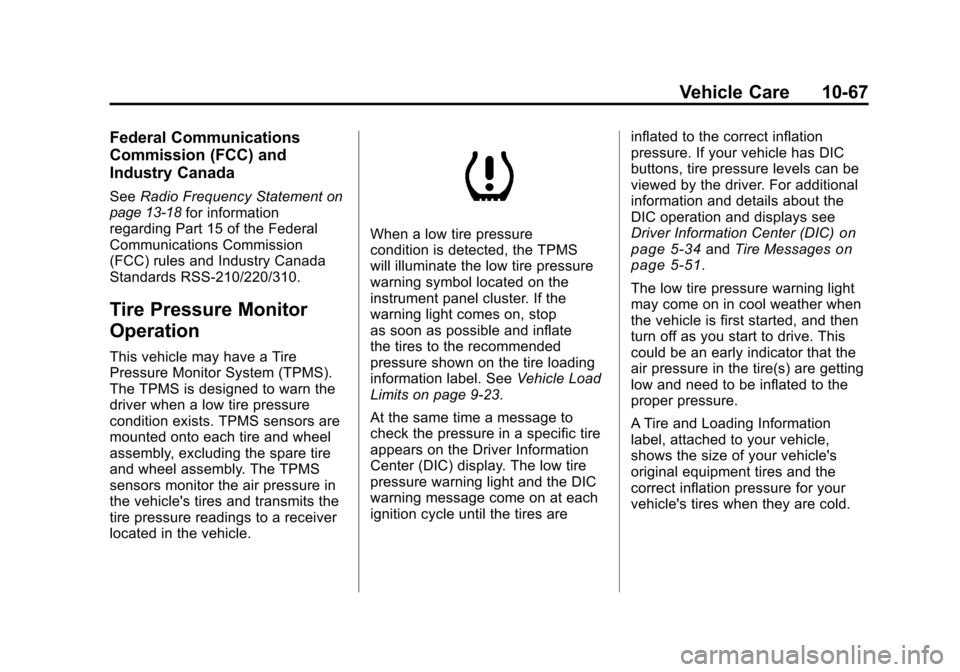
When a low tire pressure
condition is detected, the TPMS
will illuminate the low tire pressure
warning symbol located on the
instrument panel cluster. If the
warning light comes on, stop
as soon as possible and inflate
the tires to the recommended
pressure shown on the tire loading
information label. See Vehicle Load
Limits on page 9‑23.
At the same time a message to
check the pressure in a specific tire
appears on the Driver Information
Center (DIC) display. The low tire
pressure warning light and the DIC
warning message come on at each
ignition cycle until the tires are inflated to the correct inflation
pressure. If your vehicle has DIC
buttons, tire pressure levels can be
viewed by the driver. For additional
information and details about the
DIC operation and displays see
Driver Information Center (DIC)on
page 5‑34and Tire Messageson
page 5‑51.
The low tire pressure warning light
may come on in cool weather when
the vehicle is first started, and then
turn off as you start to drive. This
could be an early indicator that the
air pressure in the tire(s) are getting
low and need to be inflated to the
proper pressure.
A Tire and Loading Information
label, attached to your vehicle,
shows the size of your vehicle's
original equipment tires and the
correct inflation pressure for your
vehicle's tires when they are cold.
Page 491 of 588
Black plate (69,1)Chevrolet Silverado Owner Manual - 2011
Vehicle Care 10-69
.Replacement tires or wheels do
not match your vehicle's original
equipment tires or wheels. Tires
and wheels other than those
recommended for your vehicle
could prevent the TPMS from
functioning properly. SeeBuying
New Tires on page 10‑75.
.Operating electronic devices or
being near facilities using radio
wave frequencies similar to the
TPMS could cause the TPMS
sensors to malfunction.
If the TPMS is not functioning it
cannot detect or signal a low tire
condition. See your dealer for
service if the TPMS malfunction
light and DIC message comes on
and stays on.
TPMS Sensor Matching
Process
Each TPMS sensor has a unique
identification code. Any time you
rotate your vehicle's tires or replace
one or more of the TPMS sensors,
the identification codes will need to
be matched to the new tire/wheel
position. The sensors are matched
to the tire/wheel positions in the
following order: driver side front tire,
passenger side front tire, passenger
side rear tire, and driver side rear
tire using a TPMS diagnostic tool.
See your dealer for service.
The TPMS sensors can also be
matched to each tire/wheel position
by increasing or decreasing the
tire's air pressure. If increasing the
tire's air pressure, do not exceed
the maximum inflation pressure
indicated on the tire's sidewall. To decrease air-pressure out of a
tire you can use the pointed end of
the valve cap, a pencil-style air
pressure gage, or a key.
You have two minutes to match
the first tire/wheel position, and
five minutes overall to match all
four tire/wheel positions. If it takes
longer than two minutes, to match
the first tire and wheel, or more than
five minutes to match all four tire
and wheel positions the matching
process stops and you need to
start over.
The TPMS sensor matching process
is outlined below:
1. Set the parking brake.
2. Turn the ignition switch to ON/
RUN with the engine off.
Page 519 of 588
Black plate (97,1)Chevrolet Silverado Owner Manual - 2011
Vehicle Care 10-97
3. Get the vehicles close enoughso the jumper cables can reach,
but be sure the vehicles are not
touching each other. If they are,
it could cause an unwanted
ground connection. You would
not be able to start your vehicle,
and the bad grounding could
damage the electrical systems.
To avoid the possibility of the
vehicles rolling, set the parking
brake firmly on both vehicles
involved in the jump start
procedure. Put the automatic
transmission in P (Park) or a
manual transmission in Neutral
before setting the parking brake.
If you have a four-wheel-drive
vehicle, be sure the transfer
case is in a drive gear, not in
Neutral. Notice:
If you leave the radio or
other accessories on during the
jump starting procedure, they
could be damaged. The repairs
would not be covered by the
warranty. Always turn off the
radio and other accessories
when jump starting the vehicle.
4. Turn off the ignition on both
vehicles. Unplug unnecessary
accessories plugged into the
cigarette lighter or the accessory
power outlets. Turn off the radio
and all the lamps that are not
needed. This will avoid sparks
and help save both batteries.
And it could save the radio! 5. Open the hood on the
other vehicle and locate the
positive (+) and negative (−)
terminal locations on that
vehicle.
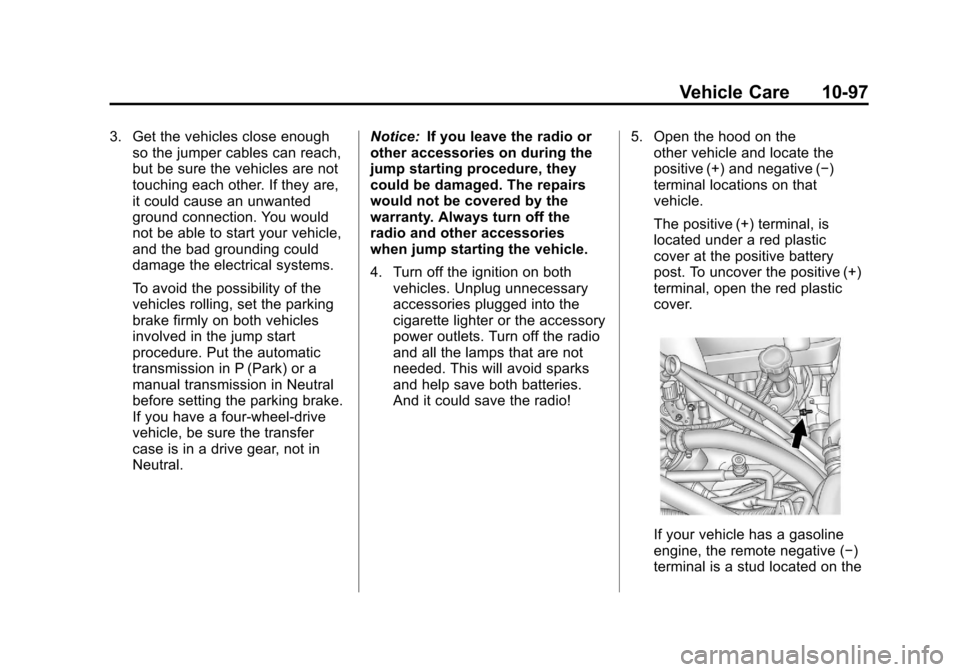
The positive (+) terminal, is
located under a red plastic
cover at the positive battery
post. To uncover the positive (+)
terminal, open the red plastic
cover.
If your vehicle has a gasoline
engine, the remote negative (−)
terminal is a stud located on the
Page 557 of 588
Black plate (1,1)Chevrolet Silverado Owner Manual - 2011
Customer Information 13-1
Customer
Information
Customer Information
Customer SatisfactionProcedure (United States
and Canada) . . . . . . . . . . . . . . . 13-1
Customer Satisfaction Procedure (Mexico) . . . . . . . . 13-3
Customer Assistance Offices (United States and
Canada) . . . . . . . . . . . . . . . . . . . . 13-4
Customer Assistance Offices (Mexico) . . . . . . . . . . . . . . . . . . . . 13-5
Customer Assistance for Text Telephone (TTY) Users . . . . . 13-6
Online Owner Center . . . . . . . . 13-6
GM Mobility Reimbursement Program . . . . . . . . . . . . . . . . . . . . 13-7
Roadside Assistance Program (United States and
Canada) . . . . . . . . . . . . . . . . . . . . 13-7
Roadside Assistance Program (Mexico) . . . . . . . . . . . . . . . . . . . . 13-9
Scheduling Service Appointments . . . . . . . . . . . . . . 13-9 Courtesy Transportation
Program . . . . . . . . . . . . . . . . . . 13-10
Collision Damage Repair . . . 13-11
Service Publications Ordering Information . . . . . . 13-14Reporting Safety Defects
Reporting Safety Defects to
the United States
Government . . . . . . . . . . . . . . . 13-15
Reporting Safety Defects to the Canadian
Government . . . . . . . . . . . . . . . 13-16
Reporting Safety Defects to General Motors . . . . . . . . . . . 13-16
Vehicle Data Recording and
Privacy
Vehicle Data Recording andPrivacy . . . . . . . . . . . . . . . . . . . . 13-16
Event Data Recorders . . . . . . 13-17
OnStar
®. . . . . . . . . . . . . . . . . . . . 13-18
Navigation System . . . . . . . . . 13-18
Radio Frequency Identification (RFID) . . . . . . . 13-18
Radio Frequency Statement . . . . . . . . . . . . . . . . . 13-18
Customer Information
Customer Satisfaction
Procedure (United States
and Canada)
Your satisfaction and goodwill are
important to your dealer and to
Chevrolet. Normally, any concerns
with the sales transaction or the
operation of the vehicle will be
resolved by the dealer's sales or
service departments. Sometimes,
however, despite the best intentions
of all concerned, misunderstandings
can occur. If your concern has not
been resolved to your satisfaction,
the following steps should be taken:
STEP ONE: Discuss your
concern with a member of
dealership management. Normally,
concerns can be quickly resolved
at that level. If the matter has
already been reviewed with the
sales, service, or parts manager,
contact the owner of the dealership
or the general manager.
Page 572 of 588
Black plate (16,1)Chevrolet Silverado Owner Manual - 2011
13-16 Customer Information
Reporting Safety Defects
to the Canadian
Government
If you live in Canada, and you
believe that your vehicle has a
safety defect, notify Transport
Canada immediately, and notify
General Motors of Canada Limited.
Call them at 1-800-333-0510 or
write to:
Transport Canada
Road Safety Branch
2780 Sheffield Road
Ottawa, Ontario K1B 3V9
Reporting Safety Defects
to General Motors
In addition to notifying NHTSA
(or Transport Canada) in a situation
like this, notify General Motors.
Call 1-800-222-1020, or write:
Chevrolet Motor Division
Chevrolet Customer Assistance
Center
P.O. Box 33170
Detroit, MI 48232-5170
In Canada, call 1-800-263-3777
(English) or 1-800-263-7854
(French), or write:
General Motors of Canada Limited
Customer Communication Centre,
Mail Code: CA1-163-005
1908 Colonel Sam Drive
Oshawa, Ontario L1H 8P7
Vehicle Data
Recording and
Privacy
Your GM vehicle has a number of
sophisticated computers that record
information about the vehicle’s
performance and how it is driven.
For example, your vehicle uses
computer modules to monitor and
control engine and transmission
performance, to monitor the
conditions for airbag deployment
and deploy airbags in a crash, and,
if so equipped, to provide antilock
braking to help the driver control the
vehicle. These modules may store
data to help your dealer technician
service your vehicle. Some modules
may also store data about how you
operate the vehicle, such as rate of
fuel consumption or average speed.
These modules may also retain the
owner’s personal preferences, such
as radio pre-sets, seat positions,
and temperature settings.
Page 574 of 588
Black plate (18,1)Chevrolet Silverado Owner Manual - 2011
13-18 Customer Information
OnStar®
If your vehicle is equipped with
an active OnStar system, that
system may also record data in
crash or near crash‐like situations.
The OnStar Terms and Conditions
provides information on data
collection and use and is available
in the OnStar glove box kit,
at www.onstar.com (U.S.) or
www.onstar.ca (Canada), or
by pressing the
Qbutton and
speaking to an advisor.
Navigation System
If the vehicle has a navigation
system, use of the system may
result in the storage of destinations,
addresses, telephone numbers, and
other trip information. Refer to the
navigation system operating manual
for information on stored data and
for deletion instructions.
Radio Frequency
Identification (RFID)
RFID technology is used in some
vehicles for functions such as tire
pressure monitoring and ignition
system security, as well as in
connection with conveniences
such as key fobs for remote door
locking/unlocking and starting, and
in-vehicle transmitters for garage
door openers. RFID technology in
GM vehicles does not use or record
personal information or link with
any other GM system containing
personal information.
Radio Frequency
Statement
This vehicle has systems that
operate on a radio frequency that
comply with Part 15 of the Federal
Communications Commission (FCC)
rules and with Industry Canada
Standards RSS‐210/220/310.
Operation is subject to the following
two conditions:
1. The device may not cause interference.
2. The device must accept any interference received, including
interference that may cause
undesired operation of the
device.
Changes or modifications to any of
these systems by other than an
authorized service facility could void
authorization to use this equipment.