traction control CHEVROLET SILVERADO 2012 2.G Owners Manual
[x] Cancel search | Manufacturer: CHEVROLET, Model Year: 2012, Model line: SILVERADO, Model: CHEVROLET SILVERADO 2012 2.GPages: 584, PDF Size: 8.03 MB
Page 5 of 584

Black plate (5,1)Chevrolet Silverado Owner Manual - 2012
Introduction v
Vehicle Symbol Chart
Here are some additional symbols
that may be found on the vehicle
and what they mean. For more
information on the symbol, refer to
the Index.
0:Adjustable Pedals
9:Airbag Readiness Light
#:Air Conditioning
!:Antilock Brake System (ABS)
%:Audio Steering Wheel Controls
or OnStar®
$: Brake System Warning Light
":Charging System
I:Cruise Control
B: Engine Coolant Temperature
O:Exterior Lamps
#:Fog Lamps
.: Fuel Gauge
+:Fuses
3: Headlamp High/Low-Beam
Changer
j: LATCH System Child
Restraints
*: Malfunction Indicator Lamp
::Oil Pressure
g:Outside Power Foldaway
Mirrors
}: Power
/:Remote Vehicle Start
>:Safety Belt Reminders
7:Tire Pressure Monitor
_: Tow/Haul Mode
d:Traction Control/StabiliTrak®
M:Windshield Washer Fluid
Page 29 of 584
Black plate (23,1)Chevrolet Silverado Owner Manual - 2012
In Brief 1-23
2. Press the plus/minus buttons,located on the steering column
shift lever, to select the desired
range of gears for current driving
conditions. See Manual Mode on
page 9‑42.
While using Range Selection Mode,
cruise control and the Tow/Haul
mode can be used.
Grade Braking is not available when
Range Selection Mode is active.
See Tow/Haul Mode on page 9‑43.
Four-Wheel Drive
If the vehicle has Four-Wheel Drive,
you can send the engine's driving
power to all four wheels for extra
traction.
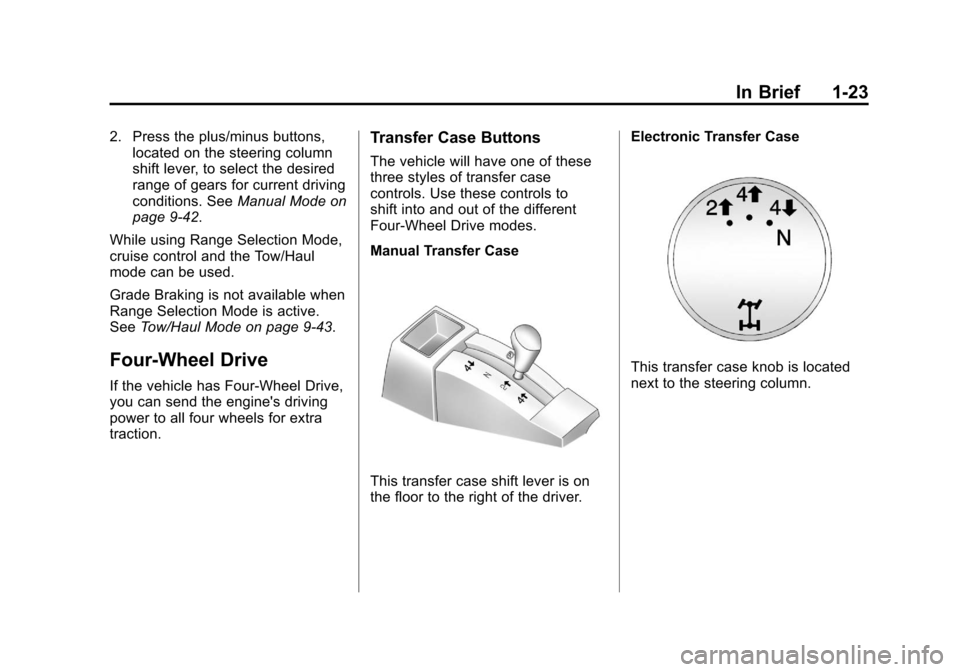
Transfer Case Buttons
The vehicle will have one of these
three styles of transfer case
controls. Use these controls to
shift into and out of the different
Four-Wheel Drive modes.
Manual Transfer Case
This transfer case shift lever is on
the floor to the right of the driver. Electronic Transfer Case
This transfer case knob is located
next to the steering column.
Page 39 of 584
Black plate (33,1)Chevrolet Silverado Owner Manual - 2012
In Brief 1-33
Performance and
Maintenance
StabiliTrak®System
If equipped, the vehicle has a
traction control system that limits
wheel spin and the StabiliTrak
system that assists with directional
control of the vehicle in difficult
driving conditions. Both systems
turn on automatically every time the
vehicle is started.
.To turn off traction control, press
and release
gon the instrument
panel. The appropriate DIC
message displays. See Ride
Control System Messages on
page 5‑47.
.To turn off both traction control
and StabiliTrak, press and hold
guntilgilluminates and the
appropriate DIC message
displays. See Ride Control
System Messages on page 5‑47.
.Press and releasegagain to
turn on both systems.
For more information, see
StabiliTrak
®System on page 9‑62.
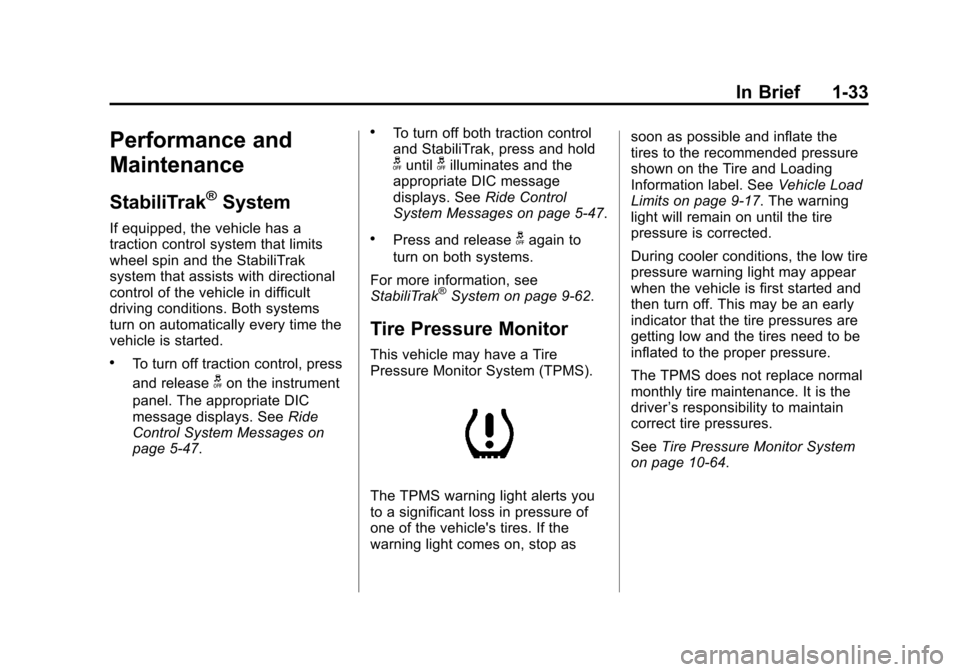
Tire Pressure Monitor
This vehicle may have a Tire
Pressure Monitor System (TPMS).
The TPMS warning light alerts you
to a significant loss in pressure of
one of the vehicle's tires. If the
warning light comes on, stop as soon as possible and inflate the
tires to the recommended pressure
shown on the Tire and Loading
Information label. See
Vehicle Load
Limits on page 9‑17. The warning
light will remain on until the tire
pressure is corrected.
During cooler conditions, the low tire
pressure warning light may appear
when the vehicle is first started and
then turn off. This may be an early
indicator that the tire pressures are
getting low and the tires need to be
inflated to the proper pressure.
The TPMS does not replace normal
monthly tire maintenance. It is the
driver ’s responsibility to maintain
correct tire pressures.
See Tire Pressure Monitor System
on page 10‑64.
Page 139 of 584
Black plate (1,1)Chevrolet Silverado Owner Manual - 2012
Instruments and Controls 5-1
Instruments and
Controls
Controls
Steering Wheel Adjustment . . . 5-2
Steering Wheel Controls . . . . . . 5-3
Horn . . . . . . . . . . . . . . . . . . . . . . . . . . 5-5
Windshield Wiper/Washer . . . . . 5-5
Compass . . . . . . . . . . . . . . . . . . . . . 5-6
Clock . . . . . . . . . . . . . . . . . . . . . . . . . 5-8
Power Outlets . . . . . . . . . . . . . . . 5-10
Cigarette Lighter . . . . . . . . . . . . . 5-11
Ashtrays . . . . . . . . . . . . . . . . . . . . . 5-12
Warning Lights, Gauges, and
Indicators
Warning Lights, Gauges, andIndicators . . . . . . . . . . . . . . . . . . 5-12
Instrument Cluster . . . . . . . . . . . 5-13
Speedometer . . . . . . . . . . . . . . . . 5-14
Odometer . . . . . . . . . . . . . . . . . . . . 5-14
Trip Odometer . . . . . . . . . . . . . . . 5-14
Tachometer . . . . . . . . . . . . . . . . . . 5-14
Fuel Gauge . . . . . . . . . . . . . . . . . . 5-14
Engine Oil Pressure Gauge . . . . . . . . . . . . . . . . . . . . . . 5-16 Engine Coolant
Temperature Gauge . . . . . . . . 5-17
Voltmeter Gauge . . . . . . . . . . . . . 5-18
Safety Belt Reminders . . . . . . . 5-19
Airbag Readiness Light . . . . . . 5-20
Airbag On-Off Light . . . . . . . . . . 5-20
Passenger Airbag Status Indicator . . . . . . . . . . . . . . . . . . . . 5-22
Charging System Light . . . . . . 5-23
Malfunction Indicator Lamp . . . . . . . . . . . . . 5-24
Brake System Warning Light . . . . . . . . . . . . . . . . . . . . . . . 5-26
Antilock Brake System (ABS) Warning Light . . . . . . . . . . . . . . 5-27
Four-Wheel-Drive Light . . . . . . 5-28
Tow/Haul Mode Light . . . . . . . . 5-28
StabiliTrak
®OFF Light . . . . . . . 5-28
Traction Control System (TCS)/StabiliTrak
®Light . . . . 5-29
Tire Pressure Light . . . . . . . . . . 5-29
Engine Oil Pressure Light . . . . 5-30
Low Fuel Warning Light . . . . . . 5-30
Security Light . . . . . . . . . . . . . . . . 5-30
High-Beam On Light . . . . . . . . . 5-31
Front Fog Lamp Light . . . . . . . . 5-31
Cruise Control Light . . . . . . . . . 5-31
Information Displays
Driver Information Center (DIC) . . . . . . . . . . . . . . . 5-32
Vehicle Messages
Vehicle Messages . . . . . . . . . . . 5-42
Battery Voltage andCharging Messages . . . . . . . . 5-42
Brake System Messages . . . . 5-42
Door Ajar Messages . . . . . . . . . 5-43
Engine Cooling System Messages . . . . . . . . . . . . . . . . . . 5-44
Engine Oil Messages . . . . . . . . 5-45
Engine Power Messages . . . . 5-46
Fuel System Messages . . . . . . 5-46
Key and Lock Messages . . . . . 5-46
Lamp Messages . . . . . . . . . . . . . 5-46
Object Detection System Messages . . . . . . . . . . . . . . . . . . 5-47
Ride Control System Messages . . . . . . . . . . . . . . . . . . 5-47
Airbag System Messages . . . . 5-48
Anti-theft Alarm System Messages . . . . . . . . . . . . . . . . . . 5-48
Page 166 of 584
Black plate (28,1)Chevrolet Silverado Owner Manual - 2012
5-28 Instruments and Controls
If the regular brake system warning
light is also on, the vehicle does not
have antilock brakes and there is a
problem with the regular brakes.
SeeBrake System Warning Light on
page 5‑26.
For vehicles with a Driver
Information Center (DIC), see Brake
System Messages on page 5‑42 for
all brake‐related DIC messages.
If the vehicle is a hybrid, see the
hybrid supplement for more
information.
Four-Wheel-Drive Light
For vehicles equipped with the
four-wheel-drive light, it comes on
when a vehicle with a manual transfer case is shifted into
four-wheel drive and the front axle
engages.
Some delay between the shifting
and the light coming on is normal.
See
Four-Wheel Drive on page 9‑45
for more information.
Tow/Haul Mode Light
For vehicles with the Tow/Haul
Mode feature, this light comes on
when the Tow/Haul Mode has been
activated.
For more information, see Tow/Haul
Mode on page 9‑43.
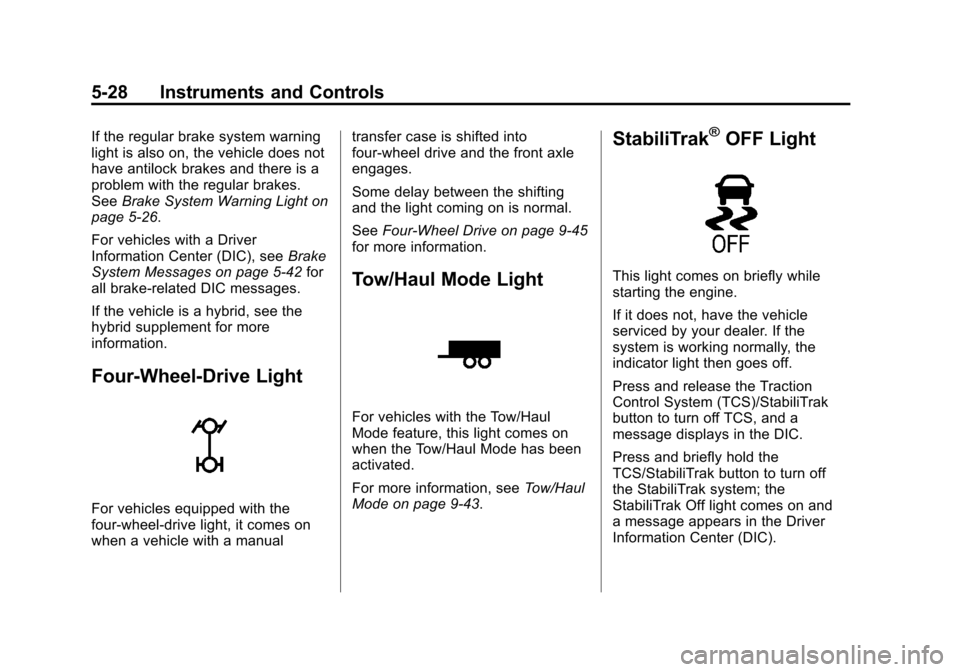
StabiliTrak®OFF Light
This light comes on briefly while
starting the engine.
If it does not, have the vehicle
serviced by your dealer. If the
system is working normally, the
indicator light then goes off.
Press and release the Traction
Control System (TCS)/StabiliTrak
button to turn off TCS, and a
message displays in the DIC.
Press and briefly hold the
TCS/StabiliTrak button to turn off
the StabiliTrak system; the
StabiliTrak Off light comes on and
a message appears in the Driver
Information Center (DIC).
Page 167 of 584
Black plate (29,1)Chevrolet Silverado Owner Manual - 2012
Instruments and Controls 5-29
If the StabiliTrak/TCS system is off,
the system does not assist in
controlling the vehicle. Turn on the
StabiliTrak/TCS system and the
indicator light turns off.
SeeStabiliTrak
®System on
page 9‑62, and Ride Control System
Messages on page 5‑47 for more
information.
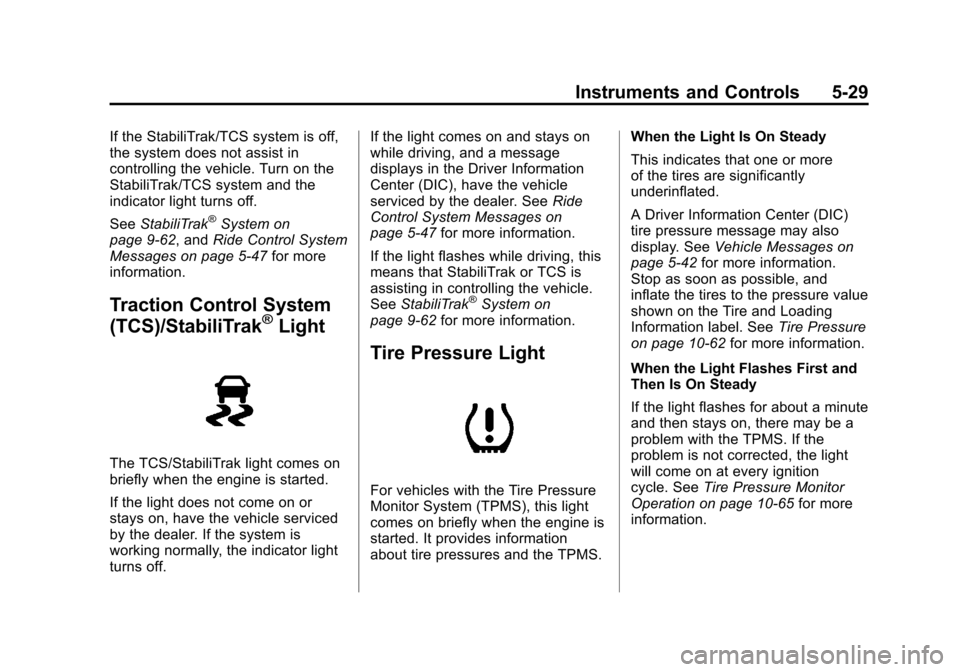
Traction Control System
(TCS)/StabiliTrak®Light
The TCS/StabiliTrak light comes on
briefly when the engine is started.
If the light does not come on or
stays on, have the vehicle serviced
by the dealer. If the system is
working normally, the indicator light
turns off. If the light comes on and stays on
while driving, and a message
displays in the Driver Information
Center (DIC), have the vehicle
serviced by the dealer. See
Ride
Control System Messages on
page 5‑47 for more information.
If the light flashes while driving, this
means that StabiliTrak or TCS is
assisting in controlling the vehicle.
See StabiliTrak
®System on
page 9‑62 for more information.
Tire Pressure Light
For vehicles with the Tire Pressure
Monitor System (TPMS), this light
comes on briefly when the engine is
started. It provides information
about tire pressures and the TPMS. When the Light Is On Steady
This indicates that one or more
of the tires are significantly
underinflated.
A Driver Information Center (DIC)
tire pressure message may also
display. See
Vehicle Messages on
page 5‑42 for more information.
Stop as soon as possible, and
inflate the tires to the pressure value
shown on the Tire and Loading
Information label. See Tire Pressure
on page 10‑62 for more information.
When the Light Flashes First and
Then Is On Steady
If the light flashes for about a minute
and then stays on, there may be a
problem with the TPMS. If the
problem is not corrected, the light
will come on at every ignition
cycle. See Tire Pressure Monitor
Operation on page 10‑65 for more
information.
Page 185 of 584
Black plate (47,1)Chevrolet Silverado Owner Manual - 2012
Instruments and Controls 5-47
Object Detection System
Messages
PARK ASST BLOCKED SEE
OWNERS MANUAL
This message displays if there is
something interfering with the park
assist system. SeeUltrasonic
Parking Assist on page 9‑68 for
more information.
PARK ASSIST OFF
After the vehicle has been started,
this message displays to remind the
driver that the URPA system has
been turned off. Press the set/reset
button or the trip odometer reset
stem to acknowledge this message
and clear it from the DIC display.
To turn the URPA system back on,
see Ultrasonic Parking Assist on
page 9‑68.
SERVICE PARK ASSIST
This message displays if there is a
problem with the Ultrasonic Rear
Parking Assist (URPA) system.
Do not use this system to help you
park. See Ultrasonic Parking Assist
on page 9‑68 for more information.
See your dealer for service.
Ride Control System
Messages
SERVICE STABILITRAK
If the vehicle has StabiliTrak and
this message displays, it means
there may be a problem with the
StabiliTrak system. If you see this
message, try to reset the system.
Stop; turn off the engine for at least
15 seconds; then start the engine
again. If this message still comes
on, it means there is a problem.
You should see your dealer for
service. The vehicle is safe to drive;
however, you do not have the
benefit of StabiliTrak, so reduce
your speed and drive accordingly.
SERVICE TRACTION
CONTROL
If the vehicle has StabiliTrak, this
message displays when there is a
problem with the Traction Control
System (TCS). When this message
displays, the system will not limit
wheel spin. Adjust your driving
accordingly. See your dealer for
service. See StabiliTrak
®System on
page 9‑62 for more information.
STABILITRAK INITIALIZING
If the vehicle has StabiliTrak, this
message may come on if the
StabiliTrak system has not fully
initialized because of road
conditions or the incorrect tire size.
When the StabiliTrak system is fully
initialized, the message will turn off.
SeeStabiliTrak
®System on
page 9‑62 for more information.
If this message continues to be
displayed for multiple ignition cycles
and on different road surfaces,
see your dealer for service.
Page 186 of 584
Black plate (48,1)Chevrolet Silverado Owner Manual - 2012
5-48 Instruments and Controls
TRACTION XX
STABILITRAK XX
This message displays when the
traction control and/or StabiliTrak
systems have been turned on or off.
Adjust your driving accordingly.
To limit wheel spin and realize
the full benefits of the stability
enhancement system, you should
normally leave StabiliTrak on.
However, you should turn
StabiliTrak off if the vehicle gets
stuck in sand, mud, ice, or snow
and you want to rock the vehicle to
attempt to free it, or if you are
driving in extreme off-road
conditions and require more wheel
spin. SeeIf the Vehicle Is Stuck on
page 9‑16. To turn the StabiliTrak
system on or off, see StabiliTrak
®
System on page 9‑62.
STABILITRAK OFF may also
display when the stability control
has been automatically disabled. There are several conditions that
can cause this message to appear.
.One condition is overheating,
which could occur if StabiliTrak
activates continuously for an
extended period of time.
.The message also displays if the
brake system warning light is on.
See
Brake System Warning
Light on page 5‑26.
.The message could display if the
stability system takes longer
than usual to complete its
diagnostic checks due to driving
conditions.
.The message displays if an
engine or vehicle related
problem has been detected
and the vehicle needs service.
See your dealer.
The message turns off as soon as
the conditions that caused the
message to be displayed are no
longer present.
Airbag System Messages
SERVICE AIR BAG
This message displays if there is a
problem with the airbag system.
Have your dealer inspect the
system for problems. See Airbag
Readiness Light on page 5‑20 and
Airbag System on page 3‑23 for
more information.
Anti-theft Alarm System
Messages
SERVICE THEFT DETERRENT
SYSTEM
This message displays when there
is a problem with the theft-deterrent
system. The vehicle may or may not
restart so you may want to take the
vehicle to your dealer before turning
off the engine. See Immobilizer
Operation on page 2‑12 for more
information.
Page 266 of 584
Black plate (52,1)Chevrolet Silverado Owner Manual - 2012
7-52 Infotainment System
Phone
Bluetooth
For vehicles equipped with
Bluetooth capability, the system
can interact with many cell phones,
allowing:
.Placement and receipt of calls
in a hands-free mode.
.Sharing of the cell phone’s
address book or contact list
with the vehicle.
To minimize driver distraction,
before driving, and with the vehicle
parked:
.Become familiar with the
features of the cell phone.
Organize the phone book and
contact lists clearly and delete
duplicate or rarely used entries.
If possible, program speed dial
or other shortcuts.
.Review the controls and
operation of the infotainment
system.
.Pair cell phone(s) to the vehicle.
The system may not work with
all cell phones. See “Pairing”in
this section for more information.
.If the cell phone has voice
dialing capability, learn to use
that feature to access the
address book or contact list.
See “Voice Pass-Thru” in this
section for more information.
.See “Storing and Deleting Phone
Numbers” in this section for
more information.
{WARNING
When using a cell phone, it can
be distracting to look too long or
too often at the screen of the
phone or the infotainment
(navigation) system. Taking your
eyes off the road too long or
too often could cause a crash
resulting in injury or death.
Focus your attention on driving. A Bluetooth system can use a
Bluetooth‐capable cell phone with a
Hands‐Free Profile to make and
receive phone calls. The system
can be used while the key is in the
ON/RUN or ACC/ACCESSORY
position. The range of the Bluetooth
system can be up to 9.1 m (30 ft).
Not all phones support all functions,
and not all phones work with the
in-vehicle Bluetooth system. See
www.gm.com/bluetooth for more
information on compatible phones.
Voice Recognition
The Bluetooth system uses voice
recognition to interpret voice
commands to dial phone numbers
and name tags.
For additional information, say
“Help”
while you are in a voice
recognition menu.
Noise: Keep interior noise levels to
a minimum. The system may not
recognize voice commands if there
is too much background noise.
Page 288 of 584
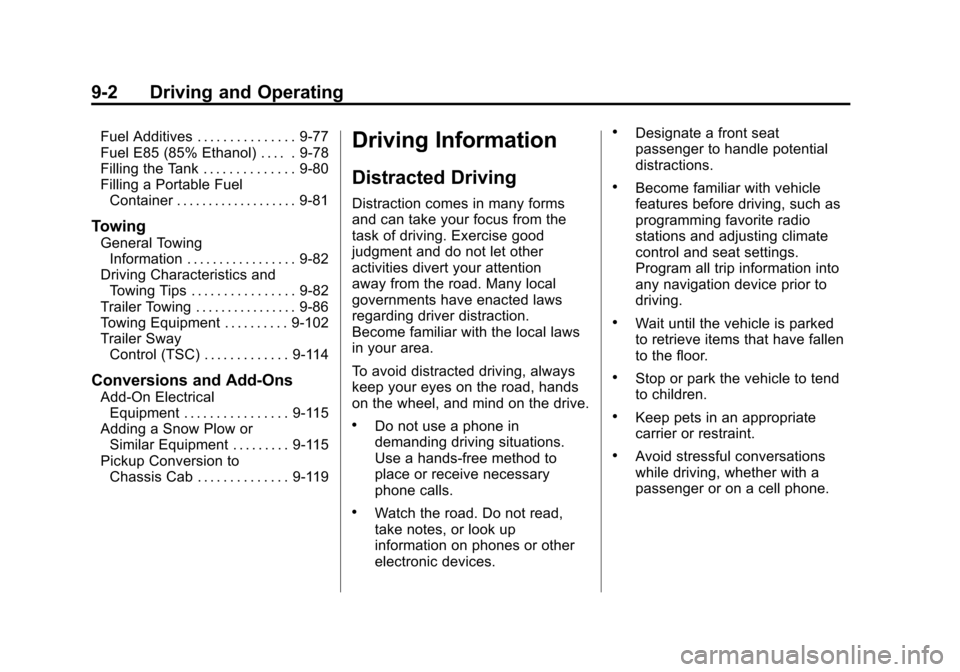
Black plate (2,1)Chevrolet Silverado Owner Manual - 2012
9-2 Driving and Operating
Fuel Additives . . . . . . . . . . . . . . . 9-77
Fuel E85 (85% Ethanol) . . . . . 9-78
Filling the Tank . . . . . . . . . . . . . . 9-80
Filling a Portable FuelContainer . . . . . . . . . . . . . . . . . . . 9-81
Towing
General Towing
Information . . . . . . . . . . . . . . . . . 9-82
Driving Characteristics and Towing Tips . . . . . . . . . . . . . . . . 9-82
Trailer Towing . . . . . . . . . . . . . . . . 9-86
Towing Equipment . . . . . . . . . . 9-102
Trailer Sway Control (TSC) . . . . . . . . . . . . . 9-114
Conversions and Add-Ons
Add-On ElectricalEquipment . . . . . . . . . . . . . . . . 9-115
Adding a Snow Plow or Similar Equipment . . . . . . . . . 9-115
Pickup Conversion to Chassis Cab . . . . . . . . . . . . . . 9-119
Driving Information
Distracted Driving
Distraction comes in many forms
and can take your focus from the
task of driving. Exercise good
judgment and do not let other
activities divert your attention
away from the road. Many local
governments have enacted laws
regarding driver distraction.
Become familiar with the local laws
in your area.
To avoid distracted driving, always
keep your eyes on the road, hands
on the wheel, and mind on the drive.
.Do not use a phone in
demanding driving situations.
Use a hands-free method to
place or receive necessary
phone calls.
.Watch the road. Do not read,
take notes, or look up
information on phones or other
electronic devices.
.Designate a front seat
passenger to handle potential
distractions.
.Become familiar with vehicle
features before driving, such as
programming favorite radio
stations and adjusting climate
control and seat settings.
Program all trip information into
any navigation device prior to
driving.
.Wait until the vehicle is parked
to retrieve items that have fallen
to the floor.
.Stop or park the vehicle to tend
to children.
.Keep pets in an appropriate
carrier or restraint.
.Avoid stressful conversations
while driving, whether with a
passenger or on a cell phone.