lock CHEVROLET SILVERADO 2013 2.G Owners Manual
[x] Cancel search | Manufacturer: CHEVROLET, Model Year: 2013, Model line: SILVERADO, Model: CHEVROLET SILVERADO 2013 2.GPages: 542, PDF Size: 7.91 MB
Page 1 of 542

Black plate (1,1)Chevrolet Silverado Owner Manual - 2013 - crc2 - 8/13/12
2013 Chevrolet Silverado Owner ManualM
In Brief. . . . . . . . . . . . . . . . . . . . . . . . 1-1
Instrument Panel . . . . . . . . . . . . . . 1-2
Initial Drive Information . . . . . . . . 1-7
Vehicle Features . . . . . . . . . . . . . 1-24
Performance and Maintenance . . . . . . . . . . . . . . . . 1-31
Keys, Doors, and Windows . . . . . . . . . . . . . . . . . . . . 2-1
Keys and Locks . . . . . . . . . . . . . . . 2-1
Doors . . . . . . . . . . . . . . . . . . . . . . . . . . 2-9
Vehicle Security . . . . . . . . . . . . . . 2-10
Exterior Mirrors . . . . . . . . . . . . . . . 2-13
Interior Mirrors . . . . . . . . . . . . . . . . 2-17
Windows . . . . . . . . . . . . . . . . . . . . . 2-18
Roof . . . . . . . . . . . . . . . . . . . . . . . . . . 2-20
Seats and Restraints . . . . . . . . . 3-1
Head Restraints . . . . . . . . . . . . . . . 3-2
Front Seats . . . . . . . . . . . . . . . . . . . . 3-3
Rear Seats . . . . . . . . . . . . . . . . . . . 3-11
Safety Belts . . . . . . . . . . . . . . . . . . 3-12
Airbag System . . . . . . . . . . . . . . . . 3-22
Child Restraints . . . . . . . . . . . . . . 3-39 Storage
. . . . . . . . . . . . . . . . . . . . . . . 4-1
Storage Compartments . . . . . . . . 4-1
Instruments and Controls . . . . 5-1
Controls . . . . . . . . . . . . . . . . . . . . . . . 5-2
Warning Lights, Gauges, and Indicators . . . . . . . . . . . . . . . . . . . 5-10
Information Displays . . . . . . . . . . 5-29
Vehicle Messages . . . . . . . . . . . . 5-37
Vehicle Personalization . . . . . . . 5-46
Universal Remote System . . . . 5-54
Lighting . . . . . . . . . . . . . . . . . . . . . . . 6-1
Exterior Lighting . . . . . . . . . . . . . . . 6-1
Interior Lighting . . . . . . . . . . . . . . . . 6-7
Lighting Features . . . . . . . . . . . . . . 6-8
Infotainment System . . . . . . . . . 7-1
Introduction . . . . . . . . . . . . . . . . . . . . 7-1
Radio . . . . . . . . . . . . . . . . . . . . . . . . . 7-10
Audio Players . . . . . . . . . . . . . . . . 7-17
Rear Seat Infotainment . . . . . . . 7-38
Phone . . . . . . . . . . . . . . . . . . . . . . . . 7-50
Trademarks and License
Agreements . . . . . . . . . . . . . . . . . 7-57 Climate Controls
. . . . . . . . . . . . . 8-1
Climate Control Systems . . . . . . 8-1
Air Vents . . . . . . . . . . . . . . . . . . . . . 8-10
Driving and Operating . . . . . . . . 9-1
Driving Information . . . . . . . . . . . . . 9-2
Starting and Operating . . . . . . . 9-23
Engine Exhaust . . . . . . . . . . . . . . 9-32
Automatic Transmission . . . . . . 9-33
Manual Transmission . . . . . . . . . 9-39
Drive Systems . . . . . . . . . . . . . . . . 9-41
Brakes . . . . . . . . . . . . . . . . . . . . . . . 9-53
Ride Control Systems . . . . . . . . 9-56
Cruise Control . . . . . . . . . . . . . . . . 9-59
Object Detection Systems . . . . 9-62
Fuel . . . . . . . . . . . . . . . . . . . . . . . . . . 9-68
Towing . . . . . . . . . . . . . . . . . . . . . . . 9-74
Conversions and
Add-Ons . . . . . . . . . . . . . . . . . . . 9-105
Vehicle Care . . . . . . . . . . . . . . . . . 10-1
General Information . . . . . . . . . . 10-2
Vehicle Checks . . . . . . . . . . . . . . . 10-3
Headlamp Aiming . . . . . . . . . . . 10-35
Bulb Replacement . . . . . . . . . . 10-36
Electrical System . . . . . . . . . . . . 10-40
Page 4 of 542
Black plate (4,1)Chevrolet Silverado Owner Manual - 2013 - crc2 - 8/13/12
iv Introduction
Danger, Warnings, and
Cautions
Warning messages found on vehicle
labels and in this manual describe
hazards and what to do to avoid or
reduce them.
Dangerindicates a hazard with a
high level of risk which will result in
serious injury or death.
Warning orCaution indicates a
hazard that could result in injury or
death.
{WARNING
These mean there is something
that could hurt you or other
people.
Notice: This means there is
something that could result in
property or vehicle damage. This
would not be covered by the
vehicle's warranty.
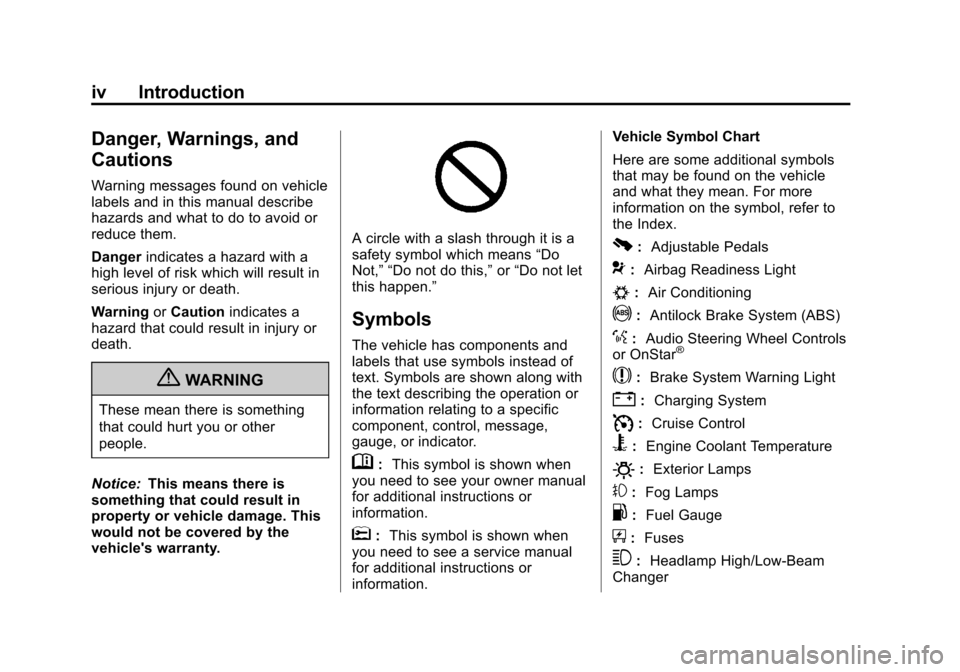
A circle with a slash through it is a
safety symbol which means “Do
Not,” “Do not do this,” or“Do not let
this happen.”
Symbols
The vehicle has components and
labels that use symbols instead of
text. Symbols are shown along with
the text describing the operation or
information relating to a specific
component, control, message,
gauge, or indicator.
M: This symbol is shown when
you need to see your owner manual
for additional instructions or
information.
*: This symbol is shown when
you need to see a service manual
for additional instructions or
information. Vehicle Symbol Chart
Here are some additional symbols
that may be found on the vehicle
and what they mean. For more
information on the symbol, refer to
the Index.
0:
Adjustable Pedals
9:Airbag Readiness Light
#:Air Conditioning
!:Antilock Brake System (ABS)
%:Audio Steering Wheel Controls
or OnStar®
$: Brake System Warning Light
":Charging System
I:Cruise Control
B: Engine Coolant Temperature
O:Exterior Lamps
#:Fog Lamps
.: Fuel Gauge
+:Fuses
3: Headlamp High/Low-Beam
Changer
Page 7 of 542
Black plate (1,1)Chevrolet Silverado Owner Manual - 2013 - crc2 - 8/13/12
In Brief 1-1
In Brief
Instrument Panel
Instrument Panel (Base/UplevelVersion) . . . . . . . . . . . . . . . . . . . . . 1-2
Instrument Panel (Premium Version) . . . . . . . . . . . . . . . . . . . . . 1-5
Initial Drive Information
Initial Drive Information . . . . . . . . 1-7
Remote Keyless Entry (RKE)System . . . . . . . . . . . . . . . . . . . . . . 1-7
Remote Vehicle Start . . . . . . . . . 1-8
Door Locks . . . . . . . . . . . . . . . . . . . 1-8
Windows . . . . . . . . . . . . . . . . . . . . . . 1-9
Seat Adjustment . . . . . . . . . . . . . 1-10
Memory Features . . . . . . . . . . . . 1-12
Heated and Ventilated Seats . . . . . . . . . . . . . . . . . . . . . . . 1-12
Head Restraint Adjustment . . . . . . . . . . . . . . . . . 1-13 Safety Belts . . . . . . . . . . . . . . . . . . 1-13
Passenger Sensing
System . . . . . . . . . . . . . . . . . . . . . 1-13
Mirror Adjustment . . . . . . . . . . . . 1-14
Steering Wheel Adjustment . . . . . . . . . . . . . . . . . 1-16
Throttle and Brake Pedal Adjustment . . . . . . . . . . . . . . . . . 1-16
Interior Lighting . . . . . . . . . . . . . . 1-17
Exterior Lighting . . . . . . . . . . . . . 1-17
Windshield Wiper/Washer . . . . 1-18
Climate Controls . . . . . . . . . . . . . 1-18
Transmission . . . . . . . . . . . . . . . . 1-21
Four-Wheel Drive . . . . . . . . . . . . 1-22
Vehicle Features
Radio(s) . . . . . . . . . . . . . . . . . . . . . 1-24
Satellite Radio . . . . . . . . . . . . . . . 1-25
Portable Audio Devices . . . . . . 1-25
Bluetooth
®. . . . . . . . . . . . . . . . . . . 1-26
Steering Wheel Controls . . . . . 1-26
Cruise Control . . . . . . . . . . . . . . . 1-27 Navigation System . . . . . . . . . . . 1-27
Driver Information
Center (DIC) . . . . . . . . . . . . . . . 1-27
Rear Vision Camera (RVC) . . . . . . . . . . . . . 1-28
Ultrasonic Parking Assist . . . . 1-28
Power Outlets . . . . . . . . . . . . . . . 1-29
Universal Remote System . . . 1-29
Sunroof . . . . . . . . . . . . . . . . . . . . . . 1-29
Performance and Maintenance
StabiliTrak®System . . . . . . . . . 1-31
Tire Pressure Monitor . . . . . . . . 1-31
Engine Oil Life System . . . . . . 1-32
Fuel E85 (85% Ethanol) . . . . . 1-32
Driving for Better Fuel Economy . . . . . . . . . . . . . . . . . . . 1-32
Roadside Assistance Program . . . . . . . . . . . . . . . . . . . . 1-33
OnStar
®. . . . . . . . . . . . . . . . . . . . . 1-33
Page 13 of 542
Black plate (7,1)Chevrolet Silverado Owner Manual - 2013 - crc2 - 8/13/12
In Brief 1-7
V.StabiliTrak®System on
page 9‑56 (If Equipped).
Pedal Adjust Button
(If Equipped). See Adjustable
Throttle and Brake Pedal on
page 9‑24.
Ultrasonic Parking Assist on
page 9‑62 (If Equipped).
Exhaust Brake (If Equipped).
See “Brakes” in the Duramax
diesel supplement.
W. Passenger Airbag Off Control (If Equipped). See Airbag
On-Off Switch on page 3‑29.Initial Drive
Information
This section provides a brief
overview about some of the
important features that may or may
not be on your specific vehicle.
For more detailed information, refer
to each of the features which can be
found later in this owner manual.
Remote Keyless Entry
(RKE) System
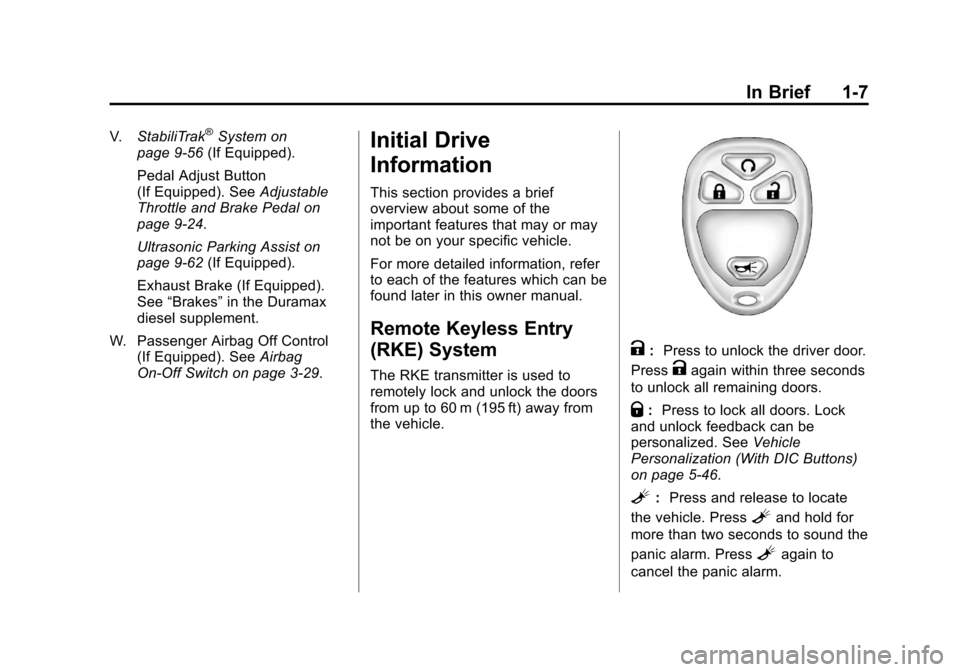
The RKE transmitter is used to
remotely lock and unlock the doors
from up to 60 m (195 ft) away from
the vehicle.
K: Press to unlock the driver door.
Press
Kagain within three seconds
to unlock all remaining doors.
Q: Press to lock all doors. Lock
and unlock feedback can be
personalized. See Vehicle
Personalization (With DIC Buttons)
on page 5‑46.
L: Press and release to locate
the vehicle. Press
Land hold for
more than two seconds to sound the
panic alarm. Press
Lagain to
cancel the panic alarm.
Page 14 of 542
Black plate (8,1)Chevrolet Silverado Owner Manual - 2013 - crc2 - 8/13/12
1-8 In Brief
SeeKeys on page 2‑1 andRemote
Keyless Entry (RKE) System
Operation on page 2‑2.
Remote Vehicle Start
With this feature the engine can be
started from outside of the vehicle.
Starting the Vehicle
1. Aim the RKE transmitter at the
vehicle.
2. Press and release
Q.
3. Immediately after completing Step 2, press and hold
/for at
least two seconds or until the
turn signal lamps flash.
When the vehicle starts, the parking
lamps will turn on and remain on as
long as the engine is running. The
doors will be locked and the climate
control system may come on.
The engine will continue to run for
10 minutes. Repeat the steps for a
10-minute time extension. Remote
start can be extended only once.
Canceling a Remote Start
To cancel a remote start, do one of
the following:
.Aim the RKE transmitter at the
vehicle and press and hold
/
until the parking lamps turn off.
.Turn on the hazard warning
flashers.
.Turn the vehicle on and then
back off.
See Remote Vehicle Start on
page 2‑4.
Door Locks
There are several ways to lock and
unlock the vehicle.
From outside, use the Remote
Keyless Entry (RKE) transmitter or
the key in the driver door.
From inside, use the power door
locks or the manual door locks. To
lock or unlock the door with the
manual locks, push down or pull up
on the manual lock knob.
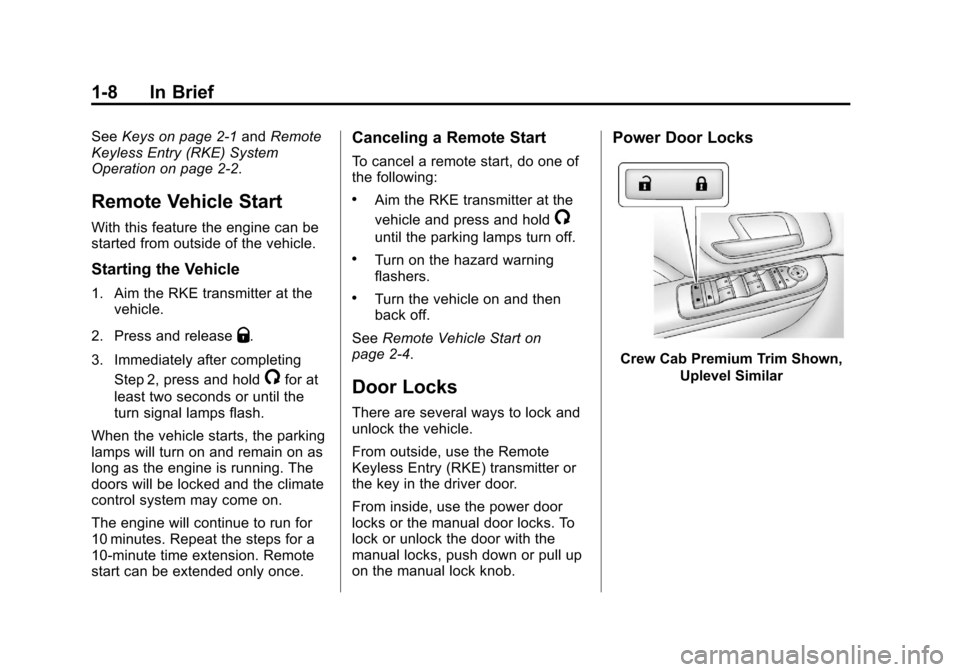
Power Door Locks
Crew Cab Premium Trim Shown,
Uplevel Similar
Page 15 of 542
Black plate (9,1)Chevrolet Silverado Owner Manual - 2013 - crc2 - 8/13/12
In Brief 1-9
Base Trim
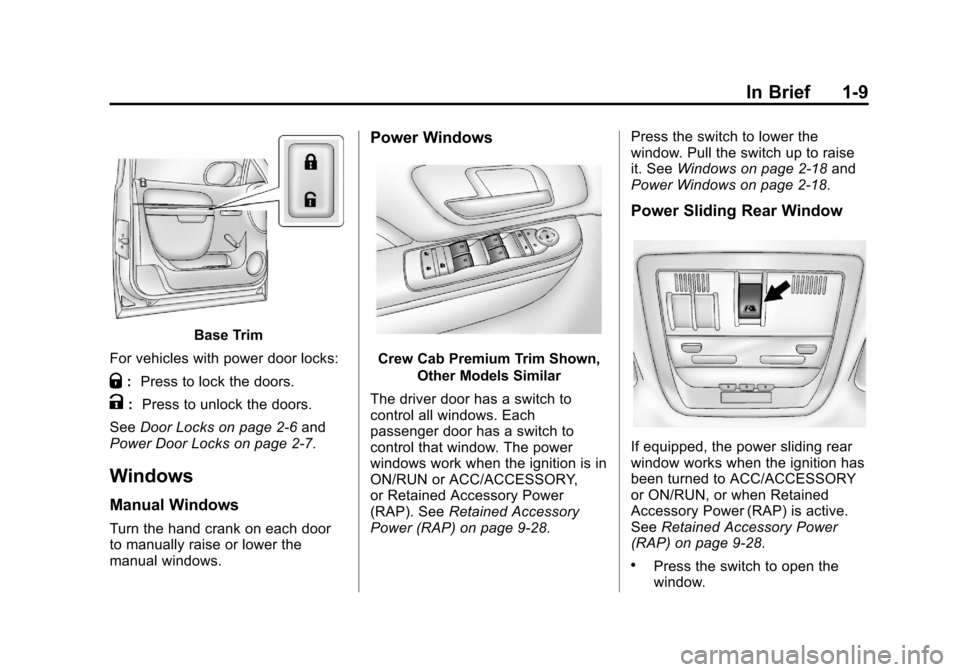
For vehicles with power door locks:
Q: Press to lock the doors.
K: Press to unlock the doors.
See Door Locks on page 2‑6 and
Power Door Locks on page 2‑7.
Windows
Manual Windows
Turn the hand crank on each door
to manually raise or lower the
manual windows.
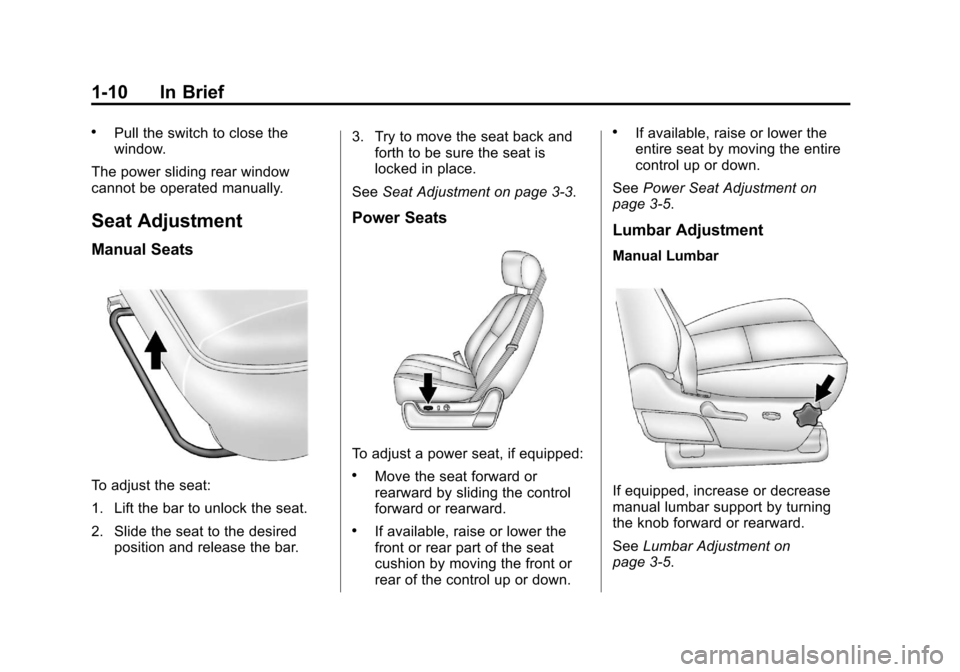
Power Windows
Crew Cab Premium Trim Shown,
Other Models Similar
The driver door has a switch to
control all windows. Each
passenger door has a switch to
control that window. The power
windows work when the ignition is in
ON/RUN or ACC/ACCESSORY,
or Retained Accessory Power
(RAP). See Retained Accessory
Power (RAP) on page 9‑28. Press the switch to lower the
window. Pull the switch up to raise
it. See
Windows on page 2‑18 and
Power Windows on page 2‑18.
Power Sliding Rear Window
If equipped, the power sliding rear
window works when the ignition has
been turned to ACC/ACCESSORY
or ON/RUN, or when Retained
Accessory Power (RAP) is active.
See Retained Accessory Power
(RAP) on page 9‑28.
.Press the switch to open the
window.
Page 16 of 542
Black plate (10,1)Chevrolet Silverado Owner Manual - 2013 - crc2 - 8/13/12
1-10 In Brief
.Pull the switch to close the
window.
The power sliding rear window
cannot be operated manually.
Seat Adjustment
Manual Seats
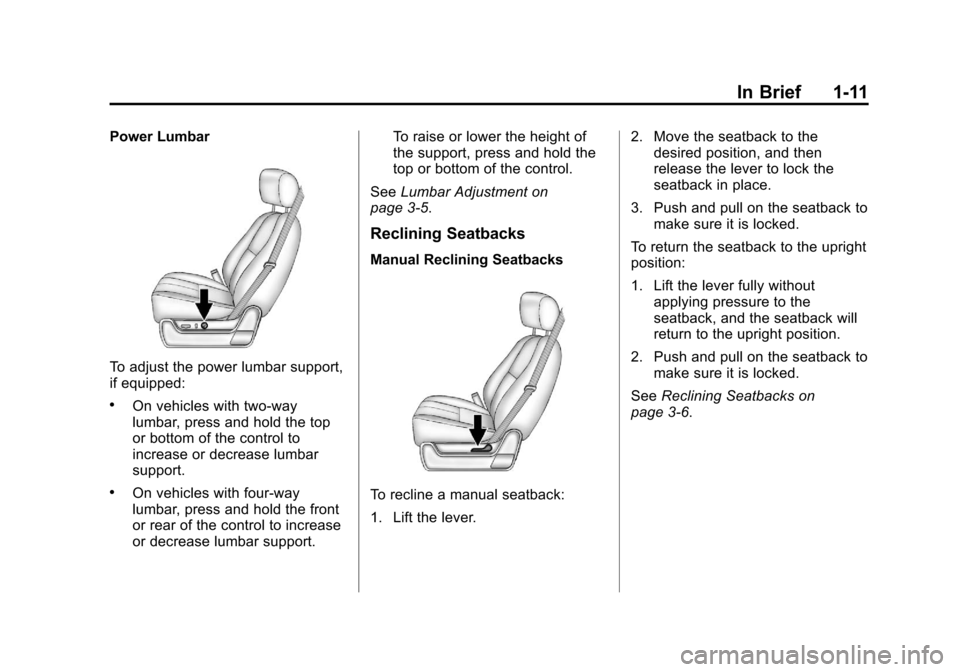
To adjust the seat:
1. Lift the bar to unlock the seat.
2. Slide the seat to the desired position and release the bar. 3. Try to move the seat back and
forth to be sure the seat is
locked in place.
See Seat Adjustment on page 3‑3.
Power Seats
To adjust a power seat, if equipped:
.Move the seat forward or
rearward by sliding the control
forward or rearward.
.If available, raise or lower the
front or rear part of the seat
cushion by moving the front or
rear of the control up or down.
.If available, raise or lower the
entire seat by moving the entire
control up or down.
See Power Seat Adjustment on
page 3‑5.
Lumbar Adjustment
Manual Lumbar
If equipped, increase or decrease
manual lumbar support by turning
the knob forward or rearward.
See Lumbar Adjustment on
page 3‑5.
Page 17 of 542
Black plate (11,1)Chevrolet Silverado Owner Manual - 2013 - crc2 - 8/13/12
In Brief 1-11
Power Lumbar
To adjust the power lumbar support,
if equipped:
.On vehicles with two-way
lumbar, press and hold the top
or bottom of the control to
increase or decrease lumbar
support.
.On vehicles with four-way
lumbar, press and hold the front
or rear of the control to increase
or decrease lumbar support.To raise or lower the height of
the support, press and hold the
top or bottom of the control.
See Lumbar Adjustment on
page 3‑5.
Reclining Seatbacks
Manual Reclining Seatbacks
To recline a manual seatback:
1. Lift the lever. 2. Move the seatback to the
desired position, and then
release the lever to lock the
seatback in place.
3. Push and pull on the seatback to make sure it is locked.
To return the seatback to the upright
position:
1. Lift the lever fully without applying pressure to the
seatback, and the seatback will
return to the upright position.
2. Push and pull on the seatback to make sure it is locked.
See Reclining Seatbacks on
page 3‑6.
Page 22 of 542
Black plate (16,1)Chevrolet Silverado Owner Manual - 2013 - crc2 - 8/13/12
1-16 In Brief
return to the original position when
the vehicle is shifted out of
R (Reverse), or the ignition is turned
off or to OFF/LOCK.
This feature can be programmed
through the Driver Information
Center (DIC). SeeVehicle
Personalization (With DIC Buttons)
on page 5‑46.
Interior Mirror
Adjustment
Hold the rearview mirror in the
center and move it to view the area
behind the vehicle.
Manual Rearview Mirror
For vehicles with a manual rearview
mirror, push the tab forward for
daytime use and pull it for nighttime
use to avoid glare from the
headlamps from behind. See
Manual Rearview Mirror on
page 2‑17. Automatic Dimming Rearview
Mirror
For vehicles with an automatic
dimming rearview mirror, the mirror
will automatically reduce the glare
from the headlamps from behind.
The dimming feature comes on
when the vehicle is started.
See
Automatic Dimming Rearview
Mirror on page 2‑17.Steering Wheel
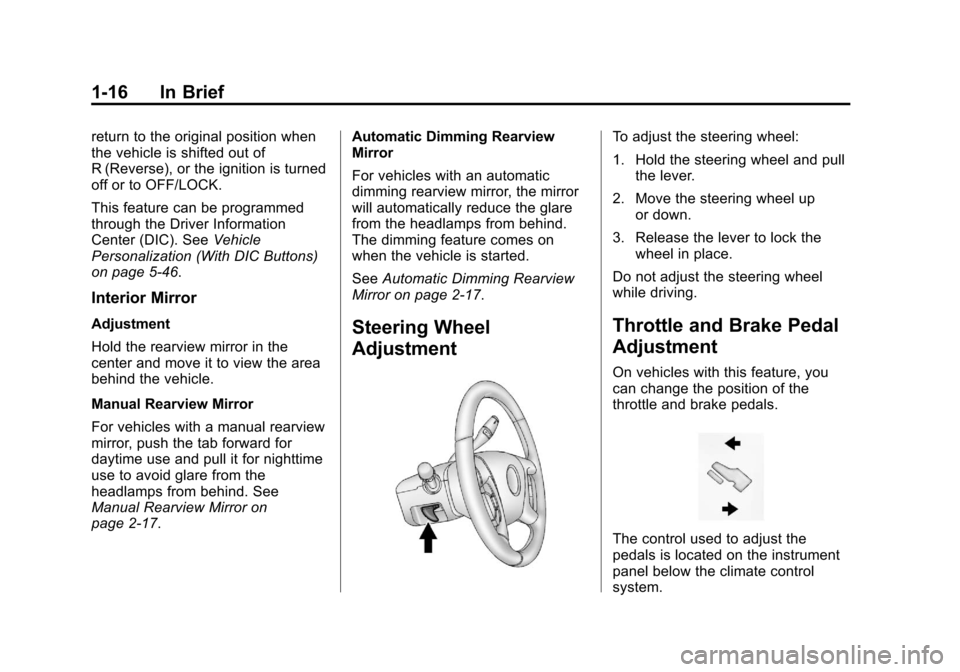
Adjustment
To adjust the steering wheel:
1. Hold the steering wheel and pull the lever.
2. Move the steering wheel up or down.
3. Release the lever to lock the wheel in place.
Do not adjust the steering wheel
while driving.
Throttle and Brake Pedal
Adjustment
On vehicles with this feature, you
can change the position of the
throttle and brake pedals.
The control used to adjust the
pedals is located on the instrument
panel below the climate control
system.
Page 23 of 542
Black plate (17,1)Chevrolet Silverado Owner Manual - 2013 - crc2 - 8/13/12
In Brief 1-17
Press the bottom of the control to
move the pedals closer to your
body. Press the top of the control to
move the pedals away.
SeeAdjustable Throttle and Brake
Pedal on page 9‑24.
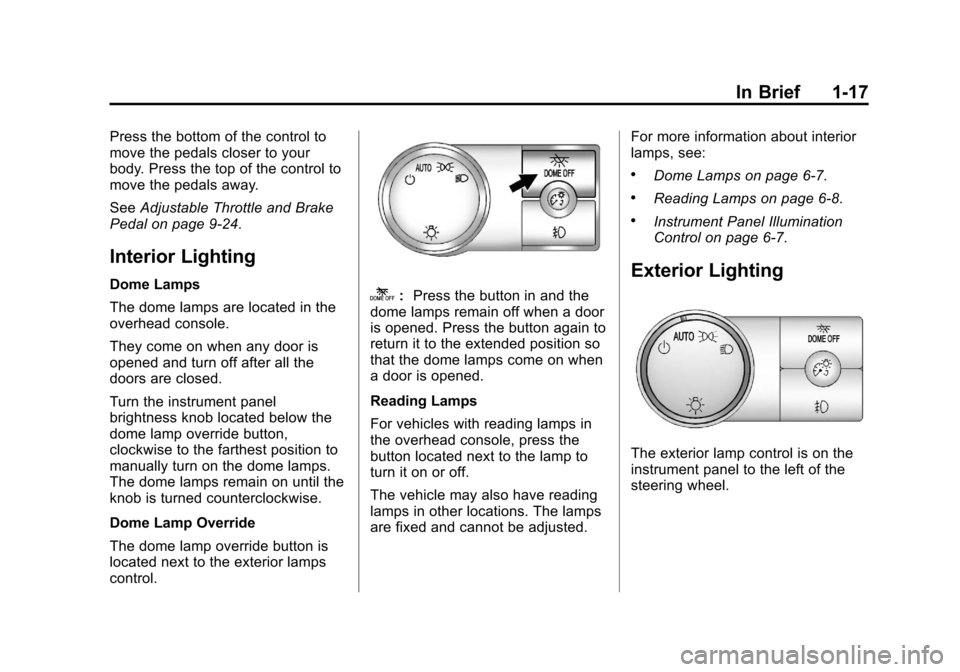
Interior Lighting
Dome Lamps
The dome lamps are located in the
overhead console.
They come on when any door is
opened and turn off after all the
doors are closed.
Turn the instrument panel
brightness knob located below the
dome lamp override button,
clockwise to the farthest position to
manually turn on the dome lamps.
The dome lamps remain on until the
knob is turned counterclockwise.
Dome Lamp Override
The dome lamp override button is
located next to the exterior lamps
control.k: Press the button in and the
dome lamps remain off when a door
is opened. Press the button again to
return it to the extended position so
that the dome lamps come on when
a door is opened.
Reading Lamps
For vehicles with reading lamps in
the overhead console, press the
button located next to the lamp to
turn it on or off.
The vehicle may also have reading
lamps in other locations. The lamps
are fixed and cannot be adjusted. For more information about interior
lamps, see:
.Dome Lamps on page 6‑7.
.Reading Lamps on page 6‑8.
.Instrument Panel Illumination
Control on page 6‑7.
Exterior Lighting
The exterior lamp control is on the
instrument panel to the left of the
steering wheel.