center console CHEVROLET SILVERADO 2015 3.G Owners Manual
[x] Cancel search | Manufacturer: CHEVROLET, Model Year: 2015, Model line: SILVERADO, Model: CHEVROLET SILVERADO 2015 3.GPages: 543, PDF Size: 7.01 MB
Page 29 of 543
Black plate (22,1)Chevrolet 2015i Silverado Owner Manual (GMNA-Localizing-U.S./Canada/
Mexico-8425172) - 2015 - crc - 2/6/15
1-22 In Brief
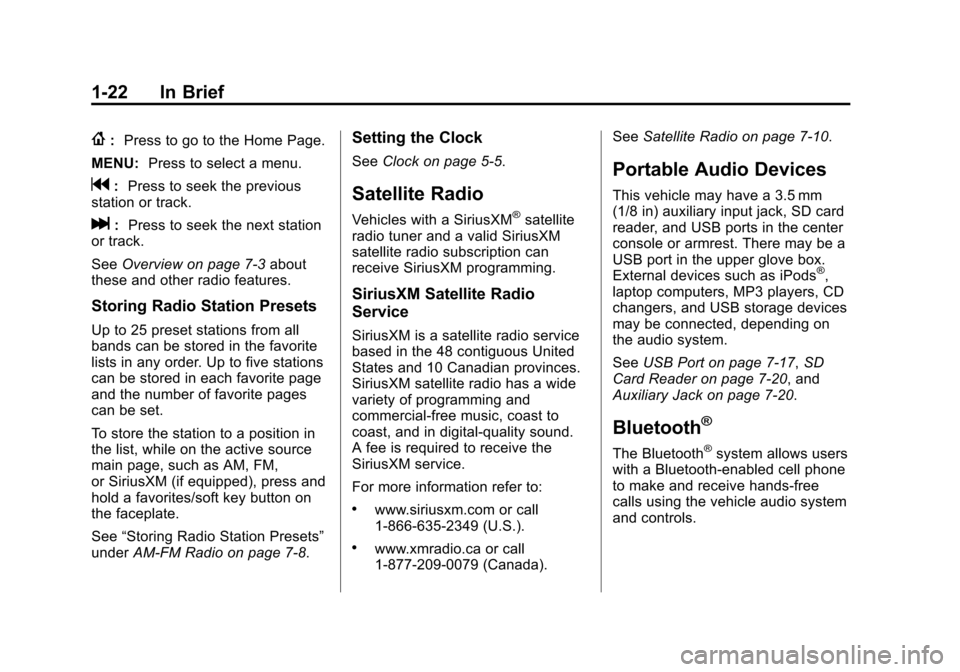
{:Press to go to the Home Page.
MENU: Press to select a menu.
g:Press to seek the previous
station or track.
l: Press to seek the next station
or track.
See Overview on page 7-3 about
these and other radio features.
Storing Radio Station Presets
Up to 25 preset stations from all
bands can be stored in the favorite
lists in any order. Up to five stations
can be stored in each favorite page
and the number of favorite pages
can be set.
To store the station to a position in
the list, while on the active source
main page, such as AM, FM,
or SiriusXM (if equipped), press and
hold a favorites/soft key button on
the faceplate.
See “Storing Radio Station Presets”
under AM-FM Radio on page 7-8.
Setting the Clock
SeeClock on page 5-5.
Satellite Radio
Vehicles with a SiriusXM®satellite
radio tuner and a valid SiriusXM
satellite radio subscription can
receive SiriusXM programming.
SiriusXM Satellite Radio
Service
SiriusXM is a satellite radio service
based in the 48 contiguous United
States and 10 Canadian provinces.
SiriusXM satellite radio has a wide
variety of programming and
commercial-free music, coast to
coast, and in digital-quality sound.
A fee is required to receive the
SiriusXM service.
For more information refer to:
.www.siriusxm.com or call
1-866-635-2349 (U.S.).
.www.xmradio.ca or call
1-877-209-0079 (Canada). See
Satellite Radio on page 7-10.
Portable Audio Devices
This vehicle may have a 3.5 mm
(1/8 in) auxiliary input jack, SD card
reader, and USB ports in the center
console or armrest. There may be a
USB port in the upper glove box.
External devices such as iPods
®,
laptop computers, MP3 players, CD
changers, and USB storage devices
may be connected, depending on
the audio system.
See USB Port on page 7-17, SD
Card Reader on page 7-20, and
Auxiliary Jack on page 7-20.
Bluetooth®
The Bluetooth®system allows users
with a Bluetooth-enabled cell phone
to make and receive hands-free
calls using the vehicle audio system
and controls.
Page 33 of 543
Black plate (26,1)Chevrolet 2015i Silverado Owner Manual (GMNA-Localizing-U.S./Canada/
Mexico-8425172) - 2015 - crc - 2/6/15
1-26 In Brief
graphic on the instrument cluster to
provide the object distance. In
addition, multiple beeps or seat
pulses may occur if very close to an
object.
The vehicle may also have the Front
Parking Assist system.
SeeAssistance Systems for Parking
or Backing on page 9-60.
Power Outlets
Accessory power outlets can be
used to plug in electrical equipment,
such as a cell phone, MP3
player, etc.
The vehicle may have up to four
accessory power outlets.
Vehicles with a Center Console
.One or two in front of the
cupholders on the center
console.
.One inside the center console.
.One on the rear of the center
console. Vehicles with Bench Seats
.One on the center stack below
the climate control system.
.One or two in the storage area
on the bench seat.
Lift the cover to access and replace
when not in use.
See Power Outlets on page 5-6.
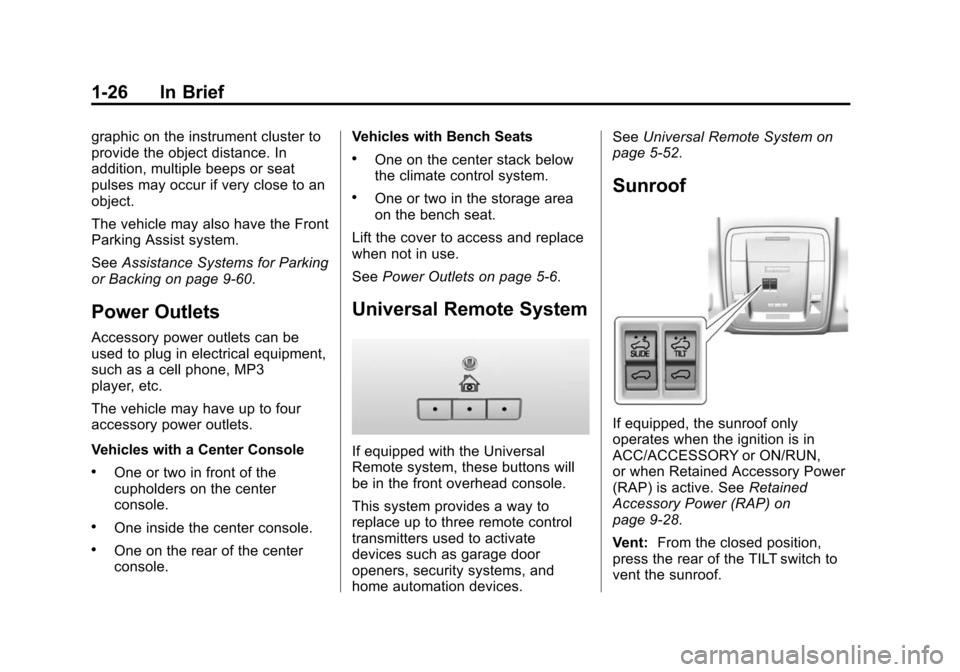
Universal Remote System
If equipped with the Universal
Remote system, these buttons will
be in the front overhead console.
This system provides a way to
replace up to three remote control
transmitters used to activate
devices such as garage door
openers, security systems, and
home automation devices. See
Universal Remote System on
page 5-52.
Sunroof
If equipped, the sunroof only
operates when the ignition is in
ACC/ACCESSORY or ON/RUN,
or when Retained Accessory Power
(RAP) is active. See Retained
Accessory Power (RAP) on
page 9-28.
Vent: From the closed position,
press the rear of the TILT switch to
vent the sunroof.
Page 132 of 543
Black plate (1,1)Chevrolet 2015i Silverado Owner Manual (GMNA-Localizing-U.S./Canada/
Mexico-8425172) - 2015 - crc - 2/6/15
Storage 4-1
Storage
Storage Compartments
Storage Compartments . . . . . . . 4-1
Instrument Panel Storage . . . . . 4-1
Glove Box . . . . . . . . . . . . . . . . . . . . 4-2
Cupholders . . . . . . . . . . . . . . . . . . . 4-2
Sunglasses Storage . . . . . . . . . . 4-3
Center Console Storage . . . . . . 4-3
Floor Console Storage . . . . . . . . 4-4
Additional Storage Features
Cargo Tie-Downs . . . . . . . . . . . . . 4-4
Storage
Compartments
{Warning
Do not store heavy or sharp
objects in storage compartments.
In a crash, these objects may
cause the cover to open and
could result in injury.
Instrument Panel Storage
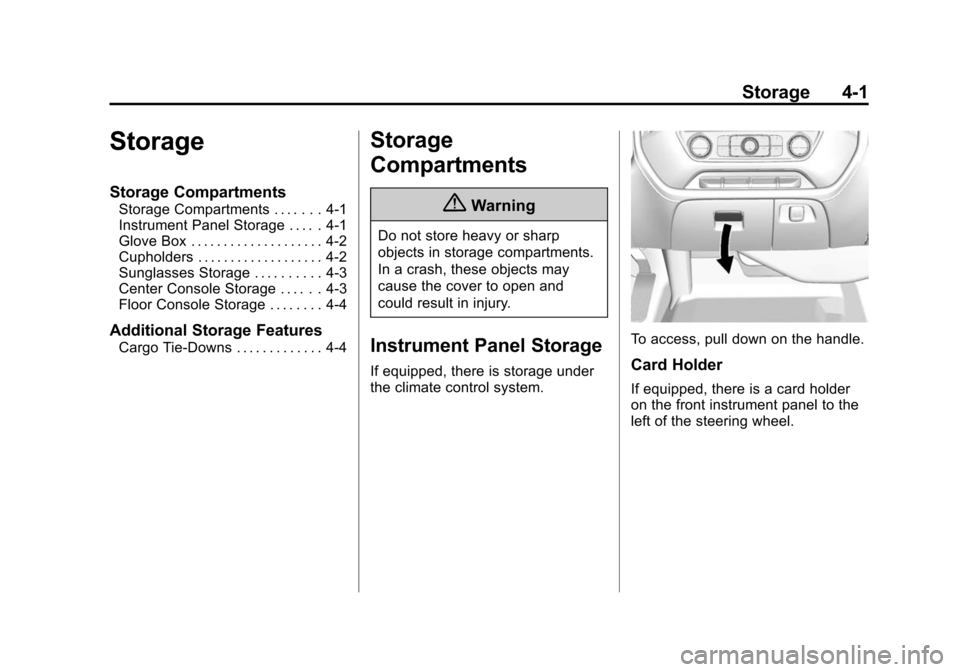
If equipped, there is storage under
the climate control system.
To access, pull down on the handle.
Card Holder
If equipped, there is a card holder
on the front instrument panel to the
left of the steering wheel.
Page 133 of 543
Black plate (2,1)Chevrolet 2015i Silverado Owner Manual (GMNA-Localizing-U.S./Canada/
Mexico-8425172) - 2015 - crc - 2/6/15
4-2 Storage
Glove Box
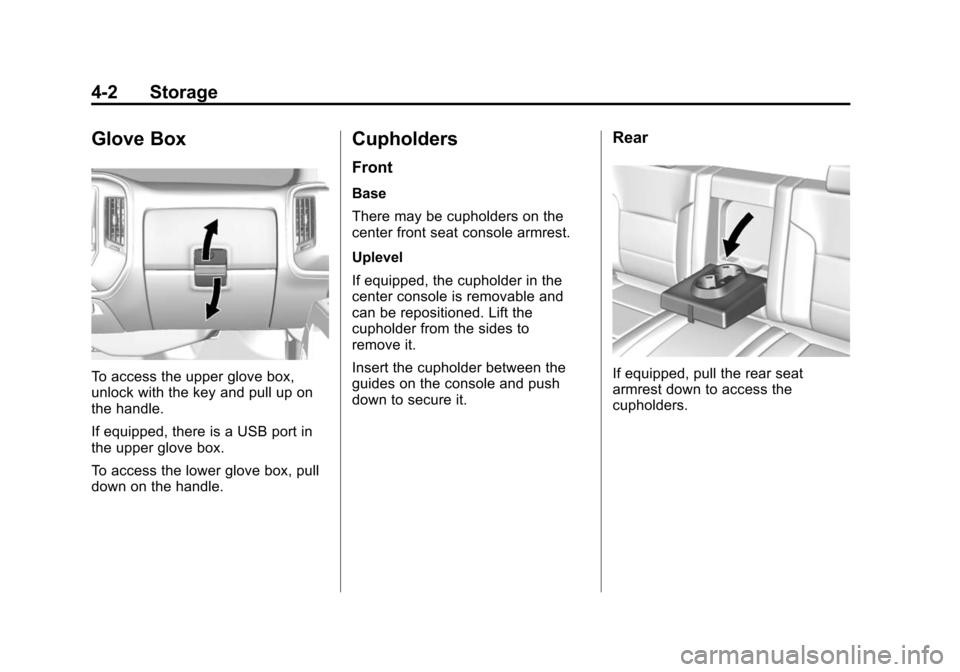
To access the upper glove box,
unlock with the key and pull up on
the handle.
If equipped, there is a USB port in
the upper glove box.
To access the lower glove box, pull
down on the handle.
Cupholders
Front
Base
There may be cupholders on the
center front seat console armrest.
Uplevel
If equipped, the cupholder in the
center console is removable and
can be repositioned. Lift the
cupholder from the sides to
remove it.
Insert the cupholder between the
guides on the console and push
down to secure it.
Rear
If equipped, pull the rear seat
armrest down to access the
cupholders.
Page 134 of 543
Black plate (3,1)Chevrolet 2015i Silverado Owner Manual (GMNA-Localizing-U.S./Canada/
Mexico-8425172) - 2015 - crc - 2/6/15
Storage 4-3
Sunglasses Storage
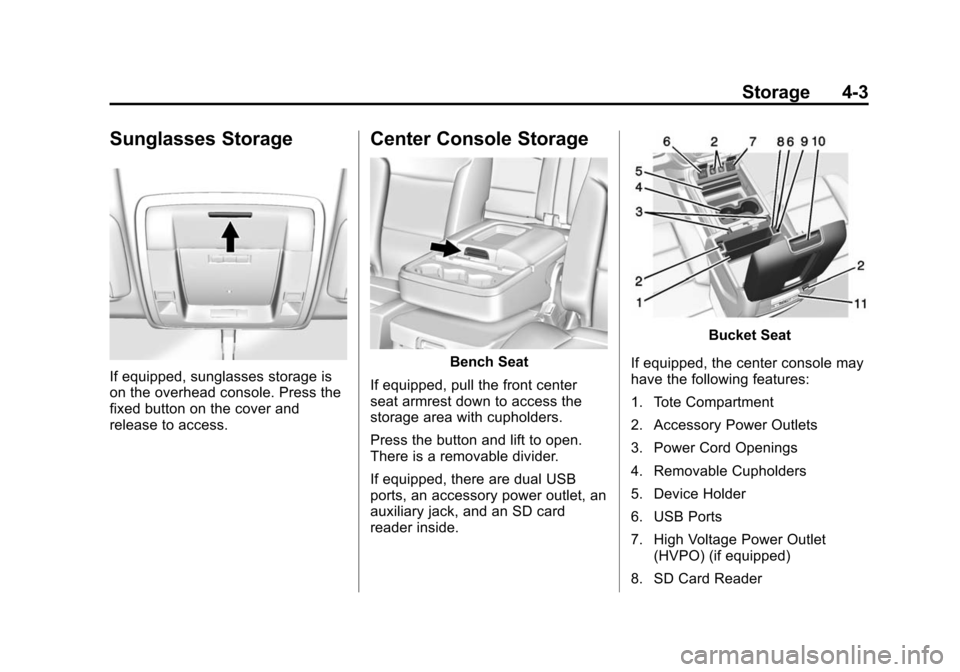
If equipped, sunglasses storage is
on the overhead console. Press the
fixed button on the cover and
release to access.
Center Console Storage
Bench Seat
If equipped, pull the front center
seat armrest down to access the
storage area with cupholders.
Press the button and lift to open.
There is a removable divider.
If equipped, there are dual USB
ports, an accessory power outlet, an
auxiliary jack, and an SD card
reader inside.
Bucket Seat
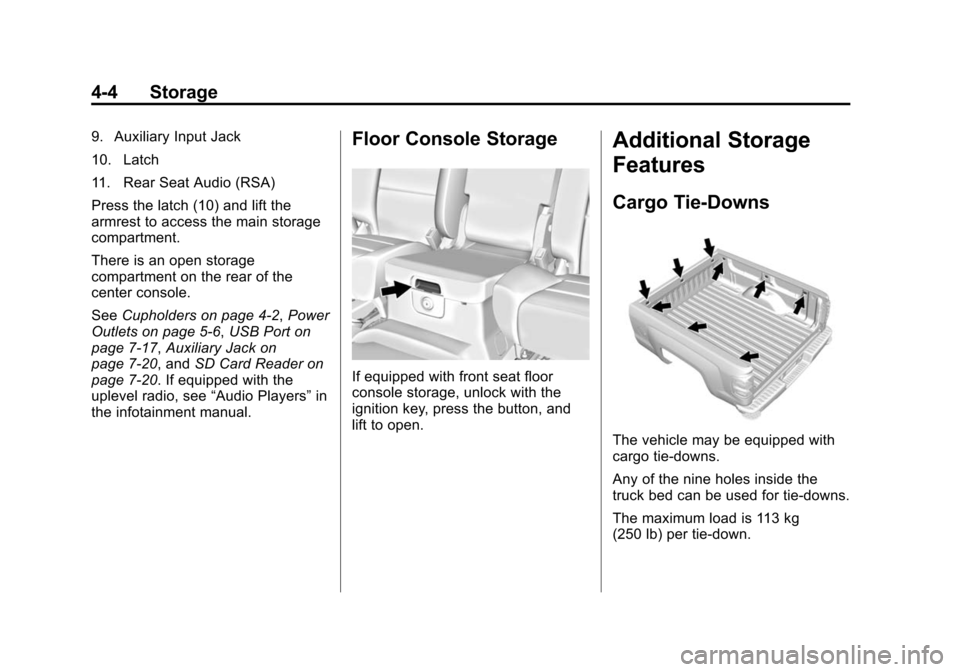
If equipped, the center console may
have the following features:
1. Tote Compartment
2. Accessory Power Outlets
3. Power Cord Openings
4. Removable Cupholders
5. Device Holder
6. USB Ports
7. High Voltage Power Outlet (HVPO) (if equipped)
8. SD Card Reader
Page 135 of 543
Black plate (4,1)Chevrolet 2015i Silverado Owner Manual (GMNA-Localizing-U.S./Canada/
Mexico-8425172) - 2015 - crc - 2/6/15
4-4 Storage
9. Auxiliary Input Jack
10. Latch
11. Rear Seat Audio (RSA)
Press the latch (10) and lift the
armrest to access the main storage
compartment.
There is an open storage
compartment on the rear of the
center console.
SeeCupholders on page 4-2, Power
Outlets on page 5-6, USB Port on
page 7-17, Auxiliary Jack on
page 7-20, and SD Card Reader on
page 7-20. If equipped with the
uplevel radio, see “Audio Players”in
the infotainment manual.Floor Console Storage
If equipped with front seat floor
console storage, unlock with the
ignition key, press the button, and
lift to open.
Additional Storage
Features
Cargo Tie-Downs
The vehicle may be equipped with
cargo tie-downs.
Any of the nine holes inside the
truck bed can be used for tie-downs.
The maximum load is 113 kg
(250 lb) per tie-down.
Page 143 of 543
Black plate (6,1)Chevrolet 2015i Silverado Owner Manual (GMNA-Localizing-U.S./Canada/
Mexico-8425172) - 2015 - crc - 2/6/15
5-6 Instruments and Controls
To set the clock display:
1. Select SETTINGS from theHome Page, then select Time
and Date.
2. Select Clock Display.
3. Turn the MENU knob to Off or On.
4. Press the MENU knob to select.
Press
oBACK to go to the last
menu and save the changes.
Setting the Time and Date with
Touchscreen Controls
To set the time:
1. Press the SETTINGS screen button from the Home Page,
then press Time and Date.
2. Press Set Time and press
«or
ªto increase or decrease
hours, minutes, and AM or PM.
Press 12–24 Hr for 12 or
24 hour clock.
3. Press the
}screen button to go
back to the previous menu. Auto Set requires an active
connection to OnStar.
If auto timing is set, the time
displayed on the clock may not
update immediately when driving
into a new time zone.
To set the date:
1. Press the SETTINGS screen
button from the Home Page,
then press Time and Date.
2. Press Set Date and press
«or
ªto increase or decrease
month, day, or year.
3. Press the
}screen button to go
back to the previous menu.
To set the clock display:
1. Press the SETTINGS screen button and press Time and Date.
2. Press Clock Display and press OFF or ON to turn the clock
display off or on.
3. Press the
}screen button to go
back to the previous menu.
Power Outlets
Accessory power outlets can be
used to plug in electrical equipment,
such as a cell phone, MP3
player, etc.
The vehicle may have up to four
accessory power outlets.
Vehicles with a Center Console
.One or two in front of the
cupholders on the center
console.
.One inside the center console.
.One on the rear of the center
console.
Vehicles with Bench Seats
.One on the center stack below
the climate control system.
.One or two in the storage area
on the bench seat.
Lift the cover to access and replace
when not in use.
Page 144 of 543
Black plate (7,1)Chevrolet 2015i Silverado Owner Manual (GMNA-Localizing-U.S./Canada/
Mexico-8425172) - 2015 - crc - 2/6/15
Instruments and Controls 5-7
The power outlets on the center
stack and in front of the cupholders
are powered at all times. The power
outlets inside the storage area and
on the rear of the console are
powered when the ignition is in ON/
RUN or ACC/ACCESSORY,
or when RAP is active.
{Warning
Power is always supplied to the
outlets. Do not leave electrical
equipment plugged in when the
vehicle is not in use because the
vehicle could catch fire and cause
injury or death.
{Caution
Leaving electrical equipment
plugged in for an extended period
of time while the vehicle is off will
drain the battery. Always unplug
electrical equipment when not in(Continued)
Caution (Continued)
use and do not plug in equipment
that exceeds the maximum
15 amp rating.
Certain power accessory plugs may
not be compatible with the
accessory power outlet and could
overload vehicle or adapter fuses.
If a problem is experienced, see
your dealer.
When adding electrical equipment,
be sure to follow the proper
installation instructions included with
the equipment. See Add-On
Electrical Equipment on page 9-100.
{Caution
Hanging heavy equipment from
the power outlet can cause
damage not covered by the
vehicle warranty. The power
(Continued)
Caution (Continued)
outlets are designed for
accessory power plugs only, such
as cell phone charge cords.
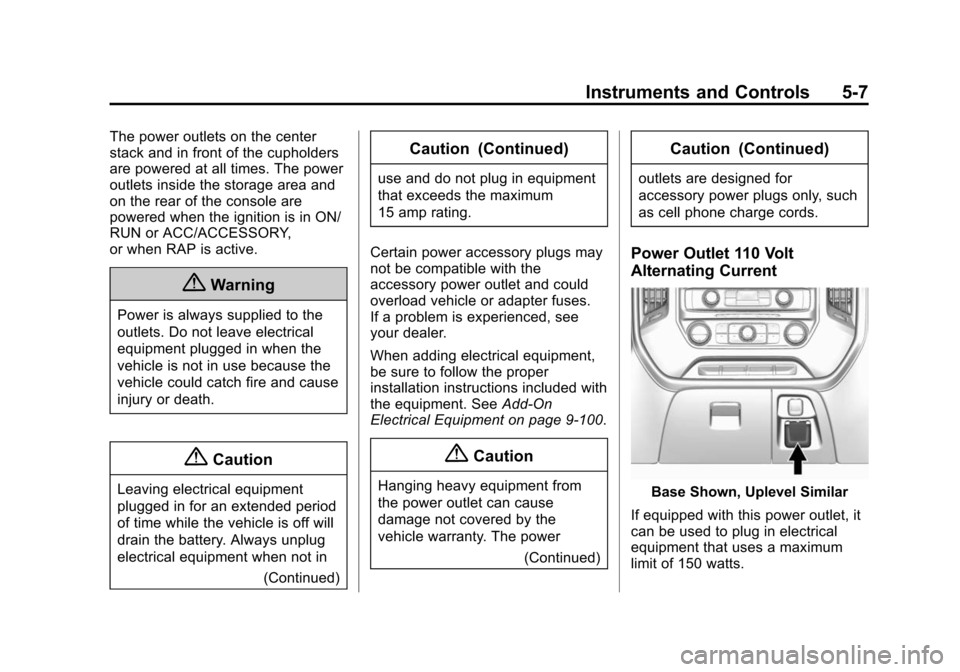
Power Outlet 110 Volt
Alternating Current
Base Shown, Uplevel Similar
If equipped with this power outlet, it
can be used to plug in electrical
equipment that uses a maximum
limit of 150 watts.
Page 145 of 543
Black plate (8,1)Chevrolet 2015i Silverado Owner Manual (GMNA-Localizing-U.S./Canada/
Mexico-8425172) - 2015 - crc - 2/6/15
5-8 Instruments and Controls
For vehicles with a center console,
the 110 volt power outlet is in front
of the cupholders in the center
console.
For vehicles with bench seats, the
110 volt power outlet is on the
center stack.
An indicator light on the outlet turns
on to show it is in use. The light
comes on when the ignition is in
ON/RUN, equipment requiring less
than 150 watts is plugged into the
outlet, and no system fault is
detected.
The indicator light does not come on
when the ignition is in LOCK/OFF or
if the equipment is not fully seated
into the outlet.
If equipment is connected using
more than 150 watts or a system
fault is detected, a protection circuit
shuts off the power supply and the
indicator light turns off. To reset the
circuit, unplug the item and plug it
back in or turn the Retained
Accessory Power (RAP) off andthen back on. See
Retained
Accessory Power (RAP) on
page 9-28.
The power outlet is not designed for
the following, and may not work
properly if they are plugged in:
.Equipment with high initial peak
wattage, such as
compressor-driven refrigerators
and electric power tools.
.Other equipment requiring an
extremely stable power supply,
such as
microcomputer-controlled
electric blankets and touch
sensor lamps.
.Medical equipment.
Warning Lights,
Gauges, and
Indicators
Warning lights and gauges can
signal that something is wrong
before it becomes serious enough
to cause an expensive repair or
replacement. Paying attention to the
warning lights and gauges could
prevent injury.
Warning lights come on when there
could be a problem with a vehicle
function. Some warning lights come
on briefly when the engine is started
to indicate they are working.
Page 155 of 543
Black plate (18,1)Chevrolet 2015i Silverado Owner Manual (GMNA-Localizing-U.S./Canada/
Mexico-8425172) - 2015 - crc - 2/6/15
5-18 Instruments and Controls
and diagnostic module. For more
information on the airbag system,
seeAirbag System on page 3-20.
The airbag readiness light comes on
for several seconds when the
vehicle is started. If the light does
not come on then, have it fixed
immediately.
{Warning
If the airbag readiness light stays
on after the vehicle is started or
comes on while driving, it means
the airbag system might not be
working properly. The airbags in
the vehicle might not inflate in a
crash, or they could even inflate
(Continued)
Warning (Continued)
without a crash. To help avoid
injury, have the vehicle serviced
right away.
If there is a problem with the airbag
system, a Driver Information Center
(DIC) message may also come on.
See Airbag System Messages on
page 5-40.
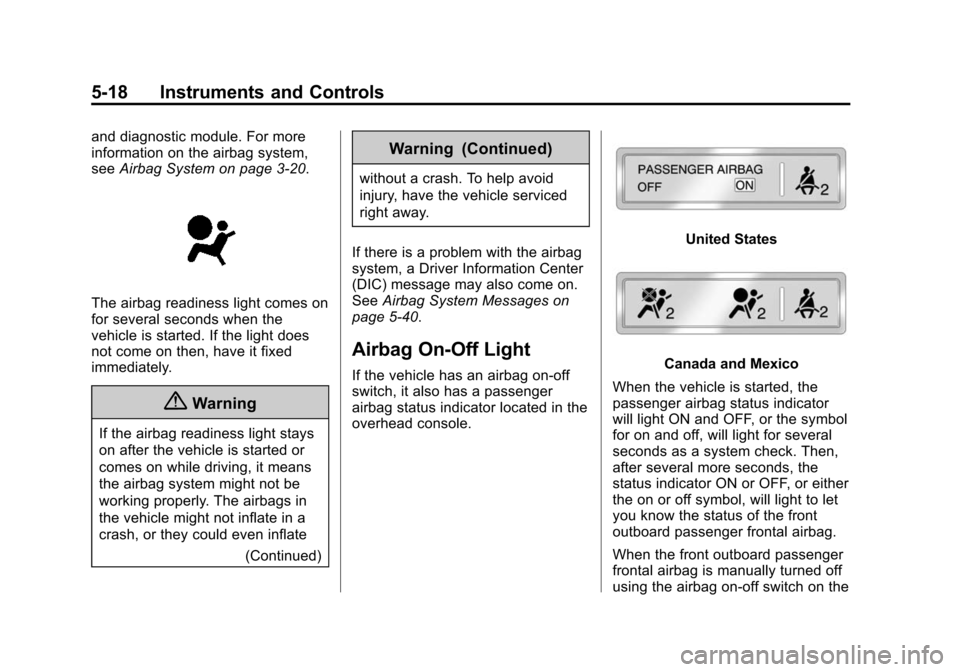
Airbag On-Off Light
If the vehicle has an airbag on-off
switch, it also has a passenger
airbag status indicator located in the
overhead console.
United States
Canada and Mexico
When the vehicle is started, the
passenger airbag status indicator
will light ON and OFF, or the symbol
for on and off, will light for several
seconds as a system check. Then,
after several more seconds, the
status indicator ON or OFF, or either
the on or off symbol, will light to let
you know the status of the front
outboard passenger frontal airbag.
When the front outboard passenger
frontal airbag is manually turned off
using the airbag on-off switch on the