seats CHEVROLET SILVERADO 2015 3.G Owners Manual
[x] Cancel search | Manufacturer: CHEVROLET, Model Year: 2015, Model line: SILVERADO, Model: CHEVROLET SILVERADO 2015 3.GPages: 543, PDF Size: 7.01 MB
Page 2 of 543

Black plate (1,1)Chevrolet 2015i Silverado Owner Manual (GMNA-Localizing-U.S./Canada/
Mexico-8425172) - 2015 - crc - 2/9/15
2015 Chevrolet Silverado Owner ManualM
In Brief. . . . . . . . . . . . . . . . . . . . . . . . 1-1
Instrument Panel . . . . . . . . . . . . . . 1-2
Initial Drive Information . . . . . . . . 1-5
Vehicle Features . . . . . . . . . . . . . 1-21
Performance and Maintenance . . . . . . . . . . . . . . . . 1-27
Keys, Doors, and Windows . . . . . . . . . . . . . . . . . . . . 2-1
Keys and Locks . . . . . . . . . . . . . . . 2-1
Doors . . . . . . . . . . . . . . . . . . . . . . . . 2-10
Vehicle Security . . . . . . . . . . . . . . 2-12
Exterior Mirrors . . . . . . . . . . . . . . . 2-14
Interior Mirrors . . . . . . . . . . . . . . . . 2-19
Windows . . . . . . . . . . . . . . . . . . . . . 2-20
Roof . . . . . . . . . . . . . . . . . . . . . . . . . . 2-23
Seats and Restraints . . . . . . . . . 3-1
Head Restraints . . . . . . . . . . . . . . . 3-2
Front Seats . . . . . . . . . . . . . . . . . . . . 3-3
Rear Seats . . . . . . . . . . . . . . . . . . . 3-10
Safety Belts . . . . . . . . . . . . . . . . . . 3-12
Airbag System . . . . . . . . . . . . . . . . 3-20
Child Restraints . . . . . . . . . . . . . . 3-36 Storage
. . . . . . . . . . . . . . . . . . . . . . . 4-1
Storage Compartments . . . . . . . . 4-1
Additional Storage Features . . . 4-4
Instruments and Controls . . . . 5-1
Controls . . . . . . . . . . . . . . . . . . . . . . . 5-2
Warning Lights, Gauges, and
Indicators . . . . . . . . . . . . . . . . . . . . 5-8
Information Displays . . . . . . . . . . 5-29
Vehicle Messages . . . . . . . . . . . . 5-34
Vehicle Personalization . . . . . . . 5-45
Universal Remote System . . . . 5-52
Lighting . . . . . . . . . . . . . . . . . . . . . . . 6-1
Exterior Lighting . . . . . . . . . . . . . . . 6-1
Interior Lighting . . . . . . . . . . . . . . . . 6-6
Lighting Features . . . . . . . . . . . . . . 6-8
Infotainment System . . . . . . . . . 7-1
Introduction . . . . . . . . . . . . . . . . . . . . 7-1
Radio . . . . . . . . . . . . . . . . . . . . . . . . . . 7-8
Audio Players . . . . . . . . . . . . . . . . 7-15
OnStar System . . . . . . . . . . . . . . . 7-22
Voice Recognition . . . . . . . . . . . . 7-24
Phone . . . . . . . . . . . . . . . . . . . . . . . . 7-30
Settings . . . . . . . . . . . . . . . . . . . . . . 7-47 Trademarks and License
Agreements . . . . . . . . . . . . . . . . . 7-49
Climate Controls . . . . . . . . . . . . . 8-1
Climate Control Systems . . . . . . 8-1
Air Vents . . . . . . . . . . . . . . . . . . . . . . . 8-8
Maintenance . . . . . . . . . . . . . . . . . . . 8-9
Driving and Operating . . . . . . . . 9-1
Driving Information . . . . . . . . . . . . . 9-2
Starting and Operating . . . . . . . 9-23
Engine Exhaust . . . . . . . . . . . . . . 9-33
Automatic Transmission . . . . . . 9-34
Manual Transmission . . . . . . . . . 9-41
Drive Systems . . . . . . . . . . . . . . . . 9-42
Brakes . . . . . . . . . . . . . . . . . . . . . . . 9-50
Ride Control Systems . . . . . . . . 9-54
Cruise Control . . . . . . . . . . . . . . . . 9-57
Driver Assistance Systems . . . 9-60
Fuel . . . . . . . . . . . . . . . . . . . . . . . . . . 9-67
Trailer Towing . . . . . . . . . . . . . . . . 9-73
Conversions and
Add-Ons . . . . . . . . . . . . . . . . . . . 9-100
Page 8 of 543
Black plate (1,1)Chevrolet 2015i Silverado Owner Manual (GMNA-Localizing-U.S./Canada/
Mexico-8425172) - 2015 - crc - 2/6/15
In Brief 1-1
In Brief
Instrument Panel
Instrument Panel . . . . . . . . . . . . . . 1-2
Initial Drive Information
Initial Drive Information . . . . . . . . 1-5
Remote Keyless Entry (RKE)System . . . . . . . . . . . . . . . . . . . . . . 1-5
Remote Vehicle Start . . . . . . . . . 1-5
Door Locks . . . . . . . . . . . . . . . . . . . 1-6
Windows . . . . . . . . . . . . . . . . . . . . . . 1-6
Seat Adjustment . . . . . . . . . . . . . . 1-8
Memory Features . . . . . . . . . . . . 1-10
Heated and Cooled Front Seats . . . . . . . . . . . . . . . . . . . . . . . 1-10
Head Restraint Adjustment . . . . . . . . . . . . . . . . . 1-11
Safety Belts . . . . . . . . . . . . . . . . . . 1-11
Passenger Sensing System . . . . . . . . . . . . . . . . . . . . . 1-11 Mirror Adjustment . . . . . . . . . . . . 1-12
Steering Wheel
Adjustment . . . . . . . . . . . . . . . . . 1-13
Throttle and Brake Pedal Adjustment . . . . . . . . . . . . . . . . . 1-14
Interior Lighting . . . . . . . . . . . . . . 1-14
Exterior Lighting . . . . . . . . . . . . . 1-15
Windshield Wiper/Washer . . . . 1-16
Climate Controls . . . . . . . . . . . . . 1-17
Transmission . . . . . . . . . . . . . . . . 1-19
Four-Wheel Drive . . . . . . . . . . . . 1-20
Vehicle Features
Infotainment System . . . . . . . . . 1-21
Radio(s) . . . . . . . . . . . . . . . . . . . . . 1-21
Satellite Radio . . . . . . . . . . . . . . . 1-22
Portable Audio Devices . . . . . . 1-22
Bluetooth
®. . . . . . . . . . . . . . . . . . . 1-22
Steering Wheel Controls . . . . . 1-23
Cruise Control . . . . . . . . . . . . . . . 1-24
Driver Information Center (DIC) . . . . . . . . . . . . . . . 1-24 Forward Collision Alert (FCA)
System . . . . . . . . . . . . . . . . . . . . . 1-25
Lane Departure Warning (LDW) . . . . . . . . . . . . . 1-25
Rear Vision
Camera (RVC) . . . . . . . . . . . . . 1-25
Parking Assist . . . . . . . . . . . . . . . 1-25
Power Outlets . . . . . . . . . . . . . . . 1-26
Universal Remote System . . . 1-26
Sunroof . . . . . . . . . . . . . . . . . . . . . . 1-26
Performance and Maintenance
Traction Control/Electronic Stability Control . . . . . . . . . . . . 1-27
Tire Pressure Monitor . . . . . . . . 1-28
Engine Oil Life System . . . . . . 1-28
E85 or FlexFuel . . . . . . . . . . . . . . 1-29
Driving for Better Fuel Economy . . . . . . . . . . . . . . . . . . . 1-29
Roadside Assistance Program . . . . . . . . . . . . . . . . . . . . 1-29
OnStar
®. . . . . . . . . . . . . . . . . . . . . 1-30
Page 10 of 543

Black plate (3,1)Chevrolet 2015i Silverado Owner Manual (GMNA-Localizing-U.S./Canada/
Mexico-8425172) - 2015 - crc - 2/6/15
In Brief 1-3
1.Instrument Panel Illumination
Control on page 6-6.
2. Integrated Trailer Brake Control (ITBC) System (If Equipped).
See Towing Equipment on
page 9-90.
3. Exterior Lamp Controls on
page 6-1.
Fog Lamps on page 6-5 (If
Equipped).
4. Air Vents on page 8-8.
5. Turn Signal Lever. See Turn and
Lane-Change Signals on
page 6-4.
Windshield Wiper/Washer on
page 5-4.
6. Favorite Switches (Out of View). See Steering Wheel Controls on
page 5-3.
Volume Switches (Out of View).
See Steering Wheel Controls on
page 5-3.
7. Instrument Cluster on page 5-10. 8.
Hazard Warning Flashers on
page 6-4.
9. Shift Lever. See Automatic
Transmission on page 9-34.
Tow/Haul Selector Button (If
Equipped). See Tow/Haul Mode
on page 9-40.
Range Selection Mode (If
Equipped). See Manual Mode on
page 9-38.
10. Light Sensor. See Automatic
Headlamp System on
page 6-3.
11. Infotainment on page 7-1.
12. Electronic Transfer Case Control (If Equipped). See
Four-Wheel Drive on
page 9-42.
Card Holder (If Equipped). See
Instrument Panel Storage on
page 4-1.
13. Parking Brake on page 9-51.
14. Data Link Connector (DLC) (Out of View). See Malfunction
Indicator Lamp on page 5-21. 15.
Cruise Control on page 9-57.
Forward Collision Alert (FCA)
System on page 9-63 (If
Equipped).
16. Steering Wheel Adjustment on
page 5-2 (Out of View).
17. Horn on page 5-4.
18. Hood Release. See Hood on
page 10-5.
19. Steering Wheel Controls on
page 5-3 (If Equipped).
Driver Information Center (DIC)
Controls (If Equipped). See
Driver Information Center (DIC)
(Base Level) on page 5-29 or
Driver Information Center (DIC)
(Uplevel) on page 5-31.
20. Parking Brake Release (Manual Transmission Only, If
Equipped). See Parking Brake
on page 9-51
21. Heated and Cooled Front
Seats on page 3-8 (If
Equipped).
Page 15 of 543
Black plate (8,1)Chevrolet 2015i Silverado Owner Manual (GMNA-Localizing-U.S./Canada/
Mexico-8425172) - 2015 - crc - 2/6/15
1-8 In Brief
The power sliding rear window
cannot be operated manually. See
“Power Sliding Rear Window”in
Rear Windows on page 2-23.
Seat Adjustment
Manual Seats
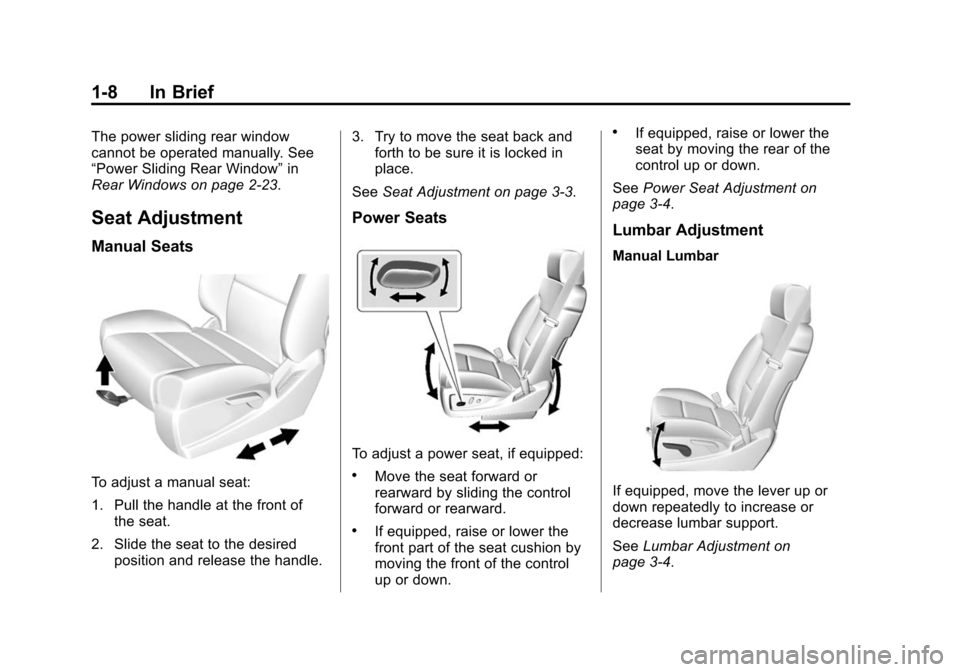
To adjust a manual seat:
1. Pull the handle at the front of the seat.
2. Slide the seat to the desired position and release the handle. 3. Try to move the seat back and
forth to be sure it is locked in
place.
See Seat Adjustment on page 3-3.
Power Seats
To adjust a power seat, if equipped:
.Move the seat forward or
rearward by sliding the control
forward or rearward.
.If equipped, raise or lower the
front part of the seat cushion by
moving the front of the control
up or down.
.If equipped, raise or lower the
seat by moving the rear of the
control up or down.
See Power Seat Adjustment on
page 3-4.
Lumbar Adjustment
Manual Lumbar
If equipped, move the lever up or
down repeatedly to increase or
decrease lumbar support.
See Lumbar Adjustment on
page 3-4.
Page 17 of 543
Black plate (10,1)Chevrolet 2015i Silverado Owner Manual (GMNA-Localizing-U.S./Canada/
Mexico-8425172) - 2015 - crc - 2/6/15
1-10 In Brief
Power Reclining Seatbacks
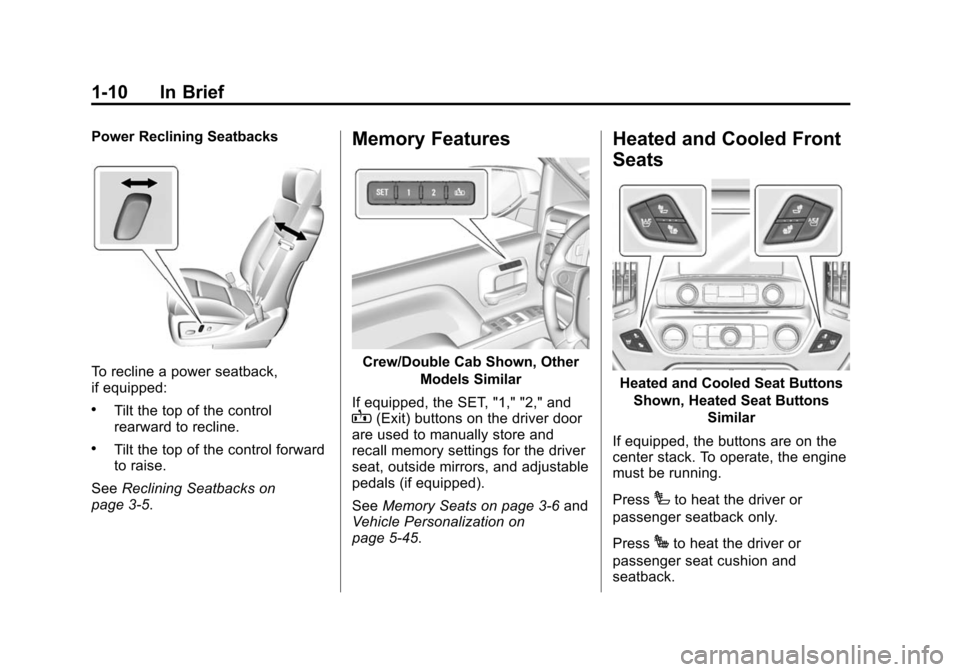
To recline a power seatback,
if equipped:
.Tilt the top of the control
rearward to recline.
.Tilt the top of the control forward
to raise.
See Reclining Seatbacks on
page 3-5.
Memory Features
Crew/Double Cab Shown, Other
Models Similar
If equipped, the SET, "1," "2," and
B(Exit) buttons on the driver door
are used to manually store and
recall memory settings for the driver
seat, outside mirrors, and adjustable
pedals (if equipped).
See Memory Seats on page 3-6 and
Vehicle Personalization on
page 5-45.
Heated and Cooled Front
Seats
Heated and Cooled Seat Buttons
Shown, Heated Seat Buttons Similar
If equipped, the buttons are on the
center stack. To operate, the engine
must be running.
Press
Ito heat the driver or
passenger seatback only.
Press
Jto heat the driver or
passenger seat cushion and
seatback.
Page 18 of 543
Black plate (11,1)Chevrolet 2015i Silverado Owner Manual (GMNA-Localizing-U.S./Canada/
Mexico-8425172) - 2015 - crc - 2/6/15
In Brief 1-11
PressAto cool the driver or
passenger seat.
See Heated and Cooled Front Seats
on page 3-8.
Head Restraint
Adjustment
Do not drive until the head restraints
for all occupants are installed and
adjusted properly.
To achieve a comfortable seating
position, change the seatback
recline angle as little as necessary
while keeping the seat and the head
restraint height in the proper
position.
See Head Restraints on page 3-2
and Seat Adjustment on page 3-3.
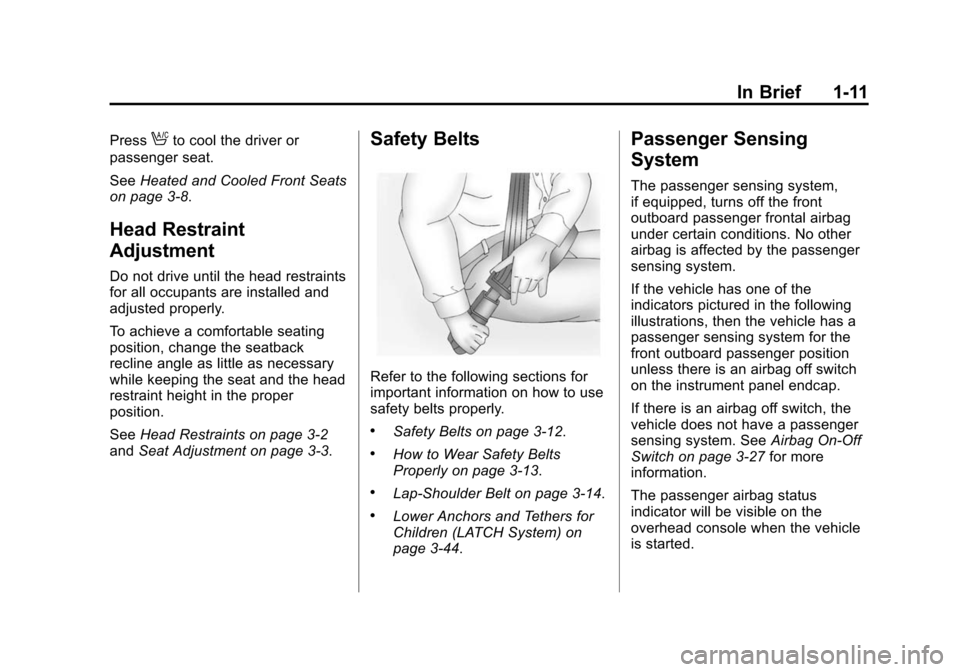
Safety Belts
Refer to the following sections for
important information on how to use
safety belts properly.
.Safety Belts on page 3-12.
.How to Wear Safety Belts
Properly on page 3-13.
.Lap-Shoulder Belt on page 3-14.
.Lower Anchors and Tethers for
Children (LATCH System) on
page 3-44.
Passenger Sensing
System
The passenger sensing system,
if equipped, turns off the front
outboard passenger frontal airbag
under certain conditions. No other
airbag is affected by the passenger
sensing system.
If the vehicle has one of the
indicators pictured in the following
illustrations, then the vehicle has a
passenger sensing system for the
front outboard passenger position
unless there is an airbag off switch
on the instrument panel endcap.
If there is an airbag off switch, the
vehicle does not have a passenger
sensing system. See Airbag On-Off
Switch on page 3-27 for more
information.
The passenger airbag status
indicator will be visible on the
overhead console when the vehicle
is started.
Page 20 of 543
Black plate (13,1)Chevrolet 2015i Silverado Owner Manual (GMNA-Localizing-U.S./Canada/
Mexico-8425172) - 2015 - crc - 2/6/15
In Brief 1-13
2. Press the arrows on the controlpad while the indicator light on
the (1) or (3) button is
illuminated, to move the mirror
up, down, right, or left.
3. Adjust each outside mirror so that a little of the vehicle and the
area behind it can be seen.
4. Press either (1) or (3) again to deselect the mirror.
See Power Mirrors on page 2-15.
If equipped with power folding
mirrors:
1. Press (2) to fold the mirrors out to the driving position.
2. Press (2) again to fold the mirrors in to the folded position.
See Folding Mirrors on page 2-16.
The mirrors may also include a
memory function that works with the
memory seats. See Memory Seats
on page 3-6.Interior Mirror
Adjustment
Adjust the mirror for a clear view of
the area behind the vehicle.
Manual Dimming Rearview Mirror
If equipped, push the tab forward for
daytime use and pull it for nighttime
use to avoid glare from the
headlamps from behind. See
Manual Rearview Mirror on
page 2-19.
Automatic Dimming Rearview
Mirror
If equipped, the mirror will
automatically reduce the glare of the
headlamps from behind. The
dimming feature comes on when the
vehicle is started.
See Automatic Dimming Rearview
Mirror on page 2-19.
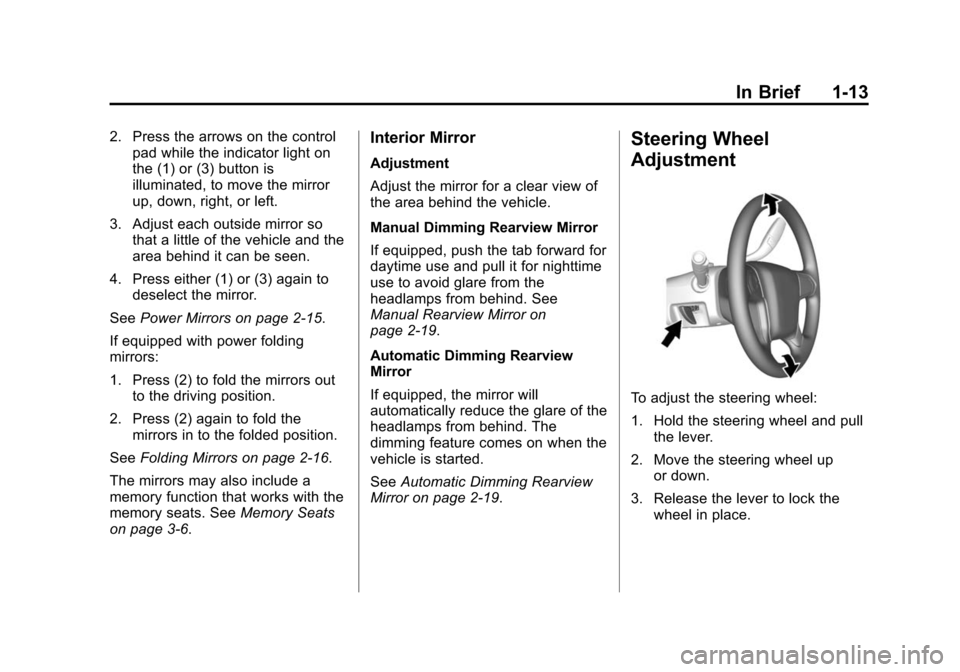
Steering Wheel
Adjustment
To adjust the steering wheel:
1. Hold the steering wheel and pull the lever.
2. Move the steering wheel up or down.
3. Release the lever to lock the wheel in place.
Page 33 of 543
Black plate (26,1)Chevrolet 2015i Silverado Owner Manual (GMNA-Localizing-U.S./Canada/
Mexico-8425172) - 2015 - crc - 2/6/15
1-26 In Brief
graphic on the instrument cluster to
provide the object distance. In
addition, multiple beeps or seat
pulses may occur if very close to an
object.
The vehicle may also have the Front
Parking Assist system.
SeeAssistance Systems for Parking
or Backing on page 9-60.
Power Outlets
Accessory power outlets can be
used to plug in electrical equipment,
such as a cell phone, MP3
player, etc.
The vehicle may have up to four
accessory power outlets.
Vehicles with a Center Console
.One or two in front of the
cupholders on the center
console.
.One inside the center console.
.One on the rear of the center
console. Vehicles with Bench Seats
.One on the center stack below
the climate control system.
.One or two in the storage area
on the bench seat.
Lift the cover to access and replace
when not in use.
See Power Outlets on page 5-6.
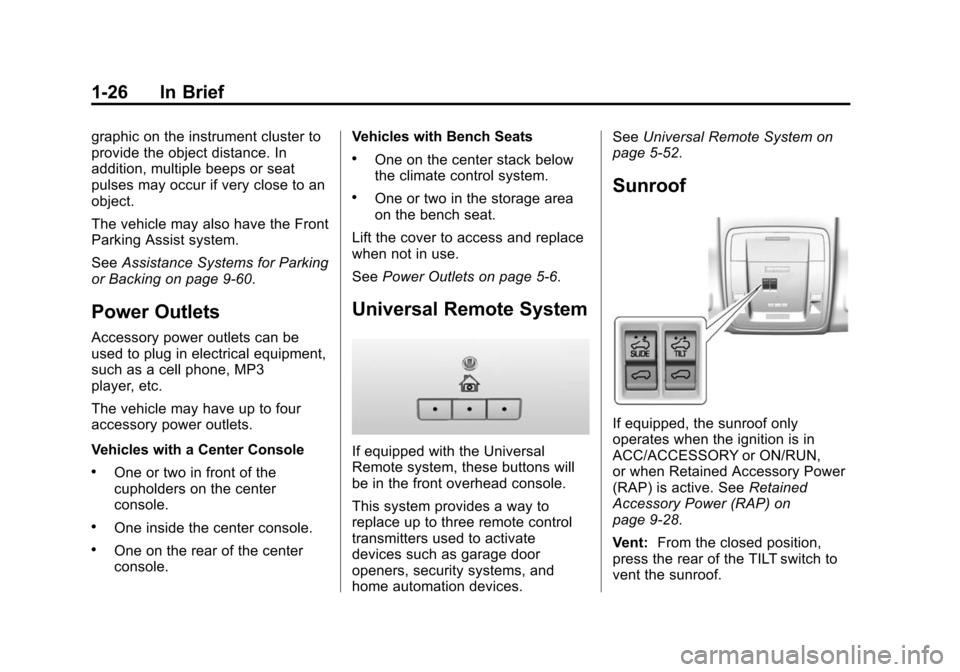
Universal Remote System
If equipped with the Universal
Remote system, these buttons will
be in the front overhead console.
This system provides a way to
replace up to three remote control
transmitters used to activate
devices such as garage door
openers, security systems, and
home automation devices. See
Universal Remote System on
page 5-52.
Sunroof
If equipped, the sunroof only
operates when the ignition is in
ACC/ACCESSORY or ON/RUN,
or when Retained Accessory Power
(RAP) is active. See Retained
Accessory Power (RAP) on
page 9-28.
Vent: From the closed position,
press the rear of the TILT switch to
vent the sunroof.
Page 42 of 543
Black plate (5,1)Chevrolet 2015i Silverado Owner Manual (GMNA-Localizing-U.S./Canada/
Mexico-8425172) - 2015 - crc - 2/6/15
Keys, Doors, and Windows 2-5
whenQis pressed again within
three seconds. See Vehicle
Personalization on page 5-45.
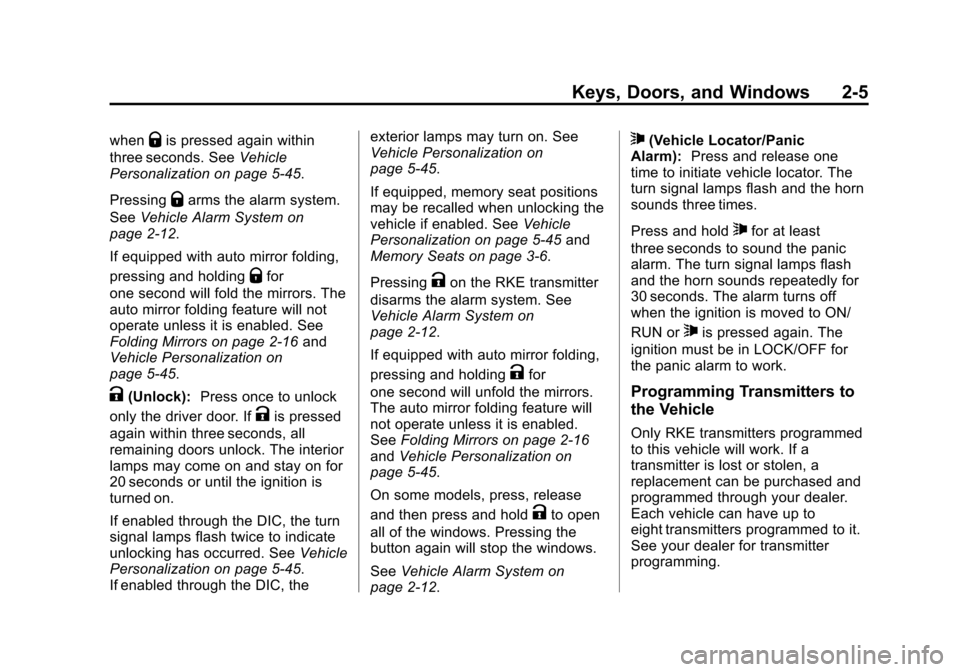
Pressing
Qarms the alarm system.
See Vehicle Alarm System on
page 2-12.
If equipped with auto mirror folding,
pressing and holding
Qfor
one second will fold the mirrors. The
auto mirror folding feature will not
operate unless it is enabled. See
Folding Mirrors on page 2-16 and
Vehicle Personalization on
page 5-45.
K(Unlock): Press once to unlock
only the driver door. If
Kis pressed
again within three seconds, all
remaining doors unlock. The interior
lamps may come on and stay on for
20 seconds or until the ignition is
turned on.
If enabled through the DIC, the turn
signal lamps flash twice to indicate
unlocking has occurred. See Vehicle
Personalization on page 5-45.
If enabled through the DIC, the exterior lamps may turn on. See
Vehicle Personalization on
page 5-45.
If equipped, memory seat positions
may be recalled when unlocking the
vehicle if enabled. See
Vehicle
Personalization on page 5-45 and
Memory Seats on page 3-6.
Pressing
Kon the RKE transmitter
disarms the alarm system. See
Vehicle Alarm System on
page 2-12.
If equipped with auto mirror folding,
pressing and holding
Kfor
one second will unfold the mirrors.
The auto mirror folding feature will
not operate unless it is enabled.
See Folding Mirrors on page 2-16
and Vehicle Personalization on
page 5-45.
On some models, press, release
and then press and hold
Kto open
all of the windows. Pressing the
button again will stop the windows.
See Vehicle Alarm System on
page 2-12.
7(Vehicle Locator/Panic
Alarm): Press and release one
time to initiate vehicle locator. The
turn signal lamps flash and the horn
sounds three times.
Press and hold
7for at least
three seconds to sound the panic
alarm. The turn signal lamps flash
and the horn sounds repeatedly for
30 seconds. The alarm turns off
when the ignition is moved to ON/
RUN or
7is pressed again. The
ignition must be in LOCK/OFF for
the panic alarm to work.
Programming Transmitters to
the Vehicle
Only RKE transmitters programmed
to this vehicle will work. If a
transmitter is lost or stolen, a
replacement can be purchased and
programmed through your dealer.
Each vehicle can have up to
eight transmitters programmed to it.
See your dealer for transmitter
programming.
Page 44 of 543
Black plate (7,1)Chevrolet 2015i Silverado Owner Manual (GMNA-Localizing-U.S./Canada/
Mexico-8425172) - 2015 - crc - 2/6/15
Keys, Doors, and Windows 2-7
Remote Vehicle Start
If equipped with the remote start
feature, the climate control system
will come on when the vehicle is
started remotely, depending on the
outside temperature.
The rear defog and heated and
cooled seats, if equipped, may also
come on. SeeHeated and Cooled
Front Seats on page 3-8 and
Vehicle Personalization on
page 5-45.
Laws in some communities may
restrict the use of remote starters.
Check local regulations for any
requirements on remote starting of
vehicles.
Do not use remote start if the
vehicle is low on fuel.
The vehicle cannot be remote
started if:
.The key is in the ignition.
.The hood is not closed.
.There is an emission control
system malfunction and the
malfunction indicator lamp is on.
The engine will turn off during a
remote vehicle start if:
.The coolant temperature gets
too high.
.The oil pressure gets low.
The RKE transmitter range may be
reduced while the vehicle is running.
Other conditions can affect the
performance of the transmitter. See
Remote Keyless Entry (RKE)
System on page 2-4 orVehicle
Personalization on page 5-45.
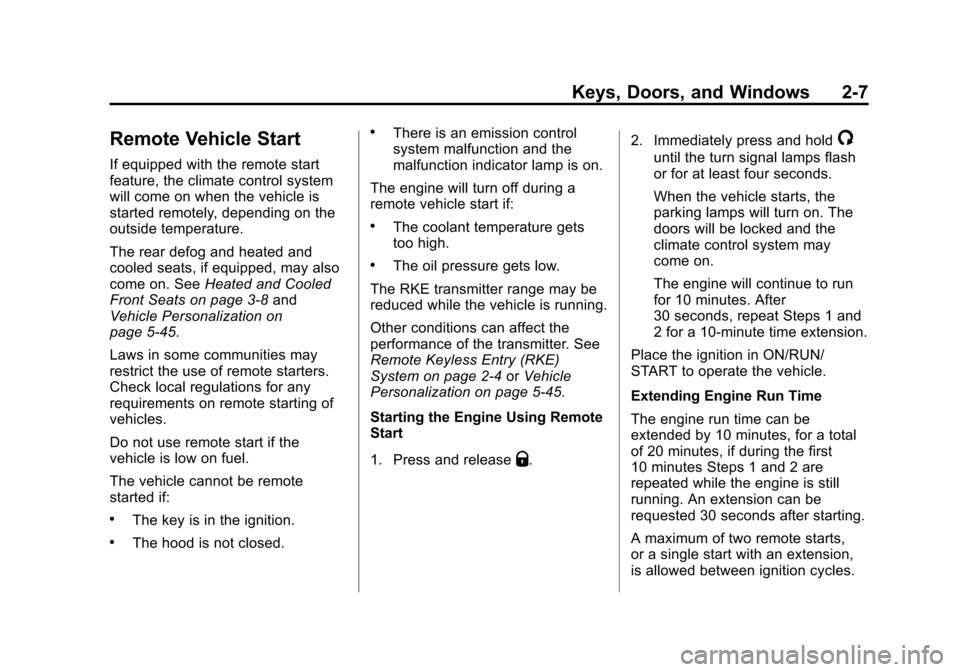
Starting the Engine Using Remote
Start
1. Press and release
Q. 2. Immediately press and hold
/
until the turn signal lamps flash
or for at least four seconds.
When the vehicle starts, the
parking lamps will turn on. The
doors will be locked and the
climate control system may
come on.
The engine will continue to run
for 10 minutes. After
30 seconds, repeat Steps 1 and
2 for a 10-minute time extension.
Place the ignition in ON/RUN/
START to operate the vehicle.
Extending Engine Run Time
The engine run time can be
extended by 10 minutes, for a total
of 20 minutes, if during the first
10 minutes Steps 1 and 2 are
repeated while the engine is still
running. An extension can be
requested 30 seconds after starting.
A maximum of two remote starts,
or a single start with an extension,
is allowed between ignition cycles.