remote control CHEVROLET SILVERADO 2016 3.G Owner's Manual
[x] Cancel search | Manufacturer: CHEVROLET, Model Year: 2016, Model line: SILVERADO, Model: CHEVROLET SILVERADO 2016 3.GPages: 533, PDF Size: 8.17 MB
Page 178 of 533
Chevrolet Silverado Owner Manual (GMNA-Localizing-U.S./Canada/Mexico-
9159338) - 2016 - crc - 10/21/15
Instruments and Controls 177
Radio Signals for Some Gate
Operators
For questions or programming help,
call 01-800-466-0811 or see
www.homelink.com.
Some gate operators require
transmitter signals to time out or quit
after several seconds of
transmission. This may not be long
enough for the Universal Remote
system to pick up the signal during
programming.
If the programming did not work,
replace Step 2 under“Programming
the Universal Remote System” with
the following:
Press and hold the Universal
Remote system button while
pressing and releasing the
hand-held transmitter button every
two seconds until the signal has
been successfully accepted by the
Universal Remote system. The
Universal Remote system indicator
light will flash slowly at first and then
rapidly. Proceed with Step 3 under
“Programming the Universal Remote
System” to complete.
Universal Remote System
Operation
Using the Universal Remote
System
Press and hold the appropriate
Universal Remote system button for
at least one-half second. The
indicator light will come on while the
signal is being transmitted.
Erasing Universal Remote
System Buttons
Erase all programmed buttons when
vehicle ownership is terminated.
To erase:
1. Press and hold the two outside buttons until the indicator light
begins to flash. This should
take about 10 seconds.
2. Release both buttons.
Reprogramming a Single
Universal Remote System
Button
To reprogram any of the system
buttons: 1. Press and hold any one of the
buttons. Do not release the
button.
2. The indicator light will begin to flash after 20 seconds. Without
releasing the button, proceed
with Step 1 under
“Programming the Universal
Remote System.”
Page 187 of 533
Chevrolet Silverado Owner Manual (GMNA-Localizing-U.S./Canada/Mexico-
9159338) - 2016 - crc - 10/21/15
186 Lighting
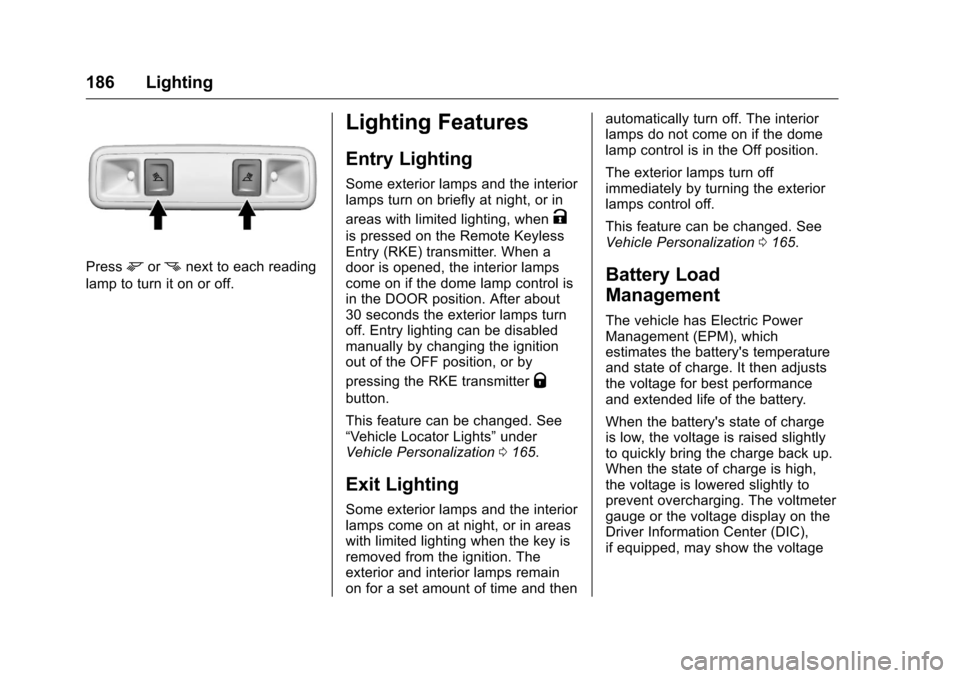
Pressmornnext to each reading
lamp to turn it on or off.
Lighting Features
Entry Lighting
Some exterior lamps and the interior
lamps turn on briefly at night, or in
areas with limited lighting, when
K
is pressed on the Remote Keyless
Entry (RKE) transmitter. When a
door is opened, the interior lamps
come on if the dome lamp control is
in the DOOR position. After about
30 seconds the exterior lamps turn
off. Entry lighting can be disabled
manually by changing the ignition
out of the OFF position, or by
pressing the RKE transmitter
Q
button.
This feature can be changed. See
“Vehicle Locator Lights” under
Vehicle Personalization 0165.
Exit Lighting
Some exterior lamps and the interior
lamps come on at night, or in areas
with limited lighting when the key is
removed from the ignition. The
exterior and interior lamps remain
on for a set amount of time and then automatically turn off. The interior
lamps do not come on if the dome
lamp control is in the Off position.
The exterior lamps turn off
immediately by turning the exterior
lamps control off.
This feature can be changed. See
Vehicle Personalization
0165.
Battery Load
Management
The vehicle has Electric Power
Management (EPM), which
estimates the battery's temperature
and state of charge. It then adjusts
the voltage for best performance
and extended life of the battery.
When the battery's state of charge
is low, the voltage is raised slightly
to quickly bring the charge back up.
When the state of charge is high,
the voltage is lowered slightly to
prevent overcharging. The voltmeter
gauge or the voltage display on the
Driver Information Center (DIC),
if equipped, may show the voltage
Page 206 of 533
Chevrolet Silverado Owner Manual (GMNA-Localizing-U.S./Canada/Mexico-
9159338) - 2016 - crc - 10/21/15
Infotainment System 205
Pandora Menus
Press MENU.
Pandora has a menu with the
following:
Tone Settings :Select to adjust the
tone settings. See AM-FM Radio
(Base Radio with Touchscreen)
0 199 orAM-FM Radio (Base
Radio) 0197.
Bookmark Artist : Select to
bookmark the artist.
Bookmark Song : Select to
bookmark the song.
Auto Volume : This feature sets the
auto volume based on the speed of
the vehicle and noise in the vehicle.
See AM-FM Radio (Base Radio with
Touchscreen) 0199 orAM-FM
Radio (Base Radio) 0197.
Pandora Features
Pandora service has features to rate
tracks, skip tracks, or change
stations.
}: When selected during a track, a
choice displays to bookmark the
artist or track. This sends the
bookmark to the Pandora account.
,: When selected, Pandora stores
this information, changes to the next
track, and does not play this track
on this station again. This helps
Pandora choose which tracks
should not play on this station. This
feature is only available on user
created stations.
-: When selected, Pandora stores
this information and
-is
highlighted for the remainder of the
track. This helps Pandora choose
which tracks should play on this
station.
d: When selected, Pandora
changes to the next track.
rorj: Select to play or pause
playback.
Pandora Skip Limit
Pandora limits the number of skips
allowed on their service. When the
skip limit is reached,
,or next
arrow will not skip the currently
playing track, but the
,feedback
will be recorded. Advertisement on Pandora
Pandora may display
advertisements. The artist name
and track title will not be displayed
and the skip track button will not be
available.
Pandora Troubleshooting
Unable to Connect Device to
Vehicle
If the device is unable to connect to
the USB or Bluetooth:
1. Turn the vehicle off.
2. Take the Remote Keyless Entry (RKE) transmitter at least 6 m
(20 ft) away from the vehicle.
3. Wait about 30 seconds, and try to connect the device again.
See Bluetooth (Voice
Recognition - Base Radio)
0 227 orBluetooth
(Infotainment Controls - Base
Radio) 0223 orBluetooth
(Overview) 0222 orBluetooth
(Infotainment Controls - Base
Radio with
Touchscreen) 0232.
Page 363 of 533
Chevrolet Silverado Owner Manual (GMNA-Localizing-U.S./Canada/Mexico-
9159338) - 2016 - crc - 10/21/15
362 Vehicle Care
harm. Engine exhaust, many parts
and systems, many fluids, and
some component wear by-products
contain and/or emit these
chemicals.
SeeBattery - North America 0388
and Jump Starting - North
America 0442.
California Perchlorate
Materials Requirements
Certain types of automotive
applications, such as airbag
initiators, safety belt pretensioners,
and lithium batteries contained in
Remote Keyless Entry transmitters,
may contain perchlorate materials.
Special handling may be necessary.
For additional information, see
www.dtsc.ca.gov/hazardouswaste/
perchlorate.
Accessories and
Modifications
Adding non-dealer accessories or
making modifications to the vehicle
can affect vehicle performance and
safety, including such things as
airbags, braking, stability, ride and
handling, emissions systems,
aerodynamics, durability, and
electronic systems like antilock
brakes, traction control, and stability
control. These accessories or
modifications could even cause
malfunction or damage not covered
by the vehicle warranty.
Damage to suspension components
caused by modifying vehicle height
outside of factory settings will not be
covered by the warranty.
Damage to vehicle components
resulting from modifications or the
installation or use of non-GM
certified parts, including control
module or software modifications, is
not covered under the terms of the
vehicle warranty and may affect
remaining warranty coverage for
affected parts. GM Accessories are designed to
complement and function with other
systems on the vehicle. See your
dealer to accessorize the vehicle
using genuine GM Accessories
installed by a dealer technician.
Also, see
Adding Equipment to the
Airbag-Equipped Vehicle 087.
Page 506 of 533
Chevrolet Silverado Owner Manual (GMNA-Localizing-U.S./Canada/Mexico-
9159338) - 2016 - crc - 10/21/15
OnStar 505
driving directions. Routes that are
sent to the navigation screen can
only be canceled through the
navigation screen.
For information about Destination
Download, and coverage maps, see
www.onstar.com.mx.
Connections
The following OnStar services help
with staying connected.
For coverage maps, see
www.onstar.com (U.S.) or
www.onstar.ca (Canada).
Ensuring Security
.Change the default passwords
for the Wi-Fi hotspot and
RemoteLink mobile application.
Make these passwords different
from each other and use a
combination of letters, numbers,
and symbols to increase the
security.
. Change the default name of the
SSID (Service Set Indentifier).
This is your network’s name that
is visible to other wireless devices. Choose a unique name
and avoid family names or
vehicle descriptions.
OnStar Wi-Fi
®Hotspot (If
Equipped)
The vehicle may have a built-in
Wi-Fi hotspot that provides access
to the Internet and web content at
4G LTE speed. Up to seven mobile
devices can be connected. A data
plan is required. Use the in-vehicle
controls only when it is safe to
do so.
1. To retrieve Wi-Fi hotspot information, press
=, wait for
the prompt, then say “Wi-Fi
settings.” On some vehicles,
touch Wi-Fi Settings on the
screen.
2. The Wi-Fi settings will display the Wi-Fi hotspot name (SSID),
password, and on some
vehicles, the connection type
(no Internet connection, 3G,
4G, 4G LTE), and signal quality
(poor, good, excellent). 3. To change the SSID or
password, press
Qor call
1-888-4ONSTAR to connect
with an Advisor.
OnStar RemoteLink
®Mobile App
(If Equipped)
Download the OnStar RemoteLink
mobile app to select Apple
®iOS,
Android™, BlackBerry®,
or Windows®mobile devices.
OnStar Subscribers can access the
following services from a mobile
device:
. Remotely start/stop the vehicle,
if factory-equipped.
. Lock/unlock doors, if equipped
with automatic locks.
. Activate the horn and lamps.
. Check the vehicle’s fuel level, oil
life, or tire pressure,
if factory-equipped with the Tire
Pressure Monitor System.
. Send directions to the vehicle.
. Locate the vehicle on a map
(U.S. market only).
Page 509 of 533
Chevrolet Silverado Owner Manual (GMNA-Localizing-U.S./Canada/Mexico-
9159338) - 2016 - crc - 10/21/15
508 OnStar
Reactivation for Subsequent
Owners
PressQand follow the prompts to
speak to an Advisor as soon as
possible. The Advisor will update
vehicle records and explain OnStar
service options.
How OnStar Service Works
Automatic Crash Response,
Emergency Services, Crisis Assist,
Stolen Vehicle Assistance,
Advanced Diagnostics, Remote
Services, Roadside Assistance,
Turn-by-Turn Navigation, and
Hands-Free Calling are available on
most vehicles. Not all OnStar
services are available everywhere
or on all vehicles. For more
information, a full description of
OnStar services, system limitations,
and OnStar terms and conditions:
. Call 1-888-4ONSTAR
(1-888-466-7827).
. See www.onstar.com (U.S.).
. See www.onstar.ca (Canada).
. Call TTY 1-877-248-2080. .
Press
Qto speak with an
Advisor.
OnStar services cannot work unless
the vehicle is in a place where
OnStar has an agreement with a
wireless service provider for service
in that area. The wireless service
provider must also have coverage,
network capacity, reception, and
technology compatible with OnStar
services. Service involving location
information about the vehicle cannot
work unless GPS signals are
available, unobstructed, and
compatible with the OnStar
hardware. OnStar services may not
work if the OnStar equipment is not
properly installed or it has not been
properly maintained. If equipment or
software is added, connected,
or modified, OnStar services may
not work. Other problems beyond
the control of OnStar —such as
hills, tall buildings, tunnels, weather,
electrical system design and
architecture of the vehicle, damage
to the vehicle in a crash, or wireless
phone network congestion or
jamming —may prevent service. See
Radio Frequency Statement
0 496 orRadio Frequency
Statement 0496.
Services for People with
Disabilities
Advisors provide services to help
Subscribers with physical disabilities
and medical conditions.
Press
Qto help:
. Locate a gas station with an
attendant to pump gas.
. Find a hotel, restaurant, etc.,
that meets accessibility needs.
. Provide directions to the closest
hospital or pharmacy in urgent
situations.
TTY Users
OnStar has the ability to
communicate to deaf,
hard-of-hearing, or speech-impaired
customers while in the vehicle. The
available dealer-installed TTY
system can provide in-vehicle
access to all OnStar services,
except Virtual Advisor and OnStar
Turn-by-Turn Navigation.
Page 514 of 533
Chevrolet Silverado Owner Manual (GMNA-Localizing-U.S./Canada/Mexico-
9159338) - 2016 - crc - 10/21/15
OnStar 513
properly maintained. If equipment or
software is added, connected,
or modified, OnStar service may not
work. Other problems beyond the
control of OnStar—such as hills,
tall buildings, tunnels, weather,
electrical system design and
architecture of the vehicle, damage
to the vehicle in a crash, or wireless
phone network congestion or
jamming —may prevent service.
See Radio Frequency Statement
0 496 orRadio Frequency
Statement 0496 information
regarding part 4.6.2 of the IFT NOM
121-SCT1-2009.
This service is provided through a
public telecommunications network
duly authorized in Mexican
Republic.
OnStar.com.mx
The website provides access to
account information, allows
management of the OnStar
subscription, and enables viewing of
videos of each service. Get
subscription plan pricing and sign
up for OnStar Vehicle Diagnostics.
Click on the “My Account” tab on the home page. The website navigation
and services provided may vary by
country.
OnStar Personal Identification
Number (NIP)
A NIP is needed to access some
OnStar services, like Remote Door
Unlock and Stolen Vehicle
Assistance. You will be prompted to
change the NIP the first time when
speaking with an Advisor. To
change the OnStar NIP, call OnStar
and provide the Advisor with the
current number.
Warranty
OnStar equipment may be
warranted as part of the New
Vehicle Limited Warranty. The
manufacturer of the vehicle
furnishes detailed warranty
information.
Languages
The vehicle can be programmed to
respond in multiple languages.
Press
Qand ask for an Advisor.
Advisors are available in English
and Spanish.
Potential Issues
OnStar cannot perform Remote
Door Unlock or Stolen Vehicle
Assistance after the vehicle has
been off continuously for five days
without an ignitions cycle. If the
vehicle cannot be started for
five days, OnStar can contact
Roadside Assistance and a
locksmith to help gain access to the
vehicle.
Global Positioning
System (GPS)
. Obstruction of the GPS can
occur in a large city with tall
buildings; in parking garages;
around airports; in tunnels, and
underpasses; or in an area with
very dense trees. If GPS signals
are not available, the OnStar
system should still operate to
call OnStar. However, OnStar
could have difficulty identifying
the exact location.
. In emergency situations, OnStar
can use the last stored GPS
location to send to emergency
responders.
Page 526 of 533
Chevrolet Silverado Owner Manual (GMNA-Localizing-U.S./Canada/Mexico-
9159338) - 2016 - crc - 10/21/15
Index 525
Glove Box . . . . . . . . . . . . . . . . . . . . . . 119
GM Mobility ReimbursementProgram . . . . . . . . . . . . . . . . . . . . . . . 487
H
Halogen Bulbs . . . . . . . . . . . . . . . . . . 395
Hazard Warning Flashers . . . . . . . 182
Head Restraints . . . . . . . . . . . . . . . . . 58
HeadlampsAiming . . . . . . . . . . . . . . . . . . . . . . . . 395
Automatic . . . . . . . . . . . . . . . . . . . . . 181
Bulb Replacement . . . . . . . . . . . . 395
Daytime RunningLamps (DRL) . . . . . . . . . . . . . . . . 181
Flash-to-Pass . . . . . . . . . . . . . . . . . 181
Headlamps, Front Turn Signal, Sidemarker, and
Parking Lamps . . . . . . . . . . . . . . 396
High Intensity Discharge (HID) Lighting . . . . . . . . . . . . . . . 395
High-Beam On Light . . . . . . . . . . 149
High/Low Beam Changer . . . . . 180
Lamps On Reminder . . . . . . . . . 149
Heated Steering Wheel . . . . . . . . . . . . . . . 126
Heated and Ventilated Front
Seats . . . . . . . . . . . . . . . . . . . . . . . . . . 63
Heated Mirrors . . . . . . . . . . . . . . . . . . . 50 Heater
Engine Coolant . . . . . . . . . . . . . . . 285
Heating and Air Conditioning . . . . . . . . . . . . . . 250, 252
High Voltage Devices and Wiring . . . . . . . . . . . . . . . . . . . . . . . . . 399
High-Beam On Light . . . . . . . . . . . . 149
High-Speed Operation . . . . . . . . . . 417
Hill and Mountain Roads . . . . . . . . 269
Hill Descent Control (HDC) . . . . . 310
Hill Descent Control Light . . . . . . . 146
Hill Start Assist (HSA) . . . . . . . . . . 307
Home Page . . . . . . . . . . . . . . . . 194, 196
Hood . . . . . . . . . . . . . . . . . . . . . . . . . . . 363
Horn . . . . . . . . . . . . . . . . . . . . . . . . . . . . 126
How to Wear Safety Belts
Properly . . . . . . . . . . . . . . . . . . . . . . . . 68
Hydraulic Clutch . . . . . . . . . . . . . . . . 376
I
Idle System Fast . . . . . . . . . . . . . . . . . . . . . . . . . . 283
Ignition Positions . . . . . . . . . . . . . . . 281
Ignition Transmission Lock Check . . . . . . . . . . . . . . . . . . . . . . . . . 393
Immobilizer . . . . . . . . . . . . . . . . . . . . . . 46
Indicator
Vehicle Ahead . . . . . . . . . . . . . . . . 147 Infants and Young Children,
Restraints . . . . . . . . . . . . . . . . . . . . . . 90
Infotainment . . . . . . . . . . . . . . . . . . . . 189
Infotainment System . . . . . . . . . . . . 499
Instrument Cluster . . . . . . . . . . . . . . 132
Instrument Panel Storage Area . . . . . . . . . . . . . . . . . .119
Interior Rearview Mirrors . . . . . . . . . 51
Internet Radio Pandora . . . . . . . . . . . . . . . . . . . . . . 204
Introduction . . . . . . . . . . . . . . . . . . . . . . . 2
J
Jack
Auxiliary . . . . . . . . . . . . . . . . . . . . . . 213
Jump Starting - North America . . . . . . . . . . . . . . . . . . . . . . . 442
K
Key and Lock Messages . . . . . . . . 158
Keyless EntryRemote (RKE) System . . . . . . . . . 36
Keys . . . . . . . . . . . . . . . . . . . . . . . . . . . . . 33
L
Labeling, Tire Sidewall . . . . . . . . . . 409
Lamps Auxiliary Roof
Mounted Lamp . . . . . . . . . . . . . . 184
Cargo . . . . . . . . . . . . . . . . . . . . . . . . . 185
Page 530 of 533
Chevrolet Silverado Owner Manual (GMNA-Localizing-U.S./Canada/Mexico-
9159338) - 2016 - crc - 10/21/15
Index 529
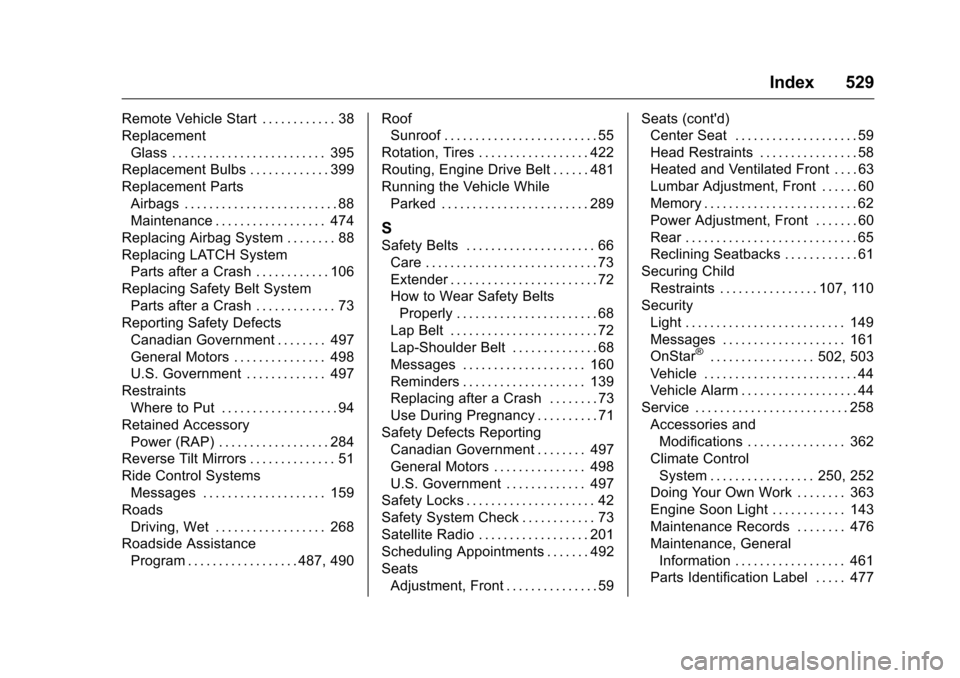
Remote Vehicle Start . . . . . . . . . . . . 38
ReplacementGlass . . . . . . . . . . . . . . . . . . . . . . . . . 395
Replacement Bulbs . . . . . . . . . . . . . 399
Replacement Parts Airbags . . . . . . . . . . . . . . . . . . . . . . . . . 88
Maintenance . . . . . . . . . . . . . . . . . . 474
Replacing Airbag System . . . . . . . . 88
Replacing LATCH System Parts after a Crash . . . . . . . . . . . . 106
Replacing Safety Belt System
Parts after a Crash . . . . . . . . . . . . . 73
Reporting Safety Defects Canadian Government . . . . . . . . 497
General Motors . . . . . . . . . . . . . . . 498
U.S. Government . . . . . . . . . . . . . 497
Restraints Where to Put . . . . . . . . . . . . . . . . . . . 94
Retained Accessory Power (RAP) . . . . . . . . . . . . . . . . . . 284
Reverse Tilt Mirrors . . . . . . . . . . . . . . 51
Ride Control Systems
Messages . . . . . . . . . . . . . . . . . . . . 159
Roads Driving, Wet . . . . . . . . . . . . . . . . . . 268
Roadside Assistance Program . . . . . . . . . . . . . . . . . . 487, 490 Roof
Sunroof . . . . . . . . . . . . . . . . . . . . . . . . . 55
Rotation, Tires . . . . . . . . . . . . . . . . . . 422
Routing, Engine Drive Belt . . . . . . 481
Running the Vehicle While Parked . . . . . . . . . . . . . . . . . . . . . . . . 289
S
Safety Belts . . . . . . . . . . . . . . . . . . . . . 66Care . . . . . . . . . . . . . . . . . . . . . . . . . . . . 73
Extender . . . . . . . . . . . . . . . . . . . . . . . . 72
How to Wear Safety BeltsProperly . . . . . . . . . . . . . . . . . . . . . . . 68
Lap Belt . . . . . . . . . . . . . . . . . . . . . . . . 72
Lap-Shoulder Belt . . . . . . . . . . . . . . 68
Messages . . . . . . . . . . . . . . . . . . . . 160
Reminders . . . . . . . . . . . . . . . . . . . . 139
Replacing after a Crash . . . . . . . . 73
Use During Pregnancy . . . . . . . . . . 71
Safety Defects Reporting Canadian Government . . . . . . . . 497
General Motors . . . . . . . . . . . . . . . 498
U.S. Government . . . . . . . . . . . . . 497
Safety Locks . . . . . . . . . . . . . . . . . . . . . 42
Safety System Check . . . . . . . . . . . . 73
Satellite Radio . . . . . . . . . . . . . . . . . . 201
Scheduling Appointments . . . . . . . 492
Seats Adjustment, Front . . . . . . . . . . . . . . . 59 Seats (cont'd)
Center Seat . . . . . . . . . . . . . . . . . . . . 59
Head Restraints . . . . . . . . . . . . . . . . 58
Heated and Ventilated Front . . . . 63
Lumbar Adjustment, Front . . . . . . 60
Memory . . . . . . . . . . . . . . . . . . . . . . . . . 62
Power Adjustment, Front . . . . . . . 60
Rear . . . . . . . . . . . . . . . . . . . . . . . . . . . . 65
Reclining Seatbacks . . . . . . . . . . . . 61
Securing Child Restraints . . . . . . . . . . . . . . . . 107, 110
Security Light . . . . . . . . . . . . . . . . . . . . . . . . . . 149
Messages . . . . . . . . . . . . . . . . . . . . 161
OnStar
®. . . . . . . . . . . . . . . . . 502, 503
Vehicle . . . . . . . . . . . . . . . . . . . . . . . . . 44
Vehicle Alarm . . . . . . . . . . . . . . . . . . . 44
Service . . . . . . . . . . . . . . . . . . . . . . . . . 258
Accessories andModifications . . . . . . . . . . . . . . . . 362
Climate Control System . . . . . . . . . . . . . . . . . 250, 252
Doing Your Own Work . . . . . . . . 363
Engine Soon Light . . . . . . . . . . . . 143
Maintenance Records . . . . . . . . 476
Maintenance, General
Information . . . . . . . . . . . . . . . . . . 461
Parts Identification Label . . . . . 477
Page 531 of 533
Chevrolet Silverado Owner Manual (GMNA-Localizing-U.S./Canada/Mexico-
9159338) - 2016 - crc - 10/21/15
530 Index
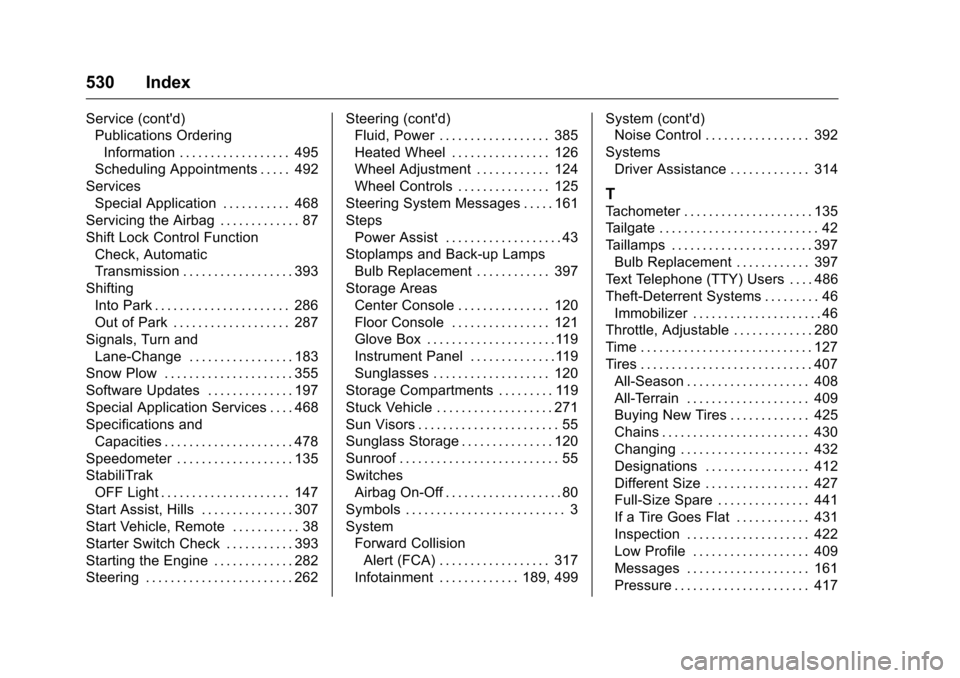
Service (cont'd)Publications Ordering
Information . . . . . . . . . . . . . . . . . . 495
Scheduling Appointments . . . . . 492
Services Special Application . . . . . . . . . . . 468
Servicing the Airbag . . . . . . . . . . . . . 87
Shift Lock Control Function Check, Automatic
Transmission . . . . . . . . . . . . . . . . . . 393
Shifting Into Park . . . . . . . . . . . . . . . . . . . . . . 286
Out of Park . . . . . . . . . . . . . . . . . . . 287
Signals, Turn and
Lane-Change . . . . . . . . . . . . . . . . . 183
Snow Plow . . . . . . . . . . . . . . . . . . . . . 355
Software Updates . . . . . . . . . . . . . . 197
Special Application Services . . . . 468
Specifications and Capacities . . . . . . . . . . . . . . . . . . . . . 478
Speedometer . . . . . . . . . . . . . . . . . . . 135
StabiliTrak OFF Light . . . . . . . . . . . . . . . . . . . . . 147
Start Assist, Hills . . . . . . . . . . . . . . . 307
Start Vehicle, Remote . . . . . . . . . . . 38
Starter Switch Check . . . . . . . . . . . 393
Starting the Engine . . . . . . . . . . . . . 282
Steering . . . . . . . . . . . . . . . . . . . . . . . . 262 Steering (cont'd)
Fluid, Power . . . . . . . . . . . . . . . . . . 385
Heated Wheel . . . . . . . . . . . . . . . . 126
Wheel Adjustment . . . . . . . . . . . . 124
Wheel Controls . . . . . . . . . . . . . . . 125
Steering System Messages . . . . . 161
Steps Power Assist . . . . . . . . . . . . . . . . . . . 43
Stoplamps and Back-up Lamps
Bulb Replacement . . . . . . . . . . . . 397
Storage Areas Center Console . . . . . . . . . . . . . . . 120
Floor Console . . . . . . . . . . . . . . . . 121
Glove Box . . . . . . . . . . . . . . . . . . . . .119
Instrument Panel . . . . . . . . . . . . . .119
Sunglasses . . . . . . . . . . . . . . . . . . . 120
Storage Compartments . . . . . . . . . 119
Stuck Vehicle . . . . . . . . . . . . . . . . . . . 271
Sun Visors . . . . . . . . . . . . . . . . . . . . . . . 55
Sunglass Storage . . . . . . . . . . . . . . . 120
Sunroof . . . . . . . . . . . . . . . . . . . . . . . . . . 55
Switches Airbag On-Off . . . . . . . . . . . . . . . . . . . 80
Symbols . . . . . . . . . . . . . . . . . . . . . . . . . . 3
System Forward CollisionAlert (FCA) . . . . . . . . . . . . . . . . . . 317
Infotainment . . . . . . . . . . . . . 189, 499 System (cont'd)
Noise Control . . . . . . . . . . . . . . . . . 392
Systems Driver Assistance . . . . . . . . . . . . . 314
T
Tachometer . . . . . . . . . . . . . . . . . . . . . 135
Tailgate . . . . . . . . . . . . . . . . . . . . . . . . . . 42
Taillamps . . . . . . . . . . . . . . . . . . . . . . . 397Bulb Replacement . . . . . . . . . . . . 397
Text Telephone (TTY) Users . . . . 486
Theft-Deterrent Systems . . . . . . . . . 46 Immobilizer . . . . . . . . . . . . . . . . . . . . . 46
Throttle, Adjustable . . . . . . . . . . . . . 280
Time . . . . . . . . . . . . . . . . . . . . . . . . . . . . 127
Tires . . . . . . . . . . . . . . . . . . . . . . . . . . . . 407
All-Season . . . . . . . . . . . . . . . . . . . . 408
All-Terrain . . . . . . . . . . . . . . . . . . . . 409
Buying New Tires . . . . . . . . . . . . . 425
Chains . . . . . . . . . . . . . . . . . . . . . . . . 430
Changing . . . . . . . . . . . . . . . . . . . . . 432
Designations . . . . . . . . . . . . . . . . . 412
Different Size . . . . . . . . . . . . . . . . . 427
Full-Size Spare . . . . . . . . . . . . . . . 441
If a Tire Goes Flat . . . . . . . . . . . . 431
Inspection . . . . . . . . . . . . . . . . . . . . 422
Low Profile . . . . . . . . . . . . . . . . . . . 409
Messages . . . . . . . . . . . . . . . . . . . . 161
Pressure . . . . . . . . . . . . . . . . . . . . . . 417