troubleshooting CHEVROLET SILVERADO 2016 3.G Owners Manual
[x] Cancel search | Manufacturer: CHEVROLET, Model Year: 2016, Model line: SILVERADO, Model: CHEVROLET SILVERADO 2016 3.GPages: 533, PDF Size: 8.17 MB
Page 206 of 533
Chevrolet Silverado Owner Manual (GMNA-Localizing-U.S./Canada/Mexico-
9159338) - 2016 - crc - 10/21/15
Infotainment System 205
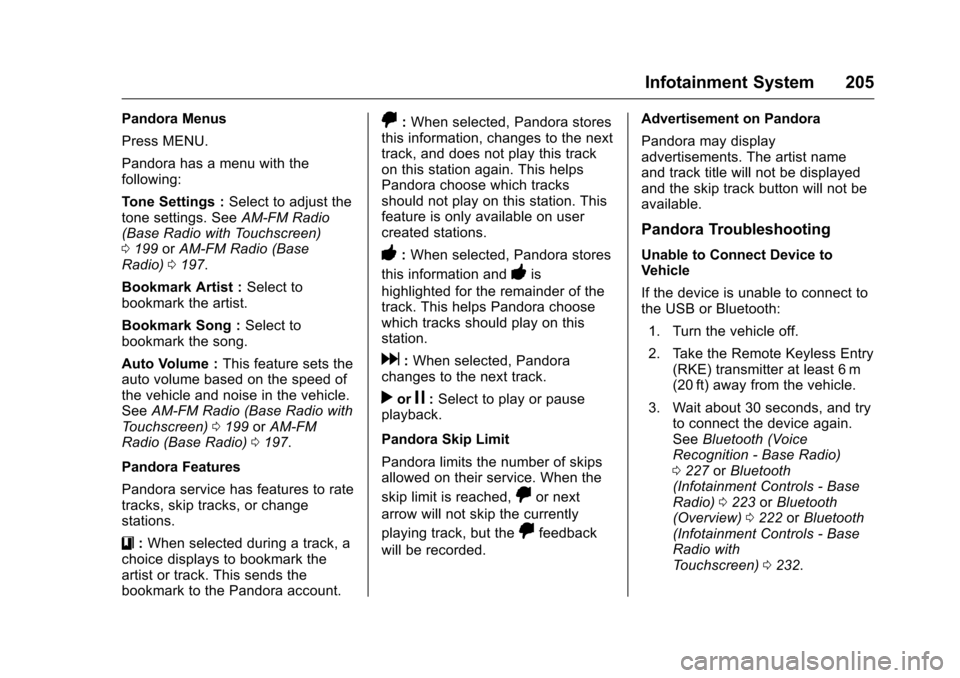
Pandora Menus
Press MENU.
Pandora has a menu with the
following:
Tone Settings :Select to adjust the
tone settings. See AM-FM Radio
(Base Radio with Touchscreen)
0 199 orAM-FM Radio (Base
Radio) 0197.
Bookmark Artist : Select to
bookmark the artist.
Bookmark Song : Select to
bookmark the song.
Auto Volume : This feature sets the
auto volume based on the speed of
the vehicle and noise in the vehicle.
See AM-FM Radio (Base Radio with
Touchscreen) 0199 orAM-FM
Radio (Base Radio) 0197.
Pandora Features
Pandora service has features to rate
tracks, skip tracks, or change
stations.
}: When selected during a track, a
choice displays to bookmark the
artist or track. This sends the
bookmark to the Pandora account.
,: When selected, Pandora stores
this information, changes to the next
track, and does not play this track
on this station again. This helps
Pandora choose which tracks
should not play on this station. This
feature is only available on user
created stations.
-: When selected, Pandora stores
this information and
-is
highlighted for the remainder of the
track. This helps Pandora choose
which tracks should play on this
station.
d: When selected, Pandora
changes to the next track.
rorj: Select to play or pause
playback.
Pandora Skip Limit
Pandora limits the number of skips
allowed on their service. When the
skip limit is reached,
,or next
arrow will not skip the currently
playing track, but the
,feedback
will be recorded. Advertisement on Pandora
Pandora may display
advertisements. The artist name
and track title will not be displayed
and the skip track button will not be
available.
Pandora Troubleshooting
Unable to Connect Device to
Vehicle
If the device is unable to connect to
the USB or Bluetooth:
1. Turn the vehicle off.
2. Take the Remote Keyless Entry (RKE) transmitter at least 6 m
(20 ft) away from the vehicle.
3. Wait about 30 seconds, and try to connect the device again.
See Bluetooth (Voice
Recognition - Base Radio)
0 227 orBluetooth
(Infotainment Controls - Base
Radio) 0223 orBluetooth
(Overview) 0222 orBluetooth
(Infotainment Controls - Base
Radio with
Touchscreen) 0232.
Page 516 of 533
![CHEVROLET SILVERADO 2016 3.G Owners Manual Chevrolet Silverado Owner Manual (GMNA-Localizing-U.S./Canada/Mexico-
9159338) - 2016 - crc - 10/21/15
OnStar 515
and/or landline) your RFC (Registro
Federal de Contribuyentes [taxpayer
ID] and your p](/img/24/8287/w960_8287-515.png "CHEVROLET SILVERADO 2016 3.G Owners Manual Chevrolet Silverado Owner Manual (GMNA-Localizing-U.S./Canada/Mexico-
9159338) - 2016 - crc - 10/21/15
OnStar 515
and/or landline) your RFC (Registro
Federal de Contribuyentes [taxpayer
ID] and your p")
Chevrolet Silverado Owner Manual (GMNA-Localizing-U.S./Canada/Mexico-
9159338) - 2016 - crc - 10/21/15
OnStar 515
and/or landline) your RFC (Registro
Federal de Contribuyentes [taxpayer
ID] and your personal identification
number (NIP) for OnStar services.
We may also collect information
from your vehicle including: your
Vehicle identification number (VIN):
the make, model and year of your
vehicle; the Vehicle license plate
number; information about your
selling or preferred GM distributor;
information about the operation of
the vehicle (including diagnostic
trouble codes, oil life remaining, tire
pressure, fuel economy and
odometer readings); information
about collisions involving the
vehicle, the direction from which it
was hit, which airbags have
deployed and safety belt usage;
information about the use of the
vehicle and its features, such as
whether a mobile device has been
paired with your vehicle; and in
limited circumstances, the
geographical location and
approximate GPS (global
positioning satellite) speed of the
vehicle.Your personal and vehicle data will
be treated for the following
purposes: (i) to provide you with
services you have requested
(automatic accident response,
remote and emergency services,
assistance if your vehicle is stolen,
step-by-step directions); (ii) to keep
our records up to date so that we
are able to answer your inquiries;
(iii) for troubleshooting and research
purposes; (iv) to protect the safety
of you or others; (v) to prevent fraud
or misuse of the OnStar service; (vi)
in the cases set forth by law or the
authorities; (vii) to carry out
marketing and general promotional
activities; (viii) to allow OnStar,
General Motors de México, S. de
R.L. de C.V., General Motors LLC
and all subsidiaries, affiliates or any
company of the same corporate
group to which OnStar belongs, to
carry out advertising activities
(offering you products, services and
information); and (ix) for business
prospecting and statistical market
analysis.
It is important to mention that
purposes (i), (ii), (iii), (iv), (v) and
(vi), give rise to and are necessary
to maintain our legal relationship.
On the other hand, purposes (vii),
(viii) and (ix), do not give rise to and
are not necessary to maintain our
legal relationship and therefore for
these purposes we make available
a mechanism set up at our
Customer Service Center in the
telephone: 01800-0834994 or via
your e-mail:
[email protected], so
that, if applicable, you can indicate
your refusal to have your personal
data being processed for the
purposes indicated in purposes (vii),
(viii) and (ix).
In order to know the integral version
of this privacy notice, please visit
our web page www.onstar.com.mx.
OnStar - Software
Acknowledgements
Certain OnStar components include
libcurl and unzip software and other
third party software. Below are the
notices and licenses associated with
libcurl and unzip and for other third