console CHEVROLET SILVERADO 2018 Owner's Manual
[x] Cancel search | Manufacturer: CHEVROLET, Model Year: 2018, Model line: SILVERADO, Model: CHEVROLET SILVERADO 2018Pages: 501, PDF Size: 6.69 MB
Page 16 of 501
Chevrolet Silverado Owner Manual (GMNA-Localizing-U.S./Canada/Mexico-
11349200) - 2018 - CRC - 2/27/18
In Brief 15
Passenger Sensing
System
The passenger sensing system,
if equipped, turns off the front
outboard passenger frontal airbag
under certain conditions. No other
airbag is affected by the passenger
sensing system.
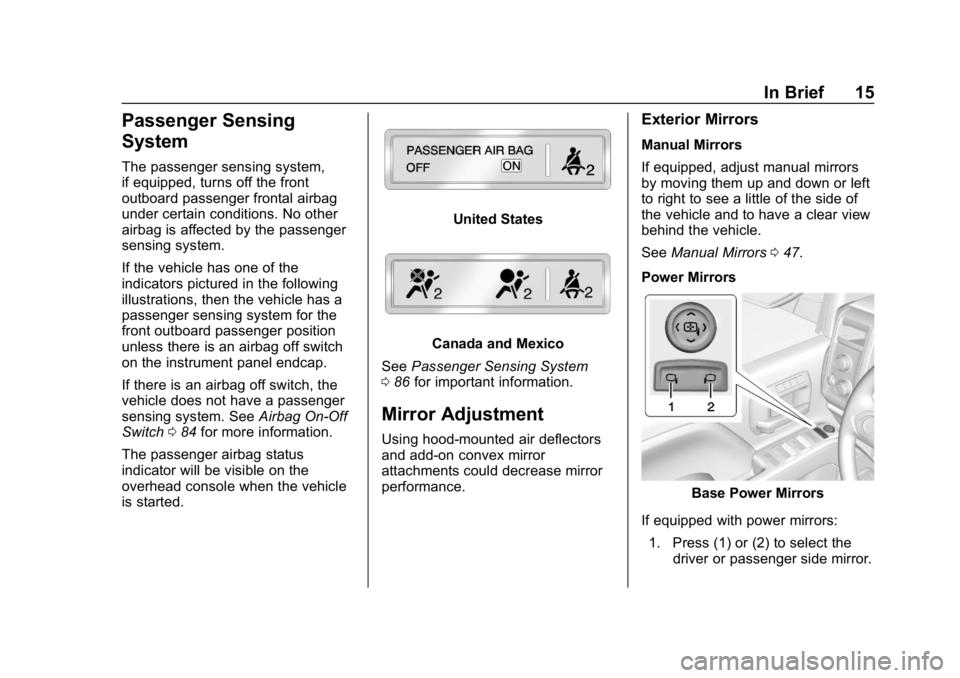
If the vehicle has one of the
indicators pictured in the following
illustrations, then the vehicle has a
passenger sensing system for the
front outboard passenger position
unless there is an airbag off switch
on the instrument panel endcap.
If there is an airbag off switch, the
vehicle does not have a passenger
sensing system. SeeAirbag On-Off
Switch 084 for more information.
The passenger airbag status
indicator will be visible on the
overhead console when the vehicle
is started.
United States
Canada and Mexico
See Passenger Sensing System
0 86 for important information.
Mirror Adjustment
Using hood-mounted air deflectors
and add-on convex mirror
attachments could decrease mirror
performance.
Exterior Mirrors
Manual Mirrors
If equipped, adjust manual mirrors
by moving them up and down or left
to right to see a little of the side of
the vehicle and to have a clear view
behind the vehicle.
See Manual Mirrors 047.
Power Mirrors
Base Power Mirrors
If equipped with power mirrors: 1. Press (1) or (2) to select the driver or passenger side mirror.
Page 19 of 501
Chevrolet Silverado Owner Manual (GMNA-Localizing-U.S./Canada/Mexico-
11349200) - 2018 - CRC - 2/27/18
18 In Brief
Interior Lighting
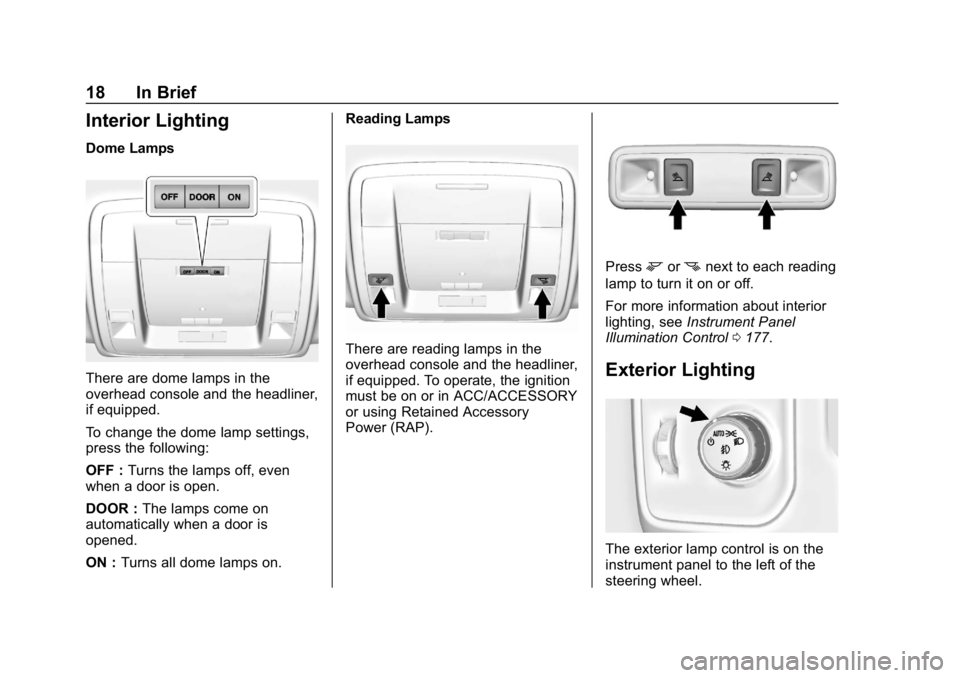
Dome Lamps
There are dome lamps in the
overhead console and the headliner,
if equipped.
To change the dome lamp settings,
press the following:
OFF :Turns the lamps off, even
when a door is open.
DOOR : The lamps come on
automatically when a door is
opened.
ON : Turns all dome lamps on. Reading Lamps
There are reading lamps in the
overhead console and the headliner,
if equipped. To operate, the ignition
must be on or in ACC/ACCESSORY
or using Retained Accessory
Power (RAP).
Pressmornnext to each reading
lamp to turn it on or off.
For more information about interior
lighting, see Instrument Panel
Illumination Control 0177.
Exterior Lighting
The exterior lamp control is on the
instrument panel to the left of the
steering wheel.
Page 26 of 501
Chevrolet Silverado Owner Manual (GMNA-Localizing-U.S./Canada/Mexico-
11349200) - 2018 - CRC - 2/27/18
In Brief 25
Setting the Clock
SeeClock 0131.
Satellite Radio
Vehicles with a SiriusXM satellite
radio tuner and a valid SiriusXM
satellite radio subscription can
receive SiriusXM programming.
SiriusXM Satellite Radio
Service
SiriusXM is a satellite radio service
based in the 48 contiguous United
States and 10 Canadian provinces.
SiriusXM satellite radio has a wide
variety of programming and
commercial-free music, coast to
coast, and in digital-quality sound.
A fee is required to receive the
SiriusXM service.
For more information refer to:
.
www.siriusxm.com or call
1-888-601-6296 (U.S.).
. www.siriusxm.ca or call
1-877-438-9677 (Canada).
See Satellite Radio 0187.
Portable Audio Devices
This vehicle may have a 3.5 mm
(1/8 in) auxiliary input jack and USB
ports in the center console or
armrest. There may be a USB port
in the upper glove box. External
devices such as iPods, laptop
computers, MP3 players, and USB
storage devices may be connected,
depending on the audio system.
See USB Port 0190 andAuxiliary
Jack 0195.
Bluetooth
The Bluetooth system allows users
with a Bluetooth-enabled cell phone
to make and receive hands-free
calls using the vehicle audio system
and controls.
The Bluetooth-enabled cell phone
must be paired with the in-vehicle
Bluetooth system before it can be
used in the vehicle. Not all phones
will support all functions.
See Bluetooth (Overview) 0203 or
Bluetooth (Infotainment Controls)
0 205.
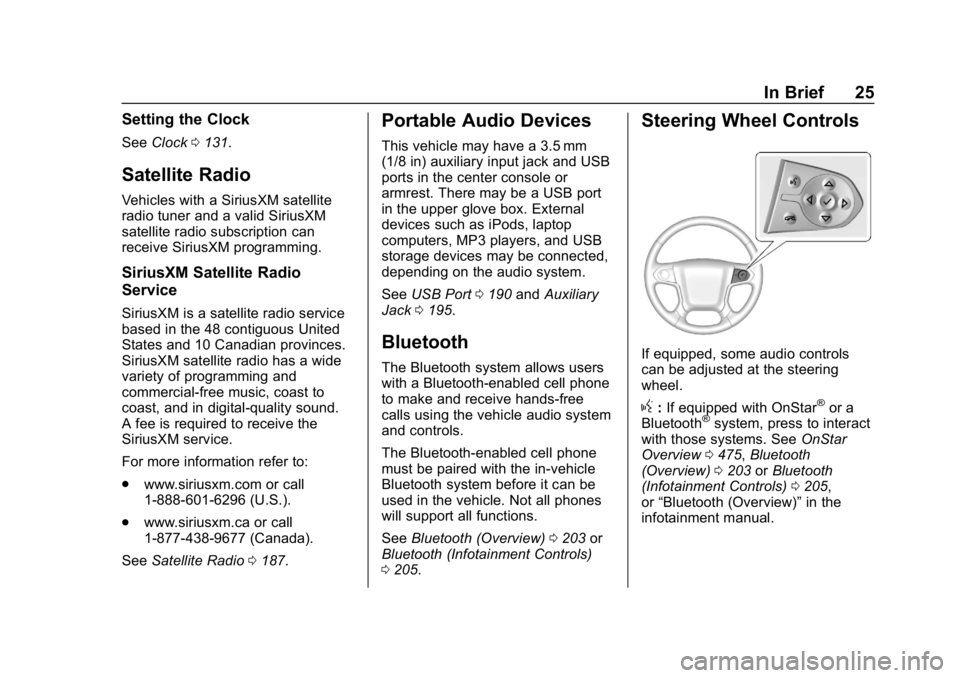
Steering Wheel Controls
If equipped, some audio controls
can be adjusted at the steering
wheel.
g:If equipped with OnStar®or a
Bluetooth®system, press to interact
with those systems. See OnStar
Overview 0475, Bluetooth
(Overview) 0203 orBluetooth
(Infotainment Controls) 0205,
or “Bluetooth (Overview)” in the
infotainment manual.
Page 29 of 501
Chevrolet Silverado Owner Manual (GMNA-Localizing-U.S./Canada/Mexico-
11349200) - 2018 - CRC - 2/27/18
28 In Brief
Lane Keep Assist (LKA)
If equipped, LKA may help avoid
crashes due to unintentional lane
departures. It may assist by gently
turning the steering wheel if the
vehicle approaches a detected lane
marking without using a turn signal
in that direction. It may also provide
a Lane Departure Warning (LDW)
alert as the lane marking is crossed.
The system will not assist or alert if
it detects that you are actively
steering. Override LKA by turning
the steering wheel. LKA uses a
camera to detect lane markings
between 60 km/h (37 mph) and
180 km/h (112 mph).
SeeLane Departure Warning (LDW)
(2500/3500 Series) 0288 andLane
Keep Assist (LKA) (1500 Series)
0 290.
Rear Vision
Camera (RVC)
If equipped, RVC shows a view of
the area behind the vehicle on the
infotainment display when the vehicle is shifted into R (Reverse) to
aid with parking and low-speed
backing maneuvers.
See
Assistance Systems for Parking
or Backing 0282.
Parking Assist
If equipped, Rear Parking
Assist (RPA) uses sensors on the
rear bumper to assist with parking
and avoiding objects while in
R (Reverse). It operates at speeds
less than 8 km/h (5 mph). RPA may
show a warning triangle on the
infotainment display and a graphic
on the instrument cluster to provide
the object distance. In addition,
multiple beeps or seat pulses may
occur if very close to an object.
The vehicle may also have the Front
Parking Assist system.
See Assistance Systems for Parking
or Backing 0282.
Power Outlets
Accessory power outlets can be
used to plug in electrical equipment,
such as a cell phone, MP3
player, etc.
The vehicle may have up to four
accessory power outlets.
Vehicles with a Center Console
.
One or two in front of the
cupholders on the center
console
. One inside the center console
. One on the rear of the center
console
Vehicles with Bench Seats
. One on the center stack below
the climate control system
. One or two in the storage area
on the bench seat
Lift the cover to access and replace
when not in use.
See Power Outlets 0132.
Page 30 of 501
Chevrolet Silverado Owner Manual (GMNA-Localizing-U.S./Canada/Mexico-
11349200) - 2018 - CRC - 2/27/18
In Brief 29
Universal Remote System
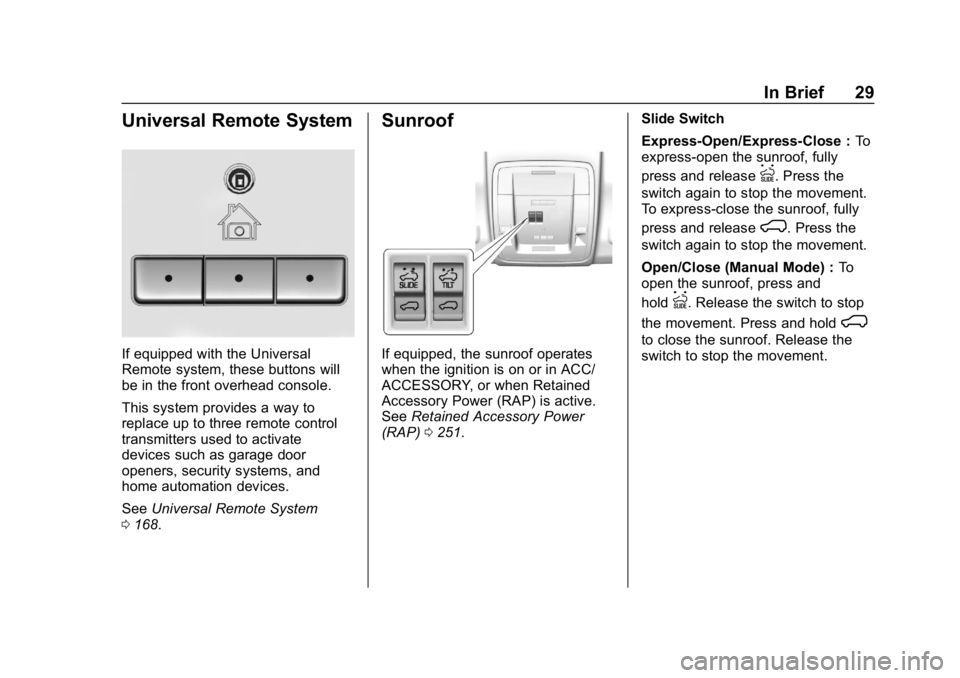
If equipped with the Universal
Remote system, these buttons will
be in the front overhead console.
This system provides a way to
replace up to three remote control
transmitters used to activate
devices such as garage door
openers, security systems, and
home automation devices.
SeeUniversal Remote System
0 168.
Sunroof
If equipped, the sunroof operates
when the ignition is on or in ACC/
ACCESSORY, or when Retained
Accessory Power (RAP) is active.
See Retained Accessory Power
(RAP) 0251. Slide Switch
Express-Open/Express-Close :
To
express-open the sunroof, fully
press and release
I. Press the
switch again to stop the movement.
To express-close the sunroof, fully
press and release
K. Press the
switch again to stop the movement.
Open/Close (Manual Mode) : To
open the sunroof, press and
hold
I. Release the switch to stop
the movement. Press and hold
K
to close the sunroof. Release the
switch to stop the movement.
Page 47 of 501
Chevrolet Silverado Owner Manual (GMNA-Localizing-U.S./Canada/Mexico-
11349200) - 2018 - CRC - 2/27/18
46 Keys, Doors, and Windows
The inclination sensor can set off
the alarm if it senses movement of
the vehicle, such as a change in
vehicle orientation.
The intrusion sensor monitors the
vehicle interior, and can activate the
alarm if it senses unauthorized entry
into the vehicle’s interior. Do not
allow passengers or pets to remain
in the vehicle when the intrusion
sensor is activated.
Before arming the theft-deterrent
system and activating the intrusion
sensor:
.Make sure all doors and
windows are completely closed.
. Secure any loose items such as
sunshades.
. Make sure there are no
obstructions blocking the
sensors in the front overhead
console.
. Close DVD screens, if equipped,
before leaving the vehicle.Inclination and Intrusion
Sensors Disable Switch
It is recommended that the intrusion
and inclination sensors be
deactivated if pets are left in the
vehicle or if the vehicle is being
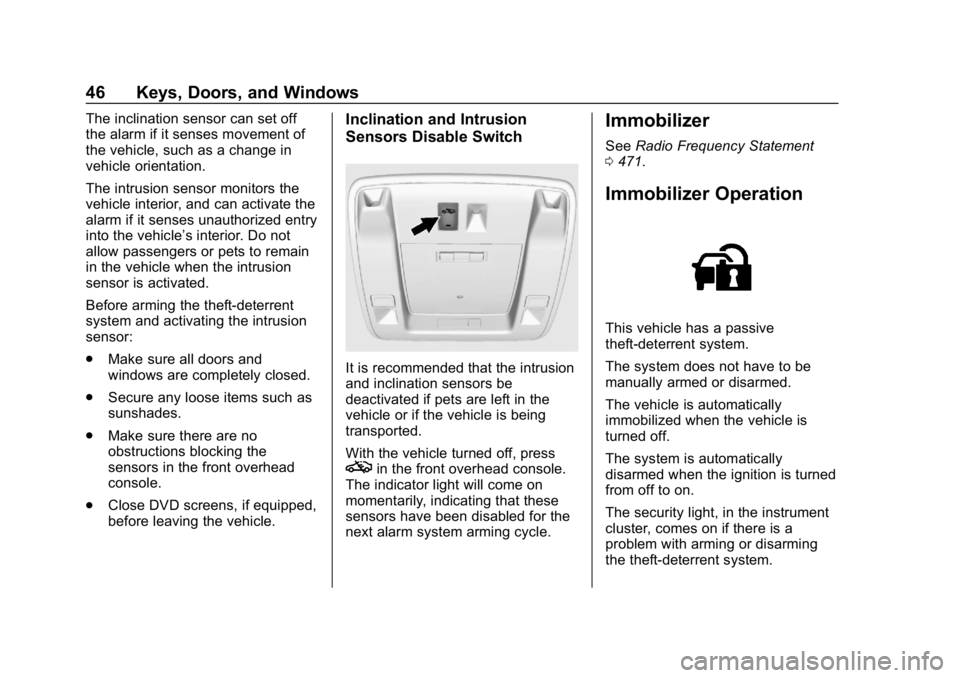
transported.
With the vehicle turned off, press
oin the front overhead console.
The indicator light will come on
momentarily, indicating that these
sensors have been disabled for the
next alarm system arming cycle.
Immobilizer
See Radio Frequency Statement
0 471.
Immobilizer Operation
This vehicle has a passive
theft-deterrent system.
The system does not have to be
manually armed or disarmed.
The vehicle is automatically
immobilized when the vehicle is
turned off.
The system is automatically
disarmed when the ignition is turned
from off to on.
The security light, in the instrument
cluster, comes on if there is a
problem with arming or disarming
the theft-deterrent system.
Page 86 of 501
Chevrolet Silverado Owner Manual (GMNA-Localizing-U.S./Canada/Mexico-
11349200) - 2018 - CRC - 2/27/18
Seats and Restraints 85
{Warning
If the front outboard passenger
frontal airbag is turned off for a
person who is not in a risk group
identified by the national
government, that person will not
have the extra protection of an
airbag. In a crash, the airbag will
not be able to inflate and help
protect the person sitting there.
Do not turn off the front outboard
passenger frontal airbag unless
the person sitting there is in a risk
group.
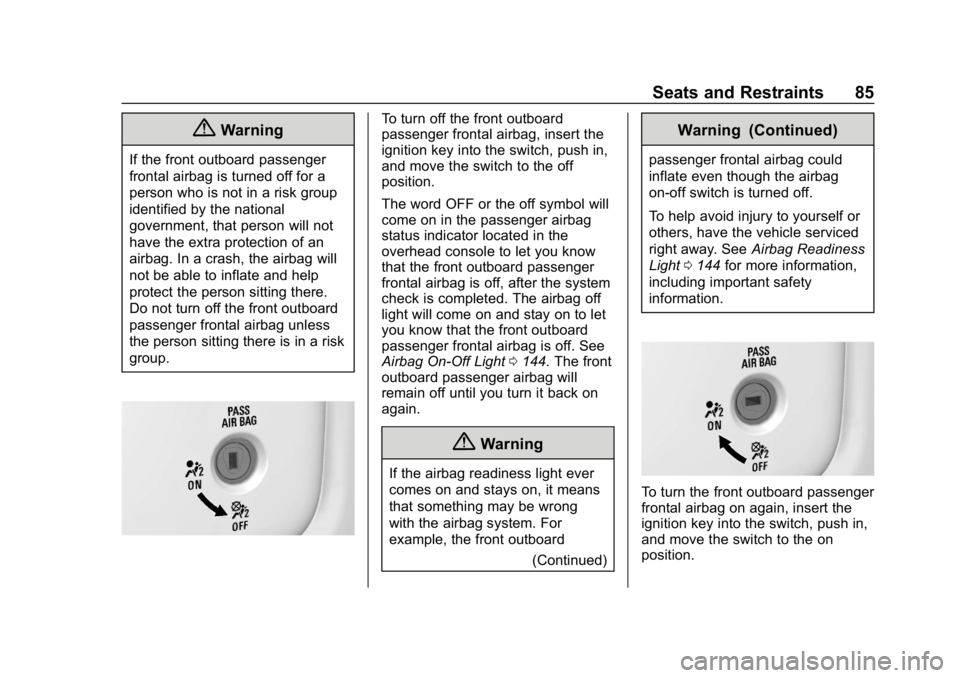
To turn off the front outboard
passenger frontal airbag, insert the
ignition key into the switch, push in,
and move the switch to the off
position.
The word OFF or the off symbol will
come on in the passenger airbag
status indicator located in the
overhead console to let you know
that the front outboard passenger
frontal airbag is off, after the system
check is completed. The airbag off
light will come on and stay on to let
you know that the front outboard
passenger frontal airbag is off. See
Airbag On-Off Light0144. The front
outboard passenger airbag will
remain off until you turn it back on
again.
{Warning
If the airbag readiness light ever
comes on and stays on, it means
that something may be wrong
with the airbag system. For
example, the front outboard
(Continued)
Warning (Continued)
passenger frontal airbag could
inflate even though the airbag
on-off switch is turned off.
To help avoid injury to yourself or
others, have the vehicle serviced
right away. SeeAirbag Readiness
Light 0144 for more information,
including important safety
information.
To turn the front outboard passenger
frontal airbag on again, insert the
ignition key into the switch, push in,
and move the switch to the on
position.
Page 87 of 501
Chevrolet Silverado Owner Manual (GMNA-Localizing-U.S./Canada/Mexico-
11349200) - 2018 - CRC - 2/27/18
86 Seats and Restraints
The front outboard passenger
frontal airbag is now enabled
(may inflate). SeeAirbag On-Off
Light 0144.
Passenger Sensing
System
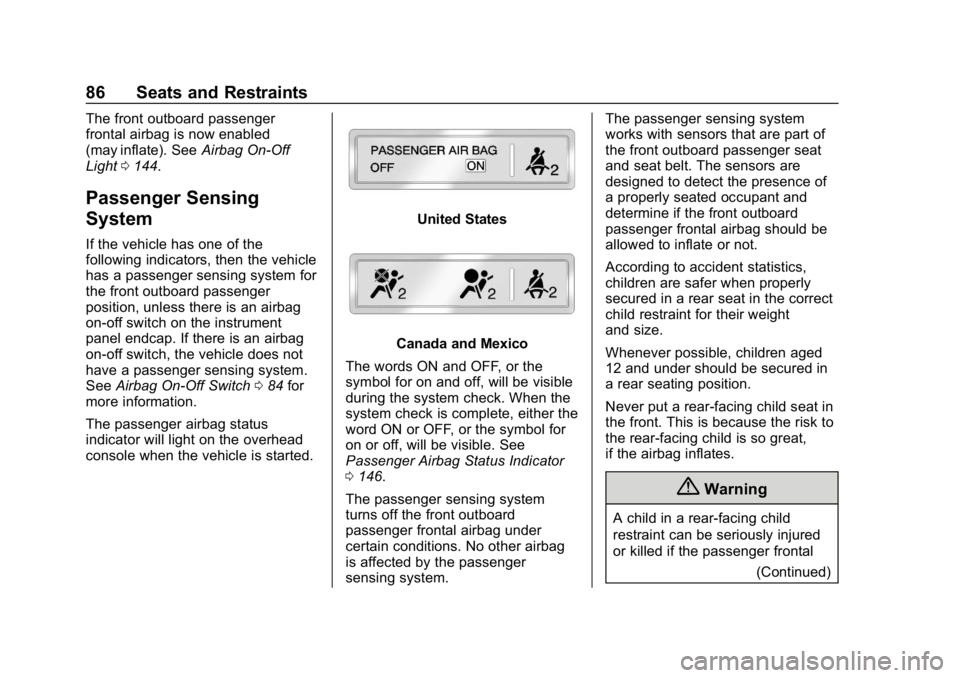
If the vehicle has one of the
following indicators, then the vehicle
has a passenger sensing system for
the front outboard passenger
position, unless there is an airbag
on-off switch on the instrument
panel endcap. If there is an airbag
on-off switch, the vehicle does not
have a passenger sensing system.
See Airbag On-Off Switch 084 for
more information.
The passenger airbag status
indicator will light on the overhead
console when the vehicle is started.
United States
Canada and Mexico
The words ON and OFF, or the
symbol for on and off, will be visible
during the system check. When the
system check is complete, either the
word ON or OFF, or the symbol for
on or off, will be visible. See
Passenger Airbag Status Indicator
0 146.
The passenger sensing system
turns off the front outboard
passenger frontal airbag under
certain conditions. No other airbag
is affected by the passenger
sensing system. The passenger sensing system
works with sensors that are part of
the front outboard passenger seat
and seat belt. The sensors are
designed to detect the presence of
a properly seated occupant and
determine if the front outboard
passenger frontal airbag should be
allowed to inflate or not.
According to accident statistics,
children are safer when properly
secured in a rear seat in the correct
child restraint for their weight
and size.
Whenever possible, children aged
12 and under should be secured in
a rear seating position.
Never put a rear-facing child seat in
the front. This is because the risk to
the rear-facing child is so great,
if the airbag inflates.
{Warning
A child in a rear-facing child
restraint can be seriously injured
or killed if the passenger frontal
(Continued)
Page 92 of 501
Chevrolet Silverado Owner Manual (GMNA-Localizing-U.S./Canada/Mexico-
11349200) - 2018 - CRC - 2/27/18
Seats and Restraints 91
trim, overhead console, front
sensors, side impact sensors,
or airbag wiring.
Your dealer and the service manual
have information about the location
of the airbag sensors, sensing and
diagnostic module, and airbag
wiring.
In addition, the vehicle may have a
passenger sensing system for the
front outboard passenger position,
which includes sensors that are part
of the passenger’s seat. The
passenger sensing system may not
operate properly if the original seat
trim is replaced with non-GM
covers, upholstery, or trim; or with
GM covers, upholstery, or trim
designed for a different vehicle. Any
object, such as an aftermarket seat
heater or a comfort-enhancing pad
or device, installed under or on top
of the seat fabric, could also
interfere with the operation of the
passenger sensing system. This
could either prevent proper
deployment of the passenger
airbag(s) or prevent the passenger
sensing system from properly turning off the passenger airbag(s).
See
Passenger Sensing System
0 86.
If the vehicle has rollover roof-rail
airbags, see Different Size Tires
and Wheels 0404 for additional
important information.
If a snow plow is added to the
vehicle, the airbags should still work
properly. The airbag systems were
designed to work properly under a
wide range of conditions, including
snow plowing with vehicles that
have the optional snow plow prep
package (RPO VYU). Do not
change or defeat the snow plow's
“tripping mechanism.” If you do, it
can damage the snow plow and the
vehicle, and may cause an airbag
deployment.
If you have to modify your vehicle
because you have a disability and
you have questions about whether
the modifications will affect the
vehicle's airbag system, or if you
have questions about whether the
airbag system will be affected if the
vehicle is modified for any other reason, call Customer Assistance.
See
Customer Assistance Offices
0 463.
Airbag System Check
The airbag system does not need
regularly scheduled maintenance or
replacement. Make sure the airbag
readiness light is working. See
Airbag Readiness Light 0144.
Caution
If an airbag covering is damaged,
opened, or broken, the airbag
may not work properly. Do not
open or break the airbag
coverings. If there are any
opened or broken airbag
coverings, have the airbag
covering and/or airbag module
replaced. For the location of the
airbags, see Where Are the
Airbags? 078. See your dealer
for service.
Page 125 of 501
Chevrolet Silverado Owner Manual (GMNA-Localizing-U.S./Canada/Mexico-
11349200) - 2018 - CRC - 2/27/18
124 Storage
Storage
Storage Compartments
Storage Compartments . . . . . . . 124
Instrument Panel Storage . . . . 124
Glove Box . . . . . . . . . . . . . . . . . . . . 124
Cupholders . . . . . . . . . . . . . . . . . . . 125
Sunglasses Storage . . . . . . . . . . 125
Center Console Storage . . . . . . 125
Floor Console Storage . . . . . . . . 126
Additional Storage Features
Cargo Tie-Downs . . . . . . . . . . . . . 126
Storage
Compartments
{Warning
Do not store heavy or sharp
objects in storage compartments.
In a crash, these objects may
cause the cover to open and
could result in injury.
Instrument Panel Storage
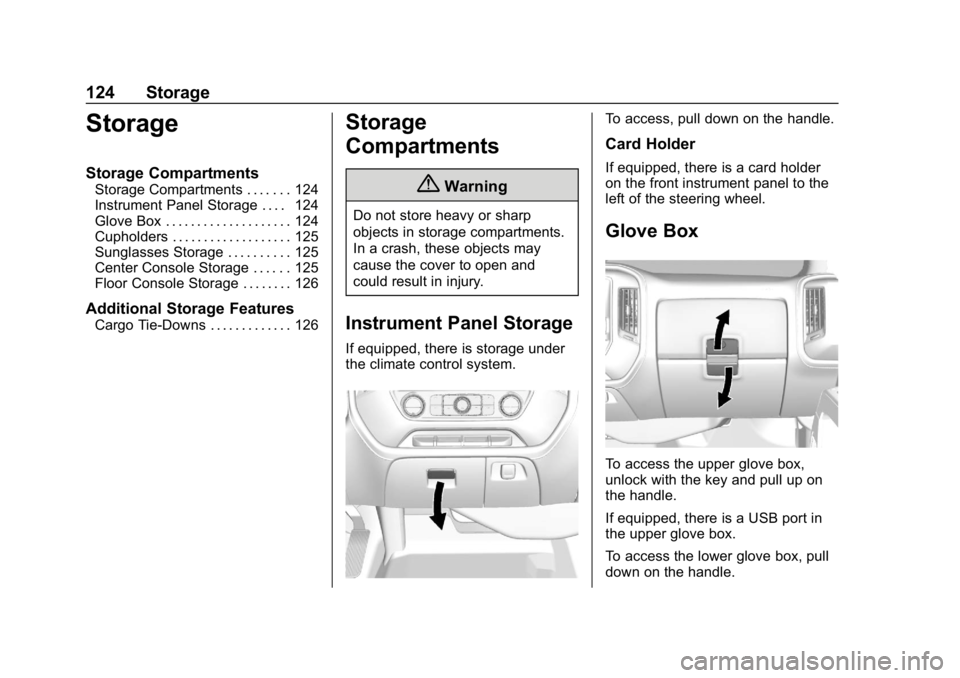
If equipped, there is storage under
the climate control system.
To access, pull down on the handle.
Card Holder
If equipped, there is a card holder
on the front instrument panel to the
left of the steering wheel.
Glove Box
To access the upper glove box,
unlock with the key and pull up on
the handle.
If equipped, there is a USB port in
the upper glove box.
To access the lower glove box, pull
down on the handle.