tires CHEVROLET SILVERADO 2019 Owner's Guide
[x] Cancel search | Manufacturer: CHEVROLET, Model Year: 2019, Model line: SILVERADO, Model: CHEVROLET SILVERADO 2019Pages: 474, PDF Size: 7.28 MB
Page 298 of 474
Chevrolet Silverado Owner Manual (GMNA-Localizing-U.S./Canada/Mexico-
1500-11698642) - 2019 - CRC - 2/20/19
Driving and Operating 297
Trailer tires deteriorate over time.
The trailer tire sidewall will show the
week and year the tire was
manufactured. Many trailer tire
manufacturers recommend
replacing tires more than six
years old.
Overloading is another leading
cause of trailer tire blow-outs. Never
load your trailer with more weight
than the tires are designed to
support. The load rating is located
on the trailer tire sidewall.
Always know the maximum speed
rating for the trailer tires before
driving. This may be significantly
lower than the vehicle tire speed
rating. The speed rating may be on
the trailer tire sidewall. If the speed
rating is not shown, the default
trailer tire speed rating is 105 km/h
(65 mph).
Trailering App
Trailer Light App
If equipped, the Trailer Lights App is
on the Home Page of the
infotainment display.Touch Start to cycle the trailer lights
on and off to determine if they are
working. The test follows this
sequence:
1. The running lights turn on first and remain on throughout the
sequence.
2. The brake lights turn on for about two seconds.
3. The left turn signal light flashes three times.
4. The right turn signal light flashes three times.
5. The reverse lights turn on for about two seconds.
6. Steps 2–5 repeat for approximately one minute and
45 seconds, or until the test
deactivates.
Touch Stop to stop the test. The test
will automatically end after
one minute and 45 seconds.
The sequence also deactivates
when any of the following occur:
. The ignition is turned off. .
The transmission is shifted out
of P (Park).
. The brake pedal pressed.
. The turn signal is activated.
. The hazard warning lights
activated.
Trailering App
If equipped, the Trailering App is on
the Home Page of the infotainment
display.
This feature allows profiles for
connected trailers to be created to
view status, and to store and track
trailer usage information.
The Trailering App Preview will
appear when the Trailering App is
opened for the first time from the
Home Page. Touch GET STARTED
in the Trailering App to go into
the app.
When a trailer is electrically
connected, there will be an option to
create a profile, use a guest profile,
or cancel. After Cancel is selected a
third time, Don’t Remind Me will
display and touching that will turn off
Page 299 of 474
Chevrolet Silverado Owner Manual (GMNA-Localizing-U.S./Canada/Mexico-
1500-11698642) - 2019 - CRC - 2/20/19
298 Driving and Operating
the trailer detection pop-up. To turn
the Trailer Detection Alert on, select
ON in the Settings tab.
When a trailer is electrically
connected and after a Trailer Profile
has been created, the trailer
detection pop-up will appear with a
list of all of the custom Trailer
Profiles made on the vehicle. To
load an existing Trailer Profile,
select one of the Trailer Profiles
listed, or load the Guest Trailer
Profile by selecting GUEST
TRAILER. Touching Cancel,
Accessory/No trailer, or shifting the
vehicle from P (Park), will select
Accessory/No trailer as the active
Trailer Profile and will dismiss the
pop- up.
Create a Trailer Profile1. Touch Create Profile on the pop-up or touch + New Trailer
in the Trailering App.
2. Create a name for the trailer.
3. Select the hitch type. A checklist profile will be
created based on the type
selected. 4. Select the trailer type.
A pop-up will indicate the setup is
complete. Touch DONE to complete
the process or touch ADVANCED
SETUP to set up the Tow/Haul
Mode reminder, Trailer Tire
Pressure Monitoring System,
if equipped, or maintenance
reminders.
Advanced Setup
Tow/Haul Mode Reminder
To turn the Tow/Haul Mode
Reminder setting on, touch Yes. To
turn it off, touch No.
Trailer Tire Pressure Setup
If the Trailer Tire Pressure
Monitoring System (TTPMS) is
detected, touch Yes to set up the
sensors or touch No to skip this
step and go to the Maintenance
Reminders step.
If the vehicle is not equipped with
TTPMS, the app will advance
directly to the Maintenance
Reminders screen. Follow the
on-screen instructions. A trailer must be electrically
connected to the vehicle before
starting the sensor-to-vehicle learn
process.
After selecting Start from the Learn
Sensors screen, use the Tool
Method or the Manual Method
(described below) to learn each tire
sensor, during which the current tire
number will be highlighted.
Each sensor has a minimum of
two minutes to learn, shown by a
timer. After a sensor is learned, a
checkmark appears next to the tire,
the vehicle horn will sound, the
vehicle’s brake lamps will flash, and
all working trailer lamps will flash.
It then moves to the next sensor.
To cancel the process touch Stop.
The recommended tire pressure
must be entered for the trailer tires.
This allows the vehicle to alert when
the tire pressure is high or low.
TTPMS must learn the location of
the installed tire sensors to show
correct air pressure and
temperature for each tire. To set up,
use one of the following options or
Page 300 of 474
Chevrolet Silverado Owner Manual (GMNA-Localizing-U.S./Canada/Mexico-
1500-11698642) - 2019 - CRC - 2/20/19
Driving and Operating 299
see a tire or trailer dealer for
service. The learning process must
be repeated when the trailer tires
are rotated or replaced. See“Editing
a Trailer Profile” later in this section
for tire pressure sensor relearn
information.
Tool Method: A TTPMS activation
tool can be purchased separately to
learn the sensor locations.
Manual Method: Without the tool,
the air pressure can be increased or
decreased in each tire for
10 seconds. Do not exceed the
maximum inflation pressure found
on the tire sidewalls. Make sure to
re-adjust tire pressure to the
recommended level when the
process is complete.
Sensor Learning Steps
To complete the sensor-to-vehicle
learn process:
1. Touch Start on the Learn Sensors screen. The horn
chirps twice and the Learning
Active screen appears on the
infotainment display. 2. Start with the driver side front
trailer tire.
3. Activate the tool near the valve stem or adjust the air pressure
of this tire until the horn chirps
and all working vehicle and
trailer lights flash.
The process stops without
saving the sensor locations if
this step takes more than
two minutes.
4. Move to the next tire and repeat Step 3 for each sensor.
The horn chirps twice when all
sensors are completed.
5. Return to the vehicle to complete the setup.
Maintenance Reminders
Select Yes to set up the
maintenance reminders for the
Trailer Profile. Follow the on-screen
prompts. The maximum number of
reminders is 10. Select No to skip
this step.
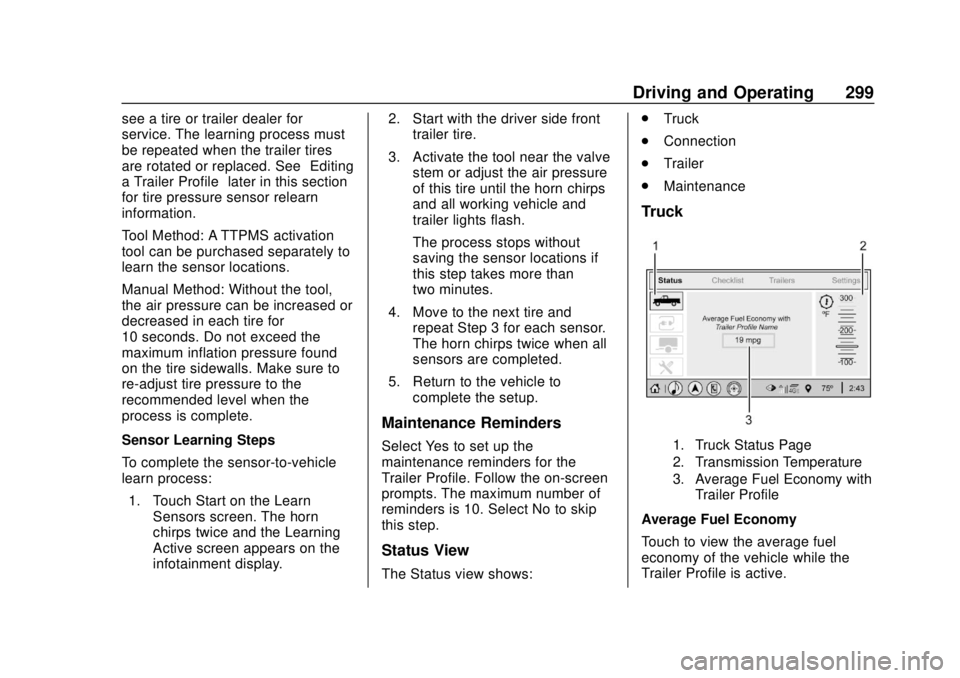
Status View
The Status view shows: .
Truck
. Connection
. Trailer
. Maintenance
Truck
1. Truck Status Page
2. Transmission Temperature
3. Average Fuel Economy with
Trailer Profile
Average Fuel Economy
Touch to view the average fuel
economy of the vehicle while the
Trailer Profile is active.
Page 302 of 474
Chevrolet Silverado Owner Manual (GMNA-Localizing-U.S./Canada/Mexico-
1500-11698642) - 2019 - CRC - 2/20/19
Driving and Operating 301
5. The reverse lights turn on forabout two seconds.
6. Steps 2–5 repeat for approximately one minute and
45 seconds, or until the test
deactivates.
Touch Stop to stop the test. The test
will automatically end after
one minute and 45 seconds.
The sequence also deactivates
when any of the following occur:
. The ignition is turned off.
. The transmission is shifted out
of P (Park).
. The brake pedal is pressed.
. The turn signal is activated.
. The hazard warning lights are
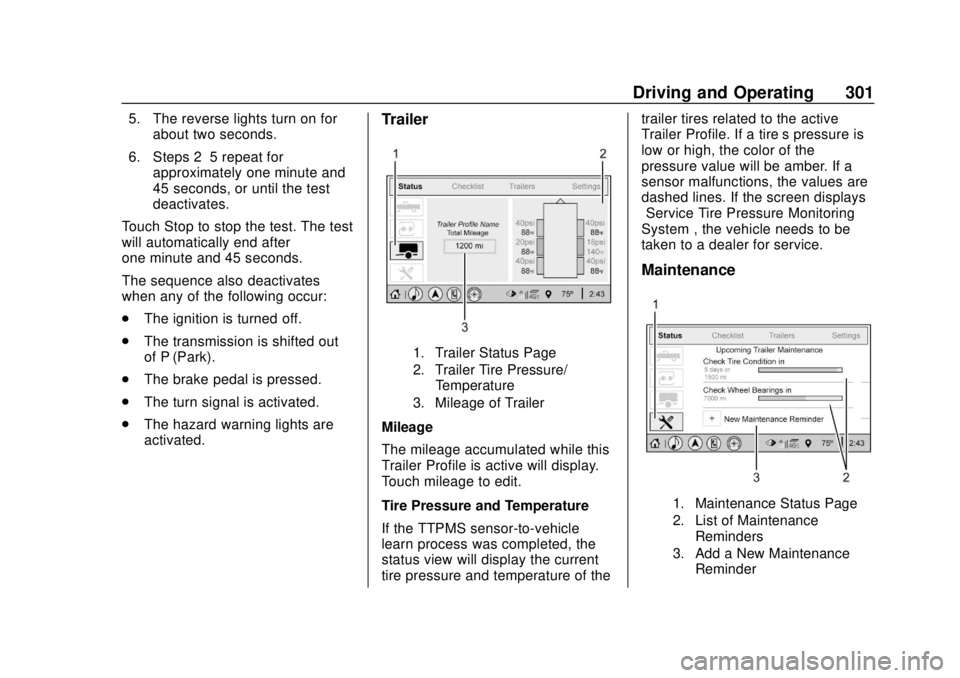
activated.Trailer
1. Trailer Status Page
2. Trailer Tire Pressure/
Temperature
3. Mileage of Trailer
Mileage
The mileage accumulated while this
Trailer Profile is active will display.
Touch mileage to edit.
Tire Pressure and Temperature
If the TTPMS sensor-to-vehicle
learn process was completed, the
status view will display the current
tire pressure and temperature of the trailer tires related to the active
Trailer Profile. If a tire’
s pressure is
low or high, the color of the
pressure value will be amber. If a
sensor malfunctions, the values are
dashed lines. If the screen displays
“Service Tire Pressure Monitoring
System”, the vehicle needs to be
taken to a dealer for service.
Maintenance
1. Maintenance Status Page
2. List of Maintenance
Reminders
3. Add a New Maintenance Reminder
Page 305 of 474
Chevrolet Silverado Owner Manual (GMNA-Localizing-U.S./Canada/Mexico-
1500-11698642) - 2019 - CRC - 2/20/19
304 Driving and Operating
Touch Save to save the new value
to the Trailer Profile. Touching Back
will still save the previously entered
information.
Trailer Name
Touch to edit the Trailer Profile’s
name. Use at least one character
and no spaces. Touch Save.
Hitch Type
Touch to edit the Trailer Profile’s
hitch type. The previously selected
hitch type will be highlighted.
Touch a different hitch type and then
touch Save to save it to the Trailer
Profile. If a different hitch type is
selected, any custom items added
to the previous checklist will be
carried over to the new selection.
If a different hitch type is saved, a
new trailer type will need to be
selected.
Trailer Type
Touch to edit the Trailer Profile’s
Trailer Type. The previously
selected trailer type will behighlighted. Touch a different trailer
type and then touch Save to save it
to the Trailer Profile.
Tire Pressure Setup
Touch to set up the Trailer Tire
Pressure Monitoring System
(TTPMS) for the Trailer Profile. See
“Trailer Tire Pressure Setup”
under
“Advanced Setup” for details on the
setup. Also, touch Tire Pressure
Setup if the trailer tires were rotated
or if the tire pressure sensors in the
tires were replaced for this Trailer
Profile. The vehicle will need to
relearn the tire sensors and their
locations.
If TTPMS had been set up
previously, the Select Number of
Sensors screen will appear after
touching Tire Pressure Setup. If the
number of sensors has changed,
select the number and touch Next.
If a new number of sensors is
selected, the Relearn Sensors
pop-up will appear. Touch Cancel to
go back or touch Relearn to
overwrite the current sensors and begin the relearning process. See
“Trailer Tire Pressure Setup”
previously in this section.
If number of sensors has not
changed, touch Next and the Learn
sensors screen will appear.
On the Learn Sensors screen, touch
Relearn to overwrite the current
sensors and begin the relearning
process. See
“Trailer Tire Pressure
Setup” previously in this section.
On the Learn Sensors screen, touch
Next to go to the Edit
Recommended Tire Pressure
screen.
On the Edit Recommended Tire
Pressure screen, touch a number on
the keypad to change the
Recommended Tire Pressure for the
trailer ’s tires. This will change the
number at which the vehicle
displays alerts related to trailer tire
pressure. Touch Done to return to
the Trailer Profile view.
Maintenance Reminders
Touch to view a list of maintenance
reminders for the Trailer Profile.
Page 313 of 474
Chevrolet Silverado Owner Manual (GMNA-Localizing-U.S./Canada/Mexico-
1500-11698642) - 2019 - CRC - 2/20/19
312 Vehicle Care
Vehicle Care
General Information
General Information . . . . . . . . . . 313
California Proposition65 Warning . . . . . . . . . . . . . . . . . 314
California Perchlorate Materials Requirements . . . . . 314
Accessories and Modifications . . . . . . . . . . . . . . . . 314
Vehicle Checks
Doing Your OwnService Work . . . . . . . . . . . . . . . 315
Hood . . . . . . . . . . . . . . . . . . . . . . . . . 315
Engine Compartment Overview . . . . . . . . . . . . . . . . . . . . 317
Engine Oil . . . . . . . . . . . . . . . . . . . . 322
Engine Oil Life System . . . . . . . 324
Automatic Transmission Fluid . . . . . . . . . . . . . . . . . . . . . . . . 326
Engine Air Filter Life System . . . . . . . . . . . . . . . . . . . . . . 326
Engine Air Cleaner/Filter . . . . . . 327
Cooling System . . . . . . . . . . . . . . 328
Engine Overheating . . . . . . . . . . 332
Overheated Engine Protection Operating Mode . . . . . . . . . . . . . 334
Engine Fan . . . . . . . . . . . . . . . . . . . 334 Washer Fluid . . . . . . . . . . . . . . . . . 335
Brakes . . . . . . . . . . . . . . . . . . . . . . . 336
Brake Pad Life System . . . . . . . 336
Brake Fluid . . . . . . . . . . . . . . . . . . . 337
Battery - North America . . . . . . 338
Four-Wheel Drive . . . . . . . . . . . . . 341
Front Axle . . . . . . . . . . . . . . . . . . . . 341
Rear Axle . . . . . . . . . . . . . . . . . . . . 342
Noise Control System . . . . . . . . 343
Starter Switch Check . . . . . . . . . 344
Ignition Transmission Lock
Check . . . . . . . . . . . . . . . . . . . . . . . 344
Park Brake and P (Park) Mechanism Check . . . . . . . . . . 344
Wiper Blade Replacement . . . . 345
Glass Replacement . . . . . . . . . . 346
Windshield Replacement . . . . . 346
Gas Strut(s) . . . . . . . . . . . . . . . . . . 346
Headlamp Aiming
Headlamp Aiming . . . . . . . . . . . . 347
Bulb Replacement
Bulb Replacement . . . . . . . . . . . . 347
Halogen Bulbs . . . . . . . . . . . . . . . . 347
LED Lighting . . . . . . . . . . . . . . . . . 348
Headlamps, Front Turn Signal, Sidemarker, and Parking
Lamps . . . . . . . . . . . . . . . . . . . . . . 348 Taillamps, Turn Signal,
Stoplamps, and Back-Up
Lamps . . . . . . . . . . . . . . . . . . . . . . 349
Center High-Mounted Stoplamp (CHMSL) and
Cargo Lamp . . . . . . . . . . . . . . . . . 350
License Plate Lamp . . . . . . . . . . 350
Electrical System
Electrical System Overload . . . 351
Fuses and Circuit Breakers . . . 351
Engine Compartment Fuse Block . . . . . . . . . . . . . . . . . . . . . . . . 352
Instrument Panel Fuse Block (Right) . . . . . . . . . . . . . . . . . . . . . . 355
Instrument Panel Fuse Block (Left) . . . . . . . . . . . . . . . . . 358
Wheels and Tires
Tires . . . . . . . . . . . . . . . . . . . . . . . . . . 360
All-Season Tires . . . . . . . . . . . . . . 361
Winter Tires . . . . . . . . . . . . . . . . . . 361
Low-Profile Tires . . . . . . . . . . . . . 362
All-Terrain Tires . . . . . . . . . . . . . . . 362
Tire Sidewall Labeling . . . . . . . . 362
Tire Designations . . . . . . . . . . . . . 365
Tire Terminology and
Definitions . . . . . . . . . . . . . . . . . . 366
Tire Pressure . . . . . . . . . . . . . . . . . 369
Tire Pressure for High-Speed
Operation . . . . . . . . . . . . . . . . . . . 370
Page 314 of 474
Chevrolet Silverado Owner Manual (GMNA-Localizing-U.S./Canada/Mexico-
1500-11698642) - 2019 - CRC - 2/20/19
Vehicle Care 313
Tire Pressure MonitorSystem . . . . . . . . . . . . . . . . . . . . . . 370
Tire Pressure Monitor Operation . . . . . . . . . . . . . . . . . . . 371
Tire Inspection . . . . . . . . . . . . . . . . 377
Tire Rotation . . . . . . . . . . . . . . . . . 377
When It Is Time for New
Tires . . . . . . . . . . . . . . . . . . . . . . . . 378
Buying New Tires . . . . . . . . . . . . . 379
Different Size Tires and Wheels . . . . . . . . . . . . . . . . . . . . . . 381
Uniform Tire Quality Grading . . . . . . . . . . . . . . . . . . . . . 381
Wheel Alignment and Tire Balance . . . . . . . . . . . . . . . . . . . . . 383
Wheel Replacement . . . . . . . . . . 383
Tire Chains . . . . . . . . . . . . . . . . . . . 384
If a Tire Goes Flat . . . . . . . . . . . . 385
Tire Changing . . . . . . . . . . . . . . . . 387
Full-Size Spare Tire . . . . . . . . . . 395
Jump Starting
Jump Starting - North America . . . . . . . . . . . . . . . . . . . . . 396
Towing the Vehicle
Towing the Vehicle . . . . . . . . . . . 400
Recreational VehicleTowing . . . . . . . . . . . . . . . . . . . . . . 400
Appearance Care
Exterior Care . . . . . . . . . . . . . . . . . 405
Interior Care . . . . . . . . . . . . . . . . . . 410
Floor Mats . . . . . . . . . . . . . . . . . . . . 413General Information
For service and parts needs, visit
your dealer. You will receive
genuine GM parts and GM-trained
and supported service people.
Genuine GM parts have one of
these marks:
Page 337 of 474
Chevrolet Silverado Owner Manual (GMNA-Localizing-U.S./Canada/Mexico-
1500-11698642) - 2019 - CRC - 2/20/19
336 Vehicle Care
Brakes
Disc brake pads have built-in wear
indicators that make a high-pitched
warning sound when the brake pads
are worn and new pads are needed.
The sound can come and go or be
heard all the time the vehicle is
moving, except when applying the
brake pedal firmly.
{Warning
The brake wear warning sound
means that soon the brakes will
not work well. That could lead to
a crash. When the brake wear
warning sound is heard, have the
vehicle serviced.
Caution
Continuing to drive with worn-out
brake pads could result in costly
brake repair.Some driving conditions or climates
can cause a brake squeal when the
brakes are first applied or lightly
applied. This does not mean
something is wrong with the brakes.
Properly torqued wheel nuts are
necessary to help prevent brake
pulsation. When tires are rotated,
inspect brake pads for wear and
evenly tighten wheel nuts in the
proper sequence to torque
specifications in
Capacities and
Specifications 0432.
Brake linings should always be
replaced as complete axle sets.
Brake Pedal Travel
See your dealer if the brake pedal
does not return to normal height,
or if there is a rapid increase in
pedal travel. This could be a sign
that brake service may be required.
Replacing Brake System Parts
Always replace brake system parts
with new, approved replacement
parts. If this is not done, the brakes
may not work properly. The braking
performance expected can change in many other ways if the wrong
replacement brake parts are
installed or parts are improperly
installed.
Brake Pad Life System
When to Change Brake Pads
This vehicle has a system that
estimates the remaining life of the
front and rear brake pads. Brake
pad life is displayed in the Driver
Information Center (DIC), along with
a percentage for each axle. The
system must be reset every time the
brake pads are changed.
When the system has determined
that the brake pads need to be
replaced, a message will display,
which may include mileage
remaining.
Brake pads should always be
replaced as complete axle sets.
How to Reset the Brake Pad
Life System
The system will automatically detect
when significantly worn brake pads
are replaced. When the ignition is
Page 361 of 474
Chevrolet Silverado Owner Manual (GMNA-Localizing-U.S./Canada/Mexico-
1500-11698642) - 2019 - CRC - 2/20/19
360 Vehicle Care
RelaysUsage
K5 MFEG minor 2
K6 MFEG major 2
K7 Anti-theft
K8 –Wheels and Tires
Tires
Every new GM vehicle has
high-quality tires made by a
leading tire manufacturer. See
the warranty manual for
information regarding the tire
warranty and where to get
service. For additional
information refer to the tire
manufacturer.
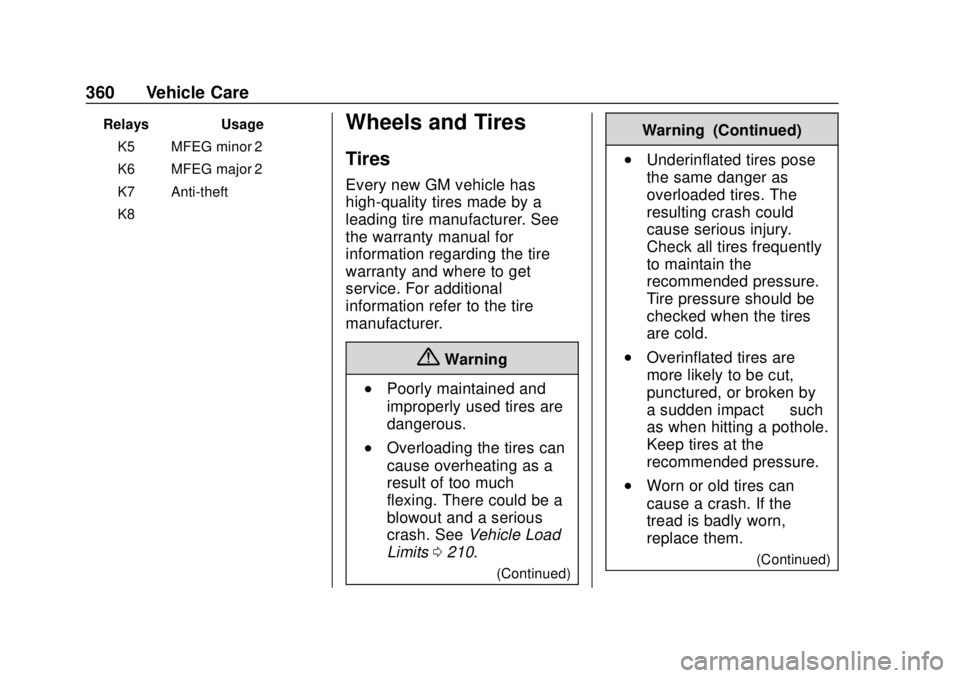
{Warning
.Poorly maintained and
improperly used tires are
dangerous.
.Overloading the tires can
cause overheating as a
result of too much
flexing. There could be a
blowout and a serious
crash. See Vehicle Load
Limits 0210.
(Continued)
Warning (Continued)
.Underinflated tires pose
the same danger as
overloaded tires. The
resulting crash could
cause serious injury.
Check all tires frequently
to maintain the
recommended pressure.
Tire pressure should be
checked when the tires
are cold.
.Overinflated tires are
more likely to be cut,
punctured, or broken by
a sudden impact —such
as when hitting a pothole.
Keep tires at the
recommended pressure.
.Worn or old tires can
cause a crash. If the
tread is badly worn,
replace them.
(Continued)
Page 362 of 474
Chevrolet Silverado Owner Manual (GMNA-Localizing-U.S./Canada/Mexico-
1500-11698642) - 2019 - CRC - 2/20/19
Vehicle Care 361
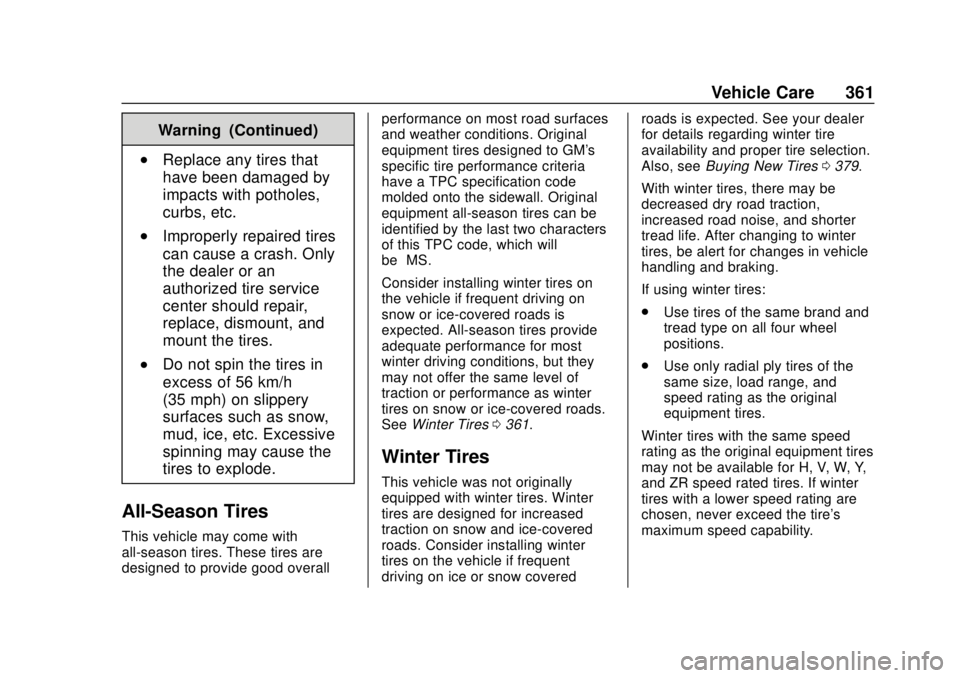
Warning (Continued)
.Replace any tires that
have been damaged by
impacts with potholes,
curbs, etc.
.Improperly repaired tires
can cause a crash. Only
the dealer or an
authorized tire service
center should repair,
replace, dismount, and
mount the tires.
.Do not spin the tires in
excess of 56 km/h
(35 mph) on slippery
surfaces such as snow,
mud, ice, etc. Excessive
spinning may cause the
tires to explode.
All-Season Tires
This vehicle may come with
all-season tires. These tires are
designed to provide good overallperformance on most road surfaces
and weather conditions. Original
equipment tires designed to GM's
specific tire performance criteria
have a TPC specification code
molded onto the sidewall. Original
equipment all-season tires can be
identified by the last two characters
of this TPC code, which will
be
“MS.”
Consider installing winter tires on
the vehicle if frequent driving on
snow or ice-covered roads is
expected. All-season tires provide
adequate performance for most
winter driving conditions, but they
may not offer the same level of
traction or performance as winter
tires on snow or ice-covered roads.
See Winter Tires 0361.
Winter Tires
This vehicle was not originally
equipped with winter tires. Winter
tires are designed for increased
traction on snow and ice-covered
roads. Consider installing winter
tires on the vehicle if frequent
driving on ice or snow covered roads is expected. See your dealer
for details regarding winter tire
availability and proper tire selection.
Also, see
Buying New Tires 0379.
With winter tires, there may be
decreased dry road traction,
increased road noise, and shorter
tread life. After changing to winter
tires, be alert for changes in vehicle
handling and braking.
If using winter tires:
. Use tires of the same brand and
tread type on all four wheel
positions.
. Use only radial ply tires of the
same size, load range, and
speed rating as the original
equipment tires.
Winter tires with the same speed
rating as the original equipment tires
may not be available for H, V, W, Y,
and ZR speed rated tires. If winter
tires with a lower speed rating are
chosen, never exceed the tire's
maximum speed capability.