lock CHEVROLET SILVERADO 2020 Workshop Manual
[x] Cancel search | Manufacturer: CHEVROLET, Model Year: 2020, Model line: SILVERADO, Model: CHEVROLET SILVERADO 2020Pages: 495, PDF Size: 8.09 MB
Page 112 of 495
Chevrolet Silverado Owner Manual (GMNA-Localizing-U.S./Canada/Mexico-
13337620) - 2020 - CTC - 1/27/20
Storage 111
Underseat Storage
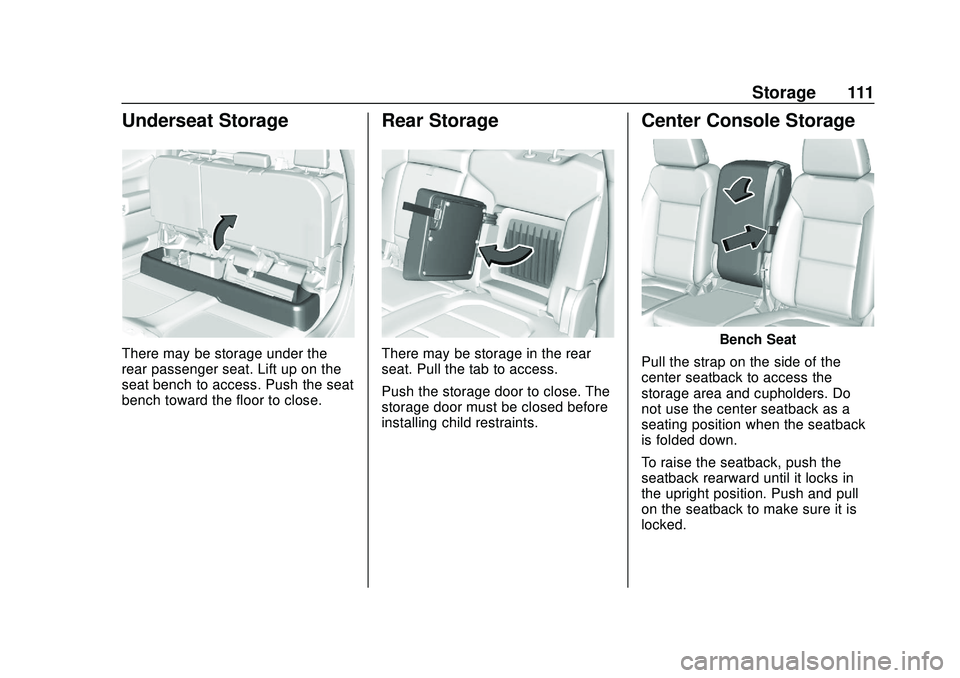
There may be storage under the
rear passenger seat. Lift up on the
seat bench to access. Push the seat
bench toward the floor to close.
Rear Storage
There may be storage in the rear
seat. Pull the tab to access.
Push the storage door to close. The
storage door must be closed before
installing child restraints.
Center Console Storage
Bench Seat
Pull the strap on the side of the
center seatback to access the
storage area and cupholders. Do
not use the center seatback as a
seating position when the seatback
is folded down.
To raise the seatback, push the
seatback rearward until it locks in
the upright position. Push and pull
on the seatback to make sure it is
locked.
Page 113 of 495
Chevrolet Silverado Owner Manual (GMNA-Localizing-U.S./Canada/Mexico-
13337620) - 2020 - CTC - 1/27/20
112 Storage
Bench Seat
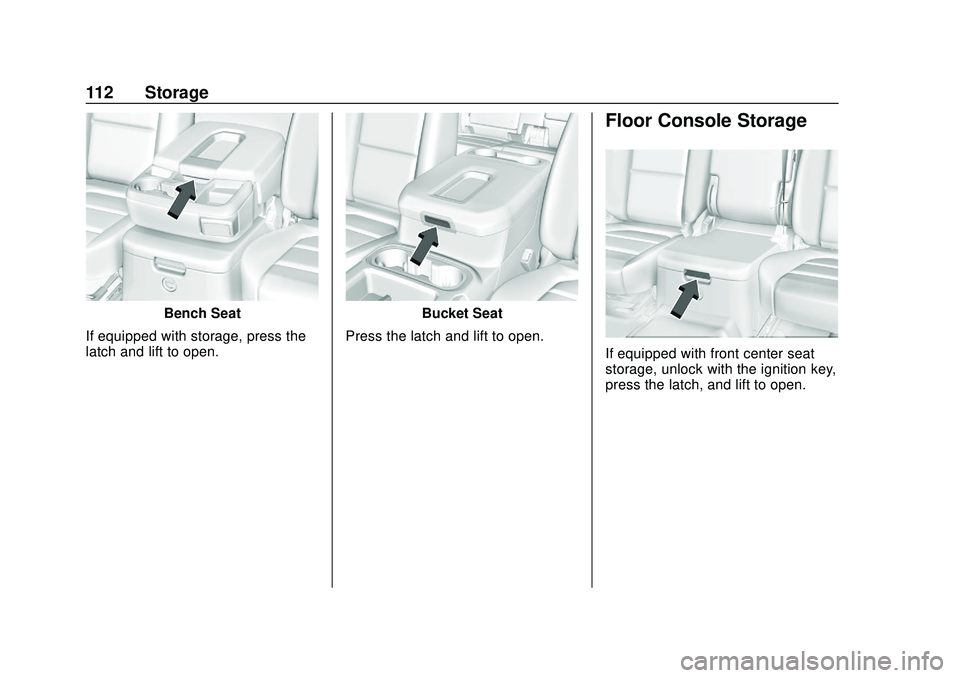
If equipped with storage, press the
latch and lift to open.Bucket Seat
Press the latch and lift to open.
Floor Console Storage
If equipped with front center seat
storage, unlock with the ignition key,
press the latch, and lift to open.
Page 114 of 495
Chevrolet Silverado Owner Manual (GMNA-Localizing-U.S./Canada/Mexico-
13337620) - 2020 - CTC - 1/27/20
Storage 113
Additional Storage
Features
Cargo Tie-Downs
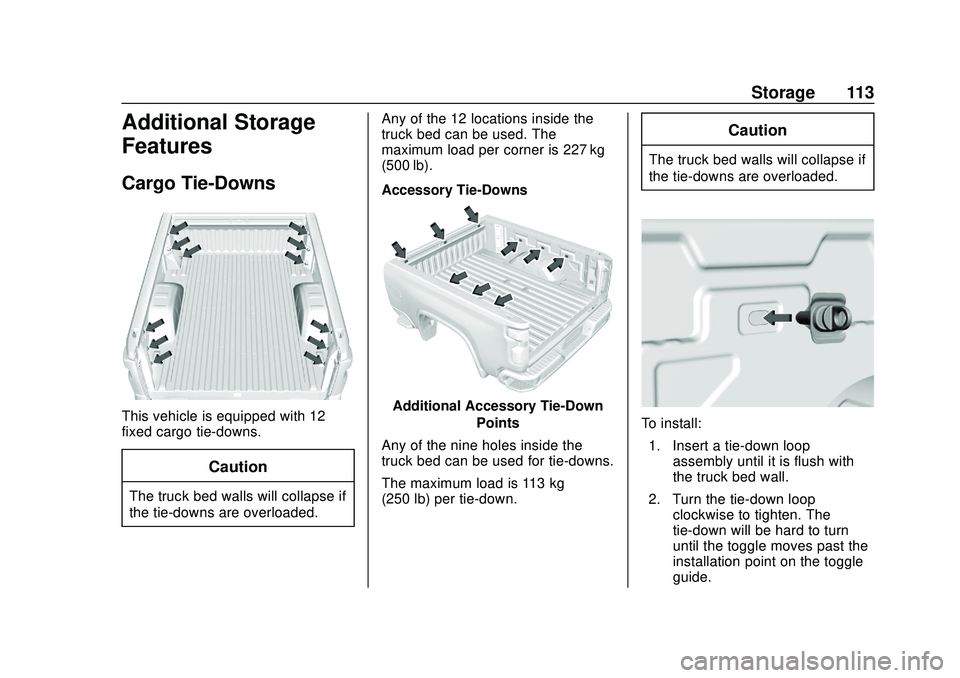
This vehicle is equipped with 12
fixed cargo tie-downs.
Caution
The truck bed walls will collapse if
the tie-downs are overloaded.Any of the 12 locations inside the
truck bed can be used. The
maximum load per corner is 227 kg
(500 lb).
Accessory Tie-Downs
Additional Accessory Tie-Down
Points
Any of the nine holes inside the
truck bed can be used for tie-downs.
The maximum load is 113 kg
(250 lb) per tie-down.
Caution
The truck bed walls will collapse if
the tie-downs are overloaded.
To install: 1. Insert a tie-down loop assembly until it is flush with
the truck bed wall.
2. Turn the tie-down loop clockwise to tighten. The
tie-down will be hard to turn
until the toggle moves past the
installation point on the toggle
guide.
Page 115 of 495
Chevrolet Silverado Owner Manual (GMNA-Localizing-U.S./Canada/Mexico-
13337620) - 2020 - CTC - 1/27/20
114 Storage
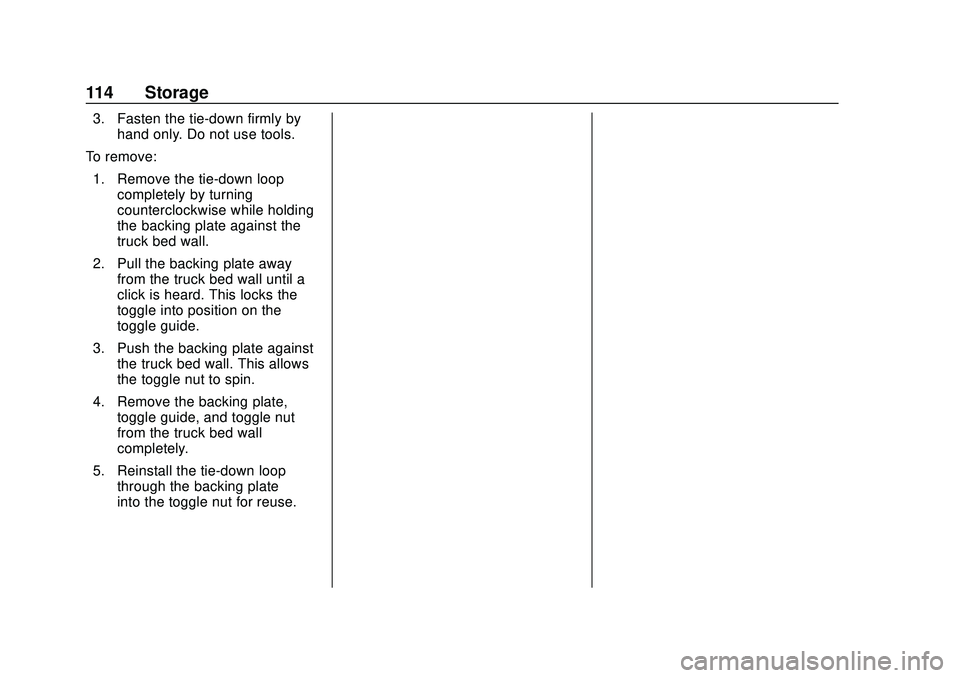
3. Fasten the tie-down firmly byhand only. Do not use tools.
To remove: 1. Remove the tie-down loop completely by turning
counterclockwise while holding
the backing plate against the
truck bed wall.
2. Pull the backing plate away from the truck bed wall until a
click is heard. This locks the
toggle into position on the
toggle guide.
3. Push the backing plate against the truck bed wall. This allows
the toggle nut to spin.
4. Remove the backing plate, toggle guide, and toggle nut
from the truck bed wall
completely.
5. Reinstall the tie-down loop through the backing plate
into the toggle nut for reuse.
Page 116 of 495
Chevrolet Silverado Owner Manual (GMNA-Localizing-U.S./Canada/Mexico-
13337620) - 2020 - CTC - 1/27/20
Instruments and Controls 115
Instruments and
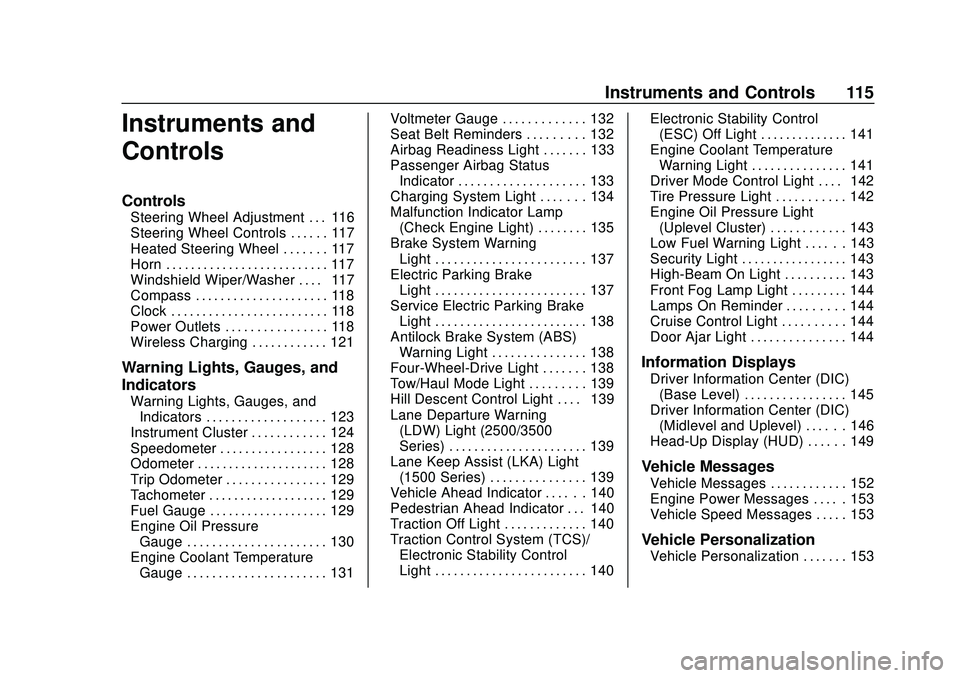
Controls
Controls
Steering Wheel Adjustment . . . 116
Steering Wheel Controls . . . . . . 117
Heated Steering Wheel . . . . . . . 117
Horn . . . . . . . . . . . . . . . . . . . . . . . . . . 117
Windshield Wiper/Washer . . . . 117
Compass . . . . . . . . . . . . . . . . . . . . . 118
Clock . . . . . . . . . . . . . . . . . . . . . . . . . 118
Power Outlets . . . . . . . . . . . . . . . . 118
Wireless Charging . . . . . . . . . . . . 121
Warning Lights, Gauges, and
Indicators
Warning Lights, Gauges, andIndicators . . . . . . . . . . . . . . . . . . . 123
Instrument Cluster . . . . . . . . . . . . 124
Speedometer . . . . . . . . . . . . . . . . . 128
Odometer . . . . . . . . . . . . . . . . . . . . . 128
Trip Odometer . . . . . . . . . . . . . . . . 129
Tachometer . . . . . . . . . . . . . . . . . . . 129
Fuel Gauge . . . . . . . . . . . . . . . . . . . 129
Engine Oil Pressure Gauge . . . . . . . . . . . . . . . . . . . . . . 130
Engine Coolant Temperature Gauge . . . . . . . . . . . . . . . . . . . . . . 131 Voltmeter Gauge . . . . . . . . . . . . . 132
Seat Belt Reminders . . . . . . . . . 132
Airbag Readiness Light . . . . . . . 133
Passenger Airbag Status
Indicator . . . . . . . . . . . . . . . . . . . . 133
Charging System Light . . . . . . . 134
Malfunction Indicator Lamp (Check Engine Light) . . . . . . . . 135
Brake System Warning Light . . . . . . . . . . . . . . . . . . . . . . . . 137
Electric Parking Brake Light . . . . . . . . . . . . . . . . . . . . . . . . 137
Service Electric Parking Brake Light . . . . . . . . . . . . . . . . . . . . . . . . 138
Antilock Brake System (ABS) Warning Light . . . . . . . . . . . . . . . 138
Four-Wheel-Drive Light . . . . . . . 138
Tow/Haul Mode Light . . . . . . . . . 139
Hill Descent Control Light . . . . 139
Lane Departure Warning (LDW) Light (2500/3500
Series) . . . . . . . . . . . . . . . . . . . . . . 139
Lane Keep Assist (LKA) Light (1500 Series) . . . . . . . . . . . . . . . 139
Vehicle Ahead Indicator . . . . . . 140
Pedestrian Ahead Indicator . . . 140
Traction Off Light . . . . . . . . . . . . . 140
Traction Control System (TCS)/ Electronic Stability Control
Light . . . . . . . . . . . . . . . . . . . . . . . . 140 Electronic Stability Control
(ESC) Off Light . . . . . . . . . . . . . . 141
Engine Coolant Temperature Warning Light . . . . . . . . . . . . . . . 141
Driver Mode Control Light . . . . 142
Tire Pressure Light . . . . . . . . . . . 142
Engine Oil Pressure Light
(Uplevel Cluster) . . . . . . . . . . . . 143
Low Fuel Warning Light . . . . . . 143
Security Light . . . . . . . . . . . . . . . . . 143
High-Beam On Light . . . . . . . . . . 143
Front Fog Lamp Light . . . . . . . . . 144
Lamps On Reminder . . . . . . . . . 144
Cruise Control Light . . . . . . . . . . 144
Door Ajar Light . . . . . . . . . . . . . . . 144
Information Displays
Driver Information Center (DIC) (Base Level) . . . . . . . . . . . . . . . . 145
Driver Information Center (DIC) (Midlevel and Uplevel) . . . . . . 146
Head-Up Display (HUD) . . . . . . 149
Vehicle Messages
Vehicle Messages . . . . . . . . . . . . 152
Engine Power Messages . . . . . 153
Vehicle Speed Messages . . . . . 153
Vehicle Personalization
Vehicle Personalization . . . . . . . 153
Page 117 of 495
Chevrolet Silverado Owner Manual (GMNA-Localizing-U.S./Canada/Mexico-
13337620) - 2020 - CTC - 1/27/20
116 Instruments and Controls
Universal Remote System
Universal Remote System . . . . 158
Universal Remote SystemProgramming . . . . . . . . . . . . . . . 158
Universal Remote System Operation . . . . . . . . . . . . . . . . . . . 160Controls
Steering Wheel
Adjustment
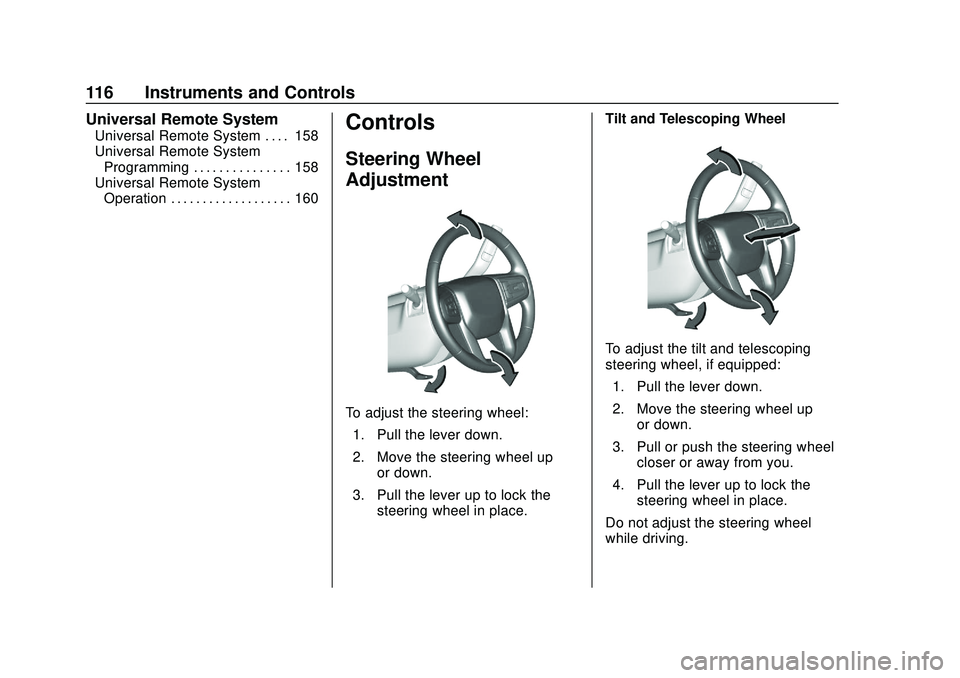
To adjust the steering wheel:
1. Pull the lever down.
2. Move the steering wheel up or down.
3. Pull the lever up to lock the steering wheel in place. Tilt and Telescoping Wheel
To adjust the tilt and telescoping
steering wheel, if equipped:
1. Pull the lever down.
2. Move the steering wheel up or down.
3. Pull or push the steering wheel closer or away from you.
4. Pull the lever up to lock the steering wheel in place.
Do not adjust the steering wheel
while driving.
Page 119 of 495

Chevrolet Silverado Owner Manual (GMNA-Localizing-U.S./Canada/Mexico-
13337620) - 2020 - CTC - 1/27/20
118 Instruments and Controls
activated. SeeWasher Fluid0350
for information on filling the
windshield washer fluid reservoir.
Clear snow and ice from the wiper
blades before using them. If frozen
to the windshield, carefully loosen or
thaw them. Damaged blades should
be replaced. See Wiper Blade
Replacement 0360.
Heavy snow or ice can overload the
wiper motor.
{Warning
In freezing weather, do not use
the washer until the windshield is
warmed. Otherwise the washer
fluid can form ice on the
windshield, blocking your vision.
{Warning
Before driving the vehicle, always
clear snow and ice from the hood,
windshield, roof, and rear of the
vehicle, including all lamps and (Continued)
Warning (Continued)
windows. Reduced visibility from
snow and ice buildup could lead
to a crash.
Wipe Parking
If the ignition is turned off while the
wipers are on LO, HI, or
3, they
will immediately stop.
If the windshield wiper control is ON
then moved to OFF before the driver
door is opened or within 10 minutes,
the wipers will restart and move to
the base of the windshield.
If the ignition is turned off while the
wipers are performing wipes due to
windshield washing, the wipers
continue to run until they reach the
base of the windshield.
Compass
The vehicle may have a compass
display on the Driver Information
Center (DIC). The compass receives
its heading and other information
from the Global Positioning System (GPS) antenna, Electronic
Stability Control (ESC), and vehicle
speed information.
The compass system is designed to
operate for a certain number of
miles or degrees of turn before
needing a signal from the GPS
satellites. When the compass
display shows CAL, drive the
vehicle for a short distance in an
open area where it can receive a
GPS signal. The compass system
will automatically determine when a
GPS signal is restored and provide
a heading again.
Clock
The time and date for the clock can
be set using the infotainment
system. See
“Time/Date”in
“System” under“Settings” in the
infotainment manual.
Power Outlets
Accessory power outlets can be
used to plug in electrical equipment,
such as a cell phone or MP3 player.
Page 139 of 495
Chevrolet Silverado Owner Manual (GMNA-Localizing-U.S./Canada/Mexico-
13337620) - 2020 - CTC - 1/27/20
138 Instruments and Controls
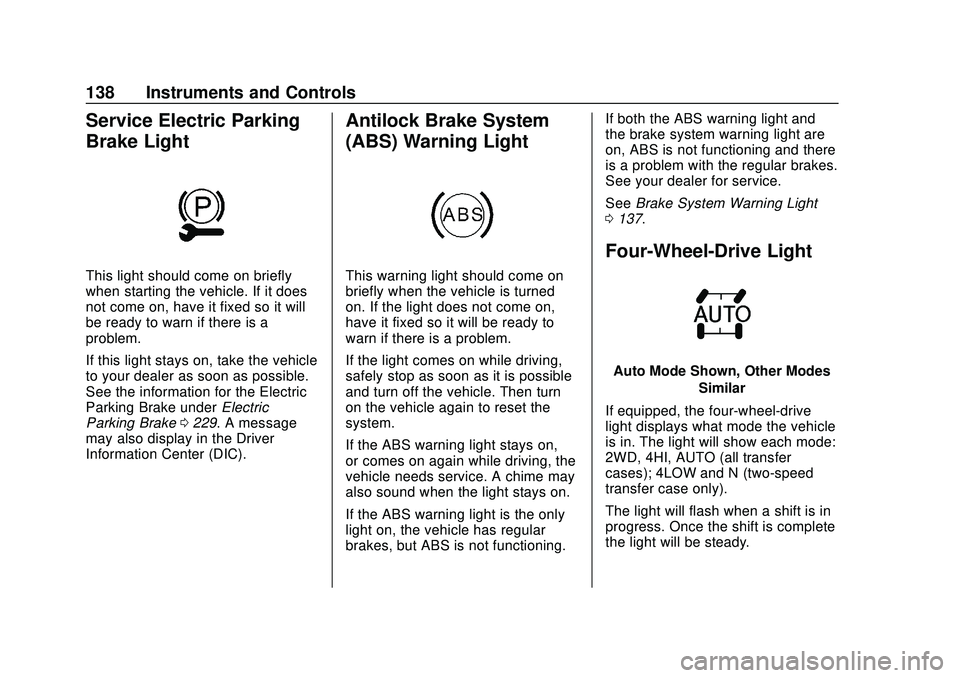
Service Electric Parking
Brake Light
This light should come on briefly
when starting the vehicle. If it does
not come on, have it fixed so it will
be ready to warn if there is a
problem.
If this light stays on, take the vehicle
to your dealer as soon as possible.
See the information for the Electric
Parking Brake underElectric
Parking Brake 0229. A message
may also display in the Driver
Information Center (DIC).
Antilock Brake System
(ABS) Warning Light
This warning light should come on
briefly when the vehicle is turned
on. If the light does not come on,
have it fixed so it will be ready to
warn if there is a problem.
If the light comes on while driving,
safely stop as soon as it is possible
and turn off the vehicle. Then turn
on the vehicle again to reset the
system.
If the ABS warning light stays on,
or comes on again while driving, the
vehicle needs service. A chime may
also sound when the light stays on.
If the ABS warning light is the only
light on, the vehicle has regular
brakes, but ABS is not functioning. If both the ABS warning light and
the brake system warning light are
on, ABS is not functioning and there
is a problem with the regular brakes.
See your dealer for service.
See
Brake System Warning Light
0 137.
Four-Wheel-Drive Light
Auto Mode Shown, Other Modes
Similar
If equipped, the four-wheel-drive
light displays what mode the vehicle
is in. The light will show each mode:
2WD, 4HI, AUTO (all transfer
cases); 4LOW and N (two-speed
transfer case only).
The light will flash when a shift is in
progress. Once the shift is complete
the light will be steady.
Page 157 of 495
Chevrolet Silverado Owner Manual (GMNA-Localizing-U.S./Canada/Mexico-
13337620) - 2020 - CTC - 1/27/20
156 Instruments and Controls
Power Door Locks
Touch and the following may
display:
.Open Door Anti Lock Out
. Auto Door Unlock
. Delayed Door Lock
Open Door Anti Lock Out
This setting prevents the driver door
from locking when the door is open.
If this setting is on, the Delayed
Door Lock menu will not be
available.
Touch Off or On.
Auto Door Unlock
This setting allows selection of
which doors will automatically
unlock when the vehicle is shifted
into P (Park).
Touch Off, All Doors, or Driver Door.
Delayed Door Lock
This setting delays the locking of
the vehicle’ s doors.
Touch Off or On.
Remote Lock, Unlock, Start
Touch and the following may
display:
. Remote Unlock Light Feedback
. Remote Lock Feedback
. Remote Door Unlock
. Remote Start Auto Cool Seats
. Remote Start Auto Heat Seats
. Remote Window Operation
. Passive Door Unlock
. Passive Door Lock
. Remote Left in Vehicle Alert
Remote Unlock Light Feedback
This setting flashes the exterior
lamps when the vehicle is unlocked
with the RKE transmitter.
Touch Off or Flash Lights.
Remote Lock Feedback
This setting specifies how the
vehicle responds when the vehicle
is locked with the RKE transmitter.
Touch Off, Lights and Horn, Lights
Only, or Horn Only. Remote Door Unlock
This setting specifies whether all
doors, or just the driver door, unlock
when pressing
Kon the RKE
transmitter.
Touch All Doors or Driver Door.
Remote Start Auto Cool Seats
If equipped and turned on, this
feature will turn on the ventilated
seats when using remote start on
warm days. See Heated and
Ventilated Front Seats 058 and
Remote Vehicle Start 024.
Touch Off or On.
Remote Start Auto Heat Seats
If equipped and turned on, this
feature will turn on the heated seats
when using remote start on
cold days. See Heated and
Ventilated Front Seats 058 and
Remote Vehicle Start 024.
If equipped with Auto Heated
Steering Wheel, this feature will turn
on when the Remote Start Auto
Heated Seats turn on.
Touch Off or On.
Page 158 of 495
Chevrolet Silverado Owner Manual (GMNA-Localizing-U.S./Canada/Mexico-
13337620) - 2020 - CTC - 1/27/20
Instruments and Controls 157
Remote Window Operation
If equipped, this feature enables
remote operation of the windows
with the RKE transmitter. See
Remote Keyless Entry (RKE)
System Operation (Key Access)
013 or
Remote Keyless Entry (RKE)
System Operation (Keyless Access)
0 16.
Touch Off or On.
Passive Door Unlock
This allows the selection of what
doors will unlock when using the
button on the driver door to unlock
the vehicle.
Touch Off, All Doors, or Driver
Door Only.
Passive Door Lock
This allows passive locking to be
turned on or off and selects
feedback. See Remote Keyless
Entry (RKE) System Operation (Key
Access) 013 or
Remote Keyless Entry (RKE)
System Operation (Keyless Access)
0 16. Touch Off, On with Horn
Chirp, or On.
Remote Left in Vehicle Alert
This feature sounds an alert when
the RKE transmitter is left in the
vehicle. This menu also enables
Remote No Longer In Vehicle Alert.
Touch Off or On.
Seating Position
Touch and the following may
display:
.
Seat Entry Memory
. Seat Exit Memory
Seat Entry Memory
This feature automatically recalls
the previously stored 1 or 2 button
positions when the ignition is
changed from off to on or ACC/
ACCESSORY. See Memory Seats
0 56.
Touch Off or On. Seat Exit Memory
This feature automatically recalls
the previously stored exit button
positions when the ignition is
changed from on or ACC/
ACCESSORY to off if the driver
door is open or opened. See
Memory Seats
056.
Touch Off or On.
Trailering
Touch and the following may
display:
. Side Trailer Camera
. Bed View Camera Lighting
Side Trailer Camera
This feature specifies if using the
turn signal during a lane change will
also display an applicable side view
of the trailer and vehicle. See
Assistance Systems for Parking or
Backing 0253.
Touch Off or On.