ABS CHEVROLET SILVERADO 2020 Owner's Manual
[x] Cancel search | Manufacturer: CHEVROLET, Model Year: 2020, Model line: SILVERADO, Model: CHEVROLET SILVERADO 2020Pages: 495, PDF Size: 8.09 MB
Page 4 of 495
Chevrolet Silverado Owner Manual (GMNA-Localizing-U.S./Canada/Mexico-
13337620) - 2020 - CTC - 1/27/20
Introduction 3
Danger, Warning, and
Caution
Warning messages found on vehicle
labels and in this manual describe
hazards and what to do to avoid or
reduce them.
{Danger
Danger indicates a hazard with a
high level of risk which will result
in serious injury or death.
{Warning
Warning indicates a hazard that
could result in injury or death.
Caution
Caution indicates a hazard that
could result in property or vehicle
damage.
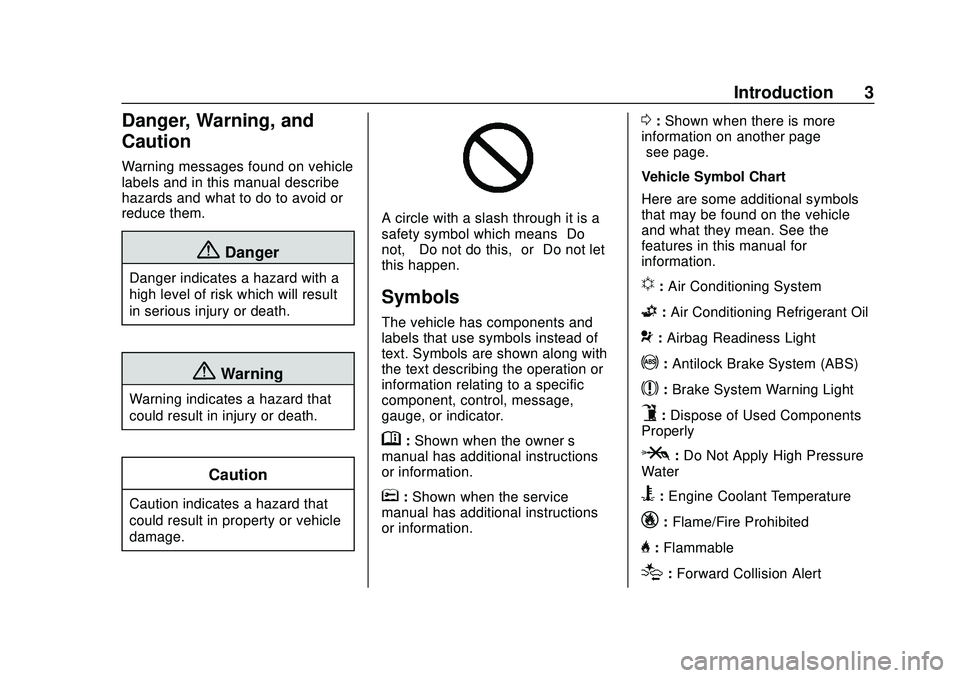
A circle with a slash through it is a
safety symbol which means“Do
not,” “Do not do this,” or“Do not let
this happen.”
Symbols
The vehicle has components and
labels that use symbols instead of
text. Symbols are shown along with
the text describing the operation or
information relating to a specific
component, control, message,
gauge, or indicator.
M: Shown when the owner ’s
manual has additional instructions
or information.
*: Shown when the service
manual has additional instructions
or information.
0: Shown when there is more
information on another page —
“see page.”
Vehicle Symbol Chart
Here are some additional symbols
that may be found on the vehicle
and what they mean. See the
features in this manual for
information.
u: Air Conditioning System
G: Air Conditioning Refrigerant Oil
9:Airbag Readiness Light
!: Antilock Brake System (ABS)
$:Brake System Warning Light
9:Dispose of Used Components
Properly
P: Do Not Apply High Pressure
Water
B: Engine Coolant Temperature
_: Flame/Fire Prohibited
H:Flammable
[:Forward Collision Alert
Page 73 of 495
Chevrolet Silverado Owner Manual (GMNA-Localizing-U.S./Canada/Mexico-
13337620) - 2020 - CTC - 1/27/20
72 Seats and Restraints
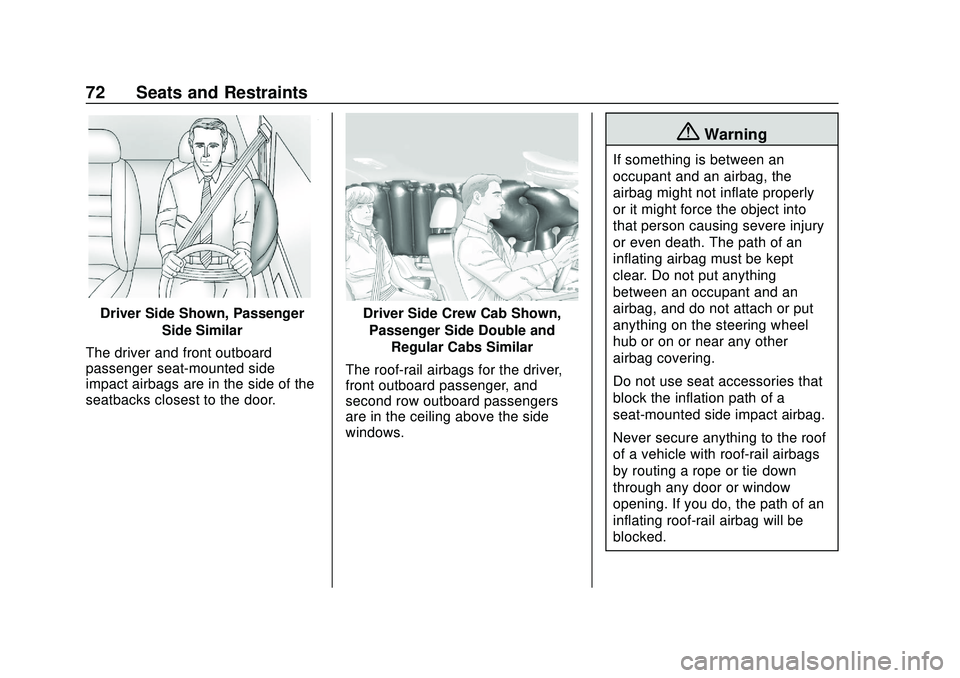
Driver Side Shown, PassengerSide Similar
The driver and front outboard
passenger seat-mounted side
impact airbags are in the side of the
seatbacks closest to the door.Driver Side Crew Cab Shown, Passenger Side Double and Regular Cabs Similar
The roof-rail airbags for the driver,
front outboard passenger, and
second row outboard passengers
are in the ceiling above the side
windows.
{Warning
If something is between an
occupant and an airbag, the
airbag might not inflate properly
or it might force the object into
that person causing severe injury
or even death. The path of an
inflating airbag must be kept
clear. Do not put anything
between an occupant and an
airbag, and do not attach or put
anything on the steering wheel
hub or on or near any other
airbag covering.
Do not use seat accessories that
block the inflation path of a
seat-mounted side impact airbag.
Never secure anything to the roof
of a vehicle with roof-rail airbags
by routing a rope or tie‐down
through any door or window
opening. If you do, the path of an
inflating roof-rail airbag will be
blocked.
Page 116 of 495
Chevrolet Silverado Owner Manual (GMNA-Localizing-U.S./Canada/Mexico-
13337620) - 2020 - CTC - 1/27/20
Instruments and Controls 115
Instruments and
Controls
Controls
Steering Wheel Adjustment . . . 116
Steering Wheel Controls . . . . . . 117
Heated Steering Wheel . . . . . . . 117
Horn . . . . . . . . . . . . . . . . . . . . . . . . . . 117
Windshield Wiper/Washer . . . . 117
Compass . . . . . . . . . . . . . . . . . . . . . 118
Clock . . . . . . . . . . . . . . . . . . . . . . . . . 118
Power Outlets . . . . . . . . . . . . . . . . 118
Wireless Charging . . . . . . . . . . . . 121
Warning Lights, Gauges, and
Indicators
Warning Lights, Gauges, andIndicators . . . . . . . . . . . . . . . . . . . 123
Instrument Cluster . . . . . . . . . . . . 124
Speedometer . . . . . . . . . . . . . . . . . 128
Odometer . . . . . . . . . . . . . . . . . . . . . 128
Trip Odometer . . . . . . . . . . . . . . . . 129
Tachometer . . . . . . . . . . . . . . . . . . . 129
Fuel Gauge . . . . . . . . . . . . . . . . . . . 129
Engine Oil Pressure Gauge . . . . . . . . . . . . . . . . . . . . . . 130
Engine Coolant Temperature Gauge . . . . . . . . . . . . . . . . . . . . . . 131 Voltmeter Gauge . . . . . . . . . . . . . 132
Seat Belt Reminders . . . . . . . . . 132
Airbag Readiness Light . . . . . . . 133
Passenger Airbag Status
Indicator . . . . . . . . . . . . . . . . . . . . 133
Charging System Light . . . . . . . 134
Malfunction Indicator Lamp (Check Engine Light) . . . . . . . . 135
Brake System Warning Light . . . . . . . . . . . . . . . . . . . . . . . . 137
Electric Parking Brake Light . . . . . . . . . . . . . . . . . . . . . . . . 137
Service Electric Parking Brake Light . . . . . . . . . . . . . . . . . . . . . . . . 138
Antilock Brake System (ABS) Warning Light . . . . . . . . . . . . . . . 138
Four-Wheel-Drive Light . . . . . . . 138
Tow/Haul Mode Light . . . . . . . . . 139
Hill Descent Control Light . . . . 139
Lane Departure Warning (LDW) Light (2500/3500
Series) . . . . . . . . . . . . . . . . . . . . . . 139
Lane Keep Assist (LKA) Light (1500 Series) . . . . . . . . . . . . . . . 139
Vehicle Ahead Indicator . . . . . . 140
Pedestrian Ahead Indicator . . . 140
Traction Off Light . . . . . . . . . . . . . 140
Traction Control System (TCS)/ Electronic Stability Control
Light . . . . . . . . . . . . . . . . . . . . . . . . 140 Electronic Stability Control
(ESC) Off Light . . . . . . . . . . . . . . 141
Engine Coolant Temperature Warning Light . . . . . . . . . . . . . . . 141
Driver Mode Control Light . . . . 142
Tire Pressure Light . . . . . . . . . . . 142
Engine Oil Pressure Light
(Uplevel Cluster) . . . . . . . . . . . . 143
Low Fuel Warning Light . . . . . . 143
Security Light . . . . . . . . . . . . . . . . . 143
High-Beam On Light . . . . . . . . . . 143
Front Fog Lamp Light . . . . . . . . . 144
Lamps On Reminder . . . . . . . . . 144
Cruise Control Light . . . . . . . . . . 144
Door Ajar Light . . . . . . . . . . . . . . . 144
Information Displays
Driver Information Center (DIC) (Base Level) . . . . . . . . . . . . . . . . 145
Driver Information Center (DIC) (Midlevel and Uplevel) . . . . . . 146
Head-Up Display (HUD) . . . . . . 149
Vehicle Messages
Vehicle Messages . . . . . . . . . . . . 152
Engine Power Messages . . . . . 153
Vehicle Speed Messages . . . . . 153
Vehicle Personalization
Vehicle Personalization . . . . . . . 153
Page 139 of 495
Chevrolet Silverado Owner Manual (GMNA-Localizing-U.S./Canada/Mexico-
13337620) - 2020 - CTC - 1/27/20
138 Instruments and Controls
Service Electric Parking
Brake Light
This light should come on briefly
when starting the vehicle. If it does
not come on, have it fixed so it will
be ready to warn if there is a
problem.
If this light stays on, take the vehicle
to your dealer as soon as possible.
See the information for the Electric
Parking Brake underElectric
Parking Brake 0229. A message
may also display in the Driver
Information Center (DIC).
Antilock Brake System
(ABS) Warning Light
This warning light should come on
briefly when the vehicle is turned
on. If the light does not come on,
have it fixed so it will be ready to
warn if there is a problem.
If the light comes on while driving,
safely stop as soon as it is possible
and turn off the vehicle. Then turn
on the vehicle again to reset the
system.
If the ABS warning light stays on,
or comes on again while driving, the
vehicle needs service. A chime may
also sound when the light stays on.
If the ABS warning light is the only
light on, the vehicle has regular
brakes, but ABS is not functioning. If both the ABS warning light and
the brake system warning light are
on, ABS is not functioning and there
is a problem with the regular brakes.
See your dealer for service.
See
Brake System Warning Light
0 137.
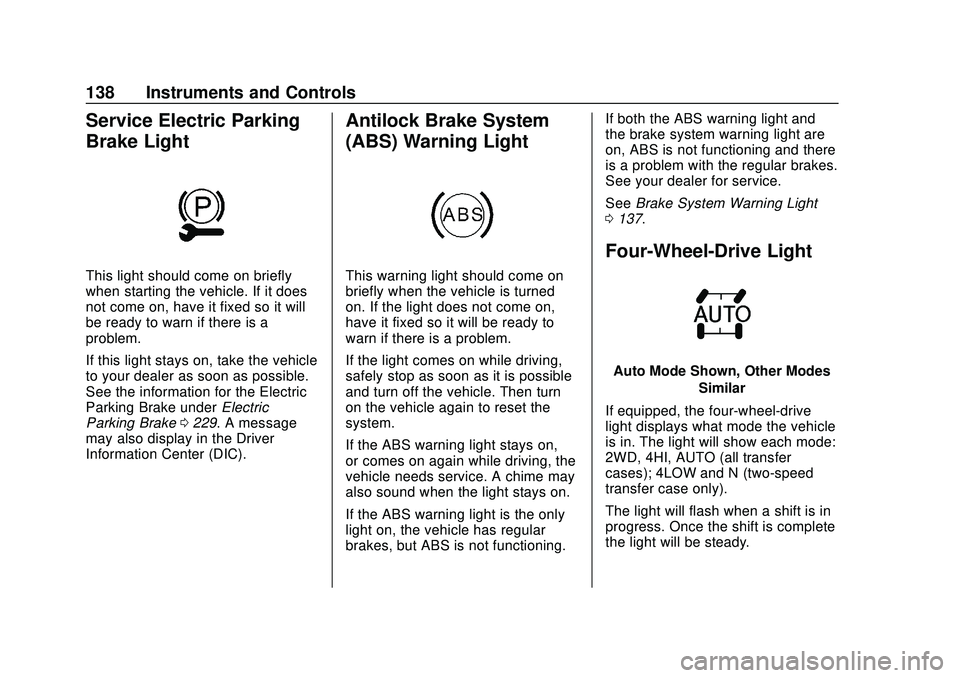
Four-Wheel-Drive Light
Auto Mode Shown, Other Modes
Similar
If equipped, the four-wheel-drive
light displays what mode the vehicle
is in. The light will show each mode:
2WD, 4HI, AUTO (all transfer
cases); 4LOW and N (two-speed
transfer case only).
The light will flash when a shift is in
progress. Once the shift is complete
the light will be steady.
Page 183 of 495
Chevrolet Silverado Owner Manual (GMNA-Localizing-U.S./Canada/Mexico-
13337620) - 2020 - CTC - 1/27/20
182 Driving and Operating
Driving and
Operating
Driving Information
Driving for Better FuelEconomy . . . . . . . . . . . . . . . . . . . . 183
Distracted Driving . . . . . . . . . . . . 184
Defensive Driving . . . . . . . . . . . . . 184
Drunk Driving . . . . . . . . . . . . . . . . . 185
Control of a Vehicle . . . . . . . . . . . 185
Braking . . . . . . . . . . . . . . . . . . . . . . . 185
Steering . . . . . . . . . . . . . . . . . . . . . . 185
Off-Road Recovery . . . . . . . . . . . 187
Loss of Control . . . . . . . . . . . . . . . 187
Off-Road Driving . . . . . . . . . . . . . 188
Driving on Wet Roads . . . . . . . . 193
Hill and Mountain Roads . . . . . 194
Winter Driving . . . . . . . . . . . . . . . . 194
If the Vehicle Is Stuck . . . . . . . . 196
Vehicle Load Limits . . . . . . . . . . . 197
Truck-Camper Loading Information . . . . . . . . . . . . . . . . . . 202
Starting and Operating
New Vehicle Break-In . . . . . . . . . 204
Ignition Positions (KeylessAccess) . . . . . . . . . . . . . . . . . . . . . 205 Ignition Positions (Key
Access) . . . . . . . . . . . . . . . . . . . . . 207
Starting the Engine . . . . . . . . . . . 209
Stop/Start System . . . . . . . . . . . . 210
Engine Heater . . . . . . . . . . . . . . . . 211
Retained Accessory Power (RAP) . . . . . . . . . . . . . . . . 213
Shifting Into Park . . . . . . . . . . . . . 213
Shifting out of Park . . . . . . . . . . . 215
Parking over Things That Burn . . . . . . . . . . . . . . . . . . . 215
Active Fuel Management . . . . . 215
Extended Parking . . . . . . . . . . . . 216
Engine Exhaust
Engine Exhaust . . . . . . . . . . . . . . 216
Running the Vehicle While Parked . . . . . . . . . . . . . . . . . . . . . . 217
Automatic Transmission
Automatic Transmission . . . . . . 217
Manual Mode . . . . . . . . . . . . . . . . . 220
Tow/Haul Mode . . . . . . . . . . . . . . . 223
Drive Systems
Four-Wheel Drive . . . . . . . . . . . . . 223
Brakes
Electric Brake Boost . . . . . . . . . . 228
Antilock BrakeSystem (ABS) . . . . . . . . . . . . . . . 228
Electric Parking Brake . . . . . . . . 229 Brake Assist . . . . . . . . . . . . . . . . . . 230
Hill Start Assist (HSA) . . . . . . . . 231
Ride Control Systems
Traction Control/Electronic
Stability Control . . . . . . . . . . . . . 231
Hill Descent Control (HDC) . . . 233
Driver Mode Control . . . . . . . . . . 234
Limited-Slip Differential . . . . . . . 239
Locking Rear Axle . . . . . . . . . . . . 239
Cruise Control
Cruise Control . . . . . . . . . . . . . . . . 239
Adaptive Cruise Control (1500 Series) . . . . . . . . . . . . . . . . . . . . . . 242
Driver Assistance Systems
Driver Assistance Systems . . . 252
Assistance Systems forParking or Backing . . . . . . . . . . 253
Assistance Systems for Driving . . . . . . . . . . . . . . . . . . . . . . 264
Forward Collision Alert (FCA) System . . . . . . . . . . . . . . . . . . . . . . 264
Automatic Emergency Braking (AEB) . . . . . . . . . . . . . . . 266
Front Pedestrian Braking (FPB) System (1500
Series) . . . . . . . . . . . . . . . . . . . . . . 268
Side Blind Zone Alert (SBZA) . . . . . . . . . . . . . . . . 270
Page 188 of 495
Chevrolet Silverado Owner Manual (GMNA-Localizing-U.S./Canada/Mexico-
13337620) - 2020 - CTC - 1/27/20
Driving and Operating 187
Caution
Do not hold the steering wheel at
full rotation for more than
15 seconds and/or at an elevated
RPM. Damage may occur to the
power steering system and there
may be loss of power steering
assist.
Curve Tips
.Take curves at a reasonable
speed.
. Reduce speed before entering a
curve.
. Maintain a reasonable steady
speed through the curve.
. Wait until the vehicle is out of
the curve before accelerating
gently into the straightaway.
Steering in Emergencies
.There are some situations when
steering around a problem may
be more effective than braking.
. Holding both sides of the
steering wheel allows you to turn
180 degrees without removing
a hand.
. Antilock Brake System (ABS)
allows steering while braking.
Off-Road Recovery
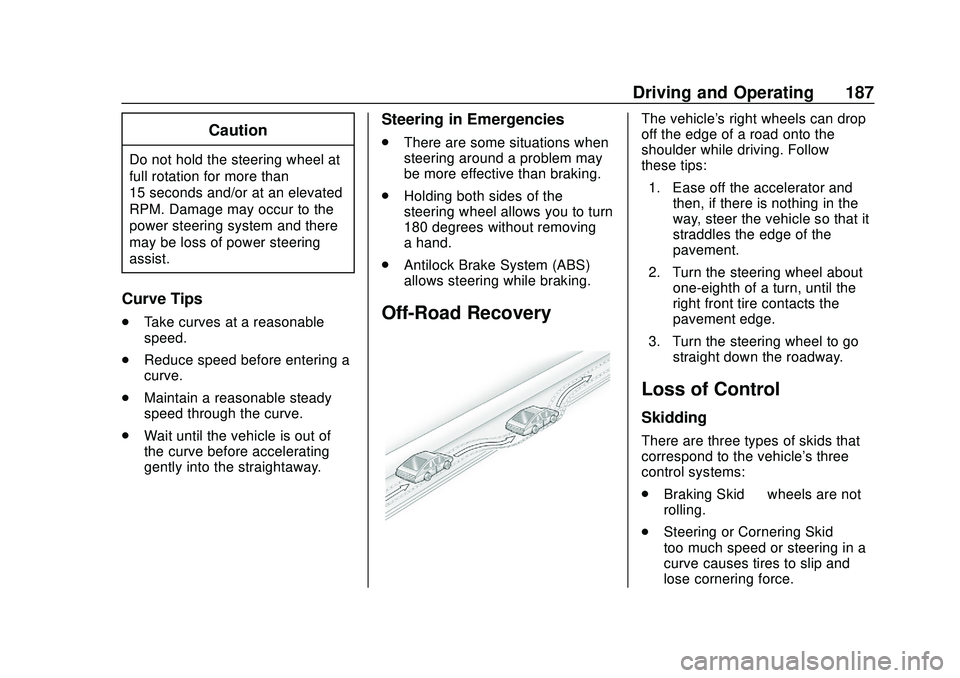
The vehicle's right wheels can drop
off the edge of a road onto the
shoulder while driving. Follow
these tips:
1. Ease off the accelerator and then, if there is nothing in the
way, steer the vehicle so that it
straddles the edge of the
pavement.
2. Turn the steering wheel about one-eighth of a turn, until the
right front tire contacts the
pavement edge.
3. Turn the steering wheel to go straight down the roadway.
Loss of Control
Skidding
There are three types of skids that
correspond to the vehicle's three
control systems:
.Braking Skid —wheels are not
rolling.
. Steering or Cornering Skid —
too much speed or steering in a
curve causes tires to slip and
lose cornering force.
Page 195 of 495
Chevrolet Silverado Owner Manual (GMNA-Localizing-U.S./Canada/Mexico-
13337620) - 2020 - CTC - 1/27/20
194 Driving and Operating
Hill and Mountain Roads
Driving on steep hills or through
mountains is different than driving
on flat or rolling terrain. Tips include:
.Keep the vehicle serviced and in
good shape.
. Check all fluid levels and brakes,
tires, cooling system, and
transmission.
. Shift to a lower gear when going
down steep or long hills.
{Warning
Using the brakes to slow the
vehicle on a long downhill slope
can cause brake overheating, can
reduce brake performance, and
could result in a loss of braking.
Shift the transmission to a lower
gear to let the engine assist the
brakes on a steep downhill slope.
{Warning
Coasting downhill in N (Neutral)
or with the ignition off is
dangerous. This can cause
overheating of the brakes and
loss of steering assist. Always
have the engine running and the
vehicle in gear.
. Drive at speeds that keep the
vehicle in its own lane. Do not
swing wide or cross the
center line.
. Be alert on top of hills;
something could be in your lane
(e.g., stalled car, crash).
. Pay attention to special road
signs (e.g., falling rocks area,
winding roads, long grades,
passing or no-passing zones)
and take appropriate action.
Winter Driving
Driving on Snow or Ice
Snow or ice between the tires and
the road creates less traction or
grip, so drive carefully. Wet ice can
occur at about 0 °C (32 °F) when
freezing rain begins to fall. Avoid
driving on wet ice or in freezing rain
until roads can be treated.
For Slippery Road Driving:
.Accelerate gently. Accelerating
too quickly causes the wheels to
spin and makes the surface
under the tires slick.
. Turn on Traction Control. See
Traction Control/Electronic
Stability Control 0231.
. The Antilock Brake System
(ABS) improves vehicle stability
during hard stops, but the
brakes should be applied sooner
than when on dry pavement.
See Antilock Brake System
(ABS) 0228.
Page 229 of 495
Chevrolet Silverado Owner Manual (GMNA-Localizing-U.S./Canada/Mexico-
13337620) - 2020 - CTC - 1/27/20
228 Driving and Operating
cannot complete a shift request, it
will go back to its last chosen
setting.
The settings are:
2
m(Two-Wheel Drive High) :Use
for driving on most streets and
highways. The front axle is not
engaged. This setting provides the
best fuel economy.
4
m(Four-Wheel Drive High) : Use
this setting when extra traction is
needed, such as when driving on
snowy or icy roads, when
off-roading, or when plowing snow.
AUTO (Automatic Four-Wheel
Drive)
Use when road surface conditions
are variable. When driving in AUTO,
the front axle is engaged, and the
vehicle's power is sent to the front
and rear wheels automatically
based on driving conditions. This
setting provides slightly lower fuel
economy than 2
m. Shifts between 2
m, 4m, and AUTO
Any of these shifts can be made at
normal driving speed.
The actual 4x4 shift request is only
made after the button is released.
The 4x4 graphic will remain flashing
until the shift request has
completed. A DIC message
displays.
Once the 4x4 shift has completed,
the DIC message disappears, the
4x4 graphic stops flashing, and the
current setting is indicated.
The actual 4x4 shift request is only
made after the button is released.
The 4x4 graphic will remain flashing
until the shift request has
completed.
A DIC message displays. Once the
4x4 shift has completed, the DIC
message disappears, the 4x4
graphic stops flashing, and the
current setting is indicated.Brakes
Electric Brake Boost
Vehicles equipped with electric
brake boost have hydraulic brake
circuits that are electronically
controlled when the brake pedal is
applied during normal operation.
The system performs routine tests
and turns off within a few minutes
after the vehicle is shutdown. Noise
may be heard during this time. If the
brake pedal is pressed during the
tests or when the electric brake
boost system is off, a noticeable
change in pedal force and travel
may be felt. This is normal.
Antilock Brake
System (ABS)
The Antilock Brake System (ABS)
helps prevent a braking skid and
maintain steering while
braking hard.
Page 230 of 495
Chevrolet Silverado Owner Manual (GMNA-Localizing-U.S./Canada/Mexico-
13337620) - 2020 - CTC - 1/27/20
Driving and Operating 229
ABS performs a system check when
the vehicle is first driven.
A momentary motor or clicking noise
may be heard while this test is going
on, and the brake pedal may move
slightly. This is normal.
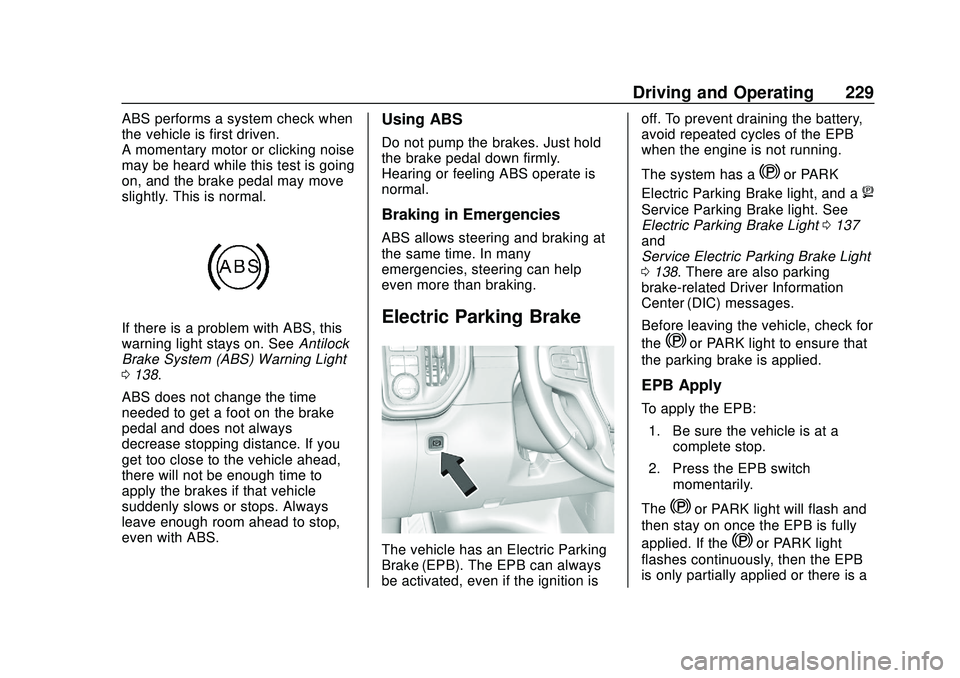
If there is a problem with ABS, this
warning light stays on. SeeAntilock
Brake System (ABS) Warning Light
0 138.
ABS does not change the time
needed to get a foot on the brake
pedal and does not always
decrease stopping distance. If you
get too close to the vehicle ahead,
there will not be enough time to
apply the brakes if that vehicle
suddenly slows or stops. Always
leave enough room ahead to stop,
even with ABS.
Using ABS
Do not pump the brakes. Just hold
the brake pedal down firmly.
Hearing or feeling ABS operate is
normal.
Braking in Emergencies
ABS allows steering and braking at
the same time. In many
emergencies, steering can help
even more than braking.
Electric Parking Brake
The vehicle has an Electric Parking
Brake (EPB). The EPB can always
be activated, even if the ignition is off. To prevent draining the battery,
avoid repeated cycles of the EPB
when the engine is not running.
The system has a
Yor PARK
Electric Parking Brake light, and a
8
Service Parking Brake light. See
Electric Parking Brake Light 0137
and
Service Electric Parking Brake Light
0 138. There are also parking
brake-related Driver Information
Center (DIC) messages.
Before leaving the vehicle, check for
the
Yor PARK light to ensure that
the parking brake is applied.
EPB Apply
To apply the EPB:
1. Be sure the vehicle is at a complete stop.
2. Press the EPB switch momentarily.
The
Yor PARK light will flash and
then stay on once the EPB is fully
applied. If the
Yor PARK light
flashes continuously, then the EPB
is only partially applied or there is a
Page 231 of 495
Chevrolet Silverado Owner Manual (GMNA-Localizing-U.S./Canada/Mexico-
13337620) - 2020 - CTC - 1/27/20
230 Driving and Operating
problem with the EPB. A DIC
message will display. Release the
EPB and try to apply it again. If the
light does not come on, or keeps
flashing, have the vehicle serviced.
Do not drive the vehicle if the
Yor
PARK light is flashing. See your
dealer. See Electric Parking Brake
Light 0137.
If the
8light is on, press the EPB
switch and hold it. Continue to hold
the switch until the
Yor PARK light
remains on. If the
8light remains
on, see your dealer.
If the EPB is applied while the
vehicle is moving, the vehicle will
decelerate as long as the switch is
pressed. If the switch is pressed
until the vehicle comes to a stop,
the EPB will remain applied.
The vehicle may automatically apply
the EPB in some situations when
the vehicle is not moving. This is
normal, and is done to periodically
check the correct operation of the
EPB system. If the EPB fails to apply, block the
rear wheels to prevent vehicle
movement.
EPB Release
To release the EPB:
1. Turn the ignition on or to ACC/ ACCESSORY.
2. Apply and hold the brake pedal.
3. Press the EPB switch momentarily.
The EPB is released when the
Y
or PARK light is off.
If the
8light is on, release the EPB
by pressing and holding the EPB
switch. Continue to hold the switch
until the
Yor PARK light is off.
If either light stays on after release
is attempted, see your dealer.
Caution
Driving with the parking brake on
can overheat the brake system
and cause premature wear or
damage to brake system parts.
Make sure that the parking brake
is fully released and the brake
warning light is off before driving.
Automatic EPB Release
The EPB will automatically release if
the vehicle is running, placed into
gear, and an attempt is made to
drive away. Avoid rapid acceleration
when the EPB is applied, to
preserve parking brake lining life.
Brake Assist
Brake Assist detects rapid brake
pedal applications due to
emergency braking situations and
provides additional braking to
activate the Antilock Brake System
(ABS) if the brake pedal is not
pushed hard enough to activate
ABS normally. Minor noise, brake
pedal pulsation, and/or pedal