Accessory mode CHEVROLET SILVERADO 2500 2020 Owners Manual
[x] Cancel search | Manufacturer: CHEVROLET, Model Year: 2020, Model line: SILVERADO 2500, Model: CHEVROLET SILVERADO 2500 2020Pages: 500, PDF Size: 9.71 MB
Page 40 of 500
Chevrolet Silverado Owner Manual (GMNA-Localizing-U.S./Canada/Mexico-
13337620) - 2020 - CRC - 4/2/19
Keys, Doors, and Windows 39
open the driver door to reset the
system. Then turn the vehicle on
and immediately turn the
steering wheel side to side for
about 15 seconds. In some
cases, it may take significant
force to unbind the column.
To keep the steering column from
binding, straighten the front wheels
before turning off the vehicle.
Immobilizer
See Radio Frequency Statement
0 471.
Immobilizer Operation
This vehicle has a passive
theft-deterrent system.
The system does not have to be
manually armed or disarmed. The vehicle is automatically
immobilized when the vehicle is
turned off.
The system is automatically
disarmed when the ignition is turned
from off to on.
The security light, in the instrument
cluster, comes on if there is a
problem with arming or disarming
the theft-deterrent system.
The system has one or more RKE
transmitters matched to an
immobilizer control unit in your
vehicle. Only a correctly matched
RKE transmitter will start the
vehicle. If the transmitter is ever
damaged, you may not be able to
start your vehicle.
When trying to start the vehicle, the
security light may come on briefly
when the ignition is turned on. If the
engine does not start and the
security light stays on, there is a
problem with the system. Turn the
ignition off and try again.
If the vehicle will not change ignition
modes (ACC/ACCESSORY, on, off),
and the RKE transmitter appears tobe undamaged, try another
transmitter. Or, you may try placing
the transmitter in the transmitter
pocket located in the center
console. See
Remote Keyless Entry
(RKE) System Operation (Key
Access) 013 or
Remote Keyless Entry (RKE)
System Operation (Keyless Access)
0 15.
If the ignition mode will not change
with the other transmitter or with the
transmitter in the transmitter pocket,
your vehicle needs service. If the
ignition does change modes, the
first transmitter may be faulty. See
your dealer who can service the
theft-deterrent system and have a
new RKE transmitter programmed to
the vehicle.
It is possible for the immobilizer
system to learn new or replacement
RKE transmitters. Up to eight
transmitters can be programmed for
the vehicle. To program additional
transmitters, see "Programming
Page 161 of 500
Chevrolet Silverado Owner Manual (GMNA-Localizing-U.S./Canada/Mexico-
13337620) - 2020 - CRC - 4/2/19
160 Instruments and Controls
cold days. SeeHeated and
Ventilated Front Seats 061 and
Remote Vehicle Start 024.
If equipped with Auto Heated
Steering Wheel, this feature will turn
on when the Remote Start Auto
Heated Seats turn on.
Touch Off or On.
Remote Window Operation
If equipped, this feature enables
remote operation of the windows
with the RKE transmitter. See
Remote Keyless Entry (RKE)
System Operation (Key Access)
0 13 or
Remote Keyless Entry (RKE)
System Operation (Keyless Access)
0 15.
Touch Off or On.
Passive Door Unlock
This allows the selection of what
doors will unlock when using the
button on the driver door to unlock
the vehicle.
Touch Off, All Doors, or Driver
Door Only. Passive Door Lock
This allows passive locking to be
turned on or off and selects
feedback. See
Remote Keyless
Entry (RKE) System Operation (Key
Access) 013 or
Remote Keyless Entry (RKE)
System Operation (Keyless Access)
0 15.
Touch Off, On with Horn
Chirp, or On.
Remote Left in Vehicle Alert
This feature sounds an alert when
the RKE transmitter is left in the
vehicle. This menu also enables
Remote No Longer In Vehicle Alert.
Touch Off or On.
Seating Position
Touch and the following may
display:
. Seat Entry Memory
. Seat Exit Memory Seat Entry Memory
This feature automatically recalls
the previously stored 1 or 2 button
positions when the ignition is
changed from off to on or ACC/
ACCESSORY. See
Memory Seats
0 59.
Touch Off or On.
Seat Exit Memory
This feature automatically recalls
the previously stored exit button
positions when the ignition is
changed from on or ACC/
ACCESSORY to off if the driver
door is open or opened. See
Memory Seats 059.
Touch Off or On.
Teen Driver
See “Teen Driver” under“Settings”
in the infotainment manual.
Valet Mode
This will lock the infotainment
system and steering wheel controls.
It may also limit access to vehicle
storage locations, if equipped.
Page 179 of 500
Chevrolet Silverado Owner Manual (GMNA-Localizing-U.S./Canada/Mexico-
13337620) - 2020 - CRC - 4/2/19
178 Climate Controls
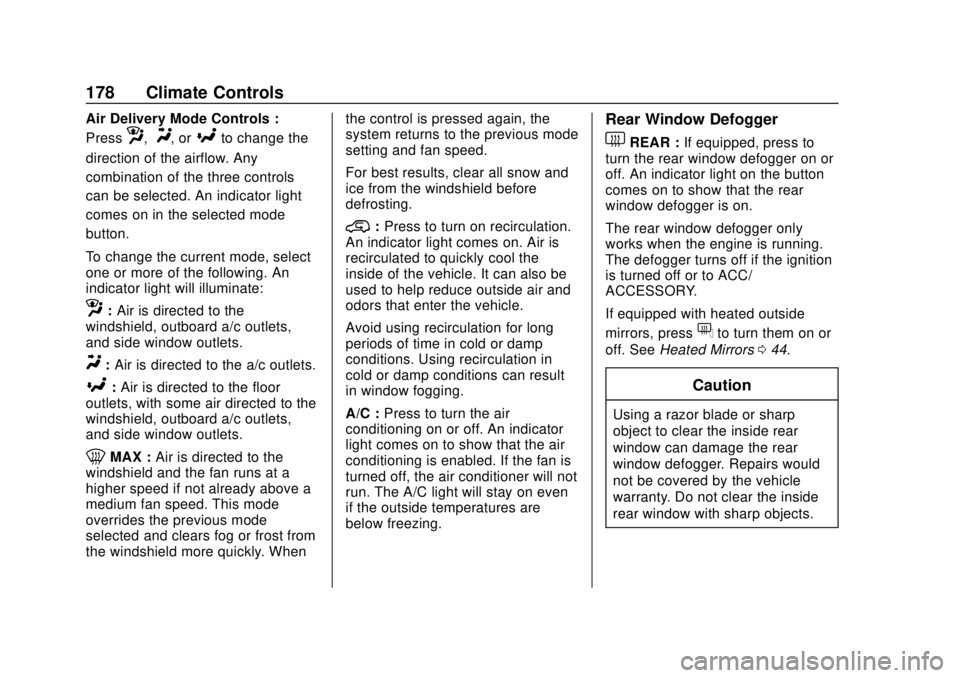
Air Delivery Mode Controls :
Press
z,Y, or[to change the
direction of the airflow. Any
combination of the three controls
can be selected. An indicator light
comes on in the selected mode
button.
To change the current mode, select
one or more of the following. An
indicator light will illuminate:
z: Air is directed to the
windshield, outboard a/c outlets,
and side window outlets.
Y: Air is directed to the a/c outlets.
[:Air is directed to the floor
outlets, with some air directed to the
windshield, outboard a/c outlets,
and side window outlets.
0MAX : Air is directed to the
windshield and the fan runs at a
higher speed if not already above a
medium fan speed. This mode
overrides the previous mode
selected and clears fog or frost from
the windshield more quickly. When the control is pressed again, the
system returns to the previous mode
setting and fan speed.
For best results, clear all snow and
ice from the windshield before
defrosting.
@:
Press to turn on recirculation.
An indicator light comes on. Air is
recirculated to quickly cool the
inside of the vehicle. It can also be
used to help reduce outside air and
odors that enter the vehicle.
Avoid using recirculation for long
periods of time in cold or damp
conditions. Using recirculation in
cold or damp conditions can result
in window fogging.
A/C : Press to turn the air
conditioning on or off. An indicator
light comes on to show that the air
conditioning is enabled. If the fan is
turned off, the air conditioner will not
run. The A/C light will stay on even
if the outside temperatures are
below freezing.
Rear Window Defogger
1REAR : If equipped, press to
turn the rear window defogger on or
off. An indicator light on the button
comes on to show that the rear
window defogger is on.
The rear window defogger only
works when the engine is running.
The defogger turns off if the ignition
is turned off or to ACC/
ACCESSORY.
If equipped with heated outside
mirrors, press
fto turn them on or
off. See Heated Mirrors 044.
Caution
Using a razor blade or sharp
object to clear the inside rear
window can damage the rear
window defogger. Repairs would
not be covered by the vehicle
warranty. Do not clear the inside
rear window with sharp objects.
Page 182 of 500
Chevrolet Silverado Owner Manual (GMNA-Localizing-U.S./Canada/Mexico-
13337620) - 2020 - CRC - 4/2/19
Climate Controls 181
or passenger side temperature
display shows the temperature
setting increasing or decreasing.
SYNC :Press to link the passenger
temperature setting to the driver
setting. The SYNC indicator light will
turn on. When the passenger setting
is adjusted, the SYNC indicator light
will turn off.
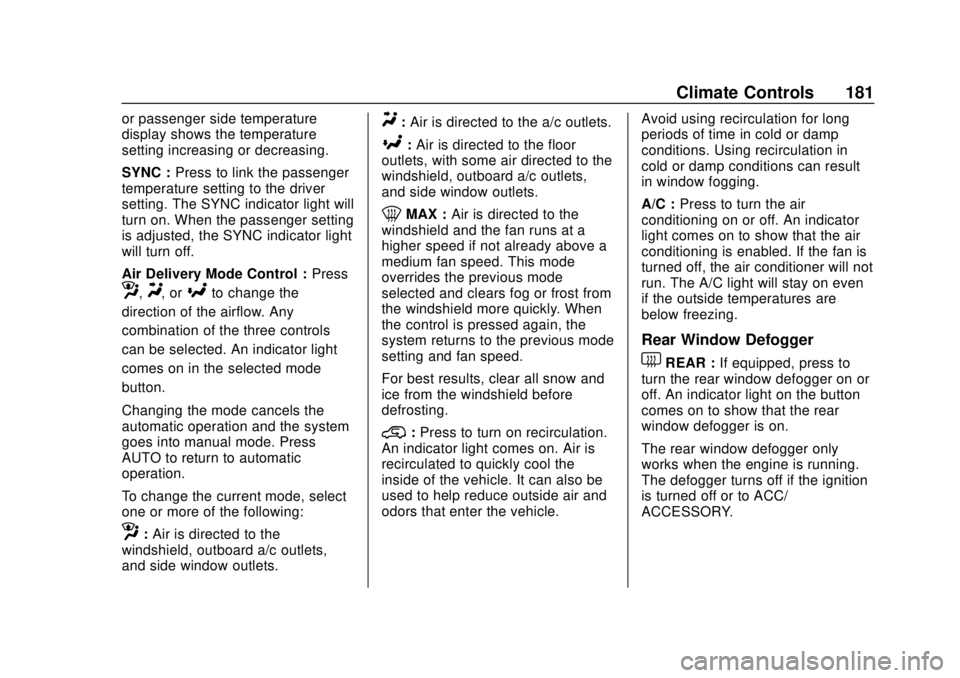
Air Delivery Mode Control : Press
z,Y, or[to change the
direction of the airflow. Any
combination of the three controls
can be selected. An indicator light
comes on in the selected mode
button.
Changing the mode cancels the
automatic operation and the system
goes into manual mode. Press
AUTO to return to automatic
operation.
To change the current mode, select
one or more of the following:
z: Air is directed to the
windshield, outboard a/c outlets,
and side window outlets.
Y: Air is directed to the a/c outlets.
[:Air is directed to the floor
outlets, with some air directed to the
windshield, outboard a/c outlets,
and side window outlets.
0MAX : Air is directed to the
windshield and the fan runs at a
higher speed if not already above a
medium fan speed. This mode
overrides the previous mode
selected and clears fog or frost from
the windshield more quickly. When
the control is pressed again, the
system returns to the previous mode
setting and fan speed.
For best results, clear all snow and
ice from the windshield before
defrosting.
@: Press to turn on recirculation.
An indicator light comes on. Air is
recirculated to quickly cool the
inside of the vehicle. It can also be
used to help reduce outside air and
odors that enter the vehicle. Avoid using recirculation for long
periods of time in cold or damp
conditions. Using recirculation in
cold or damp conditions can result
in window fogging.
A/C :
Press to turn the air
conditioning on or off. An indicator
light comes on to show that the air
conditioning is enabled. If the fan is
turned off, the air conditioner will not
run. The A/C light will stay on even
if the outside temperatures are
below freezing.
Rear Window Defogger
1REAR : If equipped, press to
turn the rear window defogger on or
off. An indicator light on the button
comes on to show that the rear
window defogger is on.
The rear window defogger only
works when the engine is running.
The defogger turns off if the ignition
is turned off or to ACC/
ACCESSORY.
Page 186 of 500
Chevrolet Silverado Owner Manual (GMNA-Localizing-U.S./Canada/Mexico-
13337620) - 2020 - CRC - 4/11/19
Driving and Operating 185
Driving and
Operating
Driving Information
Driving for Better FuelEconomy . . . . . . . . . . . . . . . . . . . . 186
Distracted Driving . . . . . . . . . . . . 187
Defensive Driving . . . . . . . . . . . . . 187
Drunk Driving . . . . . . . . . . . . . . . . . 188
Control of a Vehicle . . . . . . . . . . . 188
Braking . . . . . . . . . . . . . . . . . . . . . . . 188
Steering . . . . . . . . . . . . . . . . . . . . . . 188
Off-Road Recovery . . . . . . . . . . . 190
Loss of Control . . . . . . . . . . . . . . . 190
Off-Road Driving . . . . . . . . . . . . . 191
Driving on Wet Roads . . . . . . . . 196
Hill and Mountain Roads . . . . . 197
Winter Driving . . . . . . . . . . . . . . . . 197
If the Vehicle Is Stuck . . . . . . . . 199
Vehicle Load Limits . . . . . . . . . . . 200
Truck-Camper Loading Information . . . . . . . . . . . . . . . . . . 206
Starting and Operating
New Vehicle Break-In . . . . . . . . . 208
Ignition Positions (KeylessAccess) . . . . . . . . . . . . . . . . . . . . . 208 Ignition Positions (Key
Access) . . . . . . . . . . . . . . . . . . . . . 210
Starting the Engine . . . . . . . . . . . 212
Stop/Start System . . . . . . . . . . . . 213
Engine Heater . . . . . . . . . . . . . . . . 215
Retained Accessory Power (RAP) . . . . . . . . . . . . . . . . 216
Shifting Into Park . . . . . . . . . . . . . 217
Shifting out of Park . . . . . . . . . . . 218
Parking over Things That Burn . . . . . . . . . . . . . . . . . . . 219
Active Fuel Management . . . . . 219
Extended Parking . . . . . . . . . . . . 219
Engine Exhaust
Engine Exhaust . . . . . . . . . . . . . . 220
Running the Vehicle While Parked . . . . . . . . . . . . . . . . . . . . . . 220
Automatic Transmission
Automatic Transmission . . . . . . 221
Manual Mode . . . . . . . . . . . . . . . . . 224
Tow/Haul Mode . . . . . . . . . . . . . . . 226
Drive Systems
Four-Wheel Drive . . . . . . . . . . . . . 227
Brakes
Electric Brake Boost . . . . . . . . . . 232
Antilock BrakeSystem (ABS) . . . . . . . . . . . . . . . 232
Electric Parking Brake . . . . . . . . 233 Brake Assist . . . . . . . . . . . . . . . . . . 234
Hill Start Assist (HSA) . . . . . . . . 235
Ride Control Systems
Traction Control/Electronic
Stability Control . . . . . . . . . . . . . 235
Hill Descent Control (HDC) . . . 237
Driver Mode Control . . . . . . . . . . 238
Limited-Slip Differential . . . . . . . 243
Locking Rear Axle . . . . . . . . . . . . 243
Cruise Control
Cruise Control . . . . . . . . . . . . . . . . 243
Adaptive Cruise Control (1500 Series) . . . . . . . . . . . . . . . . . . . . . . 246
Driver Assistance Systems
Driver Assistance Systems . . . 256
Assistance Systems forParking or Backing . . . . . . . . . . 257
Assistance Systems for Driving . . . . . . . . . . . . . . . . . . . . . . 268
Forward Collision Alert (FCA) System . . . . . . . . . . . . . . . . . . . . . . 268
Automatic Emergency Braking (AEB) . . . . . . . . . . . . . . . 271
Front Pedestrian Braking (FPB) System (1500
Series) . . . . . . . . . . . . . . . . . . . . . . 272
Side Blind Zone Alert (SBZA) . . . . . . . . . . . . . . . . 274
Page 210 of 500
Chevrolet Silverado Owner Manual (GMNA-Localizing-U.S./Canada/Mexico-
13337620) - 2020 - CRC - 4/11/19
Driving and Operating 209
Remote Keyless Entry (RKE)
System Operation (Keyless Access)
015.
To shift out of P (Park), the ignition
must be on or in Service Mode, and
the brake pedal must be applied.
{Warning
Turning off the vehicle while
moving may cause loss of power
assist in the brake and steering
systems and disable the airbags.
While driving, only shut the
vehicle off in an emergency.
Stopping the Engine/LOCK/
OFF (No Indicator Lights) : When
the vehicle is stopped, press
ENGINE START/STOP once to turn
the engine off.
If the vehicle is in P (Park), the
ignition will turn off, and Retained
Accessory Power (RAP) will remain
active. See Retained Accessory
Power (RAP) 0216. If the vehicle is not in P (Park), the
ignition will return to ACC/
ACCESSORY and display the
message SHIFT TO PARK in the
Driver Information Center (DIC).
When the vehicle is shifted into
P (Park), the ignition system will
turn off.
The vehicle may have an electric
steering column lock. The lock is
activated when the ignition is turned
off and driver door is opened.
A sound may be heard as the lock
actuates or releases. The steering
column lock may not release with
the wheels turned off center. If this
happens, the vehicle may not start.
Move the steering wheel from left to
right while attempting to start the
vehicle. If this does not work, the
vehicle needs service.
Unless an emergency exists, do not
turn the engine off when the vehicle
is moving. This will cause a loss of
power assist in the brake and
steering systems and disable the
airbags.
If the vehicle must be shut off in an
emergency: 1. If the vehicle cannot be pulled
over, and must be shut off
while driving, press and hold
ENGINE START/STOP button
for longer than two seconds,
or press twice in five seconds.
2. Brake using a firm and steady pressure. Do not pump the
brakes repeatedly. This may
deplete power assist, requiring
increased brake pedal force.
3. Shift the vehicle to N (Neutral). This can be done while the
vehicle is moving. After shifting
to N (Neutral), firmly apply the
brakes and steer the vehicle to
a safe location.
4. Come to a complete stop, shift to P (Park) with an automatic
transmission, or Neutral with a
manual transmission, and
make sure engine is off. On
vehicles with an automatic
transmission, the shift lever
must be in P (Park) to turn the
ignition off.
5. Set the parking brake. See Electric Parking Brake 0233.
Page 211 of 500
Chevrolet Silverado Owner Manual (GMNA-Localizing-U.S./Canada/Mexico-
13337620) - 2020 - CRC - 4/11/19
210 Driving and Operating
{Warning
Turning off the vehicle while
moving may cause loss of power
assist in the brake and steering
systems and disable the airbags.
While driving, only shut the
vehicle off in an emergency.
ACC/ACCESSORY (Amber
Indicator Light) : This mode allows
some electrical accessories to be
used when the engine is off. For a
manual transmission, set the
parking brake before putting the
ignition in ACC/ACCESSORY.
With the ignition off, pressing the
ENGINE START/STOP button one
time without the brake pedal applied
will place the ignition system in
ACC/ACCESSORY.
The ignition will switch from ACC/
ACCESSORY to off after
five minutes to prevent battery
rundown. ON/RUN/START (Green Indicator
Light) :
This mode is for driving and
starting. With the ignition off, and
the brake pedal applied, pressing
ENGINE START/STOP button once
will turn the ignition on. Once engine
cranking begins, release the button.
Engine cranking will continue until
the engine starts. See Starting the
Engine 0212.
Service Mode
This power mode is available for
service and diagnostics, and to
verify the proper operation of the
malfunction indicator lamp as may
be required for emission inspection
purposes. With the vehicle off, and
the brake pedal not applied,
pressing and holding the ENGINE
START/STOP button for more than
five seconds will place the vehicle in
Service Mode. The instruments and
audio systems will operate as they
do when the ignition is on, but the
vehicle will not be able to be driven.
The engine will not start in Service
Mode. Press the ENGINE START/
STOP button again to turn the
ignition off.
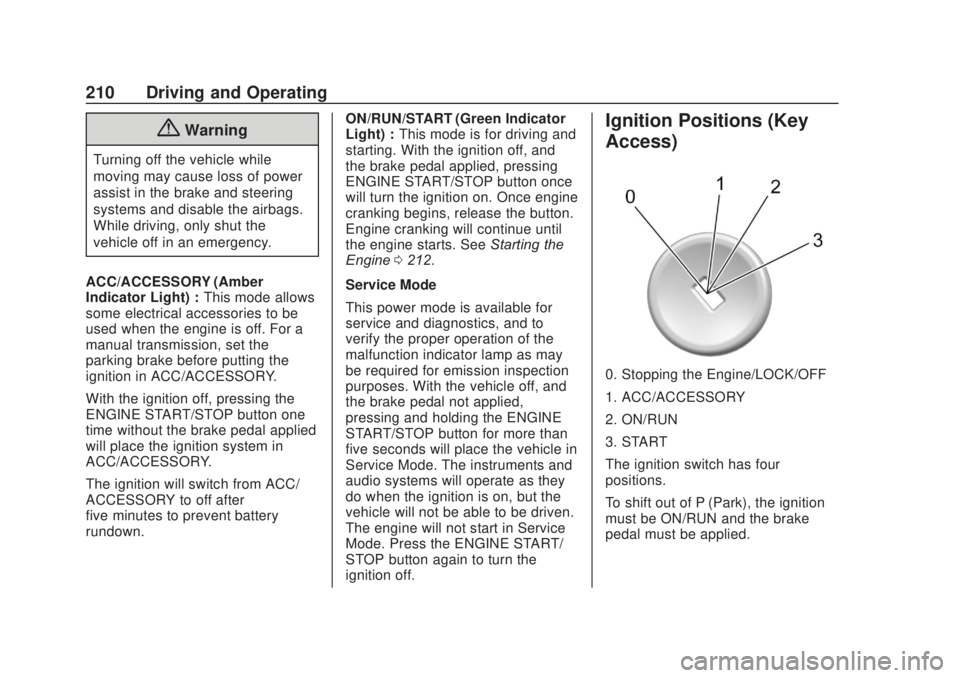
Ignition Positions (Key
Access)
0. Stopping the Engine/LOCK/OFF
1. ACC/ACCESSORY
2. ON/RUN
3. START
The ignition switch has four
positions.
To shift out of P (Park), the ignition
must be ON/RUN and the brake
pedal must be applied.
Page 222 of 500
Chevrolet Silverado Owner Manual (GMNA-Localizing-U.S./Canada/Mexico-
13337620) - 2020 - CRC - 4/11/19
Driving and Operating 221
Automatic
Transmission
If equipped, there is an electronic
shift lever position indicator within
the instrument cluster. This display
comes on when the ignition is in
ACC/ACCESSORY, on or
service mode.
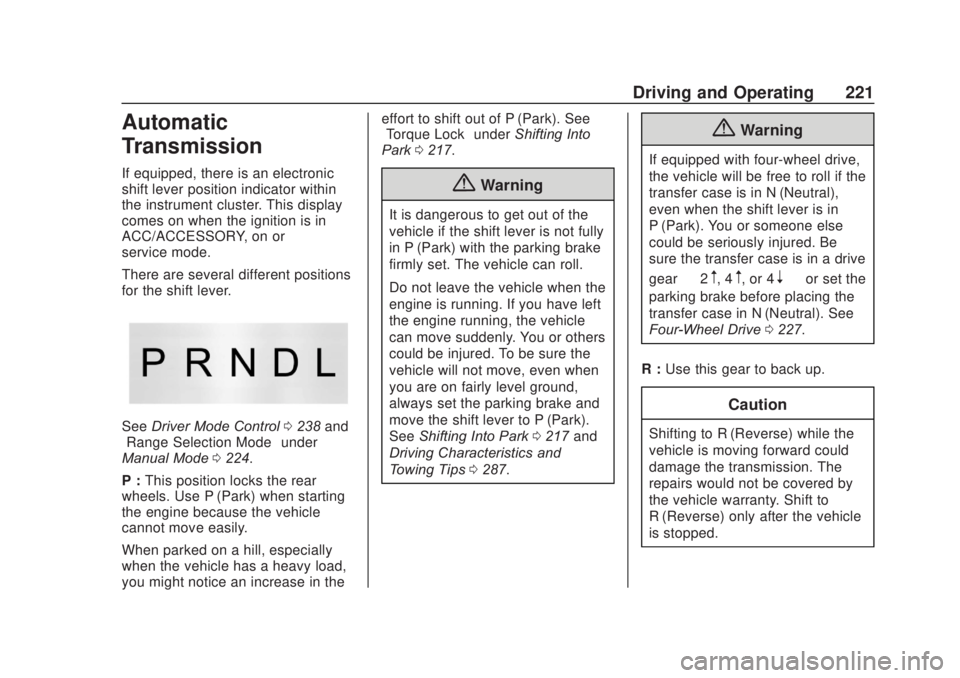
There are several different positions
for the shift lever.
SeeDriver Mode Control 0238 and
“Range Selection Mode” under
Manual Mode 0224.
P : This position locks the rear
wheels. Use P (Park) when starting
the engine because the vehicle
cannot move easily.
When parked on a hill, especially
when the vehicle has a heavy load,
you might notice an increase in the effort to shift out of P (Park). See
“Torque Lock”
underShifting Into
Park 0217.
{Warning
It is dangerous to get out of the
vehicle if the shift lever is not fully
in P (Park) with the parking brake
firmly set. The vehicle can roll.
Do not leave the vehicle when the
engine is running. If you have left
the engine running, the vehicle
can move suddenly. You or others
could be injured. To be sure the
vehicle will not move, even when
you are on fairly level ground,
always set the parking brake and
move the shift lever to P (Park).
See Shifting Into Park 0217 and
Driving Characteristics and
Towing Tips 0287.
{Warning
If equipped with four-wheel drive,
the vehicle will be free to roll if the
transfer case is in N (Neutral),
even when the shift lever is in
P (Park). You or someone else
could be seriously injured. Be
sure the transfer case is in a drive
gear —2
m, 4m, or 4n—or set the
parking brake before placing the
transfer case in N (Neutral). See
Four-Wheel Drive 0227.
R : Use this gear to back up.
Caution
Shifting to R (Reverse) while the
vehicle is moving forward could
damage the transmission. The
repairs would not be covered by
the vehicle warranty. Shift to
R (Reverse) only after the vehicle
is stopped.
Page 312 of 500
Chevrolet Silverado Owner Manual (GMNA-Localizing-U.S./Canada/Mexico-
13337620) - 2020 - CRC - 4/11/19
Driving and Operating 311
.The hazard warning lights are
activated.
Trailering App
If equipped, the Trailering App is on
the Home Page of the infotainment
display.
If equipped this feature allows
profiles for connected trailers to be
created to view status, to store and
track trailer usage information, and
to set up towing assistance
features.
The Trailering App Preview will
appear when the Trailering App is
opened for the first time from the
Home Page. Touch GET STARTED
in the Trailering App to go into
the app.
When a trailer is electrically
connected, there will be an option to
create a profile, use a guest profile,
or cancel. After Cancel is selected a
third time, Don’t Remind Me will
display and touching that will turn off
the trailer detection pop-up. To turn
the Trailer Detection Alert on, select
ON in the Settings tab. When a trailer is electrically
connected and after a Trailer Profile
has been created, the trailer
detection pop-up will appear with a
list of all of the custom Trailer
Profiles made on the vehicle. To
load an existing Trailer Profile,
select one of the Trailer Profiles
listed, or load the Guest Trailer
Profile by selecting GUEST
TRAILER. Touching Cancel,
Accessory/No trailer, or shifting the
vehicle from P (Park), will select
Accessory/No trailer as the active
Trailer Profile and will dismiss the
pop- up.
Create a Trailer Profile
1. Touch Create Profile on the pop-up or touch + Add Trailer
in the Trailering App.
2. Create a name for the trailer.
3. Select the hitch type. A checklist profile will be
created based on the type
selected.
4. Select the trailer type. A pop-up will indicate the setup is
complete. Touch DONE to complete
the process or touch TRAILER
FEATURE SETUP to set up the
Tow/Haul Mode reminder, Trailer
Tire Pressure Monitoring System,
if equipped, maintenance reminders,
or towing assistance, if equipped.
Import a Trailer Profile
A trailer profile saved to an OnStar
account can be imported to the
vehicle.
1. Touch Import Profile on the pop-up.
2. Select a trailer profile from the list.
3. Touch IMPORT.
A pop-up will indicate the import
was successful. Touch OK to return
to the trailer list and select the trailer
profile. The Tow/Haul Mode
reminder, Brake Gain Setting and
Trailer Tire Pressure sensor
learning, if equipped, do not import.
Page 350 of 500
Chevrolet Silverado Owner Manual (GMNA-Localizing-U.S./Canada/Mexico-
13337620) - 2020 - CRC - 4/10/19
Vehicle Care 349
Automatic Coolant Service Fill
Instructions (L3B Engine)
See 3.0L Duramax Diesel
supplement for the diesel engine
procedure.
If equipped, this feature assists in
filling and removing air from the
cooling system after service of
components or when coolant is
added after being too low.
To activate the fill and air removal
process:1. With a cold system, add coolant to the indicated mark
on the surge tank.
2. Replace the cap on the surge tank.
3. Connect the vehicle to a battery charger.
4. Set the ignition to Service or Accessory Mode. See Ignition
Positions (Keyless Access)
0 208 or
Ignition Positions (Key Access)
0 210.
5. Turn off the air conditioning. 6. Set the parking brake.
7. At the same time, press the
accelerator and the brake for
automatic transmission
vehicles for two seconds, then
release.
At the end of the cycle, check the
coolant level in the surge tank and
add coolant if it is low. Turn off the
vehicle, allow the Electronic Control
Module (ECM) to go to sleep, about
two minutes, and repeat Steps 3–7.
Listen for pump activation and
movement of the control valves
while watching the level of the
coolant in the surge tank. If the tank
empties, turn the ignition off,
carefully remove the surge tank cap,
refill to the indicated mark, and
repeat Steps 3–6. The fill and air
removal process will run for
approximately 10 minutes.
How to Add Coolant to the
Coolant Surge Tank for
Gasoline Engines Except L3B
If the vehicle has a diesel engine,
see “Cooling System” in the
Duramax diesel supplement for the
proper coolant fill procedure.
{Warning
Spilling coolant on hot engine
parts can burn you. Coolant
contains ethylene glycol and it will
burn if the engine parts are hot
enough.
{Warning
Plain water, or other liquids such
as alcohol, can boil before the
proper coolant mixture will. With
plain water or the wrong mixture,
the engine could get too hot but
there would not be an overheat
(Continued)