suspension CHEVROLET SILVERADO EV 2024 User Guide
[x] Cancel search | Manufacturer: CHEVROLET, Model Year: 2024, Model line: SILVERADO EV, Model: CHEVROLET SILVERADO EV 2024Pages: 429, PDF Size: 8.98 MB
Page 210 of 429
Chevrolet Silverado EV Owner Manual (GMNA-Localizing-U.S./Canada-
16702912) - 2024 - CRC - 1/17/23
Driving and Operating 209
To turn ESC off, selectTnext to the
Traction Control menu. Select the Traction
Control and ESC Off option. The ESC off light
gwill display in the instrument cluster. See
Electronic Stability Control (ESC) Off Light
0 119.
TCS cannot be on when ESC is off.
ESC will automatically turn on if the vehicle
exceeds 56 km/h (35 mph) and cannot be
turned off again until speed is reduced.
Traction control will remain off.
Vehicles equipped with the four corner air
suspension will re-enable ESC at 32 km/h
(20 mph).
The vehicle has a Trailer Sway Control (TSC)
feature and a Hill Start Assist (HSA) feature.
See Trailer Sway Control (TSC) 0309 or
Hill Start Assist (HSA) 0206.
Entering Teen Driver will automatically
enable both TCS and ESC, and prevent these
safety features from being turned off. See
Teen Driver 0168.
Adding accessories can affect the vehicle
performance. See Accessories and
Modifications 0324.
Driver Mode Control
Driver Mode Control allows the driver to
adjust the overall driving experience by
selecting different modes. Driver Mode
Control has the following modes: Tour,
Sport, Snow/Ice, and a customizable mode:
My mode. Driver mode availability and
affected vehicle subsystems are dependent
upon trim level, region, and optional
features.
If the vehicle is in Tour mode, My mode,
or Sport mode it will stay in that mode
through future on/off cycles. If the vehicle is
in Snow/Ice mode, it will return to Tour
mode when the vehicle is restarted. When
each mode is selected, a unique and
persistent indicator is displayed in the
instrument cluster.
Mode Activation
To activate each mode, open the Drive Mode
App on the infotainment home screen.
Activate each mode by selecting the
mode icon.
Mode Descriptions
Normal Mode : Use for normal city and
highway driving to provide a smooth ride.
This setting provides balance between comfort and handling. There is no persistent
indicator in the instrument cluster for
this mode.
Off Road Mode :
Use this mode for off-road
recreational driving. Off Road mode should
be used to improve driving at moderate
speeds, on grass, gravel, dirt, unpaved roads,
or snow-covered roads. The accelerator pedal
is tuned for off road use. If equipped, this
mode also modifies steering, suspension,
active rear steer, e4WD, EVSE, ABS, ESC, and
TCS Performance.
For more information on off-road driving,
see Off-Road Driving 0185.
Tow/Haul Mode : Use this mode when
hauling heavy loads to provide increased
performance and vehicle control. Tow/Haul
mode adjusts the pedal map, steering, active
rear steer, suspension, and TSC performance.
If equipped with a Work Truck, the
Tow/Haul mode may be operated through a
button on the center stack. Press
_to
activate Tow/Haul mode.
If the vehicle is turned off with Tow/Haul
mode active and then restarted within four
hours or less, Tow/Haul mode will remain
active. Otherwise, the vehicle will start in
Normal mode.
Page 211 of 429
Chevrolet Silverado EV Owner Manual (GMNA-Localizing-U.S./Canada-
16702912) - 2024 - CRC - 1/17/23
210 Driving and Operating
For more information on Tow/Haul mode,
seeTowing Equipment 0301.
Wide Open Watts : Use this mode for short
durations. It not intended for daily use.
Wide Open Watts provides maximum
propulsion. Engaging Wide Open Watts will
not change the currently active drive mode
but will provide additional propulsion torque
for maximum acceleration.
Wide Open Watts will not function when
the vehicle battery is low. Remaining in this
mode will reduce the range of the vehicle.
Wide Open Watts adjusts the acceleration
pedal map.
qMy Mode : Use this mode to
personalize everyday driving. This mode
allows the driver to configure the vehicle
subsystem settings to their driving
preferences. My mode remains active across
on/off cycles.
Through the infotainment display, the
following vehicle subsystems may be
available for customization in this mode:
Acceleration Pedal : Relaxed, Normal, Sport
Steering Effort : Low, Normal, High
Suspension : Soft, Normal, Firm Motor Sound :
Off, Refined, Engaging
For a more detailed description of each
selectable option, refer to “Drive Mode
Customization.”
Drive Mode Customization
The vehicle is equipped to modify the
following settings based on vehicle content.
Through the infotainment home screen,
select Settings > Vehicle > Drive Mode
Customization to personalize My mode.
These settings will be retained over each
on/off cycle, and do not have to be reset
each time the vehicle is started.
Acceleration Pedal : Choose how responsive
you want acceleration to feel. You can
adjust the accelerator pedal to provide
increased power.
Steering Effort : Choose how responsive you
want the steering to feel. You can set the
steering wheel to provide more feedback,
which requires more steering effort.
Suspension : Choose how responsive you
want the suspension to feel. You can make
the suspension stiffer or more comfortable. Motor Sound :
Customize how your vehicle
sounds when you are accelerating. Your
electric motor remains quiet outside but the
sound you hear inside changes as you drive
faster or slower.Four-Wheel Steering
This vehicle is equipped with four-wheel
steering. This feature steers the vehicle with
all four wheels, which reduces the vehicle
turn diameter and improves maneuverability
of the vehicle.
At slower speeds the front and rear wheels
will turn in opposite directions. This helps
the vehicle make tighter turns, such as
during parking, cornering and turning into
tight spaces. At higher speeds the front and
rear wheels will turn in the same direction.
This improves stability of the vehicle during
lane changes and wide turns
When the vehicle is shut-off, the rear
steering angle will automatically return to
the forward position.
Four-wheel steering is not operational when
Super Cruise is active. See Super Cruise
0 227.
Page 212 of 429
Chevrolet Silverado EV Owner Manual (GMNA-Localizing-U.S./Canada-
16702912) - 2024 - CRC - 1/17/23
Driving and Operating 211
Maximum vehicle speed may be limited if
the four-wheel steering system becomes
inoperable.
When towing a trailer the four-wheel
steering provides enhanced stability allowing
the trailer to follow the path of the tow
vehicle more closely, especially during lane
changes. SeeGeneral Towing Information
0 293 for more information on towing a
trailer.
Four-Wheel Steering Behavior at 0 MPH
The rear wheels may not steer to full travel
when the vehicle is stationary. Additional
travel may be achieved once the vehicle
begins to move.
Care should be taken to ensure the vehicle
path is clear of obstacles if the rear tires
steer once the vehicle is moving.
Limited-Slip Differential
If equipped, the limited-slip differential can
give more traction on snow, mud, ice, sand,
or gravel. It works like a standard axle most
of the time, but when traction is low, this
feature allows the drive wheel with the
most traction to move the vehicle. For
vehicles with the limited-slip differential, driven under severe conditions, the rear axle
fluid should be changed. See
Maintenance
Schedule 0389.
Air Suspension
If equipped, the Air Suspension feature
provides full time load leveling capability
along with the benefit of adjusting ride
height for increased convenience and
capability.
{Warning
To help avoid personal injury or death,
make sure the area underneath the
vehicle and inside the wheel wells is clear
when lowering the vehicle.
{Warning
To help avoid personal injury or death,
always select the lowest ride height for
the current driving conditions. Higher ride
heights raise the vehicle's center of
gravity, increasing the chance of a
rollover during extreme maneuvers.
{Warning
Heavy loads on the roof rack will make
the vehicle's center of gravity higher,
increasing the possibility of a rollover. To
avoid losing control of the vehicle, always
select the normal height setting and
avoid high speeds, sudden starts, sharp
turns, sudden braking, or abrupt
maneuvers when carrying cargo on the
roof rack.
Changing Ride Height
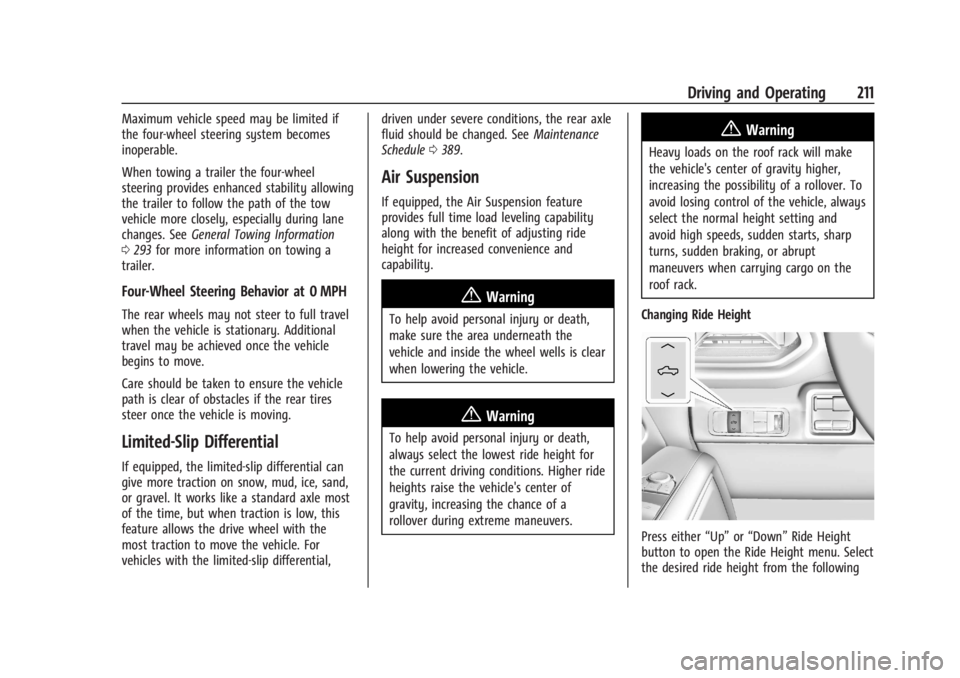
Press either “Up”or“Down” Ride Height
button to open the Ride Height menu. Select
the desired ride height from the following
Page 213 of 429
Chevrolet Silverado EV Owner Manual (GMNA-Localizing-U.S./Canada-
16702912) - 2024 - CRC - 1/17/23
212 Driving and Operating
options. After a brief pause, the menu will
timeout and the selection will finalize. Ride
heights that are unavailable for selection
will be greyed out in the menu.
Depending on the desired height, select one
of the following ride height options from
lowest to highest height:1. Entry/Exit
2. Normal
3. Increased
4. Maximum
Ride Height Descriptions
Entry/Exit
Entry/Exit height is the lowest height
option. This ride height lowers the vehicle
for easy entry and exit, and loading and
unloading of cargo.
This ride height can be selected in the Ride
Height Menu at any vehicle speed; but will
not lower until the vehicle slows.
The vehicle automatically raises to Normal
height from Entry/Exit height when the
vehicle speed increases.
The driver can enable Easy Exit Vehicle
Height Mode to automatically lower to
Entry/Exit Height when the vehicle is shifted to P (Park). Easy Exit Vehicle Height Mode
may be enabled via the infotainment screen
under Settings > Vehicle > Ride Height.
When the vehicle is higher than Normal
height, Easy Exit Vehicle Height Mode is
disabled. When the vehicle is in Tow/Haul
Mode, Off-Road Mode, Terrain Mode, or it
senses a trailer is connected, Easy Exit
Vehicle Height Mode is disabled.
Aerodynamic
Aerodynamic height is lower than Normal
height. The vehicle automatically lowers the
vehicle at higher vehicle speeds to improve
aerodynamics. This is not a selectable option
on the Ride Height menu.
The vehicle will raise to Normal height when
the vehicle slows.
Aerodynamic height is automatically
disabled when a trailer is connected to the
vehicle, Tow/Haul mode is active, or the
vehicle is at Increased Height.
Normal
Normal height is the standard vehicle height
used for everyday driving.
Increased
Increased height is higher than Normal
height. This ride height raises the vehicle for
off-road use. Increased height can be
selected in the Ride Height Menu while
vehicle speed is slower than average speeds.
Maximum
Maximum height is higher than Increased
height. This ride height raises the vehicle for
off-road use and maximum ground
clearance. Maximum height can be selected
in the Ride Height Menu while vehicle speed
is slower. When the vehicle speeds up, the
vehicle will lower to Increased height.
Suspension Modes
The air suspension has two special modes,
Service Mode and Alignment Mode, located
in the infotainment screen under Settings >
Vehicle > Suspension.
Service Mode
Service Mode will disable all air suspension
operation including raising and lowering the
vehicle and operation of the air compressor.
This mode is useful when the vehicle is
being towed on a flat bed or when any
work under the vehicle is being performed.
Page 214 of 429
Chevrolet Silverado EV Owner Manual (GMNA-Localizing-U.S./Canada-
16702912) - 2024 - CRC - 1/17/23
Driving and Operating 213
Service Mode is recommended when the
vehicle is put on a hoist or a floor jack is
used to raise a corner. Service Mode
automatically disables when the vehicle
speeds up.
Alignment Mode
Alignment Mode will optimize the vehicle
height to provide the most accurate wheel
alignment. This mode should be enabled
once the vehicle is driven onto the
alignment station.
To enable Alignment Mode, ensure the
vehicle is at Normal Height and shift the
vehicle to N (Neutral). Alignment Mode
automatically disables when the vehicle
speeds up.
Air Suspension Operation with Door(s) or
Hood Open
The air suspension will temporarily suspend
all height changes while the hood or any
door is open.
System Over-Temperature
If the air suspension is under heavy use, the
system may temporarily suspend all height
changes to allow the compressor to cool
down. When this occurs and a heightchange is requested, the message LEVELING
SYSTEM UNAVAILABLE will display in the
instrument cluster.
Air Suspension Service
If a SERVICE LEVELING SYSTEM message
displays in the instrument cluster, see your
authorized dealer immediately.
Cruise Control
If equipped, cruise control allows the vehicle
to maintain a set speed of 40 km/h
(25 mph) or more without active
acceleration. Cruise control does not work at
speeds below 40 km/h (25 mph).
{Warning
Cruise control can be dangerous where
you cannot drive safely at a steady
speed. Do not use cruise control on
winding roads or in heavy traffic.
Cruise control can be dangerous on
slippery roads. On such roads, fast
changes in tire traction can cause
excessive wheel slip, and you could lose
control. Do not use cruise control on
slippery roads.
Cruise control will disengage if:
.The Traction Control System (TCS) or
StabiliTrak/Electronic Stability Control
(ESC) system begins to limit wheel spin.
See
Traction Control/Electronic Stability
Control 0207.
.TCS or StabiliTrak/ESC is turned off.
.A collision alert occurs. See Forward
Collision Alert (FCA) System 0261.
.The brakes are applied.
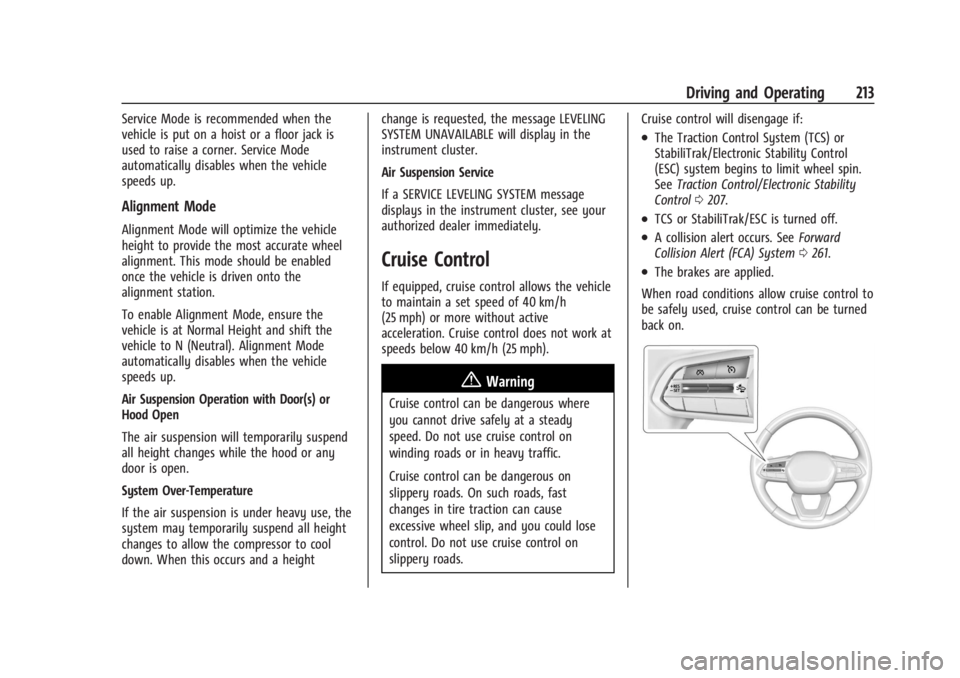
When road conditions allow cruise control to
be safely used, cruise control can be turned
back on.
Page 225 of 429
Chevrolet Silverado EV Owner Manual (GMNA-Localizing-U.S./Canada-
16702912) - 2024 - CRC - 1/17/23
224 Driving and Operating
{Warning
When using ACC to pass a vehicle or
perform a lane change, the following
distance to the vehicle being passed may
be reduced. ACC may not apply sufficient
acceleration or braking when passing a
vehicle or performing a lane change.
Always be ready to manually accelerate
or brake to complete the pass or lane
change.
Stationary or Very Slow-Moving Objects
{Warning
ACC may not detect and react to stopped
or slow-moving vehicles ahead of you. For
example, the system may not brake for a
vehicle it has never detected moving. This
can occur in stop-and-go traffic or when a
vehicle suddenly appears due to a vehicle
ahead changing lanes. Your vehicle may
not stop and could cause a crash. Use
caution when using ACC. Your complete
attention is always required while driving
and you should be ready to take action
and apply the brakes. Irregular Objects Affecting ACC
ACC may have difficulty detecting the
following objects:
.Vehicles with cargo extending from the
back end.
.Non-standard shaped vehicles, such as
vehicle transport, vehicles with a side car
fitted, or horse carriages.
.Objects that are close to the front of your
vehicle.
ACC Automatically Disengages
ACC may automatically disengage and the
driver will need to manually apply the
brakes to slow the vehicle if:
.The sensors are blocked.
.The Traction Control System (TCS) or
StabiliTrak/ESC system has activated or
has been disabled.
.If equipped with Air Suspension, the
vehicle ride height is outside normal
operating range. See Air Suspension0211.
.There is a fault in the system.
.The radar falsely reports a blockage when
driving in a remote area with no other
vehicles or roadside objects.
A DIC message may display to indicate that
ACC is temporarily unavailable. The ACC indicator light will turn white when
ACC is disengaged.
In some cases, when ACC is temporarily
unavailable, regular cruise control may be
used. See
“Switching Between ACC and
Regular Cruise Control” previously in this
section. Always consider driving conditions
before using either cruise control mode.
Notification to Resume ACC
ACC will maintain a follow distance gap
behind a detected vehicle, and will slow
down your vehicle to a stop behind that
vehicle.
If the stopped vehicle ahead has driven
away and ACC has not resumed, the vehicle
ahead indicator will flash as a reminder to
check traffic ahead before proceeding. In
addition, the left and right sides of the
Safety Alert Seat will pulse three times,
or three beeps will sound. To view available
settings from the infotainment screen, touch
Settings > Vehicle > Collision/Detection
Systems > Alert Type > Adaptive Cruise Go
Notifier.
If equipped with Driver Attention System
(DAS) located on top of the steering column,
when the vehicle ahead drives away, and
the DAS determines that the driver's
Page 231 of 429
Chevrolet Silverado EV Owner Manual (GMNA-Localizing-U.S./Canada-
16702912) - 2024 - CRC - 1/17/23
230 Driving and Operating
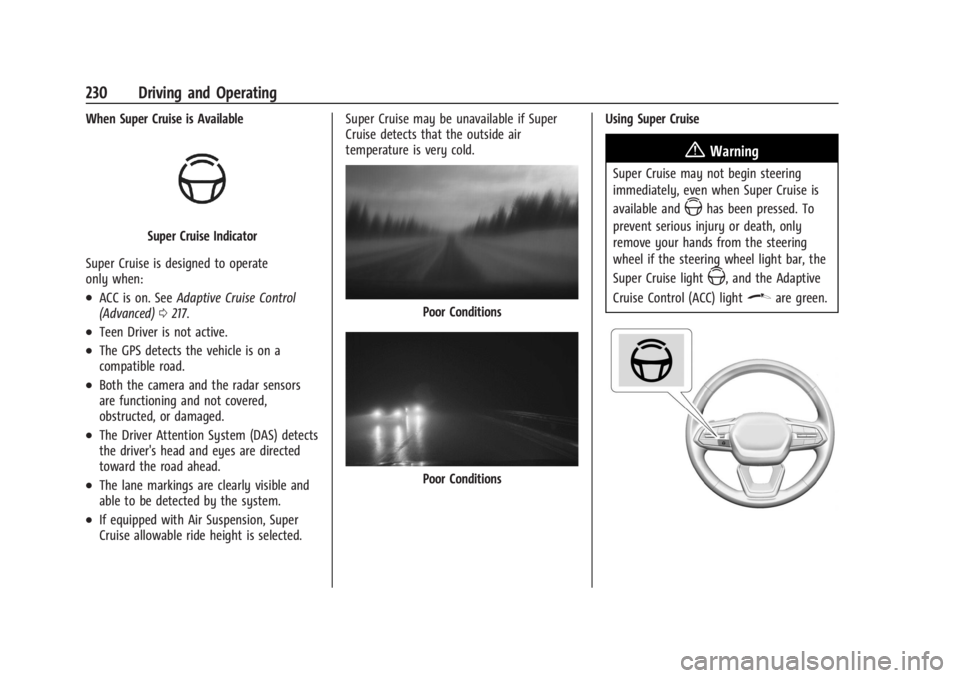
When Super Cruise is Available
Super Cruise Indicator
Super Cruise is designed to operate
only when:
.ACC is on. See Adaptive Cruise Control
(Advanced) 0217.
.Teen Driver is not active.
.The GPS detects the vehicle is on a
compatible road.
.Both the camera and the radar sensors
are functioning and not covered,
obstructed, or damaged.
.The Driver Attention System (DAS) detects
the driver's head and eyes are directed
toward the road ahead.
.The lane markings are clearly visible and
able to be detected by the system.
.If equipped with Air Suspension, Super
Cruise allowable ride height is selected. Super Cruise may be unavailable if Super
Cruise detects that the outside air
temperature is very cold.
Poor Conditions
Poor Conditions
Using Super Cruise
{Warning
Super Cruise may not begin steering
immediately, even when Super Cruise is
available and
Zhas been pressed. To
prevent serious injury or death, only
remove your hands from the steering
wheel if the steering wheel light bar, the
Super Cruise light
Z, and the Adaptive
Cruise Control (ACC) light
\are green.
Page 258 of 429
Chevrolet Silverado EV Owner Manual (GMNA-Localizing-U.S./Canada-
16702912) - 2024 - CRC - 1/17/23
Driving and Operating 257
is applied, or the vehicle is shifted into
P (Park). To start driving away, press the
brakes and shift into D (Drive).
Certain vehicle conditions and driver
interferences may also cancel automatic
parking:
.The driver manually steers the vehicle.
.The maximum allowed speed is exceeded.
.There is a failure with the APA system.
.Electronic stability control or antilock
brakes are activated.
.The parking brake is applied.
.Driver unbuckles the seat belt and opens
the door.
System Limitations
Automatic Parking Assist has certain
limitations. The system cannot:
.Continue to operate if the maneuver
speed exceeds 5 km/h (3 mph).
.Detect whether a parking space is legal or
restricted.
.Detect pavement markings or lines.
.Park the vehicle closely lined up with the
vehicle next to it, particularly if the spot
is approached at an angle or if the
parking space is angled.
.Park exactly centered in a very large spot.
.Always detect short curbs.
.Operate while towing any trailer.
.Function the vehicle is raised or lowered
by air suspension,if equipped.
When the System Does Not Seem to Work
Properly
If the vehicle does not reverse into the
expected parking space, the system could be
maneuvering the vehicle into a previously
detected space.
Remote Auto Parking
If equipped, the vehicle can complete the
automatic parking maneuvers while the
driver authorizes the maneuver via the
myChevrolet app on a compatible mobile
phone outside of the vehicle. The driver can
also activate an automatic parallel or
perpendicular unparking maneuver via the
myChevrolet app. The driver must always be
prepared to cancel the automatic maneuver
if necessary.
Remote Auto Parking works the same way
and has the same limitations as the
standard APA feature described above. The
main difference is that you must instead
exit the vehicle and use the
myChevrolet app.
{Warning
When using the remote parking feature,
stay within a short distance and visually
monitor the vehicle until parking is
complete. Do not leave the vehicle
unsupervised during remote parking.
How to Activate Remote Auto Parking
To activate Remote Auto Parking, press
O
on the infotainment screen for the system
to begin searching for a parking space while
driving forward at no greater than
30 km/h (18 mph). APA searches for parking
spaces to the left or right of the vehicle up
to the sensors’ ranges of 1.5 m (5 ft). To
choose or change the parking mode or side,
make a selection in the infotainment
display.
After completely passing an eligible parking
spot, a beep sounds and a notification to
stop the vehicle is displayed in the driver
information center. Generally, Remote Auto
Parking selects the nearest empty parking
spot behind the vehicle, but under some
conditions may select a space that is further
back. Slow down and bring the vehicle to a
complete stop to begin.
Page 304 of 429
Chevrolet Silverado EV Owner Manual (GMNA-Localizing-U.S./Canada-
16702912) - 2024 - CRC - 1/17/23
Driving and Operating 303
MeasurementHeight Example 1500 (mm)
H1 1000
H2 1050
H2-H1 50
(H2-H1)/2 25
H2- [(H2-H1)/2] 1025
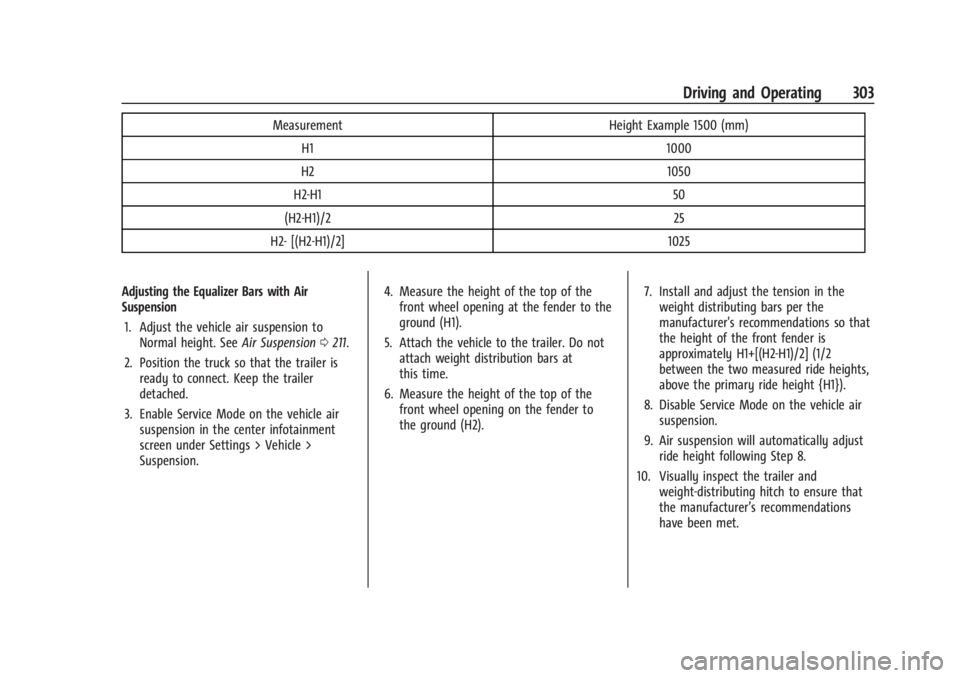
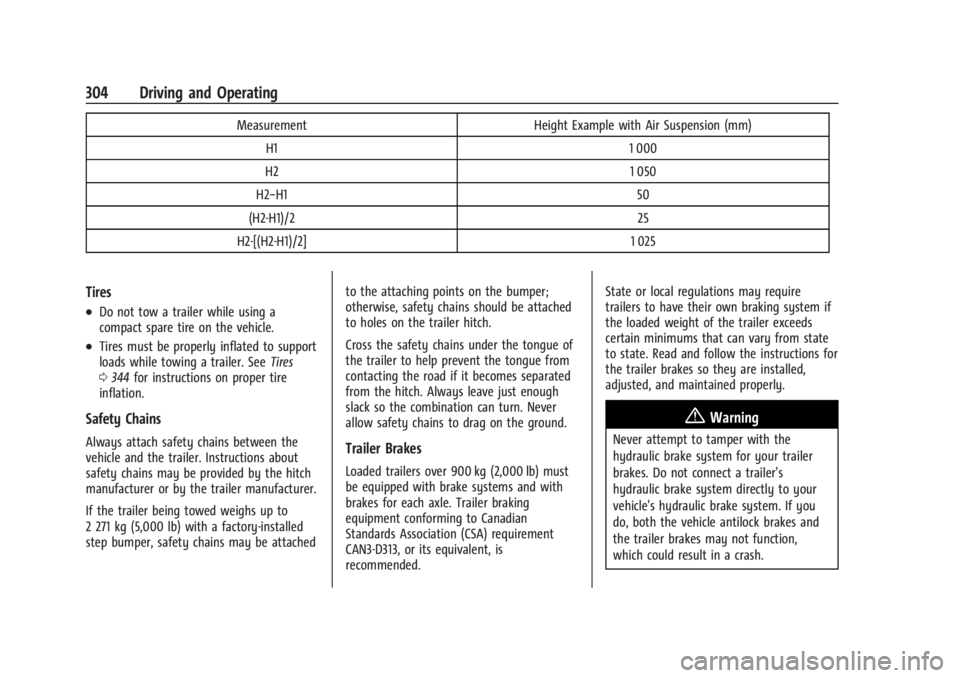
Adjusting the Equalizer Bars with Air
Suspension 1. Adjust the vehicle air suspension to Normal height. See Air Suspension0211.
2. Position the truck so that the trailer is ready to connect. Keep the trailer
detached.
3. Enable Service Mode on the vehicle air suspension in the center infotainment
screen under Settings > Vehicle >
Suspension. 4. Measure the height of the top of the
front wheel opening at the fender to the
ground (H1).
5. Attach the vehicle to the trailer. Do not attach weight distribution bars at
this time.
6. Measure the height of the top of the front wheel opening on the fender to
the ground (H2). 7. Install and adjust the tension in the
weight distributing bars per the
manufacturer's recommendations so that
the height of the front fender is
approximately H1+[(H2-H1)/2] (1/2
between the two measured ride heights,
above the primary ride height {H1}).
8. Disable Service Mode on the vehicle air suspension.
9. Air suspension will automatically adjust ride height following Step 8.
10. Visually inspect the trailer and weight-distributing hitch to ensure that
the manufacturer’s recommendations
have been met.
Page 305 of 429
Chevrolet Silverado EV Owner Manual (GMNA-Localizing-U.S./Canada-
16702912) - 2024 - CRC - 1/17/23
304 Driving and Operating
MeasurementHeight Example with Air Suspension (mm)
H1 1 000
H2 1 050
H2−H1 50
(H2-H1)/2 25
H2-[(H2-H1)/2] 1 025
Tires
.Do not tow a trailer while using a
compact spare tire on the vehicle.
.Tires must be properly inflated to support
loads while towing a trailer. SeeTires
0 344 for instructions on proper tire
inflation.
Safety Chains
Always attach safety chains between the
vehicle and the trailer. Instructions about
safety chains may be provided by the hitch
manufacturer or by the trailer manufacturer.
If the trailer being towed weighs up to
2 271 kg (5,000 lb) with a factory-installed
step bumper, safety chains may be attached to the attaching points on the bumper;
otherwise, safety chains should be attached
to holes on the trailer hitch.
Cross the safety chains under the tongue of
the trailer to help prevent the tongue from
contacting the road if it becomes separated
from the hitch. Always leave just enough
slack so the combination can turn. Never
allow safety chains to drag on the ground.Trailer Brakes
Loaded trailers over 900 kg (2,000 lb) must
be equipped with brake systems and with
brakes for each axle. Trailer braking
equipment conforming to Canadian
Standards Association (CSA) requirement
CAN3-D313, or its equivalent, is
recommended.State or local regulations may require
trailers to have their own braking system if
the loaded weight of the trailer exceeds
certain minimums that can vary from state
to state. Read and follow the instructions for
the trailer brakes so they are installed,
adjusted, and maintained properly.
{Warning
Never attempt to tamper with the
hydraulic brake system for your trailer
brakes. Do not connect a trailer's
hydraulic brake system directly to your
vehicle's hydraulic brake system. If you
do, both the vehicle antilock brakes and
the trailer brakes may not function,
which could result in a crash.