instrument cluster CHEVROLET SILVERADO EV 2024 Owner's Manual
[x] Cancel search | Manufacturer: CHEVROLET, Model Year: 2024, Model line: SILVERADO EV, Model: CHEVROLET SILVERADO EV 2024Pages: 429, PDF Size: 8.98 MB
Page 148 of 429

Chevrolet Silverado EV Owner Manual (GMNA-Localizing-U.S./Canada-
16702912) - 2024 - CRC - 1/13/23
Infotainment System 147
Infotainment System
Introduction
Introduction . . . . . . . . . . . . . . . . . . . . . . . . . . . 147
Overview . . . . . . . . . . . . . . . . . . . . . . . . . . . . . . 148
Steering Wheel Controls . . . . . . . . . . . . . . . 149
Using the System . . . . . . . . . . . . . . . . . . . . . 149
Software Updates . . . . . . . . . . . . . . . . . . . . . . 152
Radio
AM-FM Radio . . . . . . . . . . . . . . . . . . . . . . . . . . 152
Satellite Radio . . . . . . . . . . . . . . . . . . . . . . . . . 153
Radio Reception . . . . . . . . . . . . . . . . . . . . . . . . 153
Multi-Band Antenna . . . . . . . . . . . . . . . . . . . 154
Audio Players
Avoiding Untrusted Media Devices . . . . . 154
USB Port . . . . . . . . . . . . . . . . . . . . . . . . . . . . . . . 154
Bluetooth Audio . . . . . . . . . . . . . . . . . . . . . . . 155
Navigation
Using the Navigation System . . . . . . . . . . 155
Maps . . . . . . . . . . . . . . . . . . . . . . . . . . . . . . . . . . 156
Navigation Symbols . . . . . . . . . . . . . . . . . . . 156
Destination . . . . . . . . . . . . . . . . . . . . . . . . . . . . 157
Global Positioning System (GPS) . . . . . . . 157
Vehicle Positioning . . . . . . . . . . . . . . . . . . . . 158
Problems with Route Guidance . . . . . . . . 158
Voice Recognition
Voice Recognition . . . . . . . . . . . . . . . . . . . . . . 159
Phone
Bluetooth (Overview) . . . . . . . . . . . . . . . . . . 160
Bluetooth (Pairing and Using aPhone) . . . . . . . . . . . . . . . . . . . . . . . . . . . . . . . 161
Apple CarPlay and Android Auto . . . . . . . 165
Settings
Settings . . . . . . . . . . . . . . . . . . . . . . . . . . . . . . . 166
Teen Driver . . . . . . . . . . . . . . . . . . . . . . . . . . . . 168
Trademarks and License Agreements
Trademarks and License Agreements . . . 171
Introduction
Read the following pages to become familiar
with the features.
{Warning
Taking your eyes off the road for too
long or too often while using any
infotainment feature can cause a crash.
You or others could be injured or killed.
Do not give extended attention to
infotainment tasks while driving. Limit
your glances at the vehicle displays and
focus your attention on driving. Use voice
commands whenever possible.
The infotainment system has built-in
features intended to help avoid distraction
by disabling some features when driving.
These features may gray out when they are
unavailable. Many infotainment features are
also available through the instrument cluster
and steering wheel controls.
Before driving:
.Become familiar with the operation,
center stack controls, steering wheel
controls, and infotainment display.
Page 183 of 429
Chevrolet Silverado EV Owner Manual (GMNA-Localizing-U.S./Canada-
16702912) - 2024 - CRC - 1/17/23
182 Driving and Operating
Keep the inside of the windows clean to
reduce fogging. Turn off the front defroster
and rear defogger when they are not
needed.
Avoid driving with the windows open at
highway speeds.
Use the battery gauge on the instrument
cluster to view the effect of climate control
settings on your estimated driving range.
SeeBattery Gauge (High Voltage) 0110.
Outside Temperature
In cold weather conditions, it is best to plug
in the vehicle overnight, then remote start
the vehicle.
Allow the vehicle to warm up for
20 minutes before driving.
If possible, use a level 2 (240 volt) high
power charge station for best results. This
allows the interior of the vehicle and high
voltage battery to warm to the optimal
temperature.
In colder temperatures, while these
efficiency tips will help, the driving range
will be lower due to higher energy usage
including energy spent heating the cabin.
Vehicle Charging/Maintenance
Charging
Keep the vehicle plugged in, even when fully
charged, to maintain the battery
temperature ready for the next drive. This is
important when outside temperatures are
extremely hot or cold.
Maintenance
Always keep the tires properly inflated and
aligned.
Avoid unnecessary use of electrical
accessories. Power used for functions other
than propelling the vehicle will reduce
driving range.
Cargo Weight
The weight of excess cargo in the vehicle
affects efficiency and driving range. Avoid
carrying more than is needed.
Using a rooftop carrier will reduce efficiency
due to additional weight and drag.
Distracted Driving
Distraction comes in many forms and can
take your focus from the task of driving.
Exercise good judgment and do not let other
activities divert your attention away from the road. Many local governments have
enacted laws regarding driver distraction.
Become familiar with the local laws in
your area.
To avoid distracted driving, keep your eyes
on the road, keep your hands on the
steering wheel, and focus your attention on
driving.
.Do not use a phone in demanding driving
situations. Use a hands-free method to
place or receive necessary phone calls.
.Watch the road. Do not read, take notes,
or look up information on phones or
other electronic devices.
.Designate a front seat passenger to
handle potential distractions.
.Become familiar with vehicle features
before driving, such as programming
favorite radio stations and adjusting
climate control and seat settings. Program
all trip information into any navigation
device prior to driving.
.Wait until the vehicle is parked to
retrieve items that have fallen to the
floor.
.Stop or park the vehicle to tend to
children.
Page 190 of 429
Chevrolet Silverado EV Owner Manual (GMNA-Localizing-U.S./Canada-
16702912) - 2024 - CRC - 1/17/23
Driving and Operating 189
.After exiting the water, repeatedly and
gently apply the brakes to dry them off
and restore effectiveness.
If Something Goes Wrong
If during your off-road experience a warning
light or warning message displays on the
instrument cluster, or if the vehicle sustains
damage, stop driving as soon as it is safe to
do so. Correct the condition if possible
before continuing driving. If a warning light
or message appears, or if the condition
cannot be corrected, see your dealer. See
Vehicle Messages0135.
If the vehicle is operating with reduced
acceleration or reduced propulsion, stop
your off-road experience and drive slowly to
an accessible point for further assistance.
The vehicle should be taken to your dealer
for service as soon as possible. See
Propulsion Power Messages 0136 and
Propulsion Power is Limited Light 0115.
{Warning
A vehicle with driveline damage may roll
when shifted into P (Park). Always set
the Electric Parking Brake before
inspecting for driveline damage or when
(Continued)
Warning (Continued)
securing the vehicle on a flatbed tow
truck. SeeElectric Parking Brake 0205
and
Transporting a Disabled Vehicle 0378.
After Driving Your Vehicle Off-Road
Be sure to switch out of Off-Road Mode or
Terrain Mode to return to normal driving.
See Driver Mode Control 0209.
Remove any brush or debris that has
collected on the underbody or chassis,
or under the hood. Clean the lens of the
underbody camera. These accumulations can
be a fire hazard.
The extreme conditions of off-road driving
require more frequent maintenance service.
See "Severe Conditions Requiring More
Frequent Maintenance" and "Additional
Required Services —Severe Service" on
Maintenance Schedule 0389.
After operation in mud or sand, have the
brake linings cleaned and checked. These
substances can cause glazing and uneven
braking. Check the body structure, driveline, steering,
suspension, wheels, tires, and other vehicle
systems for damage, or have these
inspections done by your dealer.
{Warning
Lifting a vehicle and getting under it to
do maintenance or repairs is dangerous
without the appropriate safety equipment
and training. If a jack is provided with
the vehicle, it is designed only for
changing a flat tire. If it is used for
anything else, you or others could be
badly injured or killed if the vehicle slips
off the jack. If a jack is provided with the
vehicle, only use it for changing a
flat tire.
Driving on Wet Roads
Rain and wet roads can reduce vehicle
traction and affect your ability to stop and
accelerate. Always drive slower in these
types of driving conditions and avoid driving
through large puddles and deep-standing or
flowing water.
Page 198 of 429
Chevrolet Silverado EV Owner Manual (GMNA-Localizing-U.S./Canada-
16702912) - 2024 - CRC - 1/17/23
Driving and Operating 197
Truck-Camper Loading Information
The vehicle was neither designed nor
intended to carry a slide-in camper.Caution
Adding a slide-in camper or similar
equipment to the vehicle can damage it,
and the repairs would not be covered by
the vehicle warranty. Do not install a
slide-in camper or similar equipment on
the vehicle.
Starting and Operating
New Vehicle Break-In
Caution
Avoid making hard stops for the first
322 km (200 mi). During this time the
new brake linings are not yet broken in.
Hard stops with new linings can mean
premature wear and earlier replacement.
Follow this breaking-in guideline every
time you get new brake linings.
Following break-in, vehicle speed and load
can be gradually increased.
Power Modes
Powering On
This vehicle is equipped with Hands-Free
Start, which automatically starts the vehicle
when you enter with a remote key, press
the brake, or close the driver door.
If a remote key was left in the vehicle after
the last power cycle, closing the driver door
will not turn on the vehicle. The brake pedal
must be pressed to turn the vehicle on.
Driver Information Center (DIC) messages
will display explaining how to turn on the
vehicle.
If the remote key is not in the vehicle or
something is interfering with the remote
key, a message displays in the DIC.
If the vehicle does not turn on due to a low
remote key battery, the vehicle can still be
driven. SeeRemote Key Operation 09.
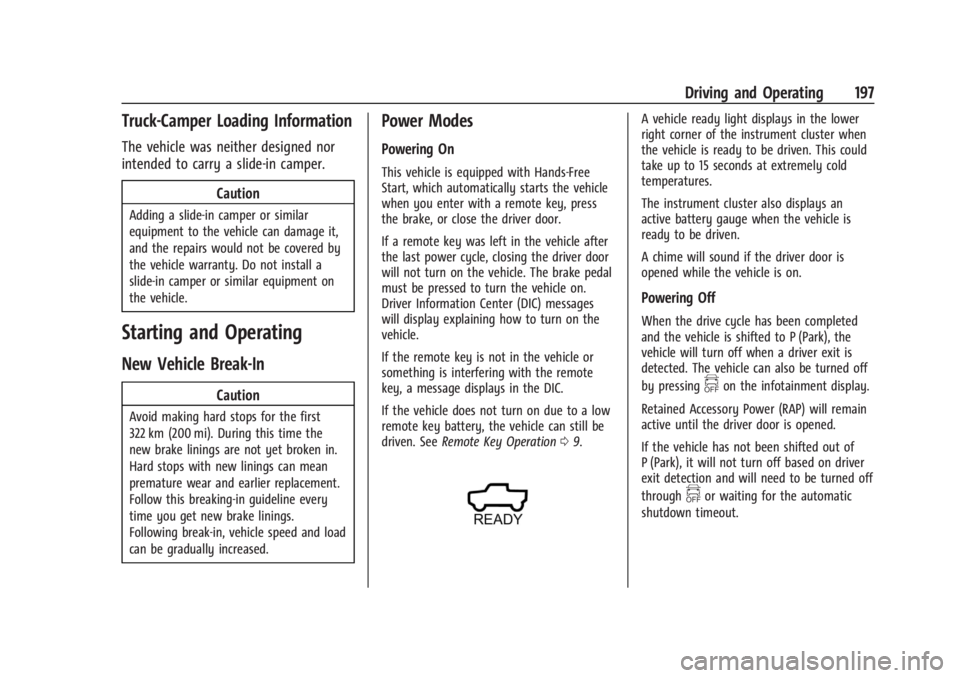
A vehicle ready light displays in the lower
right corner of the instrument cluster when
the vehicle is ready to be driven. This could
take up to 15 seconds at extremely cold
temperatures.
The instrument cluster also displays an
active battery gauge when the vehicle is
ready to be driven.
A chime will sound if the driver door is
opened while the vehicle is on.
Powering Off
When the drive cycle has been completed
and the vehicle is shifted to P (Park), the
vehicle will turn off when a driver exit is
detected. The vehicle can also be turned off
by pressing
fon the infotainment display.
Retained Accessory Power (RAP) will remain
active until the driver door is opened.
If the vehicle has not been shifted out of
P (Park), it will not turn off based on driver
exit detection and will need to be turned off
through
for waiting for the automatic
shutdown timeout.
Page 200 of 429
Chevrolet Silverado EV Owner Manual (GMNA-Localizing-U.S./Canada-
16702912) - 2024 - CRC - 1/17/23
Driving and Operating 199
Service Mode
This mode is available for service and
diagnostics, and to verify the proper
operation of the service vehicle soon light as
may be required for inspection or
maintenance purposes.
To place the vehicle in Service Mode:1. Ensure the vehicle is off, the driver door is open, and the brake pedal is not
applied.
2. Press and release the accelerator pedal three times within five seconds, keeping
the accelerator pressed on the
third time.
The instrument cluster and infotainment
systems will operate normally, but the
vehicle will not be able to be driven. The
propulsion system will not be active in
Service Mode. Press the brake pedal to turn
the vehicle on or press
fon the
infotainment display to turn the vehicle off.
Caution
Placing the vehicle in Service Mode will
use the 12-volt battery. Do not use
Service Mode for an extended period,
or the vehicle may not start.
Shifting Into Park
To shift into P (Park):
1. Hold the brake pedal down and set the parking brake. See Electric Parking Brake
0 205.
2. Press the P (Park) switch at the end of the shift lever. See Electric Drive Unit
0 200.
3. The P indicator on the shift lever will turn red when the vehicle is in P (Park).
If the vehicle is shifted into P (Park) on a
hill, the Electric Parking Brake (EPB) may
apply automatically. The driver may not be
able to release the EPB using the EPB
switch. It should automatically release when
the vehicle is shifted out of P (Park).
Leaving the Vehicle with the Propulsion
System On
{Warning
It is dangerous to get out of the vehicle
if the vehicle is not in P (Park) with the
parking brake set. The vehicle can roll. (Continued)
Warning (Continued)
Do not leave the vehicle when the
propulsion system is on. If you have left
the propulsion system on, the vehicle can
move suddenly. You or others could be
injured. To be sure the vehicle will not
move, even when you are on fairly level
ground, always set the parking brake and
press the P (Park) button. SeeShifting
Into Park 0199.
If the vehicle must be left with the
propulsion system on, be sure that the
vehicle is in P (Park) with the EPB set, before
leaving the vehicle. After pressing the
P (Park) button, hold down the regular brake
pedal. If you cannot see the P (Park)
indicator in the instrument cluster, it means
that the vehicle has not shifted to P (Park).
Shifting out of Park
This vehicle is equipped with an electric
drive unit. To shift out of P (Park) the vehicle
must be on, the brake pedal applied, and
the charge cord unplugged.
Page 209 of 429
Chevrolet Silverado EV Owner Manual (GMNA-Localizing-U.S./Canada-
16702912) - 2024 - CRC - 1/17/23
208 Driving and Operating
ESC activates when the vehicle senses a
difference between the intended path and
the direction the vehicle is actually traveling.
ESC selectively applies braking pressure to
one or more of the vehicle wheel brakes to
assist the driver in keeping the vehicle on
the intended path. Trailer Sway Control
(TSC) is also on automatically when the
vehicle is started. SeeTrailer Sway Control
(TSC) 0309.
If cruise control is being used and traction
control or ESC begins to limit wheel spin,
cruise control will disengage. Cruise control
may be turned back on when road
conditions allow.
Both systems come on automatically when
the vehicle is started and begins to move.
The systems may be heard or felt while
they are operating or while performing
diagnostic checks. This is normal and does
not mean there is a problem with the
vehicle.
It is recommended to leave both systems on
for normal driving conditions, but it may be
necessary to turn TCS off if the vehicle gets
stuck in sand, mud, ice, or snow. See If the
Vehicle Is Stuck 0192 and “Turning the
Systems Off and On” later in this section.
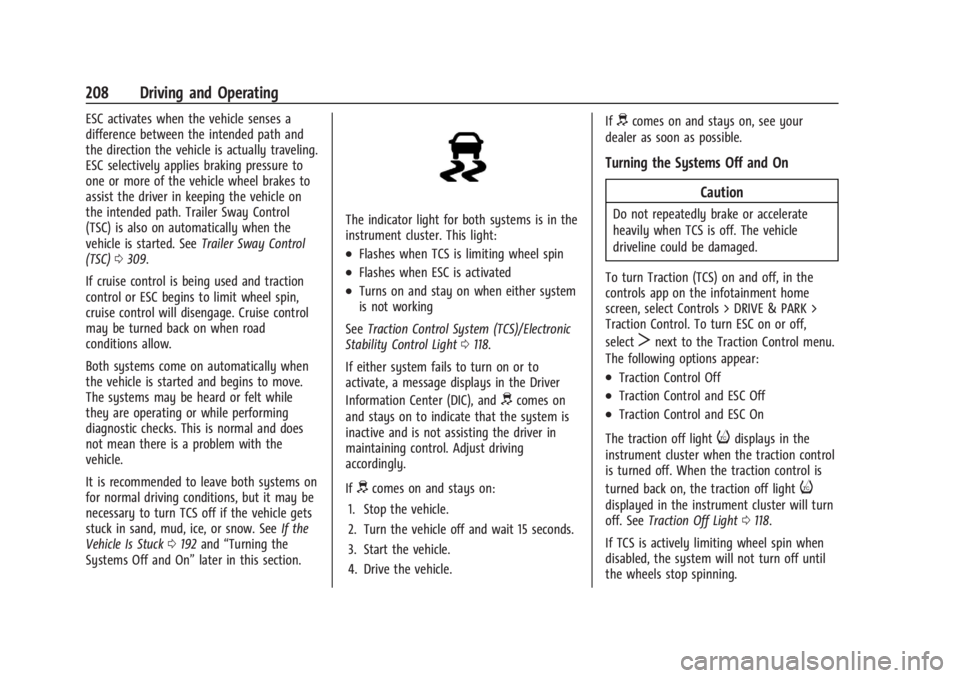
The indicator light for both systems is in the
instrument cluster. This light:
.Flashes when TCS is limiting wheel spin
.Flashes when ESC is activated
.Turns on and stay on when either system
is not working
See Traction Control System (TCS)/Electronic
Stability Control Light 0118.
If either system fails to turn on or to
activate, a message displays in the Driver
Information Center (DIC), and
dcomes on
and stays on to indicate that the system is
inactive and is not assisting the driver in
maintaining control. Adjust driving
accordingly.
If
dcomes on and stays on:
1. Stop the vehicle.
2. Turn the vehicle off and wait 15 seconds.
3. Start the vehicle.
4. Drive the vehicle. If
dcomes on and stays on, see your
dealer as soon as possible.
Turning the Systems Off and On
Caution
Do not repeatedly brake or accelerate
heavily when TCS is off. The vehicle
driveline could be damaged.
To turn Traction (TCS) on and off, in the
controls app on the infotainment home
screen, select Controls > DRIVE & PARK >
Traction Control. To turn ESC on or off,
select
Tnext to the Traction Control menu.
The following options appear:
.Traction Control Off
.Traction Control and ESC Off
.Traction Control and ESC On
The traction off light
idisplays in the
instrument cluster when the traction control
is turned off. When the traction control is
turned back on, the traction off light
i
displayed in the instrument cluster will turn
off. See Traction Off Light 0118.
If TCS is actively limiting wheel spin when
disabled, the system will not turn off until
the wheels stop spinning.
Page 210 of 429
Chevrolet Silverado EV Owner Manual (GMNA-Localizing-U.S./Canada-
16702912) - 2024 - CRC - 1/17/23
Driving and Operating 209
To turn ESC off, selectTnext to the
Traction Control menu. Select the Traction
Control and ESC Off option. The ESC off light
gwill display in the instrument cluster. See
Electronic Stability Control (ESC) Off Light
0 119.
TCS cannot be on when ESC is off.
ESC will automatically turn on if the vehicle
exceeds 56 km/h (35 mph) and cannot be
turned off again until speed is reduced.
Traction control will remain off.
Vehicles equipped with the four corner air
suspension will re-enable ESC at 32 km/h
(20 mph).
The vehicle has a Trailer Sway Control (TSC)
feature and a Hill Start Assist (HSA) feature.
See Trailer Sway Control (TSC) 0309 or
Hill Start Assist (HSA) 0206.
Entering Teen Driver will automatically
enable both TCS and ESC, and prevent these
safety features from being turned off. See
Teen Driver 0168.
Adding accessories can affect the vehicle
performance. See Accessories and
Modifications 0324.
Driver Mode Control
Driver Mode Control allows the driver to
adjust the overall driving experience by
selecting different modes. Driver Mode
Control has the following modes: Tour,
Sport, Snow/Ice, and a customizable mode:
My mode. Driver mode availability and
affected vehicle subsystems are dependent
upon trim level, region, and optional
features.
If the vehicle is in Tour mode, My mode,
or Sport mode it will stay in that mode
through future on/off cycles. If the vehicle is
in Snow/Ice mode, it will return to Tour
mode when the vehicle is restarted. When
each mode is selected, a unique and
persistent indicator is displayed in the
instrument cluster.
Mode Activation
To activate each mode, open the Drive Mode
App on the infotainment home screen.
Activate each mode by selecting the
mode icon.
Mode Descriptions
Normal Mode : Use for normal city and
highway driving to provide a smooth ride.
This setting provides balance between comfort and handling. There is no persistent
indicator in the instrument cluster for
this mode.
Off Road Mode :
Use this mode for off-road
recreational driving. Off Road mode should
be used to improve driving at moderate
speeds, on grass, gravel, dirt, unpaved roads,
or snow-covered roads. The accelerator pedal
is tuned for off road use. If equipped, this
mode also modifies steering, suspension,
active rear steer, e4WD, EVSE, ABS, ESC, and
TCS Performance.
For more information on off-road driving,
see Off-Road Driving 0185.
Tow/Haul Mode : Use this mode when
hauling heavy loads to provide increased
performance and vehicle control. Tow/Haul
mode adjusts the pedal map, steering, active
rear steer, suspension, and TSC performance.
If equipped with a Work Truck, the
Tow/Haul mode may be operated through a
button on the center stack. Press
_to
activate Tow/Haul mode.
If the vehicle is turned off with Tow/Haul
mode active and then restarted within four
hours or less, Tow/Haul mode will remain
active. Otherwise, the vehicle will start in
Normal mode.
Page 214 of 429
Chevrolet Silverado EV Owner Manual (GMNA-Localizing-U.S./Canada-
16702912) - 2024 - CRC - 1/17/23
Driving and Operating 213
Service Mode is recommended when the
vehicle is put on a hoist or a floor jack is
used to raise a corner. Service Mode
automatically disables when the vehicle
speeds up.
Alignment Mode
Alignment Mode will optimize the vehicle
height to provide the most accurate wheel
alignment. This mode should be enabled
once the vehicle is driven onto the
alignment station.
To enable Alignment Mode, ensure the
vehicle is at Normal Height and shift the
vehicle to N (Neutral). Alignment Mode
automatically disables when the vehicle
speeds up.
Air Suspension Operation with Door(s) or
Hood Open
The air suspension will temporarily suspend
all height changes while the hood or any
door is open.
System Over-Temperature
If the air suspension is under heavy use, the
system may temporarily suspend all height
changes to allow the compressor to cool
down. When this occurs and a heightchange is requested, the message LEVELING
SYSTEM UNAVAILABLE will display in the
instrument cluster.
Air Suspension Service
If a SERVICE LEVELING SYSTEM message
displays in the instrument cluster, see your
authorized dealer immediately.
Cruise Control
If equipped, cruise control allows the vehicle
to maintain a set speed of 40 km/h
(25 mph) or more without active
acceleration. Cruise control does not work at
speeds below 40 km/h (25 mph).
{Warning
Cruise control can be dangerous where
you cannot drive safely at a steady
speed. Do not use cruise control on
winding roads or in heavy traffic.
Cruise control can be dangerous on
slippery roads. On such roads, fast
changes in tire traction can cause
excessive wheel slip, and you could lose
control. Do not use cruise control on
slippery roads.
Cruise control will disengage if:
.The Traction Control System (TCS) or
StabiliTrak/Electronic Stability Control
(ESC) system begins to limit wheel spin.
See
Traction Control/Electronic Stability
Control 0207.
.TCS or StabiliTrak/ESC is turned off.
.A collision alert occurs. See Forward
Collision Alert (FCA) System 0261.
.The brakes are applied.
When road conditions allow cruise control to
be safely used, cruise control can be turned
back on.
Page 215 of 429
Chevrolet Silverado EV Owner Manual (GMNA-Localizing-U.S./Canada-
16702912) - 2024 - CRC - 1/17/23
214 Driving and Operating
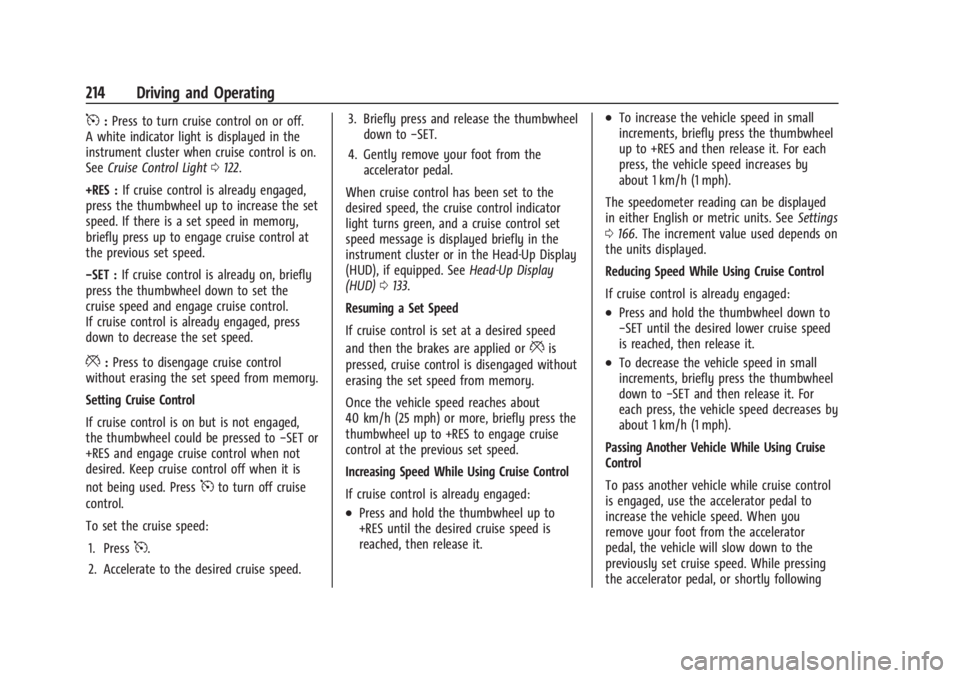
5:Press to turn cruise control on or off.
A white indicator light is displayed in the
instrument cluster when cruise control is on.
See Cruise Control Light 0122.
+RES : If cruise control is already engaged,
press the thumbwheel up to increase the set
speed. If there is a set speed in memory,
briefly press up to engage cruise control at
the previous set speed.
−SET : If cruise control is already on, briefly
press the thumbwheel down to set the
cruise speed and engage cruise control.
If cruise control is already engaged, press
down to decrease the set speed.
*: Press to disengage cruise control
without erasing the set speed from memory.
Setting Cruise Control
If cruise control is on but is not engaged,
the thumbwheel could be pressed to −SET or
+RES and engage cruise control when not
desired. Keep cruise control off when it is
not being used. Press
5to turn off cruise
control.
To set the cruise speed:
1. Press
5.
2. Accelerate to the desired cruise speed. 3. Briefly press and release the thumbwheel
down to −SET.
4. Gently remove your foot from the accelerator pedal.
When cruise control has been set to the
desired speed, the cruise control indicator
light turns green, and a cruise control set
speed message is displayed briefly in the
instrument cluster or in the Head-Up Display
(HUD), if equipped. See Head-Up Display
(HUD) 0133.
Resuming a Set Speed
If cruise control is set at a desired speed
and then the brakes are applied or
*is
pressed, cruise control is disengaged without
erasing the set speed from memory.
Once the vehicle speed reaches about
40 km/h (25 mph) or more, briefly press the
thumbwheel up to +RES to engage cruise
control at the previous set speed.
Increasing Speed While Using Cruise Control
If cruise control is already engaged:
.Press and hold the thumbwheel up to
+RES until the desired cruise speed is
reached, then release it.
.To increase the vehicle speed in small
increments, briefly press the thumbwheel
up to +RES and then release it. For each
press, the vehicle speed increases by
about 1 km/h (1 mph).
The speedometer reading can be displayed
in either English or metric units. See Settings
0 166. The increment value used depends on
the units displayed.
Reducing Speed While Using Cruise Control
If cruise control is already engaged:
.Press and hold the thumbwheel down to
−SET until the desired lower cruise speed
is reached, then release it.
.To decrease the vehicle speed in small
increments, briefly press the thumbwheel
down to −SET and then release it. For
each press, the vehicle speed decreases by
about 1 km/h (1 mph).
Passing Another Vehicle While Using Cruise
Control
To pass another vehicle while cruise control
is engaged, use the accelerator pedal to
increase the vehicle speed. When you
remove your foot from the accelerator
pedal, the vehicle will slow down to the
previously set cruise speed. While pressing
the accelerator pedal, or shortly following
Page 217 of 429
Chevrolet Silverado EV Owner Manual (GMNA-Localizing-U.S./Canada-
16702912) - 2024 - CRC - 1/17/23
216 Driving and Operating
In Auto mode, you can adjust the set speed
with an offset above or below the identified
speed limit using the steering wheel
controls. See "Turning Speed Limiter On and
Off" later in this section.
{Warning
In Auto mode, Speed Limiter may not
prompt for set speed changes when
encountering conditional speed limit
signs, for example time frames or when
construction workers are present. To
avoid a crash, personal injury, or death,
always pay attention to posted signs and
follow applicable traffic laws.
Manual Speed Limiter
Speed Limiter can also be used in Manual
mode. In Manual mode, all changes to the
set speed are controlled by the driver.
Selecting the Speed Limiter Mode
To enable Speed Limiter, select a Speed
Limiter mode. From the infotainment
home screen touch Controls > Drive
(Drive & Park) > Speed Limiter. The
following options are available:
.Off
.Manual
.Auto
When a Speed Limiter mode is selected,
s
will be lit white in the instrument cluster.
Setting Speed Limiter
Press the thumbwheel down to −SET to
activate Speed Limiter and use the current
vehicle speed as the set speed. When Speed
Limiter is active,
swill be lit green in the
instrument cluster.
Increasing the Set Speed
While Speed Limiter is active, move the
thumbwheel up to +RES to increase the set
speed (Manual mode), or to increase the
offset from the area speed limit
(Auto mode).
.Briefly move the thumbwheel up to +RES
and release it. For each press, the set
speed increases by 1 km/h (1 mph).
.Press and hold the thumbwheel up to
+RES to increase the set speed by 5 km/h
(5 mph). Release the thumbwheel when
the desired set speed is displayed in the
instrument cluster.
When using Speed Limiter in Auto mode,
there is a predefined maximum allowed
value of offset beyond which the set speed
cannot be increased. Decreasing the Set Speed
While Speed Limiter is active, move the
thumbwheel down to
−SET to decrease the
set speed (Manual mode), or to decrease the
offset from the area speed limit
(Auto mode).
.Briefly move the thumbwheel down to
−SET and release it. For each press, the
set speed decreases by 1 km/h (1 mph).
.Press and hold the thumbwheel down to
−SET to decrease the set speed by 5 km/h
(5 mph). Release the thumbwheel when
the desired set speed is displayed in the
instrument cluster.
When using Speed Limiter in Auto mode,
there is a predefined minimum allowed
value of offset beyond which the set speed
cannot be decreased.
Accept or Decline Automatic Set Speed
Changes (Auto)
When Speed Limiter is in Auto mode, is
active, and a new speed limit sign is
detected, it will propose a new set speed
based on the detected speed limit sign. The
proposed new set speed will be displayed as
a message in the instrument cluster.