instrument panel CHEVROLET SILVERADO EV 2024 Owner's Manual
[x] Cancel search | Manufacturer: CHEVROLET, Model Year: 2024, Model line: SILVERADO EV, Model: CHEVROLET SILVERADO EV 2024Pages: 429, PDF Size: 8.98 MB
Page 278 of 429
Chevrolet Silverado EV Owner Manual (GMNA-Localizing-U.S./Canada-
16702912) - 2024 - CRC - 1/17/23
Driving and Operating 277
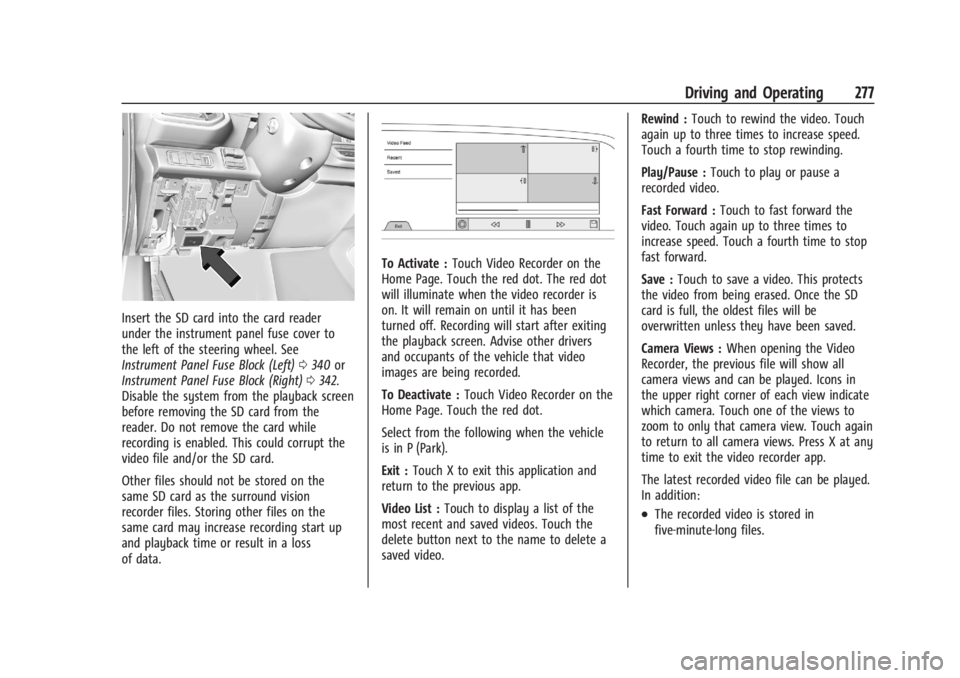
Insert the SD card into the card reader
under the instrument panel fuse cover to
the left of the steering wheel. See
Instrument Panel Fuse Block (Left)0340 or
Instrument Panel Fuse Block (Right) 0342.
Disable the system from the playback screen
before removing the SD card from the
reader. Do not remove the card while
recording is enabled. This could corrupt the
video file and/or the SD card.
Other files should not be stored on the
same SD card as the surround vision
recorder files. Storing other files on the
same card may increase recording start up
and playback time or result in a loss
of data.
To Activate : Touch Video Recorder on the
Home Page. Touch the red dot. The red dot
will illuminate when the video recorder is
on. It will remain on until it has been
turned off. Recording will start after exiting
the playback screen. Advise other drivers
and occupants of the vehicle that video
images are being recorded.
To Deactivate : Touch Video Recorder on the
Home Page. Touch the red dot.
Select from the following when the vehicle
is in P (Park).
Exit : Touch X to exit this application and
return to the previous app.
Video List : Touch to display a list of the
most recent and saved videos. Touch the
delete button next to the name to delete a
saved video. Rewind :
Touch to rewind the video. Touch
again up to three times to increase speed.
Touch a fourth time to stop rewinding.
Play/Pause : Touch to play or pause a
recorded video.
Fast Forward : Touch to fast forward the
video. Touch again up to three times to
increase speed. Touch a fourth time to stop
fast forward.
Save : Touch to save a video. This protects
the video from being erased. Once the SD
card is full, the oldest files will be
overwritten unless they have been saved.
Camera Views : When opening the Video
Recorder, the previous file will show all
camera views and can be played. Icons in
the upper right corner of each view indicate
which camera. Touch one of the views to
zoom to only that camera view. Touch again
to return to all camera views. Press X at any
time to exit the video recorder app.
The latest recorded video file can be played.
In addition:
.The recorded video is stored in
five-minute-long files.
Page 307 of 429
Chevrolet Silverado EV Owner Manual (GMNA-Localizing-U.S./Canada-
16702912) - 2024 - CRC - 1/17/23
306 Driving and Operating
This symbol is on the Trailer Brake Control
Panel on vehicles with an ITBC system. The
power output to the trailer brakes is
proportional to the amount of vehicle
braking. This available power output to the
trailer brakes can be adjusted to a wide
range of trailering situations.
The ITBC system is integrated with the
vehicle brakes, Antilock Brake System (ABS),
and StabiliTrak/Electronic Stability Control
(ESC) systems. In trailering conditions that
cause the vehicle’s anti-lock brake or
StabiliTrak/ESC systems to activate, power
sent to the trailer's brakes will be
automatically adjusted to minimize trailer
wheel lock-up. This does not imply that the
trailer has StabiliTrak/ESC.
If the vehicle brakes, ABS, or StabiliTrak/ESC
systems are not functioning properly, the
ITBC system may not function fully or at all.
Make sure all of these systems are fully
operational to allow the ITBC system to
function properly.
The ITBC system is powered through the
vehicle's electrical system. Turning the
vehicle off will also turn off the ITBC
system. The ITBC system is fully functional
only when the vehicle is in ON/RUN.{Warning
Connecting a trailer that has an air brake
system may result in reduced or
complete loss of trailer braking, including
increased stopping distance or trailer
instability which could result in serious
injury, death, or property damage. Only
use the ITBC system with electric or
electric over hydraulic trailer brake
systems.
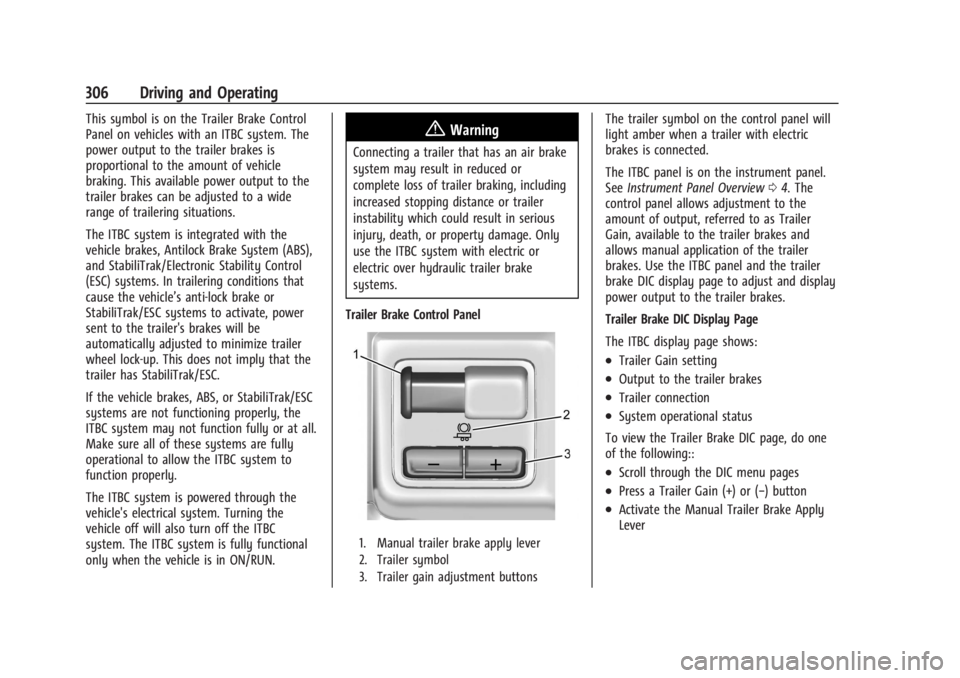
Trailer Brake Control Panel
1. Manual trailer brake apply lever
2. Trailer symbol
3. Trailer gain adjustment buttons
The trailer symbol on the control panel will
light amber when a trailer with electric
brakes is connected.
The ITBC panel is on the instrument panel.
See Instrument Panel Overview 04. The
control panel allows adjustment to the
amount of output, referred to as Trailer
Gain, available to the trailer brakes and
allows manual application of the trailer
brakes. Use the ITBC panel and the trailer
brake DIC display page to adjust and display
power output to the trailer brakes.
Trailer Brake DIC Display Page
The ITBC display page shows:
.Trailer Gain setting
.Output to the trailer brakes
.Trailer connection
.System operational status
To view the Trailer Brake DIC page, do one
of the following::
.Scroll through the DIC menu pages
.Press a Trailer Gain (+) or (−) button
.Activate the Manual Trailer Brake Apply
Lever
Page 324 of 429
Chevrolet Silverado EV Owner Manual (GMNA-Localizing-U.S./Canada-
16702912) - 2024 - CRC - 1/13/23
Vehicle Care 323
Vehicle Care
General Information
General Information . . . . . . . . . . . . . . . . . . . 324
California Perchlorate MaterialsRequirements . . . . . . . . . . . . . . . . . . . . . . . . 324
Accessories and Modifications . . . . . . . . . 324
Vehicle Checks
Doing Your Own Service Work . . . . . . . . 324
Underhood Compartment Overview . . . 325
Cooling System . . . . . . . . . . . . . . . . . . . . . . . . 327
Washer Fluid . . . . . . . . . . . . . . . . . . . . . . . . . . 328
Brakes . . . . . . . . . . . . . . . . . . . . . . . . . . . . . . . . . 328
Brake Fluid . . . . . . . . . . . . . . . . . . . . . . . . . . . . 329
Battery - North America . . . . . . . . . . . . . . . 330
Noise Control System (RST Only) . . . . . . 332
Wiper Blade Replacement . . . . . . . . . . . . . 333
Glass Replacement . . . . . . . . . . . . . . . . . . . . . 333
Windshield Replacement . . . . . . . . . . . . . . 334
Gas Strut(s) . . . . . . . . . . . . . . . . . . . . . . . . . . . 334
Headlamp Aiming
Front Headlamp Aiming . . . . . . . . . . . . . . . 335
Bulb Replacement
LED Lighting . . . . . . . . . . . . . . . . . . . . . . . . . . . 335
Electrical System
High Voltage Devices and Wiring . . . . . . 335
Electrical System Overload . . . . . . . . . . . . . 335 Fuses and Circuit Breakers . . . . . . . . . . . . . 337
Underhood Compartment Fuse
Block . . . . . . . . . . . . . . . . . . . . . . . . . . . . . . . . 337
Instrument Panel Fuse Block (Left) . . . . 340
Instrument Panel Fuse Block (Right) . . . 342
Wheels and Tires
Tires . . . . . . . . . . . . . . . . . . . . . . . . . . . . . . . . . . 344
All-Season Tires . . . . . . . . . . . . . . . . . . . . . . . . 345
Winter Tires . . . . . . . . . . . . . . . . . . . . . . . . . . . 345
Tire Sidewall Labeling . . . . . . . . . . . . . . . . . 346
Tire Designations . . . . . . . . . . . . . . . . . . . . . . 347
Tire Terminology and Definitions . . . . . . 347
Tire Pressure . . . . . . . . . . . . . . . . . . . . . . . . . . 349
Tire Pressure for High-Speed Operation . . . . . . . . . . . . . . . . . . . . . . . . . . . 350
Tire Pressure Monitor System . . . . . . . . . . 351
Tire Pressure Monitor Operation . . . . . . . 351
Tire Inspection . . . . . . . . . . . . . . . . . . . . . . . . . 355
Tire Rotation . . . . . . . . . . . . . . . . . . . . . . . . . . 356
When It Is Time for New Tires . . . . . . . . 357
Buying New Tires . . . . . . . . . . . . . . . . . . . . . 358
Different Size Tires and Wheels . . . . . . . 359
Uniform Tire Quality Grading . . . . . . . . . 359
Wheel Alignment and Tire Balance . . . . 360
Wheel Replacement . . . . . . . . . . . . . . . . . . . 360
Tire Chains . . . . . . . . . . . . . . . . . . . . . . . . . . . . 361
If a Tire Goes Flat . . . . . . . . . . . . . . . . . . . . . 362
Tire Sealant and Compressor Kit . . . . . . . 363
Storing the Tire Sealant and
Compressor Kit . . . . . . . . . . . . . . . . . . . . . . 368 Tire Changing . . . . . . . . . . . . . . . . . . . . . . . . . 369
Full-Size Spare Tire . . . . . . . . . . . . . . . . . . . . 374
Jump Starting
Jump Starting - North America . . . . . . . . 375
Towing the Vehicle
Transporting a Disabled Vehicle . . . . . . . 378
Recreational Vehicle Towing . . . . . . . . . . . 379
Appearance Care
Exterior Care . . . . . . . . . . . . . . . . . . . . . . . . . . 379
Interior Care . . . . . . . . . . . . . . . . . . . . . . . . . . 384
Floor Mats . . . . . . . . . . . . . . . . . . . . . . . . . . . . 387
Page 338 of 429
Chevrolet Silverado EV Owner Manual (GMNA-Localizing-U.S./Canada-
16702912) - 2024 - CRC - 1/13/23
Vehicle Care 337
If the overload is caused by an electrical
problem and not snow or ice, be sure to get
it fixed.
Fuses and Circuit Breakers
The wiring circuits in the vehicle are
protected from short circuits by a
combination of fuses and circuit breakers.
This greatly reduces the chance of damage
caused by electrical problems.
{Danger
Fuses and circuit breakers are marked
with their ampere rating. Do not exceed
the specified amperage rating when
replacing fuses and circuit breakers. Use
of an oversized fuse or circuit breaker can
result in a vehicle fire. You and others
could be seriously injured or killed.
{Warning
Installation or use of fuses that do not
meet GM’s original fuse specifications is
dangerous. The fuses could fail, and result
in a fire. You or others could be injured
or killed, and the vehicle could be
damaged.
See Accessories and Modifications 0324 and
General Information 0324.
To check or replace a blown fuse, see
Electrical System Overload 0335.
Underhood Compartment Fuse
Block
The underhood compartment fuse block is in
the underhood compartment, on the
passenger side of the vehicle.
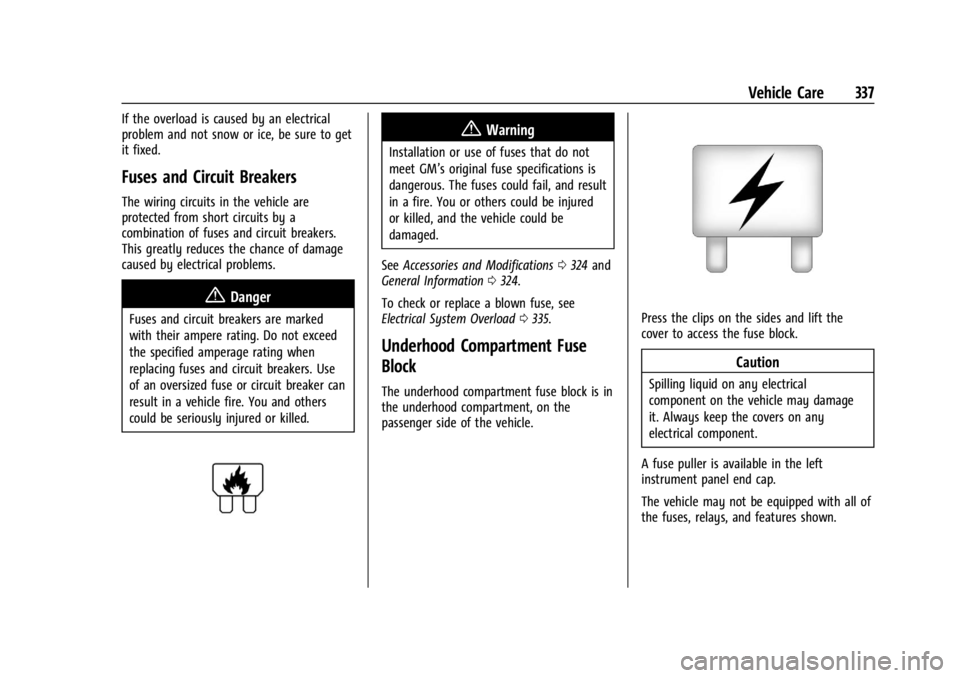
Press the clips on the sides and lift the
cover to access the fuse block.
Caution
Spilling liquid on any electrical
component on the vehicle may damage
it. Always keep the covers on any
electrical component.
A fuse puller is available in the left
instrument panel end cap.
The vehicle may not be equipped with all of
the fuses, relays, and features shown.
Page 341 of 429
Chevrolet Silverado EV Owner Manual (GMNA-Localizing-U.S./Canada-
16702912) - 2024 - CRC - 1/13/23
340 Vehicle Care
FusesUsage
F66 –
F67 EMB/GRILL LIGHT
F68 HDLP_LT
F69 MIDGATE LEFT MOTOR F70 EBCM 1 F71 DC/AC INV
F72 Spare
F73 –
F74 –
F75 Spare
F76 HDLP_RT F77 –
F78 MIDGATE CROSS BAR MOTOR 2
MIDGATE CROSS BAR
MOTOR 1
F79 PCV_PEEV_ALD FR RADAR/VIRTUAL KEY
F80 IECR 2 F81 IECL 1 Fuses
Usage
F82 –
F83 –
F84 V2LIM F85 Spare HVS (HIGH VOLTAGE
SERVICE DISCONNECT)
F86 HORN F87 FRT WSHR PMP
F88 –
F89 –
F90 –
F91 –Instrument Panel Fuse Block (Left)
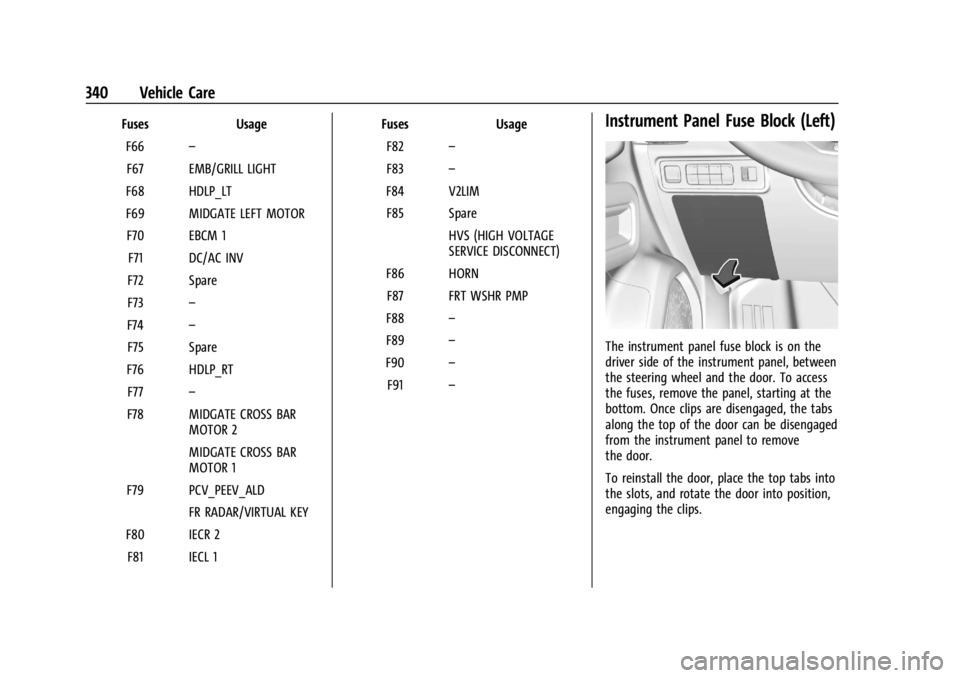
The instrument panel fuse block is on the
driver side of the instrument panel, between
the steering wheel and the door. To access
the fuses, remove the panel, starting at the
bottom. Once clips are disengaged, the tabs
along the top of the door can be disengaged
from the instrument panel to remove
the door.
To reinstall the door, place the top tabs into
the slots, and rotate the door into position,
engaging the clips.
Page 343 of 429
Chevrolet Silverado EV Owner Manual (GMNA-Localizing-U.S./Canada-
16702912) - 2024 - CRC - 1/13/23
342 Vehicle Care
FusesUsage
F10 WCM_VKM –Wireless
Charger Module
TVR_APA_PFA
F11 2ND HTD SEAT –2nd Row
Heated Seat
2ND HTD SEAT –2nd Row
Heated Seat 1
F12 SPARE
F13 TPIM TPIM 2
F14 SPARE F15 SPARE
F16 Tonneau Accessory F17 SDM_AOS SRR
F18 SPARE
F19 SPARE
F20 OBCM 2 MSM
F21 HSM ROW HSM ROW 1 Fuses
Usage
F22 SPARE
F23 MJR END HIGH
F24 TPIM 1 & VBAT 1 –Traction
Power Inverter Module 1
F25 SPARE
F26 TPIM 2 & VBAT 1 –Traction
Power Inverter Module 1
F27 DSP
F28 ELM 7 –Exterior Lighting
Module 7
F29 SPARE
F30 MJR END LOW F31 ELM 2 –Exterior Lighting
Module 2
F32 RFR/PLCM
F33 MIDGATE CONTROL LOW
F34 ACP_VPM F35 AMP –Amplifier
F36 CO-DRVR_PWR_ST F37 SPARE Fuses
Usage
F38 ELM 6 –Exterior Lighting
Module 6
F39 RT WNDW –Right Hand
Power Window
F40 LT WNDW –Left Hand
Power Window
Circuit
Breakers Usage
CB01 –
CB02 –
Instrument Panel Fuse Block
(Right)
The instrument panel fuse block is located
behind the glove box. It is accessible by
removing the hush panel located underneath
the glove box. To remove the hush panel,
remove the four push-pins that secure the
hush panel.
Page 387 of 429
Chevrolet Silverado EV Owner Manual (GMNA-Localizing-U.S./Canada-
16702912) - 2024 - CRC - 1/13/23
386 Vehicle Care
3. Start on the outside edge of the soil andgently rub toward the center. Fold the
cleaning cloth to a clean area frequently
to prevent forcing the soil into the
fabric.
4. Continue gently rubbing the soiled area until there is no longer any color
transfer from the soil to the cleaning
cloth.
5. If the soil is not completely removed, use a mild soap solution followed only
by plain water.
If the soil is not completely removed, it may
be necessary to use a commercial upholstery
cleaner or spot lifter. Test a small hidden
area for colorfastness before using a
commercial upholstery cleaner or spot lifter.
If ring formation occurs, clean the entire
fabric or carpet.
After cleaning, use a paper towel to blot
excess moisture.
Cleaning High Gloss Surfaces and Vehicle
Information and Radio Displays
Use a microfiber cloth on high gloss surfaces
or vehicle displays. First, use a soft bristle
brush to remove dirt that can scratch the
surface. Then gently clean by rubbing with a
microfiber cloth. Never use window cleaners or solvents. Periodically hand wash the
microfiber cloth separately, using mild soap.
Do not use bleach or fabric softener. Rinse
thoroughly and air dry before next use.
Caution
Do not attach a device with a suction cup
to the display. This may cause damage
and would not be covered by the vehicle
warranty.
Instrument Panel, Leather, Vinyl, Other
Plastic Surfaces, Low Gloss Paint
Surfaces, and Natural Open Pore Wood
Surfaces
Use a soft bristle brush to remove dust from
knobs and crevices on the instrument
cluster. Use a soft microfiber cloth
dampened with water to remove dust and
loose dirt. For a more thorough cleaning,
use a soft microfiber cloth dampened with a
mild soap and water solution.
Caution
Soaking or saturating leather, especially
perforated leather, as well as other
interior surfaces, may cause permanent
damage. Wipe excess moisture from
(Continued)
Caution (Continued)
these surfaces after cleaning and allow
them to dry naturally. Never use heat,
steam, or spot removers. Do not use
liquids that contain alcohol or solvents on
leather seats. Do not use cleaners that
contain silicone or wax-based products.
Cleaners containing these solvents can
permanently change the appearance and
feel of leather or soft trim, and are not
recommended.
Do not use cleaners that increase gloss,
especially on the instrument panel. Reflected
glare can decrease visibility through the
windshield under certain conditions.
Caution
Use of air fresheners may cause
permanent damage to plastics and
painted surfaces. If an air freshener
comes in contact with any plastic or
painted surface in the vehicle, blot
immediately and clean with a soft cloth
dampened with a mild soap solution.
Damage caused by air fresheners would
not be covered by the vehicle warranty.
Page 395 of 429
Chevrolet Silverado EV Owner Manual (GMNA-Localizing-U.S./Canada-
16702912) - 2024 - CRC - 1/13/23
394 Technical Data
Technical Data
Vehicle Identification
Vehicle Identification Number (VIN) . . . 394
Service Parts Identification . . . . . . . . . . . . 394
Vehicle Data
Capacities and Specifications . . . . . . . . . . 395
Vehicle Identification
Vehicle Identification
Number (VIN)
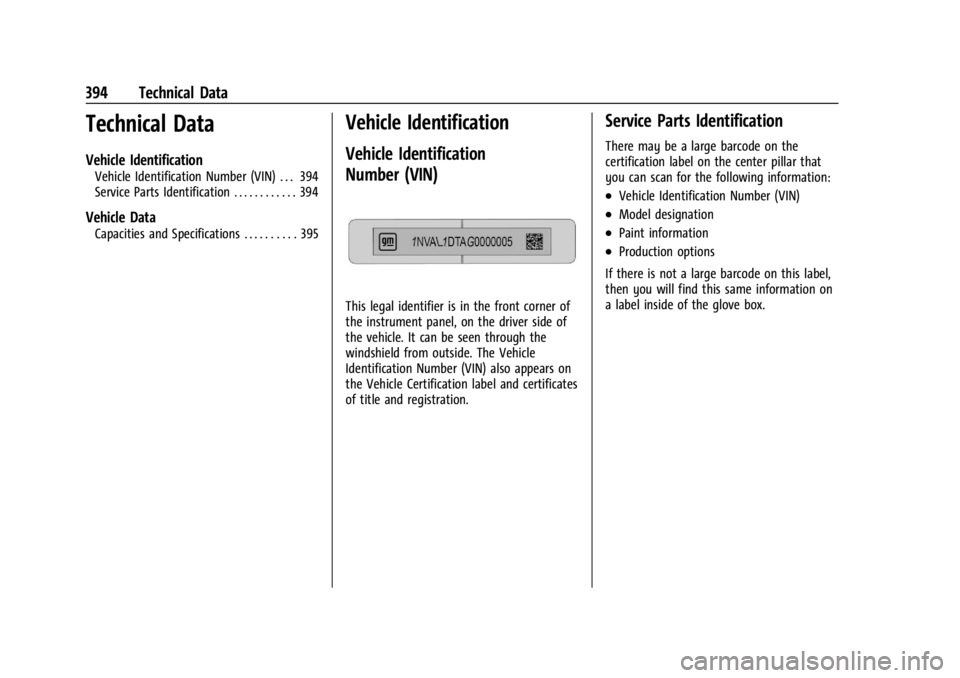
This legal identifier is in the front corner of
the instrument panel, on the driver side of
the vehicle. It can be seen through the
windshield from outside. The Vehicle
Identification Number (VIN) also appears on
the Vehicle Certification label and certificates
of title and registration.
Service Parts Identification
There may be a large barcode on the
certification label on the center pillar that
you can scan for the following information:
.Vehicle Identification Number (VIN)
.Model designation
.Paint information
.Production options
If there is not a large barcode on this label,
then you will find this same information on
a label inside of the glove box.
Page 398 of 429
Chevrolet Silverado EV Owner Manual (GMNA-Localizing-U.S./Canada-
16702912) - 2024 - CRC - 1/13/23
Customer Information 397
We encourage you to call the toll-free
number in order to give your inquiry
prompt attention. Have the following
information available to give the Customer
Assistance representative:
.Vehicle Identification Number (VIN). This is
available from the vehicle registration or
title, or the plate at the top left of the
instrument panel and visible through the
windshield.
.Dealership name and location.
.Vehicle delivery date and present mileage.
When contacting Chevrolet, remember that
your concern will likely be resolved at a
dealer's facility. That is why we suggest
following Step One first.
STEP THREE —U.S. Owners : Both General
Motors and your dealer are committed to
making sure you are completely satisfied
with your new vehicle. However, if you
continue to remain unsatisfied after
following the procedure outlined in
Steps One and Two, you can file with the
Better Business Bureau (BBB) AUTO LINE
Program to enforce your rights. The BBB AUTO LINE Program is an
out-of-court program administered by BBB
National Programs, Inc. to settle automotive
disputes regarding vehicle repairs or the
interpretation of the New Vehicle Limited
Warranty. Although you may be required to
resort to this informal dispute resolution
program prior to filing a court action, use of
the program is free of charge and your case
will generally be heard within 40 days.
If you do not agree with the decision given
in your case, you may reject it and proceed
with any other venue for relief available
to you.
You may contact the BBB AUTO LINE
Program using the toll-free telephone
number or write them at the following
address:
BBB AUTO LINE a Division of
BBB National Programs, Inc.
1676 International Drive
Suite 550
McLean, VA 22102
Telephone: 1-800-955-5100
www.bbbautoline.org
This program is available in all 50 states and
the District of Columbia. Eligibility is limited
by vehicle age, mileage, and other factors.
General Motors reserves the right to change
eligibility limitations and/or discontinue its
participation in this program.
STEP THREE
—Canadian Owners : In the
event that you do not feel your concerns
have been addressed after following the
procedure outlined in Steps One and Two,
General Motors of Canada Company wants
you to be aware of its participation in a
no-charge Mediation/Arbitration Program.
General Motors of Canada Company has
committed to binding arbitration of owner
disputes involving factory-related vehicle
service claims. The program provides for the
review of the facts involved by an impartial
third party arbiter, and may include an
informal hearing before the arbiter. The
program is designed so that the entire
dispute settlement process, from the time
you file your complaint to the final decision,
should be completed in about 70 days. We
believe our impartial program offers
advantages over courts in most jurisdictions
because it is informal, quick, and free of
charge.
Page 420 of 429

Chevrolet Silverado EV Owner Manual (GMNA-Localizing-U.S./Canada-
16702912) - 2024 - CRC - 1/13/23
Index 419
DigitalKey . . . . . . . . . . . . . . . . . . . . . . . . . . . . . . . . . . . . . 18
Disabled Vehicle Transporting . . . . . . . . . . . . . . . . . . . . . . . . . . . 378
Distracted Driving . . . . . . . . . . . . . . . . . . . . . . . . . . . . . . . . 182
Distracted Driving . . . . . . . . . . . . . . . . . . . . . . . . .182
Dome Lamps . . . . . . . . . . . . . . . . . . . . . . . . . . . . . 144
Door
Ajar Light . . . . . . . . . . . . . . . . . . . . . . . . . . . . . . 122
Delayed Locking . . . . . . . . . . . . . . . . . . . . . . . . 16
Locks . . . . . . . . . . . . . . . . . . . . . . . . . . . . . . . . . . . . 15
Power Locks . . . . . . . . . . . . . . . . . . . . . . . . . . . . 16
Drive Unit Electric . . . . . . . . . . . . . . . . . . . . . . . . . . . . . . . . . 200
Driver
Assistance Systems, Advanced . . . . . . . . . 244
Attention Assist . . . . . . . . . . . . . . . . . . . . . . . 273
Attention Assist Light . . . . . . . . . . . . . . . . . . 122
Information Center (DIC) . . . . . . . . . . . 129, 130
Mode Control . . . . . . . . . . . . . . . . . . . . . . . . . . 209
Mode Control Light . . . . . . . . . . . . . . . . . . . . . 119
Teen . . . . . . . . . . . . . . . . . . . . . . . . . . . . . . . . . . . 168
Driving Assistance Systems . . . . . . . . . . . . . . . . . . . . 261
Characteristics and Towing Tips . . . . . . . . 294
Defensive . . . . . . . . . . . . . . . . . . . . . . . . . . . . . . 183
Hill and Mountain Roads . . . . . . . . . . . . . . 190 Driving (cont'd)
If the Vehicle is Stuck . . . . . . . . . . . . . . . . . 192
Impaired . . . . . . . . . . . . . . . . . . . . . . . . . . . . . . . 183
Loss of Control . . . . . . . . . . . . . . . . . . . . . . . . 185
Off-Road . . . . . . . . . . . . . . . . . . . . . . . . . . . . . . . 185
Off-Road Recovery . . . . . . . . . . . . . . . . . . . . . 184
One-Pedal . . . . . . . . . . . . . . . . . . . . . . . . . . . . . . 203
Vehicle Load Limits . . . . . . . . . . . . . . . . . . . . 193
Wet Roads . . . . . . . . . . . . . . . . . . . . . . . . . . . . . 189
Winter . . . . . . . . . . . . . . . . . . . . . . . . . . . . . . . . . . 191
Driving for Better Energy Efficiency . . . . . . . 181
Dual Automatic Climate Control System . . . . 174
E
ElectricDrive Unit . . . . . . . . . . . . . . . . . . . . . . . . . . . . . 200
Parking Brake . . . . . . . . . . . . . . . . . . . . . . . . . . 205
Parking Brake Light . . . . . . . . . . . . . . . . . . . . . 116
Electrical Equipment, Add-On . . . . . . . . . . . . . . . . . . . . 321
Requirements for Battery Charging . . . . 293
System Overload . . . . . . . . . . . . . . . . . . . . . . 335
Electrical System Fuses and Circuit Breakers . . . . . . . . . . . . . 337
Instrument Panel Fuse Block . . . . . . 340, 342
Electronic Stability Control (ESC) Off Light . . . . . . . . . . . . . . . . . . . . . . . . . . . . . . . . . . . . 119 Emergency
OnStar . . . . . . . . . . . . . . . . . . . . . . . . . . . . . . . . . 409
Energy Efficiency Driving . . . . . . . . . . . . . . . . . . . . . . . . . . . . . . . . . 181
Engine Cooling System . . . . . . . . . . . . . . . . . . . . . . . . 327
Entry Lighting . . . . . . . . . . . . . . . . . . . . . . . . . . . 144
Equipment, Towing . . . . . . . . . . . . . . . . . . . . . . 301
Event Data Recorders . . . . . . . . . . . . . . . . . . . . 406
Exit Lighting . . . . . . . . . . . . . . . . . . . . . . . . . . . . . .145
Extender, Seat Belt . . . . . . . . . . . . . . . . . . . . . . . 59
Exterior
Cargo Lamps . . . . . . . . . . . . . . . . . . . . . . . . . . . 143
Lamp Controls . . . . . . . . . . . . . . . . . . . . . . . . . 140
Lamps Off Reminder . . . . . . . . . . . . . . . . . . . . 141
Lighting Battery Saver . . . . . . . . . . . . . . . . . 146
F
Flash-to-Pass . . . . . . . . . . . . . . . . . . . . . . . . . . . . . . 141
Flashers, Hazard Warning . . . . . . . . . . . . . . . . .142
Flat Tire . . . . . . . . . . . . . . . . . . . . . . . . . . . . . . . . . 362Changing . . . . . . . . . . . . . . . . . . . . . . . . . . . . . . 369
Floor Console Storage . . . . . . . . . . . . . . . . . . . . . . . . . . . . . . . . . 93
Floor Mats . . . . . . . . . . . . . . . . . . . . . . . . . . . . . . . 387
Fluid Brakes . . . . . . . . . . . . . . . . . . . . . . . . . . . . . . . . . 329
Washer . . . . . . . . . . . . . . . . . . . . . . . . . . . . . . . . 328