tow bar CHEVROLET SILVERADO EV 2024 Owners Manual
[x] Cancel search | Manufacturer: CHEVROLET, Model Year: 2024, Model line: SILVERADO EV, Model: CHEVROLET SILVERADO EV 2024Pages: 429, PDF Size: 8.98 MB
Page 28 of 429
Chevrolet Silverado EV Owner Manual (GMNA-Localizing-U.S./Canada-
16702912) - 2024 - CRC - 1/23/23
Keys, Doors, and Windows 27
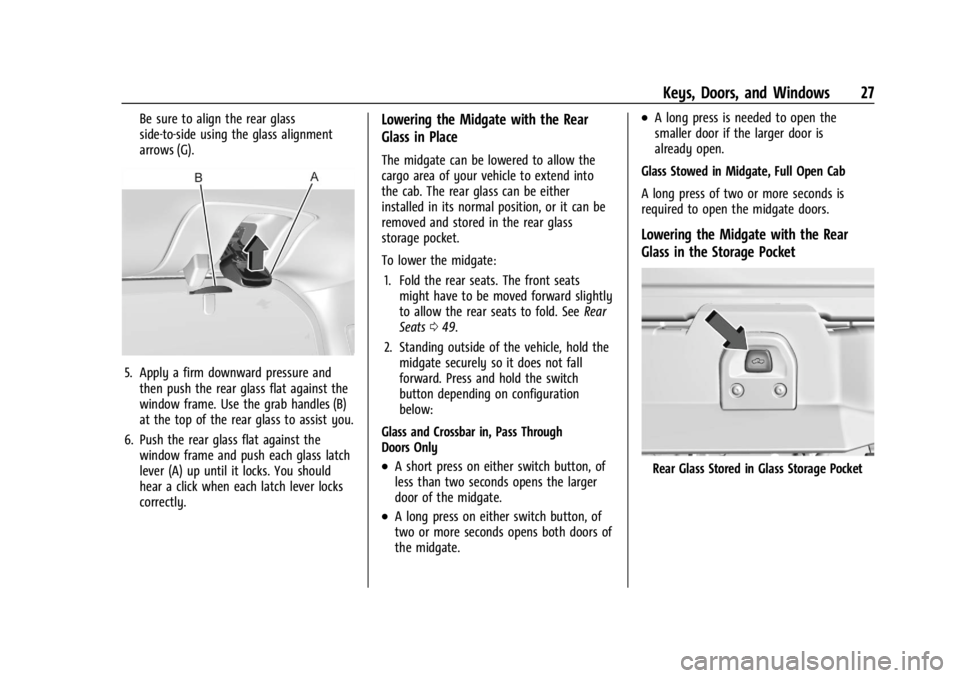
Be sure to align the rear glass
side-to-side using the glass alignment
arrows (G).
5. Apply a firm downward pressure andthen push the rear glass flat against the
window frame. Use the grab handles (B)
at the top of the rear glass to assist you.
6. Push the rear glass flat against the window frame and push each glass latch
lever (A) up until it locks. You should
hear a click when each latch lever locks
correctly.
Lowering the Midgate with the Rear
Glass in Place
The midgate can be lowered to allow the
cargo area of your vehicle to extend into
the cab. The rear glass can be either
installed in its normal position, or it can be
removed and stored in the rear glass
storage pocket.
To lower the midgate:
1. Fold the rear seats. The front seats might have to be moved forward slightly
to allow the rear seats to fold. See Rear
Seats 049.
2. Standing outside of the vehicle, hold the midgate securely so it does not fall
forward. Press and hold the switch
button depending on configuration
below:
Glass and Crossbar in, Pass Through
Doors Only
.A short press on either switch button, of
less than two seconds opens the larger
door of the midgate.
.A long press on either switch button, of
two or more seconds opens both doors of
the midgate.
.A long press is needed to open the
smaller door if the larger door is
already open.
Glass Stowed in Midgate, Full Open Cab
A long press of two or more seconds is
required to open the midgate doors.
Lowering the Midgate with the Rear
Glass in the Storage Pocket
Rear Glass Stored in Glass Storage Pocket
Page 231 of 429
Chevrolet Silverado EV Owner Manual (GMNA-Localizing-U.S./Canada-
16702912) - 2024 - CRC - 1/17/23
230 Driving and Operating
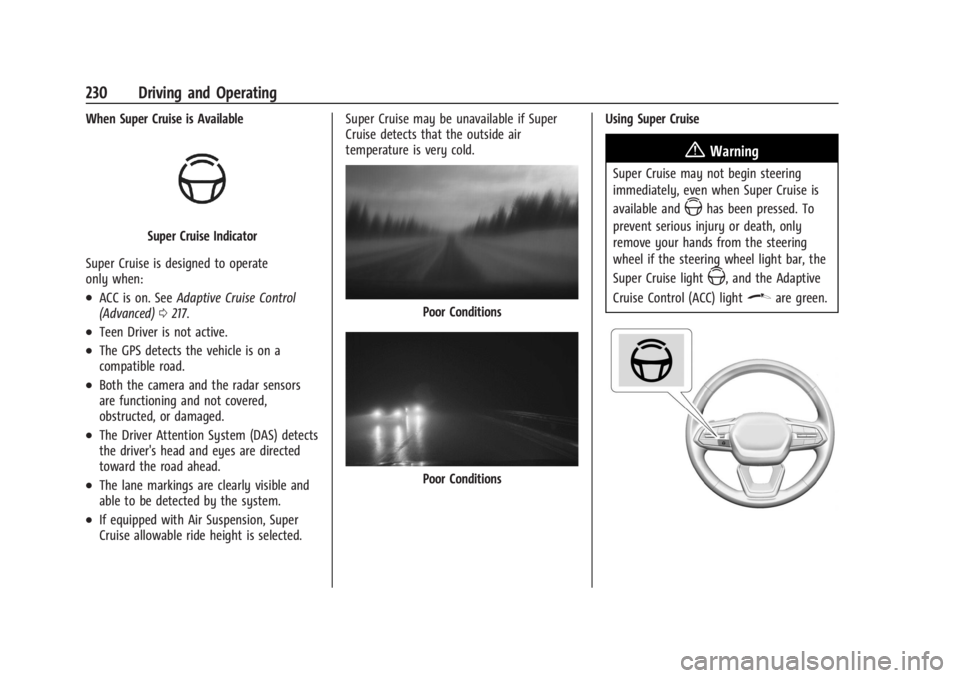
When Super Cruise is Available
Super Cruise Indicator
Super Cruise is designed to operate
only when:
.ACC is on. See Adaptive Cruise Control
(Advanced) 0217.
.Teen Driver is not active.
.The GPS detects the vehicle is on a
compatible road.
.Both the camera and the radar sensors
are functioning and not covered,
obstructed, or damaged.
.The Driver Attention System (DAS) detects
the driver's head and eyes are directed
toward the road ahead.
.The lane markings are clearly visible and
able to be detected by the system.
.If equipped with Air Suspension, Super
Cruise allowable ride height is selected. Super Cruise may be unavailable if Super
Cruise detects that the outside air
temperature is very cold.
Poor Conditions
Poor Conditions
Using Super Cruise
{Warning
Super Cruise may not begin steering
immediately, even when Super Cruise is
available and
Zhas been pressed. To
prevent serious injury or death, only
remove your hands from the steering
wheel if the steering wheel light bar, the
Super Cruise light
Z, and the Adaptive
Cruise Control (ACC) light
\are green.
Page 235 of 429
Chevrolet Silverado EV Owner Manual (GMNA-Localizing-U.S./Canada-
16702912) - 2024 - CRC - 1/17/23
234 Driving and Operating
The red flashing steering wheel light bar
could occur under any of the following
conditions:
.Lane markings are poor or visibility is
limited.
.The Driver Attention System (DAS) does
not detect that the driver's head and eyes
are directed toward the road.
.ACC is canceled.
.The vehicle is on a tight curve, or the
lanes are too wide, or the vehicle goes
into a curve too fast.
.The road speed limit of a Super Cruise
capable non-divided road is below
72 km/h (45 mph).
.The compatible road ends.
.The vehicle is approaching an intersection
controlled by a traffic light, stop sign,
or other traffic control device.
.A Super Cruise system fault occurs.
.Super Cruise is unable to complete the
lane change maneuver.
.Super Cruise detects that the outside air
temperature is too cold for normal
operation.
The steering wheel light bar may flash
amber if the system anticipates certain
conditions that may require the driver to
take steering control. In the instrument
cluster, the Super Cruise indicator light
Z
will also turn amber and a message will be
displayed in the DIC.
Any time the steering wheel light bar
flashes amber, resume manual steering to
prevent further escalation. Attention to the Road
{Warning
Super Cruise is a driver assistance system
and cannot accurately detect or predict
all situations. Super Cruise is not a crash
avoidance system. To prevent serious
injury or death, you must supervise the
driving task and monitor the road
conditions. You may need to respond to
traffic events by steering, braking,
or accelerating. See
Defensive Driving
0 183. Super Cruise also cannot determine
whether you are awake, asleep, impaired,
or properly focused on safe driving. The
vehicle could crash into other vehicles,
drive out of the lane, or drive off the
road. Complete attention is always
required while driving, even while using
Super Cruise. Be prepared to take over
steering or apply the brakes at any time.
Page 237 of 429
Chevrolet Silverado EV Owner Manual (GMNA-Localizing-U.S./Canada-
16702912) - 2024 - CRC - 1/17/23
236 Driving and Operating
First Alert
.If the steering wheel light bar flashes green, the system has detected that your head and eyes may not
be directed toward the road.
.The flashing will stop when the system detects that your head and eyes appear to be directed toward
the road.
Second Alert
.If the steering wheel light bar flashes green for too long, Super Cruise will alert the driver to take
control of steering immediately by flashing the light bar red. Also, either beeps will sound or the Safety
Alert Seat will vibrate. To view available settings from the infotainment screen, touch Settings > Vehicle,
then touch “Alert Type” or“Collision/Detection Systems.”
.Take over steering, then Super Cruise may disengage or the steering wheel light bar will flash blue to
indicate the need for a driver override. Do not take hands off the steering wheel until the steering
wheel light bar is green.
.To re-engage Super Cruise after disengagement, pressZ. See “Using Super Cruise” previously in this
section.
Third Alert
.If the steering wheel light bar flashes red for too long, a voice command will tell you to take control of
the vehicle.
.Take control of the steering immediately; ACC and Super Cruise will disengage.
.A DIC message will indicate that Super Cruise is locked out. Super Cruise cannot be re-engaged until the
next time you start the vehicle.
.Continued failure to take over steering will cause the vehicle to brake to a stop and OnStar will be
called. The brake lamps and hazard warning flashers will come on.
.Take control of the vehicle and continue driving.
Page 239 of 429
Chevrolet Silverado EV Owner Manual (GMNA-Localizing-U.S./Canada-
16702912) - 2024 - CRC - 1/17/23
238 Driving and Operating
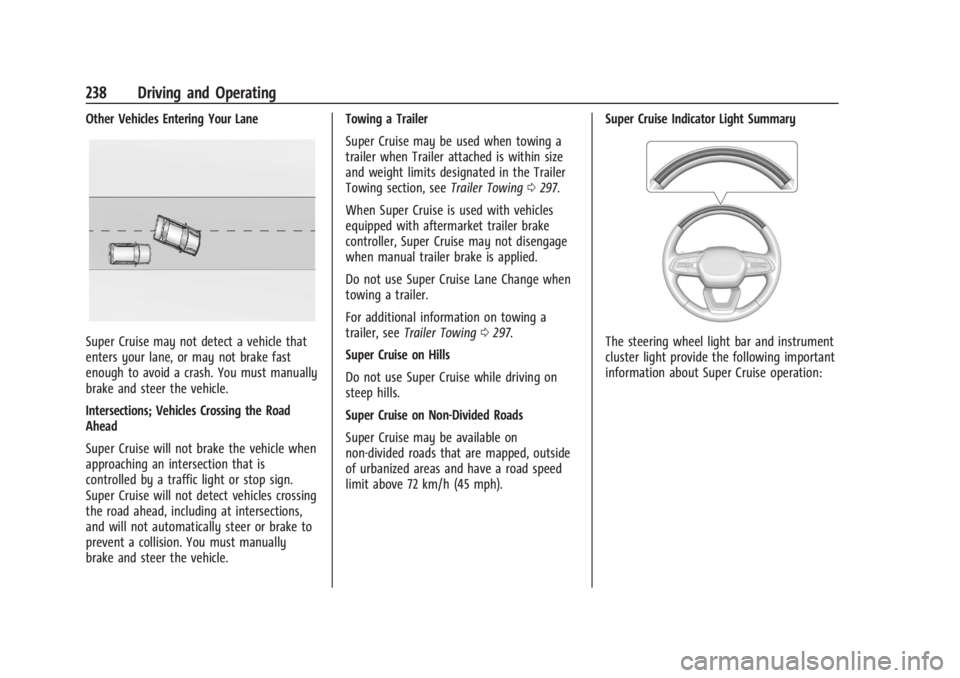
Other Vehicles Entering Your Lane
Super Cruise may not detect a vehicle that
enters your lane, or may not brake fast
enough to avoid a crash. You must manually
brake and steer the vehicle.
Intersections; Vehicles Crossing the Road
Ahead
Super Cruise will not brake the vehicle when
approaching an intersection that is
controlled by a traffic light or stop sign.
Super Cruise will not detect vehicles crossing
the road ahead, including at intersections,
and will not automatically steer or brake to
prevent a collision. You must manually
brake and steer the vehicle.Towing a Trailer
Super Cruise may be used when towing a
trailer when Trailer attached is within size
and weight limits designated in the Trailer
Towing section, see
Trailer Towing0297.
When Super Cruise is used with vehicles
equipped with aftermarket trailer brake
controller, Super Cruise may not disengage
when manual trailer brake is applied.
Do not use Super Cruise Lane Change when
towing a trailer.
For additional information on towing a
trailer, see Trailer Towing 0297.
Super Cruise on Hills
Do not use Super Cruise while driving on
steep hills.
Super Cruise on Non-Divided Roads
Super Cruise may be available on
non-divided roads that are mapped, outside
of urbanized areas and have a road speed
limit above 72 km/h (45 mph). Super Cruise Indicator Light SummaryThe steering wheel light bar and instrument
cluster light provide the following important
information about Super Cruise operation:
Page 256 of 429
Chevrolet Silverado EV Owner Manual (GMNA-Localizing-U.S./Canada-
16702912) - 2024 - CRC - 1/17/23
Driving and Operating 255
Turning the Features On or Off
PressXon the center stack to turn on or
off the Front and Rear Park Assist. The
indicator light next to the button comes on
when the features are on and turns off
when the features have been disabled.
Front and Rear Park Assist can be turned Off
or On. There is also a Park Assist Towbar
that can be turned Off or On. To view
available settings from the infotainment
screen, touch Settings > Vehicle >
Collision/Detection Systems > Park Assist.
If Park Assist is turned off through vehicle
personalization, the Park Assist button will
be disabled. To turn Park Assist on again,
select On in vehicle personalization. Setting
Park Assist Towbar to On allows Park Assist
to work properly with a trailer hitch. Some
larger trailer hitches may not be compatible.
Turn off Park Assist when towing a trailer.
Automatic Parking Assist (APA)
Enhanced Automatic Parking Assist (APA)
If equipped, under certain conditions APA
with Braking can use sensors based on sonar
technology along the vehicle’s front, rear
and sides to detect a parking spot, and
automatically park or unpark the vehicle
with some driver assistance. The vehicle will
automatically maneuver into a detected spot
moving at or near idle speed. It does this by
automatically steering, braking, accelerating,
and gear shifting. The driver must always be
prepared to apply braking or additional
acceleration, as needed. A display and
audible beeps help to guide the parking
maneuvers.
{Warning
APA may not always detect objects in the
parking space, objects that are not rigid
(e.g. shrubs and chain-link fences), objects
below the bumper, objects high off the
ground (e.g. flatbed trucks), hanging
objects, objects below ground level
(e.g. large potholes), or moving objects
(e.g. pedestrians, cyclists, vehicles).
Always verify that the parking space is
(Continued)
Warning (Continued)
appropriate for parking a vehicle. APA
may not respond to changes in the
parking space, such as movement of an
adjacent vehicle, or a person or object
entering the parking space. APA does not
detect or avoid traffic that is behind or
alongside of the vehicle. Always be
prepared to stop the vehicle during the
parking maneuver.
How to Activate Automatic Parking
To activate APA, press
Oon the
infotainment screen for the system to begin
searching for a parking space while driving
forward at no greater than
30 km/h (18 mph). APA searches for parking
spaces, to the left or right of the vehicle, up
to the sensors’ ranges of 1.5 m (5 ft). To
search for a parking space to the left, turn
on the left turn signal or, if available,
change the side selection in the
infotainment display. To choose or change
the parking mode, make a selection on the
infotainment display.
Page 271 of 429
Chevrolet Silverado EV Owner Manual (GMNA-Localizing-U.S./Canada-
16702912) - 2024 - CRC - 1/17/23
270 Driving and Operating
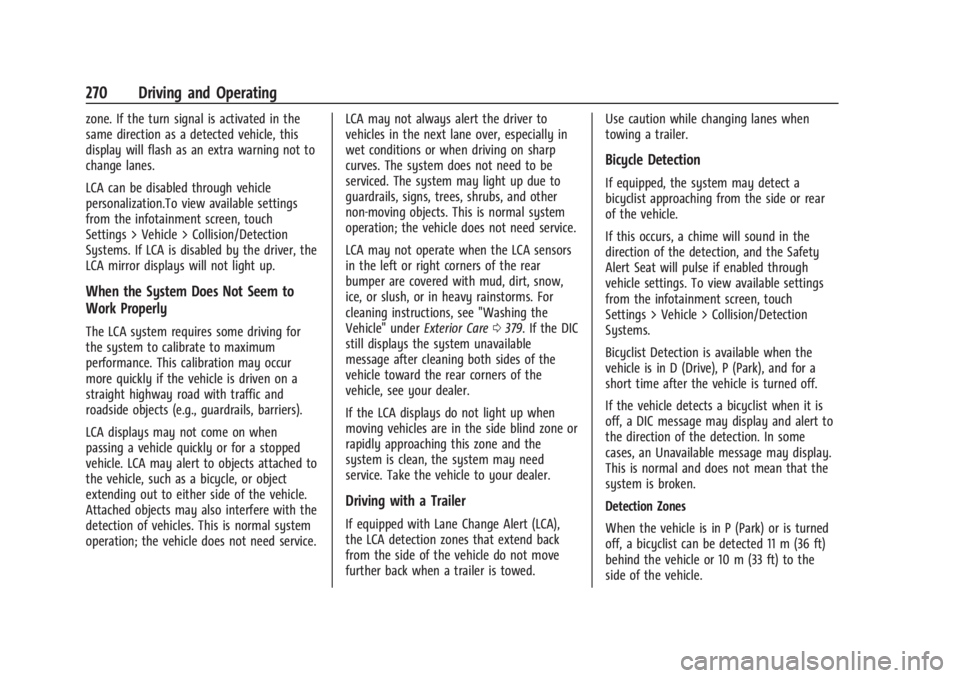
zone. If the turn signal is activated in the
same direction as a detected vehicle, this
display will flash as an extra warning not to
change lanes.
LCA can be disabled through vehicle
personalization.To view available settings
from the infotainment screen, touch
Settings > Vehicle > Collision/Detection
Systems. If LCA is disabled by the driver, the
LCA mirror displays will not light up.
When the System Does Not Seem to
Work Properly
The LCA system requires some driving for
the system to calibrate to maximum
performance. This calibration may occur
more quickly if the vehicle is driven on a
straight highway road with traffic and
roadside objects (e.g., guardrails, barriers).
LCA displays may not come on when
passing a vehicle quickly or for a stopped
vehicle. LCA may alert to objects attached to
the vehicle, such as a bicycle, or object
extending out to either side of the vehicle.
Attached objects may also interfere with the
detection of vehicles. This is normal system
operation; the vehicle does not need service.LCA may not always alert the driver to
vehicles in the next lane over, especially in
wet conditions or when driving on sharp
curves. The system does not need to be
serviced. The system may light up due to
guardrails, signs, trees, shrubs, and other
non-moving objects. This is normal system
operation; the vehicle does not need service.
LCA may not operate when the LCA sensors
in the left or right corners of the rear
bumper are covered with mud, dirt, snow,
ice, or slush, or in heavy rainstorms. For
cleaning instructions, see "Washing the
Vehicle" under
Exterior Care0379. If the DIC
still displays the system unavailable
message after cleaning both sides of the
vehicle toward the rear corners of the
vehicle, see your dealer.
If the LCA displays do not light up when
moving vehicles are in the side blind zone or
rapidly approaching this zone and the
system is clean, the system may need
service. Take the vehicle to your dealer.
Driving with a Trailer
If equipped with Lane Change Alert (LCA),
the LCA detection zones that extend back
from the side of the vehicle do not move
further back when a trailer is towed. Use caution while changing lanes when
towing a trailer.
Bicycle Detection
If equipped, the system may detect a
bicyclist approaching from the side or rear
of the vehicle.
If this occurs, a chime will sound in the
direction of the detection, and the Safety
Alert Seat will pulse if enabled through
vehicle settings. To view available settings
from the infotainment screen, touch
Settings > Vehicle > Collision/Detection
Systems.
Bicyclist Detection is available when the
vehicle is in D (Drive), P (Park), and for a
short time after the vehicle is turned off.
If the vehicle detects a bicyclist when it is
off, a DIC message may display and alert to
the direction of the detection. In some
cases, an Unavailable message may display.
This is normal and does not mean that the
system is broken.
Detection Zones
When the vehicle is in P (Park) or is turned
off, a bicyclist can be detected 11 m (36 ft)
behind the vehicle or 10 m (33 ft) to the
side of the vehicle.
Page 284 of 429
Chevrolet Silverado EV Owner Manual (GMNA-Localizing-U.S./Canada-
16702912) - 2024 - CRC - 1/17/23
Driving and Operating 283
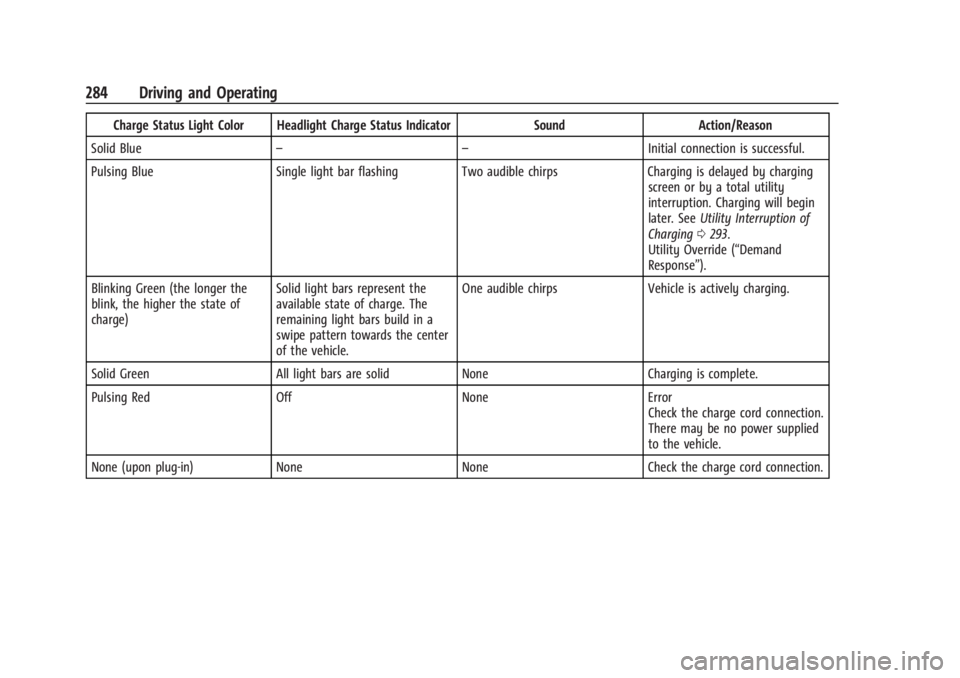
Charging Status Feedback
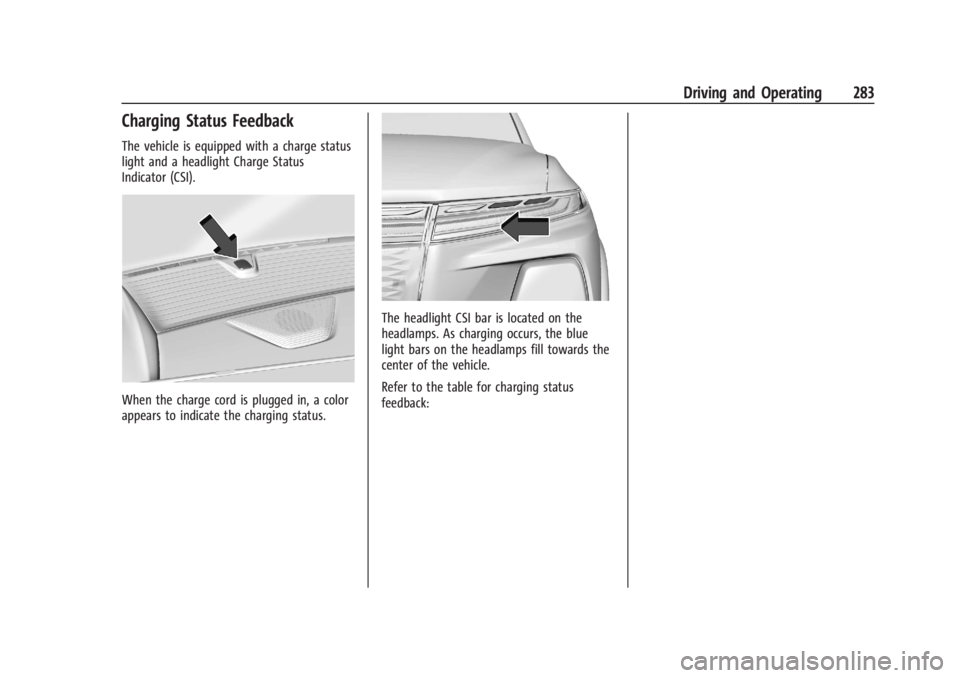
The vehicle is equipped with a charge status
light and a headlight Charge Status
Indicator (CSI).
When the charge cord is plugged in, a color
appears to indicate the charging status.
The headlight CSI bar is located on the
headlamps. As charging occurs, the blue
light bars on the headlamps fill towards the
center of the vehicle.
Refer to the table for charging status
feedback:
Page 285 of 429
Chevrolet Silverado EV Owner Manual (GMNA-Localizing-U.S./Canada-
16702912) - 2024 - CRC - 1/17/23
284 Driving and Operating
Charge Status Light Color Headlight Charge Status IndicatorSoundAction/Reason
Solid Blue – – Initial connection is successful.
Pulsing Blue Single light bar flashing Two audible chirps Charging is delayed by charging
screen or by a total utility
interruption. Charging will begin
later. See Utility Interruption of
Charging 0293.
Utility Override (“Demand
Response”).
Blinking Green (the longer the
blink, the higher the state of
charge) Solid light bars represent the
available state of charge. The
remaining light bars build in a
swipe pattern towards the center
of the vehicle. One audible chirps
Vehicle is actively charging.
Solid Green All light bars are solid None Charging is complete.
Pulsing Red Off NoneError
Check the charge cord connection.
There may be no power supplied
to the vehicle.
None (upon plug-in) None NoneCheck the charge cord connection.
Page 298 of 429
Chevrolet Silverado EV Owner Manual (GMNA-Localizing-U.S./Canada-
16702912) - 2024 - CRC - 1/17/23
Driving and Operating 297
Pulling the Trailer from the Water1. Press and hold the brake pedal.
2. Start the vehicle and shift into D (Drive) or L (Low).
3. Release the parking brake.
4. Let up on the brake pedal.
5. Drive slowly until the tires are clear of the chocks.
6. Stop and have someone pick up and store the chocks.
7. Slowly pull the trailer from the water.
Caution
If the vehicle tires begin to spin and the
vehicle begins to slide toward the water,
remove your foot from the accelerator
pedal and apply the brake pedal. Seek
help to have the vehicle towed up
the ramp.
Maintenance when Trailer Towing
The vehicle needs service more often when
used to tow trailers. See Maintenance
Schedule 0389. It is especially important to
check the cooling system and brake system
before and during each trip. Check periodically that all nuts and bolts on
the trailer hitch are tight.
Trailer Towing
Caution
Towing a trailer improperly can damage
the vehicle and result in costly repairs
not covered by the vehicle warranty. To
tow a trailer correctly, follow the
directions in this section and see your
dealer for important information about
towing a trailer with the vehicle.
Trailering is different than just driving the
vehicle by itself. Trailering means changes in
handling, acceleration, braking, and
durability. Successful, safe trailering takes
correct equipment, and it has to be used
properly.
The following information has many
time-tested, important trailering tips and
safety rules. Many of these are important
for your safety and that of your passengers.
Read this section carefully before pulling a
trailer.
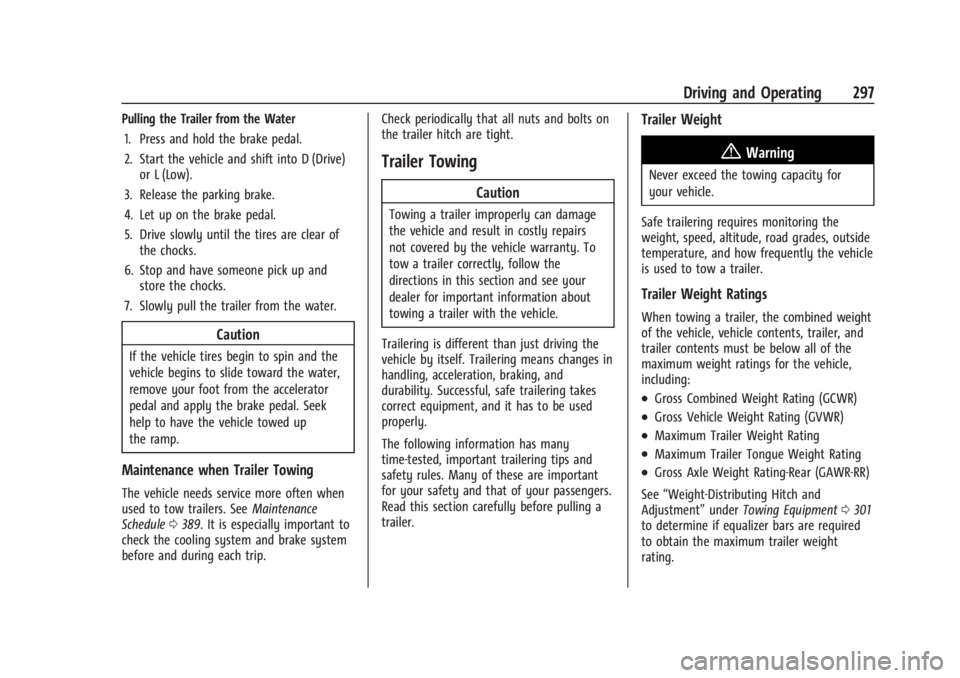
Trailer Weight
{Warning
Never exceed the towing capacity for
your vehicle.
Safe trailering requires monitoring the
weight, speed, altitude, road grades, outside
temperature, and how frequently the vehicle
is used to tow a trailer.
Trailer Weight Ratings
When towing a trailer, the combined weight
of the vehicle, vehicle contents, trailer, and
trailer contents must be below all of the
maximum weight ratings for the vehicle,
including:
.Gross Combined Weight Rating (GCWR)
.Gross Vehicle Weight Rating (GVWR)
.Maximum Trailer Weight Rating
.Maximum Trailer Tongue Weight Rating
.Gross Axle Weight Rating-Rear (GAWR-RR)
See “Weight-Distributing Hitch and
Adjustment” underTowing Equipment 0301
to determine if equalizer bars are required
to obtain the maximum trailer weight
rating.