maintenance CHEVROLET SONIC 2012 2.G User Guide
[x] Cancel search | Manufacturer: CHEVROLET, Model Year: 2012, Model line: SONIC, Model: CHEVROLET SONIC 2012 2.GPages: 352, PDF Size: 6.32 MB
Page 118 of 352
Black plate (20,1)Chevrolet Sonic Owner Manual - 2012
5-20 Instruments and Controls
This indicates that the engine is not
receiving enough oil. The engine
could be low on oil, or could have
some other oil problem. Have it
fixed immediately by your dealer.
The oil light could also come on in
other situations:
.When the ignition is on but the
engine is not running, the light
will come on as a test to show it
is working. The light will go out
when the ignition is turned on.
If it does not come on with the
ignition on, there may be a
problem with the fuse or bulb.
Have it fixed right away.
.If the vehicle comes to a hard
stop, the light may come on for a
moment. This is normal.
{WARNING
Do not keep driving if the oil
pressure is low. The engine can
become so hot that it catches fire.(Continued)
WARNING (Continued)
Someone could be burned. Check
the oil as soon as possible and
have the vehicle serviced.
Notice: Lack of proper engine oil
maintenance can damage the
engine. The repairs would not be
covered by the vehicle warranty.
Always follow the maintenance
schedule for changing engine oil.
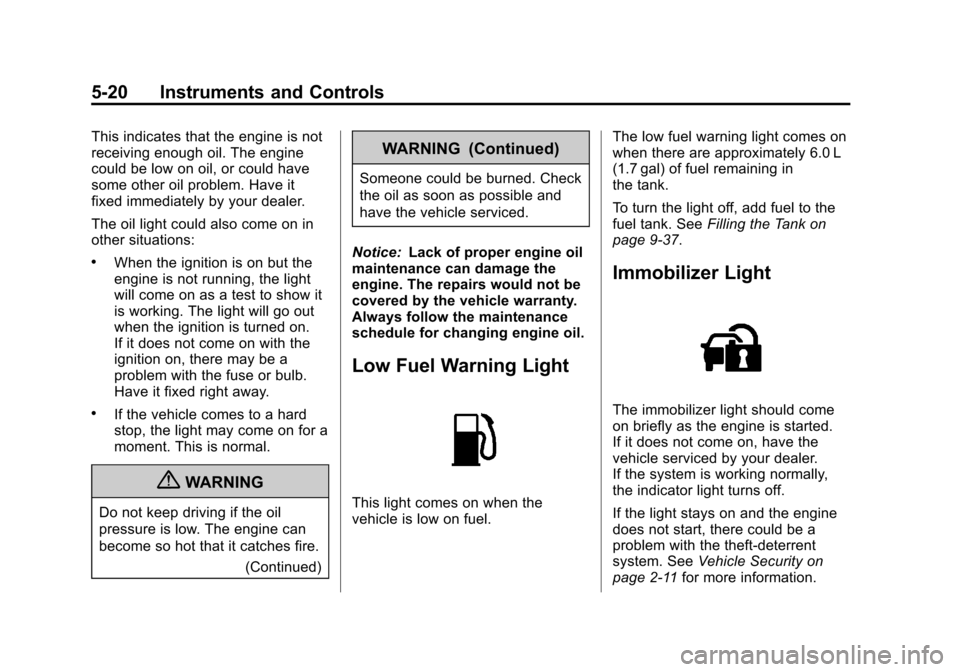
Low Fuel Warning Light
This light comes on when the
vehicle is low on fuel. The low fuel warning light comes on
when there are approximately 6.0 L
(1.7 gal) of fuel remaining in
the tank.
To turn the light off, add fuel to the
fuel tank. See
Filling the Tank on
page 9‑37.
Immobilizer Light
The immobilizer light should come
on briefly as the engine is started.
If it does not come on, have the
vehicle serviced by your dealer.
If the system is working normally,
the indicator light turns off.
If the light stays on and the engine
does not start, there could be a
problem with the theft-deterrent
system. See Vehicle Security on
page 2‑11 for more information.
Page 123 of 352
Black plate (25,1)Chevrolet Sonic Owner Manual - 2012
Instruments and Controls 5-25
the average fuel economy, press
and hold the SET/CLR button while
the average fuel economy is
displayed.
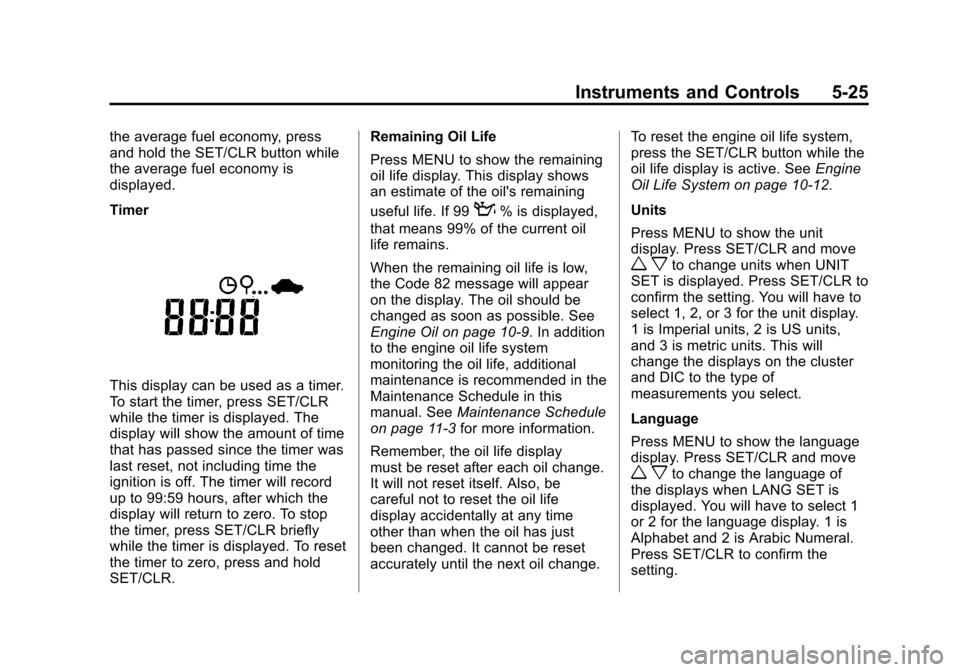
Timer
This display can be used as a timer.
To start the timer, press SET/CLR
while the timer is displayed. The
display will show the amount of time
that has passed since the timer was
last reset, not including time the
ignition is off. The timer will record
up to 99:59 hours, after which the
display will return to zero. To stop
the timer, press SET/CLR briefly
while the timer is displayed. To reset
the timer to zero, press and hold
SET/CLR.Remaining Oil Life
Press MENU to show the remaining
oil life display. This display shows
an estimate of the oil's remaining
useful life. If 99
:% is displayed,
that means 99% of the current oil
life remains.
When the remaining oil life is low,
the Code 82 message will appear
on the display. The oil should be
changed as soon as possible. See
Engine Oil on page 10‑9. In addition
to the engine oil life system
monitoring the oil life, additional
maintenance is recommended in the
Maintenance Schedule in this
manual. See Maintenance Schedule
on page 11‑3 for more information.
Remember, the oil life display
must be reset after each oil change.
It will not reset itself. Also, be
careful not to reset the oil life
display accidentally at any time
other than when the oil has just
been changed. It cannot be reset
accurately until the next oil change. To reset the engine oil life system,
press the SET/CLR button while the
oil life display is active. See
Engine
Oil Life System on page 10‑12.
Units
Press MENU to show the unit
display. Press SET/CLR and move
w xto change units when UNIT
SET is displayed. Press SET/CLR to
confirm the setting. You will have to
select 1, 2, or 3 for the unit display.
1 is Imperial units, 2 is US units,
and 3 is metric units. This will
change the displays on the cluster
and DIC to the type of
measurements you select.
Language
Press MENU to show the language
display. Press SET/CLR and move
w xto change the language of
the displays when LANG SET is
displayed. You will have to select 1
or 2 for the language display. 1 is
Alphabet and 2 is Arabic Numeral.
Press SET/CLR to confirm the
setting.
Page 165 of 352
Black plate (1,1)Chevrolet Sonic Owner Manual - 2012
Climate Controls 8-1
Climate Controls
Climate Control Systems
Climate Control Systems . . . . . . 8-1
Air Vents
Air Vents . . . . . . . . . . . . . . . . . . . . . . 8-3
Maintenance
Air Intake . . . . . . . . . . . . . . . . . . . . . 8-4
Passenger Compartment AirFilter . . . . . . . . . . . . . . . . . . . . . . . . . 8-4
Climate Control
Systems
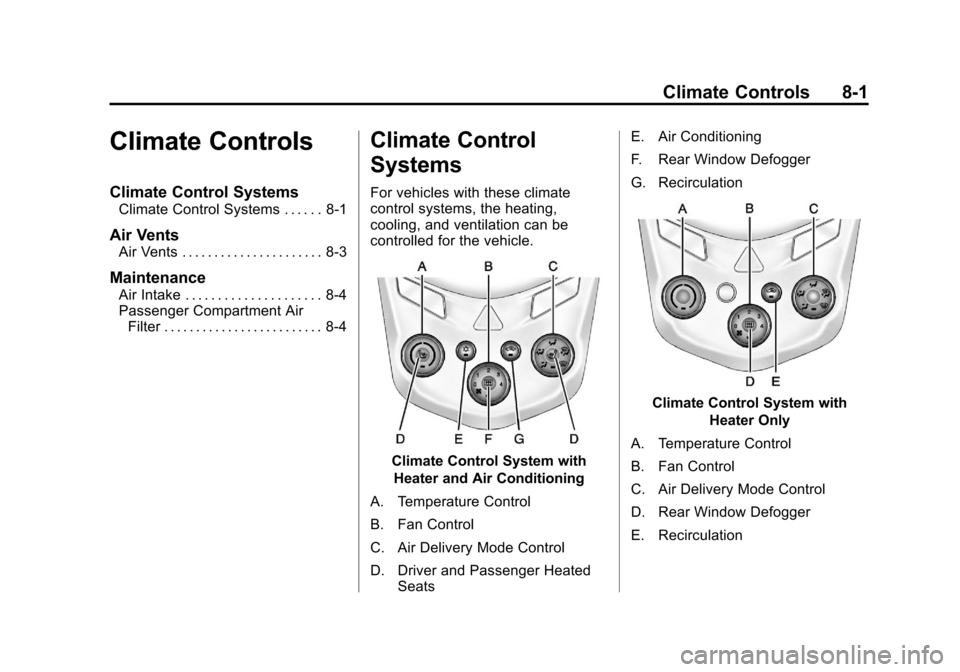
For vehicles with these climate
control systems, the heating,
cooling, and ventilation can be
controlled for the vehicle.
Climate Control System with
Heater and Air Conditioning
A. Temperature Control
B. Fan Control
C. Air Delivery Mode Control
D. Driver and Passenger Heated Seats E. Air Conditioning
F. Rear Window Defogger
G. Recirculation
Climate Control System with
Heater Only
A. Temperature Control
B. Fan Control
C. Air Delivery Mode Control
D. Rear Window Defogger
E. Recirculation
Page 168 of 352
Black plate (4,1)Chevrolet Sonic Owner Manual - 2012
8-4 Climate Controls
Maintenance
Air Intake
Clear away any ice, snow, or leaves
from the air intake at the base of the
windshield that can block the flow of
air into the vehicle.
Passenger Compartment
Air Filter
The filter removes dust, pollen, and
other airborne irritants from outside
air that is pulled into the vehicle.
The filter should be replaced as part
of routine scheduled maintenance,
seeMaintenance Schedule on
page 11‑3. To find out what type of
filter to use, see Maintenance
Replacement Parts on page 11‑15.
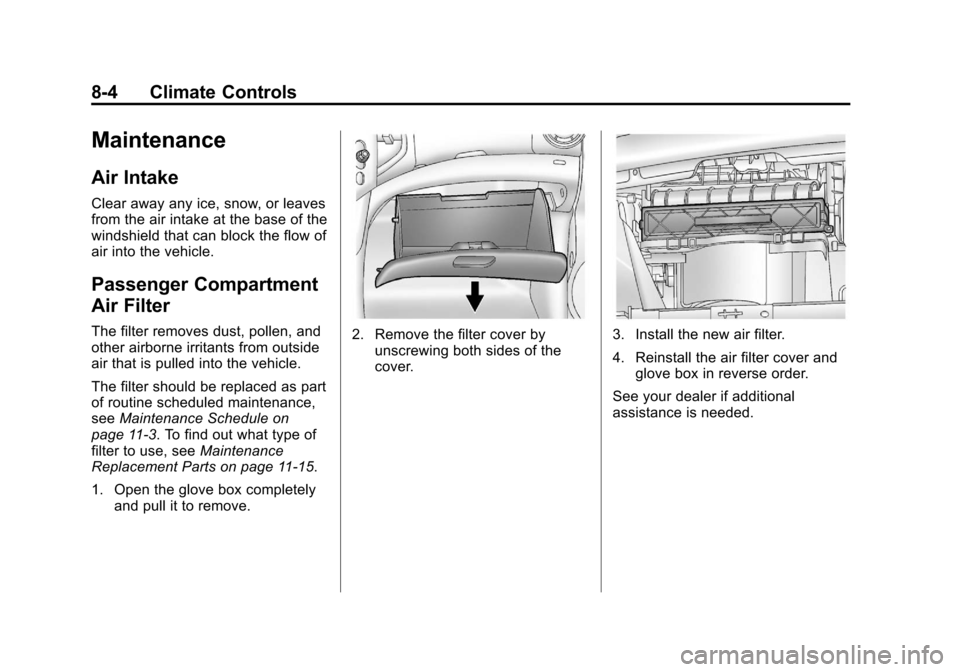
1. Open the glove box completely and pull it to remove.2. Remove the filter cover byunscrewing both sides of the
cover.3. Install the new air filter.
4. Reinstall the air filter cover andglove box in reverse order.
See your dealer if additional
assistance is needed.
Page 170 of 352
Black plate (2,1)Chevrolet Sonic Owner Manual - 2012
9-2 Driving and Operating
Driving Information
Driving for Better Fuel
Economy
Driving habits can affect fuel
mileage. Here are some driving
tips to get the best fuel economy
possible.
.Avoid fast starts and accelerate
smoothly.
.Brake gradually and avoid
abrupt stops.
.Avoid idling the engine for long
periods of time.
.When road and weather
conditions are appropriate,
use cruise control.
.Always follow posted speed
limits or drive more slowly when
conditions require.
.Keep vehicle tires properly
inflated.
.Combine several trips into a
single trip.
.Replace the vehicle's tires with
the same TPC Spec number
molded into the tire's sidewall
near the size.
.Follow recommended scheduled
maintenance.
Distracted Driving
Distraction comes in many forms
and can take your focus from the
task of driving. Exercise good
judgment and do not let other
activities divert your attention away
from the road. Many local
governments have enacted laws
regarding driver distraction. Become
familiar with the local laws in
your area.To avoid distracted driving, always
keep your eyes on the road, hands
on the wheel, and mind on the drive.
.Do not use a phone in
demanding driving situations.
Use a hands-free method to
place or receive necessary
phone calls.
.Watch the road. Do not read,
take notes, or look up
information on phones or other
electronic devices.
.Designate a front seat
passenger to handle potential
distractions.
.Become familiar with vehicle
features before driving, such as
programming favorite radio
stations and adjusting climate
control and seat settings.
Program all trip information into
any navigation device prior to
driving.
Page 172 of 352
Black plate (4,1)Chevrolet Sonic Owner Manual - 2012
9-4 Driving and Operating
Control of a Vehicle
Braking, steering, and accelerating
are important factors in helping to
control a vehicle while driving.
Braking
Braking action involves perception
time and reaction time. Deciding to
push the brake pedal is perception
time. Actually doing it is
reaction time.
Average driver reaction time is
about three‐fourths of a second.
In that time, a vehicle moving at
100 km/h (60 mph) travels 20 m
(66 ft), which could be a lot of
distance in an emergency.Helpful braking tips to keep in mind
include:
.Keep enough distance between
you and the vehicle in front
of you.
.Avoid needless heavy braking.
.Keep pace with traffic.
If the engine ever stops while the
vehicle is being driven, brake
normally but do not pump the
brakes. Doing so could make the
pedal harder to push down. If the
engine stops, there will be some
power brake assist but it will be
used when the brake is applied.
Once the power assist is used up, it
can take longer to stop and the
brake pedal will be harder to push.
Steering
Electric Power Steering
Your vehicle has electric power
steering. It does not have power
steering fluid. Regular maintenance
is not required.
If power steering assist is lost due
to a system malfunction, the vehicle
can be steered, but may require
increased effort.
If the steering wheel is turned in
either direction several times until it
stops, or it is held until it is stopped
for an extended time, power
steering assist should return shortly
after a few normal steering
movements.
See specific vehicle steering
messages under Vehicle Messages
on page 5‑26.
See your dealer if there is a
problem.
Page 203 of 352
Black plate (35,1)Chevrolet Sonic Owner Manual - 2012
Driving and Operating 9-35
Fuel
Use of the recommended fuel is an
important part of the proper
maintenance of this vehicle. To help
keep the engine clean and maintain
optimum vehicle performance, we
recommend the use of gasoline
advertised as TOP TIER Detergent
Gasoline.
Look for the TOP TIER label on the
fuel pump to ensure gasoline meets
enhanced detergency standards
developed by auto companies. A list
of marketers providing TOP TIER
Detergent Gasoline can be found at
www.toptiergas.com.
Recommended Fuel
Use regular unleaded gasoline with
a posted octane rating of 87 or
higher. If the octane rating is less
than 87, an audible knocking noise,
commonly referred to as spark
knock, might be heard when driving.
If this occurs, use a gasoline rated
at 87 octane or higher as soon as
possible. If heavy knocking is heard
when using gasoline rated at
87 octane or higher, the engine
needs service.
Gasoline Specifications
At a minimum, gasoline should meet
ASTM specification D 4814 in the
United States or CAN/CGSB‐3.5
or 3.511 in Canada. Some
gasolines contain an
octane-enhancing additive called
methylcyclopentadienyl manganese
tricarbonyl (MMT). We recommend
against the use of gasolines
containing MMT. SeeFuel Additives
on page 9‑36 for additional
information.
California Fuel
Requirements
If the vehicle is certified to meet
California Emissions Standards, it is
designed to operate on fuels that
meet California specifications. See
the underhood emission control
label. If this fuel is not available in
states adopting California Emissions
Standards, the vehicle will operate
satisfactorily on fuels meeting
Page 212 of 352
Black plate (4,1)Chevrolet Sonic Owner Manual - 2012
10-4 Vehicle Care
Vehicle Checks
Doing Your Own
Service Work
{WARNING
You can be injured and the
vehicle could be damaged if you
try to do service work on a vehicle
without knowing enough about it.
.Be sure you have sufficient
knowledge, experience, the
proper replacement parts,
and tools before attempting
any vehicle
maintenance task.
.Be sure to use the proper
nuts, bolts, and other
fasteners. Metric and English
fasteners can be easily
confused. If the wrong
fasteners are used, parts can
later break or fall off. You
could be hurt.If doing some of your own service
work, use the proper service
manual. It tells you much more
about how to service the vehicle
than this manual can. To order the
proper service manual, see
Service
Publications Ordering Information
on page 13‑11.
This vehicle has an airbag system.
Before attempting to do your own
service work, see Servicing the
Airbag-Equipped Vehicle on
page 3‑30.
Keep a record with all parts receipts
and list the mileage and the date of
any service work performed. See
Maintenance Records on
page 11‑16.
Hood
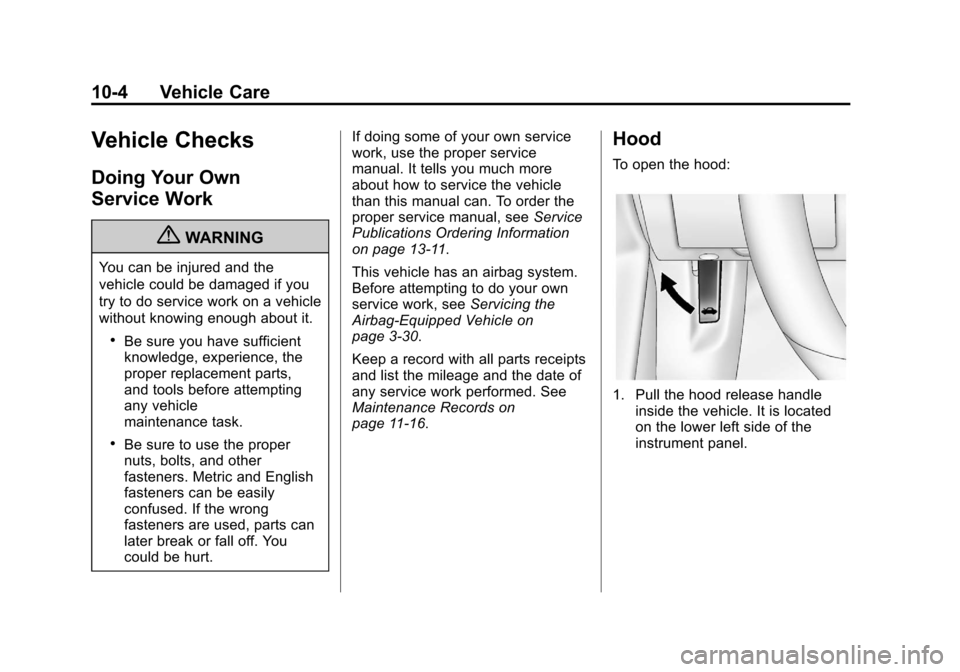
To open the hood:
1. Pull the hood release handle inside the vehicle. It is located
on the lower left side of the
instrument panel.
Page 221 of 352
Black plate (13,1)Chevrolet Sonic Owner Manual - 2012
Vehicle Care 10-13
Automatic Transmission
Fluid
How to Check Automatic
Transmission Fluid
It is not necessary to check
the transmission fluid level. A
transmission fluid leak is the only
reason for fluid loss. If a leak
occurs, take the vehicle to your
dealer and have it repaired as soon
as possible.
There is a special procedure for
checking and changing the
transmission fluid. Because this
procedure is difficult, you should
have this done at your dealer.Change the fluid and filter at the
intervals listed in
Maintenance
Schedule on page 11‑3, and be
sure to use the fluid listed in
Recommended Fluids and
Lubricants on page 11‑13.
Manual Transmission
Fluid
It is not necessary to check the
manual transmission fluid level.
A transmission fluid leak is the only
reason for fluid loss. If a leak
occurs, take the vehicle to your
dealer and have it repaired as soon
as possible. See Recommended
Fluids and Lubricants on page 11‑13
for the proper fluid to use.
Hydraulic Clutch
For vehicles with a manual
transmission, it is not necessary to
regularly check brake/clutch fluid
unless there is a leak suspected.
Adding fluid will not correct a leak.
A fluid loss in this system could
indicate a problem. Have the
system inspected and repaired.
When to Check and What
to Use
The common hydraulic clutch and
brake master cylinder fluid reservoir
is filled with DOT 3 brake fluid as
indicated on the reservoir cap. See
Engine Compartment Overview on
page 10‑6 for reservoir location.
Page 222 of 352
Black plate (14,1)Chevrolet Sonic Owner Manual - 2012
10-14 Vehicle Care
How to Check and Add Fluid
Visually check the brake/clutch fluid
reservoir to make sure the fluid level
is at the MIN (minimum) line on the
side of the reservoir. The brake/
hydraulic clutch fluid system should
be closed and sealed.
Do not remove the cap to check the
fluid level or to top‐off the fluid level.
Remove the cap only when
necessary to add the proper fluid
until the level reaches the MIN line.
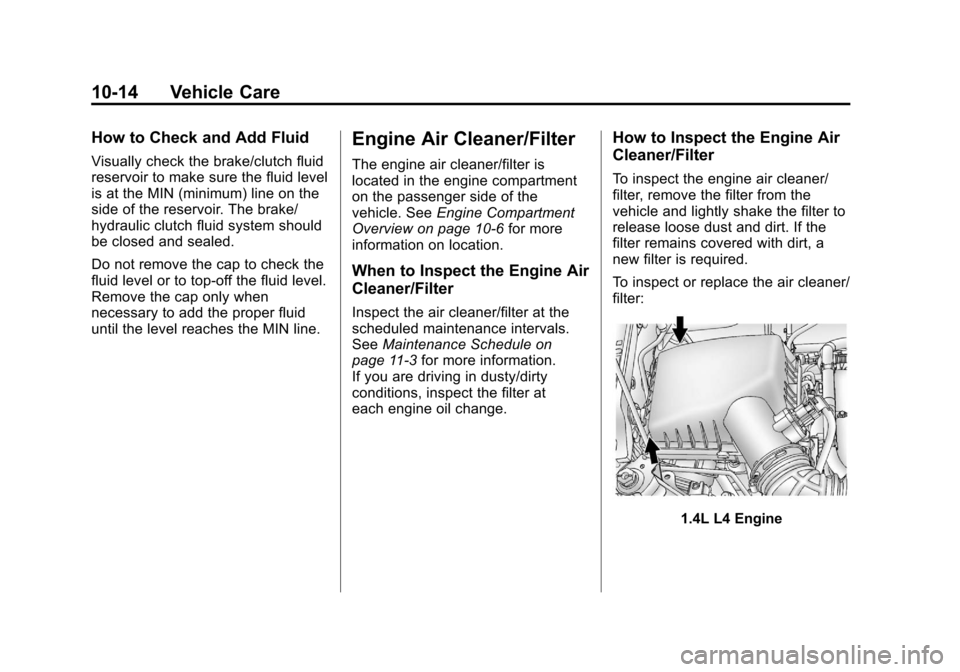
Engine Air Cleaner/Filter
The engine air cleaner/filter is
located in the engine compartment
on the passenger side of the
vehicle. SeeEngine Compartment
Overview on page 10‑6 for more
information on location.
When to Inspect the Engine Air
Cleaner/Filter
Inspect the air cleaner/filter at the
scheduled maintenance intervals.
See Maintenance Schedule on
page 11‑3 for more information.
If you are driving in dusty/dirty
conditions, inspect the filter at
each engine oil change.
How to Inspect the Engine Air
Cleaner/Filter
To inspect the engine air cleaner/
filter, remove the filter from the
vehicle and lightly shake the filter to
release loose dust and dirt. If the
filter remains covered with dirt, a
new filter is required.
To inspect or replace the air cleaner/
filter:
1.4L L4 Engine