key CHEVROLET SONIC 2012 2.G Owner's Manual
[x] Cancel search | Manufacturer: CHEVROLET, Model Year: 2012, Model line: SONIC, Model: CHEVROLET SONIC 2012 2.GPages: 352, PDF Size: 6.32 MB
Page 41 of 352
Black plate (15,1)Chevrolet Sonic Owner Manual - 2012
Keys, Doors, and Windows 2-15
Manual Windows
If equipped, use the window crank
to open and close each window.
The rear windows do not open fully.
Power Windows
{WARNING
Leaving children in a vehicle with
the keys is dangerous for many
reasons. Children or others could
be badly injured or even killed.
They could operate the power
windows or other controls or even
make the vehicle move. The
windows will function and they
could be seriously injured or killed
if caught in the path of a closing
window. Do not leave keys in a
vehicle with children.
When there are children in the
rear seat use the window lockout
button to prevent unintentional
operation of the windows.
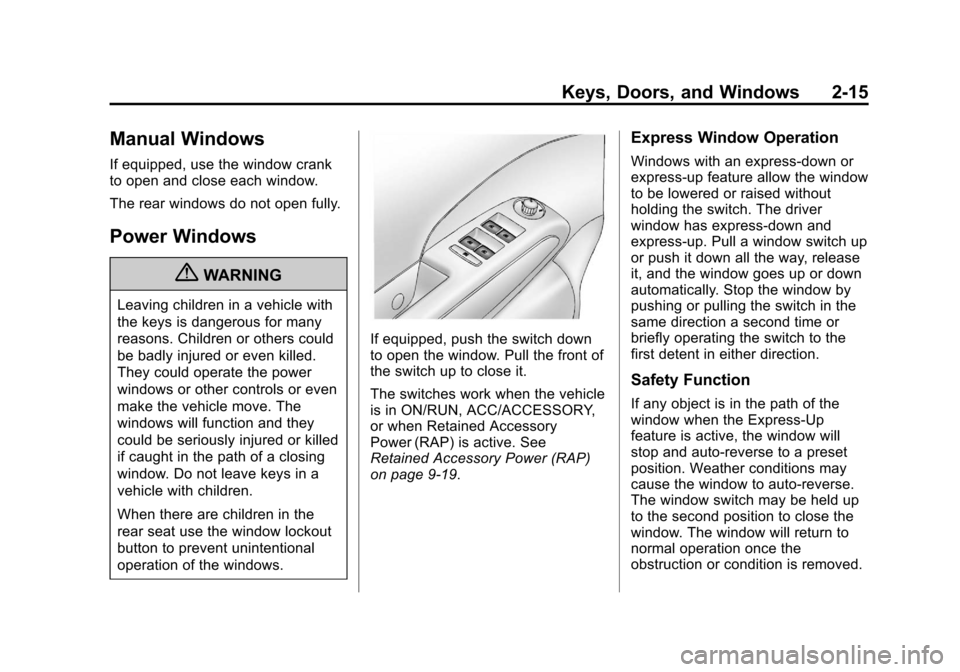
If equipped, push the switch down
to open the window. Pull the front of
the switch up to close it.
The switches work when the vehicle
is in ON/RUN, ACC/ACCESSORY,
or when Retained Accessory
Power (RAP) is active. See
Retained Accessory Power (RAP)
on page 9‑19.
Express Window Operation
Windows with an express-down or
express-up feature allow the window
to be lowered or raised without
holding the switch. The driver
window has express-down and
express-up. Pull a window switch up
or push it down all the way, release
it, and the window goes up or down
automatically. Stop the window by
pushing or pulling the switch in the
same direction a second time or
briefly operating the switch to the
first detent in either direction.
Safety Function
If any object is in the path of the
window when the Express-Up
feature is active, the window will
stop and auto-reverse to a preset
position. Weather conditions may
cause the window to auto-reverse.
The window switch may be held up
to the second position to close the
window. The window will return to
normal operation once the
obstruction or condition is removed.
Page 42 of 352
Black plate (16,1)Chevrolet Sonic Owner Manual - 2012
2-16 Keys, Doors, and Windows
Safety Function Override
If the battery on the vehicle has
been recharged or disconnected,
or is not working, the windows will
need to be reprogrammed for the
express-up feature to work. Before
reprogramming, replace or recharge
the vehicle's battery.
To program the driver window:
1. With the ignition in ACC/ACCESSORY or ON/RUN,
or when RAP is active, close
all doors.
2. Press and hold the power window switch until the window
is fully open.
3. Pull the power window switch up until the window is fully closed.
4. Continue holding the switch up for approximately two seconds
after the window is completely
closed.
The window is now reprogrammed.
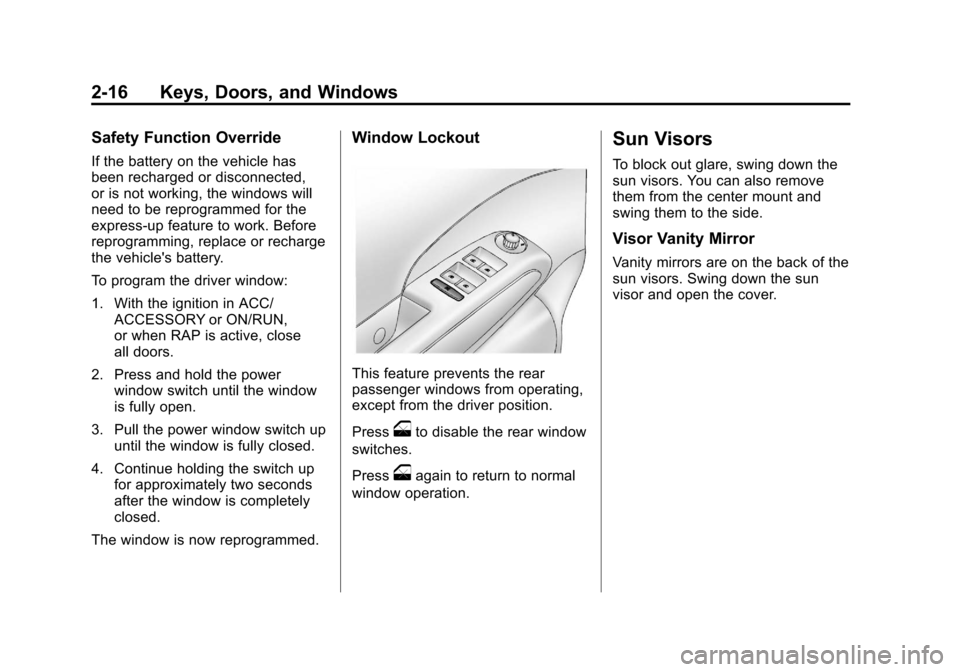
Window Lockout
This feature prevents the rear
passenger windows from operating,
except from the driver position.
Press
oto disable the rear window
switches.
Press
oagain to return to normal
window operation.
Sun Visors
To block out glare, swing down the
sun visors. You can also remove
them from the center mount and
swing them to the side.
Visor Vanity Mirror
Vanity mirrors are on the back of the
sun visors. Swing down the sun
visor and open the cover.
Page 43 of 352
Black plate (17,1)Chevrolet Sonic Owner Manual - 2012
Keys, Doors, and Windows 2-17
Roof
Sunroof
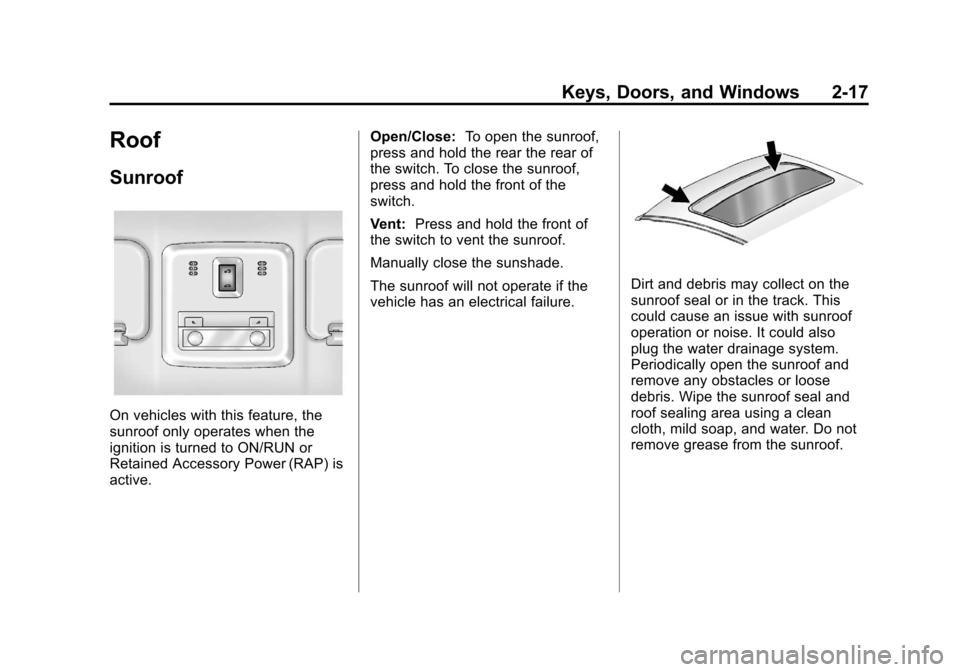
On vehicles with this feature, the
sunroof only operates when the
ignition is turned to ON/RUN or
Retained Accessory Power (RAP) is
active.Open/Close:
To open the sunroof,
press and hold the rear the rear of
the switch. To close the sunroof,
press and hold the front of the
switch.
Vent: Press and hold the front of
the switch to vent the sunroof.
Manually close the sunshade.
The sunroof will not operate if the
vehicle has an electrical failure.
Dirt and debris may collect on the
sunroof seal or in the track. This
could cause an issue with sunroof
operation or noise. It could also
plug the water drainage system.
Periodically open the sunroof and
remove any obstacles or loose
debris. Wipe the sunroof seal and
roof sealing area using a clean
cloth, mild soap, and water. Do not
remove grease from the sunroof.
Page 44 of 352

Black plate (18,1)Chevrolet Sonic Owner Manual - 2012
2-18 Keys, Doors, and Windows
2NOTES
Page 61 of 352
Black plate (17,1)Chevrolet Sonic Owner Manual - 2012
Seats and Restraints 3-17
Safety Belt Use During
Pregnancy
Safety belts work for everyone,
including pregnant women. Like all
occupants, they are more likely to
be seriously injured if they do not
wear safety belts.
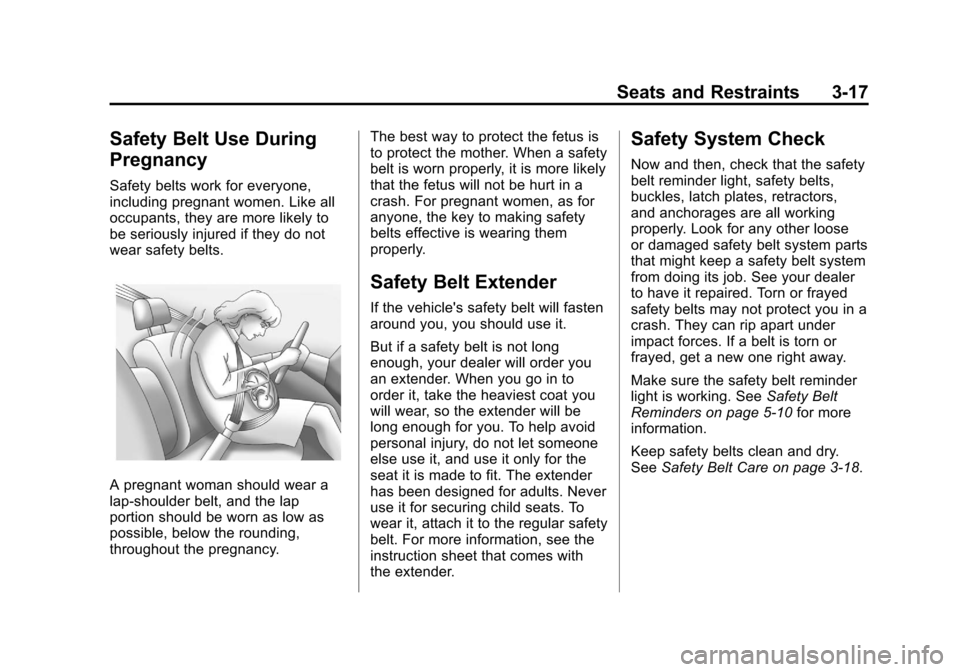
A pregnant woman should wear a
lap-shoulder belt, and the lap
portion should be worn as low as
possible, below the rounding,
throughout the pregnancy.The best way to protect the fetus is
to protect the mother. When a safety
belt is worn properly, it is more likely
that the fetus will not be hurt in a
crash. For pregnant women, as for
anyone, the key to making safety
belts effective is wearing them
properly.
Safety Belt Extender
If the vehicle's safety belt will fasten
around you, you should use it.
But if a safety belt is not long
enough, your dealer will order you
an extender. When you go in to
order it, take the heaviest coat you
will wear, so the extender will be
long enough for you. To help avoid
personal injury, do not let someone
else use it, and use it only for the
seat it is made to fit. The extender
has been designed for adults. Never
use it for securing child seats. To
wear it, attach it to the regular safety
belt. For more information, see the
instruction sheet that comes with
the extender.
Safety System Check
Now and then, check that the safety
belt reminder light, safety belts,
buckles, latch plates, retractors,
and anchorages are all working
properly. Look for any other loose
or damaged safety belt system parts
that might keep a safety belt system
from doing its job. See your dealer
to have it repaired. Torn or frayed
safety belts may not protect you in a
crash. They can rip apart under
impact forces. If a belt is torn or
frayed, get a new one right away.
Make sure the safety belt reminder
light is working. See
Safety Belt
Reminders on page 5‑10 for more
information.
Keep safety belts clean and dry.
See Safety Belt Care on page 3‑18.
Page 126 of 352
Black plate (28,1)Chevrolet Sonic Owner Manual - 2012
5-28 Instruments and Controls
Language
Select the Language menu and the
following will be displayed:
.English
.French
.Spanish
Turn the MENU/TUNE knob to
select the language. Press MENU/
TUNE to confirm and go back to the
last menu.
Exterior Lighting
Select the Lighting menu and the
following will be displayed:
.Exterior Vehicle Locator Lights
.Exit Lighting
Exterior Vehicle Locator Lights
This allows selection of whether the
exterior lamps will turn on when
unlocking the vehicle.
Press MENU/TUNE when Exterior
Vehicle Locator Lights is
highlighted. Turn the MENU/TUNE knob to select On or Off. Press
MENU/TUNE to confirm and go
back to the last menu.
Exit Lighting
Press MENU/TUNE when Exit
Lighting is highlighted. Turn the
MENU/TUNE knob to select Off,
30 Seconds, 1 Minute, or 2 Minutes.
Press MENU/TUNE to confirm and
go back to the last menu.
Power Door Locks
Select Power Door Locks and the
following will be displayed:
.Auto Door Unlock
.Unlock Door Anti Lock Out
.Delayed Door Lock
Auto Door Unlock
This allows selection of which of the
doors will automatically unlock when
the vehicle is shifted into P (Park) or
the key is removed. Press MENU/TUNE when Auto
Door Unlock is highlighted. Turn the
MENU/TUNE knob to select All
Doors, Driver Door, or Off. Press
MENU/TUNE to confirm and go
back to the last menu.
Unlock Door Anti Lock Out
When on, this feature will keep the
driver door from locking when the
door is open. If off is selected, the
Unlock Door Anti Lock Out menu
will be available and the door will
lock as programmed through
this menu.
Press MENU/TUNE when Unlock
Door Anti Lock Out is highlighted.
Turn the MENU/TUNE knob to
select On or Off. Press MENU/
TUNE to confirm and go back to the
last menu.
Page 184 of 352
Black plate (16,1)Chevrolet Sonic Owner Manual - 2012
9-16 Driving and Operating
A (STOPPING THE ENGINE/
LOCK/OFF):When the vehicle is
stopped, turn the ignition switch to
LOCK/OFF to turn the engine off.
This position locks the steering
wheel, ignition, and transmission.
Do not turn the engine off when the
vehicle is moving. This will cause a
loss of power assist in the brake
and steering systems and disable
the airbags.
If the vehicle must be shut off in an
emergency:
1. Brake using a firm and steady pressure. Do not pump the
brakes repeatedly. This may
deplete power assist, requiring
increased brake pedal force.
2. Shift the vehicle to N (Neutral). This can be done while the
vehicle is moving. After shifting
to N (Neutral), firmly apply the
brakes and steer the vehicle to a
safe location. 3. Come to a complete stop, shift
to P (Park), and turn the ignition
to LOCK/OFF. On vehicles with
an automatic transmission, the
shift lever must be in P (Park) to
turn the ignition switch to the
LOCK/OFF position.
4. Set the parking brake. See Parking Brake on page 9‑28.
{WARNING
Turning off the vehicle while
moving may cause loss of power
assist in the brake and steering
systems and disable the airbags.
While driving, only shut the
vehicle off in an emergency.
If the vehicle cannot be pulled over,
and must be shut off while driving,
turn the ignition to ACC/
ACCESSORY. Notice:
Using a tool to force the
key to turn in the ignition could
cause damage to the switch or
break the key. Use the correct
key, make sure it is all the way in,
and turn it only with your hand.
If the key cannot be turned by
hand, see your dealer.
B (ACC/ACCESSORY): This is the
position in which you can operate
things like the radio and the
windshield wipers when the engine
is off.
C (ON/RUN): This position can be
used to operate the electrical
accessories and to display some
instrument panel cluster warning
and indicator lights. This position
can also be used for service and
diagnostics, and to verify the proper
operation of the malfunction
indicator lamp as may be required
for emission inspection purposes.
The switch stays in this position
when the engine is running.
Page 185 of 352
Black plate (17,1)Chevrolet Sonic Owner Manual - 2012
Driving and Operating 9-17
If you leave the key in the ACC/
ACCESSORY or ON/RUN position
with the engine off, the battery could
be drained. You may not be able to
start the vehicle if the battery is
allowed to drain for an extended
period of time.
D (START):This is the position that
starts the engine. When the engine
starts, release the key. The ignition
switch returns to ON/RUN for
driving.
A warning tone will sound when the
driver door is opened, the ignition is
in ACC/ACCESSORY or LOCK/
OFF, and the key is in the ignition.Key Lock Release
Vehicles with an automatic
transmission are equipped with an
electronic key lock release system.
This system is to prevent ignition
key removal unless the shift lever is
in P (Park).
The key lock release will not work
if the battery is charged less than
9‐volts, or uncharged. Try charging
or jump starting the battery. See
Jump Starting on page 10‑74. If charging or jump starting the
battery does not work, there is a
manual key lock release. Locate the
hole below the ignition lock. Insert a
tool or key into the opening. Locate
the lever, and press it toward the
driver while removing the key from
the ignition.
Starting the Engine
Automatic Transmission
Move the shift lever to P (Park) or
N (Neutral). The engine will not start
in any other position. To restart the
engine when the vehicle is already
moving, use N (Neutral) only.
Notice:
Do not try to shift to
P (Park) if the vehicle is moving.
If you do, you could damage the
transmission. Shift to P (Park)
only when the vehicle is stopped.
Page 186 of 352
Black plate (18,1)Chevrolet Sonic Owner Manual - 2012
9-18 Driving and Operating
Manual Transmission
The shift lever should be in Neutral
and the parking brake engaged.
Hold the clutch pedal to the floor
and start the engine. The vehicle
will not start if the clutch pedal is not
all the way down.
Starting Procedure
1. With your foot off the acceleratorpedal, turn the ignition to START.
When the engine cranks, let go
of the key. The idle speed will go
down as the engine gets warm.
The vehicle has a
Computer‐Controlled Cranking
System. It assists in starting
the engine and protects
components. If the ignition key
is turned to START and then
released when the engine
begins cranking, the engine
will continue cranking for a
few seconds or until the engine
starts. If the engine does not
start and the key is held in
START, cranking will be stopped
after 15 seconds to prevent damage. To prevent gear
damage, cranking is not allowed
if the engine is running. Engine
cranking can be stopped by
turning the ignition key to ACC/
ACCESSORY or LOCK/OFF.
Notice: Holding the key in START
for longer than 15 seconds at a
time will cause the battery to be
drained much sooner. And the
excessive heat can damage the
starter motor. Wait about
15 seconds between each try to
help avoid draining the battery or
damaging the starter.
2. If the engine does not start, wait about 15 seconds and try again.
Wait about 15 seconds between
each try.
When the engine has run about
10 seconds to warm up, the
vehicle is ready to be driven. Do
not run the engine at high speed
when it is cold.
If the weather is below freezing
(0°C or 32°F), let the engine run
for a few minutes to warm up. 3. If the engine still will not start,
or starts but then stops, it could
be flooded with too much
gasoline. Try pushing the
accelerator pedal all the way to
the floor and holding it there as
you hold the key in START for
about three seconds. If the
vehicle starts briefly but then
stops again, do the same thing,
but this time keep the pedal
down for five or six seconds.
This clears the extra gasoline
from the engine.
Notice: The engine is designed to
work with the electronics in the
vehicle. If electrical parts or
accessories are added, you could
change the way the engine
operates. Before adding electrical
equipment, check with your
dealer. If you do not, the engine
might not perform properly. Any
resulting damage would not be
covered by the vehicle warranty.
Page 187 of 352
Black plate (19,1)Chevrolet Sonic Owner Manual - 2012
Driving and Operating 9-19
Engine Heater
The engine heater can provide
easier starting and better fuel
economy during engine warm-up in
cold weather conditions at or below
−18°C (0°F). Vehicles with an
engine heater should be plugged in
at least four hours before starting.
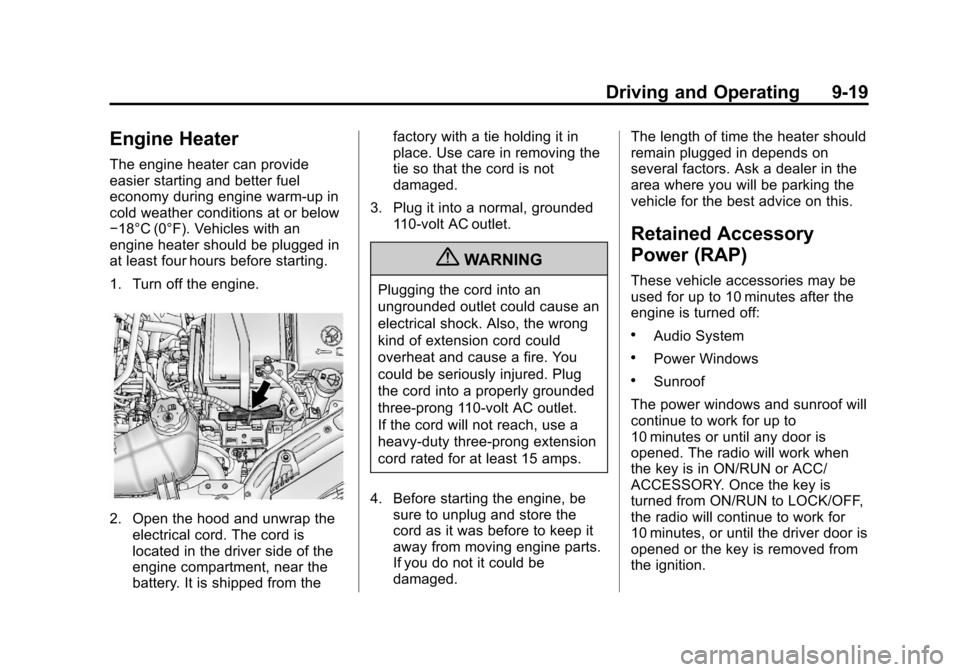
1. Turn off the engine.
2. Open the hood and unwrap theelectrical cord. The cord is
located in the driver side of the
engine compartment, near the
battery. It is shipped from the factory with a tie holding it in
place. Use care in removing the
tie so that the cord is not
damaged.
3. Plug it into a normal, grounded 110-volt AC outlet.
{WARNING
Plugging the cord into an
ungrounded outlet could cause an
electrical shock. Also, the wrong
kind of extension cord could
overheat and cause a fire. You
could be seriously injured. Plug
the cord into a properly grounded
three-prong 110-volt AC outlet.
If the cord will not reach, use a
heavy-duty three-prong extension
cord rated for at least 15 amps.
4. Before starting the engine, be sure to unplug and store the
cord as it was before to keep it
away from moving engine parts.
If you do not it could be
damaged. The length of time the heater should
remain plugged in depends on
several factors. Ask a dealer in the
area where you will be parking the
vehicle for the best advice on this.
Retained Accessory
Power (RAP)
These vehicle accessories may be
used for up to 10 minutes after the
engine is turned off:
.Audio System
.Power Windows
.Sunroof
The power windows and sunroof will
continue to work for up to
10 minutes or until any door is
opened. The radio will work when
the key is in ON/RUN or ACC/
ACCESSORY. Once the key is
turned from ON/RUN to LOCK/OFF,
the radio will continue to work for
10 minutes, or until the driver door is
opened or the key is removed from
the ignition.