windshield CHEVROLET SONIC 2014 2.G Owner's Manual
[x] Cancel search | Manufacturer: CHEVROLET, Model Year: 2014, Model line: SONIC, Model: CHEVROLET SONIC 2014 2.GPages: 400, PDF Size: 5.57 MB
Page 244 of 400
Black plate (36,1)Chevrolet Sonic Owner Manual (GMNA-Localizing-U.S./Canada-6081473) -
2014 - 2nd Edition - 8/19/13
9-36 Driving and Operating
When the System Does Not
Seem to Work Properly
The RVC system may not work
properly or display a clear image if:
.The RVC is turned off. See
“Turning the Rear Camera
System On or Off”earlier in this
section.
.It is dark.
.The sun or the beam of
headlamps are shining directly
into the camera lens.
.Ice, snow, mud, or anything else
builds up on the camera lens.
Clean the lens, rinse it with
water, and wipe it with a soft
cloth.
.The back of the vehicle is in an
accident. The position and
mounting angle of the camera
can change or the camera can
be affected. Be sure to have the
camera and its position and
mounting angle checked at your
dealer.
Lane Departure
Warning (LDW)
For vehicles with this feature, read
the entire section before using it.
{Warning
The LDW system is an aid to help
the vehicle stay in the driving
lane. It does not steer the vehicle.
The LDW system may not:
.Provide enough time to avoid
a crash.
.Detect lane markings under
bad weather conditions or if
the windshield is dirty.
.Detect lane markings and will
not detect road edges.
.Warn that the vehicle is
crossing a lane marking if the
system does not detect the
lane marking.
(Continued)
Warning (Continued)
If LDW only detects lane
markings on one side of the road,
it will only warn you when
departing the lane on the side
where it has detected a lane
marker. Even with LDW, always
keep your attention on the road
and maintain proper vehicle
position within the lane, or vehicle
damage, injury, or death could
occur. Always keep the
windshield clean and do not use
LDW in bad weather conditions.
When the vehicle crosses a
detected lane marking, the LDW
indicator will flash and three beeps
will sound. LDW will not warn if the
turn signal is on or if a sharp
maneuver is made.
Page 245 of 400
Black plate (37,1)Chevrolet Sonic Owner Manual (GMNA-Localizing-U.S./Canada-6081473) -
2014 - 2nd Edition - 8/19/13
Driving and Operating 9-37
How the System Works
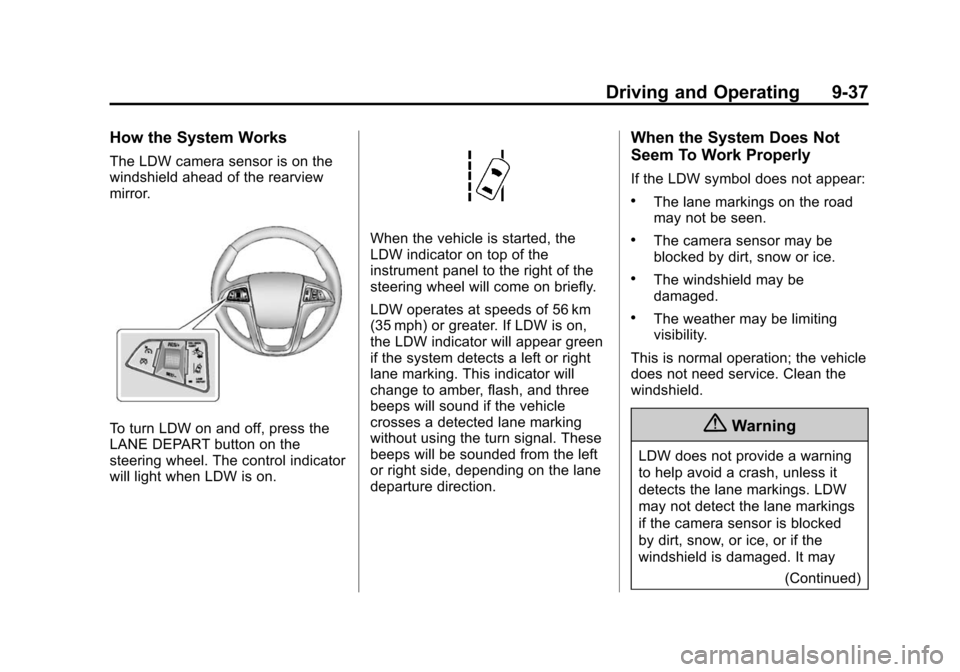
The LDW camera sensor is on the
windshield ahead of the rearview
mirror.
To turn LDW on and off, press the
LANE DEPART button on the
steering wheel. The control indicator
will light when LDW is on.
When the vehicle is started, the
LDW indicator on top of the
instrument panel to the right of the
steering wheel will come on briefly.
LDW operates at speeds of 56 km
(35 mph) or greater. If LDW is on,
the LDW indicator will appear green
if the system detects a left or right
lane marking. This indicator will
change to amber, flash, and three
beeps will sound if the vehicle
crosses a detected lane marking
without using the turn signal. These
beeps will be sounded from the left
or right side, depending on the lane
departure direction.
When the System Does Not
Seem To Work Properly
If the LDW symbol does not appear:
.The lane markings on the road
may not be seen.
.The camera sensor may be
blocked by dirt, snow or ice.
.The windshield may be
damaged.
.The weather may be limiting
visibility.
This is normal operation; the vehicle
does not need service. Clean the
windshield.
{Warning
LDW does not provide a warning
to help avoid a crash, unless it
detects the lane markings. LDW
may not detect the lane markings
if the camera sensor is blocked
by dirt, snow, or ice, or if the
windshield is damaged. It may (Continued)
Page 246 of 400
Black plate (38,1)Chevrolet Sonic Owner Manual (GMNA-Localizing-U.S./Canada-6081473) -
2014 - 2nd Edition - 8/19/13
9-38 Driving and Operating
Warning (Continued)
also not detect a lane on winding
or hilly roads, or in conditions that
can limit visibility such as fog,
rain, or snow, or if the headlamps
or windshield are not cleaned or
in proper condition. Keep the
windshield, headlamps, and
camera sensors clean and in
good repair.
LDW warnings may occasionally
occur due to tar marks, shadows,
cracks in the road, or other road
imperfections. This is normal system
operation, the vehicle does not need
service.
Fuel
Use of the recommended fuel is an
important part of the proper
maintenance of this vehicle. When
driving in the U.S., to help keep the
engine clean and maintain optimum
vehicle performance, we
recommend using TOP TIER
Detergent Gasolines. See
www.toptiergas.com for a list of TOP
TIER Detergent Gasolines.
Recommended Fuel
Use regular unleaded gasoline with
a posted octane rating of 87 or
higher. If the octane rating is less
than 87, an audible knocking noise
may be heard. If this occurs, use a
gasoline rated at 87 octane or
higher as soon as possible. If heavy
knocking is heard when using
gasoline with a higher octane rating,
the engine needs service.
Use of Seasonal Fuels
Use summer and winter fuels in the
appropriate season. Driving or
starting could be affected if the
incorrect fuel is used. Drive the
vehicle with the engine running until
the fuel is a half tank or less, then
refuel with the current seasonal fuel.
Prohibited Fuels
Gasolines containing oxygenates,
such as ethers and ethanol, as well
as reformulated gasolines are
available in some cities. If these
gasolines comply with the
previously described specification,
Page 257 of 400

Black plate (7,1)Chevrolet Sonic Owner Manual (GMNA-Localizing-U.S./Canada-6081473) -
2014 - 2nd Edition - 8/19/13
Vehicle Care 10-7
1.Engine Air Cleaner/Filter on
page 10-14.
2. Engine Oil Dipstick. See Engine
Oil on page 10-9.
3. Engine Cooling Fan (Out of View). See Cooling System on
page 10-15.
4. Engine Oil Fill Cap. See Engine
Oil on page 10-9.
5. Engine Coolant Surge Tank and Pressure Cap. See Cooling
System on page 10-15.
6. Brake/Clutch Fluid Reservoir. See Brakes on page 10-22 and
Hydraulic Clutch on page 10-13.
7. Battery on page 10-24.
8. Windshield Washer Fluid Reservoir. See Washer Fluid on
page 10-21.
9. Engine Compartment Fuse
Block on page 10-33.
Page 259 of 400
Black plate (9,1)Chevrolet Sonic Owner Manual (GMNA-Localizing-U.S./Canada-6081473) -
2014 - 2nd Edition - 8/19/13
Vehicle Care 10-9
1.Engine Air Cleaner/Filter on
page 10-14.
2. Engine Oil Dipstick. See Engine
Oil on page 10-9.
3. Engine Cooling Fan (Out of View). See Cooling System on
page 10-15.
4. Engine Oil Fill Cap. See Engine
Oil on page 10-9.
5. Engine Coolant Surge Tank and Pressure Cap. See Cooling
System on page 10-15.
6. Brake/Clutch Fluid Reservoir. See Brakes on page 10-22 and
Hydraulic Clutch on page 10-13.
7. Battery on page 10-24.
8. Engine Compartment Fuse
Block on page 10-33.
9. Windshield Washer Fluid Reservoir. See Washer Fluid on
page 10-21.Engine Oil
To ensure proper engine
performance and long life, careful
attention must be paid to engine oil.
Following these simple, but
important steps will help protect
your investment:
.Always use engine oil approved
to the proper specification and of
the proper viscosity grade. See
“Selecting the Right Engine Oil”
in this section.
.Check the engine oil level
regularly and maintain the
proper oil level. See “Checking
Engine Oil” and“When to Add
Engine Oil” in this section.
.Change the engine oil at the
appropriate time. See Engine Oil
Life System on page 10-12.
.Always dispose of engine oil
properly. See “What to Do with
Used Oil” in this section.
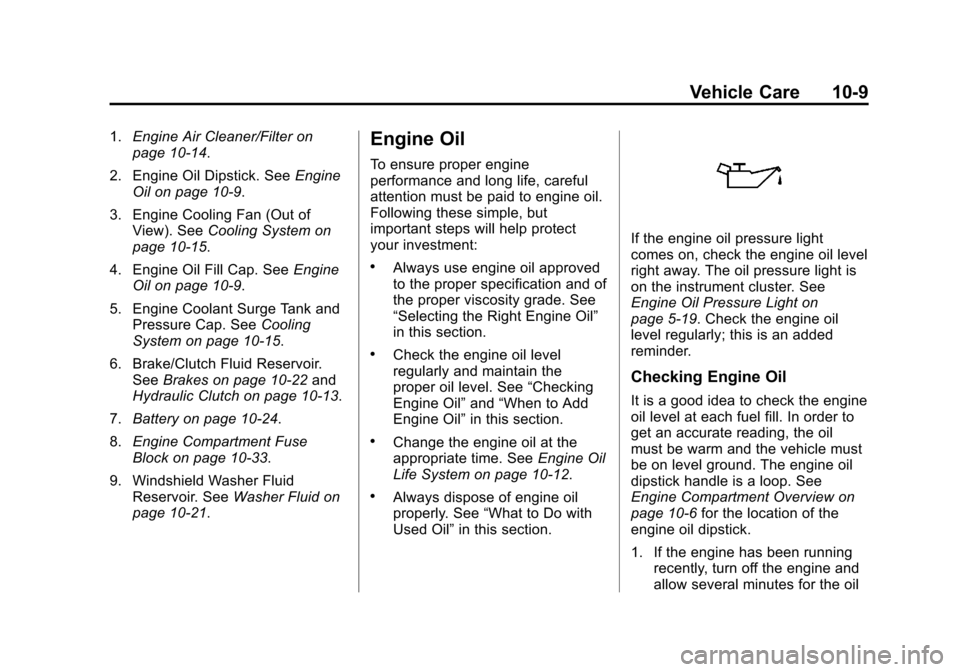
If the engine oil pressure light
comes on, check the engine oil level
right away. The oil pressure light is
on the instrument cluster. See
Engine Oil Pressure Light on
page 5-19. Check the engine oil
level regularly; this is an added
reminder.
Checking Engine Oil
It is a good idea to check the engine
oil level at each fuel fill. In order to
get an accurate reading, the oil
must be warm and the vehicle must
be on level ground. The engine oil
dipstick handle is a loop. See
Engine Compartment Overview on
page 10-6 for the location of the
engine oil dipstick.
1. If the engine has been running recently, turn off the engine and
allow several minutes for the oil
Page 271 of 400
Black plate (21,1)Chevrolet Sonic Owner Manual (GMNA-Localizing-U.S./Canada-6081473) -
2014 - 2nd Edition - 8/19/13
Vehicle Care 10-21
2. Turn the heater on to the highesttemperature and to the highest
fan speed. Open the windows as
necessary.
3. When it is safe to do so, pull off the road, shift to P (Park) or
N (Neutral) for an automatic
transmission or Neutral for a
manual transmission, and let the
engine idle.
If the overheat warning no longer
displays, the vehicle can be driven.
Continue to drive the vehicle slowly
for about 10 minutes. Keep a safe
vehicle distance from the vehicle in
front. If the warning does not come
back on, continue to drive normally
and have the cooling system
checked for proper fill and function.
If the warning continues, pull over,
stop, and park the vehicle
right away.
If there is no sign of steam, idle the
engine for three minutes while
parked. If the warning is still
displayed, turn off the engine until it
cools down.Washer Fluid
What to Use
When the vehicle needs windshield
washer fluid, be sure to read the
manufacturer's instructions before
use. If operating the vehicle in an
area where the temperature may fall
below freezing, use a fluid that has
sufficient protection against
freezing.
Adding Washer Fluid
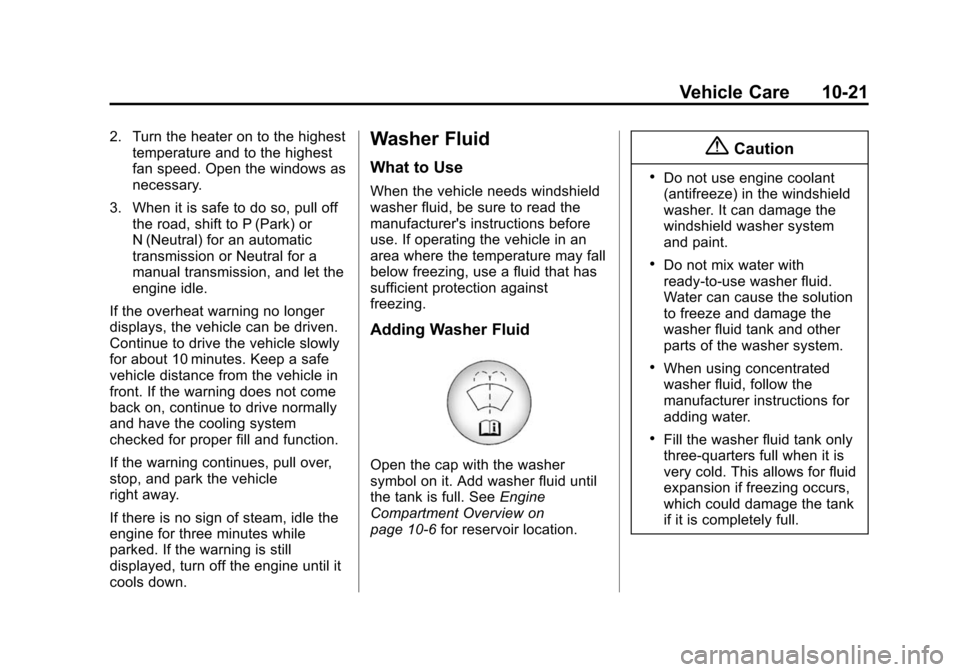
Open the cap with the washer
symbol on it. Add washer fluid until
the tank is full. See Engine
Compartment Overview on
page 10-6 for reservoir location.
{Caution
.Do not use engine coolant
(antifreeze) in the windshield
washer. It can damage the
windshield washer system
and paint.
.Do not mix water with
ready-to-use washer fluid.
Water can cause the solution
to freeze and damage the
washer fluid tank and other
parts of the washer system.
.When using concentrated
washer fluid, follow the
manufacturer instructions for
adding water.
.Fill the washer fluid tank only
three-quarters full when it is
very cold. This allows for fluid
expansion if freezing occurs,
which could damage the tank
if it is completely full.
Page 276 of 400
Black plate (26,1)Chevrolet Sonic Owner Manual (GMNA-Localizing-U.S./Canada-6081473) -
2014 - 2nd Edition - 8/19/13
10-26 Vehicle Care
normal effort. If the shift lever
moves out of P (Park), contact
your dealer for service.
Ignition Transmission
Lock Check
While parked, and with the parking
brake set, try to turn the ignition to
LOCK/OFF in each shift lever
position.
.For automatic transmission
vehicles, the ignition should turn
to LOCK/OFF only when the
shift lever is in P (Park).
.For manual transmission
vehicles, the ignition should turn
to LOCK/OFF only when the
shift lever is in neutral.
On all vehicles, the ignition key
should come out only in LOCK/OFF.
Contact your dealer if service is
required.
Park Brake and P (Park)
Mechanism Check
{Warning
When you are doing this check,
the vehicle could begin to move.
You or others could be injured
and property could be damaged.
Make sure there is room in front
of the vehicle in case it begins to
roll. Be ready to apply the regular
brake at once should the vehicle
begin to move.
Park on a fairly steep hill, with the
vehicle facing downhill. Keeping
your foot on the regular brake, set
the parking brake.
.To check the parking brake's
holding ability: With the engine
running and the transmission in
N (Neutral), slowly remove foot
pressure from the regular brake
pedal. Do this until the vehicle is
held by the parking brake only.
.To check the P (Park)
mechanism's holding ability:
With the engine running, shift to
P (Park). Then release the
parking brake followed by the
regular brake.
Contact your dealer if service is
required.
Wiper Blade Replacement
Front Wiper Blade
Replacement
Windshield wiper blades should be
inspected for wear or cracking. See
the Maintenance Schedule on
page 11-2 for more information.
Replacement blades come in
different types and are removed in
different ways. For proper
windshield wiper blade length and
type, see Maintenance
Replacement Parts on page 11-14.
Page 277 of 400
Black plate (27,1)Chevrolet Sonic Owner Manual (GMNA-Localizing-U.S./Canada-6081473) -
2014 - 2nd Edition - 8/19/13
Vehicle Care 10-27
{Caution
Allowing the wiper arm to touch
the windshield when no wiper
blade is installed could damage
the windshield. Any damage that
occurs would not be covered by
your warranty. Do not allow the
wiper arm to touch the windshield.
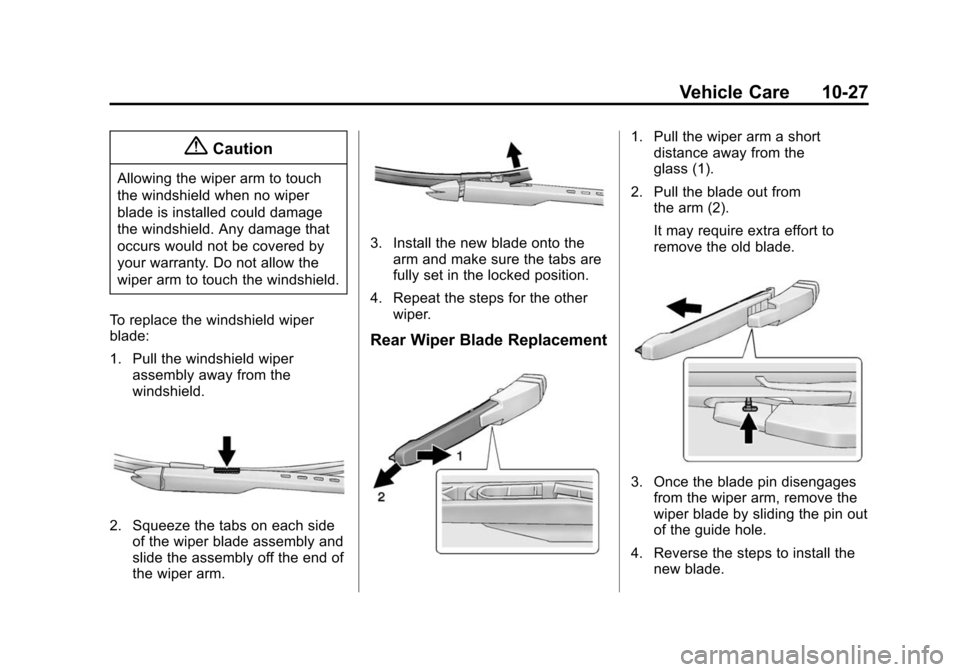
To replace the windshield wiper
blade:
1. Pull the windshield wiper assembly away from the
windshield.
2. Squeeze the tabs on each sideof the wiper blade assembly and
slide the assembly off the end of
the wiper arm.
3. Install the new blade onto thearm and make sure the tabs are
fully set in the locked position.
4. Repeat the steps for the other wiper.
Rear Wiper Blade Replacement
1. Pull the wiper arm a shortdistance away from the
glass (1).
2. Pull the blade out from the arm (2).
It may require extra effort to
remove the old blade.
3. Once the blade pin disengagesfrom the wiper arm, remove the
wiper blade by sliding the pin out
of the guide hole.
4. Reverse the steps to install the new blade.
Page 279 of 400
Black plate (29,1)Chevrolet Sonic Owner Manual (GMNA-Localizing-U.S./Canada-6081473) -
2014 - 2nd Edition - 8/19/13
Vehicle Care 10-29
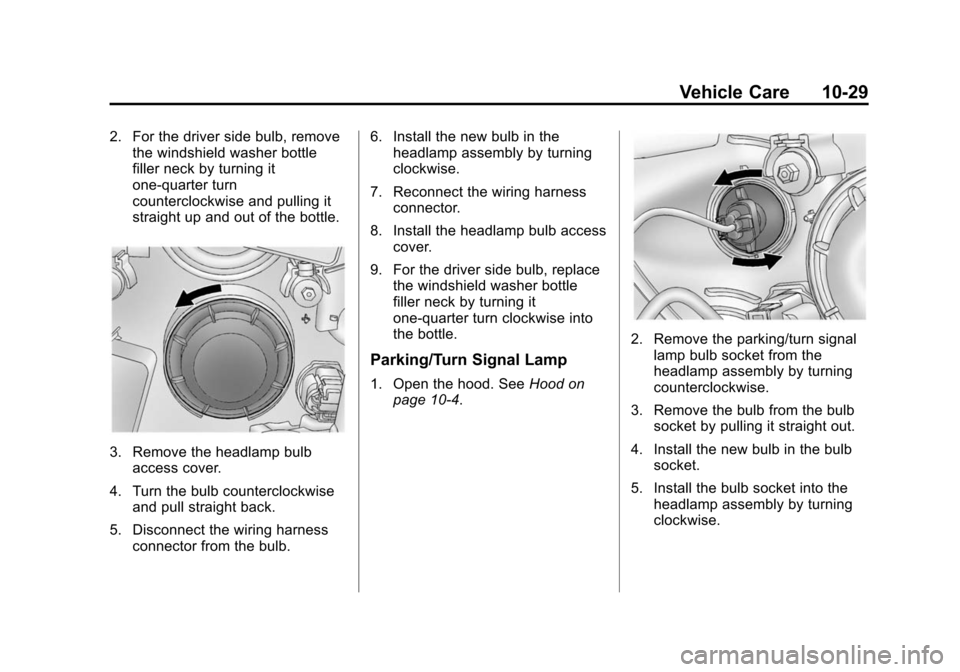
2. For the driver side bulb, removethe windshield washer bottle
filler neck by turning it
one-quarter turn
counterclockwise and pulling it
straight up and out of the bottle.
3. Remove the headlamp bulbaccess cover.
4. Turn the bulb counterclockwise and pull straight back.
5. Disconnect the wiring harness connector from the bulb. 6. Install the new bulb in the
headlamp assembly by turning
clockwise.
7. Reconnect the wiring harness connector.
8. Install the headlamp bulb access cover.
9. For the driver side bulb, replace the windshield washer bottle
filler neck by turning it
one-quarter turn clockwise into
the bottle.
Parking/Turn Signal Lamp
1. Open the hood. See Hood on
page 10-4.
2. Remove the parking/turn signal
lamp bulb socket from the
headlamp assembly by turning
counterclockwise.
3. Remove the bulb from the bulb socket by pulling it straight out.
4. Install the new bulb in the bulb socket.
5. Install the bulb socket into the headlamp assembly by turning
clockwise.
Page 283 of 400
Black plate (33,1)Chevrolet Sonic Owner Manual (GMNA-Localizing-U.S./Canada-6081473) -
2014 - 2nd Edition - 8/19/13
Vehicle Care 10-33
Headlamp Wiring
An electrical overload may cause
the lamps to go on and off, or in
some cases to remain off. Have the
headlamp wiring checked right away
if the lamps go on and off or
remain off.
Windshield Wipers
If the wiper motor overheats due to
heavy snow or ice, the windshield
wipers will stop until the motor cools
and will then restart.
Although the circuit is protected
from electrical overload, overload
due to heavy snow or ice may
cause wiper linkage damage.
Always clear ice and heavy snow
from the windshield before using the
windshield wipers.
If the overload is caused by an
electrical problem and not snow or
ice, be sure to get it fixed.
Fuses and Circuit
Breakers
The wiring circuits in the vehicle are
protected from short circuits by a
combination of fuses, circuit
breakers, and fusible thermal links.
This greatly reduces the chance of
fires caused by electrical problems.
Look at the silver-colored band
inside the fuse. If the band is broken
or melted, replace the fuse. Be sure
you replace a bad fuse with a new
one of the identical size and rating.
Fuses of the same amperage can
be temporarily borrowed from
another fuse location, if a fuse goes
out. Replace the fuse as soon as
you can.
Engine Compartment
Fuse Block
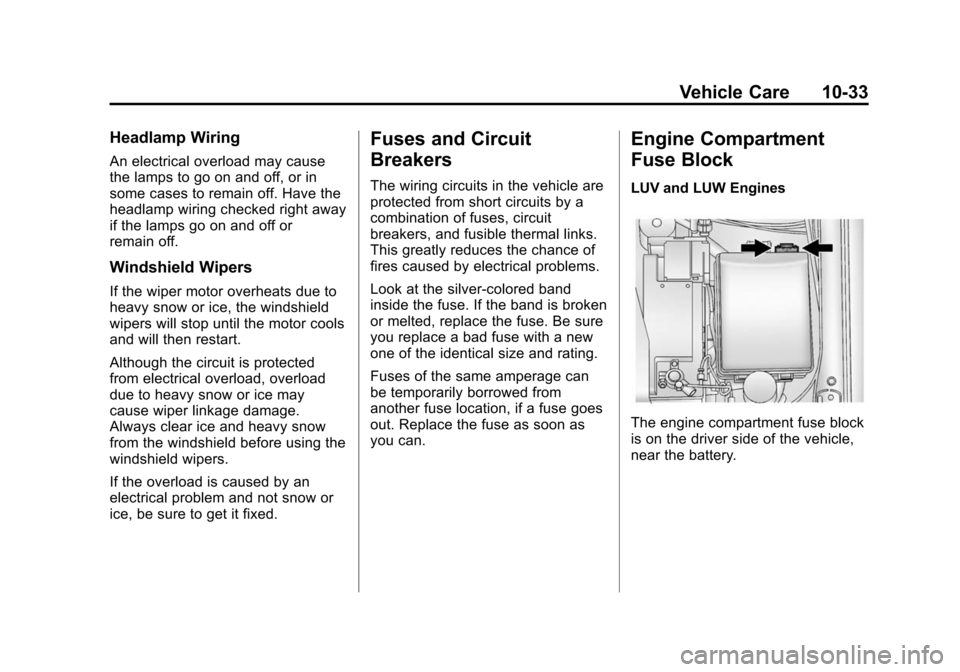
LUV and LUW Engines
The engine compartment fuse block
is on the driver side of the vehicle,
near the battery.