set CHEVROLET SONIC 2015 2.G Owners Manual
[x] Cancel search | Manufacturer: CHEVROLET, Model Year: 2015, Model line: SONIC, Model: CHEVROLET SONIC 2015 2.GPages: 403, PDF Size: 5.68 MB
Page 21 of 403
Black plate (14,1)Chevrolet Sonic Owner Manual (GMNA-Localizing-U.S./Canada-7707487) -
2015 - crc - 10/31/14
1-14 In Brief
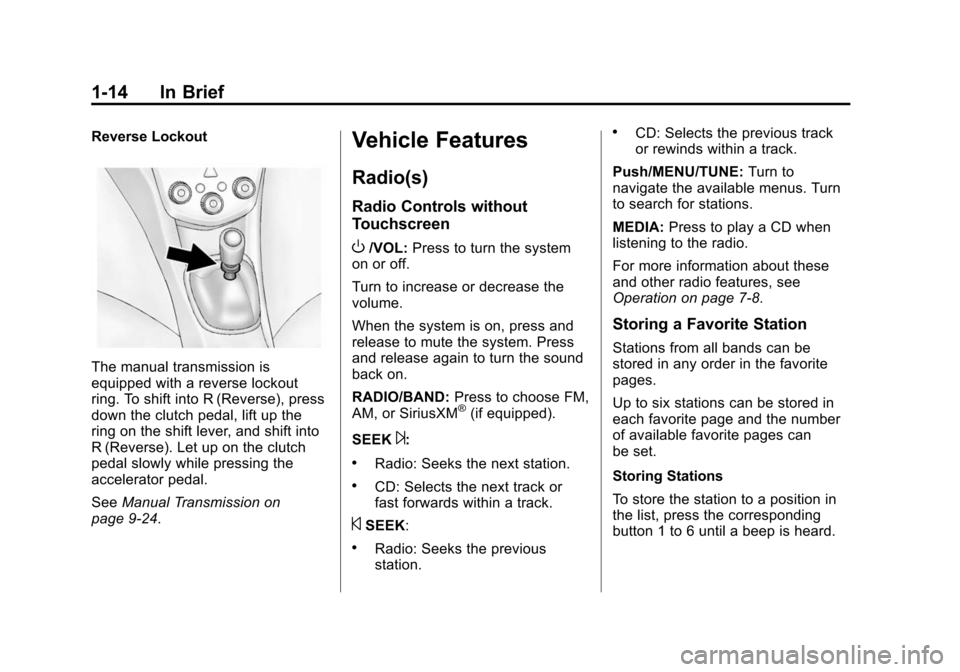
Reverse Lockout
The manual transmission is
equipped with a reverse lockout
ring. To shift into R (Reverse), press
down the clutch pedal, lift up the
ring on the shift lever, and shift into
R (Reverse). Let up on the clutch
pedal slowly while pressing the
accelerator pedal.
SeeManual Transmission on
page 9-24.
Vehicle Features
Radio(s)
Radio Controls without
Touchscreen
O/VOL: Press to turn the system
on or off.
Turn to increase or decrease the
volume.
When the system is on, press and
release to mute the system. Press
and release again to turn the sound
back on.
RADIO/BAND: Press to choose FM,
AM, or SiriusXM
®(if equipped).
SEEK
¨:
.Radio: Seeks the next station.
.CD: Selects the next track or
fast forwards within a track.
©SEEK:
.Radio: Seeks the previous
station.
.CD: Selects the previous track
or rewinds within a track.
Push/MENU/TUNE: Turn to
navigate the available menus. Turn
to search for stations.
MEDIA: Press to play a CD when
listening to the radio.
For more information about these
and other radio features, see
Operation on page 7-8.
Storing a Favorite Station
Stations from all bands can be
stored in any order in the favorite
pages.
Up to six stations can be stored in
each favorite page and the number
of available favorite pages can
be set.
Storing Stations
To store the station to a position in
the list, press the corresponding
button 1 to 6 until a beep is heard.
Page 22 of 403
Black plate (15,1)Chevrolet Sonic Owner Manual (GMNA-Localizing-U.S./Canada-7707487) -
2015 - crc - 10/31/14
In Brief 1-15
Retrieving Stations
Press the FAV button to open a
favorite page or to switch to another
favorite page. Briefly press one of
the 1 to 6 buttons to retrieve the
station.
See“Storing a Favorite Station” in
"Radio Controls without
Touchscreen" under AM-FM Radio
on page 7-12.
Radio Controls with
Touchscreen
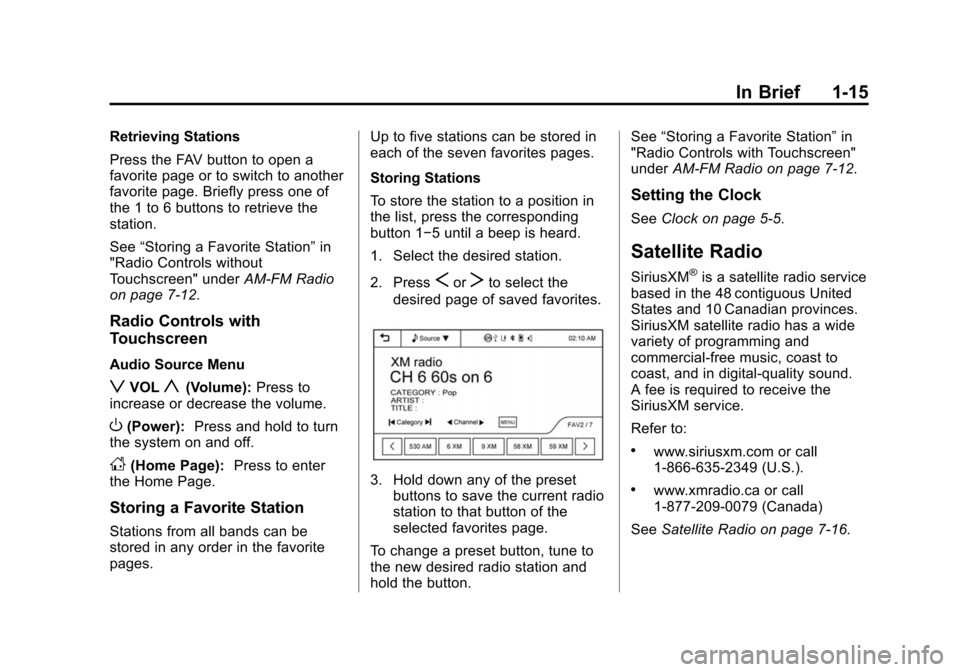
Audio Source Menu
zVOLy(Volume): Press to
increase or decrease the volume.
O(Power): Press and hold to turn
the system on and off.
D(Home Page): Press to enter
the Home Page.
Storing a Favorite Station
Stations from all bands can be
stored in any order in the favorite
pages. Up to five stations can be stored in
each of the seven favorites pages.
Storing Stations
To store the station to a position in
the list, press the corresponding
button 1−5 until a beep is heard.
1. Select the desired station.
2. Press
SorTto select the
desired page of saved favorites.
3. Hold down any of the preset buttons to save the current radio
station to that button of the
selected favorites page.
To change a preset button, tune to
the new desired radio station and
hold the button. See
“Storing a Favorite Station” in
"Radio Controls with Touchscreen"
under AM-FM Radio on page 7-12.
Setting the Clock
SeeClock on page 5-5.
Satellite Radio
SiriusXM®is a satellite radio service
based in the 48 contiguous United
States and 10 Canadian provinces.
SiriusXM satellite radio has a wide
variety of programming and
commercial-free music, coast to
coast, and in digital-quality sound.
A fee is required to receive the
SiriusXM service.
Refer to:
.www.siriusxm.com or call
1-866-635-2349 (U.S.).
.www.xmradio.ca or call
1-877-209-0079 (Canada)
See Satellite Radio on page 7-16.
Page 24 of 403
Black plate (17,1)Chevrolet Sonic Owner Manual (GMNA-Localizing-U.S./Canada-7707487) -
2015 - crc - 10/31/14
In Brief 1-17
+x−:Press + or −to increase or
decrease the volume.
See Steering Wheel Controls on
page 5-2.
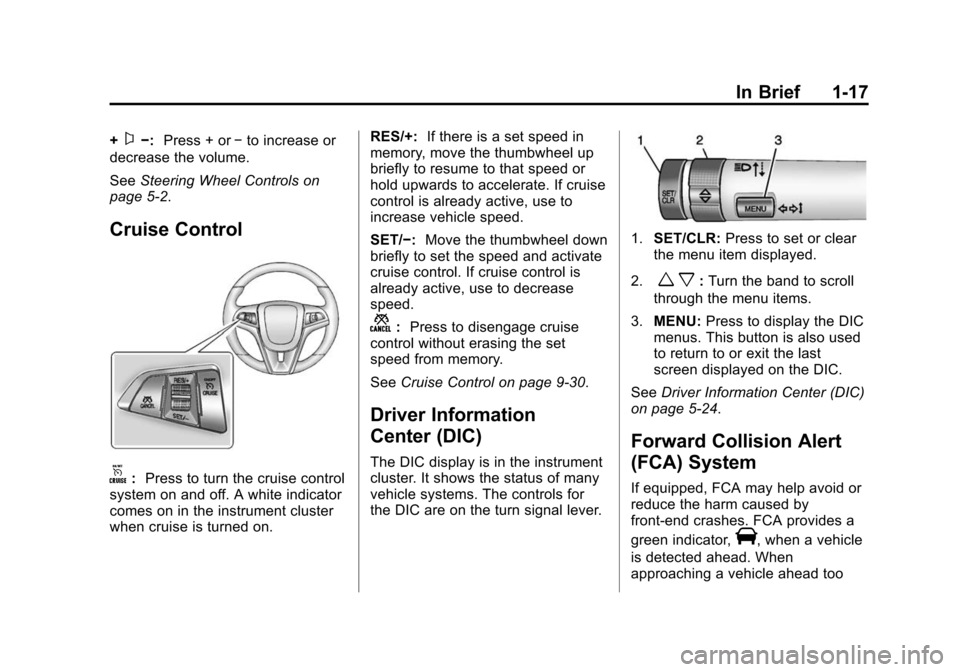
Cruise Control
o: Press to turn the cruise control
system on and off. A white indicator
comes on in the instrument cluster
when cruise is turned on. RES/+:
If there is a set speed in
memory, move the thumbwheel up
briefly to resume to that speed or
hold upwards to accelerate. If cruise
control is already active, use to
increase vehicle speed.
SET/−: Move the thumbwheel down
briefly to set the speed and activate
cruise control. If cruise control is
already active, use to decrease
speed.
n: Press to disengage cruise
control without erasing the set
speed from memory.
See Cruise Control on page 9-30.
Driver Information
Center (DIC)
The DIC display is in the instrument
cluster. It shows the status of many
vehicle systems. The controls for
the DIC are on the turn signal lever.
1.SET/CLR: Press to set or clear
the menu item displayed.
2.
w x: Turn the band to scroll
through the menu items.
3. MENU: Press to display the DIC
menus. This button is also used
to return to or exit the last
screen displayed on the DIC.
See Driver Information Center (DIC)
on page 5-24.
Forward Collision Alert
(FCA) System
If equipped, FCA may help avoid or
reduce the harm caused by
front-end crashes. FCA provides a
green indicator,
V, when a vehicle
is detected ahead. When
approaching a vehicle ahead too
Page 27 of 403
Black plate (20,1)Chevrolet Sonic Owner Manual (GMNA-Localizing-U.S./Canada-7707487) -
2015 - crc - 10/31/14
1-20 In Brief
stop as soon as possible and inflate
the tires to the recommended
pressure shown on the Tire and
Loading Information label. See
Vehicle Load Limits on page 9-9.
The warning light will remain on until
the tire pressure is corrected.
The low tire pressure warning light
may come on in cool weather when
the vehicle is first started, and then
turn off as the vehicle is driven. This
may be an early indicator that the
tire pressures are getting low and
the tires need to be inflated to the
proper pressure.
The TPMS does not replace normal
monthly tire maintenance. Maintain
the correct tire pressures.
SeeTire Pressure Monitor System
on page 10-49.
Engine Oil Life System
The engine oil life system calculates
engine oil life based on vehicle use
and displays the
:% CHANGE message on the DIC when it is
necessary to change the engine oil
and filter.
Remember, the oil life display must
be reset after each oil change. It will
not reset itself.
Resetting the Oil Life System
1. Press the MENU button to show
Remaining Oil Life on the
display. This display shows an
estimate of the oil’s remaining
useful life. If 99% is displayed,
that means that 99% of the
current oil life remains.
2. To reset the engine oil life system, press the SET/CLR
button while the oil life display is
active. After a few seconds,
there will be a single chime and
the oil life will be reset to 100%.
Be careful not to reset the oil life
display accidentally at any time
other than when the oil has just
been changed. It cannot be reset
accurately until the next oil change. See
Engine Oil Life System on
page 10-12.
Driving for Better Fuel
Economy
Driving habits can affect fuel
mileage. Here are some driving tips
to get the best fuel economy
possible.
.Avoid fast starts and accelerate
smoothly.
.Brake gradually and avoid
abrupt stops.
.Avoid idling the engine for long
periods of time.
.When road and weather
conditions are appropriate, use
cruise control.
.Always follow posted speed
limits or drive more slowly when
conditions require.
.Keep vehicle tires properly
inflated.
.Combine several trips into a
single trip.
Page 34 of 403
Black plate (5,1)Chevrolet Sonic Owner Manual (GMNA-Localizing-U.S./Canada-7707487) -
2015 - crc - 10/31/14
Keys, Doors, and Windows 2-5
5. Repeat Steps 2–4 two moretimes. After the third time, turn to
ON/RUN; the key is learned and
all previously known keys will no
longer work with the vehicle.
Remaining keys can be learned by
following the procedure in
“Programming with a Recognized
Transmitter.”
Battery Replacement
The battery is not rechargeable. To
replace the battery:
{Caution
When replacing the battery, do
not touch any of the circuitry on
the transmitter. Static from your
body could damage the
transmitter.
1. Press the button on the transmitter to extend the key.
2. Remove the battery cover by prying with a finger. 3. Remove the old battery.
4. Insert the new battery, positive
side facing up. Replace with a
CR2032 or equivalent battery.
5. Snap the battery cover back on to the transmitter.
Remote Vehicle Start
If equipped, this feature allows the
engine to be started from outside
the vehicle.
/(Remote Vehicle Start): This
button will be on the RKE
transmitter if the vehicle has remote
start.
The climate control system will use
the previous settings during a
remote start. The rear defog may
come on during remote start based
on cold ambient conditions. The
rear fog indicator light does not
come on during remote start.
If the vehicle has heated seats, they
may come on during a remote start.
See Heated Front Seats on
page 3-6. Laws in some local communities
may restrict the use of remote
starters. For example, some laws
require a person using remote start
to have the vehicle in view. Check
local regulations for any
requirements.
Other conditions can affect the
performance of the transmitter. See
Remote Keyless Entry (RKE)
System on page 2-2.
Starting the Vehicle
To start the engine using the remote
start feature:
1. Aim the RKE transmitter at the
vehicle.
2. Press and release
Q.
3. Immediately after completing Step 2, press and hold
/for at
least four seconds or until the
turn signal lamps flash. The turn
signal lamps flashing confirms
the request to remote start the
vehicle has been received.
Page 37 of 403
Black plate (8,1)Chevrolet Sonic Owner Manual (GMNA-Localizing-U.S./Canada-7707487) -
2015 - crc - 10/31/14
2-8 Keys, Doors, and Windows
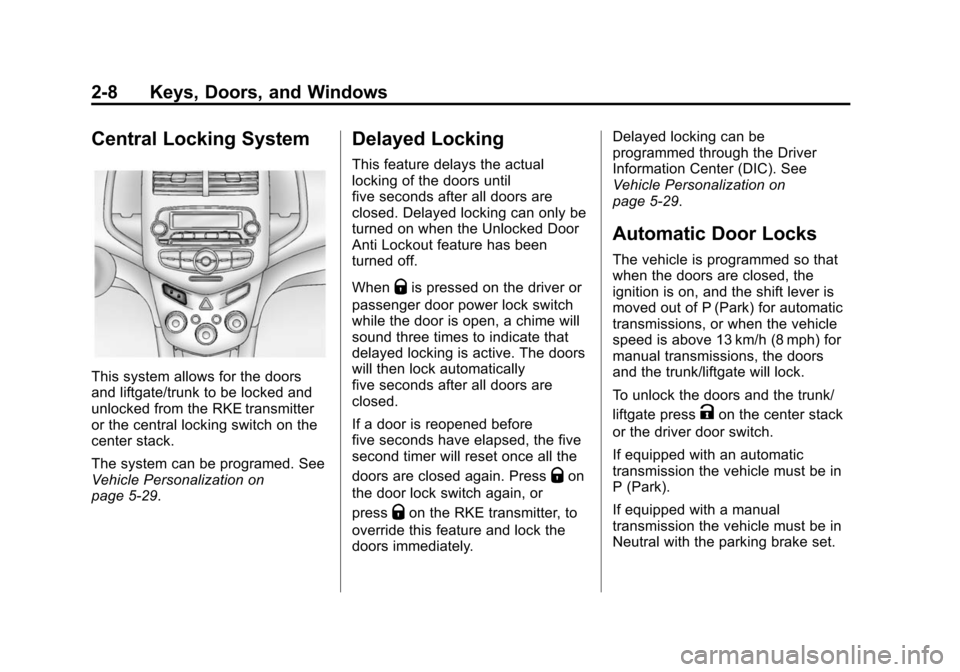
Central Locking System
This system allows for the doors
and liftgate/trunk to be locked and
unlocked from the RKE transmitter
or the central locking switch on the
center stack.
The system can be programed. See
Vehicle Personalization on
page 5-29.
Delayed Locking
This feature delays the actual
locking of the doors until
five seconds after all doors are
closed. Delayed locking can only be
turned on when the Unlocked Door
Anti Lockout feature has been
turned off.
When
Qis pressed on the driver or
passenger door power lock switch
while the door is open, a chime will
sound three times to indicate that
delayed locking is active. The doors
will then lock automatically
five seconds after all doors are
closed.
If a door is reopened before
five seconds have elapsed, the five
second timer will reset once all the
doors are closed again. Press
Qon
the door lock switch again, or
press
Qon the RKE transmitter, to
override this feature and lock the
doors immediately. Delayed locking can be
programmed through the Driver
Information Center (DIC). See
Vehicle Personalization on
page 5-29.
Automatic Door Locks
The vehicle is programmed so that
when the doors are closed, the
ignition is on, and the shift lever is
moved out of P (Park) for automatic
transmissions, or when the vehicle
speed is above 13 km/h (8 mph) for
manual transmissions, the doors
and the trunk/liftgate will lock.
To unlock the doors and the trunk/
liftgate press
Kon the center stack
or the driver door switch.
If equipped with an automatic
transmission the vehicle must be in
P (Park).
If equipped with a manual
transmission the vehicle must be in
Neutral with the parking brake set.
Page 39 of 403
Black plate (10,1)Chevrolet Sonic Owner Manual (GMNA-Localizing-U.S./Canada-7707487) -
2015 - crc - 10/31/14
2-10 Keys, Doors, and Windows
Doors
Trunk (Sedan)
{Warning
Exhaust gases can enter the
vehicle if it is driven with the
liftgate, hatch/trunk open, or with
any objects that pass through the
seal between the body and the
hatch/trunk or liftgate. Engine
exhaust contains carbon
monoxide (CO) which cannot be
seen or smelled. It can cause
unconsciousness and even death.
If the vehicle must be driven with
the liftgate or hatch/trunk open:
.Close all of the windows.
.Fully open the air outlets on
or under the instrument
panel.(Continued)
Warning (Continued)
.Adjust the climate control
system to a setting that
brings in only outside air and
set the fan speed to the
highest setting. See “Climate
Control Systems” in the
Index.
.If the vehicle is equipped with
a power liftgate, disable the
power liftgate function.
For more information about
carbon monoxide, see Engine
Exhaust on page 9-20.
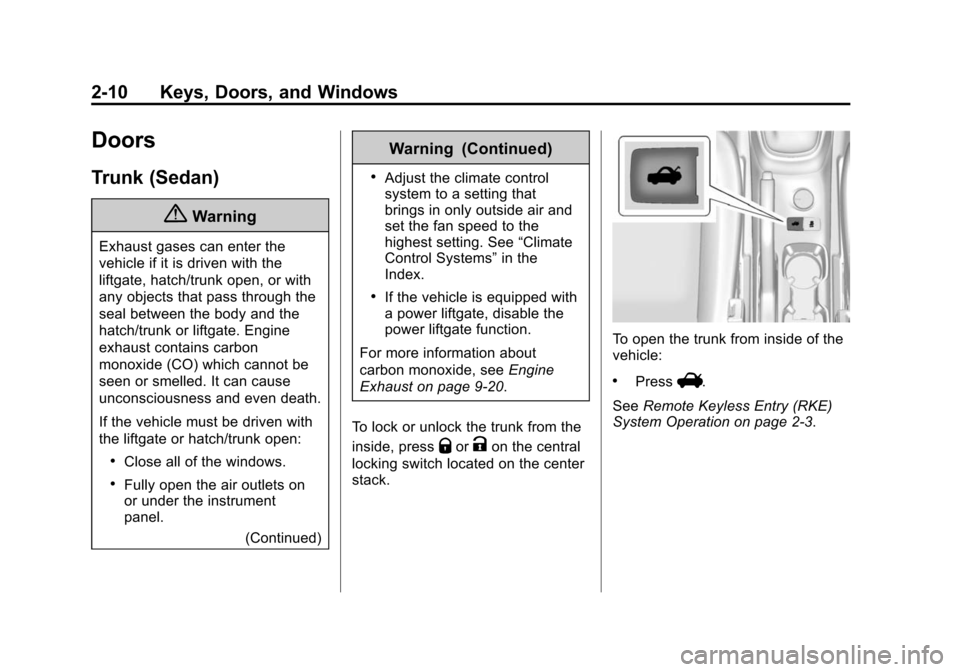
To lock or unlock the trunk from the
inside, press
QorKon the central
locking switch located on the center
stack.
To open the trunk from inside of the
vehicle:
.PressV.
See Remote Keyless Entry (RKE)
System Operation on page 2-3.
Page 41 of 403
Black plate (12,1)Chevrolet Sonic Owner Manual (GMNA-Localizing-U.S./Canada-7707487) -
2015 - crc - 10/31/14
2-12 Keys, Doors, and Windows
Warning (Continued)
.Fully open the air outlets on
or under the instrument
panel.
.Adjust the climate control
system to a setting that
brings in only outside air and
set the fan speed to the
highest setting. See“Climate
Control Systems” in the
Index.
.If the vehicle is equipped with
a power liftgate, disable the
power liftgate function.
For more information about
carbon monoxide, see Engine
Exhaust on page 9-20.
To lock or unlock the liftgate from
the inside, press
QorKon the
central locking switch or on the
driver door. The vehicle must be in P (Park) for
automatic transmissions. For
manual transmissions the parking
brake must be engaged.
To open the liftgate from the
outside, press
Kon the
RKE transmitter to unlock all doors,
then use the touch pad.
See Remote Keyless Entry (RKE)
System Operation on page 2-3.
When closing the liftgate, close from
the center to ensure that it fully
latches.
Vehicle Security
This vehicle has theft-deterrent
features; however, they do not make
the vehicle impossible to steal.
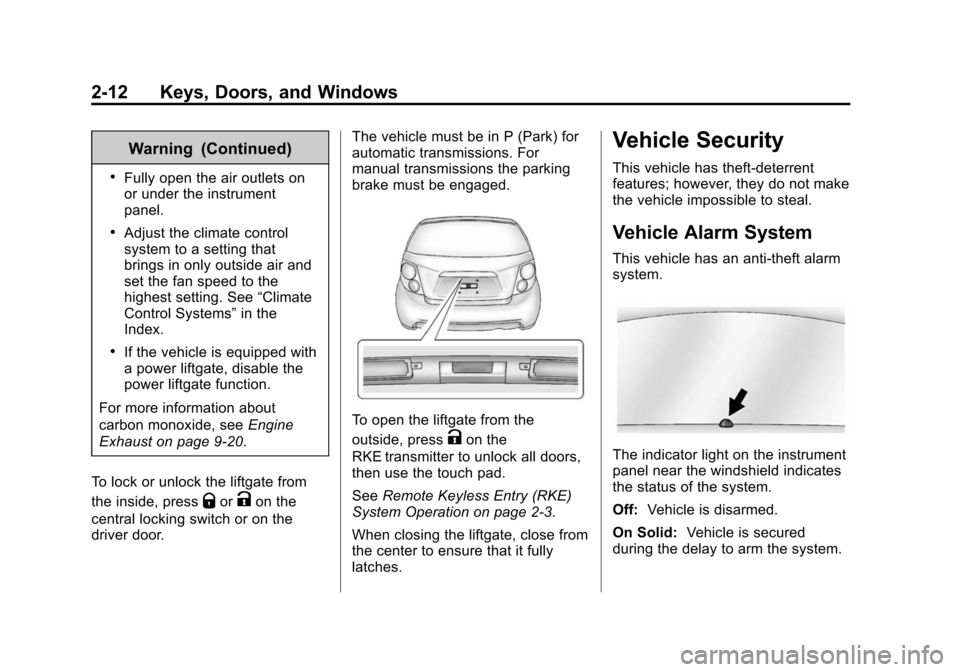
Vehicle Alarm System
This vehicle has an anti-theft alarm
system.
The indicator light on the instrument
panel near the windshield indicates
the status of the system.
Off: Vehicle is disarmed.
On Solid: Vehicle is secured
during the delay to arm the system.
Page 42 of 403
Black plate (13,1)Chevrolet Sonic Owner Manual (GMNA-Localizing-U.S./Canada-7707487) -
2015 - crc - 10/31/14
Keys, Doors, and Windows 2-13
Fast Flash:Vehicle is unsecured.
A door, the hood, or the trunk/
liftgate is open.
Slow Flash: Alarm system is
armed.
Arming the AlarmSystem
1. Close all doors, the trunk/liftgate, and the hood.
2. Lock the vehicle in one of two ways:
.Use the RKE transmitter.
.With a door open, press the
inside
Q.
3. After 30 seconds the alarm system will arm, and the
indicator light will begin to slowly
flash indicating the alarm system
is operating. Pressing
Qon the
RKE transmitter a second time
will bypass the 30-second delay
and immediately arm the alarm
system. The vehicle alarm system will not
arm if the doors are locked with
the key.
If the driver door is opened without
first unlocking with the RKE
transmitter, the horn will chirp and
the lights will flash to indicate
pre-alarm. If the vehicle is not
started, or the door is not unlocked
by pressing
Kon the RKE
transmitter during the 10–second
pre-alarm, the alarm will be
activated.
If a door, the hood, or the liftgate is
opened without first unlocking with
the RKE transmitter, the turn signals
will flash and the horn will sound for
about 30 seconds. The alarm
system will then re-arm to monitor
for the next unauthorized event.
Disarming the System
To disarm the system, either unlock
the doors using the RKE transmitter,
or start the vehicle with a
recognized transmitter in the
vehicle. To avoid setting off the alarm by
accident:
.PressKon the RKE transmitter.
.Start the vehicle.
To avoid setting off the alarm by
accident:
.Lock the vehicle after all
occupants have left the vehicle
and all doors are closed.
.Always unlock a door with the
RKE transmitter.
Unlocking the driver door with the
key will not disarm the system or
turn off the alarm.
How to Detect a Tamper
Condition
IfKis pressed on the transmitter
and the horn chirps and the lights
flash three times, an alarm occurred
previously while the alarm system
was armed.
Page 47 of 403
Black plate (18,1)Chevrolet Sonic Owner Manual (GMNA-Localizing-U.S./Canada-7707487) -
2015 - crc - 10/31/14
2-18 Keys, Doors, and Windows
Safety Function
If any object is in the path of the
window when the express-up
feature is active, the window will
stop and auto-reverse to a preset
position. Weather conditions may
cause the window to auto-reverse.
The window switch may be held up
to the second position to close the
window. The window will return to
normal operation once the
obstruction or condition is removed.
Safety Function Override
If the battery on the vehicle has
been recharged or disconnected,
or is not working, the windows will
need to be reprogrammed for the
express-up feature to work. Before
reprogramming, replace or recharge
the vehicle's battery.
To program the driver window:
1. With the ignition in ACC/ACCESSORY or ON/RUN,
or when RAP is active, close all
doors. 2. Press and hold the power
window switch until the window
is fully open.
3. Pull the power window switch up until the window is fully closed.
4. Continue holding the switch up for approximately two seconds
after the window is completely
closed.
The window is now reprogrammed.
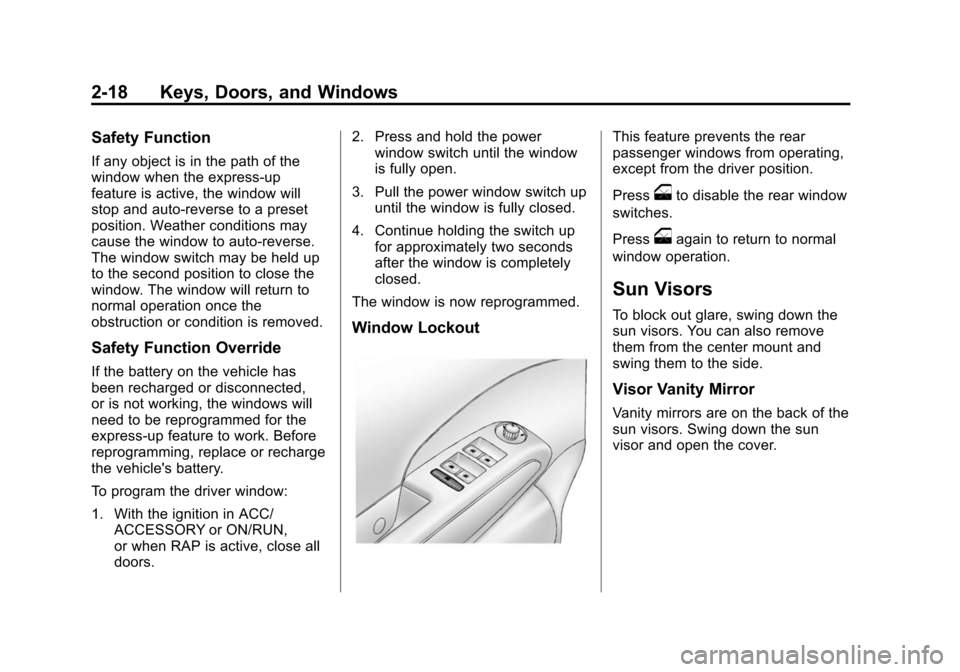
Window Lockout
This feature prevents the rear
passenger windows from operating,
except from the driver position.
Press
oto disable the rear window
switches.
Press
oagain to return to normal
window operation.
Sun Visors
To block out glare, swing down the
sun visors. You can also remove
them from the center mount and
swing them to the side.
Visor Vanity Mirror
Vanity mirrors are on the back of the
sun visors. Swing down the sun
visor and open the cover.