light CHEVROLET SONIC 2016 2.G Workshop Manual
[x] Cancel search | Manufacturer: CHEVROLET, Model Year: 2016, Model line: SONIC, Model: CHEVROLET SONIC 2016 2.GPages: 353, PDF Size: 7.74 MB
Page 125 of 353
Chevrolet Sonic Owner Manual (GMNA-Localizing-U.S/Canada-9085902) -
2016 - CRC - 5/27/15
124 Lighting
Interior Lighting
Instrument Panel
Illumination Control
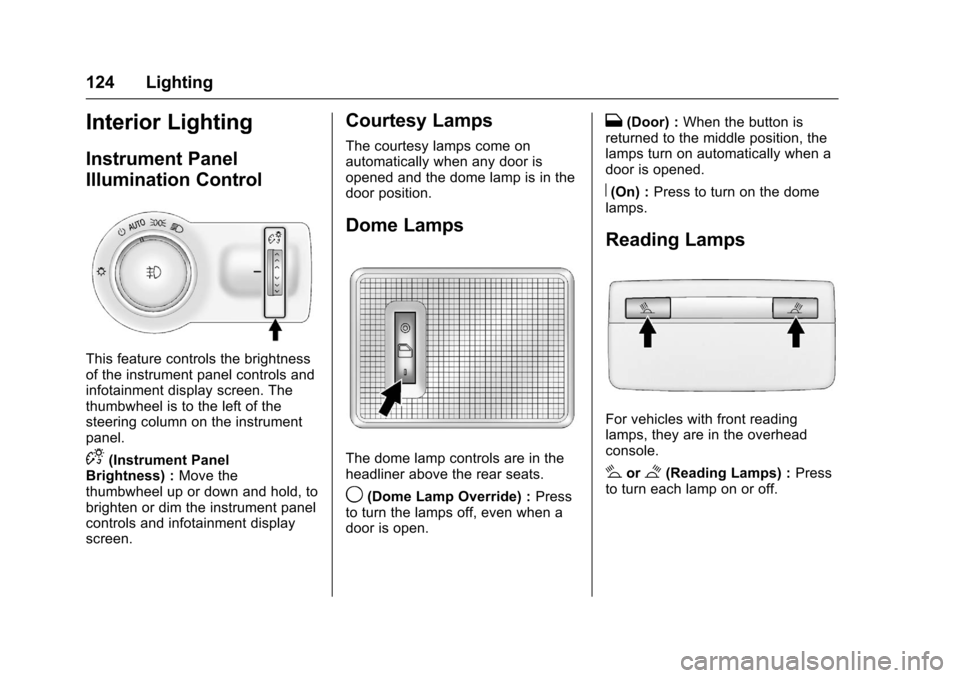
This feature controls the brightness
of the instrument panel controls and
infotainment display screen. The
thumbwheel is to the left of the
steering column on the instrument
panel.
D(Instrument Panel
Brightness) : Move the
thumbwheel up or down and hold, to
brighten or dim the instrument panel
controls and infotainment display
screen.
Courtesy Lamps
The courtesy lamps come on
automatically when any door is
opened and the dome lamp is in the
door position.
Dome Lamps
The dome lamp controls are in the
headliner above the rear seats.
9(Dome Lamp Override) : Press
to turn the lamps off, even when a
door is open.
H(Door) : When the button is
returned to the middle position, the
lamps turn on automatically when a
door is opened.
R(On) : Press to turn on the dome
lamps.
Reading Lamps
For vehicles with front reading
lamps, they are in the overhead
console.
#or$(Reading Lamps) : Press
to turn each lamp on or off.
Page 126 of 353
Chevrolet Sonic Owner Manual (GMNA-Localizing-U.S/Canada-9085902) -
2016 - CRC - 5/27/15
Lighting 125
Lighting Features
Entry Lighting
Some exterior lamps and interior
lamps turn on briefly at night, or in
areas with limited lighting, when
K
is pressed on the Remote Keyless
Entry (RKE) transmitter. When a
door is opened, the interior lamps
come on if the dome lamp control is
in the Door position. They stay on
for about 20 seconds. When all of
the doors have been closed or the
ignition is turned to ON/RUN, they
gradually fade out.
This feature can be changed. See
“Vehicle Locator Lights”under
Vehicle Personalization 0113.
Exit Lighting
Some exterior lamps and interior
lamps come on at night, or in areas
with limited lighting, when the key is
removed from the ignition. The
dome lamp comes on after the
ignition is changed to the OFF
position. The exterior lamps and dome lamp remain on for a set
amount of time, then automatically
turn off.
The exterior lamps turn off
immediately by turning the exterior
lamp control off.
This feature can be changed. See
Vehicle Personalization
0113.
Battery Load
Management
The vehicle has Electric Power
Management (EPM) that estimates
the battery's temperature and state
of charge. It then adjusts the voltage
for best performance and extended
life of the battery.
When the battery's state of charge
is low, the voltage is raised slightly
to quickly bring the charge back up.
When the state of charge is high,
the voltage is lowered slightly to
prevent overcharging. If the vehicle
has a voltmeter gauge or a voltage
display on the Driver Information
Center (DIC), you may see the voltage move up or down. This is
normal. If there is a problem, an
alert will be displayed.
The battery can be discharged at
idle if the electrical loads are very
high. This is true for all vehicles.
This is because the generator
(alternator) may not be spinning fast
enough at idle to produce all the
power needed for very high
electrical loads.
A high electrical load occurs when
several of the following are on, such
as: headlamps, high beams, fog
lamps, rear window defogger,
climate control fan at high speed,
heated seats, engine cooling fans,
trailer loads, and loads plugged into
accessory power outlets.
EPM works to prevent excessive
discharge of the battery. It does this
by balancing the generator's output
and the vehicle's electrical needs.
It can increase engine idle speed to
generate more power, whenever
needed. It can temporarily reduce
the power demands of some
accessories.
Page 127 of 353
Chevrolet Sonic Owner Manual (GMNA-Localizing-U.S/Canada-9085902) -
2016 - CRC - 5/27/15
126 Lighting
Normally, these actions occur in
steps or levels, without being
noticeable. In rare cases at the
highest levels of corrective action,
this action may be noticeable to the
driver.
Battery Power Protection
The battery saver feature is
designed to protect the vehicle's
battery.
If some interior lamps are left on
and the ignition is turned off, the
battery rundown protection system
automatically turns the lamp off after
some time.
Exterior Lighting Battery
Saver
The exterior lamps turn off about
10 minutes after the ignition is
turned off, if the parking lamps or
headlamps have been manually left
on. This protects against draining
the battery. To restart the 10-minute
timer, turn the exterior lamp control
to the off position and then back to
the parking lamp or headlamp
position.
To keep the lamps on for more than
10 minutes, the ignition must be in
the ACC/ACCESSORY or ON/RUN
position.
Page 132 of 353
Chevrolet Sonic Owner Manual (GMNA-Localizing-U.S/Canada-9085902) -
2016 - CRC - 5/27/15
Infotainment System 131
Overview (Radio with Touchscreen)
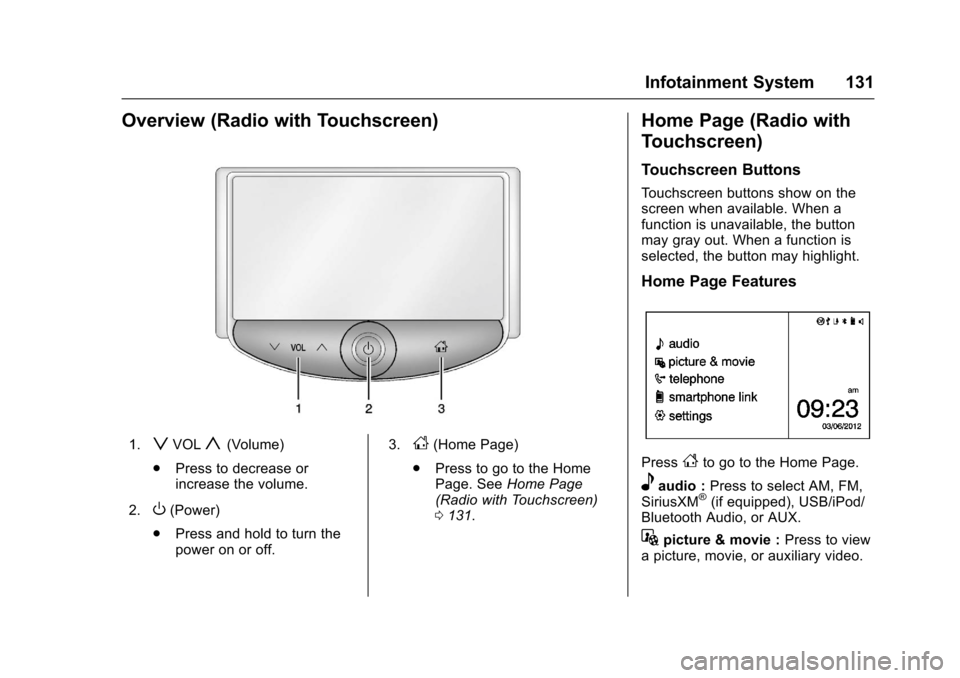
1.zVOLy(Volume)
. Press to decrease or
increase the volume.
2.
O(Power)
. Press and hold to turn the
power on or off. 3.
D(Home Page)
. Press to go to the Home
Page. See Home Page
(Radio with Touchscreen)
0 131.
Home Page (Radio with
Touchscreen)
Touchscreen Buttons
Touchscreen buttons show on the
screen when available. When a
function is unavailable, the button
may gray out. When a function is
selected, the button may highlight.
Home Page Features
PressFto go to the Home Page.
eaudio : Press to select AM, FM,
SiriusXM®(if equipped), USB/iPod/
Bluetooth Audio, or AUX.
Gpicture & movie : Press to view
a picture, movie, or auxiliary video.
Page 133 of 353
Chevrolet Sonic Owner Manual (GMNA-Localizing-U.S/Canada-9085902) -
2016 - CRC - 5/27/15
132 Infotainment System
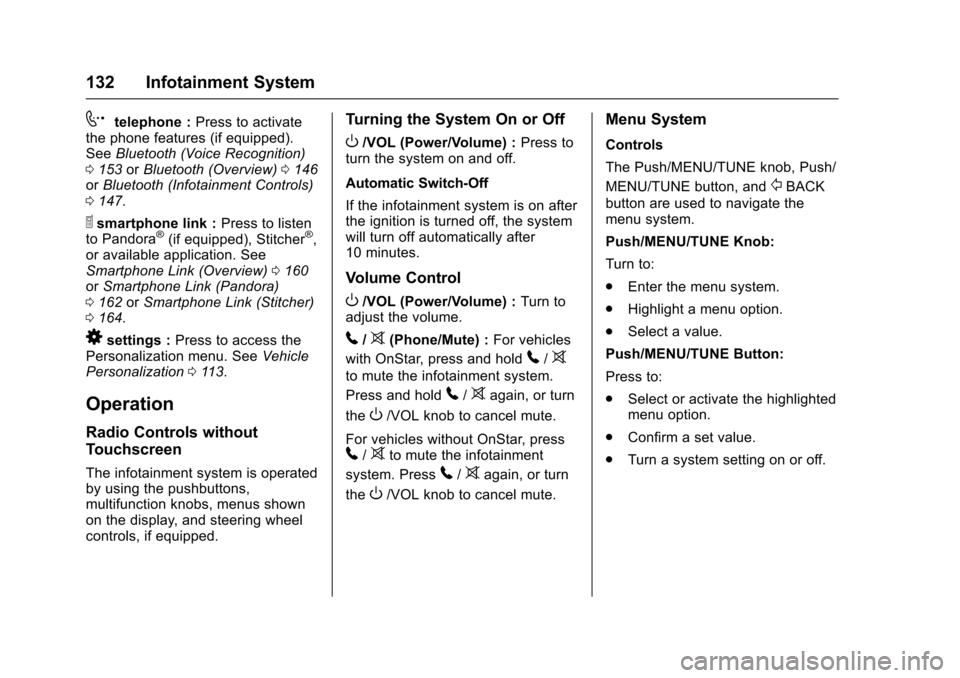
7telephone :Press to activate
the phone features (if equipped).
See Bluetooth (Voice Recognition)
0 153 orBluetooth (Overview) 0146
or Bluetooth (Infotainment Controls)
0 147.
^smartphone link : Press to listen
to Pandora®(if equipped), Stitcher®,
or available application. See
Smartphone Link (Overview) 0160
or Smartphone Link (Pandora)
0 162 orSmartphone Link (Stitcher)
0 164.
8settings : Press to access the
Personalization menu. See Vehicle
Personalization 0113.
Operation
Radio Controls without
Touchscreen
The infotainment system is operated
by using the pushbuttons,
multifunction knobs, menus shown
on the display, and steering wheel
controls, if equipped.
Turning the System On or Off
O/VOL (Power/Volume) : Press to
turn the system on and off.
Automatic Switch-Off
If the infotainment system is on after
the ignition is turned off, the system
will turn off automatically after
10 minutes.
Volume Control
O/VOL (Power/Volume) : Turn to
adjust the volume.
5/>(Phone/Mute) : For vehicles
with OnStar, press and hold
5/>
to mute the infotainment system.
Press and hold
5/>again, or turn
the
O/VOL knob to cancel mute.
For vehicles without OnStar, press
5/>to mute the infotainment
system. Press
5/>again, or turn
the
O/VOL knob to cancel mute.
Menu System
Controls
The Push/MENU/TUNE knob, Push/
MENU/TUNE button, and
/BACK
button are used to navigate the
menu system.
Push/MENU/TUNE Knob:
Turn to:
. Enter the menu system.
. Highlight a menu option.
. Select a value.
Push/MENU/TUNE Button:
Press to:
. Select or activate the highlighted
menu option.
. Confirm a set value.
. Turn a system setting on or off.
Page 134 of 353
Chevrolet Sonic Owner Manual (GMNA-Localizing-U.S/Canada-9085902) -
2016 - CRC - 5/27/15
Infotainment System 133
/BACK:
Press to:
. Exit a menu.
. Return from a submenu screen
to the previous menu screen.
. Delete the last character in a
sequence.
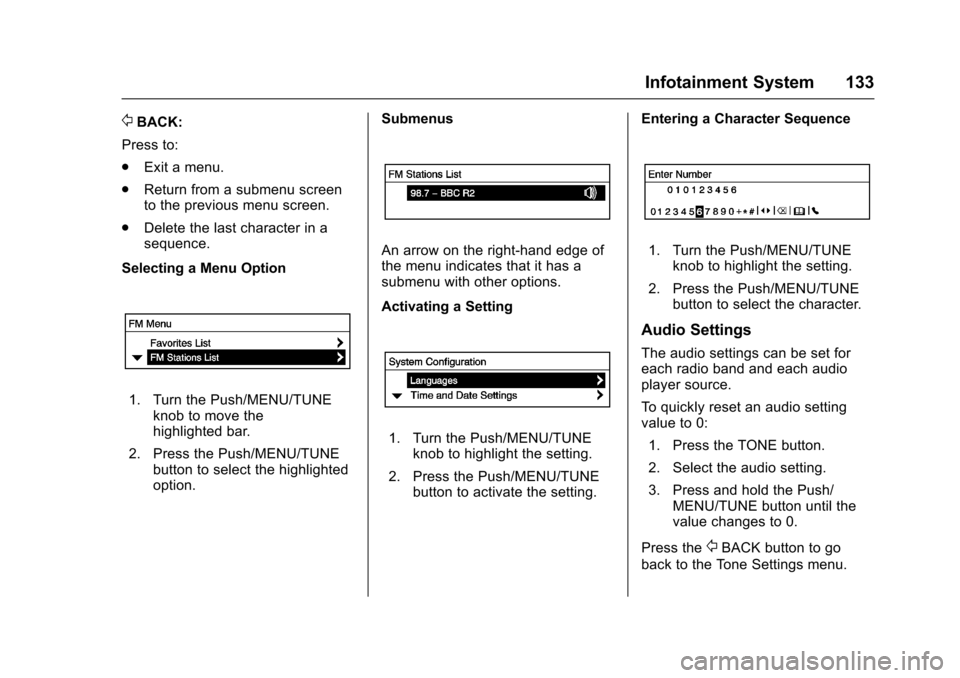
Selecting a Menu Option
1. Turn the Push/MENU/TUNE knob to move the
highlighted bar.
2. Press the Push/MENU/TUNE button to select the highlighted
option. Submenus
An arrow on the right-hand edge of
the menu indicates that it has a
submenu with other options.
Activating a Setting
1. Turn the Push/MENU/TUNE
knob to highlight the setting.
2. Press the Push/MENU/TUNE button to activate the setting. Entering a Character Sequence
1. Turn the Push/MENU/TUNE
knob to highlight the setting.
2. Press the Push/MENU/TUNE button to select the character.
Audio Settings
The audio settings can be set for
each radio band and each audio
player source.
To quickly reset an audio setting
value to 0:
1. Press the TONE button.
2. Select the audio setting.
3. Press and hold the Push/ MENU/TUNE button until the
value changes to 0.
Press the
/BACK button to go
back to the Tone Settings menu.
Page 150 of 353
Chevrolet Sonic Owner Manual (GMNA-Localizing-U.S/Canada-9085902) -
2016 - CRC - 5/27/15
Infotainment System 149
5. Press Yes on the pop-upscreen of the Bluetooth device
and infotainment system.
6. When the Bluetooth device and infotainment system are
successfully paired, the
telephone screen is displayed
on the infotainment system.
Pairing a Phone
When a paired device is on the
infotainment system and the SSP is
supported:
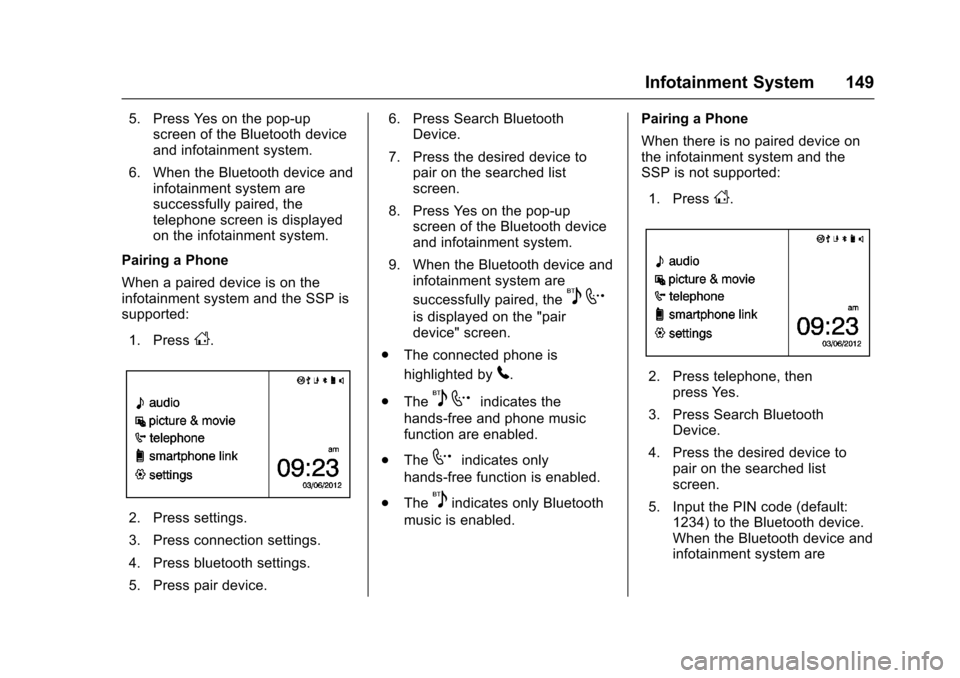
1. Press
D.
2. Press settings.
3. Press connection settings.
4. Press bluetooth settings.
5. Press pair device. 6. Press Search Bluetooth
Device.
7. Press the desired device to pair on the searched list
screen.
8. Press Yes on the pop-up screen of the Bluetooth device
and infotainment system.
9. When the Bluetooth device and infotainment system are
successfully paired, the
5 7
is displayed on the "pair
device" screen.
. The connected phone is
highlighted by
5.
. The
5 7indicates the
hands-free and phone music
function are enabled.
. The
7indicates only
hands-free function is enabled.
. The
5indicates only Bluetooth
music is enabled. Pairing a Phone
When there is no paired device on
the infotainment system and the
SSP is not supported:
1. Press
D.
2. Press telephone, then press Yes.
3. Press Search Bluetooth Device.
4. Press the desired device to pair on the searched list
screen.
5. Input the PIN code (default: 1234) to the Bluetooth device.
When the Bluetooth device and
infotainment system are
Page 151 of 353
Chevrolet Sonic Owner Manual (GMNA-Localizing-U.S/Canada-9085902) -
2016 - CRC - 5/27/15
150 Infotainment System
successfully paired, the
telephone screen is displayed
on the infotainment system.
When the connection fails, a failure
message is displayed on the
infotainment system.
If a Bluetooth device was previously
connected, the infotainment system
executes the auto connection.
However, if the Bluetooth setting on
the Bluetooth device is turned off, a
failure message is displayed on the
infotainment system.
Pairing a Phone
When a paired device is on the
infotainment system and the SSP is
not supported:
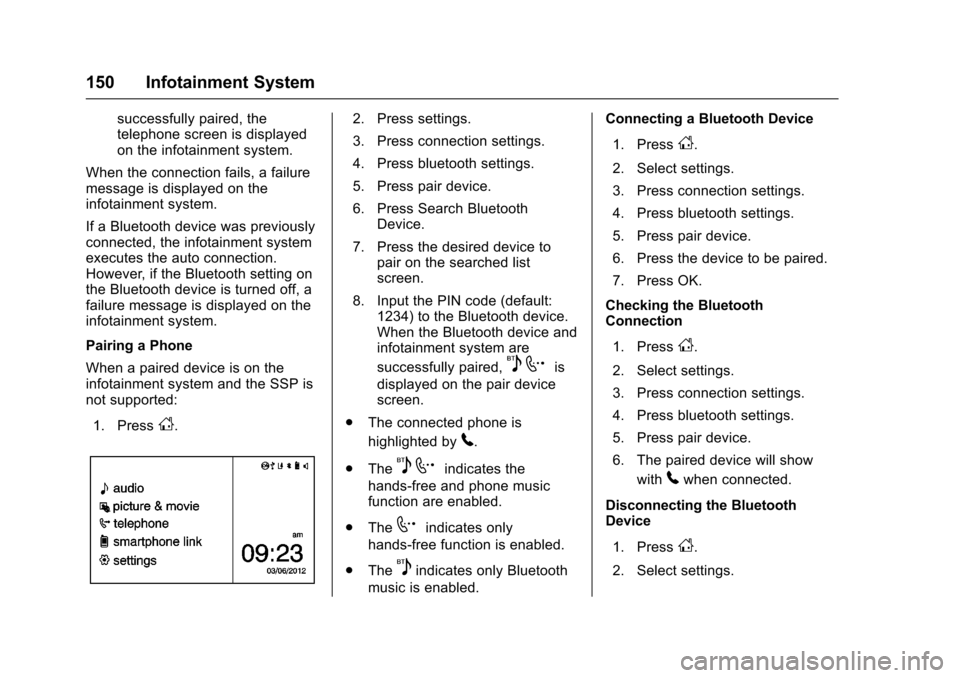
1. Press
D.
2. Press settings.
3. Press connection settings.
4. Press bluetooth settings.
5. Press pair device.
6. Press Search Bluetooth Device.
7. Press the desired device to pair on the searched list
screen.
8. Input the PIN code (default: 1234) to the Bluetooth device.
When the Bluetooth device and
infotainment system are
successfully paired,
5 7is
displayed on the pair device
screen.
. The connected phone is
highlighted by
5.
. The
5 7indicates the
hands-free and phone music
function are enabled.
. The
7indicates only
hands-free function is enabled.
. The
5indicates only Bluetooth
music is enabled. Connecting a Bluetooth Device
1. Press
D.
2. Select settings.
3. Press connection settings.
4. Press bluetooth settings.
5. Press pair device.
6. Press the device to be paired.
7. Press OK.
Checking the Bluetooth
Connection
1. Press
D.
2. Select settings.
3. Press connection settings.
4. Press bluetooth settings.
5. Press pair device.
6. The paired device will show with
5when connected.
Disconnecting the Bluetooth
Device
1. Press
D.
2. Select settings.
Page 178 of 353
Chevrolet Sonic Owner Manual (GMNA-Localizing-U.S/Canada-9085902) -
2016 - CRC - 5/27/15
Climate Controls 177
fan control to 0 turns the fan off. The
fan must be turned on to run the air
conditioning compressor.
Air Delivery Mode Control :Turn
clockwise or counterclockwise to
change the current airflow mode.
Select from the following air delivery
modes:
Y(Vent) : Air is directed to the
instrument panel outlets.
\(Bi-Level) : Air is divided
between the instrument panel and
floor outlets.
[(Floor) : Air is directed to the
floor outlets, with some air directed
to the rear outlets.
W(Defog) : This mode clears the
windows of fog or moisture. Air is
directed to the floor, windshield, and
side window outlets.
1(Defrost) : This mode clears the
windshield of fog or frost more
quickly. Air is directed to the
windshield and side window outlets.
Do not drive the vehicle until all
windows are clear. In defrost or defog mode, excessive
air conditioning use can cause the
windows to fog. If this happens,
change the air delivery mode to
Y
and reduce the fan speed.
#(Air Conditioning) :
If equipped
with air conditioning, follow these
steps to use the system. Turn
Ato
the desired speed. The air
conditioning does not operate when
the fan control knob is in the off
position. Press
#to turn the air
conditioning on and off. When
#is
pressed, an indicator light comes on
to show that the air conditioning
is on.
For quick cool down on hot days:
1. Open the windows to let hot air escape.
2. Press
M.
3. Press
#.
4. Select the coolest temperature.
5. Select the highest
Aspeed. Using these settings together for
long periods of time may cause the
air inside the vehicle to become too
dry. To prevent this from happening,
after the air in the vehicle has
cooled, turn the recirculation
mode off.
M(Recirculation) :
This mode
recirculates and helps to quickly
cool the air inside the vehicle. It can
be used to reduce the entry of
outside air and odors.
Press the button to turn the
recirculation mode on. An indicator
light comes on to show that the
recirculation is on. Press the button
again to return to outside air mode.
Using the recirculation mode for
extended periods may cause the
windows to fog. If this happens,
select the defrost mode.
Max
#is available when the air
conditioning is selected and the
temperature is set to the coolest
setting while the outside air
temperature is warm. When Max
#
is activated, the air inside the
vehicle is automatically recirculated,
Page 179 of 353
Chevrolet Sonic Owner Manual (GMNA-Localizing-U.S/Canada-9085902) -
2016 - CRC - 5/27/15
178 Climate Controls
which helps to quickly cool the
vehicle. The recirculation indicator
will not be lit.
To allow outside air to enter in these
conditions, press the recirculation
button twice. The recirculation
indicator will not be lit.
MorL(Heated Seats, If
Equipped) : Press to heat the driver
or passenger seat. See Heated
Front Seats 047.
Rear Window and Outside
Mirror Defogger
1(Rear Window Defogger) :
Press to turn the rear window and
outside mirror defogger on or off. An
indicator light comes on to show
that the feature is on.
The rear window defogger can be
turned off by pressing
1again or
by turning the ignition to ACC/
ACCESSORY or LOCK/OFF. If equipped with heated outside
rearview mirrors, they turn on with
the rear window defogger and help
to clear fog or frost from the surface
of the mirror. See
Heated Mirrors
0 39.
Caution
Using a razor blade or sharp
object on the inside rear window
can damage the antenna or
defogger. Repairs would not be
covered by the vehicle warranty.
Do not stick anything to the rear
window.
Air Vents
Use the air vents located in the
center and on the side of the
instrument panel to direct the
airflow. Move the slats on the center
air vents to direct airflow.
Turn the knobs on the side air vents
counterclockwise or clockwise to
open or close off the airflow.
Operation Tips
.
Clear away any ice, snow,
or leaves from the air inlets at
the base of the windshield that
may block the flow of air into the
vehicle.
. Use of non-GM approved hood
deflectors may adversely affect
the performance of the system.
. Keep the path under the front
seats clear of objects to help
circulate the air inside the
vehicle more effectively.