keyless CHEVROLET SONIC 2017 2.G User Guide
[x] Cancel search | Manufacturer: CHEVROLET, Model Year: 2017, Model line: SONIC, Model: CHEVROLET SONIC 2017 2.GPages: 342, PDF Size: 7.2 MB
Page 32 of 342
Chevrolet Sonic Owner Manual (GMNA-Localizing-U.S./Canada-10122660) -2017 - crc - 5/13/16
Keys, Doors, and Windows 31
Battery Replacement
The battery is not rechargeable. Toreplace the battery:
Caution
When replacing the battery, do
not touch any of the circuitry on
the transmitter. Static from your
body could damage the
transmitter.
1. Press the button on thetransmitter to extend the key.
2. Remove the battery cover byprying with a finger.
3. Remove the old battery.
4. Insert the new battery, positiveside facing up. Replace with aCR2032 or equivalent battery.
5. Snap the battery cover back onto the transmitter.
Remote Keyless Entry
(RKE) System Operation
(Keyless Access)
The Keyless Access system allowsfor vehicle entry when thetransmitter is within range. See“Keyless Access Operation”following.
The transmitter functions may workup to 60 m (197 ft) away from thevehicle.
Other conditions can impact theperformance of the transmitter.
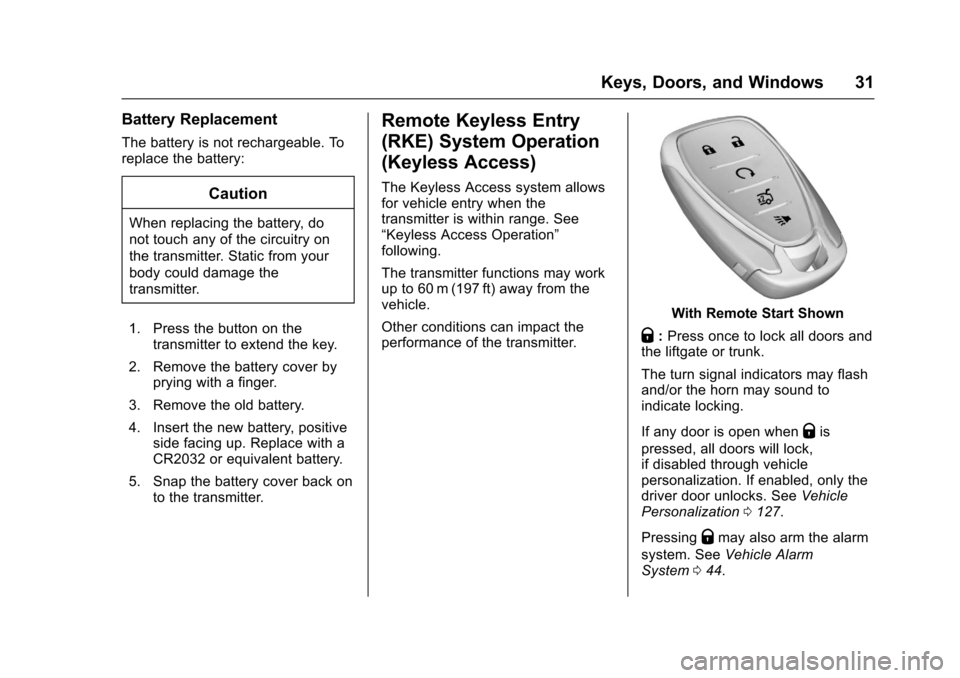
With Remote Start Shown
Q:Press once to lock all doors andthe liftgate or trunk.
The turn signal indicators may flashand/or the horn may sound toindicate locking.
If any door is open whenQis
pressed, all doors will lock,if disabled through vehiclepersonalization. If enabled, only thedriver door unlocks. SeeVehiclePersonalization0127.
PressingQmay also arm the alarm
system. SeeVehicle AlarmSystem044.
Page 33 of 342
Chevrolet Sonic Owner Manual (GMNA-Localizing-U.S./Canada-10122660) -2017 - crc - 5/13/16
32 Keys, Doors, and Windows
K:Press to unlock the driver doorand the liftgate or trunk. Press againto unlock all doors.
The turn signal indicators may flashto indicate unlocking has occurred.SeeVehicle Personalization0127.
PressingKwill disarm the alarm
system. SeeVehicle AlarmSystem044.
X:If equipped, press twice torelease the trunk.
7:Press and release one time toinitiate vehicle locator. The exteriorlamps flash and the horn chirpsthree times.
Press and hold7for at least
three seconds to sound the panicalarm. The horn sounds and theturn signals flash for about
30 seconds until7is pressed again
or ignition is turned to ON/RUN.
/:If equipped, pressQand then
immediately press and hold/for at
least four seconds or until the turnsignal lamps flash to start the
engine from outside the vehicleusing the RKE transmitter. SeeRemote Vehicle Start037.
Keyless Access Operation
Some vehicles have a KeylessAccess system that lets you lockand unlock the doors withoutremoving the RKE transmitter fromyour pocket, purse, briefcase, etc.The RKE transmitter should bewithin 1 m (3 ft) of the door beingopened. If the vehicle has thisfeature, there will be buttons on theoutside door handles.
Keyless Access can beprogrammed to unlock all doors onthe first unlock/lock button pressfrom the driver door. SeeVehiclePersonalization0127.
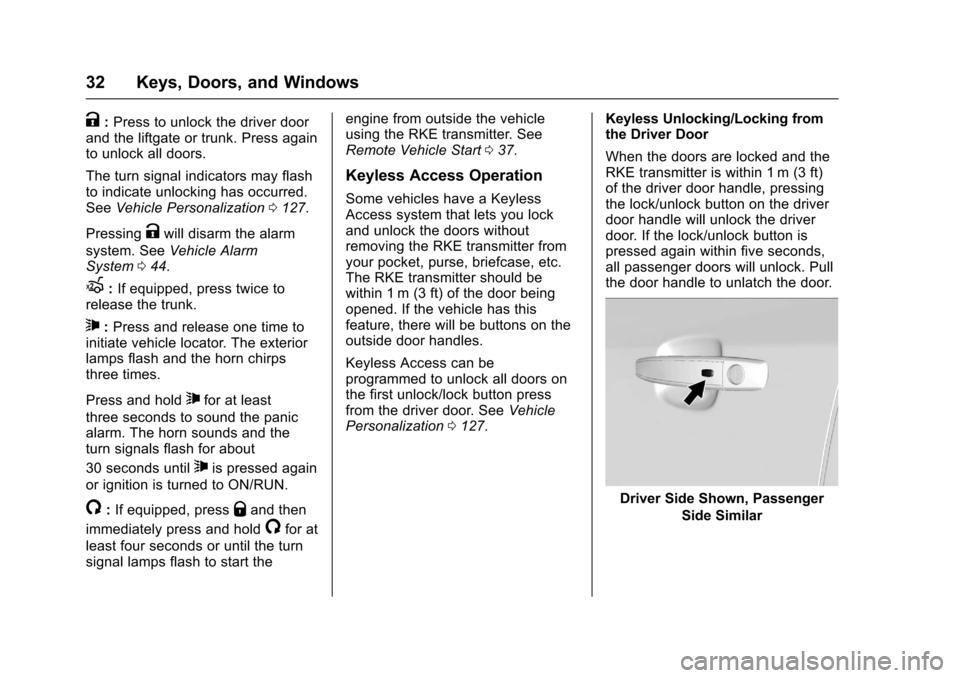
Keyless Unlocking/Locking fromthe Driver Door
When the doors are locked and theRKE transmitter is within 1 m (3 ft)of the driver door handle, pressingthe lock/unlock button on the driverdoor handle will unlock the driverdoor. If the lock/unlock button ispressed again within five seconds,all passenger doors will unlock. Pullthe door handle to unlatch the door.
Driver Side Shown, Passenger
Side Similar
Page 34 of 342
Chevrolet Sonic Owner Manual (GMNA-Localizing-U.S./Canada-10122660) -2017 - crc - 5/13/16
Keys, Doors, and Windows 33
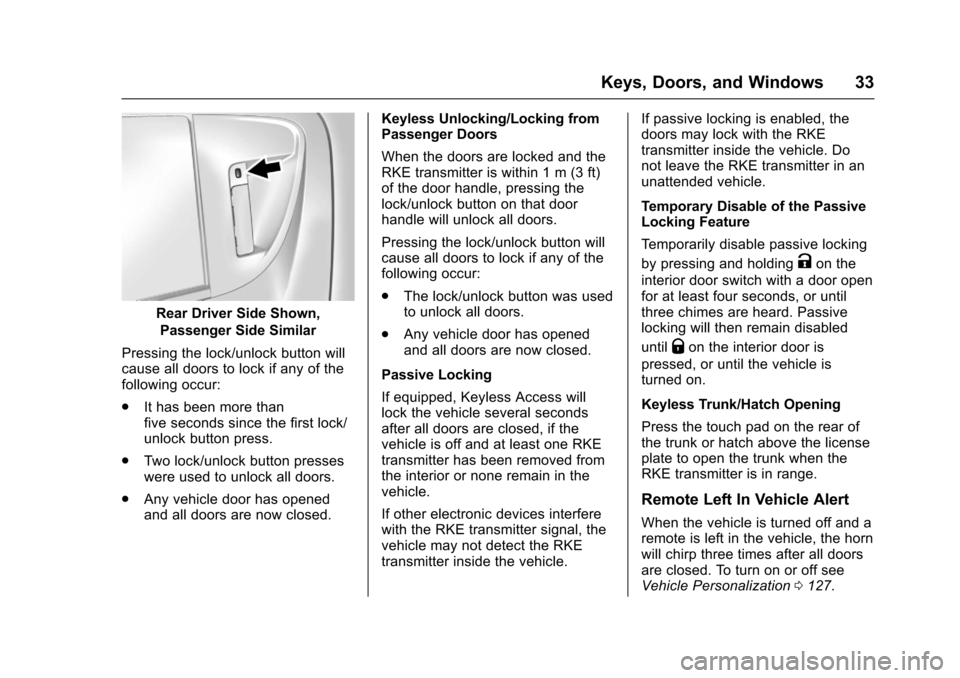
Rear Driver Side Shown,
Passenger Side Similar
Pressing the lock/unlock button willcause all doors to lock if any of thefollowing occur:
.It has been more thanfive seconds since the first lock/unlock button press.
.Tw o l o c k / u n l o c k b u t t o n p r e s s e swere used to unlock all doors.
.Any vehicle door has openedand all doors are now closed.
Keyless Unlocking/Locking fromPassenger Doors
When the doors are locked and theRKE transmitter is within 1 m (3 ft)of the door handle, pressing thelock/unlock button on that doorhandle will unlock all doors.
Pressing the lock/unlock button willcause all doors to lock if any of thefollowing occur:
.The lock/unlock button was usedto unlock all doors.
.Any vehicle door has openedand all doors are now closed.
Passive Locking
If equipped, Keyless Access willlock the vehicle several secondsafter all doors are closed, if thevehicle is off and at least one RKEtransmitter has been removed fromthe interior or none remain in thevehicle.
If other electronic devices interferewith the RKE transmitter signal, thevehicle may not detect the RKEtransmitter inside the vehicle.
If passive locking is enabled, thedoors may lock with the RKEtransmitter inside the vehicle. Donot leave the RKE transmitter in anunattended vehicle.
Temporary Disable of the PassiveLocking Feature
Te m p o r a r i l y d i s a b l e p a s s i v e l o c k i n g
by pressing and holdingKon the
interior door switch with a door openfor at least four seconds, or untilthree chimes are heard. Passivelocking will then remain disabled
untilQon the interior door is
pressed, or until the vehicle isturned on.
Keyless Trunk/Hatch Opening
Press the touch pad on the rear ofthe trunk or hatch above the licenseplate to open the trunk when theRKE transmitter is in range.
Remote Left In Vehicle Alert
When the vehicle is turned off and aremote is left in the vehicle, the hornwill chirp three times after all doorsare closed. To turn on or off seeVehicle Personalization0127.
Page 38 of 342
Chevrolet Sonic Owner Manual (GMNA-Localizing-U.S./Canada-10122660) -2017 - crc - 5/13/16
Keys, Doors, and Windows 37
3. Lift the battery with a flatobject.
4. Remove the battery.
5. Insert the new battery, positiveside toward the back cover.Replace with a CR2032 orequivalent battery.
6. Push the transmitter together.
Remote Vehicle Start
If equipped, this feature allows theengine to be started from outsidethe vehicle.
/:This button will be on the RKEtransmitter if the vehicle has remotestart.
The climate control system will usethe previous settings during aremote start. The rear defog maycome on during remote start basedon cold ambient conditions. Therear fog indicator light does notcome on during remote start.
If the vehicle has heated seats, theymay come on during a remote start.SeeHeated Front Seats056.
Laws in some local communitiesmay restrict the use of remotestarters. For example, some lawsrequire a person using remote startto have the vehicle in view. Checklocal regulations for anyrequirements.
Other conditions can affect theperformance of the transmitter. SeeRemote Keyless Entry (RKE)System028.
Starting the Vehicle
To s t a r t t h e e n g i n e u s i n g t h e r e m o t estart feature:
1. Press and releaseQ.
2. Immediately after completing
Step 1, press and hold/for at
least four seconds or until theturn signal lamps flash. Theturn signal lamps flashingconfirms the request to remotestart the vehicle has beenreceived.
When the engine starts, the parkinglamps will turn on and remain on aslong as the engine is running. Thedoors will be locked and the climatecontrol system may come on.
The engine will continue to run for10 minutes. After 30 seconds,repeat the steps if a 10-minuteextension is desired. Remote startcan be extended only once.
Insert the key and turn it to ON/RUNbefore driving.
Extending Engine Run Time
The engine run time can also beextended by another 10 minutes,if during the first 10 minutesSteps 1 and 2 are repeated whilethe engine is still running. Anextension can be requested,30 seconds after starting. Thisprovides a total of 20 minutes.
When the remote start is extended,the second 10-minute period isadded on to the first 10 minutes foratotalof20minutes.
Amaximumoftworemotestarts,or a single start with an extension,are allowed between ignition cycles.
Page 40 of 342
Chevrolet Sonic Owner Manual (GMNA-Localizing-U.S./Canada-10122660) -2017 - crc - 5/13/16
Keys, Doors, and Windows 39
.PressQorKon the Remote
Keyless Entry (RKE) transmitter.SeeRemote Keyless Entry(RKE) System Operation(Keyless Access)031orRemote Keyless Entry (RKE)System Operation (KeyAccess)029.
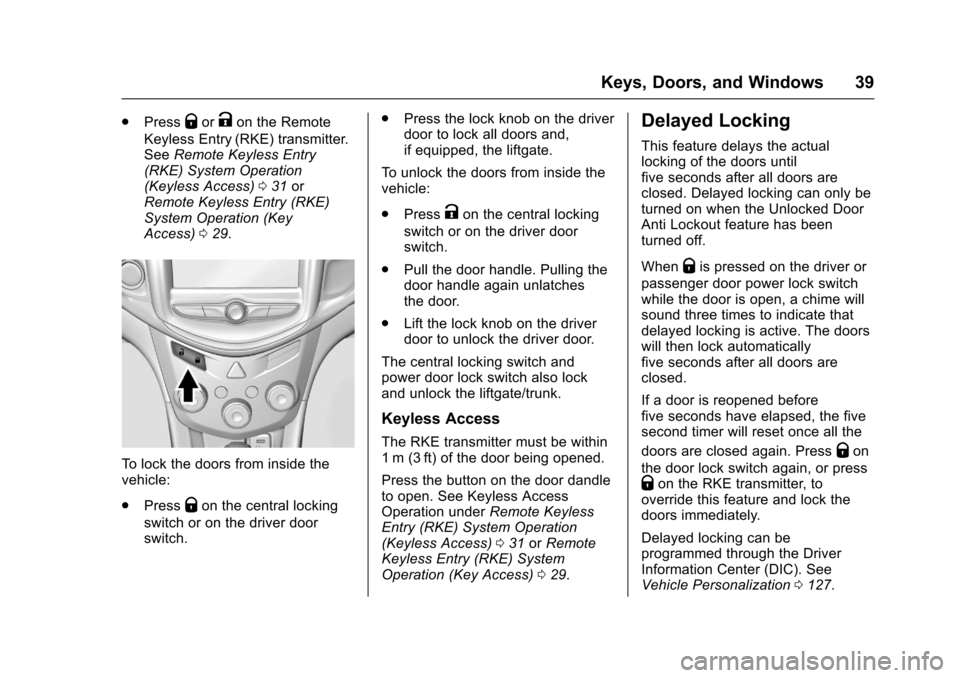
To l o c k t h e d o o r s f r o m i n s i d e t h evehicle:
.PressQon the central locking
switch or on the driver doorswitch.
.Press the lock knob on the driverdoor to lock all doors and,if equipped, the liftgate.
To u n l o c k t h e d o o r s f r o m i n s i d e t h evehicle:
.PressKon the central locking
switch or on the driver doorswitch.
.Pull the door handle. Pulling thedoor handle again unlatchesthe door.
.Lift the lock knob on the driverdoor to unlock the driver door.
The central locking switch andpower door lock switch also lockand unlock the liftgate/trunk.
Keyless Access
The RKE transmitter must be within1m (3ft) of the door being opened.
Press the button on the door dandleto open. See Keyless AccessOperation underRemote KeylessEntry (RKE) System Operation(Keyless Access)031orRemoteKeyless Entry (RKE) SystemOperation (Key Access)029.
Delayed Locking
This feature delays the actuallocking of the doors untilfive seconds after all doors areclosed. Delayed locking can only beturned on when the Unlocked DoorAnti Lockout feature has beenturned off.
WhenQis pressed on the driver or
passenger door power lock switchwhile the door is open, a chime willsound three times to indicate thatdelayed locking is active. The doorswill then lock automaticallyfive seconds after all doors areclosed.
If a door is reopened beforefive seconds have elapsed, the fivesecond timer will reset once all the
doors are closed again. PressQon
the door lock switch again, or pressQon the RKE transmitter, tooverride this feature and lock thedoors immediately.
Delayed locking can beprogrammed through the DriverInformation Center (DIC). SeeVehicle Personalization0127.
Page 42 of 342
Chevrolet Sonic Owner Manual (GMNA-Localizing-U.S./Canada-10122660) -2017 - crc - 5/13/16
Keys, Doors, and Windows 41
To o p e n a r e a r d o o r w h e n t h e s a f e t ylock is on:
1. Unlock the door by activatingthe inside handle, by using thepower door lock switch, or byusing the Remote KeylessEntry (RKE) transmitter.
2. Open the door from theoutside.
To c a n c e l t h e s a f e t y l o c k :
1. Unlock the door and open itfrom the outside.
2. Insert the key into the safetylock slot and turn it so the slotis in the vertical position. Dothe same for the other door.
Doors
Trunk (Sedan)
{Warning
Exhaust gases can enter the
vehicle if it is driven with the
liftgate, hatch/trunk open, or with
any objects that pass through the
seal between the body and the
hatch/trunk or liftgate. Engine
exhaust contains carbon
monoxide (CO) which cannot be
seen or smelled. It can cause
unconsciousness and even death.
If the vehicle must be driven with
the liftgate or hatch/trunk open:
.Close all of the windows.
.Fully open the air outlets onor under the instrumentpanel.
.Adjust the climate controlsystem to a setting thatbrings in only outside airand set the fan speed to the
(Continued)
Warning (Continued)
highest setting. See“Climate Control Systems”in the Index.
.If the vehicle is equippedwith a power liftgate, disablethe power liftgate function.
For more information about
carbon monoxide, seeEngine
Exhaust0190.
To l o c k o r u n l o c k t h e t r u n k f r o m t h e
inside, pressQorKon the central
locking switch or on the driver doorlock switch.
Page 43 of 342
Chevrolet Sonic Owner Manual (GMNA-Localizing-U.S./Canada-10122660) -2017 - crc - 5/20/16
42 Keys, Doors, and Windows
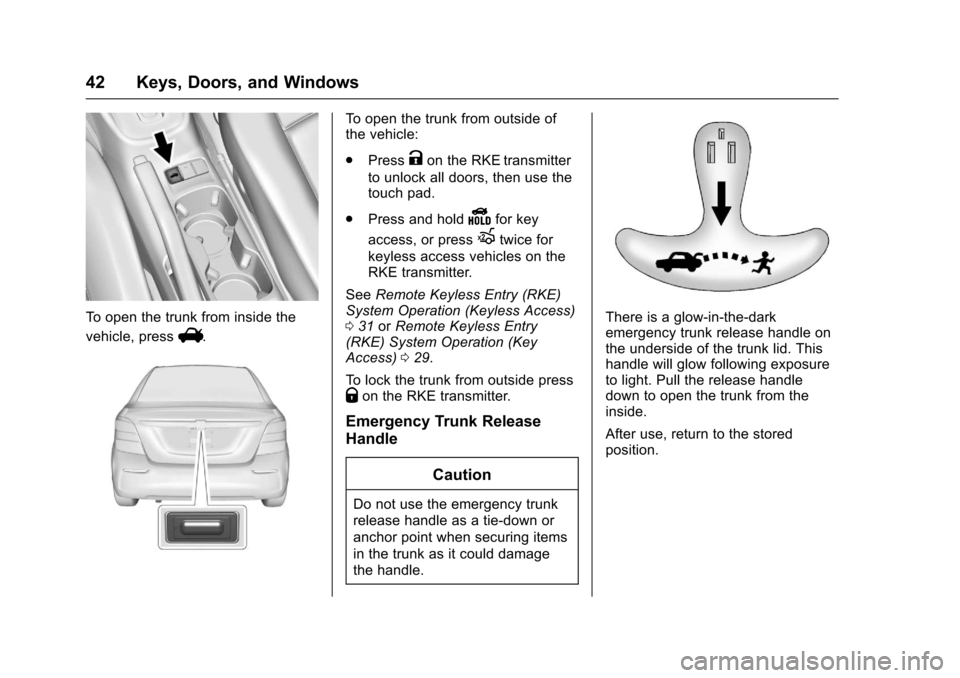
To o p e n t h e t r u n k f r o m i n s i d e t h e
vehicle, pressV.
To o p e n t h e t r u n k f r o m o u t s i d e o fthe vehicle:
.PressKon the RKE transmitter
to unlock all doors, then use thetouch pad.
.Press and holdYfor key
access, or pressXtwice for
keyless access vehicles on theRKE transmitter.
SeeRemote Keyless Entry (RKE)System Operation (Keyless Access)031orRemote Keyless Entry(RKE) System Operation (KeyAccess)029.
To l o c k t h e t r u n k f r o m o u t s i d e p r e s sQon the RKE transmitter.
Emergency Trunk Release
Handle
Caution
Do not use the emergency trunk
release handle as a tie-down or
anchor point when securing items
in the trunk as it could damage
the handle.
There is a glow-in-the-darkemergency trunk release handle onthe underside of the trunk lid. Thishandle will glow following exposureto light. Pull the release handledown to open the trunk from theinside.
After use, return to the storedposition.
Page 44 of 342
Chevrolet Sonic Owner Manual (GMNA-Localizing-U.S./Canada-10122660) -2017 - crc - 5/13/16
Keys, Doors, and Windows 43
Liftgate (Hatchback)
{Warning
Exhaust gases can enter the
vehicle if it is driven with the
liftgate, hatch/trunk open, or with
any objects that pass through the
seal between the body and the
hatch/trunk or liftgate. Engine
exhaust contains carbon
monoxide (CO) which cannot be
seen or smelled. It can cause
unconsciousness and even death.
If the vehicle must be driven with
the liftgate or hatch/trunk open:
.Close all of the windows.
.Fully open the air outlets onor under the instrumentpanel.
.Adjust the climate controlsystem to a setting thatbrings in only outside airand set the fan speed to the
(Continued)
Warning (Continued)
highest setting. See“Climate Control Systems”in the Index.
.If the vehicle is equippedwith a power liftgate, disablethe power liftgate function.
For more information about
carbon monoxide, seeEngine
Exhaust0190.
To l o c k o r u n l o c k t h e l i f t g a t e f r o m
the inside, pressQorKon the
central locking switch or on thedriver door switch.
The vehicle must be in P (Park) forautomatic transmissions. Formanual transmissions the parkingbrake must be engaged.
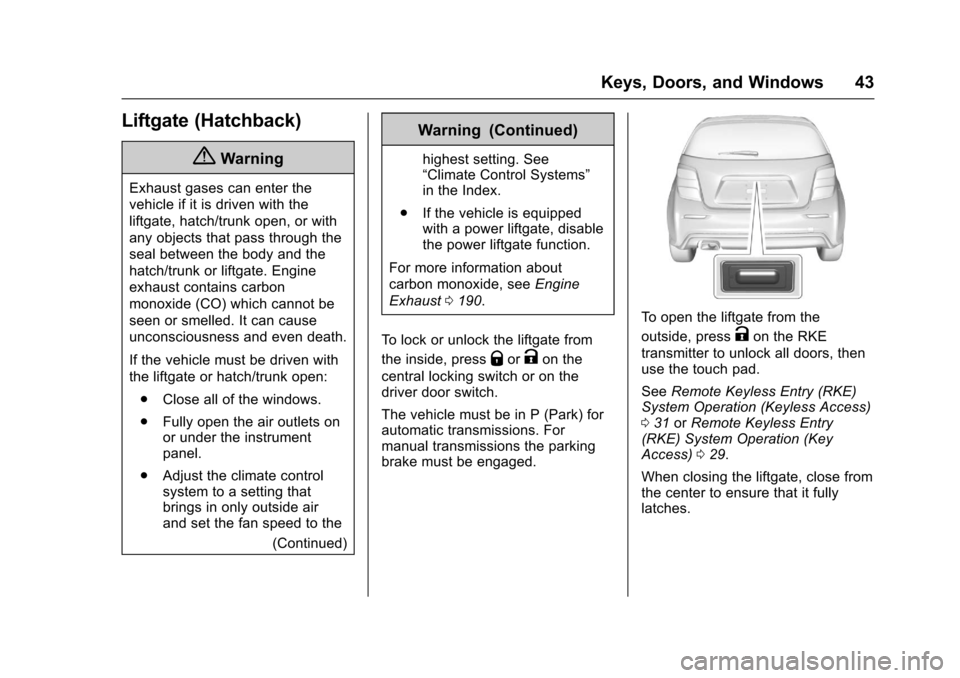
To o p e n t h e l i f t g a t e f r o m t h e
outside, pressKon the RKE
transmitter to unlock all doors, thenuse the touch pad.
SeeRemote Keyless Entry (RKE)System Operation (Keyless Access)031orRemote Keyless Entry(RKE) System Operation (KeyAccess)029.
When closing the liftgate, close fromthe center to ensure that it fullylatches.
Page 113 of 342
Chevrolet Sonic Owner Manual (GMNA-Localizing-U.S./Canada-10122660) -2017 - crc - 5/13/16
112 Instruments and Controls
Charging System Light
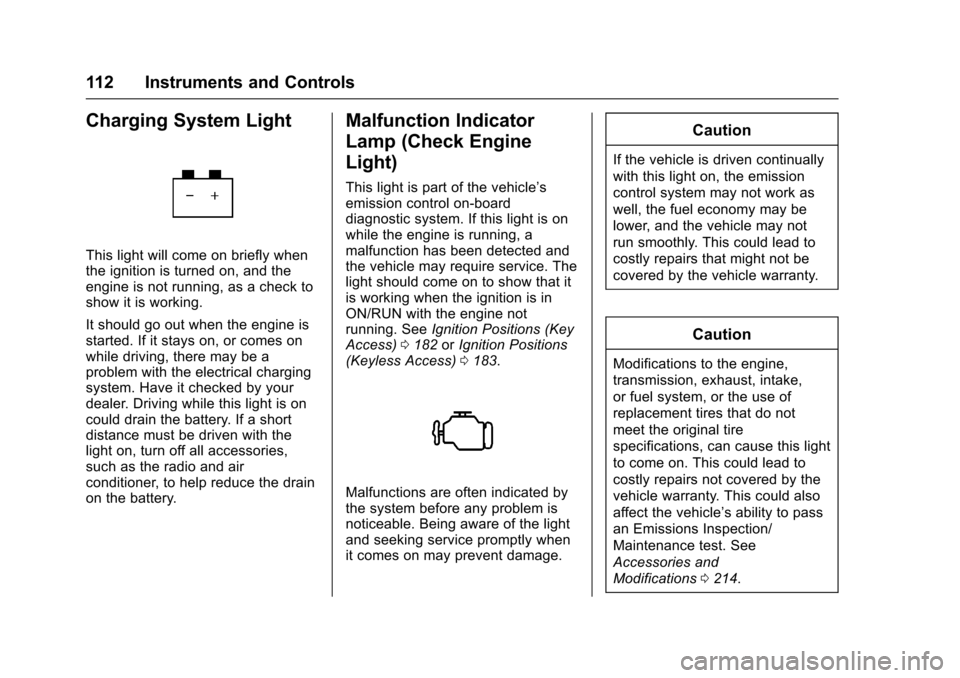
This light will come on briefly whenthe ignition is turned on, and theengine is not running, as a check toshow it is working.
It should go out when the engine isstarted. If it stays on, or comes onwhile driving, there may be aproblem with the electrical chargingsystem. Have it checked by yourdealer. Driving while this light is oncould drain the battery. If a shortdistance must be driven with thelight on, turn off all accessories,such as the radio and airconditioner, to help reduce the drainon the battery.
Malfunction Indicator
Lamp (Check Engine
Light)
This light is part of the vehicle’semission control on-boarddiagnostic system. If this light is onwhile the engine is running, amalfunction has been detected andthe vehicle may require service. Thelight should come on to show that itis working when the ignition is inON/RUN with the engine notrunning. SeeIgnition Positions (KeyAccess)0182orIgnition Positions(Keyless Access)0183.
Malfunctions are often indicated bythe system before any problem isnoticeable. Being aware of the lightand seeking service promptly whenit comes on may prevent damage.
Caution
If the vehicle is driven continually
with this light on, the emission
control system may not work as
well, the fuel economy may be
lower, and the vehicle may not
run smoothly. This could lead to
costly repairs that might not be
covered by the vehicle warranty.
Caution
Modifications to the engine,
transmission, exhaust, intake,
or fuel system, or the use of
replacement tires that do not
meet the original tire
specifications, can cause this light
to come on. This could lead to
costly repairs not covered by the
vehicle warranty. This could also
affect the vehicle’sabilitytopass
an Emissions Inspection/
Maintenance test. See
Accessories and
Modifications0214.
Page 131 of 342

Chevrolet Sonic Owner Manual (GMNA-Localizing-U.S./Canada-10122660) -2017 - crc - 5/13/16
130 Instruments and Controls
Vehicle Locator Lights
This feature will flash the exteriorlamps and allows some of theexterior lamps and most of theinterior lamps to turn on briefly whenKon the Remote Keyless Entry(RKE) transmitter is pressed tolocate the vehicle.
Select Off or On.
Exit Lighting
This allows the selection of howlong the exterior lamps stay onwhen leaving the vehicle when it isdark outside.
Select Off, 30 Seconds, 60Seconds, or 120 Seconds.
Power Door Locks
Select and the following maydisplay:
.Unlocked Door Anti Lock Out
.Auto Door Unlock
.Delayed Door Lock
Unlocked Door Anti Lock Out
When on, this feature will keep thedriver door from locking until thedoor is closed. If this feature isturned on, the Delayed Door Lockmenu will not be available.
Select Off or On.
Auto Door Unlock
This allows selection of which of thedoors will automatically unlock whenthe vehicle is shifted into P with anautomatic transmission or when thevehicle is turned off with a manualtransmission.
Select Off, All Doors, or Driver Door.
Delayed Door Lock
When on, this feature will delay thelocking of the doors. To override thedelay, press the power door lockswitch on the door.
Select Off or On.
Remote Lock, Unlock, Start
Select and the following maydisplay:
.Remote Unlock Light Feedback
.Remote Lock Feedback
.Remote Door Unlock
.Remote Start Auto Heat Seats
.Passive Door Unlock
.Passive Door Lock
.Remote Left in Vehicle Alert
Remote Unlock Light Feedback
When on, the exterior lamps willflash when unlocking the vehiclewith the RKE transmitter.
Select Off or Flash Lights.
Remote Lock Feedback
This allows selection of what type offeedback is given when locking thevehicle with the RKE transmitter.
Select Off, Lights and Horn, LightsOnly, or Horn Only.
Remote Door Unlock
This allows selection of which doors
will unlock when pressingKon the
RKE transmitter.
Select All Doors or Driver Door.