turn signal CHEVROLET SONIC 2017 2.G Owners Manual
[x] Cancel search | Manufacturer: CHEVROLET, Model Year: 2017, Model line: SONIC, Model: CHEVROLET SONIC 2017 2.GPages: 342, PDF Size: 7.2 MB
Page 8 of 342

Chevrolet Sonic Owner Manual (GMNA-Localizing-U.S./Canada-10122660) -2017 - crc - 5/13/16
In Brief 7
1.Air Vents0168.
2.Exterior Lamp Controls0134.
Instrument Panel IlluminationControl0137.
3. Turn Signal Lever. SeeTu r nand Lane-ChangeSignals0136.
4.Instrument Cluster0107.
5.Windshield Wiper/Washer0102.
6. Card Holder.
7.Infotainment0141.
8. Light Sensor. SeeAutomaticHeadlamp System0135.
9.Instrument Panel Storage097.
10.Passenger SensingSystem071.
11 .Hazard WarningFlashers0136.
12.USB Port0149(If Equipped).
Auxiliary Devices0155(IfEquipped).
13. Shift Lever. SeeAutomaticTr a n s m i s s i o n0191(IfEquipped) orManualTr a n s m i s s i o n0193(IfEquipped).
14. Trunk Release (Sedan). SeeTr u n k ( S e d a n )041.
Lane Departure Warning(LDW)0206(If Equipped).
Tr a c t i o n C o n t r o l / E l e c t r o n i cStability Control0197.
15.Power Outlets0105.
16.Climate ControlSystems0166.
17. Central Locking Switch. SeeDoor Locks038.
18. Ignition Switch. SeeIgnitionPositions (Key Access)0182orIgnition Positions (KeylessAccess)0183.
19.Steering Wheel Controls0101.
20.Horn0102.
21.Steering WheelAdjustment0101.
22.Cruise Control0199.
Forward Collision Alert (FCA)System0204(If Equipped.
Heated Steering Wheel0102(If Equipped).
23. Data Link Connector (DLC)(Out of View). SeeMalfunctionIndicator Lamp (Check EngineLight)011 2.
24. Hood Release. SeeHood0215.
Page 10 of 342
Chevrolet Sonic Owner Manual (GMNA-Localizing-U.S./Canada-10122660) -2017 - crc - 5/13/16
In Brief 9
Press and release7to initiate
vehicle locator.
Press and hold7for at least
three seconds to sound the panicalarm.
Press7again to cancel the panic
alarm.
SeeKeys026andRemote KeylessEntry (RKE) System Operation(Keyless Access)031orRemoteKeyless Entry (RKE) SystemOperation (Key Access)029.
Remote Vehicle Start
If equipped, the engine can bestarted from outside of the vehicle.
Starting the Vehicle
1. Press and releaseQon the
RKE transmitter.
2. Immediately press and hold/
for at least four seconds or untilthe turn signal lamps flash.
Start the vehicle normally afterentering.
When the vehicle starts, the parkinglamps will turn on.
Remote start can be extended.
Canceling a Remote Start
To c a n c e l a r e m o t e s t a r t , d o o n e o fthe following:
.Press and hold/until the
parking lamps turn off.
.Turn on the hazard warningflashers.
.Turn the vehicle on and then off.
SeeRemote Vehicle Start037.
Door Locks
To l o c k o r u n l o c k t h e d o o r s f r o moutside the vehicle:
.Use the key in the driver door tolock all doors or unlock thedriver door only.
.PressQorKon the Remote
Keyless Entry (RKE) transmitter.SeeRemote Keyless Entry(RKE) System Operation(Keyless Access)031or
Remote Keyless Entry (RKE)System Operation (KeyAccess)029.
To l o c k t h e d o o r s f r o m i n s i d e t h evehicle:
.PressQon the central locking
switch or on the driver doorswitch.
.Press the lock knob on the driverdoor to lock all doors and,if equipped, the liftgate.
To u n l o c k t h e d o o r s f r o m i n s i d e t h evehicle:
.PressKon the central locking
switch or on the driver doorswitch.
.Pull the door handle. Pulling thedoor handle again unlatchesthe door.
.Lift the lock knob on the driverdoor to unlock the driver door.
SeeDoor Locks038.
Page 22 of 342
Chevrolet Sonic Owner Manual (GMNA-Localizing-U.S./Canada-10122660) -2017 - crc - 5/13/16
In Brief 21
Cruise Control
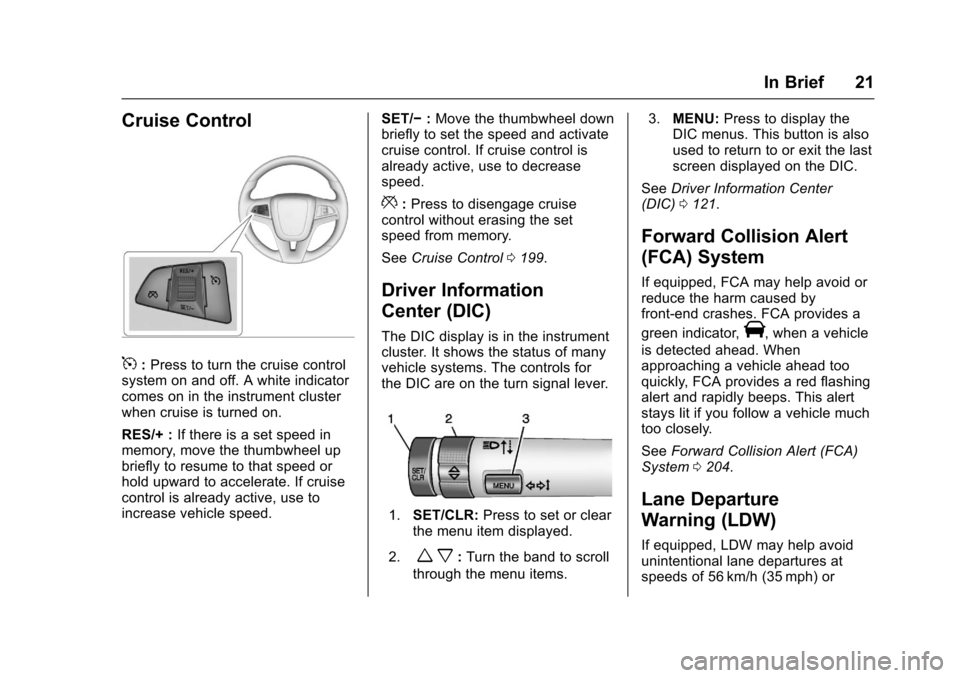
5:Press to turn the cruise controlsystem on and off. A white indicatorcomes on in the instrument clusterwhen cruise is turned on.
RES/+ :If there is a set speed inmemory, move the thumbwheel upbriefly to resume to that speed orhold upward to accelerate. If cruisecontrol is already active, use toincrease vehicle speed.
SET/✓:Move the thumbwheel downbriefly to set the speed and activatecruise control. If cruise control isalready active, use to decreasespeed.
*:Press to disengage cruisecontrol without erasing the setspeed from memory.
SeeCruise Control0199.
Driver Information
Center (DIC)
The DIC display is in the instrumentcluster. It shows the status of manyvehicle systems. The controls forthe DIC are on the turn signal lever.
1.SET/CLR:Press to set or clearthe menu item displayed.
2.wx:Turn the band to scroll
through the menu items.
3.MENU:Press to display theDIC menus. This button is alsoused to return to or exit the lastscreen displayed on the DIC.
SeeDriver Information Center(DIC)0121.
Forward Collision Alert
(FCA) System
If equipped, FCA may help avoid orreduce the harm caused byfront-end crashes. FCA provides a
green indicator,V,whenavehicle
is detected ahead. Whenapproaching a vehicle ahead tooquickly, FCA provides a red flashingalert and rapidly beeps. This alertstays lit if you follow a vehicle muchtoo closely.
SeeForward Collision Alert (FCA)System0204.
Lane Departure
Warning (LDW)
If equipped, LDW may help avoidunintentional lane departures atspeeds of 56 km/h (35 mph) or
Page 23 of 342
Chevrolet Sonic Owner Manual (GMNA-Localizing-U.S./Canada-10122660) -2017 - crc - 5/19/16
22 In Brief
greater. LDW uses a camera sensorto detect the lane markings. The
LDW light,@,isgreenifalane
marking is detected. If the vehicledeparts the lane without using a turnsignal in that direction, the light willchange to amber and flash. Inaddition, beeps will sound.
SeeLane Departure Warning(LDW)0206.
Rear Vision
Camera (RVC)
If equipped, RVC displays a view ofthe area behind the vehicle, on theinfotainment display, when thevehicle is shifted into R (Reverse).
SeeRear Vision Camera(RVC)0201.
Power Outlets
The accessory power outlets can beused to plug in electrical equipment,such as a cell phone or MP3 player.
The vehicle has an accessorypower outlet behind the cupholderson the center floor console.
SeePower Outlets0105.
Sunroof
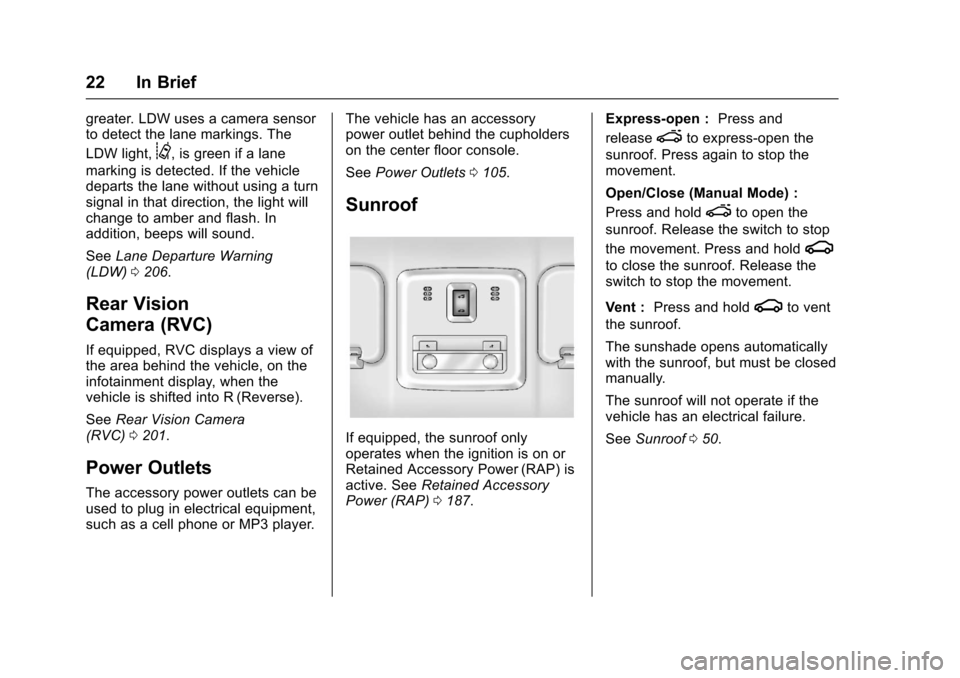
If equipped, the sunroof onlyoperates when the ignition is on orRetained Accessory Power (RAP) isactive. SeeRetained AccessoryPower (RAP)0187.
Express-open :Press and
releaseeto express-open the
sunroof. Press again to stop themovement.
Open/Close (Manual Mode) :
Press and holdeto open the
sunroof. Release the switch to stop
the movement. Press and holdg
to close the sunroof. Release theswitch to stop the movement.
Vent :Press and holdgto vent
the sunroof.
The sunshade opens automaticallywith the sunroof, but must be closedmanually.
The sunroof will not operate if thevehicle has an electrical failure.
SeeSunroof050.
Page 29 of 342
Chevrolet Sonic Owner Manual (GMNA-Localizing-U.S./Canada-10122660) -2017 - crc - 5/13/16
28 Keys, Doors, and Windows
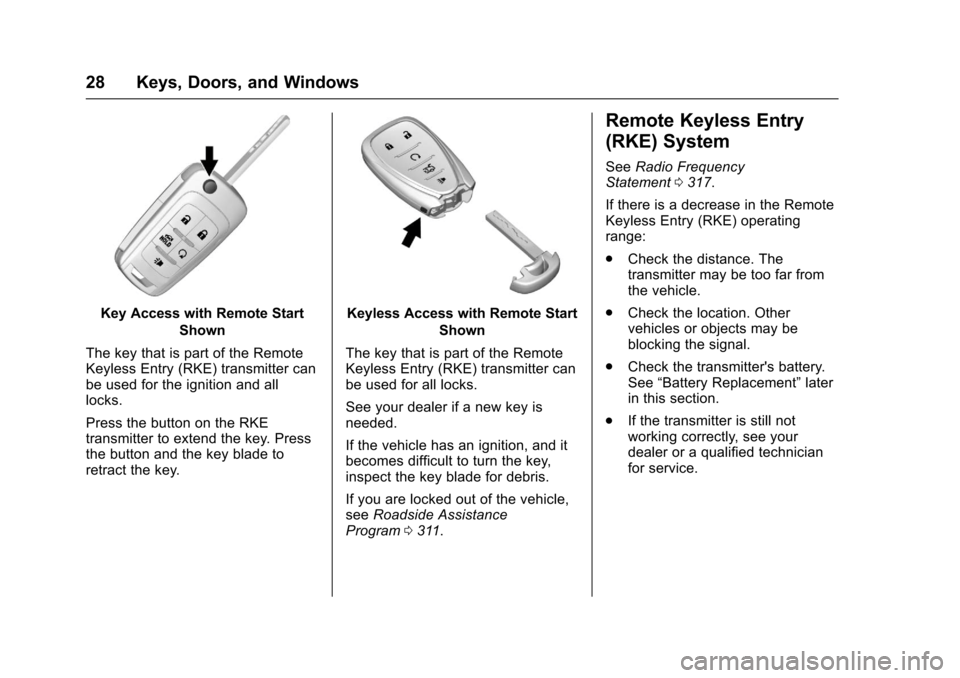
Key Access with Remote Start
Shown
The key that is part of the RemoteKeyless Entry (RKE) transmitter canbe used for the ignition and alllocks.
Press the button on the RKEtransmitter to extend the key. Pressthe button and the key blade toretract the key.
Keyless Access with Remote Start
Shown
The key that is part of the RemoteKeyless Entry (RKE) transmitter canbe used for all locks.
See your dealer if a new key isneeded.
If the vehicle has an ignition, and itbecomes difficult to turn the key,inspect the key blade for debris.
If you are locked out of the vehicle,seeRoadside AssistanceProgram0311.
Remote Keyless Entry
(RKE) System
SeeRadio FrequencyStatement0317.
If there is a decrease in the RemoteKeyless Entry (RKE) operatingrange:
.Check the distance. Thetransmitter may be too far fromthe vehicle.
.Check the location. Othervehicles or objects may beblocking the signal.
.Check the transmitter's battery.See“Battery Replacement”laterin this section.
.If the transmitter is still notworking correctly, see yourdealer or a qualified technicianfor service.
Page 30 of 342
Chevrolet Sonic Owner Manual (GMNA-Localizing-U.S./Canada-10122660) -2017 - crc - 5/13/16
Keys, Doors, and Windows 29
Remote Keyless Entry
(RKE) System Operation
(Key Access)
The RKE transmitter may work up to60 m (197 ft) away from the vehicle.
Other conditions can affect theperformance of the transmitter. SeeRemote Keyless Entry (RKE)System028.
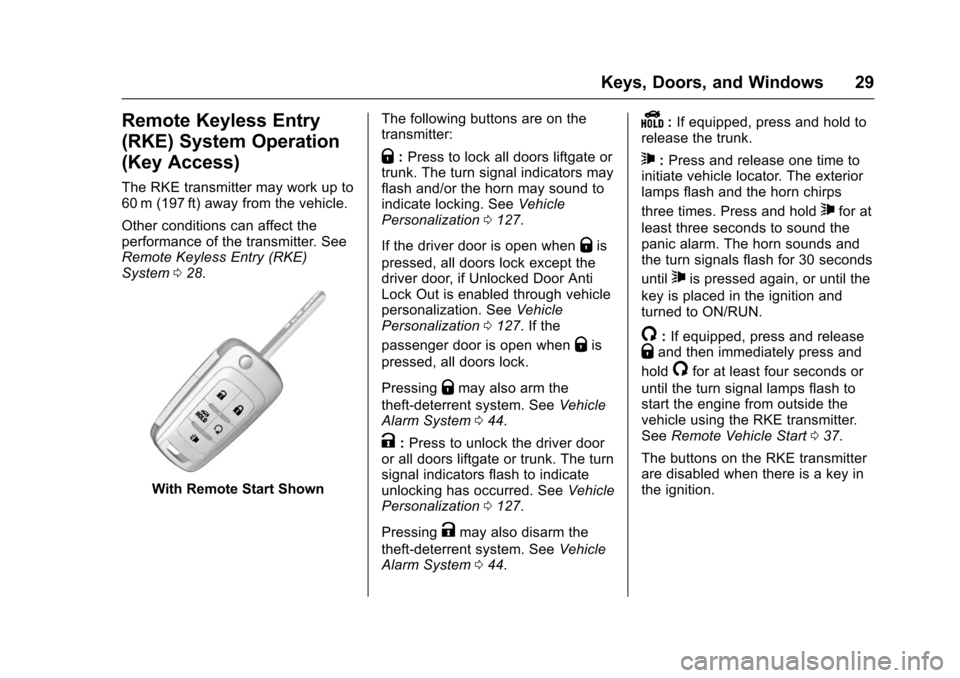
With Remote Start Shown
The following buttons are on thetransmitter:
Q:Press to lock all doors liftgate ortrunk. The turn signal indicators mayflash and/or the horn may sound toindicate locking. SeeVehiclePersonalization0127.
If the driver door is open whenQis
pressed, all doors lock except thedriver door, if Unlocked Door AntiLock Out is enabled through vehiclepersonalization. SeeVehiclePersonalization0127.Ifthe
passenger door is open whenQis
pressed, all doors lock.
PressingQmay also arm the
theft-deterrent system. SeeVehicleAlarm System044.
K:Press to unlock the driver dooror all doors liftgate or trunk. The turnsignal indicators flash to indicateunlocking has occurred. SeeVehiclePersonalization0127.
PressingKmay also disarm the
theft-deterrent system. SeeVehicleAlarm System044.
Y:If equipped, press and hold torelease the trunk.
7:Press and release one time toinitiate vehicle locator. The exteriorlamps flash and the horn chirps
three times. Press and hold7for at
least three seconds to sound thepanic alarm. The horn sounds andthe turn signals flash for 30 seconds
until7is pressed again, or until the
key is placed in the ignition andturned to ON/RUN.
/:If equipped, press and releaseQand then immediately press and
hold/for at least four seconds or
until the turn signal lamps flash tostart the engine from outside thevehicle using the RKE transmitter.SeeRemote Vehicle Start037.
The buttons on the RKE transmitterare disabled when there is a key inthe ignition.
Page 32 of 342
Chevrolet Sonic Owner Manual (GMNA-Localizing-U.S./Canada-10122660) -2017 - crc - 5/13/16
Keys, Doors, and Windows 31
Battery Replacement
The battery is not rechargeable. Toreplace the battery:
Caution
When replacing the battery, do
not touch any of the circuitry on
the transmitter. Static from your
body could damage the
transmitter.
1. Press the button on thetransmitter to extend the key.
2. Remove the battery cover byprying with a finger.
3. Remove the old battery.
4. Insert the new battery, positiveside facing up. Replace with aCR2032 or equivalent battery.
5. Snap the battery cover back onto the transmitter.
Remote Keyless Entry
(RKE) System Operation
(Keyless Access)
The Keyless Access system allowsfor vehicle entry when thetransmitter is within range. See“Keyless Access Operation”following.
The transmitter functions may workup to 60 m (197 ft) away from thevehicle.
Other conditions can impact theperformance of the transmitter.
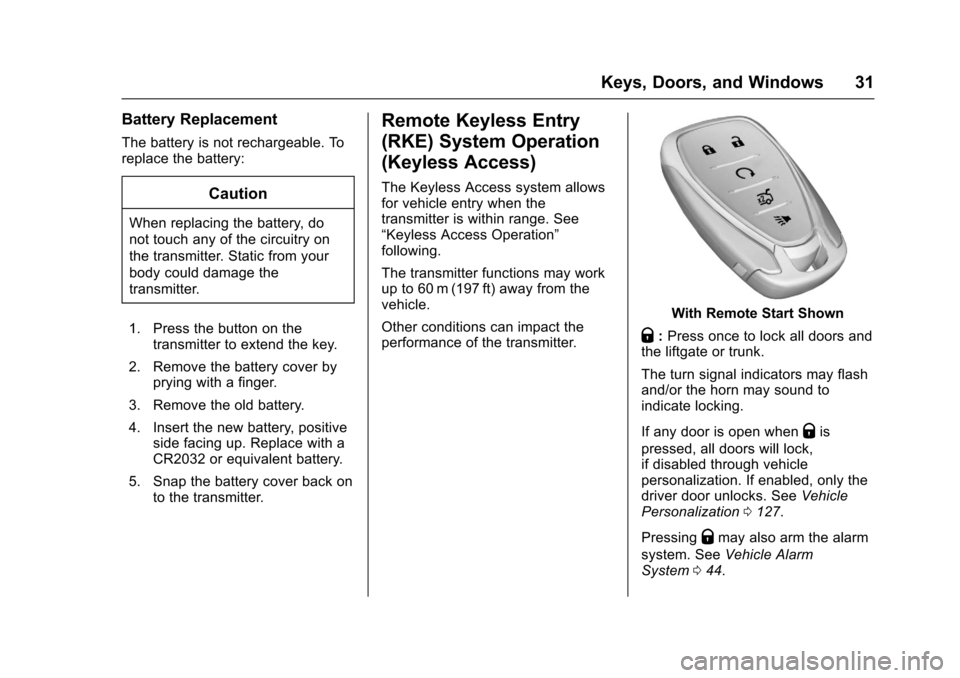
With Remote Start Shown
Q:Press once to lock all doors andthe liftgate or trunk.
The turn signal indicators may flashand/or the horn may sound toindicate locking.
If any door is open whenQis
pressed, all doors will lock,if disabled through vehiclepersonalization. If enabled, only thedriver door unlocks. SeeVehiclePersonalization0127.
PressingQmay also arm the alarm
system. SeeVehicle AlarmSystem044.
Page 33 of 342
Chevrolet Sonic Owner Manual (GMNA-Localizing-U.S./Canada-10122660) -2017 - crc - 5/13/16
32 Keys, Doors, and Windows
K:Press to unlock the driver doorand the liftgate or trunk. Press againto unlock all doors.
The turn signal indicators may flashto indicate unlocking has occurred.SeeVehicle Personalization0127.
PressingKwill disarm the alarm
system. SeeVehicle AlarmSystem044.
X:If equipped, press twice torelease the trunk.
7:Press and release one time toinitiate vehicle locator. The exteriorlamps flash and the horn chirpsthree times.
Press and hold7for at least
three seconds to sound the panicalarm. The horn sounds and theturn signals flash for about
30 seconds until7is pressed again
or ignition is turned to ON/RUN.
/:If equipped, pressQand then
immediately press and hold/for at
least four seconds or until the turnsignal lamps flash to start the
engine from outside the vehicleusing the RKE transmitter. SeeRemote Vehicle Start037.
Keyless Access Operation
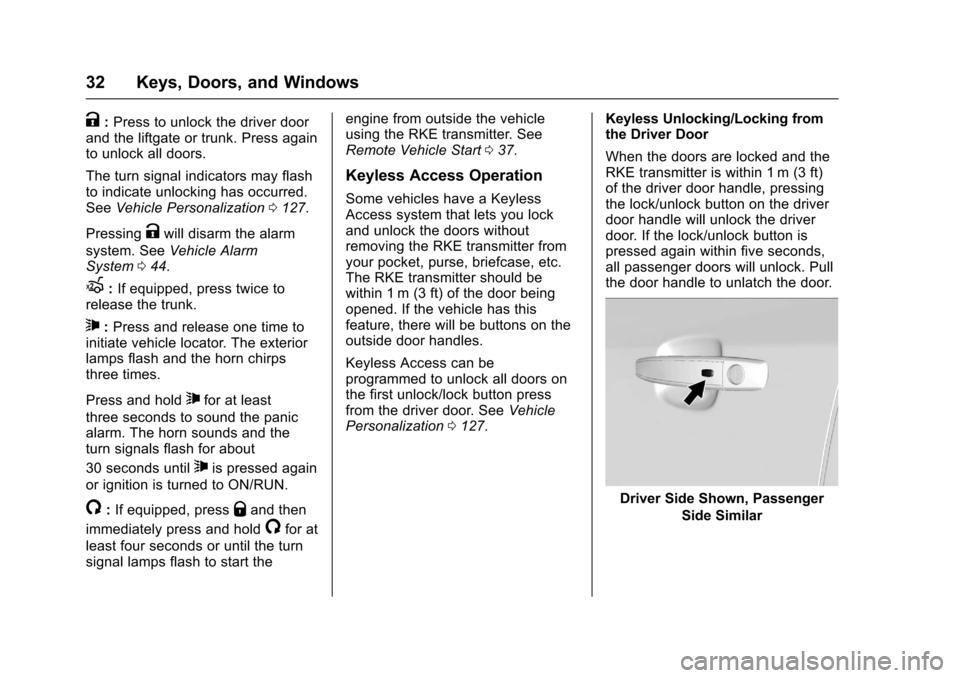
Some vehicles have a KeylessAccess system that lets you lockand unlock the doors withoutremoving the RKE transmitter fromyour pocket, purse, briefcase, etc.The RKE transmitter should bewithin 1 m (3 ft) of the door beingopened. If the vehicle has thisfeature, there will be buttons on theoutside door handles.
Keyless Access can beprogrammed to unlock all doors onthe first unlock/lock button pressfrom the driver door. SeeVehiclePersonalization0127.
Keyless Unlocking/Locking fromthe Driver Door
When the doors are locked and theRKE transmitter is within 1 m (3 ft)of the driver door handle, pressingthe lock/unlock button on the driverdoor handle will unlock the driverdoor. If the lock/unlock button ispressed again within five seconds,all passenger doors will unlock. Pullthe door handle to unlatch the door.
Driver Side Shown, Passenger
Side Similar
Page 34 of 342
Chevrolet Sonic Owner Manual (GMNA-Localizing-U.S./Canada-10122660) -2017 - crc - 5/13/16
Keys, Doors, and Windows 33
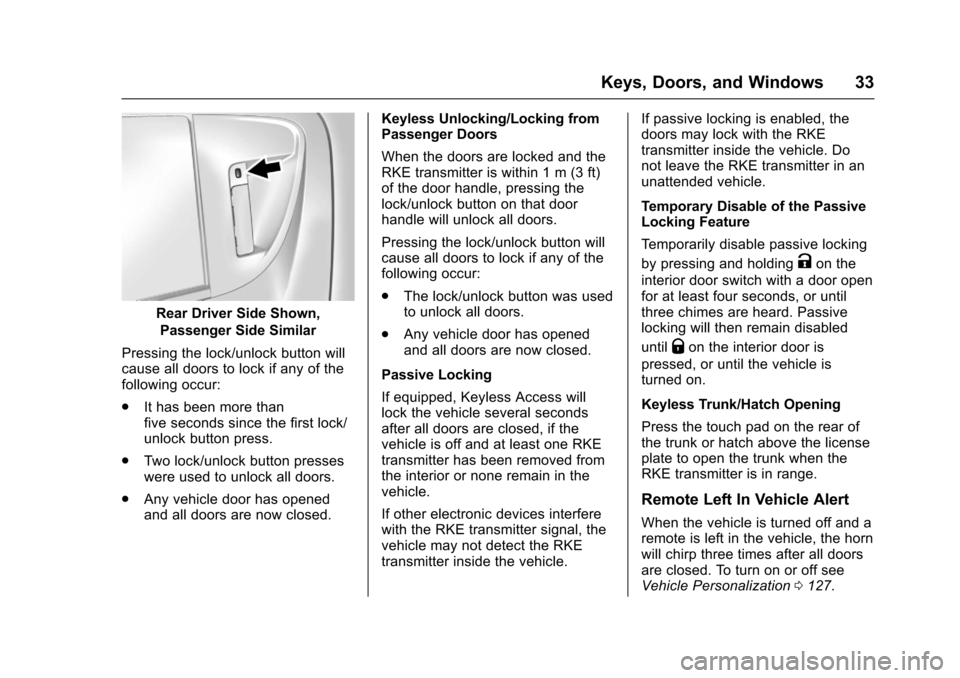
Rear Driver Side Shown,
Passenger Side Similar
Pressing the lock/unlock button willcause all doors to lock if any of thefollowing occur:
.It has been more thanfive seconds since the first lock/unlock button press.
.Tw o l o c k / u n l o c k b u t t o n p r e s s e swere used to unlock all doors.
.Any vehicle door has openedand all doors are now closed.
Keyless Unlocking/Locking fromPassenger Doors
When the doors are locked and theRKE transmitter is within 1 m (3 ft)of the door handle, pressing thelock/unlock button on that doorhandle will unlock all doors.
Pressing the lock/unlock button willcause all doors to lock if any of thefollowing occur:
.The lock/unlock button was usedto unlock all doors.
.Any vehicle door has openedand all doors are now closed.
Passive Locking
If equipped, Keyless Access willlock the vehicle several secondsafter all doors are closed, if thevehicle is off and at least one RKEtransmitter has been removed fromthe interior or none remain in thevehicle.
If other electronic devices interferewith the RKE transmitter signal, thevehicle may not detect the RKEtransmitter inside the vehicle.
If passive locking is enabled, thedoors may lock with the RKEtransmitter inside the vehicle. Donot leave the RKE transmitter in anunattended vehicle.
Temporary Disable of the PassiveLocking Feature
Te m p o r a r i l y d i s a b l e p a s s i v e l o c k i n g
by pressing and holdingKon the
interior door switch with a door openfor at least four seconds, or untilthree chimes are heard. Passivelocking will then remain disabled
untilQon the interior door is
pressed, or until the vehicle isturned on.
Keyless Trunk/Hatch Opening
Press the touch pad on the rear ofthe trunk or hatch above the licenseplate to open the trunk when theRKE transmitter is in range.
Remote Left In Vehicle Alert
When the vehicle is turned off and aremote is left in the vehicle, the hornwill chirp three times after all doorsare closed. To turn on or off seeVehicle Personalization0127.
Page 38 of 342
Chevrolet Sonic Owner Manual (GMNA-Localizing-U.S./Canada-10122660) -2017 - crc - 5/13/16
Keys, Doors, and Windows 37
3. Lift the battery with a flatobject.
4. Remove the battery.
5. Insert the new battery, positiveside toward the back cover.Replace with a CR2032 orequivalent battery.
6. Push the transmitter together.
Remote Vehicle Start
If equipped, this feature allows theengine to be started from outsidethe vehicle.
/:This button will be on the RKEtransmitter if the vehicle has remotestart.
The climate control system will usethe previous settings during aremote start. The rear defog maycome on during remote start basedon cold ambient conditions. Therear fog indicator light does notcome on during remote start.
If the vehicle has heated seats, theymay come on during a remote start.SeeHeated Front Seats056.
Laws in some local communitiesmay restrict the use of remotestarters. For example, some lawsrequire a person using remote startto have the vehicle in view. Checklocal regulations for anyrequirements.
Other conditions can affect theperformance of the transmitter. SeeRemote Keyless Entry (RKE)System028.
Starting the Vehicle
To s t a r t t h e e n g i n e u s i n g t h e r e m o t estart feature:
1. Press and releaseQ.
2. Immediately after completing
Step 1, press and hold/for at
least four seconds or until theturn signal lamps flash. Theturn signal lamps flashingconfirms the request to remotestart the vehicle has beenreceived.
When the engine starts, the parkinglamps will turn on and remain on aslong as the engine is running. Thedoors will be locked and the climatecontrol system may come on.
The engine will continue to run for10 minutes. After 30 seconds,repeat the steps if a 10-minuteextension is desired. Remote startcan be extended only once.
Insert the key and turn it to ON/RUNbefore driving.
Extending Engine Run Time
The engine run time can also beextended by another 10 minutes,if during the first 10 minutesSteps 1 and 2 are repeated whilethe engine is still running. Anextension can be requested,30 seconds after starting. Thisprovides a total of 20 minutes.
When the remote start is extended,the second 10-minute period isadded on to the first 10 minutes foratotalof20minutes.
Amaximumoftworemotestarts,or a single start with an extension,are allowed between ignition cycles.