window CHEVROLET SONIC 2017 2.G Owners Manual
[x] Cancel search | Manufacturer: CHEVROLET, Model Year: 2017, Model line: SONIC, Model: CHEVROLET SONIC 2017 2.GPages: 342, PDF Size: 7.2 MB
Page 2 of 342
Chevrolet Sonic Owner Manual (GMNA-Localizing-U.S./Canada-10122660) -2017 - crc - 5/13/16
ContentsIntroduction . . . . . . . . . . . . . . . . . . . . . . 2
In Brief . . . . . . . . . . . . . . . . . . . . . . . . . . . 5
Keys, Doors, and Windows . . . . . 26
Seats and Restraints . . . . . . . . . . . 51
Storage . . . . . . . . . . . . . . . . . . . . . . . . . 97
Instruments and Controls . . . . . . 100
Lighting . . . . . . . . . . . . . . . . . . . . . . . 134
Infotainment System . . . . . . . . . . 141
Climate Controls . . . . . . . . . . . . . . 166
Driving and Operating . . . . . . . . . 171
Vehicle Care . . . . . . . . . . . . . . . . . . 212
Service and Maintenance . . . . . 289
Te c h n i c a l D a t a . . . . . . . . . . . . . . . . 3 0 3
Customer Information . . . . . . . . . 307
Reporting Safety Defects . . . . . . 317
OnStar . . . . . . . . . . . . . . . . . . . . . . . . 321
Index . . . . . . . . . . . . . . . . . . . . 331
Page 6 of 342
Chevrolet Sonic Owner Manual (GMNA-Localizing-U.S./Canada-10122660) -2017 - crc - 5/13/16
In Brief 5
In Brief
Instrument Panel
Instrument Panel . . . . . . . . . . . . . . . . 6
Initial Drive Information
Initial Drive Information . . . . . . . . . . 8Remote Keyless Entry (RKE)System . . . . . . . . . . . . . . . . . . . . . . . . 8Remote Vehicle Start . . . . . . . . . . . 9Door Locks . . . . . . . . . . . . . . . . . . . . . 9Liftgate (Hatchback) . . . . . . . . . . . 10Trunk Release (Sedan) . . . . . . . . 10Windows . . . . . . . . . . . . . . . . . . . . . . . 11Seat Adjustment . . . . . . . . . . . . . . . 11Second Row Seats . . . . . . . . . . . . 13Head Restraint Adjustment . . . . 13Safety Belts . . . . . . . . . . . . . . . . . . . . 13Passenger Sensing System . . . 13Mirror Adjustment . . . . . . . . . . . . . . 14Steering Wheel Adjustment . . . . 14Interior Lighting . . . . . . . . . . . . . . . . 15Exterior Lighting . . . . . . . . . . . . . . . 15Windshield Wiper/Washer . . . . . . 16Climate Controls . . . . . . . . . . . . . . . 16Transmission . . . . . . . . . . . . . . . . . . 17
Vehicle Features
Infotainment System . . . . . . . . . . . 18Radio(s) . . . . . . . . . . . . . . . . . . . . . . . 19
Satellite Radio . . . . . . . . . . . . . . . . . 19Portable Audio Devices . . . . . . . . 20Bluetooth®..................... 20Steering Wheel Controls . . . . . . . 20Cruise Control . . . . . . . . . . . . . . . . . 21Driver InformationCenter (DIC) . . . . . . . . . . . . . . . . . 21Forward Collision Alert (FCA)System . . . . . . . . . . . . . . . . . . . . . . . 21Lane DepartureWarning (LDW) . . . . . . . . . . . . . . . 21Rear Vision Camera (RVC) . . . . 22Power Outlets . . . . . . . . . . . . . . . . . 22Sunroof . . . . . . . . . . . . . . . . . . . . . . . . 22
Performance and Maintenance
Traction Control/ElectronicStability Control . . . . . . . . . . . . . . 23Tire Pressure Monitor . . . . . . . . . . 23Fuel . . . . . . . . . . . . . . . . . . . . . . . . . . . 23E85 or FlexFuel . . . . . . . . . . . . . . . . 24Engine Oil Life System . . . . . . . . 24Driving for Better FuelEconomy . . . . . . . . . . . . . . . . . . . . . 24Roadside AssistanceProgram . . . . . . . . . . . . . . . . . . . . . . 25
Page 12 of 342
Chevrolet Sonic Owner Manual (GMNA-Localizing-U.S./Canada-10122660) -2017 - crc - 5/13/16
In Brief 11
To o p e n t h e t r u n k f r o m o u t s i d e o fthe vehicle:
.PressKon the RKE transmitter
to unlock all doors, then use thetouch pad.
.Press and holdYfor key
access, or pressXtwice for
keyless access, on the RKEtransmitter.
SeeTr u n k ( S e d a n )041andRemote Keyless Entry (RKE)System Operation (Keyless Access)031orRemote Keyless Entry(RKE) System Operation (KeyAccess)029.
Windows
Manual Windows
If equipped, use the window crankto open and close each window.
SeeManual Windows048.
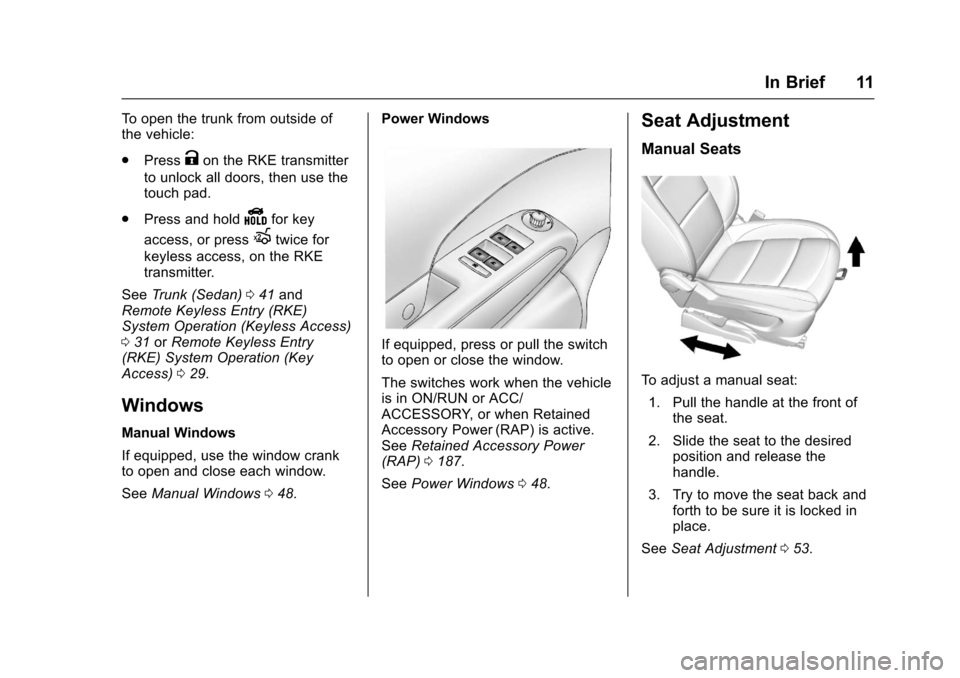
Power Windows
If equipped, press or pull the switchto open or close the window.
The switches work when the vehicleis in ON/RUN or ACC/ACCESSORY, or when RetainedAccessory Power (RAP) is active.SeeRetained Accessory Power(RAP)0187.
SeePower Windows048.
Seat Adjustment
Manual Seats
To a d j u s t a m a n u a l s e a t :
1. Pull the handle at the front ofthe seat.
2. Slide the seat to the desiredposition and release thehandle.
3. Try to move the seat back andforth to be sure it is locked inplace.
SeeSeat Adjustment053.
Page 17 of 342
Chevrolet Sonic Owner Manual (GMNA-Localizing-U.S./Canada-10122660) -2017 - crc - 5/13/16
16 In Brief
;:Turns on the parking lampsincluding all lamps except theheadlamps.
5:Turns the headlamps ontogether with the parking lamps andinstrument panel lights. A warningchime sounds if the driver door isopened when the ignition switch isoff and the headlamps are on.
#:For vehicles with fog lamps,press to turn the lamps on or off.
See:
.Exterior Lamp Controls0134
.Daytime Running Lamps(DRL)0135
.Fog Lamps0137
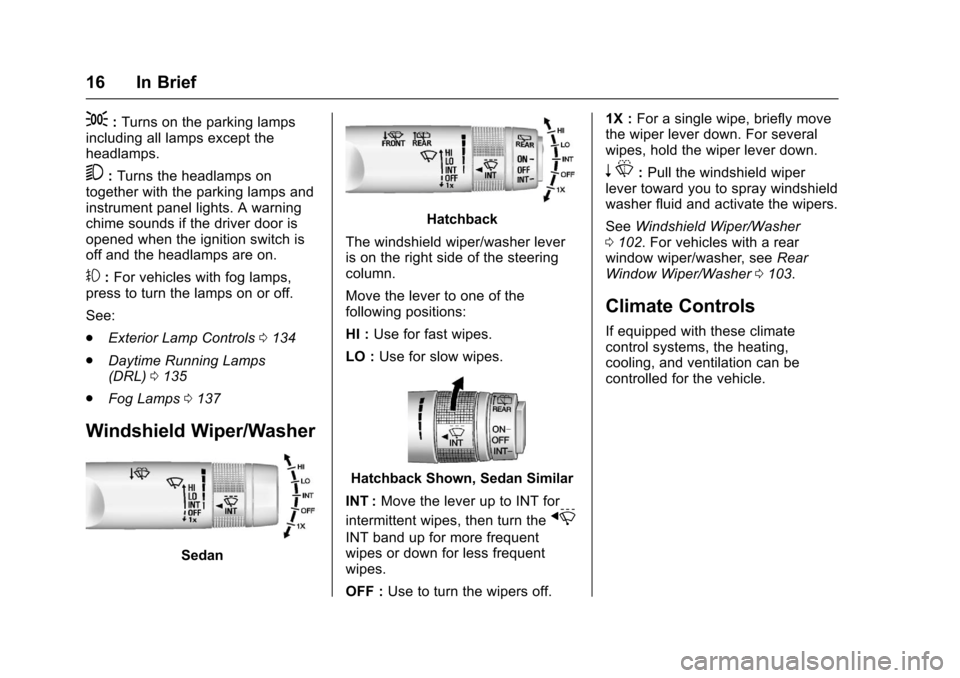
Windshield Wiper/Washer
Sedan
Hatchback
The windshield wiper/washer leveris on the right side of the steeringcolumn.
Move the lever to one of thefollowing positions:
HI :Use for fast wipes.
LO :Use for slow wipes.
Hatchback Shown, Sedan Similar
INT :Move the lever up to INT for
intermittent wipes, then turn thex
INT band up for more frequentwipes or down for less frequentwipes.
OFF :Use to turn the wipers off.
1X :For a single wipe, briefly movethe wiper lever down. For severalwipes, hold the wiper lever down.
nL:Pull the windshield wiperlever toward you to spray windshieldwasher fluid and activate the wipers.
SeeWindshield Wiper/Washer0102.Forvehicleswitharearwindow wiper/washer, seeRearWindow Wiper/Washer0103.
Climate Controls
If equipped with these climatecontrol systems, the heating,cooling, and ventilation can becontrolled for the vehicle.
Page 18 of 342
Chevrolet Sonic Owner Manual (GMNA-Localizing-U.S./Canada-10122660) -2017 - crc - 5/13/16
In Brief 17
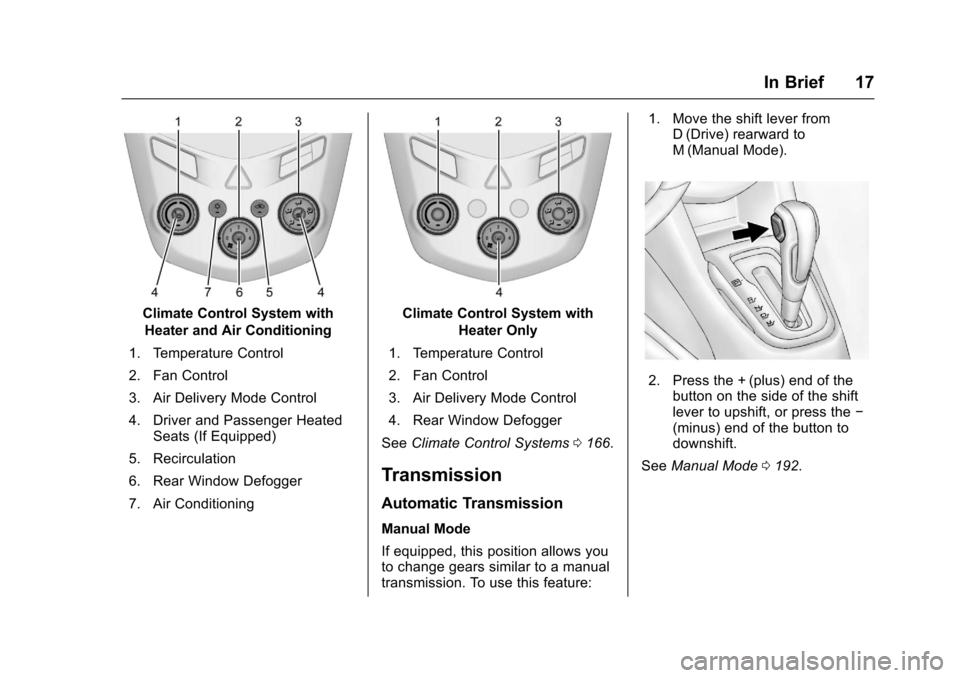
Climate Control System with
Heater and Air Conditioning
1. Temperature Control
2. Fan Control
3. Air Delivery Mode Control
4. Driver and Passenger HeatedSeats (If Equipped)
5. Recirculation
6. Rear Window Defogger
7. Air Conditioning
Climate Control System with
Heater Only
1. Temperature Control
2. Fan Control
3. Air Delivery Mode Control
4. Rear Window Defogger
SeeClimate Control Systems0166.
Transmission
Automatic Transmission
Manual Mode
If equipped, this position allows youto change gears similar to a manualtransmission. To use this feature:
1. Move the shift lever fromD(Drive) rearward toM(Manual Mode).
2. Press the + (plus) end of thebutton on the side of the shiftlever to upshift, or press the✓(minus) end of the button todownshift.
SeeManual Mode0192.
Page 27 of 342
Chevrolet Sonic Owner Manual (GMNA-Localizing-U.S./Canada-10122660) -2017 - crc - 5/13/16
26 Keys, Doors, and Windows
Keys, Doors, and
Windows
Keys and Locks
Keys . . . . . . . . . . . . . . . . . . . . . . . . . . . 26Remote Keyless Entry (RKE)System . . . . . . . . . . . . . . . . . . . . . . . 28Remote Keyless Entry (RKE)System Operation (KeyAccess) . . . . . . . . . . . . . . . . . . . . . . 29Remote Keyless Entry (RKE)System Operation (KeylessAccess) . . . . . . . . . . . . . . . . . . . . . . 31Remote Vehicle Start . . . . . . . . . . 37Door Locks . . . . . . . . . . . . . . . . . . . . 38Delayed Locking . . . . . . . . . . . . . . . 39Automatic Door Locks . . . . . . . . . 40Lockout Protection . . . . . . . . . . . . . 40Safety Locks . . . . . . . . . . . . . . . . . . . 40
Doors
Trunk (Sedan) . . . . . . . . . . . . . . . . . 41Liftgate (Hatchback) . . . . . . . . . . . 43
Vehicle Security
Vehicle Security . . . . . . . . . . . . . . . . 44Vehicle Alarm System . . . . . . . . . 44Immobilizer . . . . . . . . . . . . . . . . . . . . 45Immobilizer Operation . . . . . . . . . 45
Exterior Mirrors
Convex Mirrors . . . . . . . . . . . . . . . . 46Manual Mirrors . . . . . . . . . . . . . . . . . 46Power Mirrors . . . . . . . . . . . . . . . . . . 46Folding Mirrors . . . . . . . . . . . . . . . . . 47Heated Mirrors . . . . . . . . . . . . . . . . . 47
Interior Mirrors
Manual Rearview Mirror . . . . . . . . 47
Windows
Windows . . . . . . . . . . . . . . . . . . . . . . . 47Manual Windows . . . . . . . . . . . . . . 48Power Windows . . . . . . . . . . . . . . . 48Sun Visors . . . . . . . . . . . . . . . . . . . . . 49
Roof
Sunroof . . . . . . . . . . . . . . . . . . . . . . . . 50
Keys and Locks
Keys
{Warning
Leaving children in a vehicle with
an ignition key or Remote
Keyless Entry (RKE) transmitter is
dangerous and children or others
could be seriously injured or
killed. They could operate the
power window or other controls or
make the vehicle move. The
windows will function with the key
in the ignition or with the RKE
transmitter in the vehicle, and
children or others could be caught
in the path of a closing window.
Do not leave children in a vehicle
with the ignition key or an RKE
transmitter.
Page 28 of 342
Chevrolet Sonic Owner Manual (GMNA-Localizing-U.S./Canada-10122660) -2017 - crc - 5/13/16
Keys, Doors, and Windows 27
{Warning
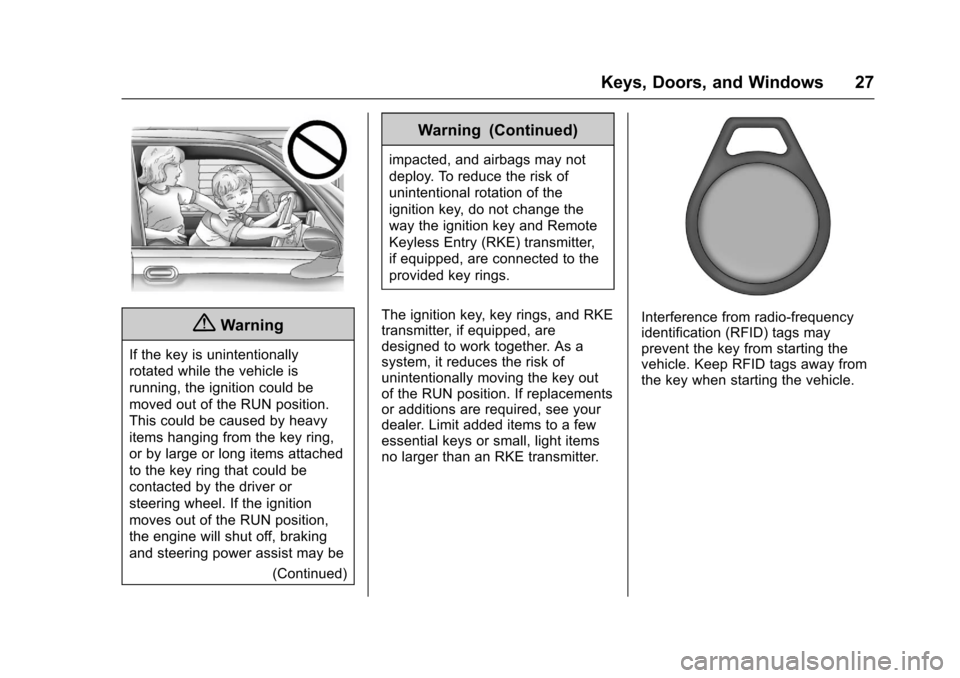
If the key is unintentionally
rotated while the vehicle is
running, the ignition could be
moved out of the RUN position.
This could be caused by heavy
items hanging from the key ring,
or by large or long items attached
to the key ring that could be
contacted by the driver or
steering wheel. If the ignition
moves out of the RUN position,
the engine will shut off, braking
and steering power assist may be
(Continued)
Warning (Continued)
impacted, and airbags may not
deploy. To reduce the risk of
unintentional rotation of the
ignition key, do not change the
way the ignition key and Remote
Keyless Entry (RKE) transmitter,
if equipped, are connected to the
provided key rings.
The ignition key, key rings, and RKEtransmitter, if equipped, aredesigned to work together. As asystem, it reduces the risk ofunintentionally moving the key outof the RUN position. If replacementsor additions are required, see yourdealer. Limit added items to a fewessential keys or small, light itemsno larger than an RKE transmitter.
Interference from radio-frequencyidentification (RFID) tags mayprevent the key from starting thevehicle. Keep RFID tags away fromthe key when starting the vehicle.
Page 29 of 342
Chevrolet Sonic Owner Manual (GMNA-Localizing-U.S./Canada-10122660) -2017 - crc - 5/13/16
28 Keys, Doors, and Windows
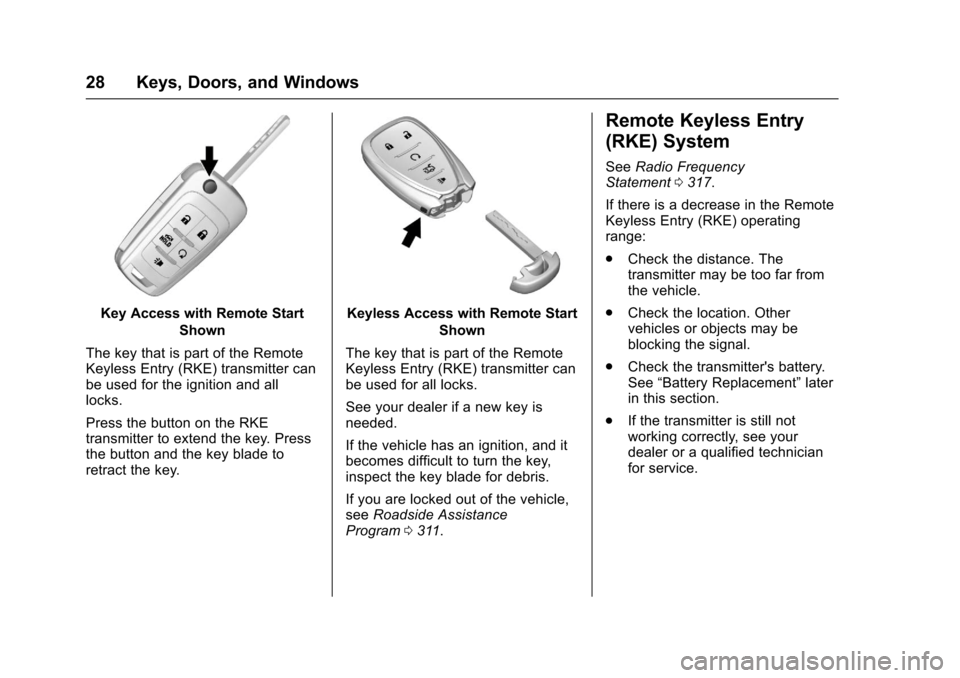
Key Access with Remote Start
Shown
The key that is part of the RemoteKeyless Entry (RKE) transmitter canbe used for the ignition and alllocks.
Press the button on the RKEtransmitter to extend the key. Pressthe button and the key blade toretract the key.
Keyless Access with Remote Start
Shown
The key that is part of the RemoteKeyless Entry (RKE) transmitter canbe used for all locks.
See your dealer if a new key isneeded.
If the vehicle has an ignition, and itbecomes difficult to turn the key,inspect the key blade for debris.
If you are locked out of the vehicle,seeRoadside AssistanceProgram0311.
Remote Keyless Entry
(RKE) System
SeeRadio FrequencyStatement0317.
If there is a decrease in the RemoteKeyless Entry (RKE) operatingrange:
.Check the distance. Thetransmitter may be too far fromthe vehicle.
.Check the location. Othervehicles or objects may beblocking the signal.
.Check the transmitter's battery.See“Battery Replacement”laterin this section.
.If the transmitter is still notworking correctly, see yourdealer or a qualified technicianfor service.
Page 30 of 342
Chevrolet Sonic Owner Manual (GMNA-Localizing-U.S./Canada-10122660) -2017 - crc - 5/13/16
Keys, Doors, and Windows 29
Remote Keyless Entry
(RKE) System Operation
(Key Access)
The RKE transmitter may work up to60 m (197 ft) away from the vehicle.
Other conditions can affect theperformance of the transmitter. SeeRemote Keyless Entry (RKE)System028.
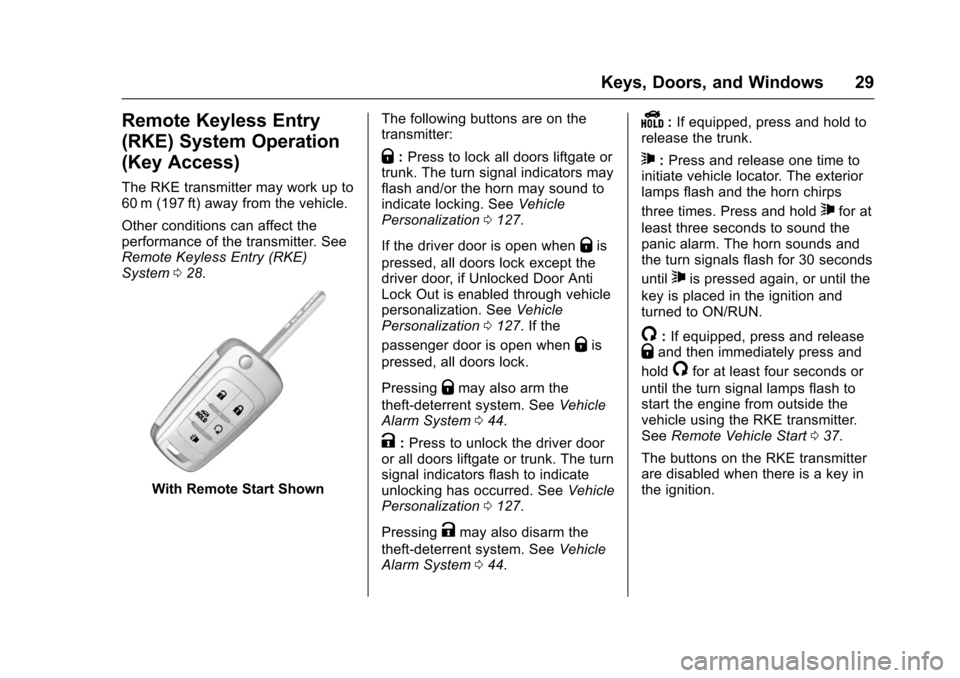
With Remote Start Shown
The following buttons are on thetransmitter:
Q:Press to lock all doors liftgate ortrunk. The turn signal indicators mayflash and/or the horn may sound toindicate locking. SeeVehiclePersonalization0127.
If the driver door is open whenQis
pressed, all doors lock except thedriver door, if Unlocked Door AntiLock Out is enabled through vehiclepersonalization. SeeVehiclePersonalization0127.Ifthe
passenger door is open whenQis
pressed, all doors lock.
PressingQmay also arm the
theft-deterrent system. SeeVehicleAlarm System044.
K:Press to unlock the driver dooror all doors liftgate or trunk. The turnsignal indicators flash to indicateunlocking has occurred. SeeVehiclePersonalization0127.
PressingKmay also disarm the
theft-deterrent system. SeeVehicleAlarm System044.
Y:If equipped, press and hold torelease the trunk.
7:Press and release one time toinitiate vehicle locator. The exteriorlamps flash and the horn chirps
three times. Press and hold7for at
least three seconds to sound thepanic alarm. The horn sounds andthe turn signals flash for 30 seconds
until7is pressed again, or until the
key is placed in the ignition andturned to ON/RUN.
/:If equipped, press and releaseQand then immediately press and
hold/for at least four seconds or
until the turn signal lamps flash tostart the engine from outside thevehicle using the RKE transmitter.SeeRemote Vehicle Start037.
The buttons on the RKE transmitterare disabled when there is a key inthe ignition.
Page 31 of 342
Chevrolet Sonic Owner Manual (GMNA-Localizing-U.S./Canada-10122660) -2017 - crc - 5/13/16
30 Keys, Doors, and Windows
Programming Keys to the
Vehicle
Only RKE transmitters programmedto this vehicle will work. If atransmitter is lost or stolen, areplacement can be purchased andprogrammed through your dealer.When the replacement transmitter isprogrammed to this vehicle, allremaining transmitters must also bereprogrammed. Any lost or stolentransmitters will no longer workonce the new transmitter isprogrammed. See your dealer tohave new transmitters programmed.
Programming with TwoRecognized Keys
To p r o g r a m a n e w k e y :
1. Insert the original, alreadyprogrammed key in the ignitionand turn the key to the ON/RUN position.
2. Turn the key to LOCK/OFF,and remove the key.
3. Quickly, within five seconds,insert the second originalalready programmed key in theignition and turn it to the ON/RUN position.
4. Turn the key to LOCK/OFF,and remove the key.
5. Insert the new key to beprogrammed and turn it to theON/RUN position withinfive seconds.
The security light will turn offonce the key has beenprogrammed.
6. Repeat Steps 1–5ifadditionalkeys are to be programmed.
If a key is lost or damaged, see yourdealer to have a new key made.
Programming without TwoRecognized Keys
Program a new key to the vehiclewhen two recognized keys are notavailable. Canadian regulationsrequire that owners see their dealer.
If two currently recognized keys arenot available, follow this procedureto program the first key.
This procedure will takeapproximately 30 minutes tocomplete for the first key. Thevehicle must be off and all of thekeys you wish to program must bewith you.
1. Insert the new vehicle key intothe ignition.
2. Turn to ON/RUN. The securitylight will come on.
3. Wait 10 minutes until thesecurity light turns off.
4. Turn the ignition to LOCK/OFF.
5. Repeat Steps 2–4twomoretimes. After the third time, turnto ON/RUN; the key is learnedand all previously known keyswill no longer work with thevehicle.
6. To program the second key,turn to OFF and insert thesecond key to be learned andturn to ON/RUN.
After the two keys are learned,remaining keys can be learned byfollowing the procedure in“Programming with TwoRecognized Keys.”