trunk CHEVROLET SONIC 2019 User Guide
[x] Cancel search | Manufacturer: CHEVROLET, Model Year: 2019, Model line: SONIC, Model: CHEVROLET SONIC 2019Pages: 351, PDF Size: 5.32 MB
Page 32 of 351
Chevrolet Sonic Owner Manual (GMNA-Localizing-U.S./Canada-12461769) -
2019 - crc - 5/21/18
Keys, Doors, and Windows 31
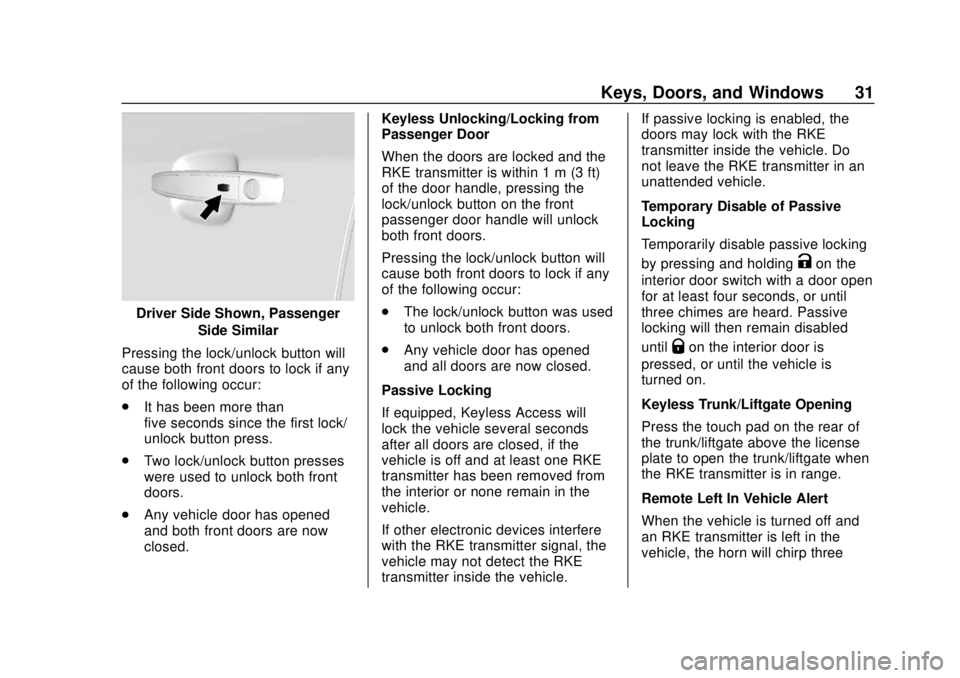
Driver Side Shown, PassengerSide Similar
Pressing the lock/unlock button will
cause both front doors to lock if any
of the following occur:
. It has been more than
five seconds since the first lock/
unlock button press.
. Two lock/unlock button presses
were used to unlock both front
doors.
. Any vehicle door has opened
and both front doors are now
closed. Keyless Unlocking/Locking from
Passenger Door
When the doors are locked and the
RKE transmitter is within 1 m (3 ft)
of the door handle, pressing the
lock/unlock button on the front
passenger door handle will unlock
both front doors.
Pressing the lock/unlock button will
cause both front doors to lock if any
of the following occur:
.
The lock/unlock button was used
to unlock both front doors.
. Any vehicle door has opened
and all doors are now closed.
Passive Locking
If equipped, Keyless Access will
lock the vehicle several seconds
after all doors are closed, if the
vehicle is off and at least one RKE
transmitter has been removed from
the interior or none remain in the
vehicle.
If other electronic devices interfere
with the RKE transmitter signal, the
vehicle may not detect the RKE
transmitter inside the vehicle. If passive locking is enabled, the
doors may lock with the RKE
transmitter inside the vehicle. Do
not leave the RKE transmitter in an
unattended vehicle.
Temporary Disable of Passive
Locking
Temporarily disable passive locking
by pressing and holding
Kon the
interior door switch with a door open
for at least four seconds, or until
three chimes are heard. Passive
locking will then remain disabled
until
Qon the interior door is
pressed, or until the vehicle is
turned on.
Keyless Trunk/Liftgate Opening
Press the touch pad on the rear of
the trunk/liftgate above the license
plate to open the trunk/liftgate when
the RKE transmitter is in range.
Remote Left In Vehicle Alert
When the vehicle is turned off and
an RKE transmitter is left in the
vehicle, the horn will chirp three
Page 37 of 351
Chevrolet Sonic Owner Manual (GMNA-Localizing-U.S./Canada-12461769) -
2019 - crc - 5/21/18
36 Keys, Doors, and Windows
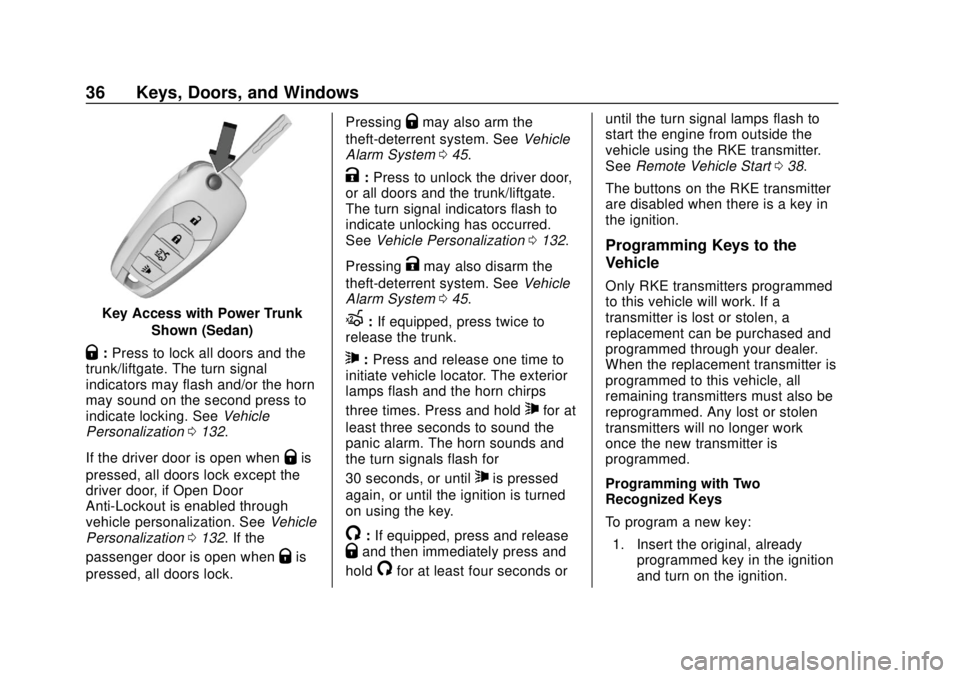
Key Access with Power TrunkShown (Sedan)
Q:Press to lock all doors and the
trunk/liftgate. The turn signal
indicators may flash and/or the horn
may sound on the second press to
indicate locking. See Vehicle
Personalization 0132.
If the driver door is open when
Qis
pressed, all doors lock except the
driver door, if Open Door
Anti-Lockout is enabled through
vehicle personalization. See Vehicle
Personalization 0132. If the
passenger door is open when
Qis
pressed, all doors lock. Pressing
Qmay also arm the
theft-deterrent system. See Vehicle
Alarm System 045.
K:Press to unlock the driver door,
or all doors and the trunk/liftgate.
The turn signal indicators flash to
indicate unlocking has occurred.
See Vehicle Personalization 0132.
Pressing
Kmay also disarm the
theft-deterrent system. See Vehicle
Alarm System 045.
X:If equipped, press twice to
release the trunk.
7: Press and release one time to
initiate vehicle locator. The exterior
lamps flash and the horn chirps
three times. Press and hold
7for at
least three seconds to sound the
panic alarm. The horn sounds and
the turn signals flash for
30 seconds, or until
7is pressed
again, or until the ignition is turned
on using the key.
/: If equipped, press and releaseQand then immediately press and
hold
/for at least four seconds or until the turn signal lamps flash to
start the engine from outside the
vehicle using the RKE transmitter.
See
Remote Vehicle Start 038.
The buttons on the RKE transmitter
are disabled when there is a key in
the ignition.
Programming Keys to the
Vehicle
Only RKE transmitters programmed
to this vehicle will work. If a
transmitter is lost or stolen, a
replacement can be purchased and
programmed through your dealer.
When the replacement transmitter is
programmed to this vehicle, all
remaining transmitters must also be
reprogrammed. Any lost or stolen
transmitters will no longer work
once the new transmitter is
programmed.
Programming with Two
Recognized Keys
To program a new key: 1. Insert the original, already programmed key in the ignition
and turn on the ignition.
Page 41 of 351
Chevrolet Sonic Owner Manual (GMNA-Localizing-U.S./Canada-12461769) -
2019 - crc - 5/21/18
40 Keys, Doors, and Windows
Warning (Continued)
passengers should wear
seat belts properly and the
doors should be locked
whenever the vehicle is
driven.
. Young children who get into
unlocked vehicles may be
unable to get out. A child
can be overcome by
extreme heat and can suffer
permanent injuries or even
death from heat stroke.
Always lock the vehicle
whenever leaving it.
. Outsiders can easily enter
through an unlocked door
when you slow down or stop
the vehicle. Locking the
doors can help prevent this
from happening.
To lock or unlock the doors from
outside the vehicle:
. Use the key in the driver door to
lock all doors or unlock the
driver door only. .
Press
QorKon the Remote
Keyless Entry (RKE) transmitter.
See Remote Keyless Entry
(RKE) System Operation
(Keyless Access) 029 or
Remote Keyless Entry (RKE)
System Operation (Key Access)
0 35.
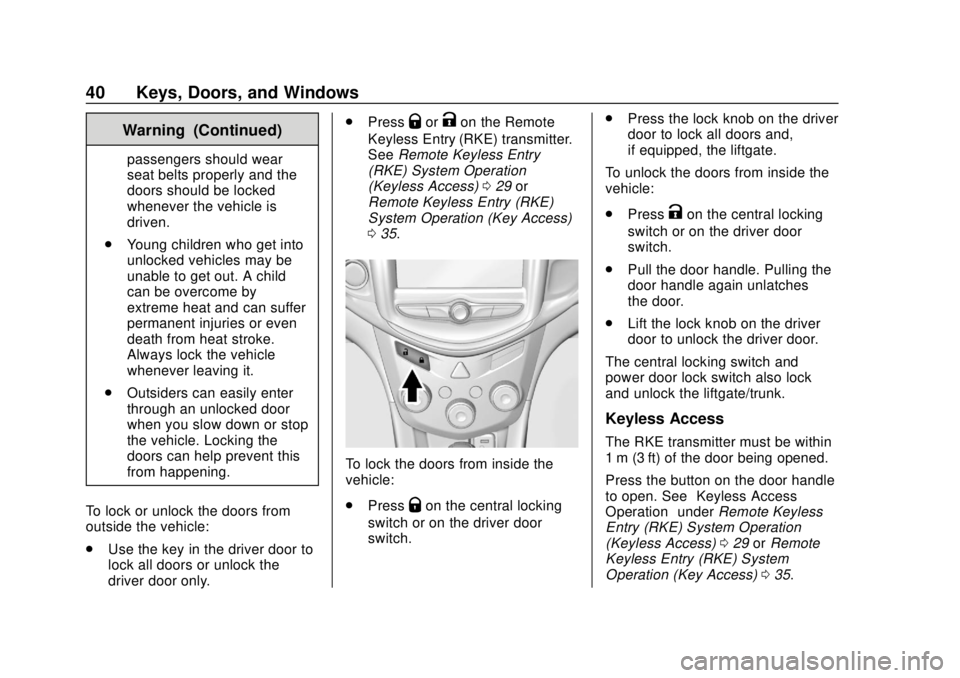
To lock the doors from inside the
vehicle:
.
Press
Qon the central locking
switch or on the driver door
switch. .
Press the lock knob on the driver
door to lock all doors and,
if equipped, the liftgate.
To unlock the doors from inside the
vehicle:
. Press
Kon the central locking
switch or on the driver door
switch.
. Pull the door handle. Pulling the
door handle again unlatches
the door.
. Lift the lock knob on the driver
door to unlock the driver door.
The central locking switch and
power door lock switch also lock
and unlock the liftgate/trunk.
Keyless Access
The RKE transmitter must be within
1 m (3 ft) of the door being opened.
Press the button on the door handle
to open. See “Keyless Access
Operation” underRemote Keyless
Entry (RKE) System Operation
(Keyless Access) 029 orRemote
Keyless Entry (RKE) System
Operation (Key Access) 035.
Page 42 of 351
Chevrolet Sonic Owner Manual (GMNA-Localizing-U.S./Canada-12461769) -
2019 - crc - 5/21/18
Keys, Doors, and Windows 41
Free-Turning Locks
The door key lock cylinder turns
freely when either the wrong key is
used, or the correct key is not fully
inserted. The free-turning door lock
feature prevents the lock from being
forced open. To reset the lock, turn
it to the vertical position with the
correct key fully inserted. Remove
the key and insert it again. If this
does not reset the lock, turn the key
halfway around in the cylinder and
repeat the reset procedure.
Delayed Locking
This feature delays the actual
locking of the doors until
five seconds after all doors are
closed. Delayed locking can only be
turned on when the Open Door
Anti-Lockout feature has been
turned off.
When
Qis pressed on the driver or
passenger door power lock switch
while the door is open, a chime will
sound three times to indicate that
delayed locking is active. The doors will then lock automatically
five seconds after all doors are
closed.
If a door is reopened before
five seconds have elapsed, the
five-second timer will reset once all
the doors are closed again. Press
Q
on the door lock switch again,
or press
Qon the RKE transmitter,
to override this feature and lock the
doors immediately.
Delayed locking can be
programmed. See Vehicle
Personalization 0132.
Automatic Door Locks
The vehicle is programmed so that
when the doors are closed, the
ignition is on, and the shift lever is
moved out of P (Park) for automatic
transmissions, or when the vehicle
speed is above 13 km/h (8 mph) for
manual transmissions, the doors
and the trunk/liftgate will lock.
If a vehicle door is unlocked and
then opened and closed, the doors
will lock either when your foot is removed from the brake or the
vehicle speed becomes faster than
13 km/h (8 mph).
To unlock the doors and the trunk/
liftgate:
.
Press
Kon the center stack or
the driver door switch.
. If equipped with an automatic
transmission the vehicle must be
in P (Park).
. If equipped with a manual
transmission the vehicle must be
in Neutral with the parking
brake set.
This feature can be programmed.
See Vehicle Personalization 0132.
Lockout Protection
If the ignition is on or in ACC/
ACCESSORY and the power door
lock switch is pressed with the
driver door open, all the doors will
lock and only the driver door will
unlock.
Page 44 of 351
Chevrolet Sonic Owner Manual (GMNA-Localizing-U.S./Canada-12461769) -
2019 - crc - 5/21/18
Keys, Doors, and Windows 43
Doors
Trunk (Sedan)
{Warning
Exhaust gases can enter the
vehicle if it is driven with the
liftgate, hatch/trunk open, or with
any objects that pass through the
seal between the body and the
hatch/trunk or liftgate. Engine
exhaust contains carbon
monoxide (CO) which cannot be
seen or smelled. It can cause
unconsciousness and even death.
If the vehicle must be driven with
the liftgate or hatch/trunk open:. Close all of the windows.
. Fully open the air outlets on
or under the instrument
panel.
. Adjust the climate control
system to a setting that
brings in only outside air
(Continued)
Warning (Continued)
and set the fan speed to the
highest setting. See
“Climate Control Systems”
in the Index.
. If the vehicle is equipped
with a power liftgate, disable
the power liftgate function.
For more information about
carbon monoxide, see Engine
Exhaust 0195.
To lock or unlock the trunk from the
inside, press
QorKon the central
locking switch or on the driver door
lock switch.
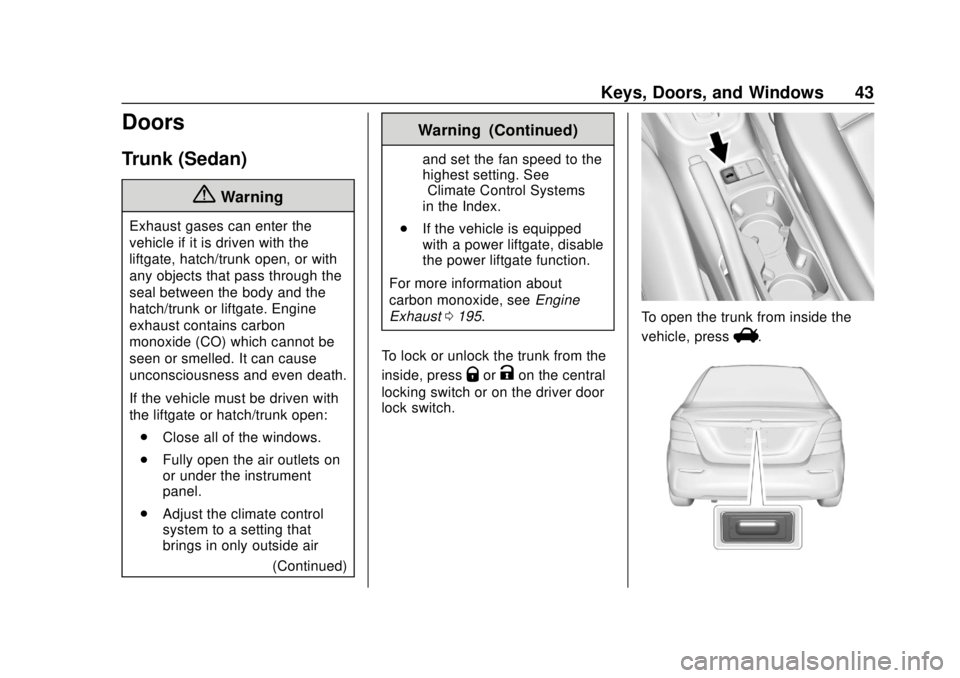
To open the trunk from inside the
vehicle, press
V.
Page 45 of 351
Chevrolet Sonic Owner Manual (GMNA-Localizing-U.S./Canada-12461769) -
2019 - crc - 5/21/18
44 Keys, Doors, and Windows
To open the trunk from outside of
the vehicle:
.Press
Kon the RKE transmitter
to unlock all doors, then use the
touch pad.
. Press
Xtwice on the RKE
transmitter.
See Remote Keyless Entry (RKE)
System Operation (Keyless Access)
0 29 orRemote Keyless Entry
(RKE) System Operation (Key
Access) 035.
To lock the trunk from outside press
Qon the RKE transmitter.
Emergency Trunk Release
Handle
Caution
Do not use the emergency trunk
release handle as a tie-down or
anchor point when securing items
in the trunk as it could damage
the handle.
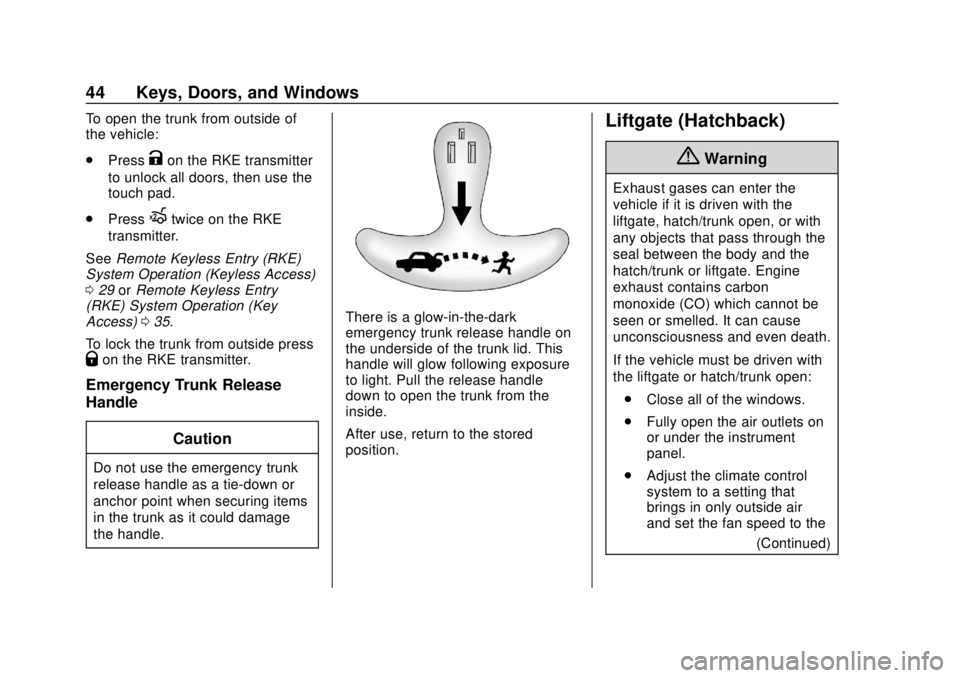
There is a glow-in-the-dark
emergency trunk release handle on
the underside of the trunk lid. This
handle will glow following exposure
to light. Pull the release handle
down to open the trunk from the
inside.
After use, return to the stored
position.
Liftgate (Hatchback)
{Warning
Exhaust gases can enter the
vehicle if it is driven with the
liftgate, hatch/trunk open, or with
any objects that pass through the
seal between the body and the
hatch/trunk or liftgate. Engine
exhaust contains carbon
monoxide (CO) which cannot be
seen or smelled. It can cause
unconsciousness and even death.
If the vehicle must be driven with
the liftgate or hatch/trunk open:. Close all of the windows.
. Fully open the air outlets on
or under the instrument
panel.
. Adjust the climate control
system to a setting that
brings in only outside air
and set the fan speed to the
(Continued)
Page 46 of 351
Chevrolet Sonic Owner Manual (GMNA-Localizing-U.S./Canada-12461769) -
2019 - crc - 5/21/18
Keys, Doors, and Windows 45
Warning (Continued)
highest setting. See
“Climate Control Systems”
in the Index.
. If the vehicle is equipped
with a power liftgate, disable
the power liftgate function.
For more information about
carbon monoxide, see Engine
Exhaust 0195.
To lock or unlock the liftgate from
the inside, press
QorKon the
central locking switch or on the
driver door switch.
The vehicle must be in P (Park) for
automatic transmissions. For
manual transmissions the parking
brake must be engaged.
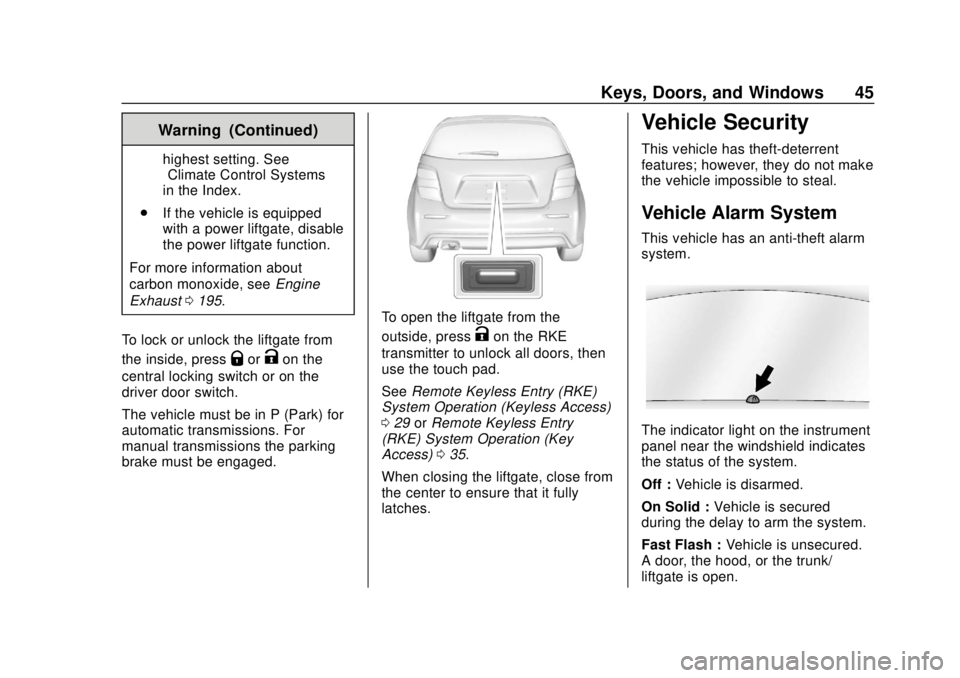
To open the liftgate from the
outside, press
Kon the RKE
transmitter to unlock all doors, then
use the touch pad.
See Remote Keyless Entry (RKE)
System Operation (Keyless Access)
0 29 orRemote Keyless Entry
(RKE) System Operation (Key
Access) 035.
When closing the liftgate, close from
the center to ensure that it fully
latches.
Vehicle Security
This vehicle has theft-deterrent
features; however, they do not make
the vehicle impossible to steal.
Vehicle Alarm System
This vehicle has an anti-theft alarm
system.
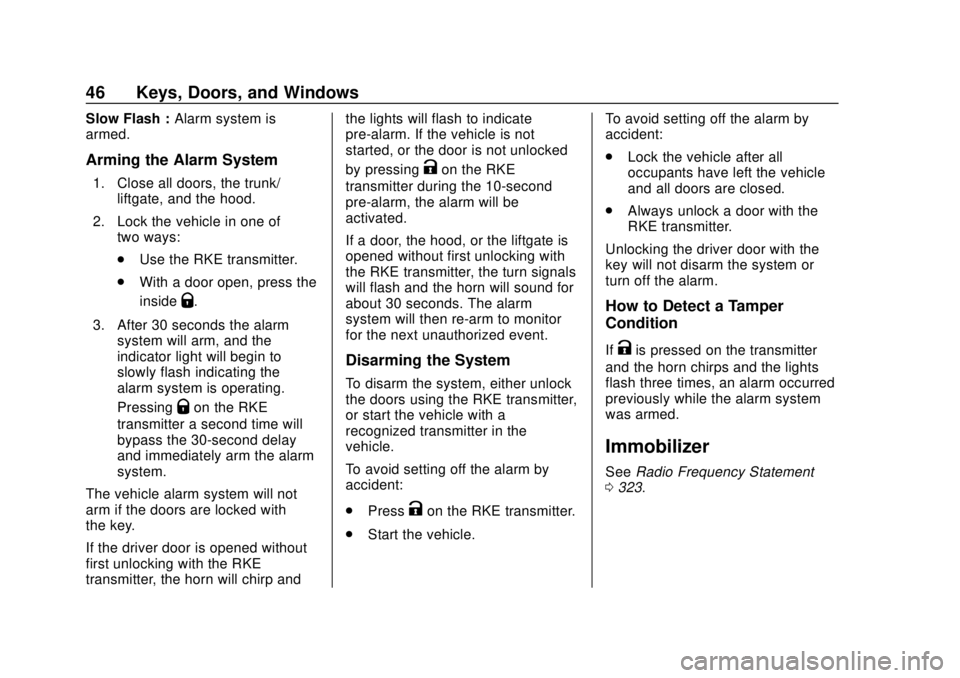
The indicator light on the instrument
panel near the windshield indicates
the status of the system.
Off : Vehicle is disarmed.
On Solid : Vehicle is secured
during the delay to arm the system.
Fast Flash : Vehicle is unsecured.
A door, the hood, or the trunk/
liftgate is open.
Page 47 of 351
Chevrolet Sonic Owner Manual (GMNA-Localizing-U.S./Canada-12461769) -
2019 - crc - 5/21/18
46 Keys, Doors, and Windows
Slow Flash :Alarm system is
armed.
Arming the Alarm System
1. Close all doors, the trunk/
liftgate, and the hood.
2. Lock the vehicle in one of two ways:
.Use the RKE transmitter.
. With a door open, press the
inside
Q.
3. After 30 seconds the alarm system will arm, and the
indicator light will begin to
slowly flash indicating the
alarm system is operating.
Pressing
Qon the RKE
transmitter a second time will
bypass the 30-second delay
and immediately arm the alarm
system.
The vehicle alarm system will not
arm if the doors are locked with
the key.
If the driver door is opened without
first unlocking with the RKE
transmitter, the horn will chirp and the lights will flash to indicate
pre-alarm. If the vehicle is not
started, or the door is not unlocked
by pressing
Kon the RKE
transmitter during the 10-second
pre-alarm, the alarm will be
activated.
If a door, the hood, or the liftgate is
opened without first unlocking with
the RKE transmitter, the turn signals
will flash and the horn will sound for
about 30 seconds. The alarm
system will then re-arm to monitor
for the next unauthorized event.
Disarming the System
To disarm the system, either unlock
the doors using the RKE transmitter,
or start the vehicle with a
recognized transmitter in the
vehicle.
To avoid setting off the alarm by
accident:
. Press
Kon the RKE transmitter.
. Start the vehicle. To avoid setting off the alarm by
accident:
.
Lock the vehicle after all
occupants have left the vehicle
and all doors are closed.
. Always unlock a door with the
RKE transmitter.
Unlocking the driver door with the
key will not disarm the system or
turn off the alarm.
How to Detect a Tamper
Condition
IfKis pressed on the transmitter
and the horn chirps and the lights
flash three times, an alarm occurred
previously while the alarm system
was armed.
Immobilizer
See Radio Frequency Statement
0 323.
Page 213 of 351
Chevrolet Sonic Owner Manual (GMNA-Localizing-U.S./Canada-12461769) -
2019 - crc - 5/21/18
212 Driving and Operating
closer to the obstacle. When the
distance is less than 30 cm (12 in),
the beeping is a continuous tone.
Turning the System On and Off
The RPA system can be turned on
and off using the infotainment
system controls. SeeVehicle
Personalization 0132.
When the system is off, PARK
ASSIST OFF displays on the Driver
Information Center (DIC). The
message disappears after a short
period of time.
RPA defaults to the on setting each
time the vehicle is started.
When the System Does Not
Seem to Work Properly
The following messages may be
displayed on the DIC: SERVICE PARK ASSIST :
If this
message occurs, check the
following conditions:
. The sensors are not clean. Keep
the vehicle's rear bumper free of
mud, dirt, snow, ice, and slush.
For cleaning instructions, see
Exterior Care 0286.
. The Park Assist sensors are
covered by frost or ice. Frost or
ice can form around and behind
the sensors and may not always
be seen; this can occur after
washing the vehicle in cold
weather. The message may not
clear until the frost or ice has
melted.
If the above conditions do not exist,
take the vehicle to your dealer to
repair the system. PARK ASSIST OFF :
If the RPA
system does not activate due to a
temporary condition, the message
displays on the DIC. This can occur
under the following conditions:
. An object was hanging out of the
trunk during the last drive cycle.
Once the object is removed,
RPA will return to normal
operation.
. The bumper is damaged. Take
the vehicle to your dealer to
repair the system.
. Other conditions, such as
vibrations from a jackhammer or
the compression of air brakes on
a very large truck, are affecting
system performance.Forward Collision Alert
(FCA) System
If equipped, the FCA system may
help to avoid or reduce the harm
caused by front-end crashes. When
approaching a vehicle ahead too
quickly, FCA provides a red flashing
alert on the windshield and rapidly
beeps.
Page 219 of 351
Chevrolet Sonic Owner Manual (GMNA-Localizing-U.S./Canada-12461769) -
2019 - crc - 5/21/18
218 Driving and Operating
To remove the fuel cap, turn it
slowly counterclockwise. The fuel
cap has a spring in it; if the cap is
released too soon, it will spring back
to the right.
{Warning
Overfilling the fuel tank by more
than three clicks of a standard fill
nozzle may cause:. Vehicle performance issues,
including engine stalling and
damage to the fuel system.
. Fuel spills.
. Potential fuel fires.
Be careful not to spill fuel. Wait a
few seconds after you have finished
pumping before removing the
nozzle. Clean fuel from painted
surfaces as soon as possible. See
Exterior Care 0286.
When replacing the fuel cap, turn it
clockwise until it clicks. Make sure
the cap is fully installed. The
diagnostic system can determine if
the fuel cap has been left off or improperly installed. This would
allow fuel to evaporate into the
atmosphere. See
Malfunction
Indicator Lamp (Check Engine
Light) 0116.
{Warning
If a fire starts while you are
refueling, do not remove the
nozzle. Shut off the flow of fuel by
shutting off the pump or by
notifying the station attendant.
Leave the area immediately.
Caution
If a new fuel cap is needed, be
sure to get the right type of cap
from your dealer. The wrong type
of fuel cap may not fit properly,
may cause the malfunction
indicator lamp to light, and could
damage the fuel tank and
emissions system. See
Malfunction Indicator Lamp
(Check Engine Light) 0116.
Filling a Portable Fuel
Container
{Warning
Never fill a portable fuel container
while it is in the vehicle. Static
electricity discharge from the
container can ignite the fuel
vapor. You can be badly burned
and the vehicle damaged if this
occurs. To help avoid injury to you
and others:
. Dispense fuel only into
approved containers.
. Do not fill a container while
it is inside a vehicle, in a
vehicle's trunk, pickup bed,
or on any surface other than
the ground.
. Bring the fill nozzle in
contact with the inside of
the fill opening before
operating the nozzle.
(Continued)